A streaming device is the cheapest fix for a slow smart TV and the only fix for an old one. Plug it into an HDMI port, join the Wi-Fi, sign in, and the TV’s own menus never need opening again. The hard part is choosing between sticks and boxes that all promise 4K.
The short answer: the Roku Streaming Stick 4K is the streaming device most people should buy. It streams 4K with HDR10+ and Dolby Vision, its remote also controls the TV’s power and volume, and owners rate it 4.6 stars. For a 1080p television the Roku Express is the simpler buy; for a household that lives on Google and Android, the Chromecast with Google TV 4K is the better fit.
Our TV and projector catalog lists 52 products as streaming media players, most of them display dongles and generic Android TV sticks with a few dozen reviews each. We have not run these five side by side; the comparison rests on each listing’s specifications and on the owner ratings and written reviews in our data. Prices change daily and are not printed; every button opens the live Amazon page.
How we picked
- Two platforms, five jobs. A 4K stick and an HD stick on Roku, a 4K stick on Google TV, and one premium box for each platform. No Amazon Fire TV Stick is in our catalog.
- Owner ratings of 4.3 stars or higher, from 4,090 ratings to more than 103,000.
- Facts from the listing. Resolution, ports, storage, box contents and warranty come from the product data; where a spec table contradicts the listing title, we say so.
- Current models, with the older version mentioned where the catalog has both.
- No cables, extenders or mirroring dongles, which fill the same subcategory.
The picks
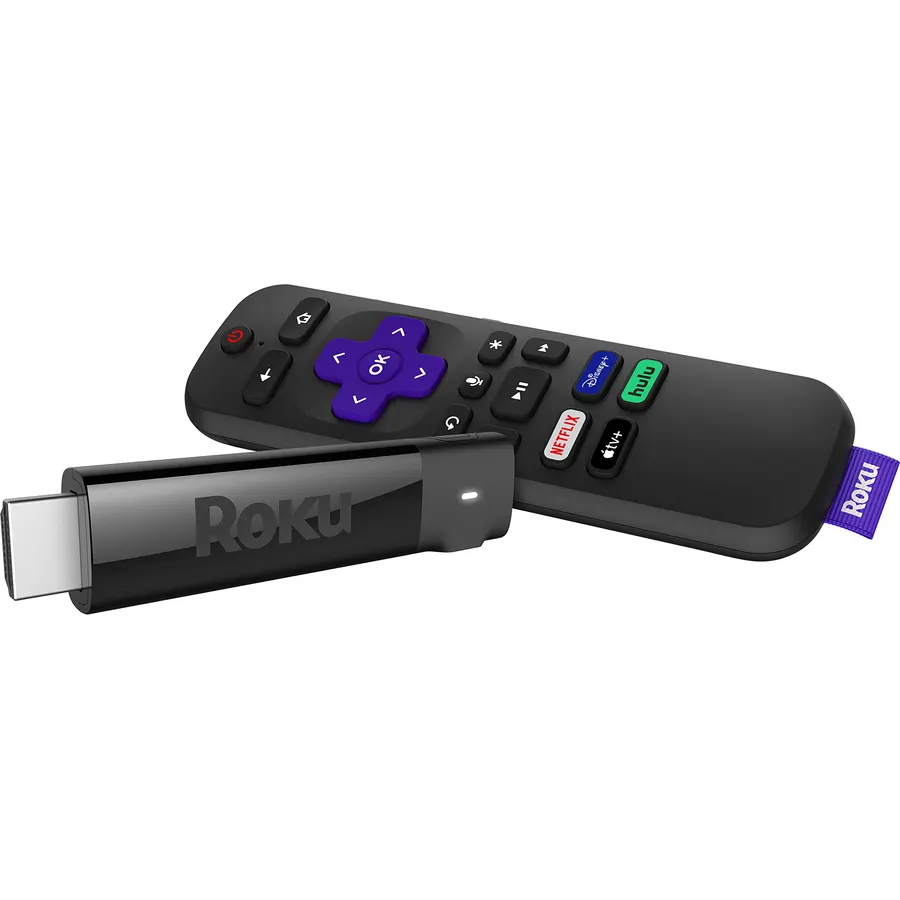
The Streaming Stick 4K does the two things that matter without a box on the shelf: it streams 4K with HDR10+ and Dolby Vision, and its voice remote powers the TV and adjusts the volume, so the TV’s remote can go in a drawer. Roku rates the redesigned long-range Wi-Fi receiver at up to twice the speed of the earlier stick, which matters in a room far from the router. It supports AirPlay and carries the free live channels on The Roku Channel. Owners in our data call it fast and easy to set up; one who lives in hotels says it gets through Wi-Fi sign-in portals, and another lists the box contents as the stick, a USB cable, a power adapter and two AAA batteries. At 4.6 stars from 4,090 owners it has the smallest sample here, and the fewest complaints.
- 4K with HDR10+ and Dolby Vision from a stick that hides behind the TV
- Remote turns the TV on and sets the volume
- Long-range Wi-Fi rated at twice the speed of the older stick
- An owner reports it joins hotel Wi-Fi with a sign-in page
- Wi-Fi only; no Ethernet option in the specs
- Needs its own USB power cable and adapter
- 4,090 ratings, the fewest of the five
Roku Express HD Roku Streaming Device with Simple Remote (no TV controls), Free & Live TV
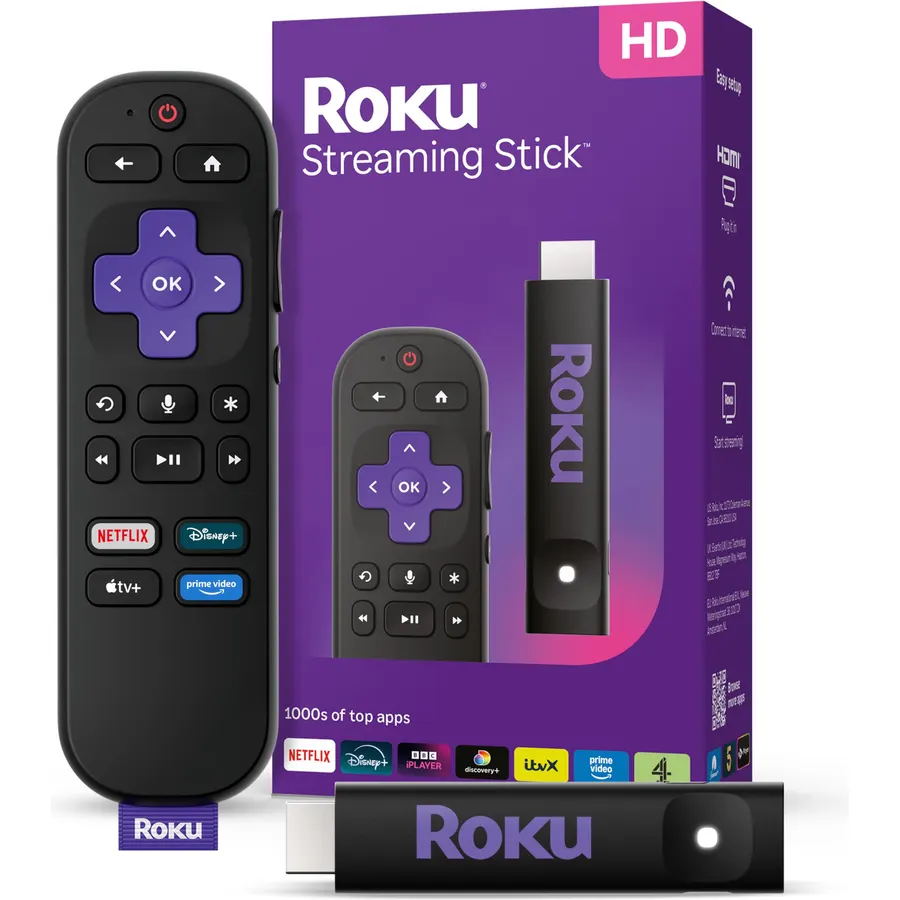
The Express is the Roku for a bedroom, kitchen or older HD television. It streams at 1080p, and everything needed is in the box, including a High Speed HDMI cable and an adhesive strip to fix the small player to the TV. The remote is the simple kind with shortcut buttons; it cannot turn the TV on or change the volume, though the Roku app adds voice search. Owners in our data describe a setup that takes minutes, remote batteries that lasted a year, and a YouTube bug where a paused video restarts. The listing’s 103,134 ratings are shared with other versions in the Roku Express family, and several reviews in our data concern the 4K+ model, so read the count as a verdict on the family rather than this exact stick.
- The most reviewed streaming device in our catalog: 4.7 stars across 103,134 ratings on the listing
- HDMI cable and adhesive strip in the box
- The free Roku app adds voice search and private listening
- Works with Siri, Alexa, Google voice assistants and AirPlay
- 1080p only; pointless on a 4K TV
- The remote does not control TV power or volume
- An owner notes the player must stay visible to the remote
Chromecast with Google TV (4K) Streaming Stick Entertainment on Your TV with Voice Search
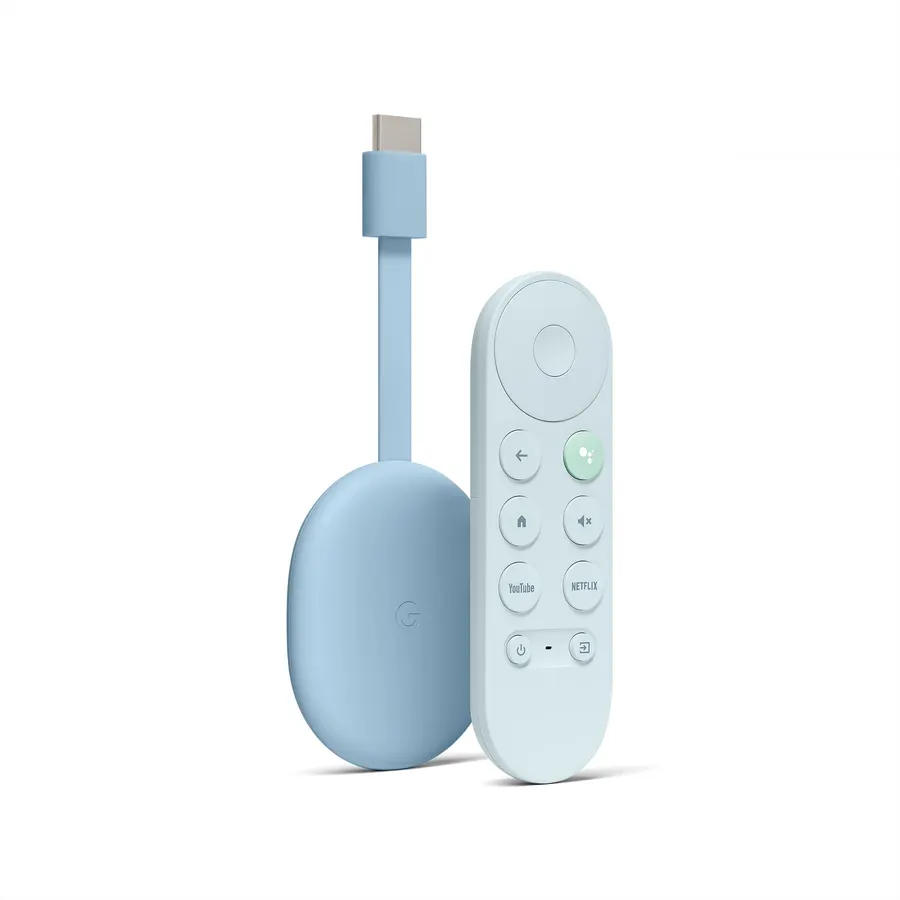
If the phones in the house are Android and the speakers are Google, this is the stick that fits. Google TV puts shows from all your subscriptions on one home screen, the remote’s Assistant button handles voice search and TV volume and inputs, and anything on a phone can be cast to the screen. A kids profile restricts services, limits watching time and sets a bedtime. The listing promises up to 4K HDR while the spec table in our data says 1080p; the title and bullets are the maker’s statement and owners describe a 4K picture, so we take the spec table as an error. The criticism in reviews is specific: one parent found the time limits unreliable and not tied to Google’s Family Link, another mentions Wi-Fi glitches and voice control that fails in some apps, and a third notes a little lag.
- Google TV home screen gathers shows from every service into one list
- Assistant button searches by voice and changes inputs and volume
- Cast from a phone, and a kids profile with parental controls
- 4.6 stars from 16,651 owners
- 16 GB of storage, half the Google TV Streamer's
- No Ethernet; an owner notes it is Wi-Fi only and powered over USB-C
- Owners report parental time limits that work inconsistently, and occasional lag
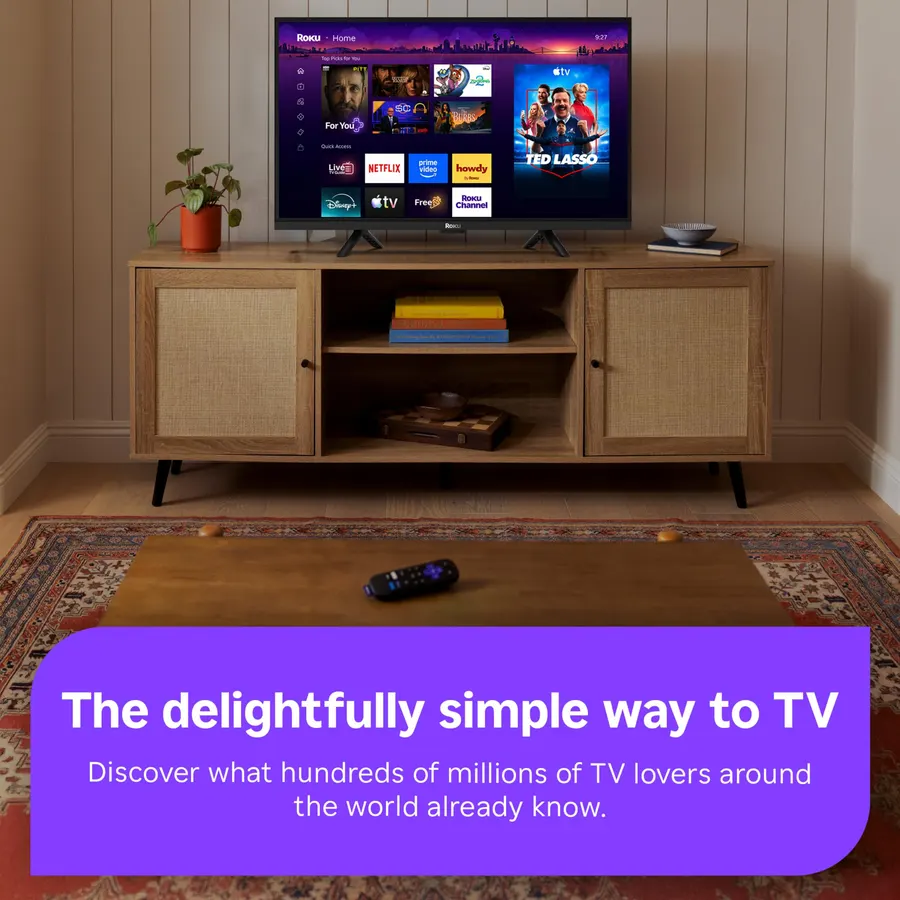
The Ultra is the Roku for the main television. It plays 4K with HDR10+, Dolby Vision and Dolby Atmos, decodes AV1 and VP9, and Roku claims it is 30 percent faster than any other Roku player. The remote is the reason to pay more: the Voice Remote Pro charges over USB-C, has backlit buttons, takes hands-free “Hey Roku” commands and plays a sound when lost. An Ethernet port takes Wi-Fi out of the equation, with Wi-Fi 6 if you cannot run a cable. The HDMI cable is included and the listing states a two-year warranty. Our data has no review text for this 2024 model, only the 4.4-star average. The previous Roku Ultra is still in our catalog at 4.7 stars from 27,773 owners, with Ethernet, Dolby Vision and Atmos and a remote with a headphone jack; it cost slightly more than the new model in our data.
- Roku says it is 30 percent faster than any other Roku player
- Ethernet port plus Wi-Fi 6
- Backlit rechargeable remote with hands-free voice and a remote finder
- Two-year warranty, twice the others here
- 4.4 stars from 8,737 owners, the lowest Roku rating here
- Our data holds no written reviews for this model
- A box needs shelf space and a wall outlet
Google TV Streamer 4K - Fast Streaming Entertainment with Voice Search Remote - Smart Home Control - 32 GB of Storage
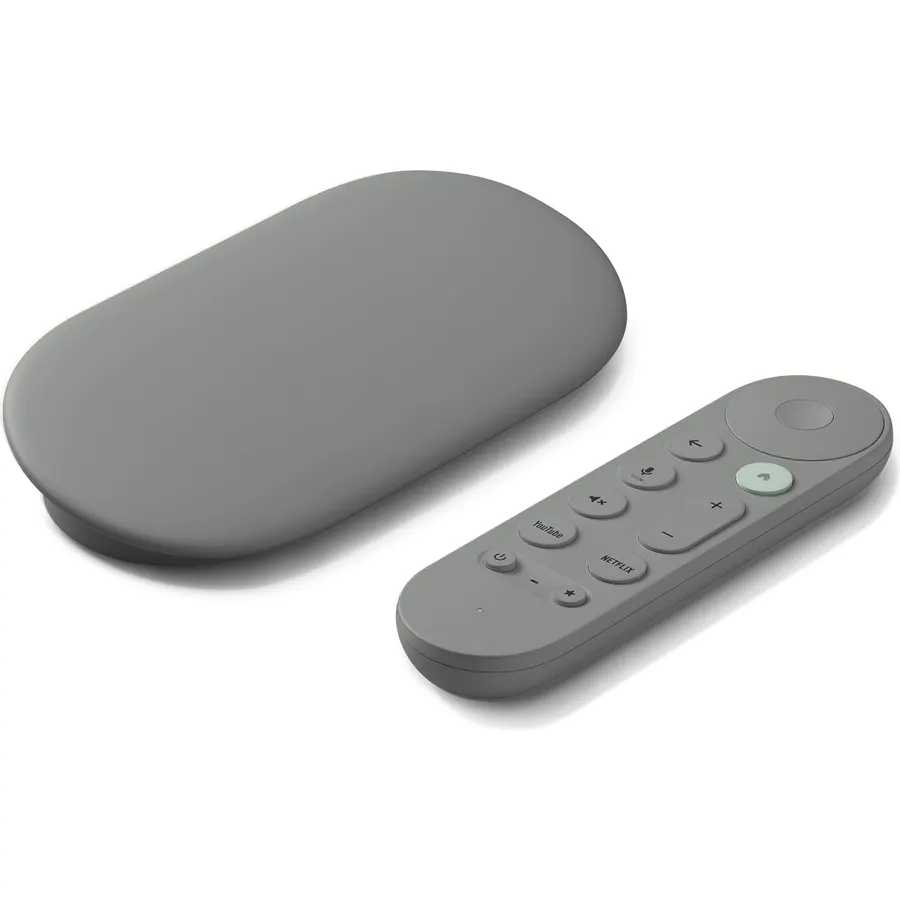
Google’s box is the Chromecast with the limits removed: 32 GB of storage and 4 GB of RAM, an Ethernet port, 4K HDR with Dolby Vision, Dolby Atmos to a compatible speaker, and a remote that searches by voice and controls smart home devices. The Google TV home screen is the same as on the stick, with more than 800 free live channels through Pluto TV, Tubi and similar services. Owners in our data who replaced a 2020 Chromecast or a Fire TV Stick say apps open faster and the interface no longer stalls; one attached it to a 2007 television with no Wi-Fi of its own. One buyer of two units had to reset the second before it would connect. It cost the most on this page in our data, and there is no HDMI cable in the box.
- 32 GB of storage and 4 GB of RAM, twice the Chromecast's storage
- Ethernet port and a voice remote with smart home controls
- Over 800 free live channels from Pluto TV, Tubi and others
- Owners who moved from older Chromecasts and Fire TV sticks call it faster
- The highest price of the five at the time of writing
- No HDMI cable in the box; an HDMI 2.1 cable is required
- 4.3 stars from 4,187 owners, the lowest rating here
Compare the picks
| Product | Resolution | Platform | Ethernet | Owner rating | Our score | |
|---|---|---|---|---|---|---|
| Roku Streaming Stick 4KRoku | 4K, HDR10+, Dolby Vision | Roku | No | 4.6 / 4.1k | 9.2 | See price |
| Roku Express HDRoku | 1080p | Roku | No | 4.7 / 103k | 9.4 | See price |
| Chromecast with Google TV 4KGoogle | Up to 4K HDR | Google TV | No | 4.6 / 16.7k | 9.2 | See price |
| Roku Ultra 2024Roku | 4K, HDR10+, Dolby Vision, Atmos | Roku | Yes, plus Wi-Fi 6 | 4.4 / 8.7k | 8.8 | See price |
| Google TV Streamer 4KGoogle | 4K HDR, Dolby Vision, Atmos | Google TV | Yes | 4.3 / 4.2k | 8.6 | See price |
What to look for in a streaming device
Match the resolution to the TV. A 4K device on a 1080p television shows a 1080p picture, so the Roku Express gives up nothing on an HD set. On a 4K set, check the HDR format your TV supports: Dolby Vision appears on the Streaming Stick 4K, the Roku Ultra and the Google TV Streamer, HDR10+ on the two Rokus.
Roku or Google TV. Roku’s home screen is a grid of channels that stays out of the way. Google TV builds a home screen of recommendations across services and ties into Google Assistant, Android phones and Google speakers. Owners in our data have moved in both directions and are happy, so choose the ecosystem you already use.
The remote. The Roku Express remote does not control the TV; the Streaming Stick 4K’s handles TV power and volume and the Chromecast’s handles volume and inputs. The Roku Ultra’s is rechargeable and backlit.
Wired or wireless. Sticks are Wi-Fi only. If the TV is far from the router or 4K streams stutter, a box with an Ethernet port is the reliable fix.
Storage and cables. The Chromecast lists 16 GB and the Google TV Streamer 32 GB; Roku channels are small and the question rarely comes up. The Roku Express and Roku Ultra include an HDMI cable; the Google TV Streamer requires an HDMI 2.1 cable that is not included.
Region. Reviews in our data from outside the United States report missing apps and voice features that do not work; the TiVo Stream 4K, which we left out, needs a US TiVo account to activate at all.
If the TV itself is the problem, our guides to TVs under $500 and 65-inch TVs cover sets with current smart platforms built in, and the soundbar guide pairs with the Dolby Atmos output of the two boxes here.
Which streaming device is best for an older TV?
The Roku Express for an HD television: it streams at 1080p, includes an HDMI cable and a mounting strip, and owners describe a setup that takes minutes. For an older 4K TV with a slow smart platform, the Roku Streaming Stick 4K or the Chromecast with Google TV 4K replaces the built-in apps.
Which of these has an Ethernet port?
The Roku Ultra 2024 and the Google TV Streamer 4K, the two boxes. The three sticks are Wi-Fi only; an owner of the Chromecast confirms it has no wired option.
Can the remote turn the TV on and off?
The Roku Streaming Stick 4K remote controls TV power and volume, and the Chromecast remote controls volume and inputs through Google Assistant. The Roku Express ships with a simple remote that does not control the TV.
Is there a Fire TV Stick in this guide?
No. Our catalog has no Amazon Fire TV Stick listing, only cables and extenders for one. Owners who moved from a Fire TV Stick to the Google TV Streamer describe it as faster.
Bottom line
Buy the Roku Streaming Stick 4K for a 4K TV and the Roku Express for an HD one; between them they cover most rooms. Go to the Chromecast with Google TV 4K when the household runs on Google, and step up to a box, the Roku Ultra 2024 or the Google TV Streamer 4K, when you want Ethernet, more storage or a better remote for the main screen.
Prices and stock change daily. The buttons above open Amazon so you always see the current price. We may earn a commission if you buy through them, at no extra cost to you.
Do Best Deal is a participant in the Amazon Services LLC Associates Program. As an Amazon Associate we earn from qualifying purchases. If you buy through links on this site we may earn a commission, at no extra cost to you. Learn more.