An all-in-one puts the whole computer behind the screen. There is no tower under the desk, one power cable instead of a nest of them, and a webcam, microphone and speakers already built in, which is why AIO PCs end up on kitchen counters, reception desks and in small home offices where a conventional desktop would look like clutter. What you give up is the freedom to change things later. The screen, the processor and usually the graphics are fixed for the life of the machine, so the configuration you buy matters more than it does with a tower: enough memory, a fast SSD of a sensible size, and a display you will be happy to look at for years. We went through the all-in-ones in our desktops catalog and ranked them on screen, processor, memory and storage, and what owners report.
We have not benchmarked these machines ourselves; the verdicts rest on the spec sheets and the owner review history. Prices are not printed because they change daily; every button opens the live Amazon page. Specifications are quoted from each listing, and where a listing leaves out the memory or storage we say so instead of guessing. If you would prefer a separate box and your own monitor, see our desktop computers for home and office guide for towers, or mini PCs for the smallest option.
How we picked
- True all-in-ones only. The computer is built into the display; no towers, mini PCs or monitor bundles.
- Screen first. Size, resolution, panel type and colour coverage as the listing states them.
- Processor in context. We say plainly which chips are entry-level and which have headroom.
- Memory and storage as listed. 16GB and an SSD are the comfortable baseline; missing figures are flagged.
- Owner feedback. Best-reviewed first; one pick has a small number of owner reviews and is labelled that way.
The picks
Dell 23.8 inch All-in-One Desktop, FHD, Intel Core 3 100U, Windows 11 Home

The Dell 24 All-in-One is the most reviewed machine in this guide and the best liked, with hundreds of owner reviews and a very strong owner rating. Its strength is the part you look at: a 23.8 inch Full HD IPS panel covering 99 percent of sRGB, with what Dell describes as 50 percent higher contrast and a higher refresh rate than a standard panel, plus ComfortView Plus to cut blue light. The 5MP camera has infrared and HDR for video calls in poor light and tilts from 0 to 20 degrees, and the speakers support Dolby Atmos. The Intel Core 3 100U is an everyday processor, well suited to office work, browsing and streaming. A year of onsite service means a technician comes to you if a fault cannot be fixed remotely. One gap: the title and bullets we have do not state the memory or storage, so confirm both on the live page.
- Very strong owner rating from hundreds of owner reviews
- Colour-accurate IPS panel with ComfortView Plus
- Sharp 5MP webcam with infrared
- Onsite service included for a year
- Memory and storage are not given in the title or bullets we have
- Core 3 is an everyday chip, not a creative workstation
- Full HD only
Dell 27 inch All-in-One Desktop, FHD, Intel Core 5 120U, Windows 11 Home
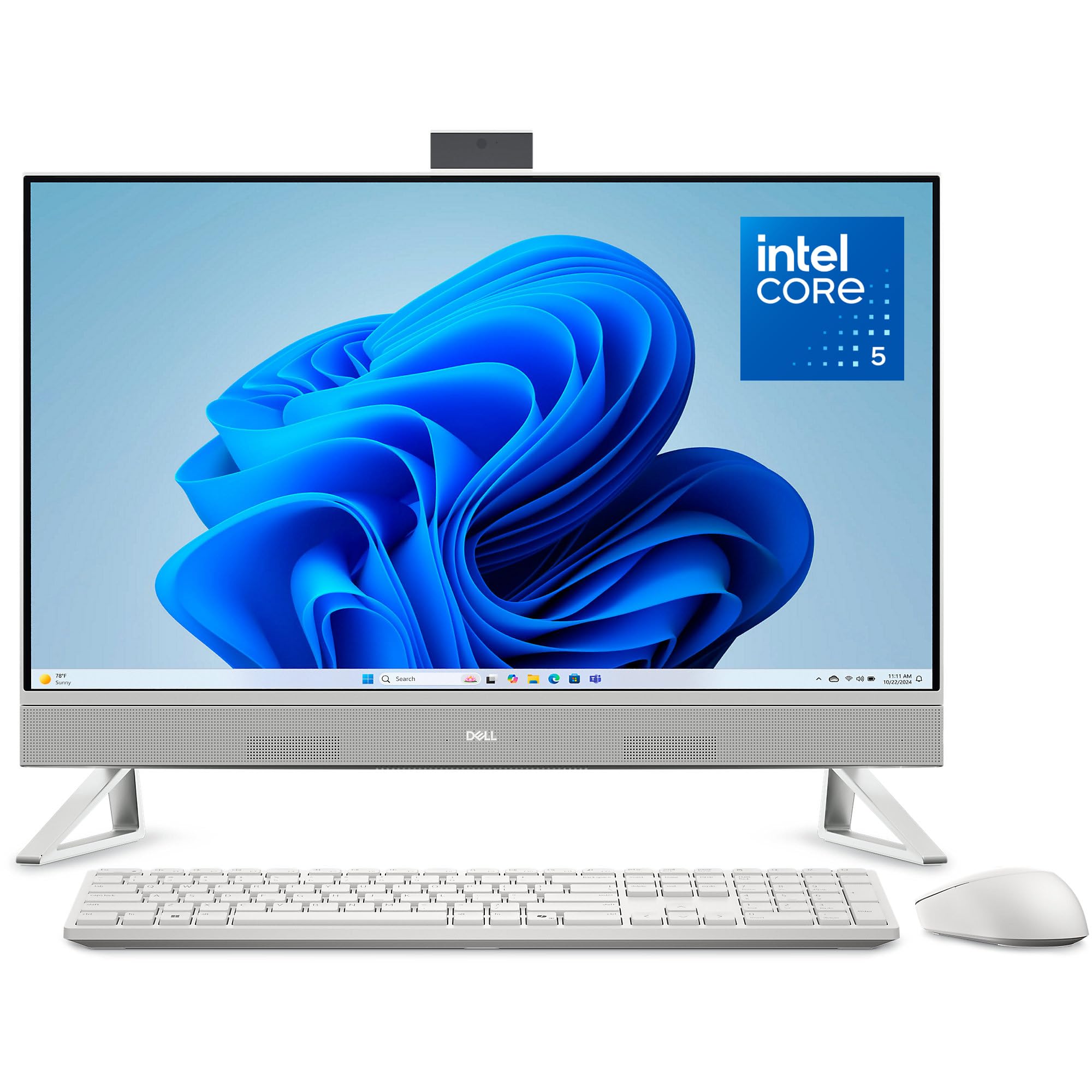
The 27 inch Dell is the same design scaled up, for people who work in two windows side by side or sit a little further back. The panel is Full HD IPS with 99 percent sRGB coverage and ComfortView Plus, and the processor steps up to the Intel Core 5 120U, which gives more room for heavier multitasking than the Core 3. Two details improve daily use: the stand leaves a space under the display to park the keyboard, and the 5MP infrared camera pops up for calls and pushes down when you want privacy. Dolby Atmos audio and a year of onsite service carry over. Be aware that Full HD across 27 inches is less sharp than on the smaller screen, so text looks slightly softer up close. As with its sibling, the memory and storage are not stated in the data we have. Hundreds of owners give it a very strong owner rating.
- Largest screen in this guide
- Core 5 processor has more headroom than the Core 3
- Pop-up camera hides away when not in use
- Hundreds of owner reviews with a very strong owner rating
- Full HD is stretched thinner at 27 inches
- Memory and storage are not given in the title or bullets we have
- Costs noticeably more than the 23.8 inch model
Lenovo IdeaCentre 24 All-in-One Desktop Computer Intel 8GB 512GB SSD AIO

This IdeaCentre is the least expensive way into an all-in-one here, and its listing is refreshingly plain: a 23.8 inch Full HD IPS anti-glare screen at 250 nits, 8GB of DDR4 memory, a 512GB PCIe NVMe solid-state drive, Intel Wi-Fi 6 and Bluetooth 5.2, running Windows 11 Home in an Ebony Black case. The SSD is the important part, because it is what makes a budget computer feel responsive. Two things hold it to third place. The memory is 8GB, which is fine for email, documents, video calls and schoolwork but fills up with a lot of browser tabs open, and the listing says only Intel processor without naming the model, so check the live page to see which chip you are getting. The bullets do not describe the ports or the webcam either. Dozens of owners give it a very strong owner rating, level with the 27 inch Dell.
- Lowest-cost machine in this guide
- 512GB NVMe SSD, not a slow hard drive
- Wi-Fi 6 and Bluetooth 5.2
- Very strong owner rating from dozens of owner reviews
- 8GB of memory is tight for many browser tabs
- Listing does not name the processor model
- Short bullets: ports and webcam are not described
Lenovo 23.8 inch i3-N305 16GB 512GB SSD All-in-One Desktop Computer
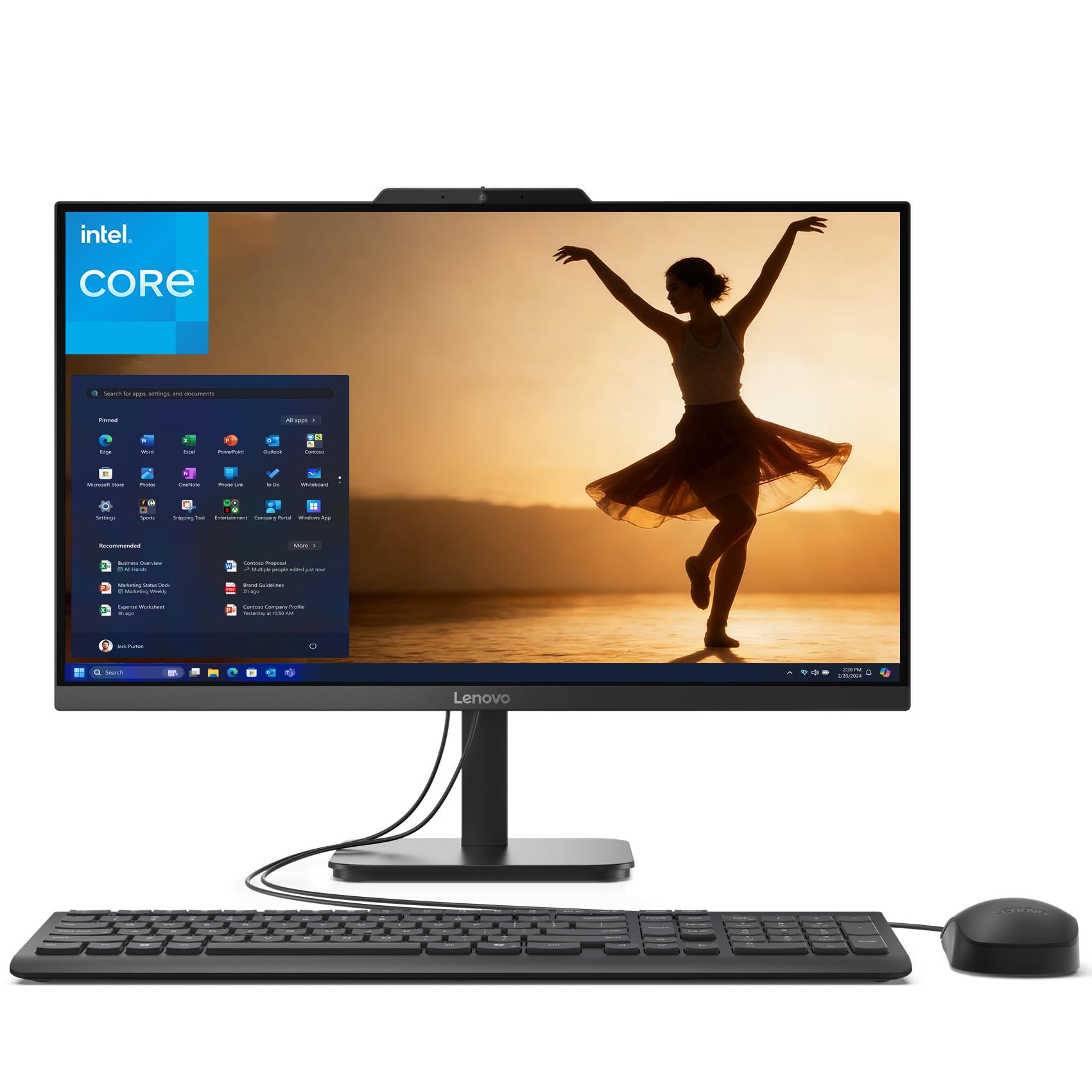
This Lenovo is the best-specified of the three IdeaCentre machines. The Intel Core i3-N305 has eight cores and turbo speeds up to 3.8GHz, and it is paired with 16GB of DDR4 memory and a 512GB NVMe SSD, a combination that handles a full working day of documents, spreadsheets, calls and many browser tabs. The 23.8 inch Full HD IPS screen is anti-glare with a three-sided borderless design, 99 percent sRGB coverage and 250 nits of brightness. The listing is complete on connections: two 10Gbps USB-A ports, two USB 2.0 ports, an HDMI 1.4b output for a second display, Ethernet, Wi-Fi 6 and Bluetooth 5.2, with an HD webcam and a tilting stand. The specification notes there is no card reader, and the speakers are two 2 watt units. It has hundreds of owner reviews, but the owner rating is solid, not strong, which keeps it below the Dells.
- 16GB of memory and an 8-core processor
- Three-sided borderless display with 99 percent sRGB
- HDMI output for a second screen
- Hundreds of owner reviews
- Owner rating is solid, not strong
- No card reader, per the specification
- Small 2W speakers
Lenovo IdeaCentre 24 AIO 23.8 inch FHD IPS Desktop Computer, Intel Processor, 16GB DDR4, 512GB PCIe SSD, WiFi 6, Bluetooth 5.2, Webcam, Office 365, Keyboard and Mouse, Windows 11 Home, Dark Gray
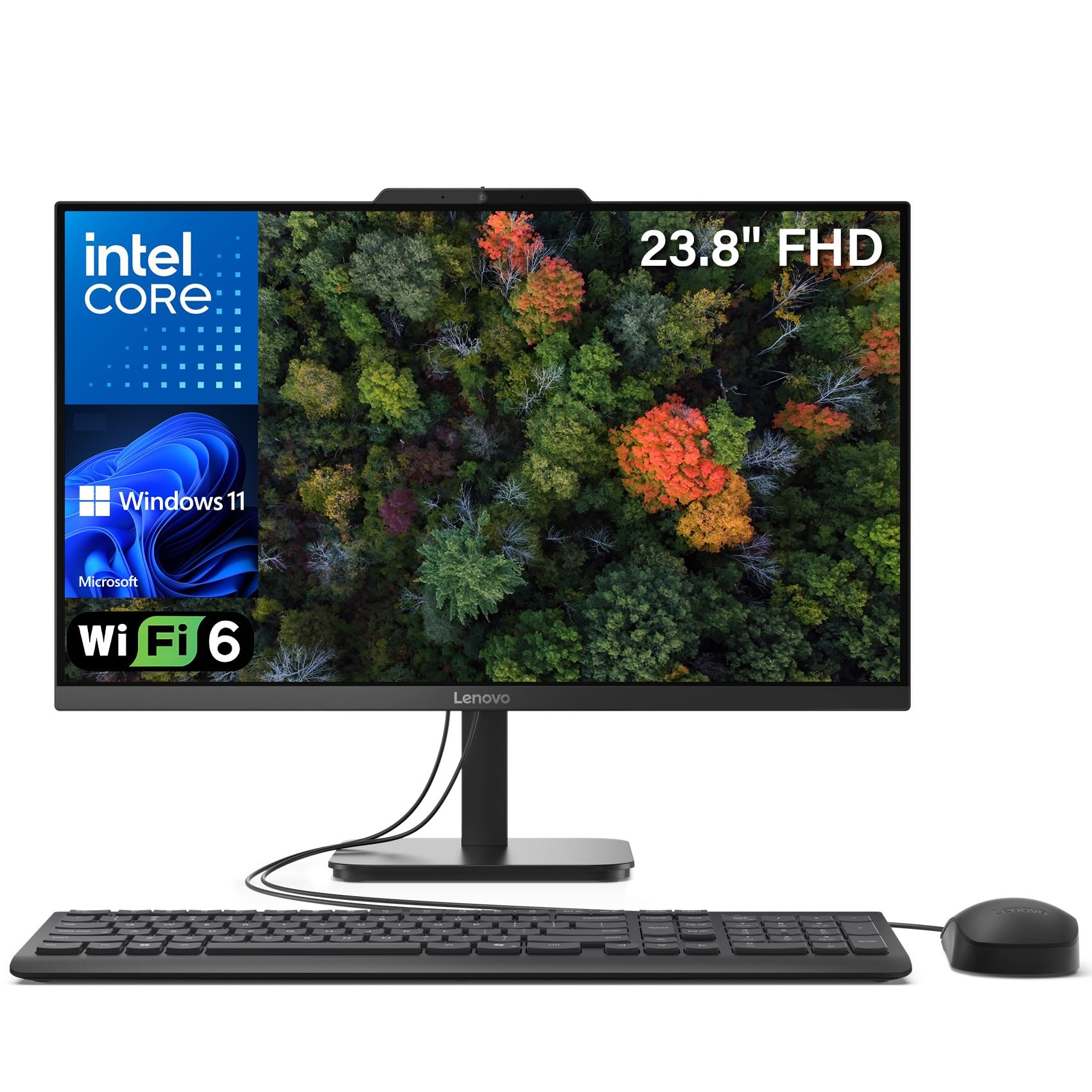
This configuration is the ready-to-use bundle: the same 23.8 inch Full HD IPS anti-glare screen with 99 percent sRGB, 16GB of DDR4 memory and a 512GB NVMe SSD, with a USB wired keyboard and mouse in the box. The processor is the Intel N100, a four-core chip with turbo up to 3.4GHz. It is efficient and perfectly adequate for web browsing, office documents, video calls and streaming, but it is entry-level; despite the wording in the bullets, do not buy it for video editing. Connections match the i3 model: two 10Gbps USB ports, two USB 2.0, HDMI out, Gigabit Ethernet, a 3.5mm jack, Wi-Fi 6 and Bluetooth 5.2. Two small inconsistencies are worth knowing about: the title mentions Office 365 without saying whether that is a trial or a subscription, and it gives the colour as Dark Gray while a bullet says Jet Black. Hundreds of owners give it a solid owner rating.
- 16GB of memory at a moderate cost
- Keyboard and mouse in the box
- Same colour-accurate screen as the i3-N305 model
- Hundreds of owner reviews with a solid owner rating
- N100 is an entry-level four-core processor
- Title mentions Office 365 without saying what is included
- Title says Dark Gray while a bullet says Jet Black
MSI Modern All-in-One Desktop 23.8 inch FHD Touchscreen, Intel Core 7 150U, 16GB RAM, 2TB Storage (1TB HD, 1TB SSD), Windows 11 Home
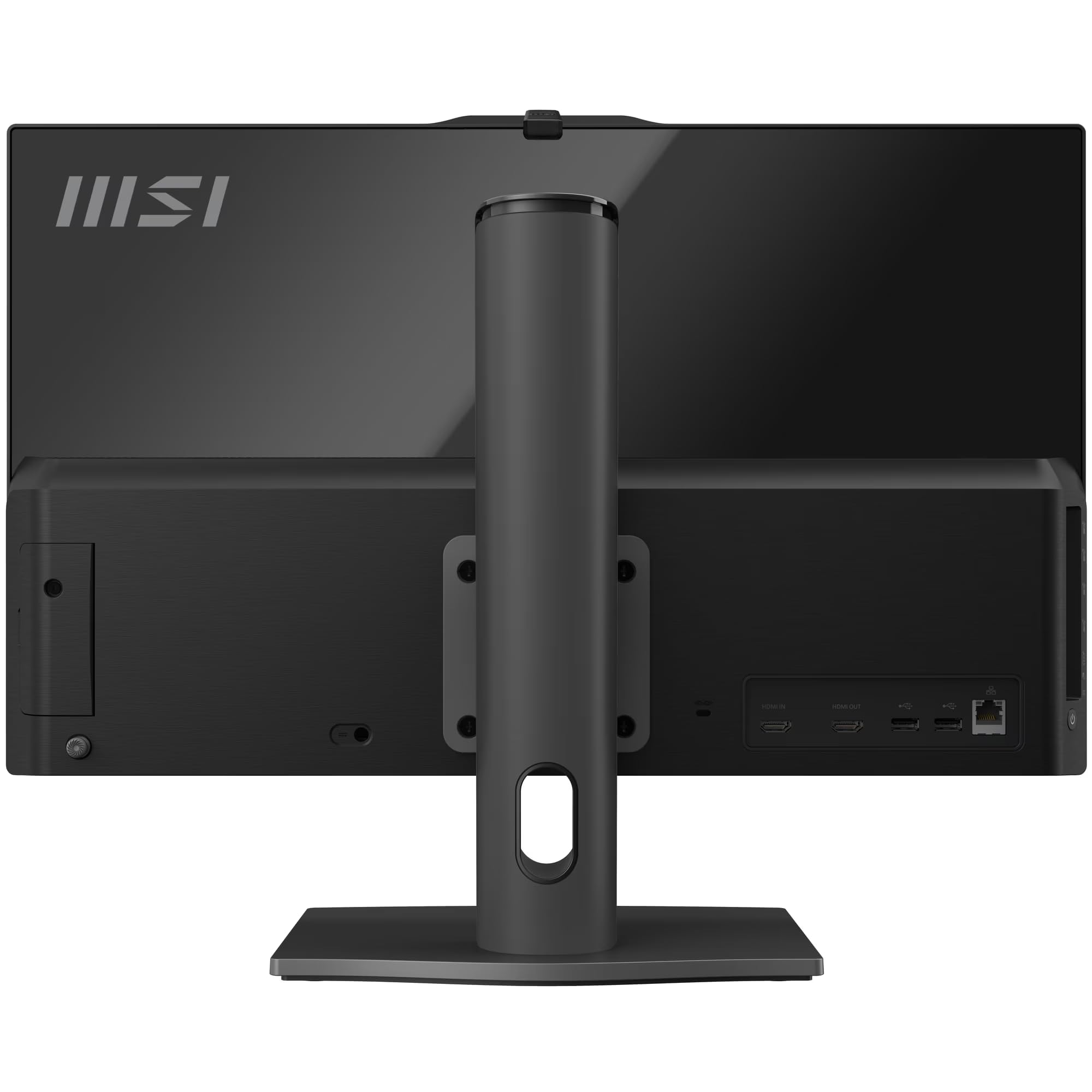
On paper the MSI Modern is the most capable machine in this guide. It has the fastest processor here, the Intel Core 7 150U, 16GB of DDR5 memory on a SO-DIMM module, and two drives: a 1TB M.2 SSD for the system and programs and a 1TB 2.5 inch hard drive for bulk files. The 23.8 inch Full HD screen is a touchscreen, the only one among these picks, which suits a kitchen, a shop counter or anyone who likes to tap and scroll. Wi-Fi 6E, a 1080p webcam with a dual-array microphone and an MSI wireless keyboard and mouse complete it. It ranks last for a reason unrelated to the hardware: it has a small number of owner reviews so far, and the rating from that limited owner feedback is solid, the lowest in the guide. The bullets do not state the panel type or the ports. Treat it as promising, not proven.
- Only touchscreen in this guide
- Fastest processor and newest memory type here
- Two terabytes of storage across SSD and hard drive
- Wireless keyboard and mouse included
- Only a small number of owner reviews so far
- Owner rating so far is solid, the lowest here
- Most expensive pick; panel type is not stated
Compare the picks
| Product | Screen | Processor | Memory and storage | Standout feature | Our score | Our score | |
|---|---|---|---|---|---|---|---|
| Dell 23.8 inch All-in-OneDell | 23.8 inch FHD IPS | Core 3 100U | Not stated | 5MP IR camera, onsite service | 9.1/10 | 9.1 | See price |
| Dell 27 inch All-in-OneDell | 27 inch FHD IPS | Core 5 120U | Not stated | Pop-up camera, keyboard bay | 8.9/10 | 8.9 | See price |
| Lenovo IdeaCentre 24, 8GBLenovo | 23.8 inch FHD IPS | Intel, model not stated | 8GB, 512GB SSD | Lowest cost | 8.9/10 | 8.9 | See price |
| Lenovo 23.8 inch i3-N305Lenovo | 23.8 inch FHD IPS | Core i3-N305 | 16GB, 512GB SSD | 8 cores, HDMI out | 8.3/10 | 8.3 | See price |
| Lenovo IdeaCentre 24, N100Lenovo | 23.8 inch FHD IPS | Intel N100 | 16GB, 512GB SSD | Keyboard and mouse included | 8.5/10 | 8.5 | See price |
| MSI Modern touchscreenmsi | 23.8 inch FHD touch | Core 7 150U | 16GB DDR5, 1TB SSD plus 1TB HDD | Touchscreen | 8.4/10 | 8.4 | See price |
What you give up with an all-in-one
The tidy design has a cost. The screen cannot be replaced separately, so a failed panel or a dead motherboard takes the whole machine out of use, and that is why Dell’s onsite service is worth more here than on a tower. Upgrades are limited: some all-in-ones let you add memory or swap the SSD through a rear panel, many do not, and none of these listings promises it. Graphics are integrated in every pick, which is fine for office work, streaming and light photo editing, and unsuitable for modern games or heavy video work. If you expect to upgrade, a tower or mini PC with a separate monitor is the better buy.
How much processor, memory and storage?
For browsing, email, documents, video calls and streaming, every processor in this guide is enough. The Intel N100 is the entry point; the eight-core i3-N305 and the Core 3 100U are comfortable everyday chips; the Core 5 120U and Core 7 150U add headroom for heavier multitasking. Memory matters more than most buyers expect: 8GB works, but 16GB keeps a machine pleasant with many tabs and applications open, and it is the figure to look for. Insist on an SSD for the system drive. A 512GB SSD suits most homes; add the MSI’s second drive or an external disk if you keep large photo and video libraries.
Screen, webcam and ports
You will look at this screen for years, so choose it deliberately. All six are Full HD. At 23.8 inches that is comfortably sharp; at 27 inches you gain space but lose a little crispness. IPS panels with high sRGB coverage, as on the Dell and Lenovo machines, give accurate colour and wide viewing angles. For video calls, the Dell 5MP infrared cameras are the best specified, and a camera that pops down or has a shutter is good for privacy. Finally, count the ports you need: an HDMI output for a second monitor, fast USB for external drives, and Ethernet if the Wi-Fi where the computer sits is weak.
Is an all-in-one computer good for a home office?
Yes, for typical office work. An all-in-one saves desk space and includes the screen, webcam, microphone and speakers. Choose 16GB of memory and an SSD if you can. For heavy video editing or gaming, a tower with a dedicated graphics card is the better tool.
Can I upgrade an all-in-one PC later?
Only in limited ways, and it varies by model. Some allow extra memory or a new SSD; the screen, processor and graphics are fixed. None of the listings in this guide promises upgrade access, so buy the configuration you will need.
Is 8GB of RAM enough in an all-in-one?
For light use, yes: email, documents, schoolwork and streaming. With many browser tabs or several applications open, 8GB fills up. The two 16GB Lenovo models and the MSI are better suited to multitasking.
Which all-in-one here has a touchscreen?
Only the MSI Modern 23.8 inch. It also has the fastest processor and the most storage in this guide, but it has a small number of owner reviews so far, so its track record is limited.
Should I buy a 24 inch or 27 inch all-in-one?
A 24 inch class screen suits most desks and looks sharper at Full HD. A 27 inch screen is easier for side-by-side windows and viewing from further back. In this guide the 27 inch option is the Dell with the Core 5 120U.
Prices and stock change daily. The buttons above open Amazon so you always see the current price. Do Best Deal may earn a commission if you buy through them, at no extra cost to you.
Do Best Deal is a participant in the Amazon Services LLC Associates Program. As an Amazon Associate we earn from qualifying purchases. If you buy through links on this site we may earn a commission, at no extra cost to you. Learn more.