A plain desktop tower is still the most sensible computer for a desk that never moves. For the same money as a laptop you get a faster processor that runs cooler, ports on the front and back for everything, the freedom to choose your own monitor and keyboard, and a case you can open to add memory or a second drive in five years instead of replacing the whole machine. The trade-off is that listings are harder to read: the same model name is sold in a dozen configurations, and the title does not always tell you which processor is inside. We ranked the towers and small form factor desktops in our desktops catalog by the processor the listing actually names, memory and storage as configured, display outputs, ports, serviceability and what owners report.
We have not benchmarked these machines ourselves; the verdicts rest on the spec sheets and the owner review history. Prices are not printed because they change daily; every button opens the live Amazon page. This guide covers ordinary home and office towers only, and the catalog holds just five that clear our bar, so this is a short list: three with a hundred or more owner reviews and two with a small number of owner reviews so far. Tiny 1-litre machines are in our mini PCs guide and machines with dedicated graphics cards are in our gaming desktops guide. None of these picks includes a monitor.
How we picked
- Towers and small form factor only. No mini PCs, all-in-ones or gaming desktops with dedicated graphics.
- The processor named in the bullets, not the vague wording in a title, decides where a machine ranks.
- Memory and storage as configured, with SSD preferred over hard drive, and gaps in the listing stated openly.
- Display outputs and ports for two monitors, wired network and current USB devices.
- Honest review depth. Three picks have a hundred or more owner reviews; two have limited owner feedback so far and rank below them.
The picks
HP ProDesk 400 G9 SFF Business Desktop Computer, Intel CPU, 32GB RAM, 1TB PCle SSD, Dual 4K Display Support, USB-C, HDMl, RJ-45, Wi-Fi, Wired Keyboard and Mouse, Windows 11 Pro
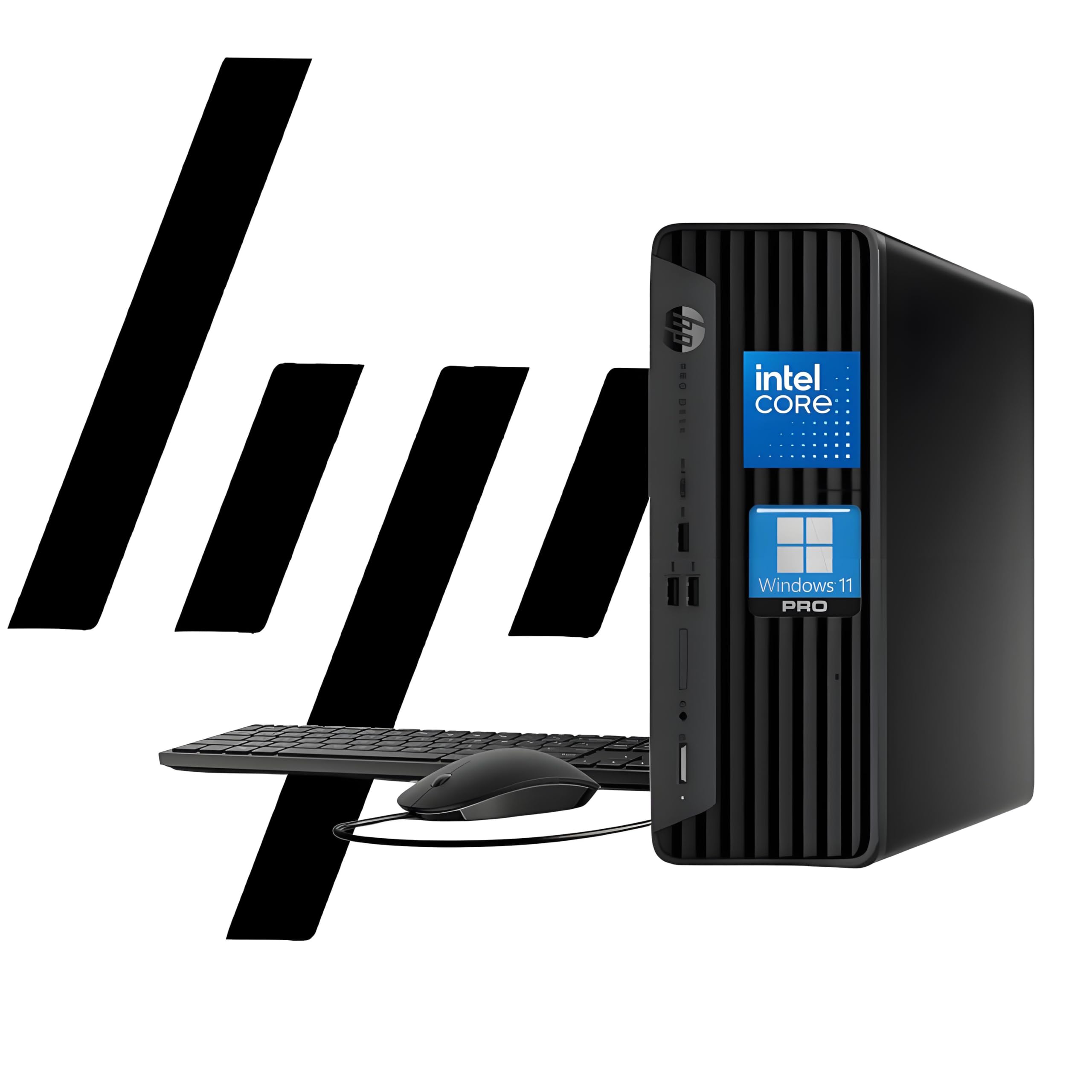
The ProDesk 400 G9 is HP’s mainstream business desktop in its small form factor case: 11.9 by 10.6 by 3.7 inches and under nine pounds, small enough to sit under a monitor stand. This configuration is titled with 32GB of memory and a 1TB PCIe SSD, runs Windows 11 Pro with TPM 2.0 and HP Wolf Security, and includes Wi-Fi, a wired keyboard and a mouse. Ports cover a USB Type-C, several USB Type-A, HDMI 1.4, DisplayPort 1.4 and wired Ethernet, and the title claims support for two 4K displays. Hundreds of owners give it a strong owner rating, the deepest record here. Read the bullets, though: the processor is the Intel Celeron G6900, a dual-core, entry-level chip. With this much memory and a fast drive it suits email, documents, web apps and point-of-sale work comfortably, but it is not the machine for video editing or heavy spreadsheets. For a quiet, tidy, well-supported office PC, it leads.
- Hundreds of owner reviews with a strong owner rating
- Compact case that sits flat under a monitor or upright
- 32GB of memory and a 1TB SSD as titled
- Windows 11 Pro with TPM 2.0, plus a wired keyboard and mouse
- Celeron G6900 is a dual-core, entry-level processor
- Title says only Intel CPU; the chip is named in the bullets
- HDMI port is the older 1.4 version
Dell Tower Desktop, Intel Core Ultra 7-265, 16GB DDR5 RAM, Windows 11 Pro

This is the machine to buy when the work is demanding. The Intel Core Ultra 7-265 is a current desktop processor from the Series 2 family with built-in AI acceleration, in a different class from every other chip in this guide, and it is paired with 16GB of fast DDR5 memory and Windows 11 Pro. Dell lists support for two 4K displays over HDMI 2.1 and DisplayPort, or up to four full HD monitors using DisplayPort daisy chaining with compatible screens. The case opens without tools through a removable side panel, there is a hardware TPM chip plus a lock slot and padlock loop, and the body uses recycled materials. Dell backs it with a year of onsite service. Over a hundred owners give it a strong owner rating. The one gap is storage: the title and bullets do not state the drive size, so confirm it on the listing. It is also the most expensive pick.
- By far the most powerful processor on this page
- Tool-less entry and a removable side panel for upgrades
- One year of onsite service from Dell
- Over a hundred owner reviews with a strong owner rating
- Storage capacity is not stated in the title or bullets
- 16GB of memory is modest for a processor this strong
- Costs the most of the five
suevery Prebuilt Desktop PC Computer Tower AMD Ryzen5 DDR4 16G RAM
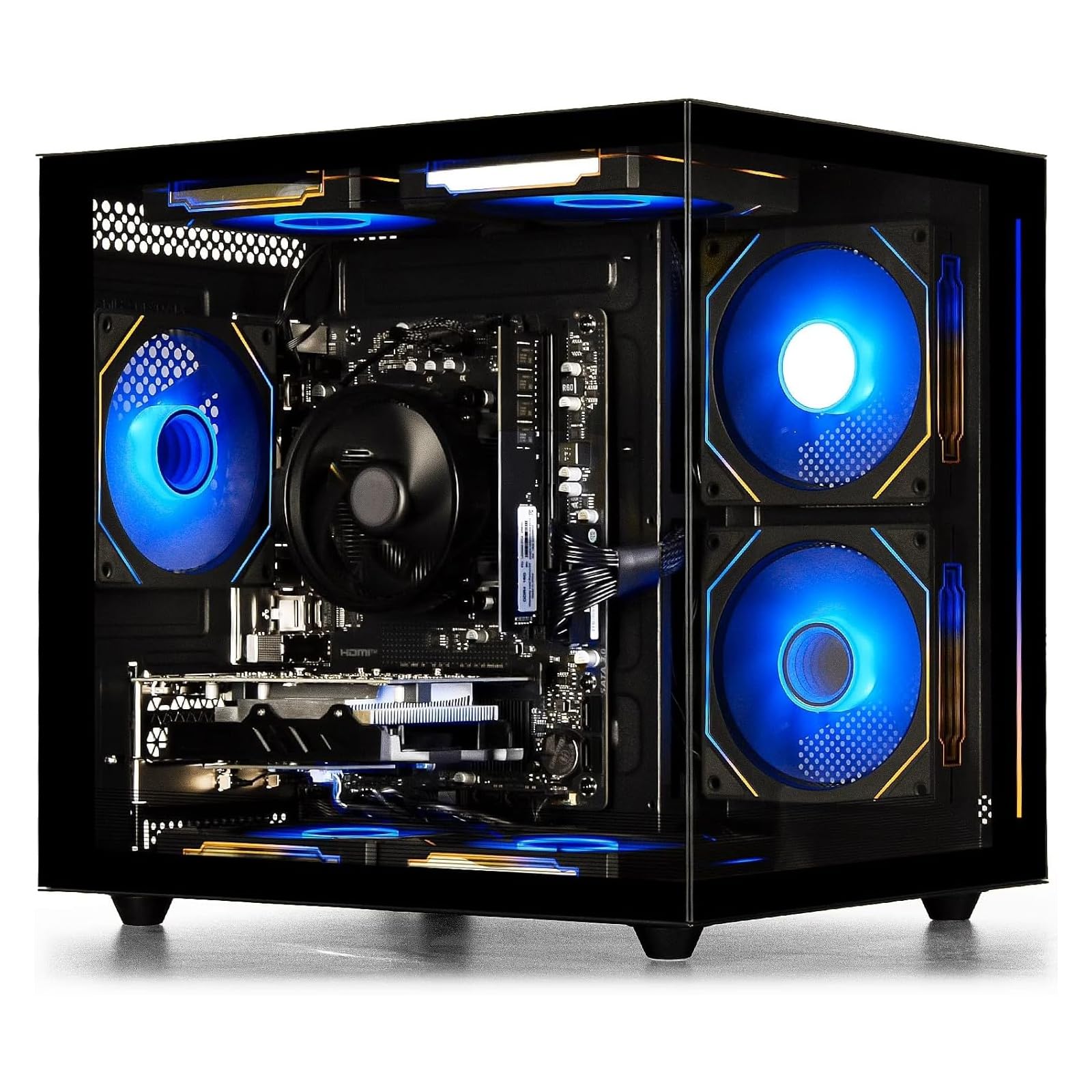
The suevery tower is a prebuilt home PC from a small system builder, and its strength is a balanced parts list for the money. The AMD Ryzen 5 3400G is a quad-core, eight-thread processor running from 3.7 to 4.2 GHz with Radeon RX Vega 11 graphics built in, which the maker says handles office software, browsing, video calls and casual gaming at 1080p without a separate graphics card. It comes with 16GB of DDR4 memory and a 256GB SSD in a mid-tower case with lighting effects, with USB 3.0 and 2.0, HDMI, audio jacks and Ethernet, and the listing says each unit is stability-tested before shipping. Over a hundred owners give it a solid owner rating. The SSD is small, so plan on adding a drive, the processor is an older generation, and the bullets we have do not state the operating system or warranty terms; check both on the listing before buying.
- Quad-core, eight-thread Ryzen 5 with strong integrated graphics
- 16GB of memory as standard
- Over a hundred owner reviews with a solid owner rating
- Stability-tested and ready to plug in, per the maker
- 256GB SSD fills quickly
- Processor is several generations old
- Small brand; operating system and warranty are not stated in the bullets
Dell 2026 Edition Tower Desktop Computers, 8GB DDR5 RAM, 512GB PCIe SSD
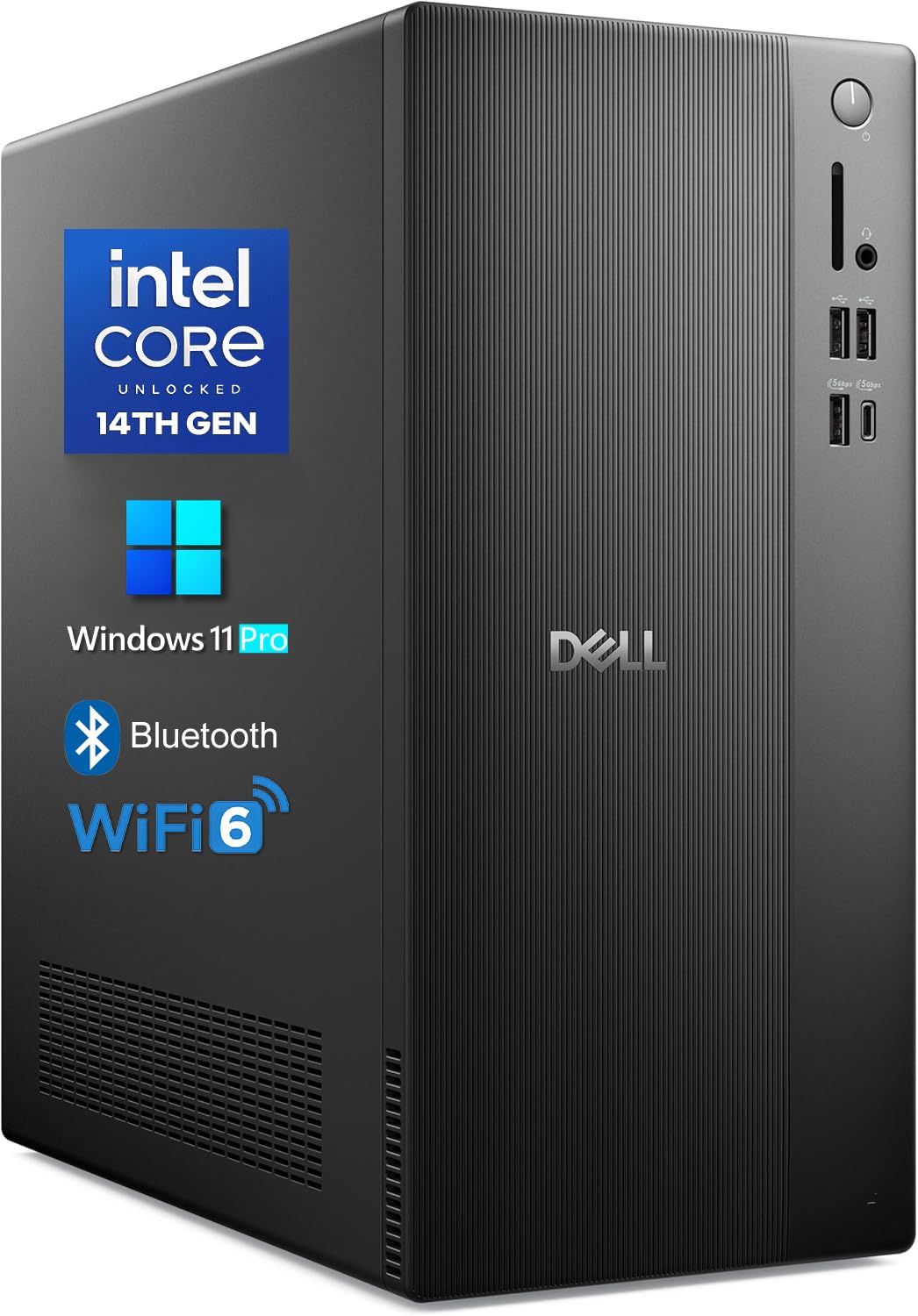
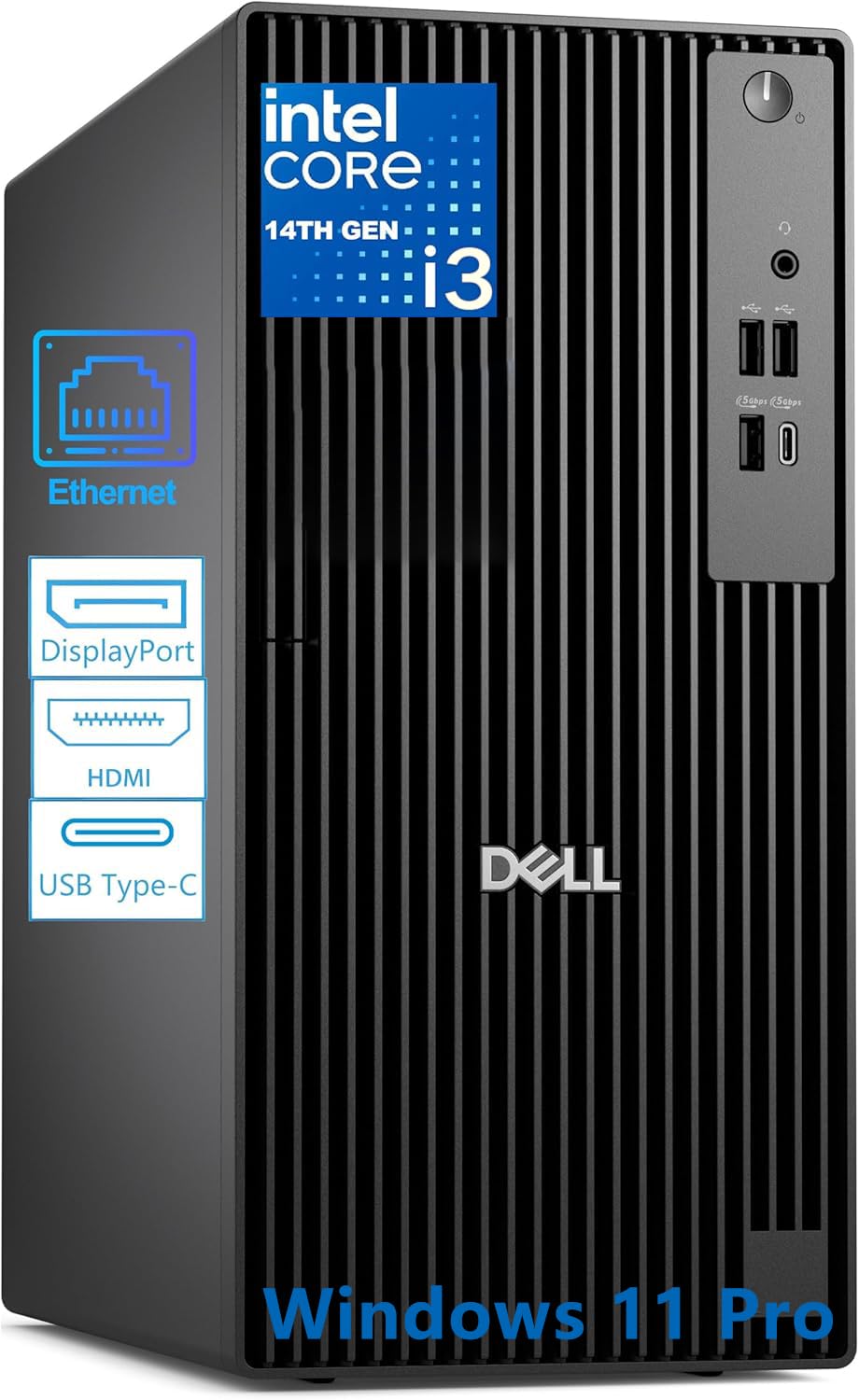
This Dell tower is the pick for a buyer who wants current hardware at the lower end. Its Intel Core i3-14100 is a 14th generation quad-core, eight-thread processor that turbos to 4.7 GHz, a much newer and faster chip than the Celeron in the HP, and it comes with Windows 11 Pro, a 512GB PCIe NVMe SSD and 8GB of DDR5 memory. Intel UHD Graphics 730 drives two 4K monitors through HDMI 2.1 and DisplayPort 1.4a, and connectivity includes Wi-Fi 6, Bluetooth, USB 3.2 Type-C, USB-A and Gigabit Ethernet in a tower measuring 12.76 by 6.06 by 11.53 inches. It has a solid owner rating, but from a small number of owner reviews so far, so it ranks below the three longer-established machines. The listing talks about heavy business workloads; in practice 8GB of memory suits everyday office work, and a memory upgrade would be the first improvement to make.
- Recent 14th generation Core i3 with Windows 11 Pro
- Dual 4K output from HDMI 2.1 and DisplayPort 1.4a
- Wi-Fi 6, Bluetooth and a USB Type-C port
- Compact tower footprint
- A small number of owner reviews so far
- 8GB of memory is the minimum for comfortable multitasking
- Core i3 is an entry-level chip despite the bold listing language
The OptiPlex 3020 is a much older machine than the others, and it is here as the basic option for simple tasks. It is a small form factor business desktop with an Intel Core i5-4570 quad-core processor running from 3.2 to 3.6 GHz, 8GB of DDR3 memory in two 4GB modules and a 500GB hard drive, in a tool-less chassis with thumbscrews that makes upgrades and repairs easy. The owner rating is solid but rests on limited owner feedback so far. Be clear about the limits. The drive is a spinning hard disk, so it will boot and load far more slowly than the SSD machines above until you fit an SSD. The listing does not state the operating system, and a fourth-generation Core processor is not on the official Windows 11 support list, so check what is installed. For a till, a workshop terminal or a spare PC for browsing and documents, it is adequate.
- Quad-core Core i5 in a compact business case
- Tool-less chassis is easy to open and service
- OptiPlex line has a long record in offices
- Lowest cost of the five
- Limited owner feedback so far
- Hard drive, not an SSD, and older DDR3 memory
- Fourth-generation processor is outside the official Windows 11 support list
Compare the picks
| Product | Processor | Memory | Storage | Displays | Our score | Our score | |
|---|---|---|---|---|---|---|---|
| HP ProDesk 400 G9 SFFHP | Celeron G6900 dual-core | 32GB DDR4 | 1TB PCIe SSD | HDMI 1.4, DisplayPort 1.4 | 8.8/10 | 8.8 | See price |
| Dell Tower Core Ultra 7Dell | Core Ultra 7-265 | 16GB DDR5 | Not stated | HDMI 2.1, DisplayPort, two 4K | 8.7/10 | 8.7 | See price |
| suevery Ryzen 5 towersuevery | Ryzen 5 3400G, 4 cores | 16GB DDR4 | 256GB SSD | HDMI | 8.6/10 | 8.6 | See price |
| Dell 2026 Edition towerDell | Core i3-14100, 4 cores | 8GB DDR5 | 512GB NVMe SSD | HDMI 2.1, DisplayPort 1.4a, two 4K | 8.6/10 | 8.6 | See price |
| Dell OptiPlex 3020 SFFDell | Core i5-4570, 4 cores | 8GB DDR3 | 500GB hard drive | Not stated | 8.5/10 | 8.5 | See price |
How much computer do you need?
For email, documents, web applications, accounting software and video calls, any modern quad-core processor with 8GB of memory and an SSD is enough, and 16GB makes a machine with many browser tabs feel much smoother. That describes the Dell i3 tower and the suevery. The HP has plenty of memory and storage but only two processor cores, so it is best where the workload is light and steady. Large spreadsheets, photo editing, programming and anything involving video benefit from more cores, which is where the Core Ultra 7 Dell earns its price. Memory and storage are easy to add later; the processor usually is not, so buy the processor for the work you expect.
Tower or small form factor?
A small form factor case, like the HP ProDesk and the OptiPlex, is roughly the size of a large hardback book laid flat, fits under a monitor or behind a counter, and has room for a drive and a low-profile card or two. A tower, like the two Dells and the suevery, takes more floor or desk space but has more drive bays, better airflow and room for a full-height expansion card. If the computer will sit on a reception desk or in a cramped home office, small form factor is the easier fit. If you expect to add drives or a graphics card later, choose a tower.
Reading a desktop listing
Desktop listings reward careful reading. A title that says only Intel CPU, as the HP does, is hiding the model, so find the processor in the bullets. Check whether memory and storage figures are the configuration you will receive or an up-to figure. Confirm that an operating system is included and which edition; Windows 11 Pro adds disk encryption and remote desktop hosting that Home lacks. Look for the display outputs that match your monitors, and for Wi-Fi if you cannot run a network cable. Finally, note who sells and warrants the machine, since reseller configurations of business desktops often carry the reseller warranty, not the maker one.
Is a desktop better than a laptop for a home office?
If the computer stays on one desk, usually yes. A desktop gives more processing power and more ports for the money, lets you choose a large monitor and a proper keyboard, and can be upgraded or repaired cheaply. A laptop is the better choice only if you need to move it.
How much memory does an office desktop need?
8GB is the practical minimum for Windows 11 with office software and a browser. 16GB is comfortable for heavy multitasking and many browser tabs. The HP ProDesk here is titled with 32GB, the Dell Core Ultra 7 and suevery have 16GB, and the Dell i3 tower and OptiPlex have 8GB.
Do these desktops come with a monitor?
No. All five are sold as the computer only. The HP ProDesk listing includes a wired keyboard and mouse; for the others, check the listing. You will need at least one monitor with an HDMI or DisplayPort input and the matching cable.
Can these desktops run two monitors?
The HP ProDesk, the Dell Core Ultra 7 tower and the Dell i3 tower all list two display outputs and support for two 4K screens. The suevery listing names an HDMI port, and the OptiPlex 3020 listing does not state its outputs, so check those two before planning a dual-monitor desk.
Is an older business desktop like the OptiPlex 3020 still worth buying?
Only for light work and a low budget. Its Core i5 is still fine for browsing and documents, but it uses a hard drive and DDR3 memory, and its processor is outside the official Windows 11 support list. Fitting an SSD helps a great deal. For a main work computer, choose a newer pick.
Prices and stock change daily. The buttons above open Amazon so you always see the current price. Do Best Deal may earn a commission if you buy through them, at no extra cost to you.
Do Best Deal is a participant in the Amazon Services LLC Associates Program. As an Amazon Associate we earn from qualifying purchases. If you buy through links on this site we may earn a commission, at no extra cost to you. Learn more.