An ink tank printer swaps the little cartridges that cost more than the printer for refillable tanks you top up from bottles. The upfront price is higher, but a set of bottles prints thousands of pages for what a cartridge set prints in a couple of hundred, and most of these ship with enough ink for two or three years of household printing. We ranked the refillable tank printers in our printers catalog by how much ink is in the box and the page yield it represents, print speed and resolution, whether they scan, copy, duplex or fax, paper handling, the app and connectivity, and what hundreds to thousands of owners report after a year or more of refills.
We have not counted pages from every one of these ourselves; the verdicts rest on the spec sheets and on the owner review history, because Do Best Deal ranks on owner-review history and spec sheets, not samples. Prices are not printed because they change daily; every button opens the live Amazon page. If you print rarely and want the lowest upfront cost, our inkjet printers guide covers cartridge models, and our printers for students guide weighs both kinds.
How we picked
- Refillable tanks only. Every pick is filled from bottles or, in the Brother case, from high-yield tank cartridges; ordinary cartridge inkjets were excluded.
- Ink in the box stated. We quote the pages or years the maker promises, since that is the main reason to pay the higher upfront price.
- Scan and copy on every pick. All seven are all-in-ones; the ET-15000 and Brother add an automatic document feeder.
- Owner history. Each pick has at least a few hundred owner reviews; the two most-reviewed Epsons have thousands.
- Honest about ratings. Printers are the lowest-rated product category on Amazon, and the cons say where each model disappoints.
The picks
Epson EcoTank ET-2980 Wireless Color All-in-One Supertank Printer - White
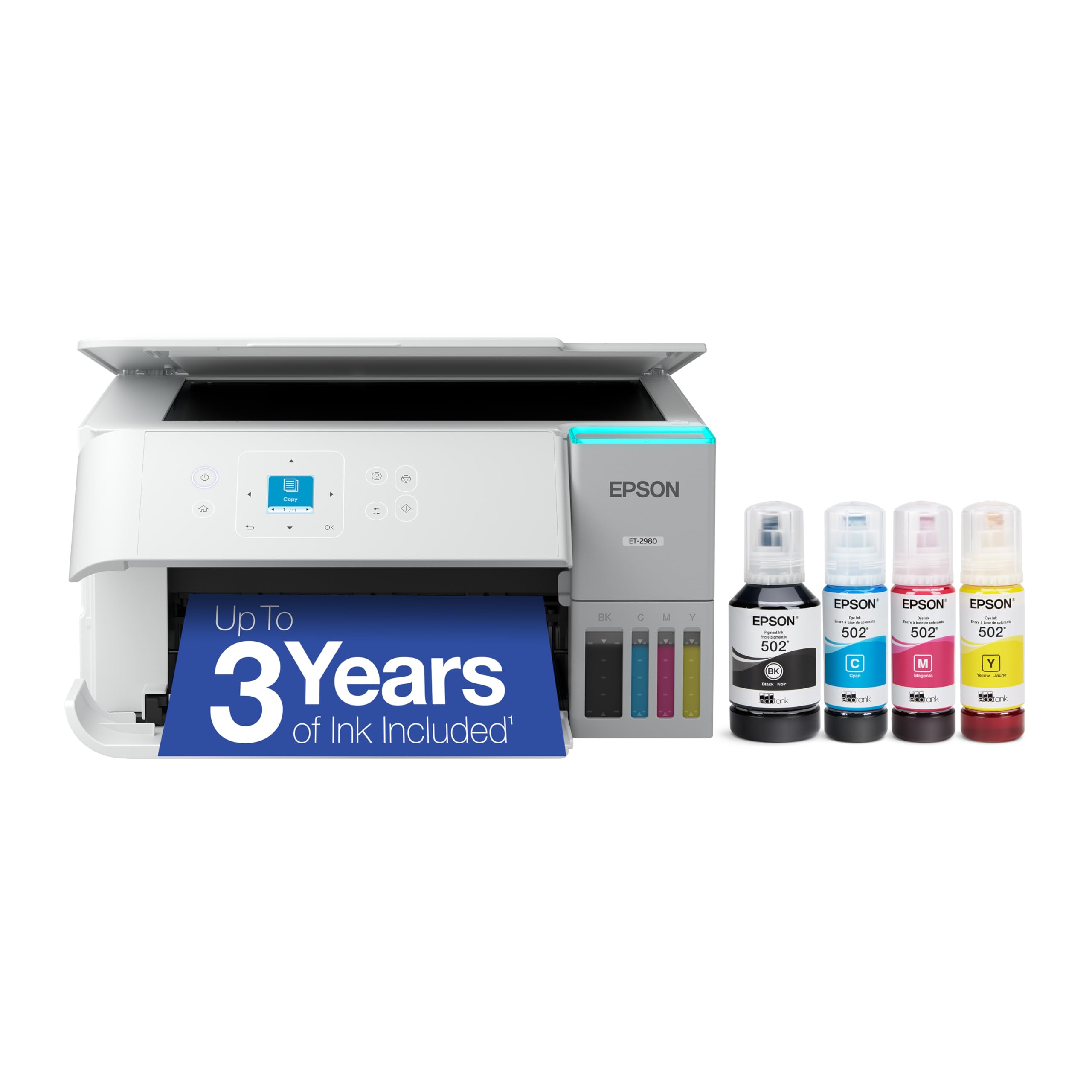
The ET-2980 is the current everyday EcoTank and the one most families should buy. Epson ships it with enough ink for up to three years of typical home printing, about 6,600 black and 5,500 color pages, and each replacement bottle set equals roughly 90 cartridges. The PrecisionCore Heat-Free head is the same technology Epson uses in its office machines, and the company claims it prints 50 percent faster than the previous generation, a complaint owners had about the older ET-2800 family. It prints, copies and scans over Wi-Fi from the Smart Panel app, and the keyed EcoFit bottles only fit their own tank. About a thousand owners rate it well rather than strongly, with the critical reviews about Wi-Fi setup and occasional nozzle cleaning after idle weeks, which is true of every inkjet. There is no ADF and no duplex; if you need those, look at the ET-15000 or the Brother.
- Three years of ink in the box, the most generous promise here
- Heat-free PrecisionCore head and a real speed bump over the ET-2800
- Keyed EcoFit bottles make a wrong-color refill impossible
- About a thousand owner reviews
- A good rather than strong owner rating; setup and Wi-Fi are the complaints
- No automatic document feeder or duplex
- Epson warns non-genuine ink can void the warranty
Epson EcoTank ET-2903 Wireless All-in-One Color Supertank Printer with up to 3 Years of Ink, Refillable Tanks, Perfect for Home

The ET-2903 is Epson’s seventh-generation entry EcoTank and the sweet spot for a home that prints school work, forms and the occasional photo. It comes with up to three years of ink, around 3,600 black and 6,500 color pages, prints 11 black or 6 color pages a minute with no warm-up, and its 5760 by 1440 dpi head produces genuinely good photos on glossy stock. A small color display handles copies and Wi-Fi setup without a phone, the 100-sheet tray suits a home rather than an office, and the EcoFit bottles are the same mess-free design as the dearer Epsons. It is the best-rated printer on this page, though from only a couple of hundred reviews because it is new, which is why it sits below the longer-proven ET-2980. If the price gap between the two is wide on the day you look, buy this one and spend the difference on paper.
- Best owner rating of any tank printer here
- Color display makes standalone copies easy
- High 5760 x 1440 dpi for photos on glossy paper
- Lowest price of the Epsons
- Newest model, so only a couple of hundred owner reviews so far
- 100-sheet tray is small for an office
- No ADF or duplex
Epson EcoTank ET-15000 Wireless All-in-One Wide-Format Supertank Printer

The ET-15000 is the EcoTank for a home office or a small business, and the only pick here that prints larger than letter size. Its rear feed takes 13 by 19 inch sheets for posters, plans and wide spreadsheets, the automatic document feeder scans legal-size pages, and it faxes, copies and connects over Ethernet as well as Wi-Fi and USB. It is the fastest machine on this page at 17 black and 9 color pages a minute, rated for a 33,000-page monthly duty cycle, and Epson quotes about one cent per color page from bottles against twenty cents from cartridges. Thousands of owners give it a good rating, with praise for the print quality on heavy card and complaints about its size and the occasional paper-feed jam on the rear tray. It costs about three times the ET-2903, which only makes sense if you need the format, the ADF or the volume.
- Prints 13 by 19 inch posters and spreadsheets
- Automatic document feeder, fax and Ethernet for a small office
- Thousands of owner reviews with a good rating
- Fastest printer here at 17 pages per minute
- Costs about three times the entry EcoTanks
- Large footprint on a desk
- Two years of ink rather than three
HP Smart Tank 5003 Wireless All-in-One Ink Tank Printer, Scanner, Copier with up to 3 Years of Ink Included, Best-for-Home, Cartridge-Free Refillable, AI-Capable (9B2D3A)
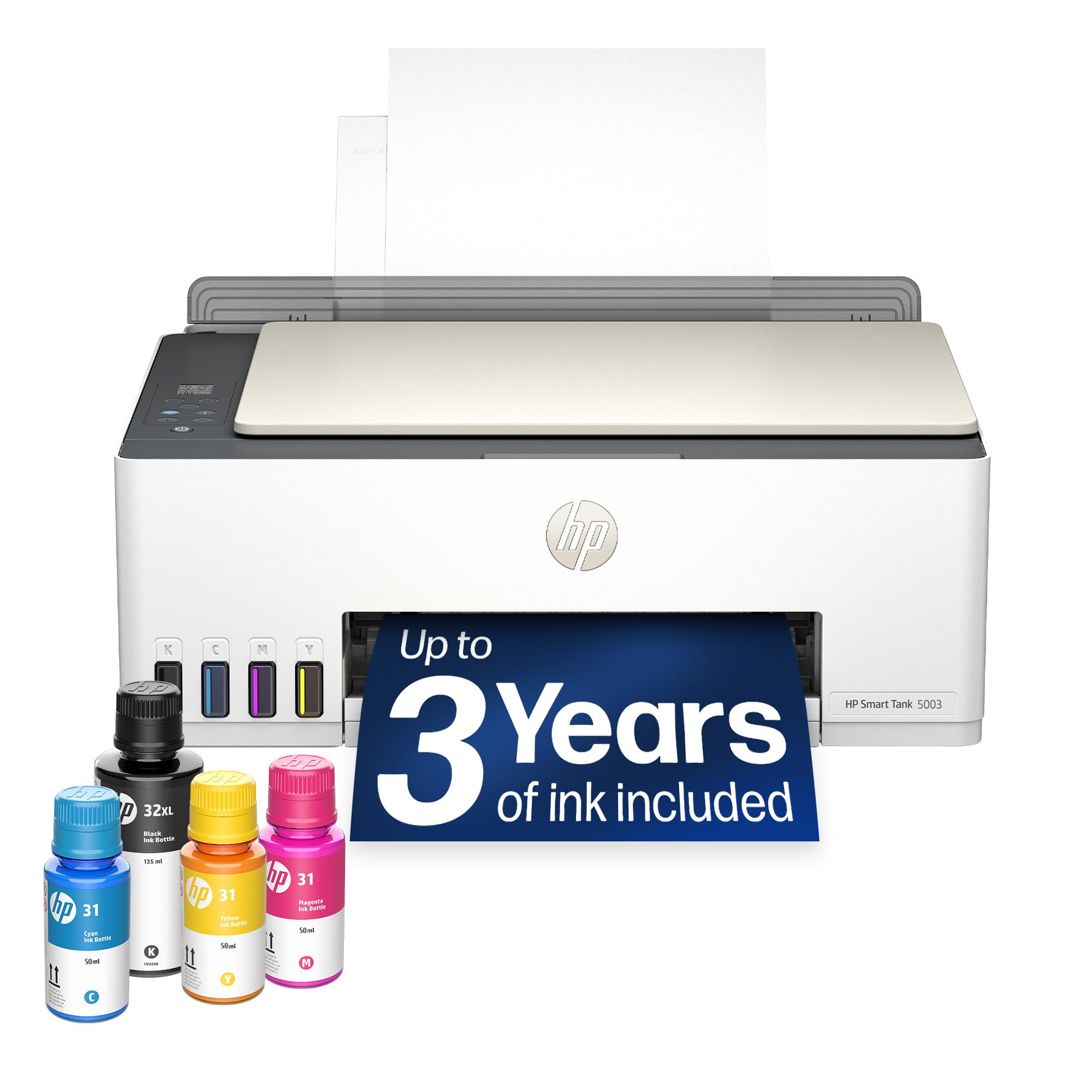
HP came late to tank printers and the Smart Tank 5003 is its answer to the entry EcoTanks. It ships with up to three years of ink, up to 6,000 pages in color or black, and its refill system is the cleanest on this page: the bottle plugs onto the tank and drains by itself, with no squeezing and no mess. It prints, copies and scans, does borderless photos, and the HP Smart app is the slickest for printing from a phone. A few hundred owners rate it well, in line with the entry Epsons, and the critical reviews are less about the hardware than about the app, which nudges you toward an HP account and ink subscription you do not need with a tank printer. There is no ADF or duplex. If you already use HP printers at work and like the app, it is the natural tank to buy; otherwise the Epson ET-2903 edges it on rating and resolution.
- Plug-in refill system is the cleanest here
- Up to 6,000 pages of ink in the box
- Borderless photo printing
- HP app is the most polished for phone printing
- A good rather than strong owner rating from a few hundred owners
- HP app pushes account sign-up harder than Epson or Canon
- No ADF or duplex
Canon PIXMA G620 Wireless MegaTank Photo All-in-One Printer [Print, Copy, Scan], Black,Works with Alexa

The G620 is the tank printer to buy if photos matter more than documents. Where every other pick uses four inks, Canon fits six dye-based colors including red and gray, which widens the gamut on skin tones and skies, and a full set of bottles yields up to 3,800 four-by-six prints at roughly two and a half cents each, a fraction of drugstore pricing. It prints, copies and scans, works with Alexa for low-ink alerts, and is compact for what it does. It has over a thousand owner reviews, and the rating is middling; the pattern in the critical reviews is a photo printer left idle for weeks and then needing several cleaning cycles, which is the known weakness of dye-ink heads. Print something every week and owners say it is excellent. For a household that prints text every day and photos rarely, the pigment-black Epsons are the safer buy.
- Six inks, the only photo-grade tank printer here
- Thousands of photos per fill at pennies each
- Over a thousand owner reviews
- Compact for a photo printer
- Lowest rating among the picks with over a thousand reviews; clogged nozzles after idle periods are the complaint
- Dye inks smudge on plain paper more than pigment black
- Slower on documents than the Epsons
Brother INKvestment 1365 Wireless Color Inkjet All-in-One Printer with Automatic Duplex Printing (MFC-J1365DW)
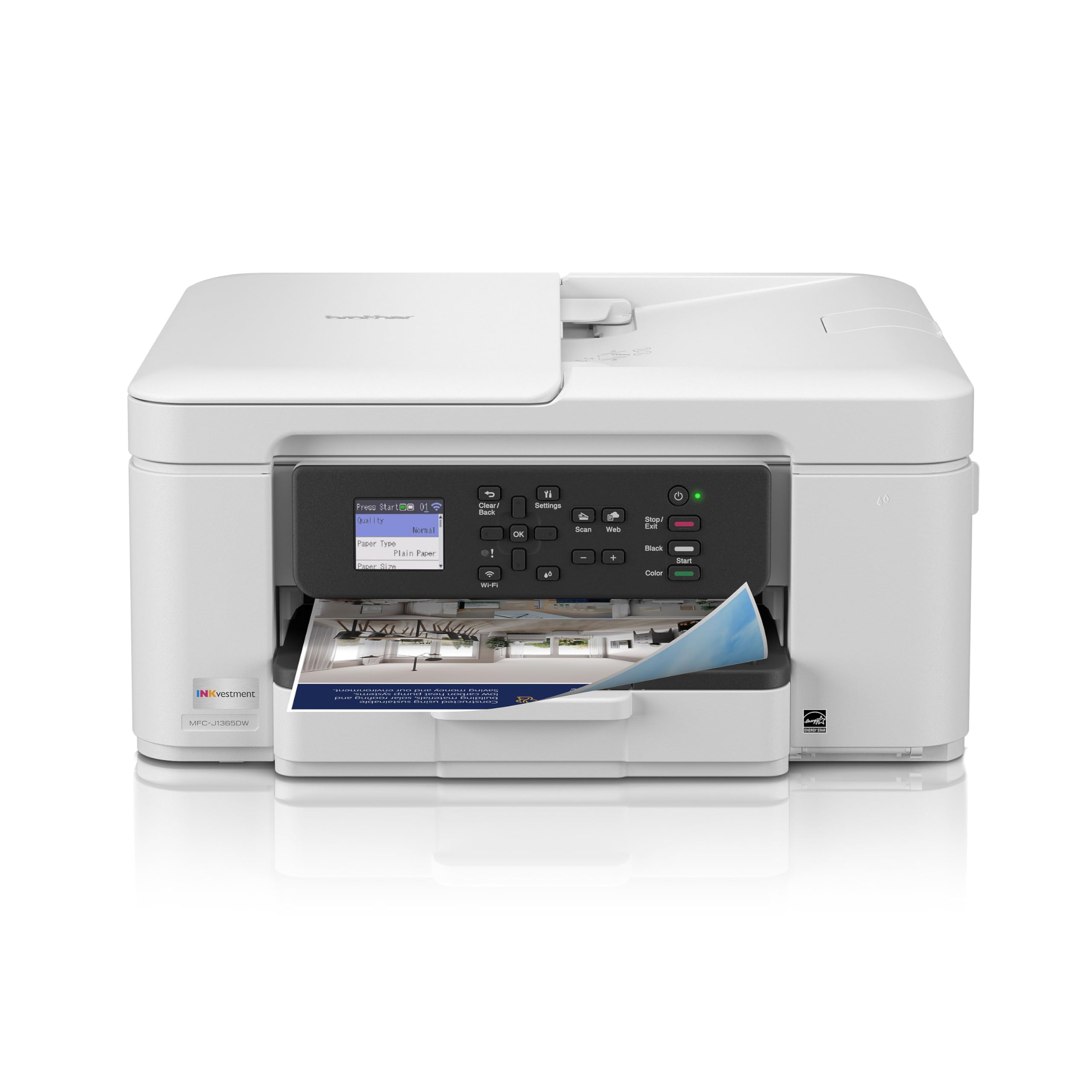
Brother takes a different route to cheap pages: INKvestment Tank printers use large cartridges that feed an internal reservoir, so you get the long intervals between refills without pouring from bottles. The 1365 comes with a 1,200-page black and 500-page color set, far less than the Epsons but far more than a normal inkjet, and it is the only printer near this price with a 20-page automatic document feeder and automatic two-sided printing. It prints 16 black and 9 color pages a minute, holds 150 sheets, and its 1.8 inch color screen scans straight to Google Drive, Dropbox and OneDrive. A few hundred owners give it a middling rating, with the usual inkjet complaints about Wi-Fi drops and the cost of the Refresh subscription it tries to sell. For a home office that scans multi-page contracts and prints double-sided, it does things no entry EcoTank does.
- Only entry-priced pick with both an ADF and automatic duplex
- Scans to Google Drive, Dropbox and OneDrive from the screen
- 150-sheet tray is the largest among the small printers here
- Brother drivers are the least fussy on Windows and Mac
- INKvestment uses high-yield cartridges feeding a tank, so less ink in the box than the Epsons
- A middling owner rating from a few hundred owners
- Lower resolution for photos
Epson EcoTank ET-4800 Wireless Color All-in-One Supertank Printer

The ET-4800 earns a place by sheer volume: thousands of owners have reviewed it, more than any other step-up EcoTank, and it sits above the ET-2800 family in Epson’s range with a color display, a flatbed scanner and the same cartridge-free EcoFit bottles and heat-free Micro Piezo head. We rank it last because its owner rating is the lowest here, and the critical reviews are consistent: paper-feed misfeeds from the rear tray, Wi-Fi dropping after router changes, and a setup process that owners found longer than it should be. The positive reviews, which are the majority, describe years of printing on the original bottles. Because it is an older generation, it is often discounted below the ET-2980; at a steep enough discount it is still a sound buy, but at similar money the ET-2980 is the newer, faster and better-rated machine.
- Thousands of owner reviews, the largest base of any step-up EcoTank
- Same EcoFit bottles and heat-free head as the other Epsons
- Color display and flatbed scanner
- Often discounted as newer models arrive
- Lowest owner rating on this page; paper feed and Wi-Fi complaints recur
- Older generation than the ET-2980 and ET-2903
- Epson Amazon listing is thin on specs
Compare the picks
| Product | Ink in box | Speed | ADF / duplex | Max paper | Our score | Our score | |
|---|---|---|---|---|---|---|---|
| Epson ET-2980Epson | Up to 3 years | Faster than ET-2800 | No / no | Letter | 8.0/10 | 8.0 | See price |
| Epson ET-2903Epson | Up to 3 years | 11 / 6 ppm | No / no | Letter | 8.6/10 | 8.6 | See price |
| Epson ET-15000Epson | Up to 2 years | 17 / 9 ppm | Yes / yes | 13 x 19 in | 8.4/10 | 8.4 | See price |
| HP Smart Tank 5003HP | Up to 3 years | Not stated | No / no | Letter | 8.3/10 | 8.3 | See price |
| Canon MegaTank G620Canon | 3,800 photos | Not stated | No / no | Letter | 7.8/10 | 7.8 | See price |
| Brother INKvestment 1365Brother | 1,200 black / 500 color pages | 16 / 9 ppm | Yes / yes | Letter | 7.9/10 | 7.9 | See price |
| Epson ET-4800Epson | EcoFit bottles | Not stated | Not stated | Letter | 7.6/10 | 7.6 | See price |
Why a tank printer costs more and saves more
A cartridge inkjet is sold cheap and makes its money on ink: a set of standard cartridges prints a couple of hundred pages and costs a meaningful fraction of the printer. A tank printer reverses that. You pay two to three times as much upfront, but the bottles in the box print thousands of pages and replacement bottles cost about what one cartridge does. Epson quotes around one cent per color page from bottles against twenty from cartridges. The break-even for a household printing a few hundred pages a year is roughly the first cartridge replacement you did not buy; for a home office it is weeks. The one exception is a printer that sits idle for months, where any inkjet, tank or cartridge, will need cleaning cycles that waste ink.
Pigment or dye ink?
Most of the Epsons here use pigment black with dye colors, which gives crisp, water-resistant text on plain paper and good photos on glossy stock. The Canon G620 uses six dye inks, which produce the best photos on this page but smudge more on plain paper and are more prone to drying in the head when unused. If your printing is school work, bills and the occasional snapshot, pigment black is the right choice; if you print photos weekly, the G620 is the only tank printer here that competes with a dedicated photo printer.
Setup, Wi-Fi and the ratings
Every tank printer on this page has a lower owner rating than a typical kitchen appliance, and the reasons are the same across brands: initial Wi-Fi setup, drivers after an operating system update, and the first refill. The fixes owners report are also the same: set the printer up with a USB cable first, then move it to Wi-Fi; give it a fixed IP address on the router; and refill when the tank shows a quarter full, not empty, so no air gets into the lines. Keep the printer somewhere it will be used weekly. Follow those and the gap between the ET-2980 and the lower-rated ET-4800 largely disappears.
How long does the ink in the box really last?
Makers quote up to two or three years based on a few hundred pages a month. If you print a page a day you will likely go longer; a home office printing fifty pages a day will refill within a year. Either way one bottle set costs about the same as a single cartridge set.
Can I use third-party ink bottles in an EcoTank or Smart Tank?
Physically yes, and many owners do. Epson says non-genuine ink can cause damage not covered under warranty, and HP and Canon say similar. The savings are modest because genuine bottles are already cheap, so most owners stay with the original ink.
Do tank printers clog if I do not use them?
All inkjets can. Dye-ink photo printers like the Canon G620 are the most sensitive; pigment-black Epsons less so. Print a test page once a week and keep the printer out of direct sun and heat.
Which ink tank printer has an automatic document feeder?
Of the picks here, the Epson ET-15000 and the Brother INKvestment 1365. The ET-2980, ET-2903, HP Smart Tank 5003 and Canon G620 are flatbed only.
Is the Brother INKvestment really a tank printer?
It is a hybrid: large high-yield cartridges feed an internal reservoir, so you get long intervals between changes without pouring from bottles. It holds less ink than an EcoTank but adds an ADF and duplex at a low price.
Prices and stock change daily. The buttons above open Amazon so you always see the current price. We may earn a commission if you buy through them, at no extra cost to you.
Do Best Deal is a participant in the Amazon Services LLC Associates Program. As an Amazon Associate we earn from qualifying purchases. If you buy through links on this site we may earn a commission, at no extra cost to you. Learn more.