An inkjet is still the printer that does everything: color homework, a 4x6 photo, a scanned contract, a shipping label and a copied recipe, from one box on a shelf. The question in 2026 is not whether to buy one but how it is fed, because a cheap cartridge printer can cost more in ink over two years than the printer did, while an ink-tank model costs more up front and then prints thousands of pages from a bottle. We ranked the inkjets in our printers catalog by ink system and cost per page, print speed, automatic duplex, scanner and document feeder, connectivity, and what tens of thousands of owners report after the first refill.
We have not printed through each of these ourselves; the verdicts rest on the spec sheets and on the owner review history. Prices are not printed because they change daily; every button opens the live Amazon page. If you only print black text, our laser printers for home guide will save you money, and if photos are the point, see our photo printers guide.
How we picked
- Both ink systems. Three refillable tank printers for anyone printing more than a few pages a week, and four cartridge printers for light users who want the lowest price up front.
- Real all-in-ones. Every pick prints, copies and scans; document feeders and fax are noted where present.
- Dual-band Wi-Fi and phone printing on every pick, so it works from a laptop, iPhone or Android without cables.
- Duplex where it matters. Automatic two-sided printing on five of the seven.
- Owner ratings of 4.0 stars or better from at least 2,000 owners, with the ink complaints read carefully.
The picks
Epson EcoTank ET-2800 Wireless Color All-in-One Supertank Printer - Black
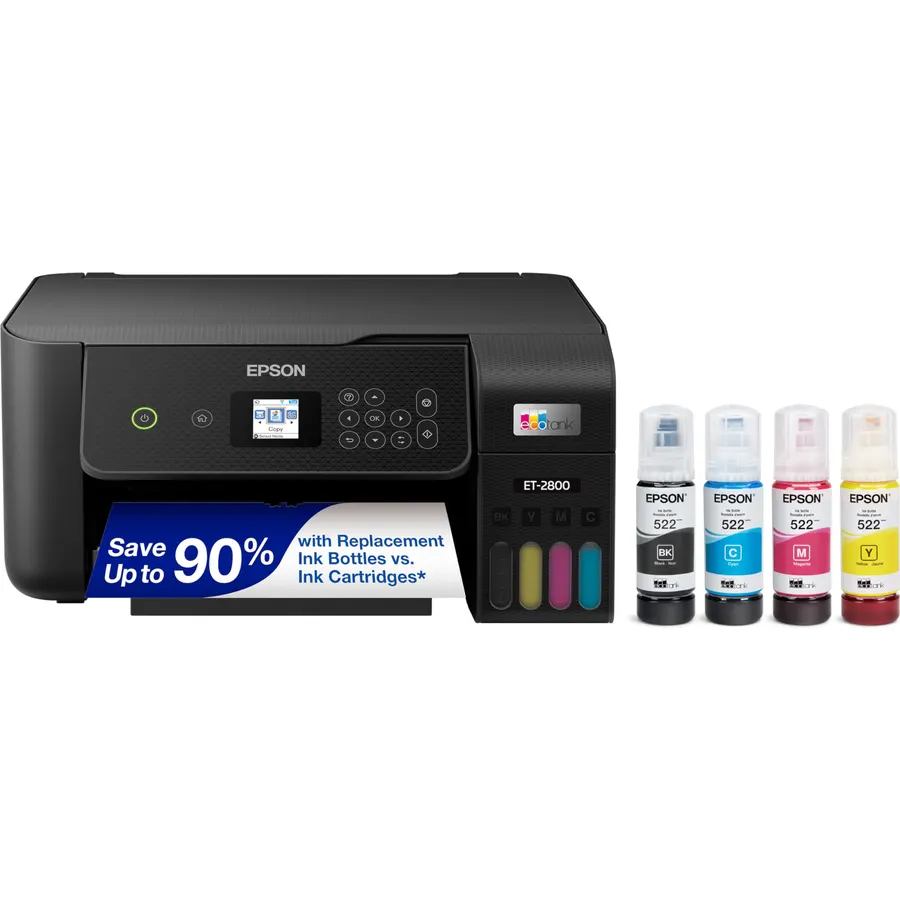
The EcoTank ET-2800 is the printer that ended the cartridge argument for a lot of families, and 18,000 owners have reviewed it. Four refillable tanks on the front hold a set of ink that Epson rates at 4,500 black or 7,500 color pages, roughly 90 cartridges’ worth, with up to two years of ink included. It prints, copies and scans over Wi-Fi from phones and laptops using Epson’s heat-free Micro Piezo head. It is not fast at 10 pages a minute, it has no automatic duplex, and the 4.0-star average reflects some owners who hit nozzle cleaning cycles or a fiddly first setup. Against that, the cost per page is a fraction of any cartridge printer here. If you print more than a few pages a week in color, this is the sensible default.
- 18,000 owners at 4.0 stars, the most-reviewed inkjet here
- Thousands of pages per ink set; no cartridges
- Up to two years of ink in the box
- Heat-free head rated for reliability
- No automatic duplex
- Slow at 10 pages a minute
- 4.0 stars: head cleaning and setup gripes in the reviews
Epson EcoTank ET-2803 Wireless Color All-in-One Supertank Printer
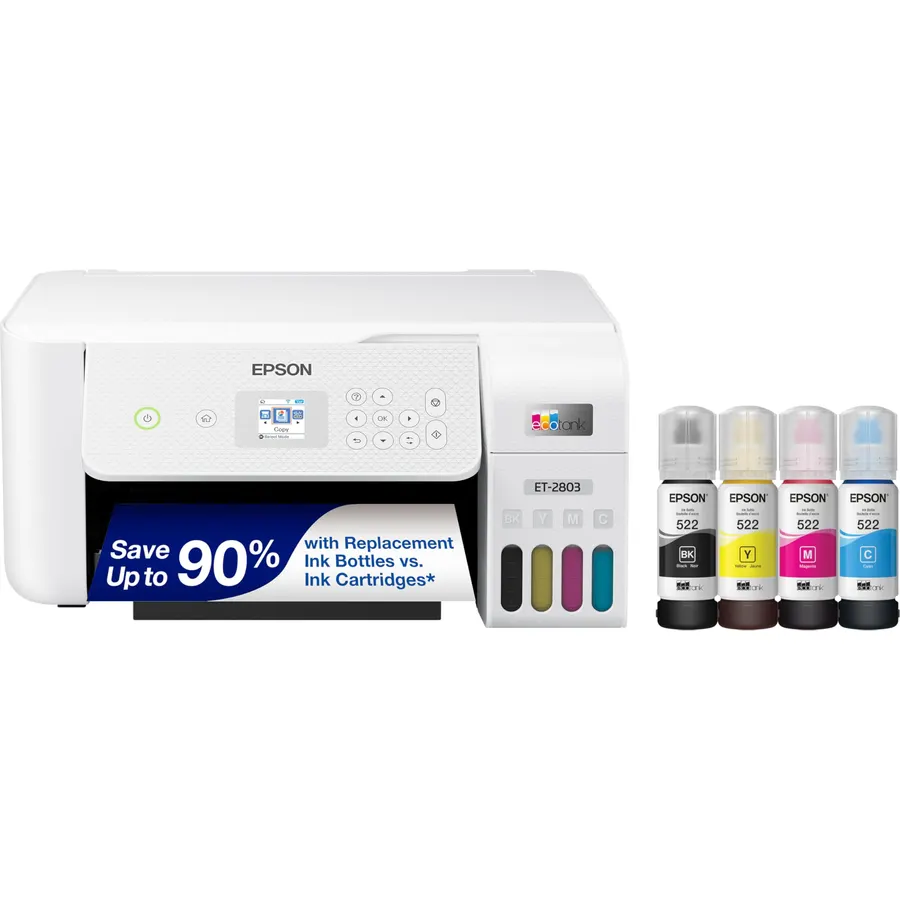
The ET-2803 is the ET-2800’s near-identical twin, usually sold through different channels, and it carries a better owner score: 4.2 stars from 3,900 reviews. The hardware story is the same: refillable tanks with up to two years of ink in the box, yields of 4,500 black and 7,500 color pages per set, Epson’s heat-free head, a flatbed scanner and copier and dual-band Wi-Fi. EcoFit bottles are keyed so each color only fits its own tank, which saves the classic refill mistake. Like the ET-2800 it lacks duplex and a document feeder and is not quick. When both are in stock, buy whichever is cheaper that day; the better reviews here suggest later production and a smoother out-of-box experience, which is the only real difference owners describe.
- 4.2 stars from 3,900 owners, better than the ET-2800
- Same huge page yields and two years of ink
- EcoFit bottles only fit the matching tank
- Prints sharp text and good color photos
- No duplex and no document feeder
- Same modest 10 page a minute class speed
- Often priced close to the ET-2800 for the same hardware
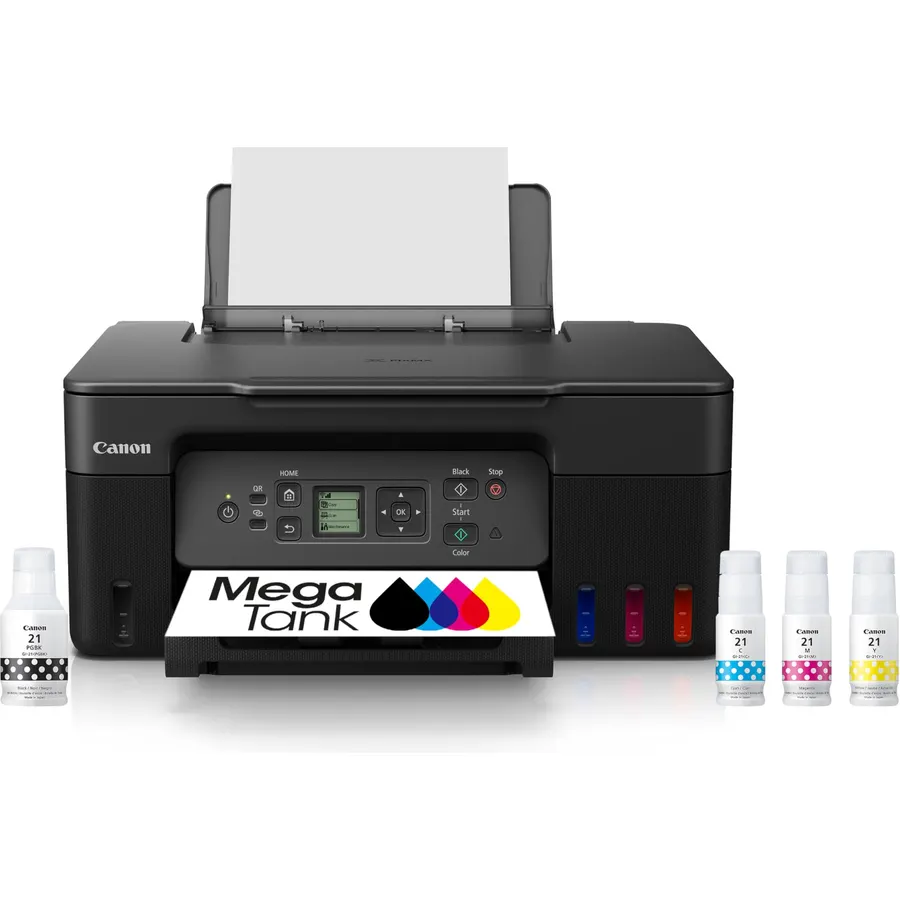
Canon’s MegaTank G3270 is the ink-tank printer to buy when the Epsons feel expensive: it is usually cheaper, it includes up to two years of ink, and its black yield of about 6,000 pages per set is the highest on this page, with 7,700 in color. It prints, copies and scans over Wi-Fi, with a small 1.35-inch LCD for menus rather than a touchscreen. Like the Epson tanks it prints one side at a time, and owners rate it 4.1 stars from 5,200 reviews, with the Canon app setup the main complaint and print quality the main praise. For a family printing homework and the occasional photo, it is the lowest cost per page here at a lower entry price than the EcoTanks; the Epsons win on review volume and on the keyed bottles.
- 6,000 black pages per set, the highest yield here
- 5,200 owners at 4.1 stars
- Usually cheaper than the Epson tanks
- Compact for a tank printer
- No duplex
- Small LCD rather than a touchscreen
- Canon app setup draws complaints
Canon PIXMA TS6520 Wireless Color Inkjet Printer, Duplex Printing, Copier/Scanner, OLED Display, Compact, White
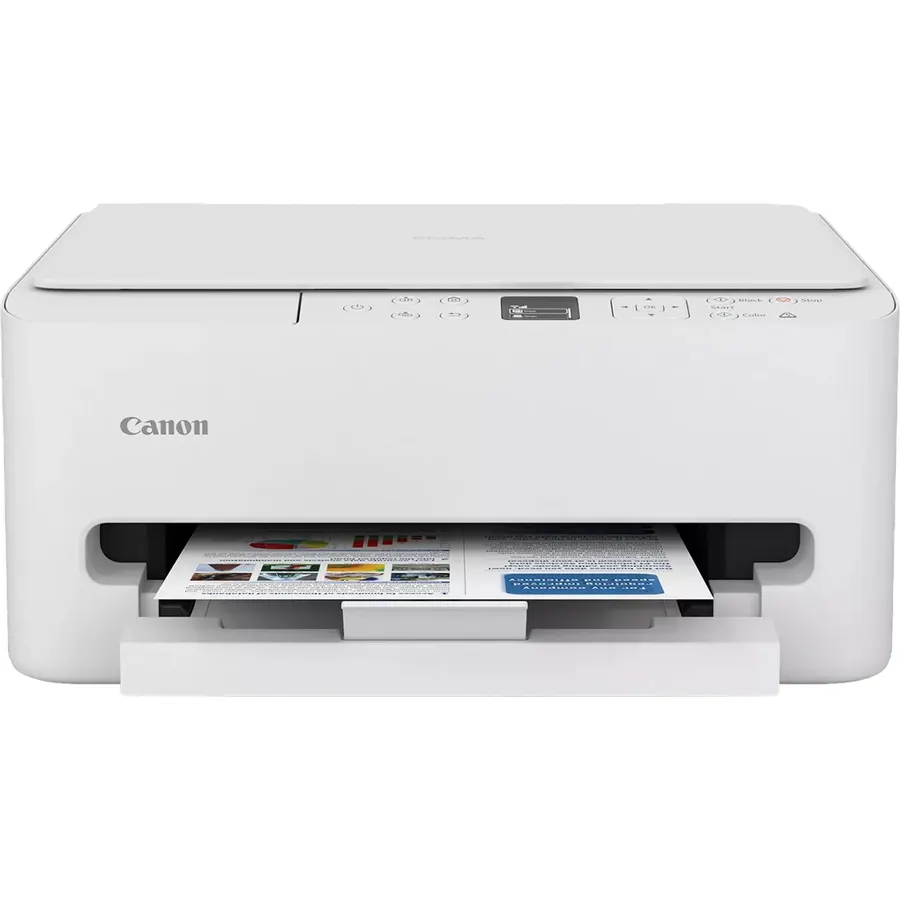
The PIXMA TS6520 is the cartridge printer for someone who prints a little, wants duplex and does not want to spend tank money. It prints on both sides automatically, scans and copies, connects over dual-band Wi-Fi and has a small OLED display for status, in a compact white box. Ink is Canon’s two-cartridge system, a pigment black and a tri-color, which is simple to replace but means an empty cyan takes the whole color cartridge with it; the cost per page is several times what the tank printers manage. Owners rate it 4.2 stars from 2,000 reviews and praise the print quality and setup. Buy it for a dorm or a rarely used home office, and buy XL cartridges when the starters run out.
- Automatic duplex at a budget price
- 4.2 stars from 2,000 owners
- Dual-band Wi-Fi for a stable connection
- Two cartridges keep replacement simple
- Tri-color cartridge: run out of one color and you replace all three
- Cost per page is high next to the tank printers
- No document feeder
Canon PIXMA TR8620a All-in-One Printer Home Office, Copier, Scanner, Fax, Auto Document Feeder, Photo, Document, Airprint, Android, Black, Works with Alexa
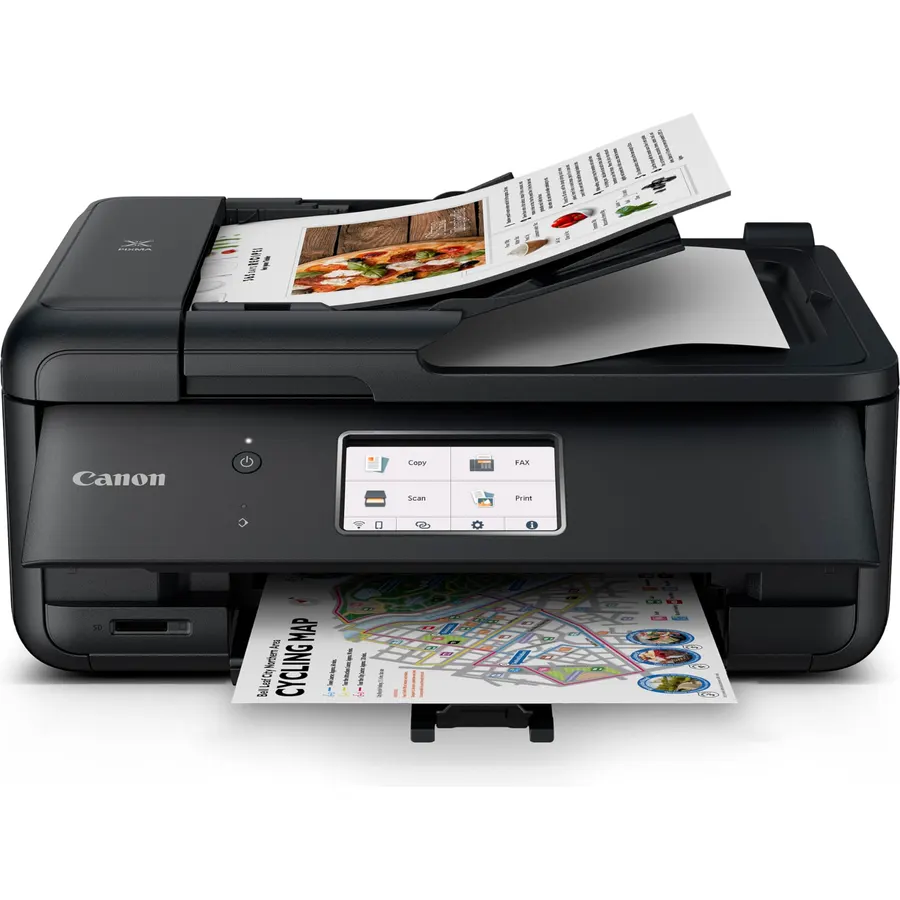
The TR8620a is the inkjet for a spare-room office: it prints, copies, scans and faxes, feeds stacks of pages through an automatic document feeder, prints two-sided and holds 200 sheets across a cassette and a rear tray, so plain paper and photo paper can both stay loaded. Five individual cartridges mean you replace only the color that runs out, and Alexa can reorder ink when it runs low. Speed is 15 black or 10 color pages a minute. It is a cartridge printer, so heavy users will spend more on ink than with a tank, and its 4.0 stars from 6,400 owners include complaints about ink used in cleaning cycles. For scanning contracts and printing invoices a few times a week it is the most complete machine here.
- Document feeder and fax for a home office
- 6,400 owners at 4.0 stars
- Five separate cartridges: replace only the empty color
- Two paper paths for photo paper and plain
- Cartridge printer, so ink costs add up
- 4.0 stars: some owners report ink usage during cleaning
- Bulkier than the TS models
Epson Workforce Pro WF-3820 Wireless Color All-in-One Inkjet Printer
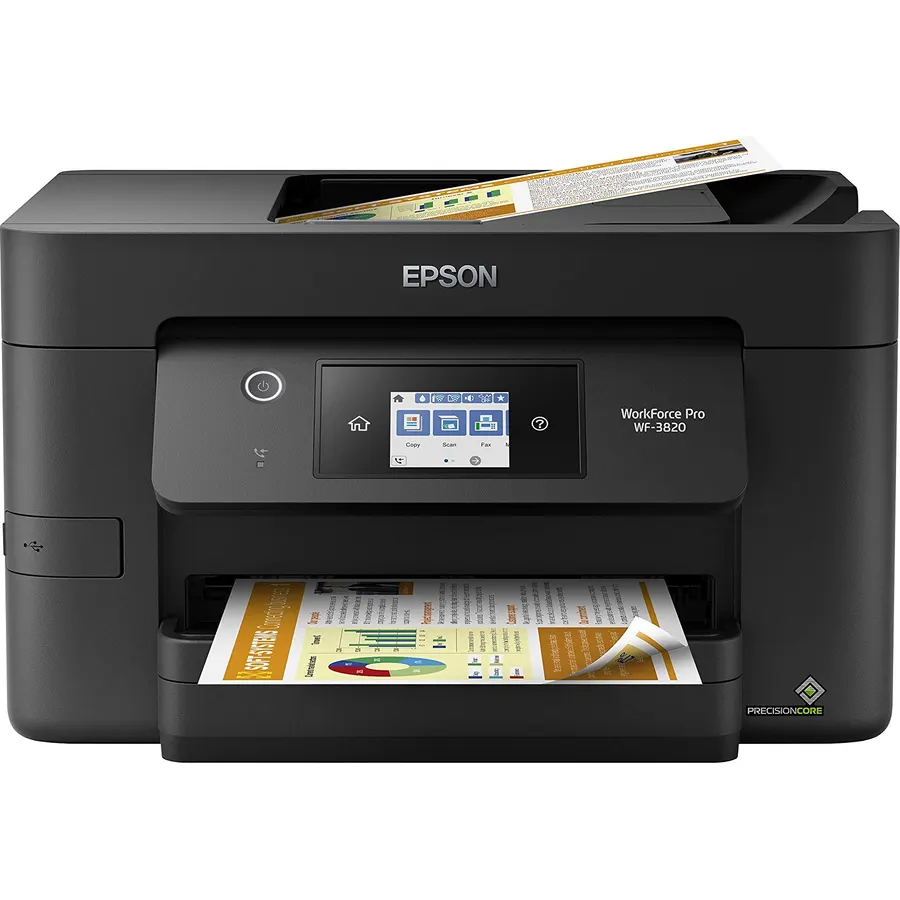
The WorkForce Pro WF-3820 is the inkjet that behaves like a small office laser: 21 black pages a minute, a 250-sheet tray, automatic duplex, a 35-page document feeder, fax and Ethernet. Its DURABrite Ultra pigment inks dry instantly and survive highlighters and damp fingers, which is why it suits documents over photos, where the Canons produce richer color. Ink is by cartridge, so it is a fit for a home office printing dozens rather than hundreds of pages a week, and Epson’s listing is pointed about non-genuine ink and the warranty. Owners rate it 4.0 stars from 3,000 reviews, with speed and reliability the common praise and ink cost the common complaint. If you need a fast, businesslike inkjet rather than a family one, it is the pick.
- 21 pages a minute, laser-class speed for an inkjet
- Pigment ink resists smudging and highlighters
- 250-sheet tray and 35-page document feeder
- 3,000 owners at 4.0 stars
- Cartridge ink: not for high volume
- Epson warns non-genuine ink voids coverage
- Photo output is a step behind the Canons
Canon PIXMA TS3720 Wireless All-in-One Printer for Basic Home Printing, White
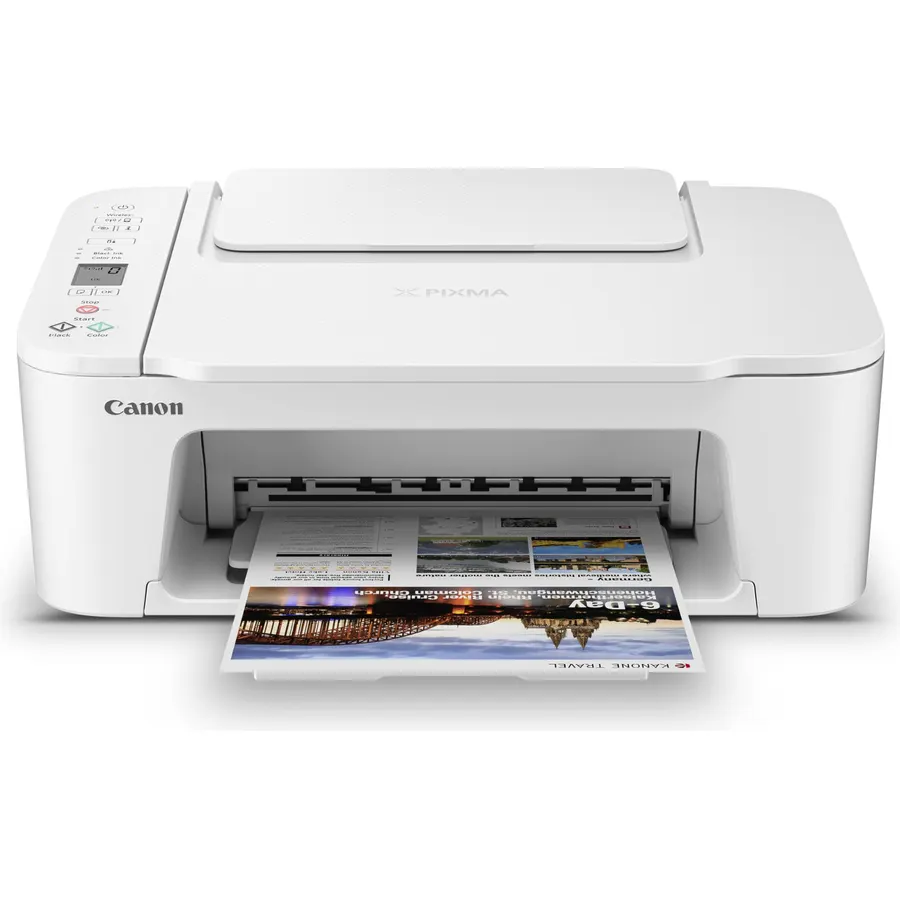
The PIXMA TS3720 is the printer for someone who prints a few pages a month and refuses to spend more than necessary: it prints, copies and scans, connects over dual-band Wi-Fi and handles photo paper, envelopes and borderless prints, in a small white box that 3,500 owners rate 4.0 stars. It is slow at under eight pages a minute, prints one side at a time and uses the two-cartridge system that makes its cost per page the highest here. None of that matters for a boarding pass and a permission slip. It matters a great deal if you print every day, in which case the TS6520 adds duplex for a little more and the tank printers pay for themselves within a year. Buy it for light, occasional use and nothing else.
- Lowest price on this page
- 3,500 owners at 4.0 stars
- Dual-band Wi-Fi even at this price
- Prints borderless photos and envelopes
- Slow at under 8 pages a minute
- No duplex, no document feeder
- Highest ink cost per page here
Compare the picks
| Product | Ink system | Speed | Duplex | Extras | Owner rating | Our score | |
|---|---|---|---|---|---|---|---|
| Epson EcoTank ET-2800Epson | Refillable tanks | 10 ppm | No | Copy, scan | 4.0 (18,000+) | 8.0 | See price |
| Epson EcoTank ET-2803Epson | Refillable tanks | 10 ppm | No | Copy, scan | 4.2 (3,900+) | 8.4 | See price |
| Canon MegaTank G3270Canon | Refillable tanks | Standard | No | Copy, scan, LCD | 4.1 (5,200+) | 8.2 | See price |
| Canon PIXMA TS6520Canon | 2 cartridges | Standard | Yes | Copy, scan, OLED | 4.2 (2,000+) | 8.4 | See price |
| Canon PIXMA TR8620aCanon | 5 cartridges | 15 ppm | Yes | ADF, fax, 2 trays | 4.0 (6,400+) | 8.0 | See price |
| Epson WorkForce WF-3820Epson | Pigment cartridges | 21 ppm | Yes | ADF, fax, Ethernet | 4.0 (3,000+) | 8.0 | See price |
| Canon PIXMA TS3720Canon | 2 cartridges | 7.7 ppm | No | Copy, scan | 4.0 (3,500+) | 8.0 | See price |
Ink tank or cartridges?
Count pages, not dollars. A tank printer (Epson ET-2800, ET-2803, Canon G3270) costs more on day one and ships with ink that Epson and Canon rate for up to two years of typical home use; a refill bottle set then prints thousands more pages for the price of one or two cartridges. A cartridge printer (TS3720, TS6520, TR8620a, WF-3820) is cheap to buy, and the ink can cost more than the printer within a year if you print daily. If your household prints a few pages a week or more, the tank pays for itself; if it prints a few pages a month, a cartridge model and XL cartridges are the cheaper path.
Speed, duplex and document feeders
The tank printers are slow, around 10 pages a minute, and none of the three prints two-sided automatically, which is their quiet weakness. The Canon TS6520 adds duplex at a budget price, and the TR8620a and WorkForce WF-3820 add document feeders, fax and duplex for a home office. The WF-3820 at 21 pages a minute is the only inkjet here that approaches laser speed. If you regularly scan multi-page documents, the feeder matters more than any other spec on the list.
Ink types and photo quality
Canon’s two-cartridge printers use a pigment black for crisp text and a dye tri-color for photos; running out of one color means replacing the whole tri-color cartridge. The TR8620a uses five separate cartridges, so you replace only what is empty. The WorkForce uses all-pigment DURABrite ink that dries instantly and resists smudging, ideal for documents but less vivid on glossy photo paper. The Epson and Canon tanks use dye inks that photograph well. For prints you will frame, a dedicated photo printer still wins.
Which inkjet is cheapest to run?
The three tank printers. The Canon MegaTank G3270 is rated for about 6,000 black pages per ink set and the Epson EcoTanks for 4,500 black or 7,500 color, with up to two years of ink included. A bottle set costs about what one or two cartridges do.
Do ink-tank printers dry out if I do not use them?
Any inkjet can clog if left idle for months, tank or cartridge. Printing a page every week or two keeps the heads clear. Owners of the Epsons mention occasional cleaning cycles; a laser printer avoids the issue entirely.
Which pick prints two-sided automatically?
The Canon PIXMA TS6520 and TR8620a and the Epson WorkForce WF-3820. The Epson EcoTank ET-2800 and ET-2803, Canon MegaTank G3270 and PIXMA TS3720 print one side at a time.
Can these print from a phone?
Yes. Every pick has Wi-Fi and works with the Epson Smart Panel or Canon PRINT app plus AirPrint on iPhone and the Android print service. The TS3720 and TS6520 include dual-band Wi-Fi, which helps in homes with a crowded 2.4GHz network.
Is the ET-2803 better than the ET-2800?
They are the same printer sold through different channels. The ET-2803 carries a higher owner rating (4.2 versus 4.0), which likely reflects later production and smoother setup. Buy whichever costs less on the day.
Prices and stock change daily. The buttons above open Amazon so you always see the current price. We may earn a commission if you buy through them, at no extra cost to you.
Do Best Deal is a participant in the Amazon Services LLC Associates Program. As an Amazon Associate we earn from qualifying purchases. If you buy through links on this site we may earn a commission, at no extra cost to you. Learn more.