The campus print shop closes at six, the library printer has a queue, and the essay is due at eight. A small printer of your own, on the desk or the top of the mini fridge, is one of the cheaper ways to remove stress from a semester, as long as it is compact, works from a phone and a Chromebook over Wi-Fi, and does not eat a cartridge every month. We ranked the student-friendly machines in our printers catalog by purchase price, cost per page, footprint, dual-band Wi-Fi and phone printing, scanning for notes and forms, duplex for long papers, and what thousands of owners report after a year of real use.
We have not stress-tested each of these ourselves; the verdicts rest on the spec sheets and on the owner review history. Prices are not printed because they change daily; every button opens the live Amazon page. For the full color roundup see our inkjet printers guide, for text-only printing see laser printers for home, and for the rest of the desk, our laptops for college students guide.
How we picked
- Budget to buy and budget to run. Cheap cartridge printers for light users, one laser and two ink-tank printers for heavy ones.
- Dorm-sized. Every pick fits on a desk corner or a shelf; no office-grade cabinets.
- Wi-Fi that works in a dorm. Dual-band or self-healing Wi-Fi and phone, Chromebook and Mac printing on every pick.
- A scanner on six of the seven for notes, forms and signed documents.
- Owner ratings of 4.0 stars or better from at least 430 owners, with ink complaints weighed.
The picks
Canon PIXMA TS6520 Wireless Color Inkjet Printer, Duplex Printing, Copier/Scanner, OLED Display, Compact, White
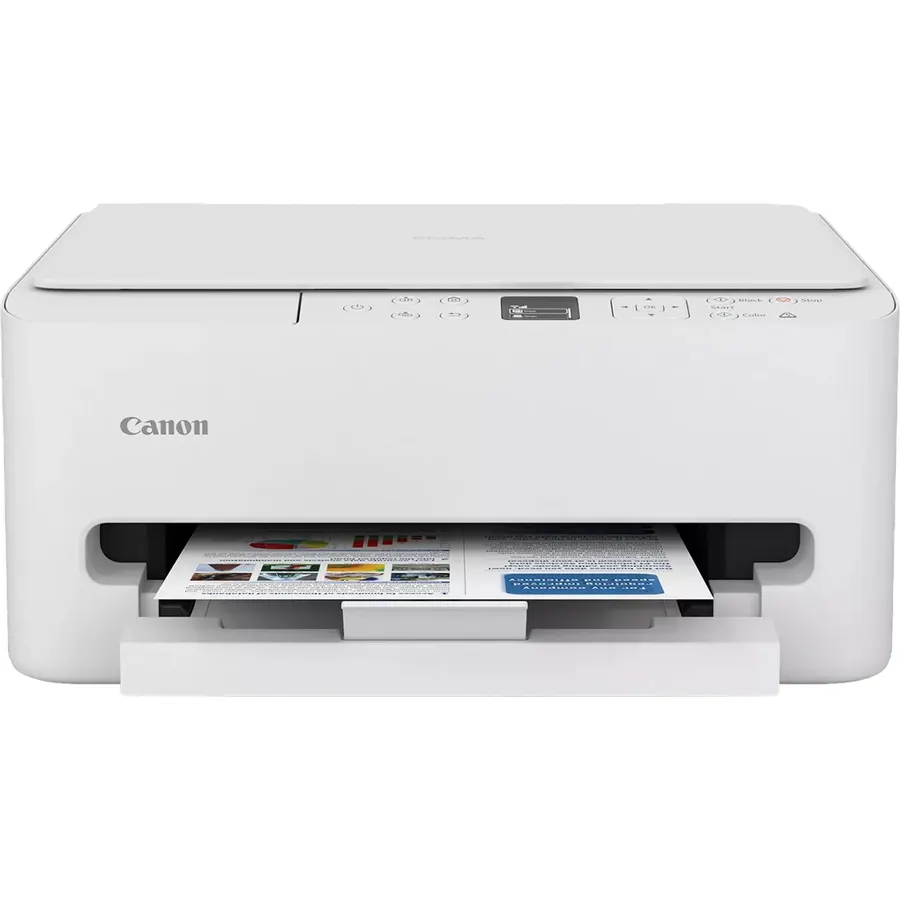
The PIXMA TS6520 is the printer most students should buy: small, white, cheap, and it prints on both sides automatically, which halves the paper a 20-page essay eats. It copies and scans, so a signed form or a page of a borrowed textbook goes to the laptop in seconds, and dual-band Wi-Fi gives it a fighting chance on a congested dorm network. Setup from a phone is straightforward, and 2,000 owners rate it 4.2 stars. The two-cartridge ink system is its weakness: the tri-color cartridge is replaced as a unit, and anyone printing daily will spend more on ink than they expect, which is where the MegaTank below comes in. For a typical course load of a few assignments a week, this balance of price, size and features is the one to beat.
- Duplex at a budget price saves paper on long papers
- 4.2 stars from 2,000 owners
- Dual-band Wi-Fi copes with crowded dorm networks
- Scanner for notes and forms
- Cartridge ink costs add up for heavy printers
- Tri-color cartridge: one empty color means replacing all three
- No document feeder
Brother HL-L2405W Wireless Compact Monochrome Laser Printer with Mobile Printing, Black & White Output
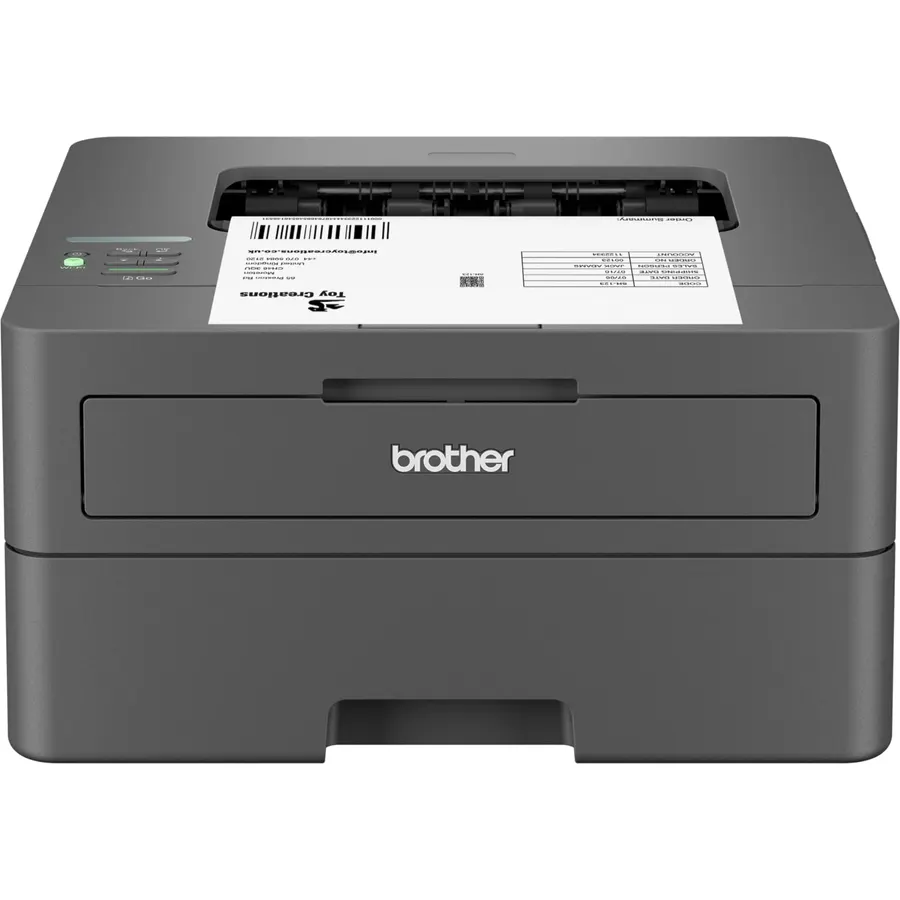
If your printing is essays, readings and problem sets, a mono laser is the cheaper printer to own, and the Brother HL-L2405W is the one to buy. It prints 30 pages a minute from a 250-sheet tray, connects over dual-band Wi-Fi and prints from a phone through Brother’s app, and its toner is a dry powder that is still fine after a summer at home, where an inkjet would need cleaning cycles. A TN830XL cartridge lasts well over a thousand pages. It only prints, in black, on one side at a time; for scanning use a phone app, and for color homework look elsewhere. Owners rate it 4.1 stars from 2,400 reviews, and the value shows up in year two when the ink buyers have replaced cartridges three times.
- Toner never dries out over summer break
- 30 pages a minute and a 250-sheet tray
- 2,400 owners at 4.1 stars
- Low cost per page on TN830XL toner
- Black and white only
- No scanner or copier
- No automatic duplex
Canon PIXMA TS3720 Wireless All-in-One Printer for Basic Home Printing, White
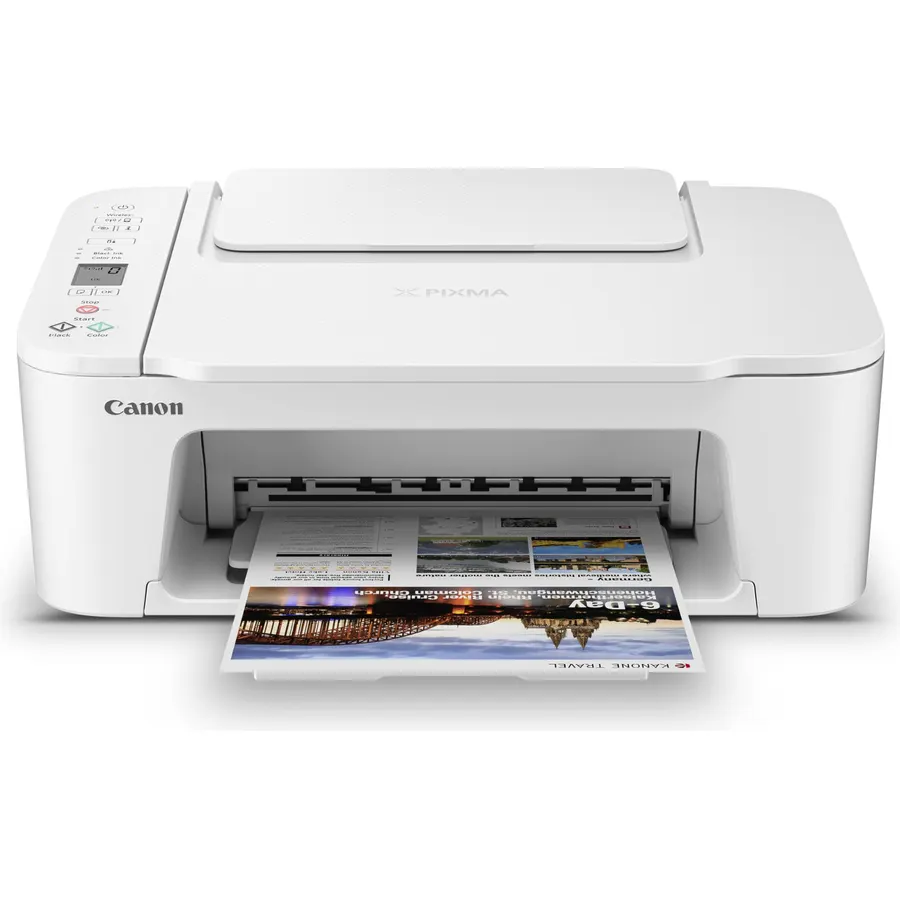
The TS3720 is the printer for a student who prints a handful of pages a month and wants to spend the least possible. It prints, copies and scans, connects over dual-band Wi-Fi to a phone or Chromebook, and takes up very little desk. It is slow at under eight pages a minute, prints one side at a time, and its two-cartridge ink is the most expensive per page on this list, so a heavy printer will outgrow it in a semester. For a boarding pass, a syllabus and the occasional essay it is fine, and 3,500 owners rate it 4.0 stars. Buy the XL cartridges when the starters run out; if you find yourself printing every day, the TS6520 or MegaTank will pay back the difference quickly.
- Lowest price on this page
- 3,500 owners at 4.0 stars
- Dual-band Wi-Fi and a scanner
- Small enough for the smallest desk
- Slow at under 8 pages a minute
- No duplex
- Highest cost per page here
HP Envy 6155 Wireless All-in-One Color Inkjet Printer, Print, Scan, Copy, Duplex Printing Best-for-Home, 3 Month Trial of Instant Ink Included, AI-Capable (C2WR7A) Portobello
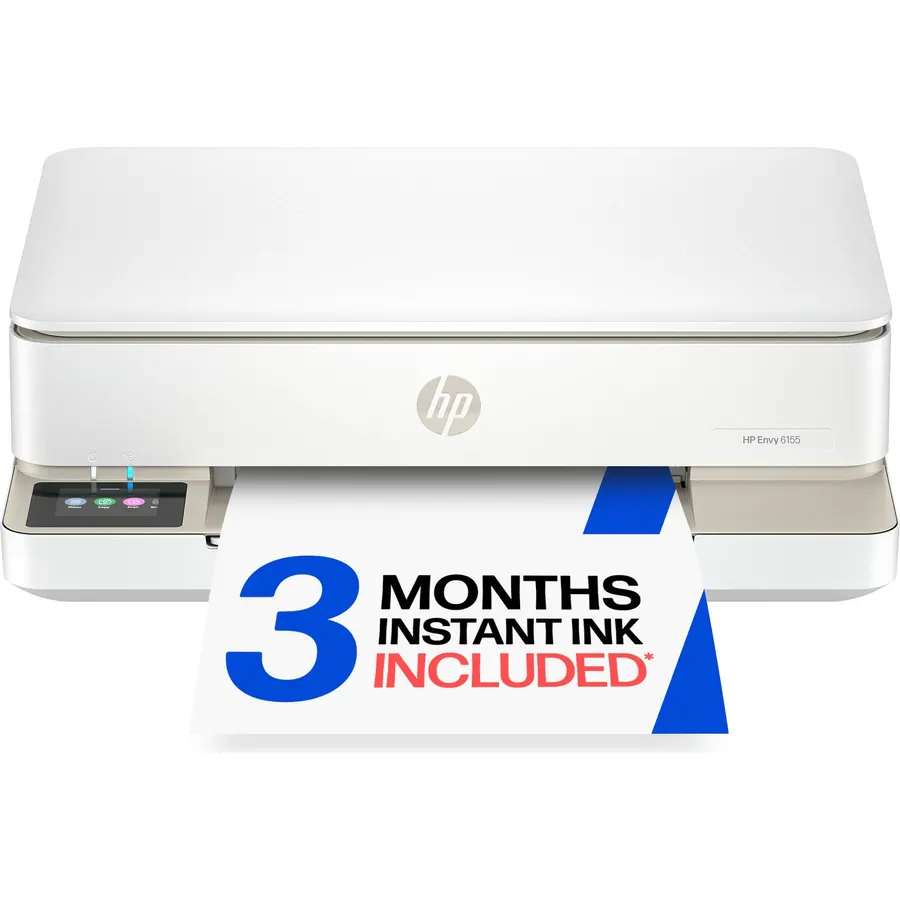
The HP Envy 6155 is the student printer for coursework that is not just text: it prints borderless photos and color graphics well, prints two-sided, scans and copies, and has a 2.4-inch color touchscreen that makes the menus obvious. HP’s dual-band Wi-Fi includes a self-healing feature that reconnects after a router drop, useful in a building full of them. It comes with a three-month trial of Instant Ink, HP’s subscription that mails cartridges based on pages printed; for a steady printer it can be cheaper than buying cartridges, but it renews monthly unless cancelled, so set a reminder. The 100-sheet tray is small and the review base of 430 owners is the smallest here, at 4.2 stars. For design, photography or presentation-heavy courses it is the pick.
- 4.2 stars from 430 owners
- Duplex and a color touchscreen
- Borderless photo printing for projects
- Instant Ink can be cheap for steady printers
- Smallest review base here
- Instant Ink is a subscription; cancel after the trial if unwanted
- 100-sheet tray needs frequent refills
Canon PIXMA TR7120 Wireless Color Inkjet Printer, Duplex Printing, White, Home Printer with Copier/Scanner, Auto Document Feeder, Compact Design, Intuitive Control Panel
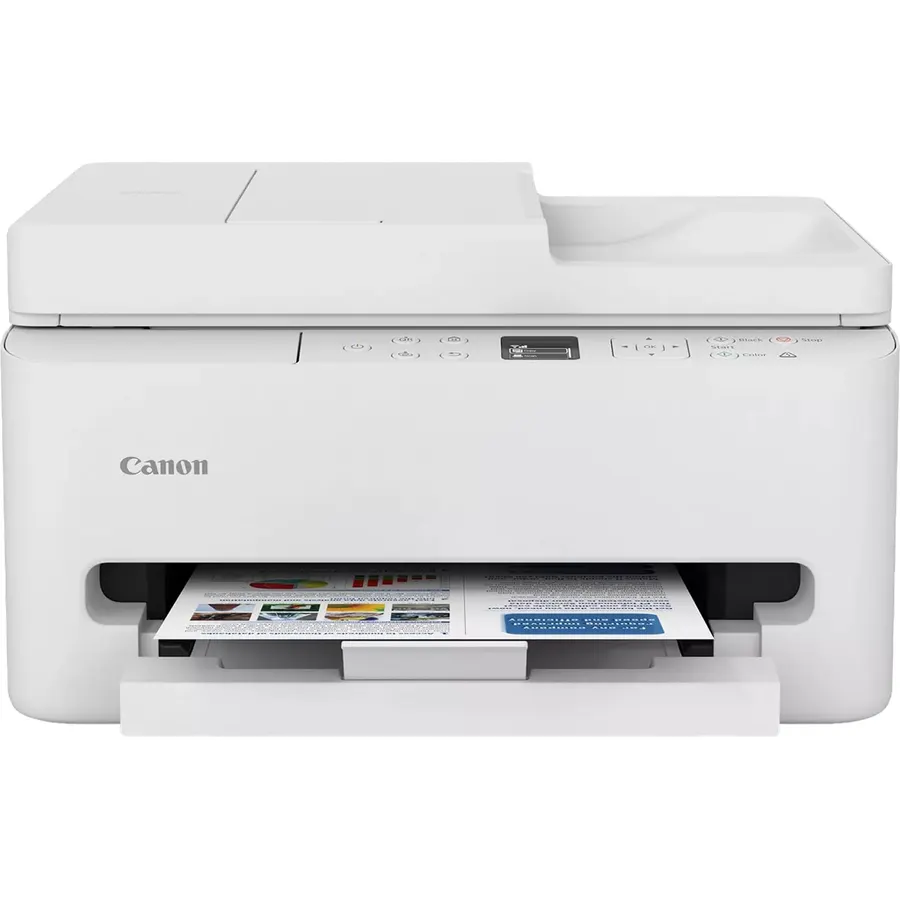
The TR7120 is the TS6520 with an automatic document feeder on top, and for a student who scans handouts, lecture notes or a chapter at a time, that one addition is worth the small premium: drop ten pages in the tray and they scan to the laptop as a single PDF while you do something else. It keeps the duplex printing, dual-band Wi-Fi, OLED display and compact white design, and it uses the same two-cartridge ink system with the same cost-per-page caveat. It is newer and has about 500 reviews, but at 4.3 stars it is the best-rated printer here. If you never scan more than one page at a time, save the money and buy the TS6520; if you digitise paper regularly, this is the student all-in-one to get.
- Document feeder scans a stack of notes unattended
- 4.3 stars, the best rating on this page
- Duplex and dual-band Wi-Fi like the TS6520
- Compact for an ADF printer
- Only 500 reviews so far
- Same tri-color cartridge economics as the TS6520
- Costs a little more than the TS6520
Canon MegaTank G3270 All-in-One Wireless Color Printer
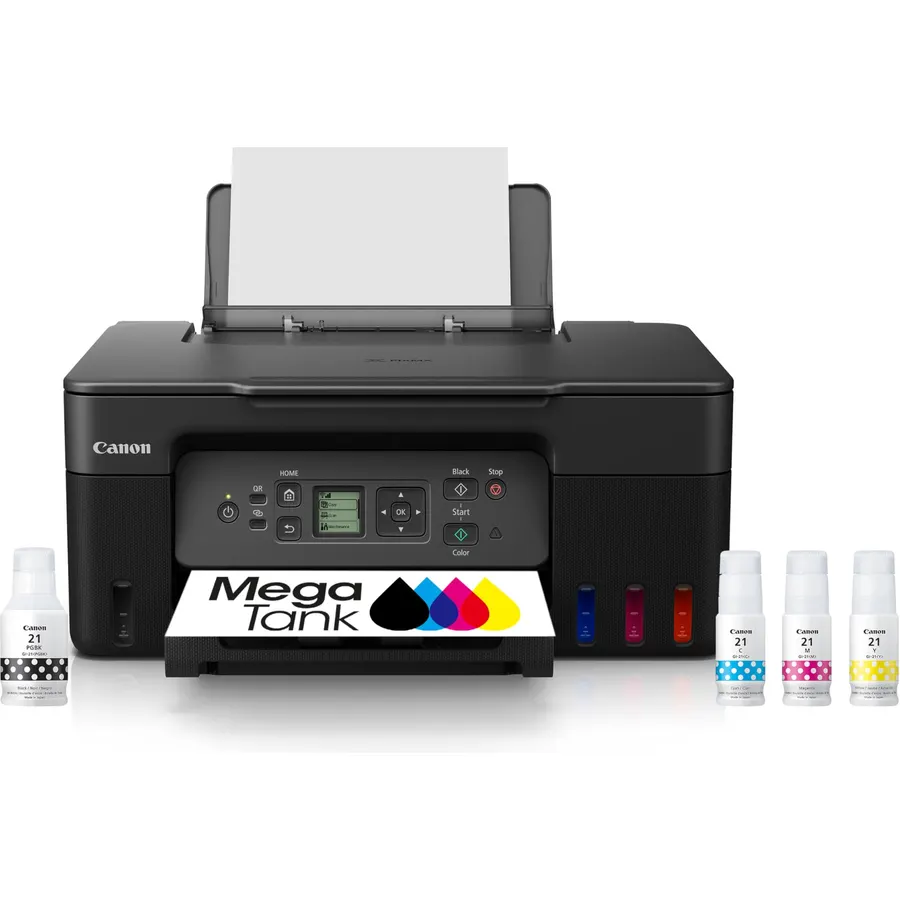
For the student who prints readings rather than reads them on a screen, the MegaTank G3270 changes the maths: its refillable tanks ship with up to two years of ink, rated at about 6,000 black and 7,700 color pages, and a bottle set costs about what a single cartridge pair does. It prints, copies and scans over Wi-Fi and is compact for a tank printer. It does not print two-sided automatically, which is a real omission for long papers, and its 1.35-inch LCD and Canon’s app setup are the usual gripes in its 4.1-star, 5,200-review record. Over four years it is likely the cheapest printer here to own by a wide margin. If duplex matters more than ink cost, pair the TS6520 with XL cartridges instead.
- Ink for roughly a whole degree in the box
- 5,200 owners at 4.1 stars
- Lowest cost per page on this page
- Still compact for a tank printer
- No duplex
- Costs more up front than the cartridge Canons
- Canon app setup draws complaints
Epson EcoTank ET-2800 Wireless Color All-in-One Supertank Printer - Black
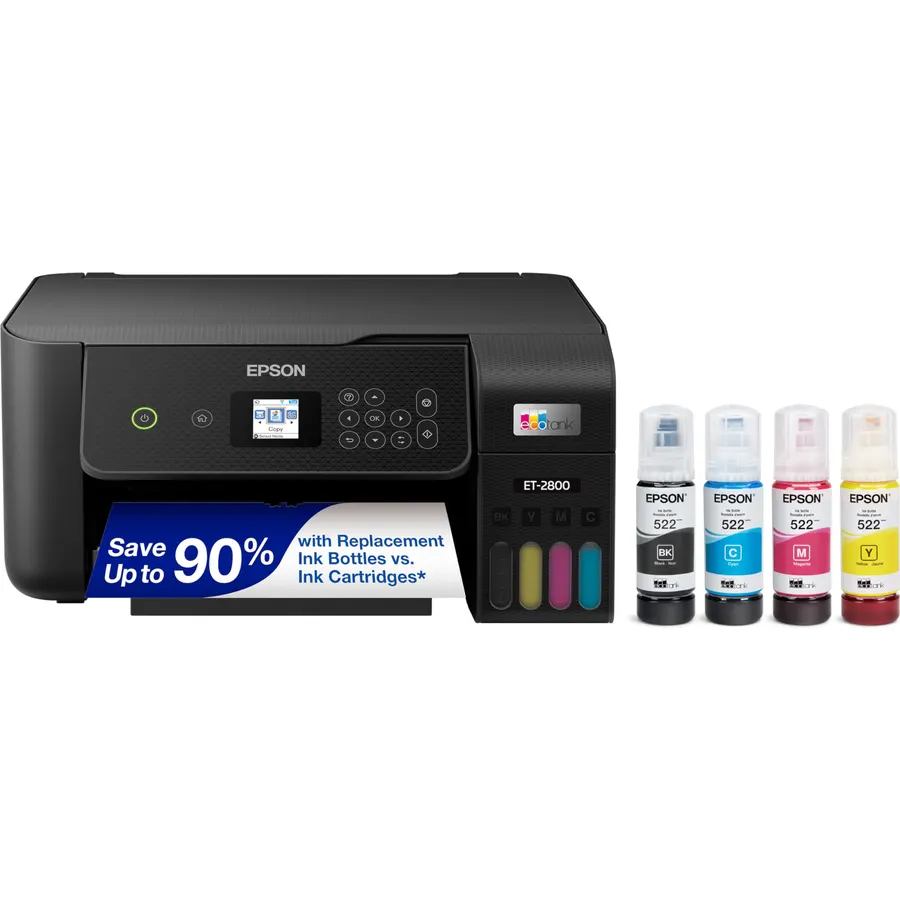
The Epson EcoTank ET-2800 is the tank printer with the longest track record, 18,000 owner reviews, and it offers the same proposition as the MegaTank: refillable tanks, up to two years of ink included, and yields of 4,500 black or 7,500 color pages per set. It prints, copies and scans over Wi-Fi with Epson’s heat-free head and produces good photos for project work. It shares the MegaTank’s lack of duplex and is slow at 10 pages a minute, and its 4.0-star average includes owners who ran into head-cleaning cycles or a long first setup. Between the two tanks the Canon usually costs less and yields more black pages, while the Epson has the bigger body of reviews; either will see a student through a degree on a couple of bottle sets.
- 18,000 owners, the biggest review base here
- Two years of ink in the box
- Heat-free print head
- Prints decent photos as well as text
- No duplex
- Slow at 10 pages a minute
- 4.0 stars: cleaning cycles and setup in the reviews
Compare the picks
| Product | Type | Duplex | Scanner | Running cost | Owner rating | Our score | |
|---|---|---|---|---|---|---|---|
| Canon PIXMA TS6520Canon | Color inkjet, 2 cartridges | Yes | Flatbed | Medium-high | 4.2 (2,000+) | 8.4 | See price |
| Brother HL-L2405WBrother | Mono laser | No | None | Low | 4.1 (2,400+) | 8.2 | See price |
| Canon PIXMA TS3720Canon | Color inkjet, 2 cartridges | No | Flatbed | High | 4.0 (3,500+) | 8.0 | See price |
| HP Envy 6155HP | Color inkjet, HP cartridges | Yes | Flatbed | Medium; Instant Ink optional | 4.2 (430+) | 8.4 | See price |
| Canon PIXMA TR7120Canon | Color inkjet, 2 cartridges | Yes | Flatbed + ADF | Medium-high | 4.3 (500+) | 8.6 | See price |
| Canon MegaTank G3270Canon | Color ink tank | No | Flatbed | Very low | 4.1 (5,200+) | 8.2 | See price |
| Epson EcoTank ET-2800Epson | Color ink tank | No | Flatbed | Very low | 4.0 (18,000+) | 8.0 | See price |
Inkjet, laser or ink tank for a student?
Work out what you print. Mostly black text and a few pages a day: the Brother laser is cheapest over four years and never dries out over break. A few color pages a week: a cheap cartridge inkjet like the TS6520 or TS3720, with XL cartridges. Hundreds of pages a term, readings and drafts: an ink-tank printer, the MegaTank or EcoTank, whose included ink can last the whole degree. The HP Envy and Canon TR7120 are for students whose courses need photos, color graphics or a lot of scanning.
Dorm Wi-Fi, phones and Chromebooks
Dorm and campus networks are crowded and sometimes block device-to-device traffic. Dual-band Wi-Fi on the Canons and HP helps on a congested 2.4GHz band, and Wi-Fi Direct or a USB cable is the fallback if the network refuses to let a phone see the printer. Every pick prints from iPhone through AirPrint, from Android through the maker’s app and from Chromebooks; the Brother and Canon apps also scan to a phone. Keep a USB cable in the drawer for exam week.
Ink, toner and the subscription question
Cartridge printers are cheap because the ink is not; buy XL cartridges and print in draft mode for readings. HP’s Instant Ink mails cartridges for a monthly fee based on pages, and the Envy 6155 includes a three-month trial; it can be good value for a steady printer but renews unless cancelled. Brother toner and the Canon and Epson tanks need no plan at all. Whatever you buy, print a test page every couple of weeks so an inkjet does not clog over a long break.
Is a laser printer better than an inkjet for a college student?
For text-only printing, yes: the Brother HL-L2405W costs less per page, prints faster and its toner does not dry out over summer. For color assignments, photos or scanning you need one of the inkjets here.
Which student printer is cheapest to run?
The ink-tank printers. The Canon MegaTank G3270 and Epson EcoTank ET-2800 include up to two years of ink and refill from bottles that cost about as much as a single cartridge set.
Will these printers work on dorm Wi-Fi?
Usually, but some campus networks block printers. Every pick supports Wi-Fi Direct or a USB cable as a fallback, and dual-band Wi-Fi on the Canons and HP helps on crowded networks.
Do I need duplex printing?
It halves the paper for long essays and readings. The TS6520, TR7120 and HP Envy 6155 have it; the TS3720, Brother HL-L2405W and both tank printers print one side at a time.
Can I print from a Chromebook or iPhone?
Yes. All seven print from iPhone through AirPrint and from Chromebooks and Android through the Canon PRINT, Brother Mobile Connect, HP Smart or Epson Smart Panel apps.
Prices and stock change daily. The buttons above open Amazon so you always see the current price. We may earn a commission if you buy through them, at no extra cost to you.
Do Best Deal is a participant in the Amazon Services LLC Associates Program. As an Amazon Associate we earn from qualifying purchases. If you buy through links on this site we may earn a commission, at no extra cost to you. Learn more.