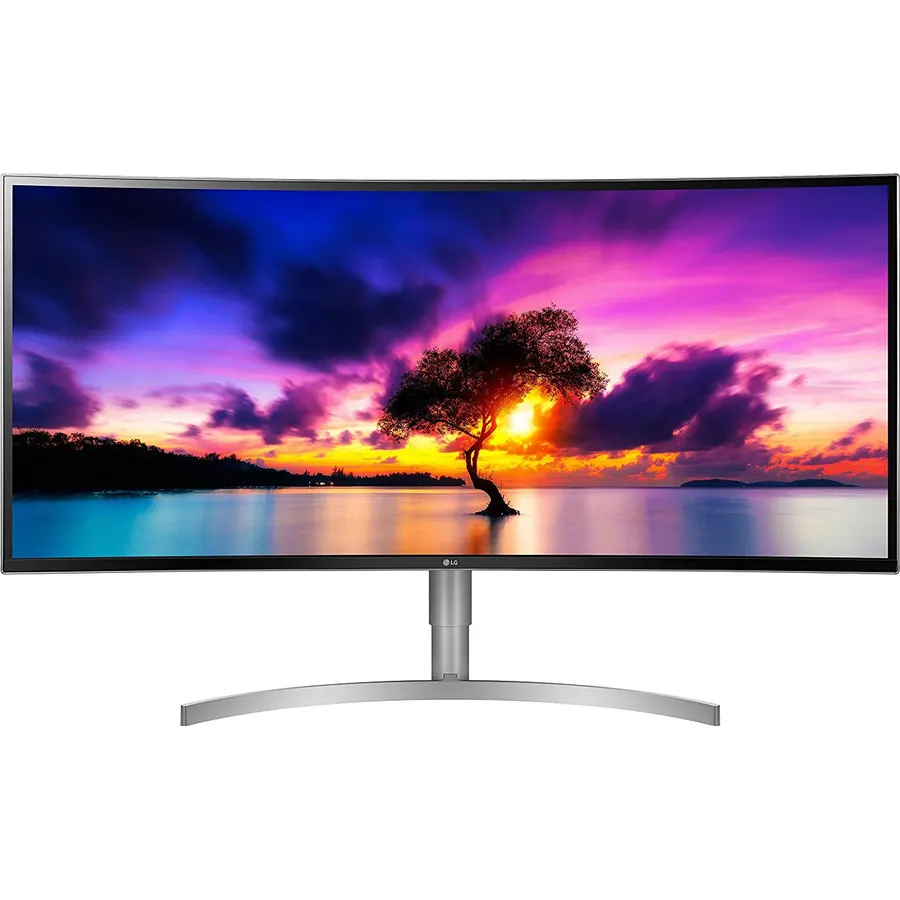
LG 38WK95C-W UltraWide Monitor 38" 21:9 Curved WQHD+ (3840 x 1600) IPS Display, sRGB 99% Color Gamut, HDR 10, USB Type-C, Color Calibrated, Tilt/Height Adjustable Stand - White
38" Curved UltraWide (21:9) QHD+ (3840 x 1600) IPS Display
Ranked #99 in Monitors · 4 things we like
Quick answer The LG 38WK95C-W UltraWide Monitor 38" 21:9 Curved scores 8.8/10 with us. Amazon owners rate it 4.4 out of 5 across 422 reviews, in line with the 4.3 average of the 494 products we track in Monitors. Key facts: aspect ratio 21:9, brightness 300 cd/m², display resolution maximum 3840 x 1600 pixels.
Wide, curved and picture perfect. Immerse yourself in work. With a curved 38" and 21:9 screen ratio, this Wide QHD IPS Display features realistic, accurate color, contrast, clarity and detail in a curved design for a greater field of view.
Content creation. Designing. Video editing.
Gaming. Whatever the task, the LG UltraWide Monitor delivers picturesque panoramas and high-performance features including, HDR 10 compatibility, sRGB 99% color gamut, USB Type-C connectivity and a 3-Side virtually borderless design with a tilt and height adjustable stand.
Do Best Deal is a participant in the Amazon Services LLC Associates Program. As an Amazon Associate we earn from qualifying purchases. If you buy through links on this site we may earn a commission, at no extra cost to you. Learn more.
Product information
24 specifications
Aspect Ratio
21:9
Brightness
300 cd/m²
Color Gamut
99
Contrast Ratio
1000:1 (Typ)
Display Resolution Maximum
3840 x 1600 pixels
Display Technology
LED
Display Type
LCD
Item Dimensions D x W x H
3.6"D x 35.3"W x 15.5"H
Item Weight
19.8 pounds
Native Resolution
3840x1600
Number of Component Outputs
3
Picture Quality Enhancement Technology
HDR, wide color gamut, potential for additional picture quality enhancement technologies via USB-C
Pixel Pitch
0.23
Processor Count
1
Refresh Rate
75 hertz
Resolution
4K UHD 1600p Ultra Wide
Response Time
5 milliseconds
Screen Finish
Curved
Screen Size
37.5 inches
Total Number of HDMI Ports
2
Total USB 3.0 Ports
2
Total Usb Ports
1
Viewing Angle
178 degrees
Voltage
240 volts
Pros & cons
What we like
38" Curved UltraWide (21:9) QHD+ (3840 x 1600) IPS Display
3-Side Virtually Borderless Design
sRGB 99% Color Gamut and HDR10
USB Type-C with 60W PD
What could be better
LG 38WK95C-W UltraWide Monitor 38" 21:9 Curved: questions & answers
Is the LG 38WK95C-W UltraWide Monitor 38" 21:9 Curved worth buying?
Yes, it is one of the stronger picks in its group. We score the LG 38WK95C-W UltraWide Monitor 38" 21:9 Curved 8.8 out of 10. Amazon owners rate it 4.4 out of 5 across 422 reviews, in line with the 4.3 average of the 494 products we track in Monitors.
What are the key specs of the LG 38WK95C-W UltraWide Monitor 38" 21:9 Curved?
Aspect Ratio: 21:9; Brightness: 300 cd/m²; Display Resolution Maximum: 3840 x 1600 pixels; Refresh Rate: 75 hertz; Response Time: 5 milliseconds; Screen Finish: Curved. All 24 specifications are in the product information table on this page.
What are good alternatives to the LG 38WK95C-W UltraWide Monitor 38" 21:9 Curved?
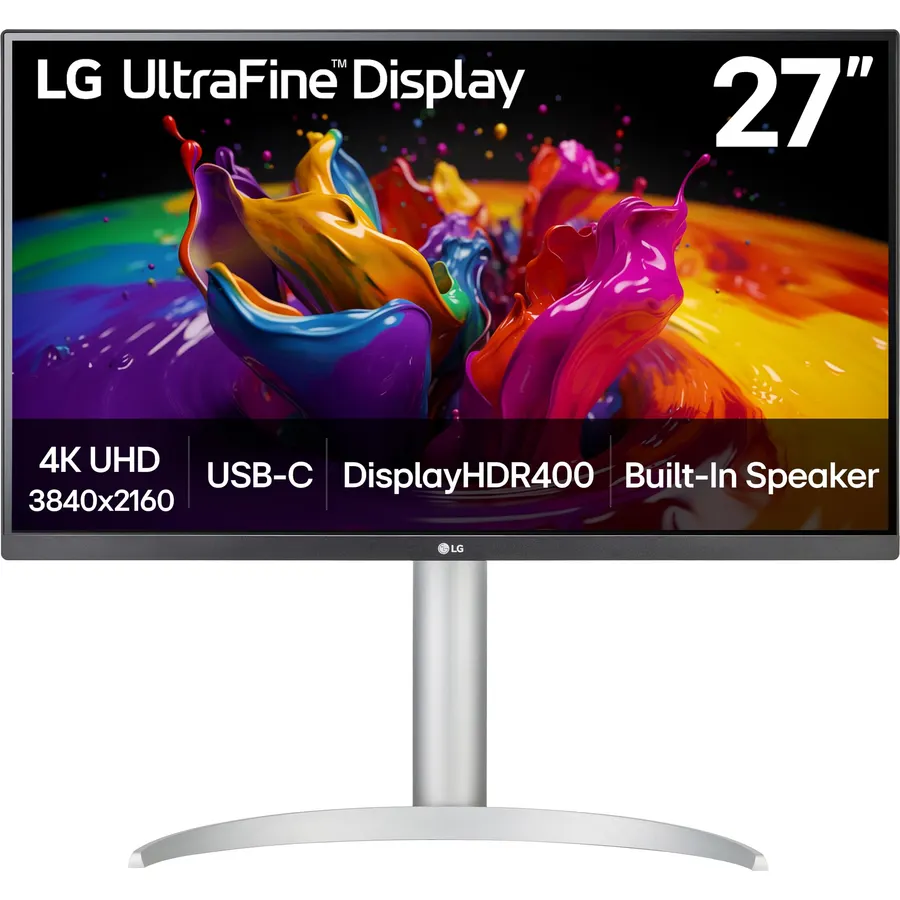
Similar, well-rated products in our catalog: LG 34WN80C-B UltraWide Monitor 34” 21:9 Curved (9.2/10, 4.6 stars from 3,827 owners); LG 27UP850-W Monitor 27” UHD (8.6/10, 4.3 stars from 334 owners); LG 34U530A-W 34-inch UltraWide WFHD (8.6/10, 4.3 stars from 97 owners).
Breakdown from the 10 most helpful reviews we imported.
F
FrogsOnTheRun
Verified purchaseMarch 1, 2021
Nice monitor with lots of screen space.
Bought used; had good luck before but this time first had 4-5p dead pixel line across horizontal span, and a bad DP cable, second was missing some accessories like the DP cable entirely (was rookie mistake sending first back before I got replacement, not that DP cable from first would've helped) but so far looks to be good panel except at 60Hz it had line artifacts, switching to 75Hz made it go away, first didn't do that, something I will have to look into further but for now will assume is not a problem.This early review. In middle of room renovation but just wanted make sure got good panel.
M
Mihail Manolov
Verified purchaseMay 27, 2018
Great monitor for Macbook Pro 2017
It was time to upgrade from dual 24" monitors and I was looking for an ultrawide monitor. There were not that many 38" monitors on the market and I've noticed that most of the screens are manifactured by LG. The prices ranged wildly from $800 - Acer Gaming Monitor 37.5" Ultra Wide Curved XR382CQK bmijqphuzx 3840 x 1600 1ms Response Time AMD FREESYNC Technology (Display, HDMI & MHL Ports) to $1500 (this monitor). This one was the latest model with no reviews at all. However, it was very similar to their previous 38" ultrawide - LG 38UC99-W 38-Inch 21:9 Curved UltraWide QHD+ IPS Monitor with Blu
M
Michael
Verified purchaseJuly 11, 2018
Very Happy!
Been using the monitor for about a week. I use it for work (programming) and personal use including light gaming. Very pleased. The 3840x1600 at 38" size is just right for a productive environment and a great alternative to a standard 4k and typical ultra wides. If you on the fence about this or a large 4k the 1600 vertical pixels is the perfect height. I am very happy I went this route and feel I would have neck strain using a large 4k.Pros: Size, Color (a pro artist may not agree), Text size without scaling is comfortable, Quality, and Packaging.Inbetween: The software works but like most ve
D
Dad, the engineer
Verified purchaseJuly 1, 2022
Expensive, but good if you need a large, curved monitor (see details). Conditionally Recommended
I am not averse to spending a lot of money on my monitors. I'm not a gamer, so I don't need a 360hz freesync monitor - instead, I'm a productivity user that writes a lot of code. In fact, my main setup has two 43" 4k LG monitors. The thing is that I recently started a new job, and my needs for that are a bit different. For starters, I have to use corporate equipment for the computer. I can BYOD a monitor, so I initially tried one of my 43"s. The problem is that I spend most of my time on webconferences now, and there's no good place to put a camera when you have that kind of display in front o
J
Jason H.
Verified purchaseAugust 20, 2018
Gorgeous, bright, 4k+HDR for PS4Pro and PC/Mac!
After doing a ton of research, I finally landed on the LG 38" wide-screen UHD computer monitor for my gaming setup in my office. The trick was finding a display that would work with both the 4k from my PS4Pro as well as the 4k from my PC on different video inputs...and this thing truly shines!If you've never seen a 4k display before...you are in for a treat (provided you have 4k capability). The additional detail and resolution is certain games is amazing. God of War-PS4P is nothing short of spectacular. Gorgeous colors, hair rendering, sweat trickles, bugs moving on a tree branch, runes swirl
Z
ZJ
Verified purchaseMay 9, 2020
Not compatible with MacOS Night Shift, but Great Monitor
UPDATE:I've upgraded from 3 to 5 stars. I still can't figure out how to make night shift work, but I finally got the settings to get close enough. It's a nice monitor and I plan on keeping it.====So I just installed it, and the major issue is that no matter what I try, this monitor will not reflect the Night Shift settings from my 2019 16" MacBook Pro. My Samsung curved monitor has no issues with this.I'm connected via USB-C. I haven't tried another connection, as if that is required for night shift compatibility, then I'll be returning this.I've tinkered with the monitor's settings, but they
A
Amazon Customer
Verified purchaseJuly 16, 2020
Save yourself the $1000 and don't buy this garbage.
This monitor was great - for a week! I used it to enhance work productivity and loved the extra space for everything I needed to keep open. I used it for about a week, then, on its last day of use, I shut down my laptop like normal. I woke up to the attached photo and am pretty angry about this. The monitor wasn't mishandled in any way (how could I have -- I was asleep and live by myself!) and just decided display a bunch of horizontal/vertical lines, rather than my desktop. As you can see by the photo with the monitor off, there isn't anything visibly/physically wrong that can be seen.Save yo
A
Aquaman
Verified purchaseDecember 17, 2018
Perfect size for coding and/or multitasking!
Day one: Great experience so far. I just finished setting it up. This thing is truly a beast and I'm hooked. This is my first curved widescreen monitor, and I must say it is amazing. I'm a developer and I spend a lot of time in front of the screen. It has a crisp, clear resolution (unlike a 5K screen, but I knew that going in) and tons of real estate to code with while multitasking. I also have an older Apple 27" CinemaDisplay (although it's not as crystal clear as my retina 2018 MacBook Pro). The Apple CinemaDisplay is connected to this VESA mount https://www.amazon.com/gp/product/B00MIBN16O/
Customer reviews are shown as published on Amazon and are not written by Do Best Deal.
More monitors we compared
Alternatives to the LG 38WK95C-W UltraWide Monitor 38" 21:9 Curved