Home 3D printing stopped being a tinkerer’s hobby when printers learned to level their own beds. The machines in this guide are all FDM printers, which melt a plastic filament and lay it down layer by layer, and all of them calibrate themselves instead of asking you to slide paper under a nozzle. The real choices now are how big an object you need to make, whether the printer is enclosed so it can handle heat-sensitive materials, how fast it runs, and whether you want several colors in one print. We ranked the 3D printers in our printers catalog on those points and on what owners report. The catalog has no filament with an owner review record yet, so this guide covers printers only.
We have not printed on these machines ourselves; the verdicts rest on the spec sheets and the owner review history. Prices are not printed because they change daily; every button opens the live Amazon page. If you arrived looking for a paper printer, see our inkjet printers guide, and for trimming and smoothing finished prints, our rotary tool accessory kits guide. Speed figures quoted below are the makers’ maximums, not typical print speeds, and two of the five picks are newer listings with limited owner feedback so far, which we flag.
How we picked
- Complete FDM printers only. Mainboards, cables, dryers and other parts were excluded, as was one printer that fell below our rating floor.
- Automatic calibration. Every pick levels or calibrates itself, the feature that most reduces failed first prints.
- Build volume and enclosure stated where the listing gives them; we say so where it does not.
- Multi-color honestly described. We note whether color-switching hardware is included or must be bought separately.
- Owner feedback, best-reviewed first. Three picks have hundreds of owner reviews; two have a small number so far and rank last for that reason.
The picks

The P1S is the printer we would point most buyers to. It is fully enclosed, which the maker says improves results with advanced filaments, and its published material list is unusually clear: PLA, PETG, TPU, PVA, PET, ABS and ASA are ideal, nylon and polycarbonate are possible, and carbon or glass fiber reinforced filaments are not recommended. It runs at up to 500 mm/s with 20,000 mm/s2 acceleration, levels its own bed, and the maker says setup takes about 15 minutes. Multi-color printing in up to 16 colors is supported, but only with the Bambu Lab AMS unit connected, and the listing notes that the AMS is required for it; this listing is the printer itself. Hundreds of owners give it a very strong owner rating, the best combination of rating and record here. The bullets we have do not state the build volume, so check it against the largest part you plan to print.
- Hundreds of owner reviews with a very strong owner rating
- Enclosed body handles ABS and ASA as well as PLA
- Automatic bed leveling and quick setup
- Clear published list of supported filaments
- Multi-color needs the AMS unit, bought separately
- Carbon and glass fiber filaments are not recommended
- Build volume is not given in the bullets we have
Bambu Lab A1 mini 3D Printer + LED Lamp Kit, Ready-to-Use for Beginners
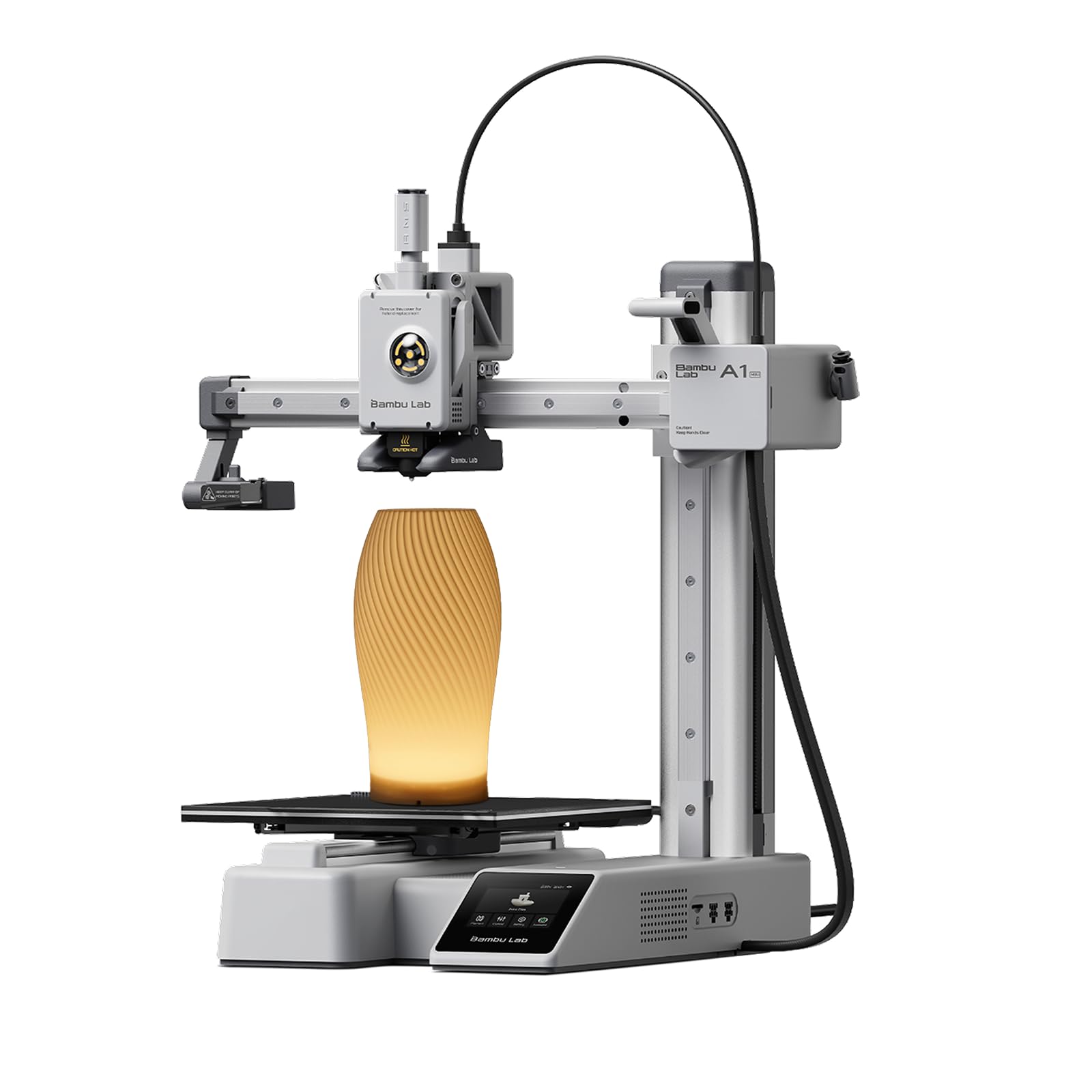
The A1 mini is the gentlest way into the hobby. The maker pitches it squarely at beginners: automatic calibration, simple setup, and a connected ecosystem in which you choose a model from the MakerWorld library and send it to the printer from the Bambu Handy app, without learning design software first. It is compact, described as fast and quiet, and sized to live on a desk in a home or studio. This bundle adds an LED Lamp Kit, so one of your first projects can be a working decorative light built around printed parts. Hundreds of owners give it a strong owner rating. Know its limits before buying. It is a small open-frame machine, so it is at its best with easy materials such as PLA, and large parts will need splitting. The bullets we have give no build volume or speed figure, so confirm both on the product page.
- Designed for first-time users, with automatic calibration
- Large library of ready-to-print models
- Compact and quiet enough for a desk
- Hundreds of owner reviews with a strong owner rating
- Not enclosed, so it suits PLA-type materials best
- Smaller build area than the other Bambu and Creality picks
- Speed and build volume are not given in the bullets
Creality K2 Plus Combo 3D Printer, Multi Color Printing with New CFS 600mm/s High-Speed Full Auto-Leveling Dual Al Camera Next-Gen Direct Drive Extruder Large Build Volume 13.78x13.78x13.78inch
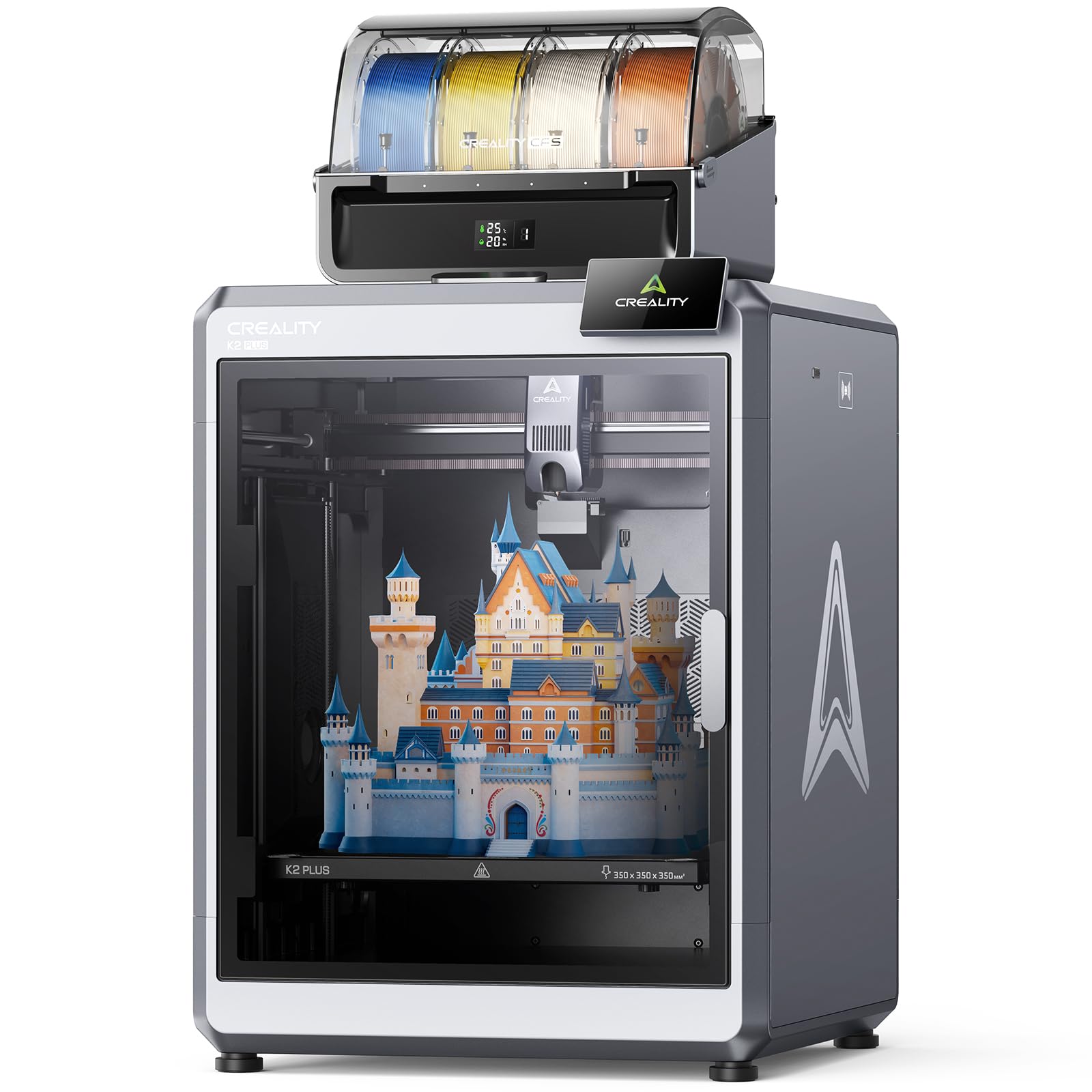
Creality’s K2 Plus Combo is the flagship for people who have outgrown a small printer. Its build volume is a 350 mm cube, large enough to print helmets, big enclosures or whole batches of parts in one job. Step-servo motors drive it at up to 600 mm/s with 30,000 mm/s2 acceleration, and the chamber is actively held at up to 60 C, which the maker says allows warp-resistant prints in ASA and PPA. The CFS color system selects and switches filament automatically and reads the color and type of RFID-tagged spools; linking four CFS units gives 16 colors, though the bullets do not say how many units this combo includes. Two AI cameras and 18 sensors watch for failures. It has the largest review count here, hundreds of owners, but a solid owner rating that is the lowest of the five, so read recent reviews before committing at this price.
- Largest build volume in this guide
- Heated chamber for ASA and other demanding filaments
- Color system reads RFID filament spools automatically
- Hundreds of owner reviews, the most of any pick
- Lowest owner rating in this guide
- By far the most expensive pick
- Sixteen colors needs four CFS units; count included is not stated
AOSEED AI 3D Printer for Kids, Fast 400mm/s, 12,000+ Models, Enclosed Safe
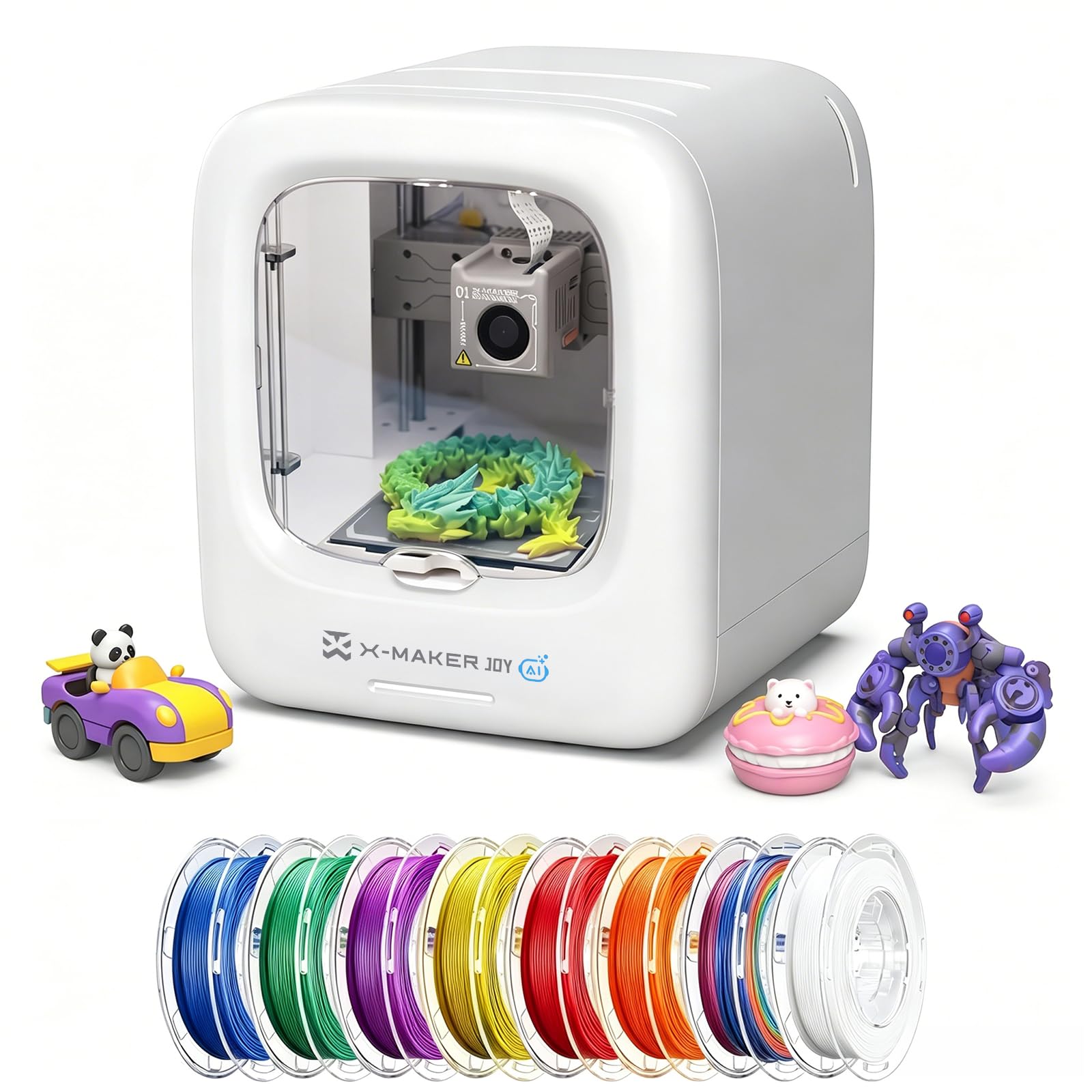
The AOSEED is a real FDM printer built around children instead of hobbyists. It is enclosed, with a design the maker describes as pinch-resistant and quiet, and everything runs from an app: a child picks one of more than 12,000 reviewed, print-tested models and prints it with one tap. AI tools go further, creating custom models from voice, text or image prompts, so no design skills are needed. The maker quotes precision up to 0.05 mm and speeds of 220 to 250 mm/s with peaks of 400, and says small toys can finish in about 20 minutes; a built-in camera lets a parent check progress from a phone. The listing states plainly that it prints one color at a time, in PLA. It has a small number of owner reviews so far, with a solid owner rating, so it is not yet proven. Adult supervision is still sensible with any hot machine.
- Enclosed, pinch-resistant design aimed at families
- Kids can print from a curated library with one tap
- AI tools turn voice, text or images into models
- Built-in camera for checking progress remotely
- Limited owner feedback so far
- Single-color printing only
- Build volume is not stated; made for small toys
Creality SPARKX i7 Nano Combo 3D Printer, Multi Color with CFS Nano High Speed Pre-Assemble Auto-Leveling Auto Filament Refill Auto Feed & Retract 10.24x10.24x10 inch
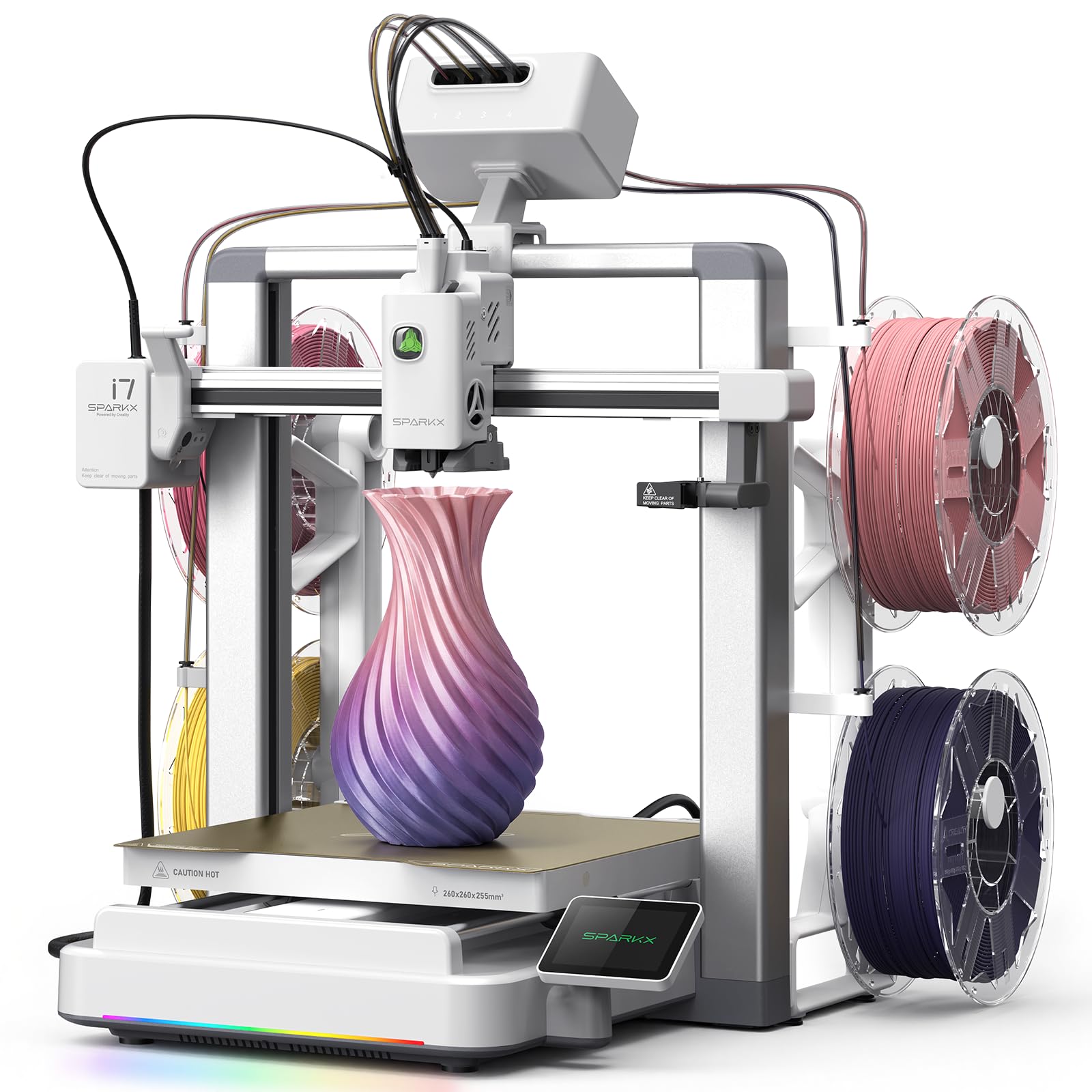
The SPARKX i7 Nano Combo is the newest machine here and the most interesting on paper for anyone who wants color without a flagship budget. It switches automatically between up to four filaments, so multi-color models print without manual filament changes, in a build area of 260 by 260 by 255 mm from what the maker calls a compact, desk-friendly footprint. The filament handling is well thought out: real-time monitoring on every channel halts the print if a filament breaks, tangles or runs empty, an auto-refill function moves to a matching backup spool when one runs out, and filament is loaded and retracted automatically. The title describes it as pre-assembled with auto-leveling. Now the caution: it has very limited owner feedback so far, with a strong owner rating from a small number of reviews, and the bullets give no speed, enclosure or material details. Treat it as a promising printer still earning its record.
- Four-color printing in a compact printer
- Switches to a backup spool when one runs out
- Stops automatically on filament faults
- Generous build size for its footprint
- Very limited owner feedback so far
- Top speed is not given in the bullets
- Enclosure and supported materials are not stated
Compare the picks
| Product | Build volume | Top speed (maker figure) | Enclosure | Multi-color | Our score | Our score | |
|---|---|---|---|---|---|---|---|
| Bambu Lab P1SBAMBULAB | Not stated | 500 mm/s | Fully enclosed | Up to 16 with AMS, sold separately | 9/10 | 9.0 | See price |
| Bambu Lab A1 miniBAMBULAB | Not stated | Not stated | Open frame | Not described in this listing | 8.8/10 | 8.8 | See price |
| Creality K2 Plus ComboCreality | 350 x 350 x 350 mm | 600 mm/s | Heated chamber, up to 60 C | CFS; 16 with four units | 8/10 | 8.0 | See price |
| AOSEED for kidsAOSEED | Not stated | 400 mm/s peak | Enclosed | Single color only | 8.5/10 | 8.5 | See price |
| Creality SPARKX i7 Nano ComboCreality | 260 x 260 x 255 mm | Not stated | Not stated | Up to 4 colors | 8.7/10 | 8.7 | See price |
Enclosed or open: which do you need?
An open-frame printer such as the A1 mini is simpler, smaller and perfectly suited to PLA, the easy, low-temperature filament most people use for toys, models and household parts. An enclosure keeps warm air around the print, which matters for materials that shrink and warp as they cool, such as ABS and ASA; that is why the P1S lists them as ideal and the K2 Plus goes further with an actively heated chamber. An enclosure also keeps fingers and pets away from hot and moving parts, the reason the AOSEED has one. If you will only ever print PLA, open is fine. If you want tough, heat-resistant parts, buy enclosed.
What multi-color printing really involves
Multi-color printers work by loading several spools and swapping between them during the print, cutting and purging filament at each change. That means three things in practice. The switching hardware is often a separate unit: the P1S needs the Bambu Lab AMS, and the K2 Plus reaches 16 colors only with four CFS units linked. Color prints take much longer than single-color ones, because every swap costs time. And each swap wastes a little filament as purge. For occasional color, printing parts separately and assembling them, as AOSEED suggests for its single-color printer, is a workable alternative.
Speed claims, materials and running costs
Headline speeds of 400 to 600 mm/s are maximums reached on long straight moves; real prints average well below that, and quality settings matter more than the top figure. Do not choose between these printers on that number alone. Filament is the ongoing cost, sold by the kilogram, and PLA is the cheapest and easiest. Keep spools dry, since damp filament prints badly. Place the printer on a rigid surface in a ventilated room, follow the maker’s guidance for the material you are using, and do not leave a new machine unattended until you trust it.
What is the best 3D printer for a beginner?
The Bambu Lab A1 mini is designed for first-time users, with automatic calibration, an app and a large library of ready-to-print models. If the budget stretches, the enclosed Bambu Lab P1S is just as easy to set up and handles more materials.
Do I need an enclosed 3D printer?
Not for PLA, which prints well on open-frame machines. An enclosure helps with ABS, ASA and other materials that warp as they cool, and it keeps hands away from hot parts. The P1S, K2 Plus and AOSEED are enclosed.
Can these printers print in multiple colors?
The Creality K2 Plus Combo and SPARKX i7 Nano Combo are sold as multi-color combos. The P1S supports up to 16 colors but needs the separate Bambu Lab AMS unit. The AOSEED prints one color at a time.
What filament should I start with?
PLA. It prints at low temperatures, sticks well, warps little and is the least expensive. Move on to PETG for tougher parts, and to ABS or ASA only on an enclosed printer. Our catalog has no filament with an owner review record yet, so none is ranked here.
Is a 3D printer suitable for children?
With supervision, yes. The AOSEED is built for kids, with an enclosed, pinch-resistant design, one-tap printing from an app and a library of tested models. Nozzles and beds on all printers get hot, so an adult should oversee use.
Prices and stock change daily. The buttons above open Amazon so you always see the current price. Do Best Deal may earn a commission if you buy through them, at no extra cost to you.
Do Best Deal is a participant in the Amazon Services LLC Associates Program. As an Amazon Associate we earn from qualifying purchases. If you buy through links on this site we may earn a commission, at no extra cost to you. Learn more.