A budget graphics card is the one part of a gaming PC where a few extra dollars change what you can play. The good news is that the price tier below the flagships is crowded with cards that handle 1080p at high settings and, for the stronger ones, 1440p. The decisions that matter are how much video memory you get, whether the card needs a power cable your prebuilt may not have, and whether it physically fits your case.
We went through the 173 graphics cards in our PC parts catalog and kept five that suit a budget build or a first upgrade. This is a comparison of listed specifications and owner reviews, not a benchmark run; we did not test frame rates ourselves. Prices are not printed because they change constantly, and every button opens the live Amazon page.
How we picked
- Owner ratings of 4.6 stars or higher with at least 1,000 ratings each, so defect rates and driver trouble would show up in the score.
- Cards you would actually game on. The catalog also holds GT 710, GT 1030 and GeForce 210 display adapters with thousands of ratings; they are for driving a monitor, not for playing games, so we left them out.
- Five different jobs. A 1080p all-rounder, a 1440p step-up, a current-generation efficient card, an AMD value option and a slot-powered card for prebuilt PCs.
- Facts from the listings. Memory, outputs, clocks, dimensions and power connectors are quoted from the manufacturer specifications.
The picks
GIGABYTE GeForce RTX 3060 Gaming OC 12G (REV2.0) Graphics Card, 3X WINDFORCE Fans, 12GB 192-bit GDDR6, GV-N3060 Video Card
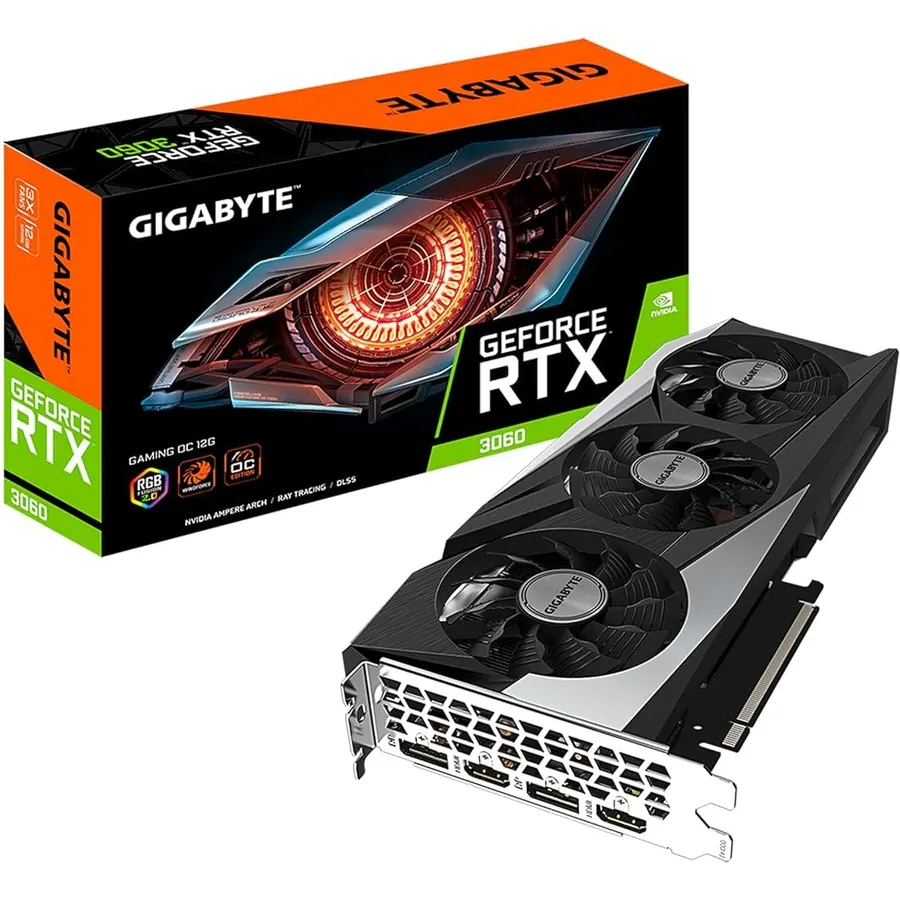
The RTX 3060 has been the sensible 1080p card for years, and this Gigabyte version is the most-reviewed one in our catalog. It carries 12 GB of GDDR6 on a 192-bit bus, more memory than the 3060 Ti or the 4060, which matters as game textures grow. The core clock is factory raised to 1837 MHz, and cooling is Gigabyte’s WINDFORCE 3X with alternate-spinning fans and a protective metal backplate. Outputs are two HDMI 2.1 and two DisplayPort 1.4. Owners rate it 4.7 stars across more than 3,100 ratings; one review describes running Dying Light 2 at Ultra with ray tracing on a Ryzen 5 3600X and calls the card whisper quiet. Measure your case first, because at 11.1 inches it is the longest card here.
- 12 GB of video memory, the most of any card here
- Three alternate-spinning fans; owners describe it as quiet
- Two HDMI 2.1 and two DisplayPort outputs for multi-monitor desks
- 3,100+ ratings at 4.7 stars
- At 11.1 inches it is the longest card on this page; check case clearance
- Needs an external PCIe power cable
- Older Ampere generation, so no DLSS 3 frame generation
ZOTAC GAMING GeForce RTX™ 3060 Ti Twin Edge OC LHR 8GB GDDR6 256-bit 14 Gbps PCIE 4.0 Gaming Graphics Card, IceStorm 2.0 Advanced Cooling, Active Fan Control, FREEZE Fan Stop ZT-A30610H-10MLHR
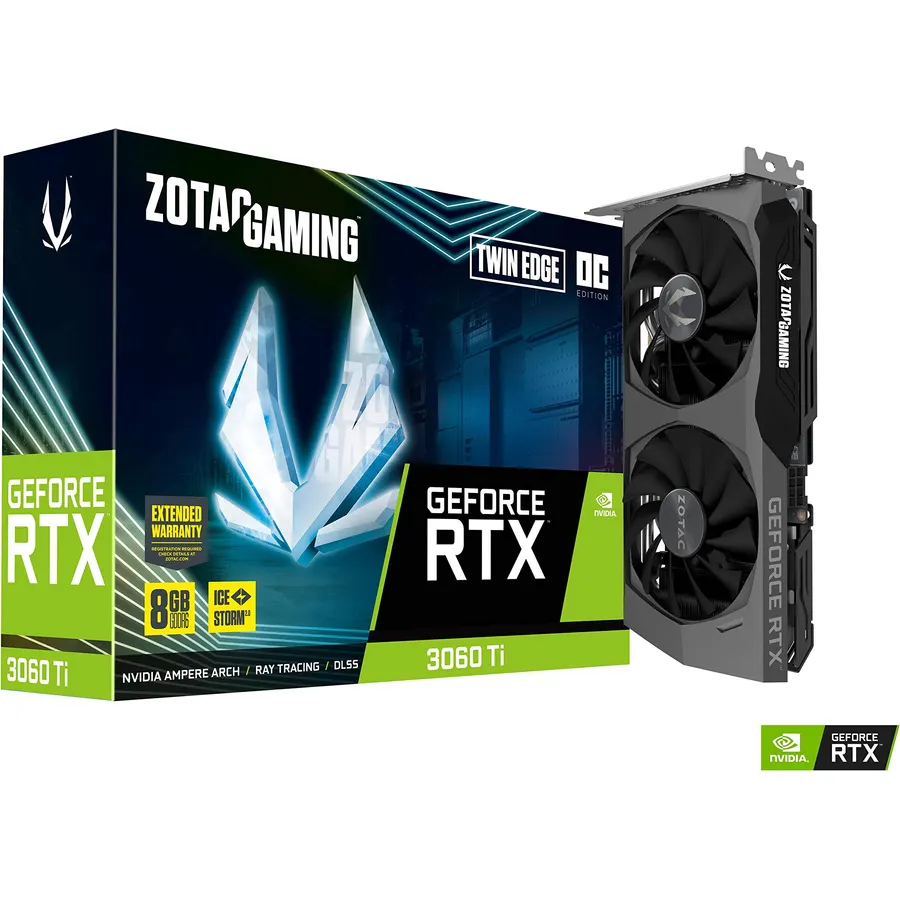
The 3060 Ti is the card for people who want 1440p without paying for a flagship. ZOTAC’s Twin Edge fits that chip into an 8.74-inch, dual-slot body, which is shorter than the Gigabyte 3060 above and fits far more cases. Memory is 8 GB of GDDR6 at 14 Gbps on a 256-bit bus, the boost clock is 1695 MHz and the listed power draw is 200 W. IceStorm 2.0 cooling with FREEZE fan stop means the fans sit still until the card is working. Owners rate it 4.6 stars across more than 2,000 ratings; one describes temperatures around 70 to 72 degrees Celsius during heavy gaming, and another calls the roughly 30 percent gain over a plain 3060 the best value in the range. It gives up 4 GB of memory to the 3060 for that speed.
- 256-bit memory bus, the widest here
- Compact 8.74-inch dual-slot card with a metal backplate
- FREEZE fan stop keeps it silent at idle
- 2,000+ ratings at 4.6 stars
- 8 GB of memory against 12 GB on the RTX 3060
- Listed at 200 W, the highest power draw of the five
- The white LED logo is always on; one owner wished it could be disabled
MSI GeForce RTX 4060 Ventus 2X Black 8G OC Gaming Graphics Card - 8GB GDDR6X, PCI Express Gen 4, 128-bit, 3X DP v 1.4a, HDMI 2.1a (Supports 4K & 8K HDR)
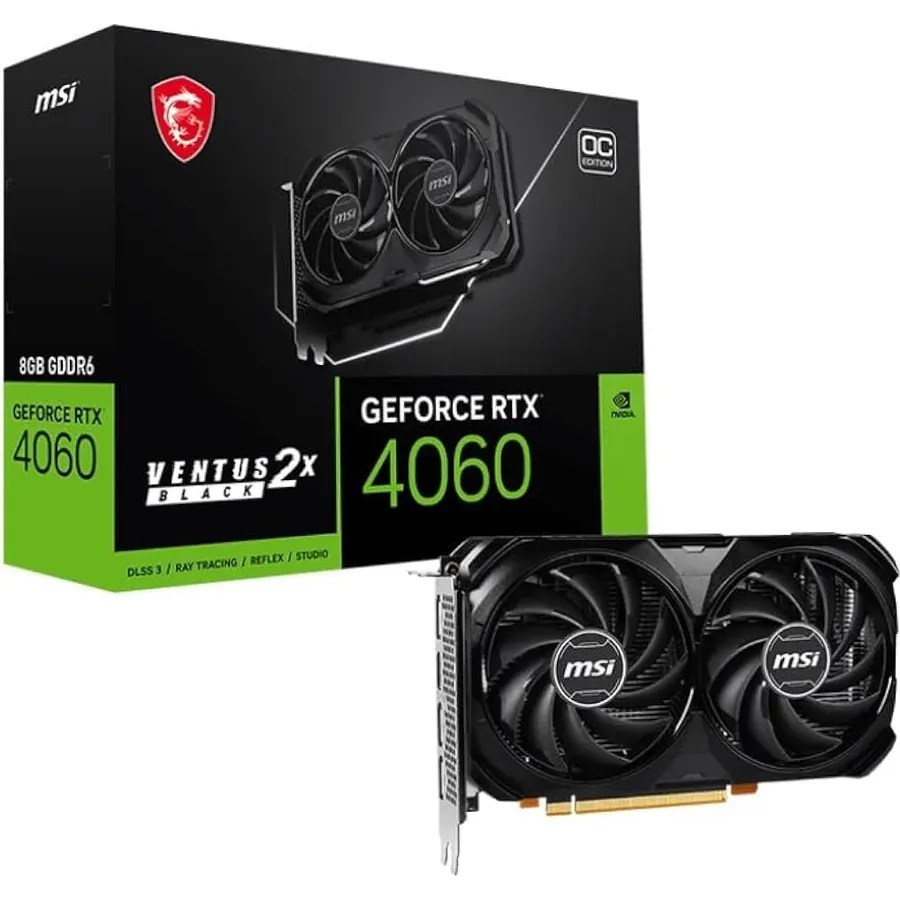
Of the five cards here, only the RTX 4060 is built on NVIDIA’s Ada Lovelace architecture, which brings DLSS 3 frame generation to the budget tier. MSI’s Ventus 2X Black is a compact 7.83-inch, two-fan card with TORX 4.0 fans, a flow-through backplate and Zero Frozr, which stops the fans entirely when the GPU is cool. Memory is 8 GB on a 128-bit bus, and outputs are three DisplayPort 1.4a and one HDMI 2.1a. Owners rate it 4.7 stars across more than 1,800 ratings; several mention around 100 fps in demanding titles at high settings, 1440p play, and that the short card made a smaller case easier to work in. If you want the newest feature set in a small, quiet package, this is it.
- Newest architecture here, with DLSS 3 frame generation
- Shortest card on the page at 7.83 inches
- Zero Frozr stops the fans at low temperature
- 1,800+ ratings at 4.7 stars
- 128-bit memory bus is the narrowest of the five
- 8 GB of memory
- Typically costs more than the RTX 3060 for similar raw memory
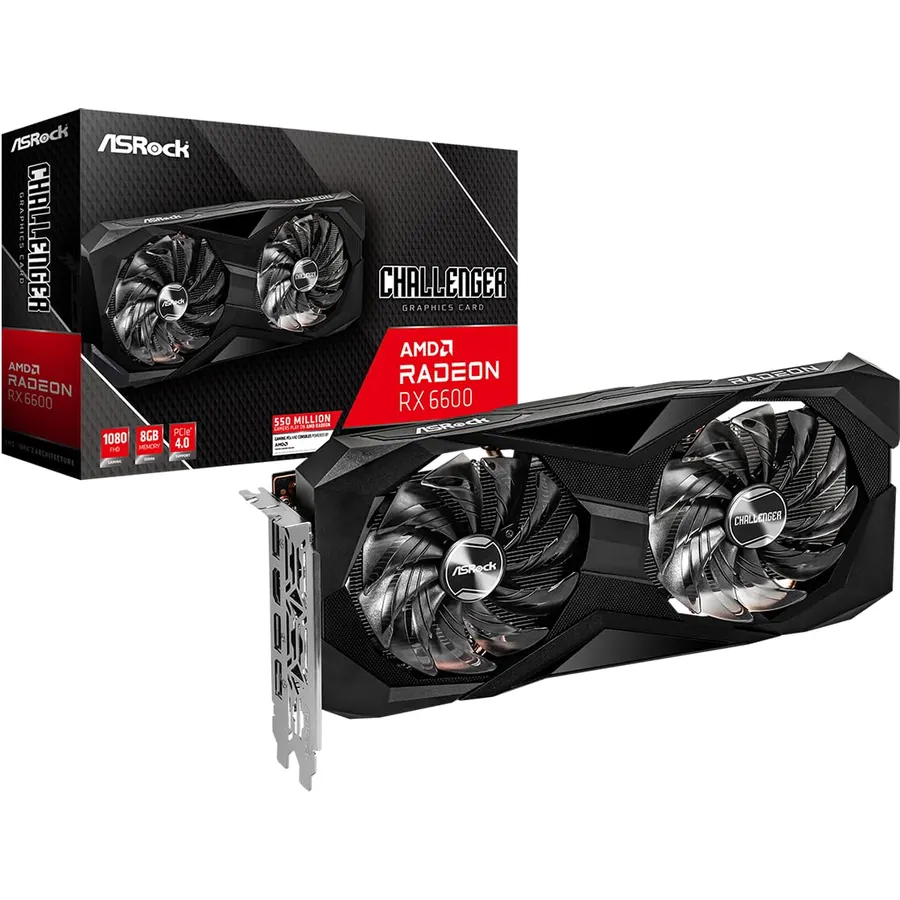
AMD’s RX 6600 is the value answer to the RTX 3060 at 1080p, and ASRock’s Challenger D is the version in our catalog with the most owner feedback. It has 8 GB of GDDR6 at 14 Gbps on a 128-bit bus, a boost clock up to 2491 MHz, one HDMI 2.1 and three DisplayPort 1.4 outputs, and a dual-fan cooler with a 0dB mode that stops the fans when the card is idle. Power comes from a single 8-pin connector. Owners rate it 4.7 stars across more than 1,000 ratings, and several reviews are from Linux users who report it working with no driver work at all. Check width before buying: at 5.2 inches it is taller than the other four cards, and one owner in a Corsair Carbide Air 240 only just cleared the case’s 130 mm limit.
- Strong 1080p card with AMD FSR upscaling support
- 0dB silent cooling: fans stop at low load
- Owners report it works out of the box on Linux
- 1,000+ ratings at 4.7 stars
- PCIe 4.0 x8 interface, so it is not the best fit for very old PCIe 3.0 boards
- At 5.2 inches tall it is the widest card here; one owner cleared a 130 mm limit by only 2 mm
- ASRock notes it is not compatible with every prebuilt system
ASUS Dual GeForce RTX 3050 6GB GDDR6 OC Edition Gaming Graphics Card
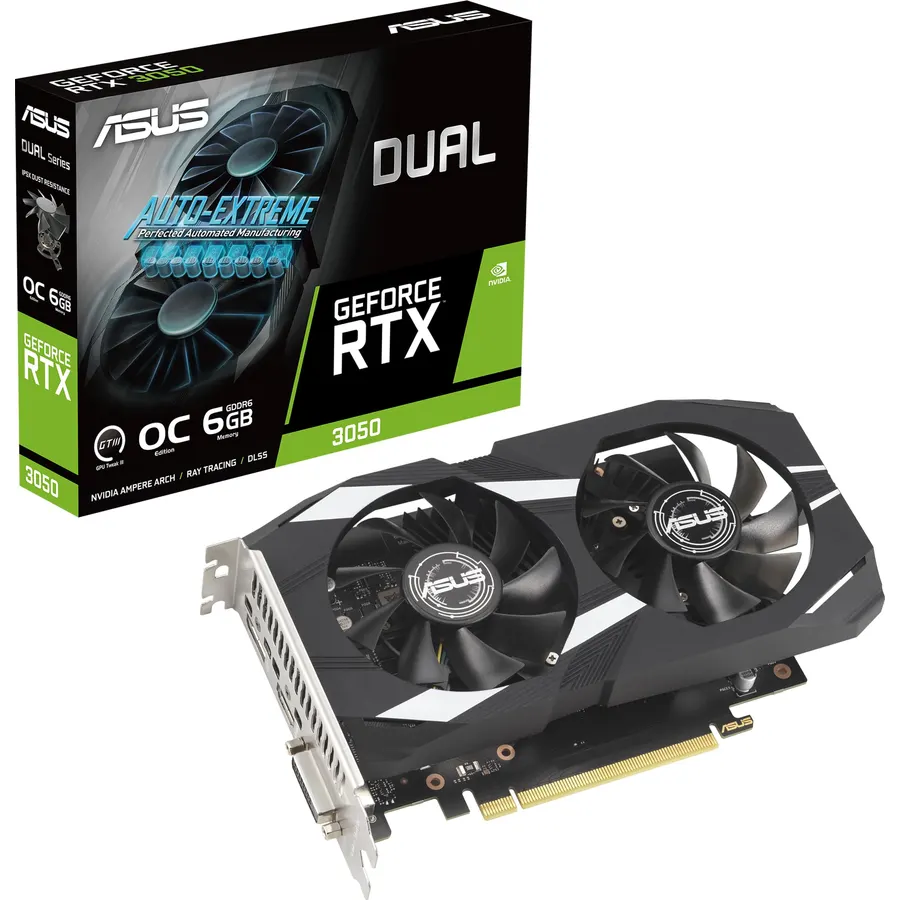
Plenty of people game on an office prebuilt that has a free PCIe slot but no spare power cable from the supply. The RTX 3050 6GB is made for that machine. ASUS’s Dual version draws its power from the slot, so there is no 6-pin or 8-pin connector to find; owners put the draw at about 70 W and describe it as the right upgrade for older Dell towers and integrated-graphics PCs. The card is 20 cm long, two slots wide, with two Axial-tech fans, an IP5X dust-resistant design and a stainless steel bracket. It carries 6 GB of GDDR6 and offers HDMI 2.1, DisplayPort 1.4a and a DVI-D port for an older monitor. Owners rate it 4.6 stars across more than 1,100 ratings and are candid that it is an entry-level card for 1080p at sensible settings.
- Runs from the PCIe slot alone; owners cite about 70 W and no 6- or 8-pin cable needed
- Fits office-style prebuilts from Dell and others with small power supplies
- 20 cm long, two slots wide, with an IP5X dust-resistant fan and stainless bracket
- 1,100+ ratings at 4.6 stars
- 6 GB of memory, the least on this page
- Entry-level performance: owners say 1080p esports and lighter AAA titles, not maxed settings
- Listing gives 3840 x 2160 as the maximum resolution
Compare the picks
| Product | Memory | Outputs | Length | Owner rating | Our score | |
|---|---|---|---|---|---|---|
| Gigabyte RTX 3060 Gaming OC 12GGIGABYTE | 12 GB GDDR6, 192-bit | 2 HDMI 2.1, 2 DP 1.4 | 11.1 in | 4.7 / 3.1k+ | 9.4 | See price |
| ZOTAC RTX 3060 Ti Twin Edge OCZOTAC | 8 GB GDDR6, 256-bit | 1 HDMI 2.1, 3 DP 1.4a | 8.74 in | 4.6 / 2.0k+ | 9.2 | See price |
| MSI RTX 4060 Ventus 2X Blackmsi | 8 GB, 128-bit | 1 HDMI 2.1a, 3 DP 1.4a | 7.83 in | 4.7 / 1.8k+ | 9.4 | See price |
| ASRock RX 6600 Challenger DASRock | 8 GB GDDR6, 128-bit | 1 HDMI 2.1, 3 DP 1.4 | 10.59 in | 4.7 / 1.0k+ | 9.4 | See price |
| ASUS Dual RTX 3050 6GB OCASUS | 6 GB GDDR6 | HDMI 2.1, DP 1.4a, DVI-D | 7.9 in | 4.6 / 1.1k+ | 9.2 | See price |
What to look for in a budget graphics card
Video memory sets the ceiling. 8 GB is the floor for a card you will keep for a few years at 1080p; the 12 GB on the RTX 3060 gives more room for high-resolution textures, while the 6 GB RTX 3050 is for lighter games. Memory bus width matters too: the 3060 Ti’s 256-bit bus moves data faster than the 128-bit bus on the RX 6600 and RTX 4060.
Check the power connector before anything else. Four of these five cards need a 6-pin or 8-pin PCIe cable from the power supply. Many office prebuilts do not have one. If yours does not, the ASUS RTX 3050 6GB is slot-powered and avoids the problem. If you are upgrading the supply anyway, our power supply guide covers wattage and connectors.
Measure length and width. The cards here run from 7.83 inches (MSI RTX 4060) to 11.1 inches (Gigabyte RTX 3060). Width catches people too: the ASRock RX 6600 is 5.2 inches tall and one owner cleared a 130 mm case limit by just 2 mm.
Count the outputs you need. All five cards have at least one HDMI 2.1 port. If you run three monitors, the ZOTAC, MSI and ASRock each have three DisplayPort outputs; the ASUS RTX 3050 is the only one with a DVI-D port for an older display.
Fan stop is a quiet-room feature. The ZOTAC (FREEZE), MSI (Zero Frozr) and ASRock (0dB) all stop their fans at low load, so the PC is silent when you are browsing. The Gigabyte does not list a fan-stop mode but owners still describe it as very quiet.
Upscaling extends the life of a budget card. NVIDIA’s DLSS and AMD’s FSR render at a lower resolution and upscale. Only the RTX 4060 supports DLSS 3 frame generation; the RTX 30-series cards support DLSS 2, and the RX 6600 uses FSR.
For the parts that sit around the card, see our gaming motherboard guide and RAM kit guide, or browse the full PC parts shop.
Is the RTX 3060 or RTX 4060 better for a budget build?
The RTX 3060 (Gigabyte Gaming OC) has 12 GB of memory on a 192-bit bus and costs less; the RTX 4060 (MSI Ventus 2X) has 8 GB on a 128-bit bus but the newer Ada Lovelace architecture with DLSS 3 frame generation, in a shorter, more efficient card. Choose the 3060 for memory per dollar and the 4060 for the newest features and a small case.
Which budget graphics card does not need a power cable?
The ASUS Dual GeForce RTX 3050 6GB OC Edition runs entirely from the PCIe slot. Owners report roughly 70 W of draw and no 6- or 8-pin connector, which makes it the pick for office prebuilts with small power supplies.
Is 8 GB of VRAM enough for 1080p gaming in 2026?
Yes for 1080p at high settings in most titles; the RTX 3060 Ti, RTX 4060 and RX 6600 all carry 8 GB. For more headroom at the same budget tier, the RTX 3060 has 12 GB. The 6 GB RTX 3050 is best kept to esports and lighter games.
Will a budget GPU fit in my case?
Check length and height against your case specification. The cards here range from 7.83 inches (MSI RTX 4060) to 11.1 inches (Gigabyte RTX 3060) long, and the ASRock RX 6600 is the tallest at 5.2 inches.
Bottom line
Buy the Gigabyte RTX 3060 Gaming OC 12G for a 1080p build that will age well: 12 GB of memory and 3,100+ owners at 4.7 stars. Step up to the ZOTAC RTX 3060 Ti for 1440p, pick the MSI RTX 4060 Ventus 2X for the newest features in the smallest body, take the ASRock RX 6600 for AMD value or a Linux machine, and choose the ASUS RTX 3050 6GB when the PC you are upgrading has no power cable to spare.
Prices and stock change daily. The buttons above open Amazon so you always see the current price. We may earn a commission if you buy through them, at no extra cost to you.
Do Best Deal is a participant in the Amazon Services LLC Associates Program. As an Amazon Associate we earn from qualifying purchases. If you buy through links on this site we may earn a commission, at no extra cost to you. Learn more.