Memory is the part of a gaming build where the spec sheet is short and the choices are long. Every kit on this page is a matched pair of sticks, rated for a speed and a latency, with an XMP profile that your motherboard loads with one click. The real decisions are DDR4 or DDR5 (your motherboard decides that for you), 16 GB or 32 GB, and whether you want RGB lighting or a low heat spreader that clears a big CPU cooler.
We went through the 72 memory products in our PC parts catalog and kept five desktop kits. This is a comparison of published specifications and owner ratings, not a benchmark session; we did not run these kits ourselves. Prices are not printed because they move every week, and each button opens the live Amazon page.
How we picked
- Owner ratings of 4.8 stars with at least 1,700 ratings each. Memory either works at its rated profile or it does not, and a long run of high ratings is the best proxy for kits that do.
- Desktop kits only. Laptop SODIMM kits share this catalog category and were left out, as were single sticks.
- Five different jobs. A DDR4 all-rounder, a DDR5 kit, a budget kit without lighting, a 32 GB kit for heavier games and streaming, and a low-profile kit for builds with large air coolers.
- Rated speed and timings from the listing. We quote the XMP speed, CAS latency and voltage exactly as the manufacturer states them.
The picks
CORSAIR Vengeance RGB PRO DDR4 RAM 16GB (2x8GB) 3200MHz CL16-18-18-36 1.35V Intel AMD Desktop Computer Memory - Black (CMW16GX4M2C3200C16)
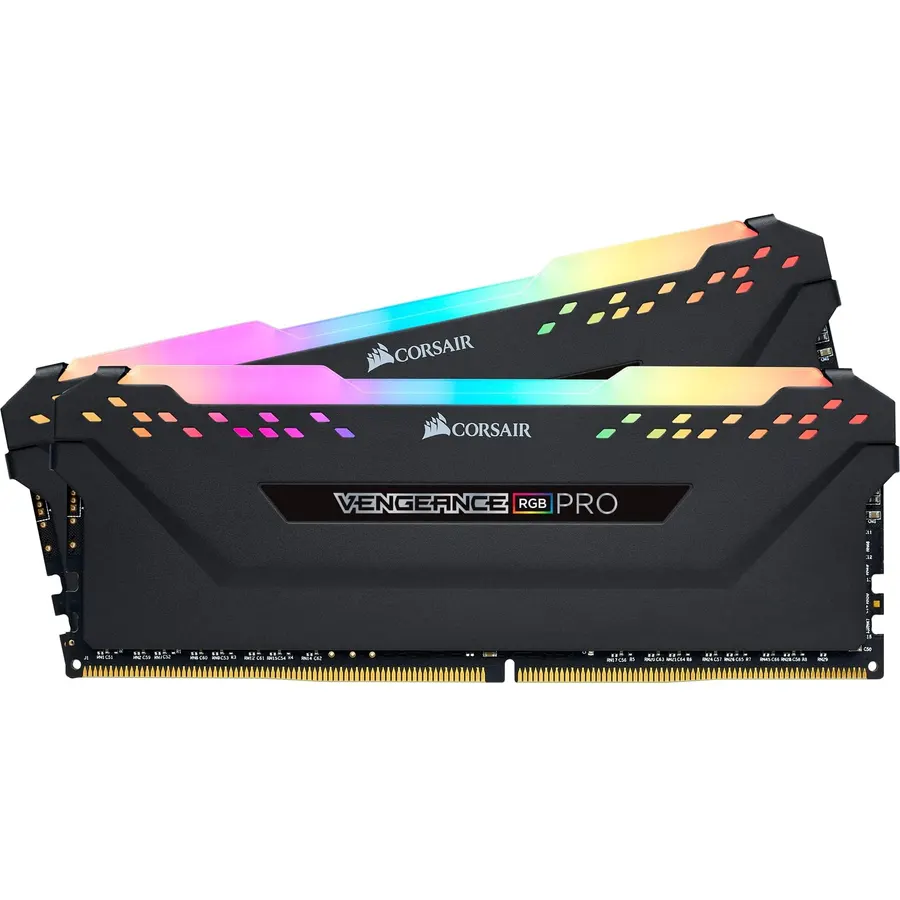
This is the default DDR4 gaming kit for a reason. Two 8 GB sticks rated for 3200 MHz at CL16-18-18-36 and 1.35 V cover the speed that AMD and Intel DDR4 platforms run happily at, and the XMP profile sets it in one BIOS click. Each stick carries ten individually addressable RGB LEDs under a light bar, controlled through Corsair iCUE and synced with the brand’s fans, coolers and keyboards. The heat spreader is aluminum and the warranty is lifetime. More than 35,000 owners rate it 4.8 stars, which is the clearest sign in this category that a kit boots at its rated profile and stays there. The only practical drawback is height: if you run a tall tower cooler, measure first or pick the LPX.
- 35,500+ ratings at 4.8 stars, the most-reviewed kit on this page
- CL16 at 3200 MHz, the sweet-spot rating for Ryzen 3000/5000 and Intel DDR4 boards
- Lighting syncs with other Corsair iCUE parts, no extra cables
- Aluminum heat spreader and a lifetime warranty
- Taller than the LPX, so check clearance under large air coolers
- Full RGB control requires installing the iCUE software
- 16 GB total; 32 GB needs a second kit or the G.Skill below
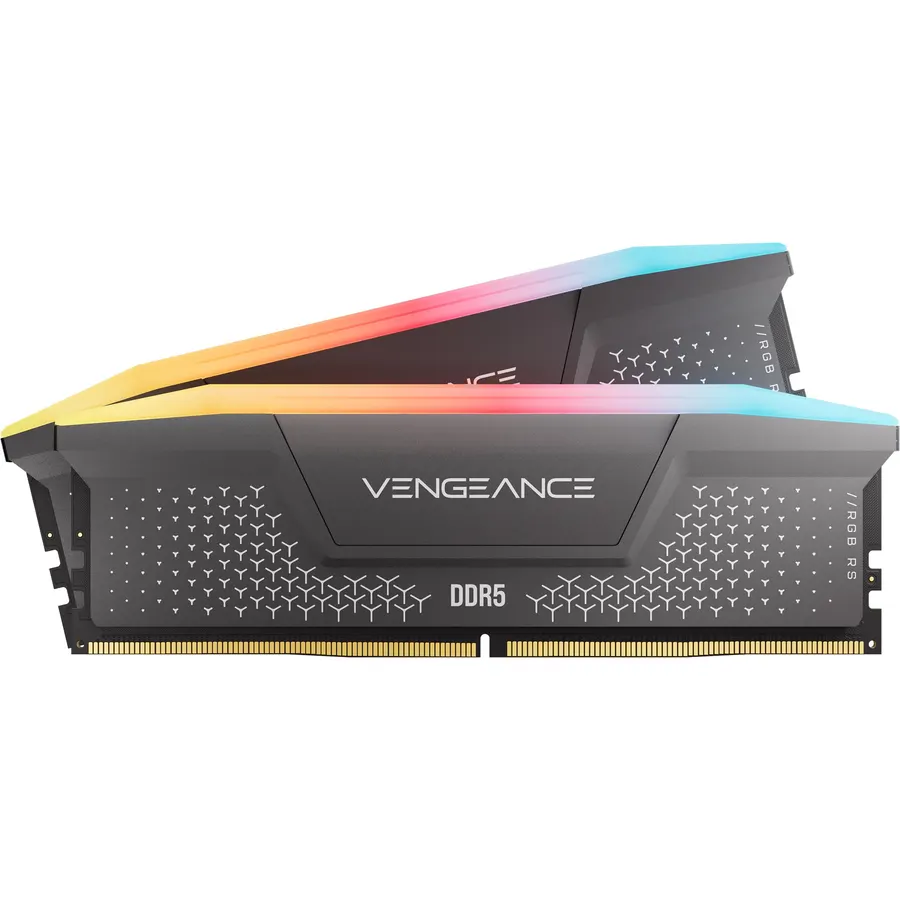
If your motherboard has DDR5 slots, this is the kit to put in them. Two 16 GB sticks rated for 6000 MHz at CL36-44-44-96 give you 32 GB, which is the capacity current games and background streaming software comfortably use. The DDR5 design moves voltage regulation onto the module, and Corsair’s iCUE software uses that to let you build and save your own XMP 3.0 profiles rather than relying on the motherboard alone. The ten-zone light bar matches the RGB PRO. Corsair writes the listing around Intel DDR5 boards and XMP 3.0; AMD owners should confirm the kit on their board’s memory list before ordering. Owners rate it 4.8 stars across more than 4,100 ratings.
- 32 GB at 6000 MHz, the capacity and speed most DDR5 gaming boards target
- Onboard voltage regulation and custom XMP 3.0 profiles saved through iCUE
- Ten-zone RGB visible from any angle
- 4,100+ ratings at 4.8 stars
- Listing names Intel XMP 3.0 only; AMD EXPO is not mentioned, so check your board QVL
- Rated speed requires enabling XMP in the BIOS, as the listing states
- More expensive than any DDR4 kit here
TEAMGROUP T-Force Vulcan Z DDR4 DRAM 16GB Kit (2x8GB) 3200MHz Desktop Memory Module (PC4-25600) CL16 Ram (Gray) - TLZGD416G3200HC16FDC01
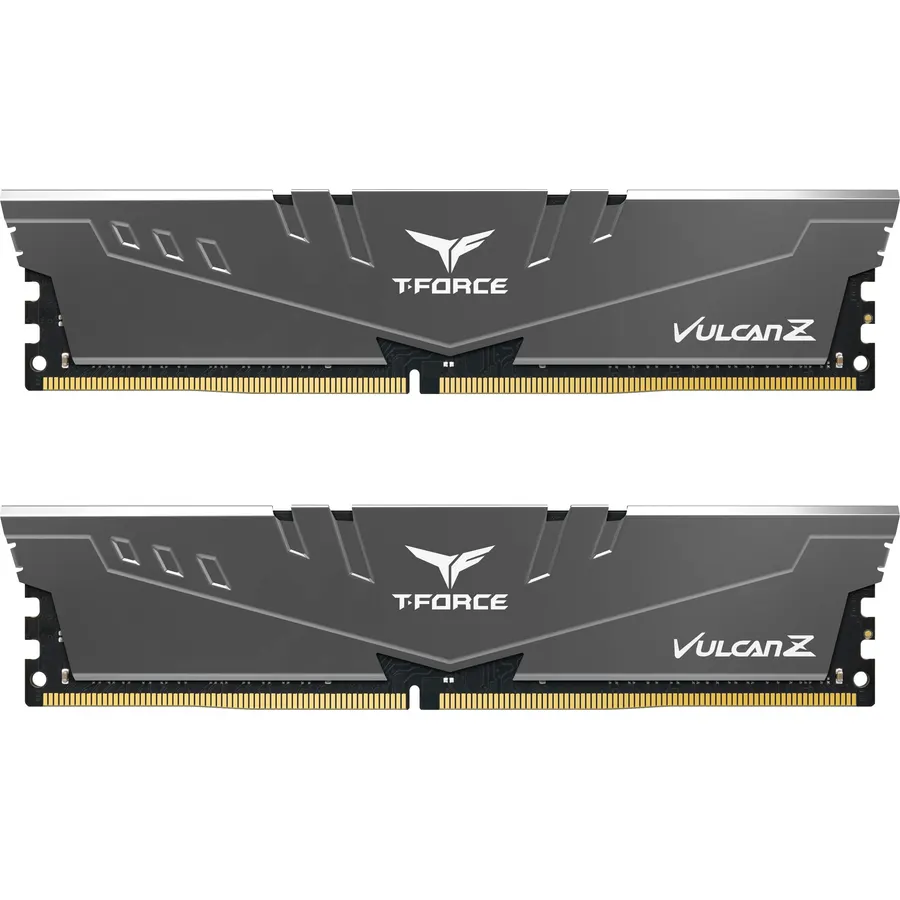
Not every gaming PC has a glass side panel, and lighting you never see is money wasted. The Vulcan Z delivers the identical headline rating as our top pick, 16 GB at 3200 MHz CL16 and 1.35 V with an XMP 2.0 profile, in a gray aluminum heat spreader that TeamGroup bonds to the chips with thermal adhesive. It is listed as compatible with Intel and AMD boards and carries a lifetime warranty. The 4.8-star average across more than 1,700 ratings matches the Corsair kits. Choose it for a closed case, a quiet office build that also games, or any time the price gap between it and an RGB kit would buy a better SSD.
- Same 3200 MHz CL16 rating as the Corsair RGB PRO without the lighting
- Plain gray spreader suits builds with no window
- Lifetime warranty and Intel and AMD support
- 1,700+ ratings at 4.8 stars
- No lighting at all, if that matters to your build
- Listing gives CL16 only, not the full timing string
- Fewer ratings than the Corsair kits
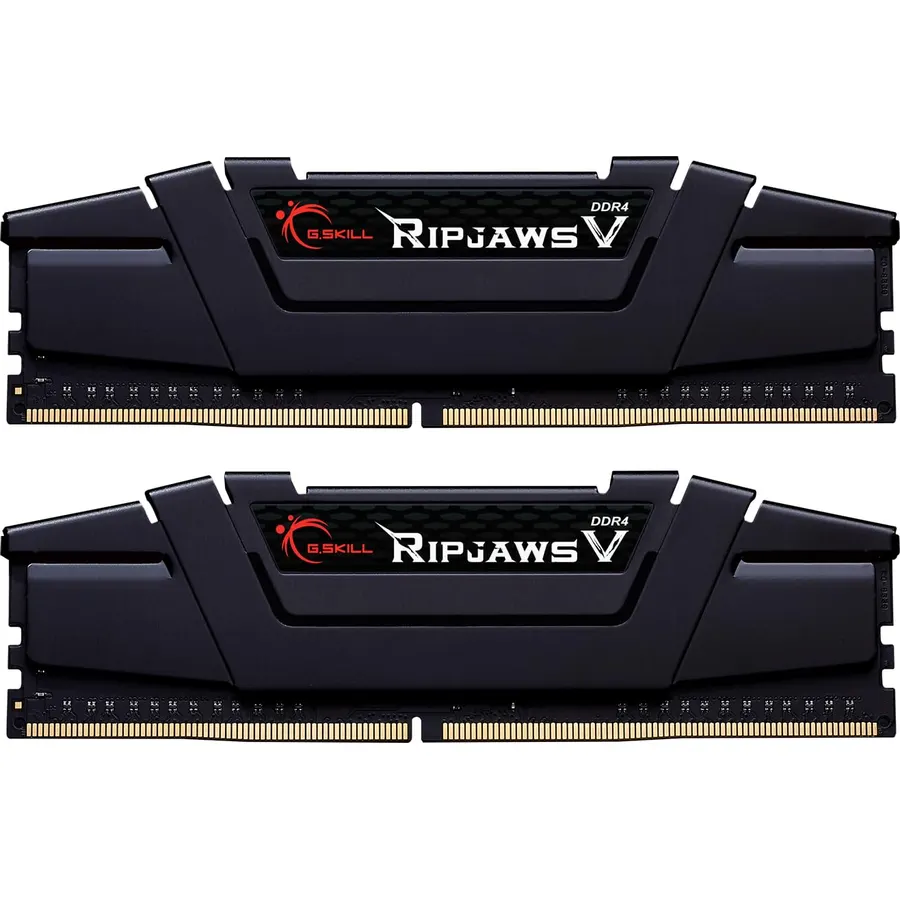
For players who stream, keep Discord and a browser open, or play titles that lean on memory, 16 GB is now the floor rather than the target. This Trident Z RGB kit gives 32 GB in two 16 GB sticks rated for 3600 MT/s at CL18-22-22-42 and 1.35 V. It boots at the JEDEC default speed and reaches the rating once you enable the XMP 2.0 profile, which G.Skill is careful to state. The familiar Trident Z light bar runs along the top. G.Skill also says plainly not to mix memory kits, which is good advice for any brand: buy the capacity you want in one kit. More than 2,000 owners rate it 4.8 stars.
- 32 GB in two sticks, leaving two slots free on a four-slot board
- 3600 MT/s rating, the fastest DDR4 kit on this page
- Ships with a JEDEC default profile so it boots before XMP is enabled
- 2,000+ ratings at 4.8 stars
- CL18 is looser than the CL16 of the 3200 MHz kits
- G.Skill warns not to mix it with other kits, so plan the full capacity now
- Premium price for the speed and lighting
CORSAIR Vengeance LPX DDR4 RAM 16GB (2x8GB) Up to 3200MHz CL16-20-20-38 1.35V Intel AMD Desktop Computer Memory - Black (CMK16GX4M2E3200C16)
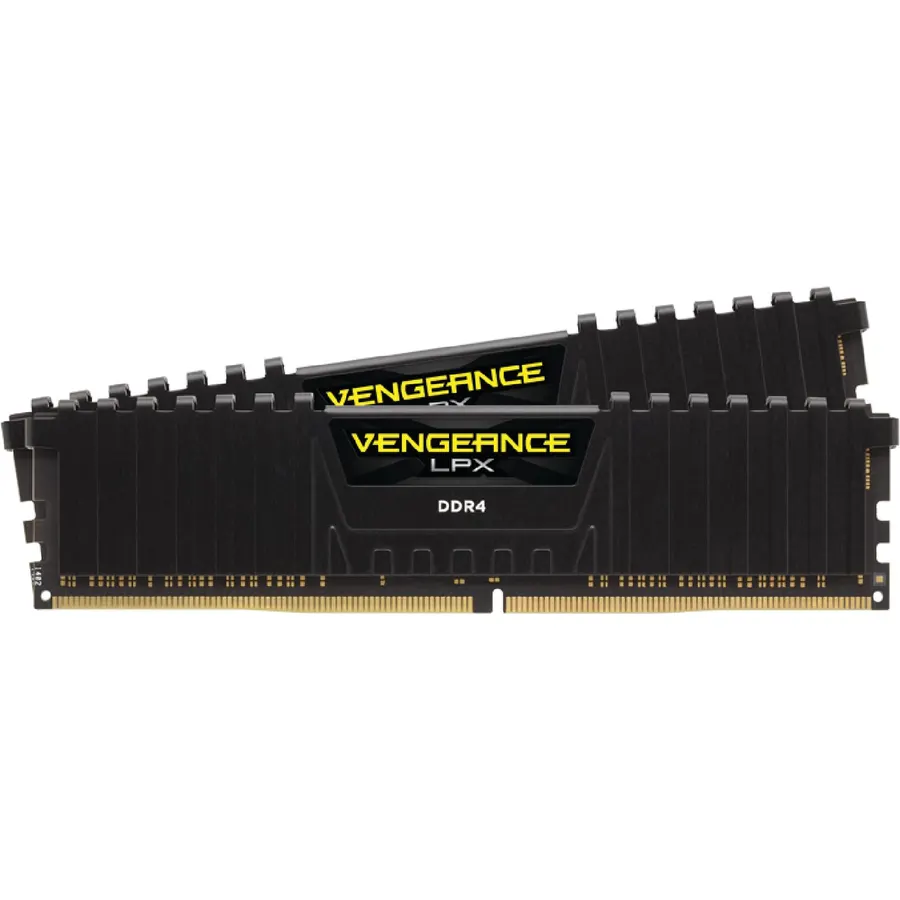
Tall RGB sticks and a 160 mm tower cooler often fight over the same space above the CPU socket. Vengeance LPX exists to end that fight: the whole module is 34 mm tall, which Corsair says fits most small-form-factor builds and sits below the fan of nearly any air cooler. You still get 16 GB at 3200 MHz, 1.35 V and a CL16 first timing, though the secondary timings are 20-20-38 rather than the RGB PRO’s 18-18-36. The heat spreader is solid aluminum and the warranty is lifetime. With more than 6,000 ratings at 4.8 stars, it is the second most-reviewed kit here, and the one to buy when clearance, not looks, decides.
- 34 mm tall, so it clears large tower coolers and fits small-form-factor cases
- Solid aluminum heat spreader with no lighting to power
- Same 3200 MHz CL16 headline rating as the RGB PRO
- 6,000+ ratings at 4.8 stars
- Secondary timings of 20-20-38 are looser than the RGB PRO at 18-18-36
- No lighting
- Rated speed needs XMP enabled, per the listing
Compare the picks
| Product | Type and capacity | Rated speed | Timings | Owner rating | Our score | |
|---|---|---|---|---|---|---|
| Corsair Vengeance RGB PRO 16GBCorsair | DDR4, 2 x 8 GB | 3200 MHz | CL16-18-18-36 | 4.8 / 35.5k+ | 9.6 | See price |
| Corsair Vengeance RGB DDR5 32GBCorsair | DDR5, 2 x 16 GB | 6000 MHz | CL36-44-44-96 | 4.8 / 4.1k+ | 9.6 | See price |
| TeamGroup Vulcan Z 16GBTEAMGROUP | DDR4, 2 x 8 GB | 3200 MHz | CL16 | 4.8 / 1.7k+ | 9.6 | See price |
| G.Skill Trident Z RGB 32GBG.SKILL | DDR4, 2 x 16 GB | 3600 MT/s | CL18-22-22-42 | 4.8 / 2.0k+ | 9.6 | See price |
| Corsair Vengeance LPX 16GBCorsair | DDR4, 2 x 8 GB | 3200 MHz | CL16-20-20-38 | 4.8 / 6.0k+ | 9.6 | See price |
What to look for in a RAM kit
Match the generation to the motherboard. DDR4 and DDR5 use the same 288-pin count but different slots, and a stick of one will not fit a board made for the other. Check the board’s spec page before you look at memory. Our gaming motherboard guide lists which generation each board takes.
Buy the capacity you want in one kit. Two 8 GB sticks give 16 GB; two 16 GB sticks give 32 GB. Memory makers sell matched kits and G.Skill’s listing states outright that mixing kits causes instability. If you think you will want 32 GB within the life of the PC, buy a 2 x 16 GB kit now rather than adding a second pair later.
3200 CL16 is the DDR4 benchmark, 6000 CL36 the DDR5 one. Four of the five kits here sit on those two ratings, and that is not a coincidence: they are the speeds platform makers tune for. A faster kit with looser timings, like 3600 CL18, is not automatically better than 3200 CL16 for games; it trades frequency for latency.
Enable XMP. Every listing on this page carries the same disclaimer: the rated speed requires enabling the XMP profile in the BIOS. Out of the box, a kit runs at its JEDEC default, which is slower. Turn on XMP (or the equivalent setting on an AMD board) once and leave it.
Measure before you buy tall sticks. A kit with a light bar is noticeably taller than a 34 mm low-profile module. Large tower coolers list their memory clearance; if yours is close, the Vengeance LPX avoids the problem entirely.
Warranty length is a tell. All five kits here carry a lifetime or limited lifetime warranty. Memory rarely fails after the first weeks, so a lifetime term costs the maker little and signals confidence in binning.
If you are building the rest of the machine, our NVMe SSD guide and gaming motherboard guide cover the parts that sit next to the memory, and the PC parts shop lists everything else.
Is 16 GB or 32 GB of RAM better for gaming in 2026?
16 GB runs current games well and is the budget floor; 32 GB is the comfortable choice if you stream, keep a browser and Discord open, or play memory-heavy titles. Among these picks, the G.Skill Trident Z RGB (DDR4) and Corsair Vengeance DDR5 are the 32 GB kits.
Can I use DDR4 RAM in a DDR5 motherboard?
No. DDR4 and DDR5 use different slots and are not interchangeable. Your motherboard supports one or the other, so check its specifications before choosing a kit.
What does CL16 or CL36 mean on a RAM kit?
CL is CAS latency, the number of clock cycles the memory waits before delivering data; lower is quicker at the same speed. A DDR4 kit at 3200 MHz CL16 and a DDR5 kit at 6000 MHz CL36 are the standard ratings for their generations, and four of the five kits here use one of them.
Why is my new RAM running slower than its rated speed?
Because the XMP profile is not enabled. Every kit boots at its slower JEDEC default until you turn on XMP (or the AMD equivalent) in the BIOS, as all five listings on this page state. Enable it once and the kit runs at its rated speed and timings.
Bottom line
For a DDR4 gaming build, the Corsair Vengeance RGB PRO 16GB 3200 CL16 is the safe choice, backed by more than 35,000 owner ratings at 4.8 stars. On a DDR5 board, the Corsair Vengeance RGB DDR5 32GB 6000 CL36 is the same idea a generation on. Take the TeamGroup Vulcan Z to skip the lighting and save, the G.Skill Trident Z RGB when you want 32 GB of DDR4, and the Corsair Vengeance LPX when a big cooler leaves no room for anything taller than 34 mm.
Prices and stock change daily. The buttons above open Amazon so you always see the current price. We may earn a commission if you buy through them, at no extra cost to you.
Do Best Deal is a participant in the Amazon Services LLC Associates Program. As an Amazon Associate we earn from qualifying purchases. If you buy through links on this site we may earn a commission, at no extra cost to you. Learn more.