A gaming keyboard has one job: register the key you pressed, the moment you pressed it, without failing after a year of abuse. Everything else, RGB, macro keys, wrist rests, is nice to have. This guide ranks five boards from our catalog of 170 keyboards by switch feel, build quality and how owners feel about them after months, not days.
We say where a pick is based on owner data rather than our own desk time. Prices are not printed because they change daily; every button opens the live Amazon listing.
How we picked
- Switch first. Optical and Hall effect switches for speed, mecha-membrane for quiet, and we say which is which.
- Keycaps that last. Doubleshot PBT or thick ABS. Thin printed caps go shiny and blank in a year.
- Build. Aluminum top plates or reinforced frames. A board that flexes will develop dead keys.
- Owner ratings of 4.3 stars or higher across hundreds to thousands of reviews, with no repeating hardware complaint.
The picks
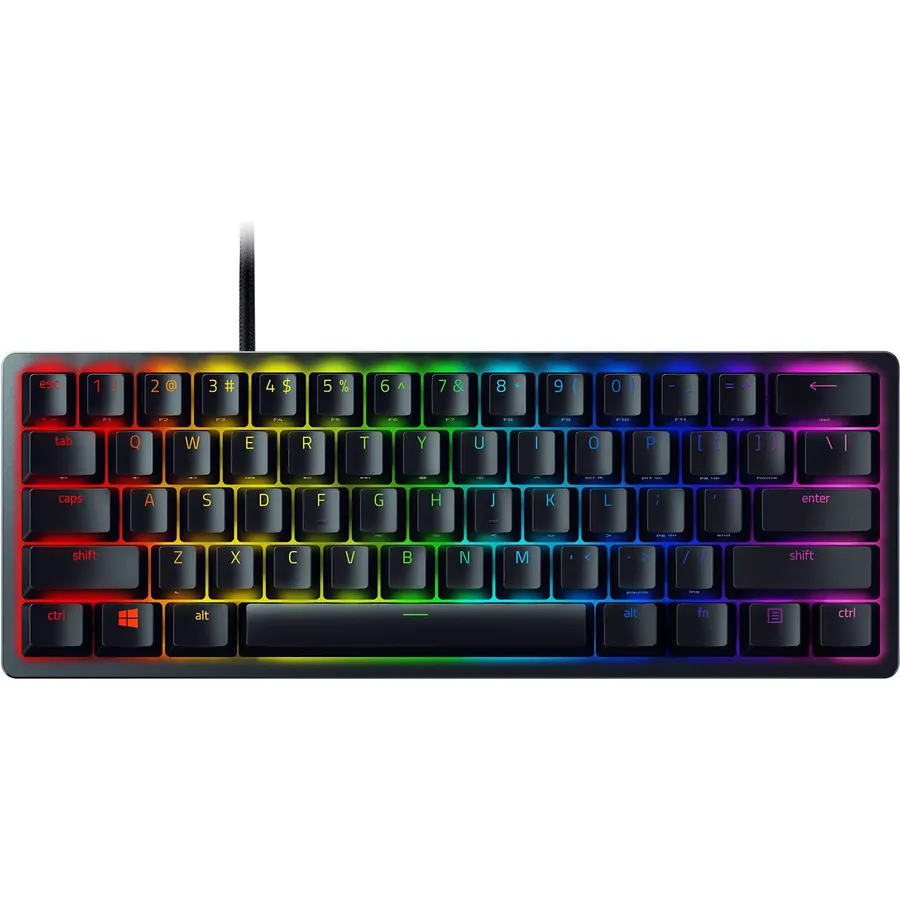
The Huntsman Mini is what a 60% board should be. Razer’s optical switches use a light beam instead of a metal contact, so there is nothing to wear out and the actuation is a short 1.5 mm with a real click. The top plate is aluminum, the keycaps are doubleshot PBT that will not shine, and profiles live on the board itself. More than 4,000 owners rate it 4.7 stars, and the recurring praise is “feels far more expensive than it is.” The compromise is the layout: no arrow cluster, no F-row. Great for FPS players who want mouse room; frustrating if you edit spreadsheets. Prefer a smoother, silent press? The same board comes with Linear Optical switches.
- Optical switches actuate at 1.5 mm with a crisp click
- PBT keycaps and aluminum plate on a compact board
- Onboard memory keeps profiles without software
- Snap Tap and Rapid Trigger for competitive play
- 60% means arrows and F-keys live on a function layer
- Clicky switches are loud for shared rooms
- Razer Synapse is heavy software
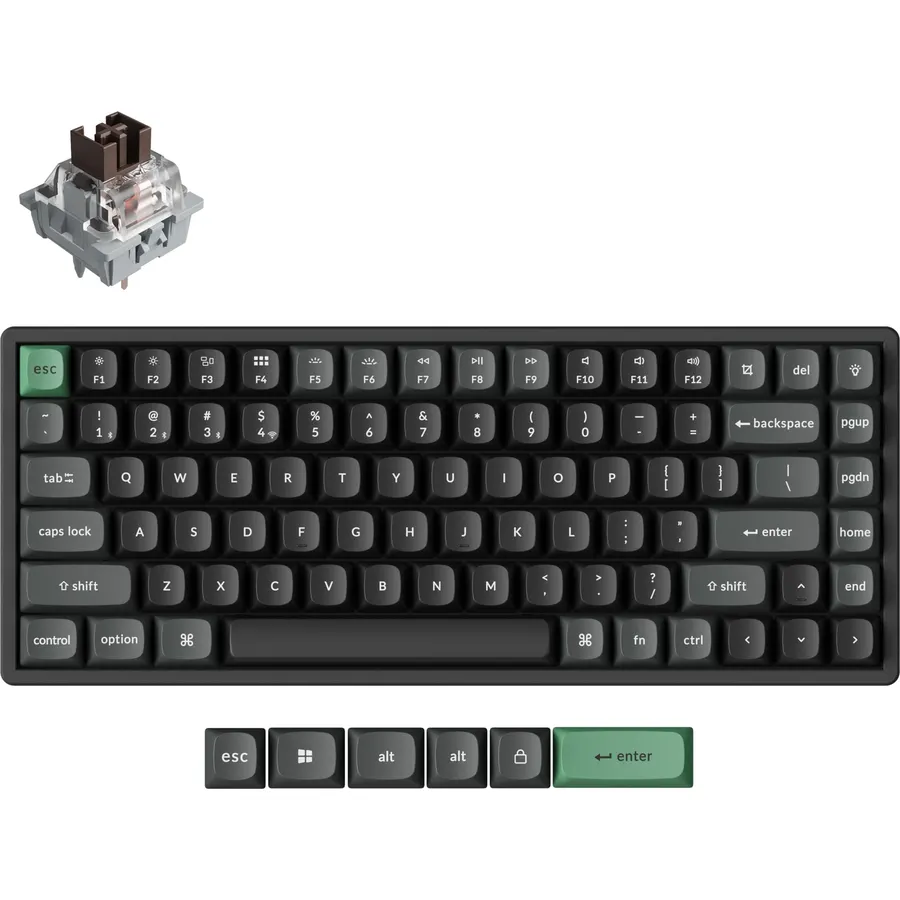
The K2 HE is the board on our own desk. Hall effect switches let you set how far a key must travel before it registers, so you can run a 0.5 mm hair trigger for WASD and a deeper, safer point for typing. The 75% layout keeps arrows and function keys, the frame is aluminum, and it connects three ways. Battery life is measured in weeks with the backlight off. It is not the cheapest board here, but it is the one that does not force you to choose between gaming and work.
- Set the actuation point per key, from hair-trigger to deliberate
- Full F-row and arrow keys in a compact footprint
- Wireless with a proper 2.4 GHz dongle
- Aluminum frame, Mac and Windows keycaps included
- Heavier than plastic boards
- Web-based configuration only
- Costs more than the membrane picks below
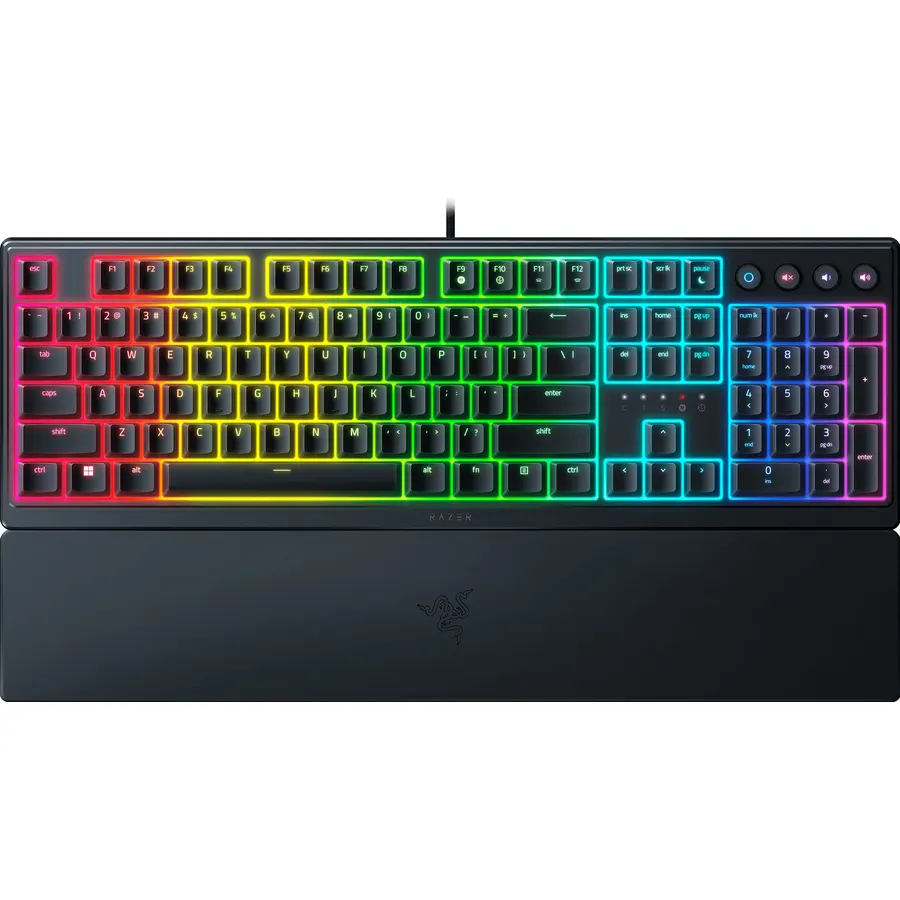
Not everyone wants clicky. The Ornata V3 X uses silent membrane switches under low-profile keys, so it is quiet enough for a bedroom next to a sleeping partner and comfortable for people who find tall mechanical boards tiring. It survives a spilled drink, ships with a wrist rest, and still has full Chroma lighting. More than 2,000 owners give it 4.5 stars, mostly as a first proper keyboard. If you have never used a mechanical board you may never miss it; if you have, you will notice the softer bottom-out.
- Nearly silent, good for shared rooms and calls
- Low profile is easier on the wrists over long sessions
- Splash-resistant with an included wrist rest
- RGB and Chroma sync at a low price
- Membrane feel is softer than mechanical
- UV-coated ABS caps, not PBT
- Single-zone lighting effects on some units
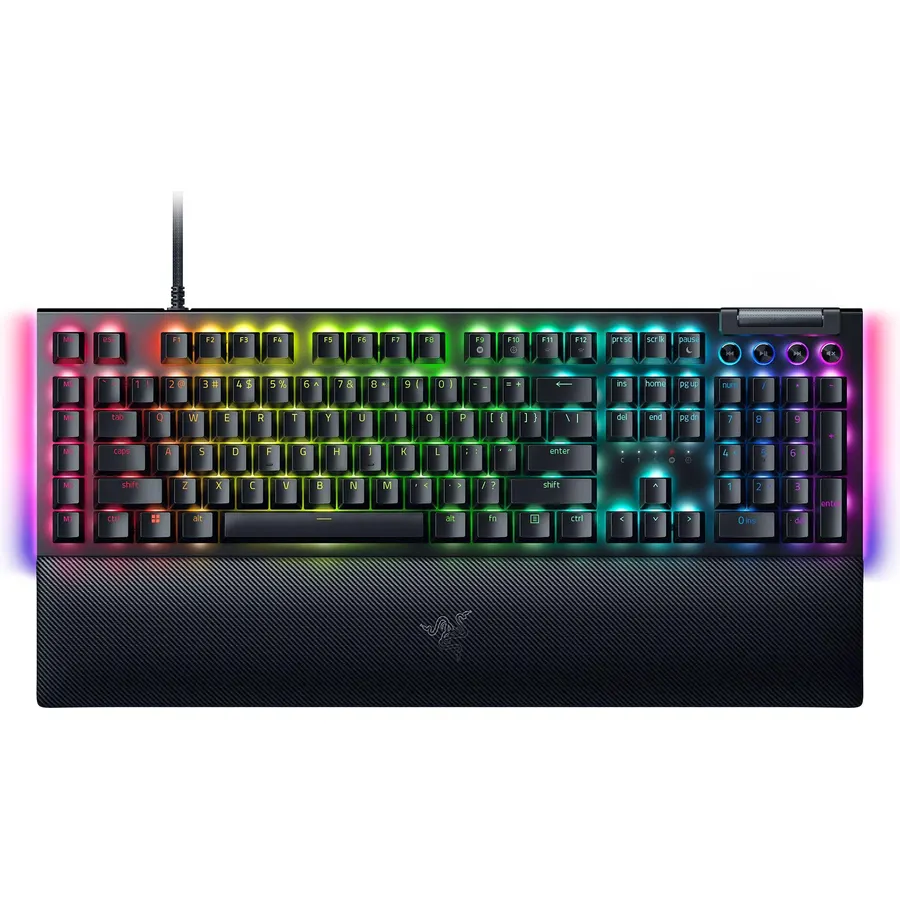
For MMO players, streamers and anyone who wants a number pad, the BlackWidow V4 X brings six programmable macro keys, a multi-function roller and Razer’s classic Green clicky switches with a 1.9 mm actuation. The plate is aluminum and the doubleshot keycaps will not fade. This listing is the Minecraft edition with themed keycaps; the standard black version has the same internals if you prefer plain.
- Six dedicated macro keys and a media roller
- Razer Green switches: 50 g, clicky, 80-million-press rating
- Aluminum top plate
- Full number pad for work and MMOs
- Minecraft branding is not for everyone (a standard edition exists)
- Clicky and loud
- Takes a lot of desk space
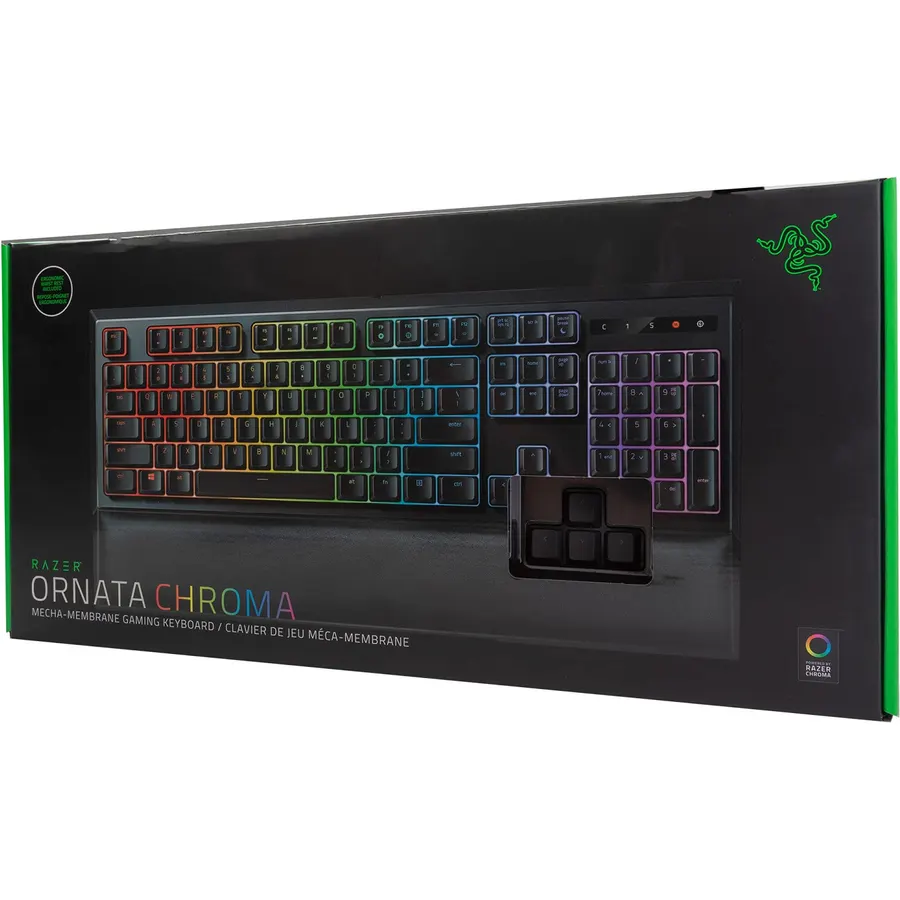
The Ornata Chroma is the most-reviewed board on this page and still a favorite: the mecha-membrane switch gives a mechanical-style click with a cushioned bottom-out that many people find more comfortable for long sessions. The magnetic wrist rest is genuinely good. It is an older design with an attached cable and ABS caps, so it sits at the bottom of the list, but as a first RGB board it has made a lot of people happy.
- Mechanical-style tactile click on a softer membrane base
- 11,000+ ratings at 4.7 stars
- Magnetic plush wrist rest included
- Per-key RGB with Chroma sync
- ABS keycaps will shine with heavy use
- Attached (non-detachable) cable
- Mid-height keys are a compromise, not a mechanical feel
Compare the picks
| Product | Layout | Switch | Keycaps | Wireless | Our score | |
|---|---|---|---|---|---|---|
| Razer Huntsman MiniRazer | 60% | Clicky optical | PBT | No | 9.8 | See price |
| Keychron K2 HEKeychron | 75% | Hall effect, adjustable | PBT | Yes | 9.6 | See price |
| Razer Ornata V3 XRazer | Full, low profile | Silent membrane | UV ABS | No | 9.8 | See price |
| Razer BlackWidow V4 XRazer | Full + macros | Green mechanical | ABS | No | 9.8 | See price |
| Razer Ornata ChromaRazer | Full | Mecha-membrane | ABS | No | 9.4 | See price |
Which switch should you get?
- Clicky (Huntsman Mini Clicky, BlackWidow Green): loud, tactile, satisfying. Best alone in a room.
- Linear (Huntsman Mini Linear): smooth and silent-ish, preferred for fast double-taps.
- Hall effect (Keychron K2 HE): magnetic, no physical contact, actuation you set yourself. The most flexible.
- Membrane / mecha-membrane (Ornata V3 X, Ornata Chroma): quiet and soft. Cheapest way into RGB and macros.
60%, 75% or full-size?
A 60% board (Huntsman Mini) frees desk space for big mouse swipes but hides arrows and F-keys. A 75% board (K2 HE) is the sweet spot for people who also type all day. Full-size (BlackWidow, Ornata) is for number-pad users and MMO macro fans.
Are optical switches better than mechanical?
They actuate slightly faster and have no metal contact to wear or bounce, which is why the Huntsman Mini feels so quick. Feel-wise they are close to good mechanical switches.
Is a 60% keyboard bad for typing?
It is fine for prose but slow for spreadsheets and code because arrows, Home/End and F-keys sit on a function layer. Pick a 75% board like the Keychron K2 HE if you type a lot.
Do I need Razer Synapse?
The Huntsman Mini stores profiles on board, so you can set lighting and macros once and uninstall Synapse. The Ornata boards need it for per-key lighting changes.
Which is quietest?
The Ornata V3 X with silent membrane switches. The Keychron K2 HE is moderate; the two clicky Razer boards are the loudest.
Prices and stock change daily. The buttons above open Amazon so you always see the current price. We may earn a commission if you buy through them, at no extra cost to you.
Do Best Deal is a participant in the Amazon Services LLC Associates Program. As an Amazon Associate we earn from qualifying purchases. If you buy through links on this site we may earn a commission, at no extra cost to you. Learn more.
