If you write code for a living, your keyboard is the tool you touch more than any other. A bad one gives you sore wrists and typos. A good one disappears, and that is the whole point.
This list is short on purpose. We looked at dozens of boards and kept five, each the best at one specific thing: overall value, budget, low-profile, premium feel, and full-size layout for people who need a numpad.
How we picked
Programrs need a few things that gamers and casual typists do not:
- A layout with arrow keys and Home/End/PgUp/PgDn. 60% boards hide these behind a function layer, which gets old fast when you navigate code all day. 75% is the sweet spot.
- Quiet or medium switches. Clicky blues are fun for ten minutes and then annoy everyone on your call.
- Mac and Windows support with the right modifier keys, because most of us switch between them.
- Wireless that does not drop and a battery that lasts weeks, not days.
- Keycaps that do not shine after three months. PBT over ABS.
We also weighted long-term owner reports heavily. A board that feels great on day one but develops a wobbly spacebar or a flaky Bluetooth connection by month six did not make the cut.
The picks
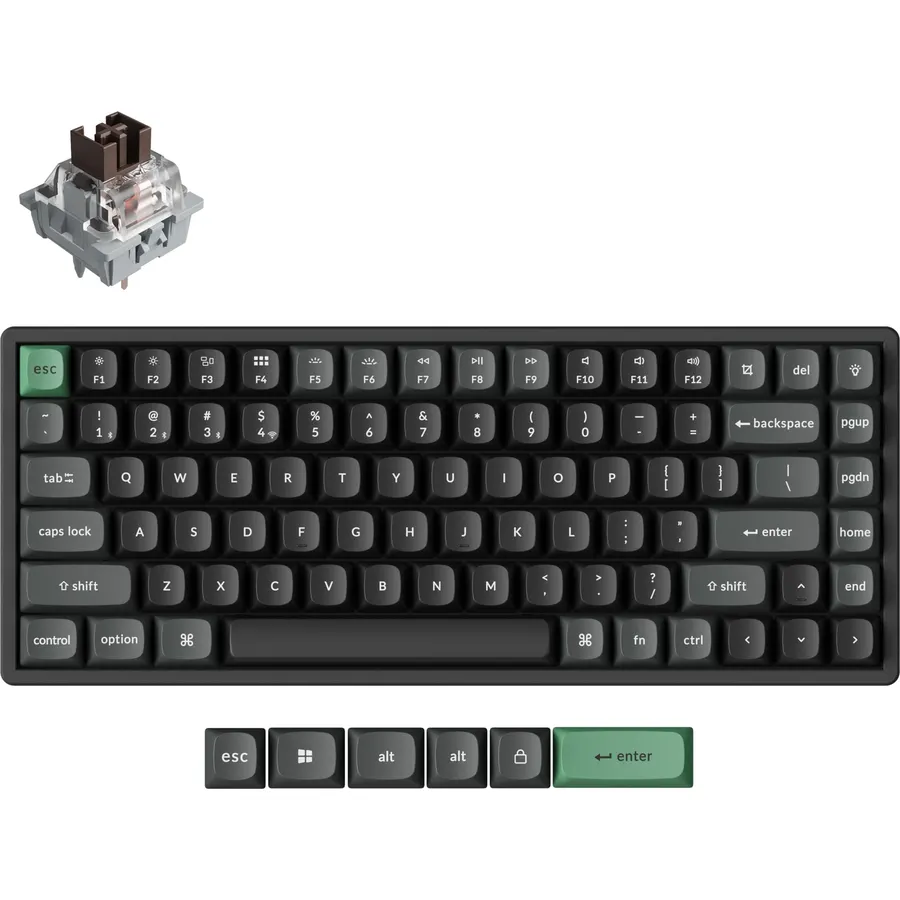
The K2 HE is the board we keep coming back to. The Hall effect switches let you set how far a key needs to travel before it registers, which means you can dial in a light touch for fast typing without accidental presses. Battery life is measured in weeks with the backlight off. The 75% layout gives you a full row of function keys and dedicated arrows without the footprint of a full-size board.
- Adjustable actuation point per key
- Rock-solid 2.4GHz dongle plus Bluetooth for three devices
- Aluminum frame, no flex
- Mac and Windows keycaps in the box
- Heavier than plastic boards, not a travel keyboard
- Software is web-based only
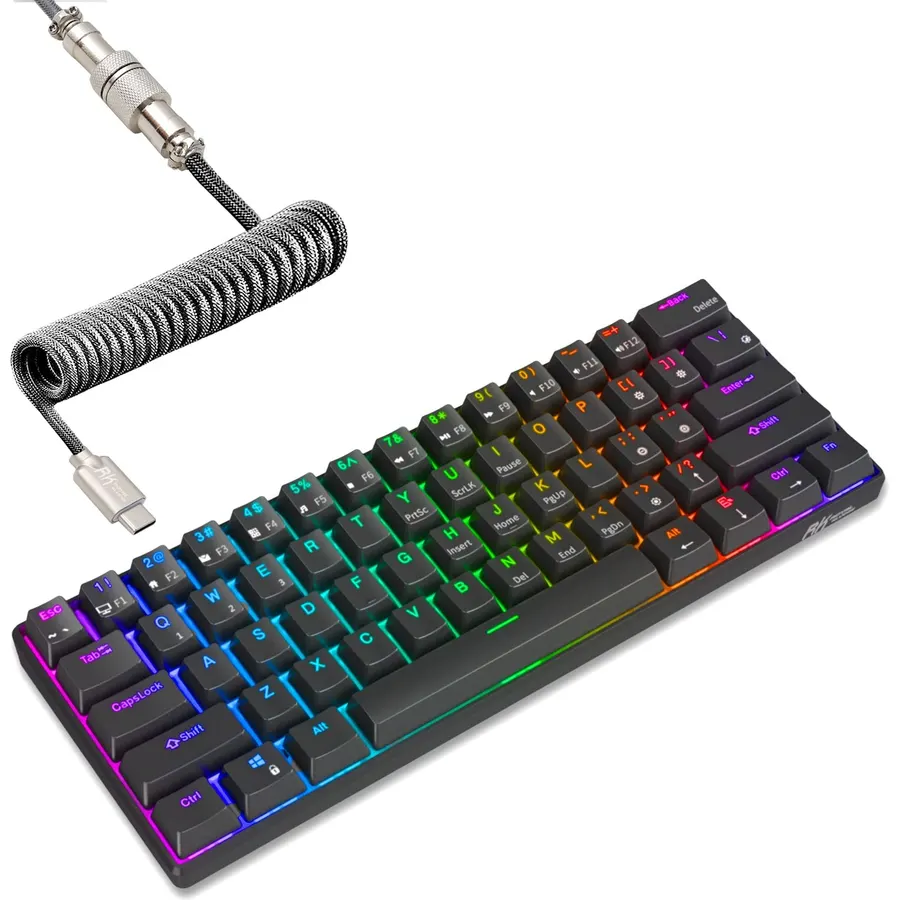
The RK61 exists on this list because it is the cheapest keyboard we would actually recommend. It is hot-swappable, so you can change switches later, and it connects three ways. The trade-off is the 60% layout: arrows and navigation keys live on a function layer. If you can live with that, or you mostly use Vim-style navigation anyway, it is a bargain. If you need arrow keys, spend a little more on the K2 HE.
- Very cheap for a hot-swappable wireless board
- Small enough to carry in a laptop bag
- Tri-mode wireless at this price is rare
- No dedicated arrow keys, which is a real cost for coding
- ABS keycaps will shine over time
- Software is rough
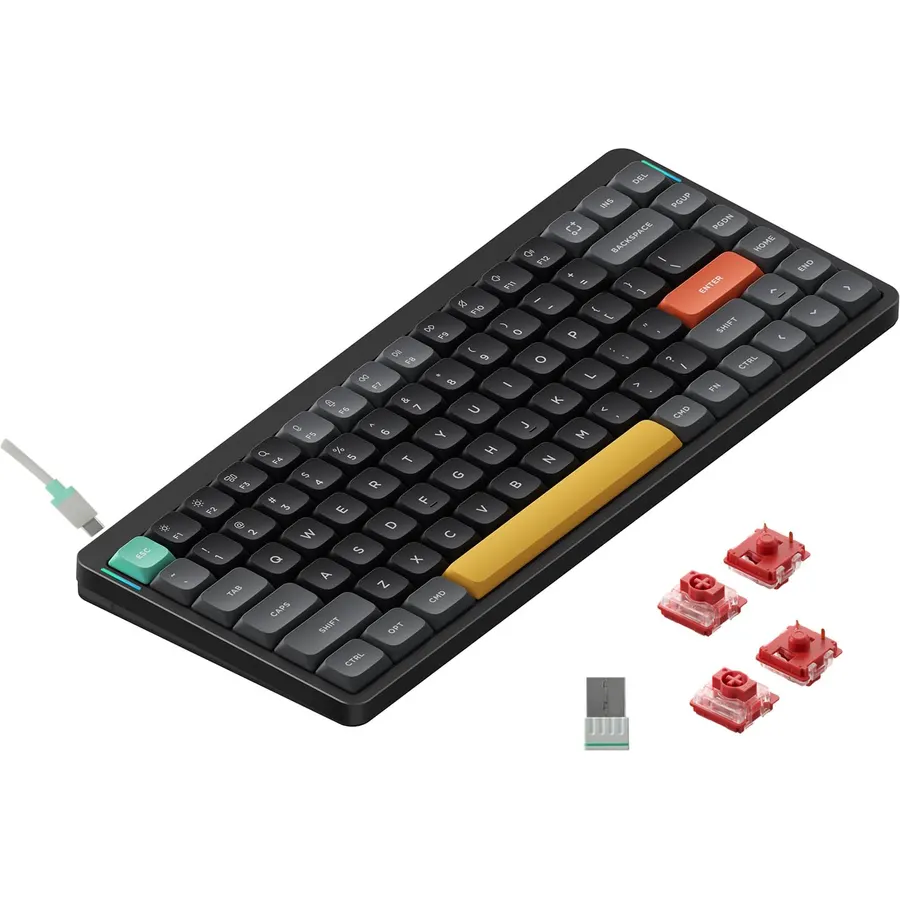
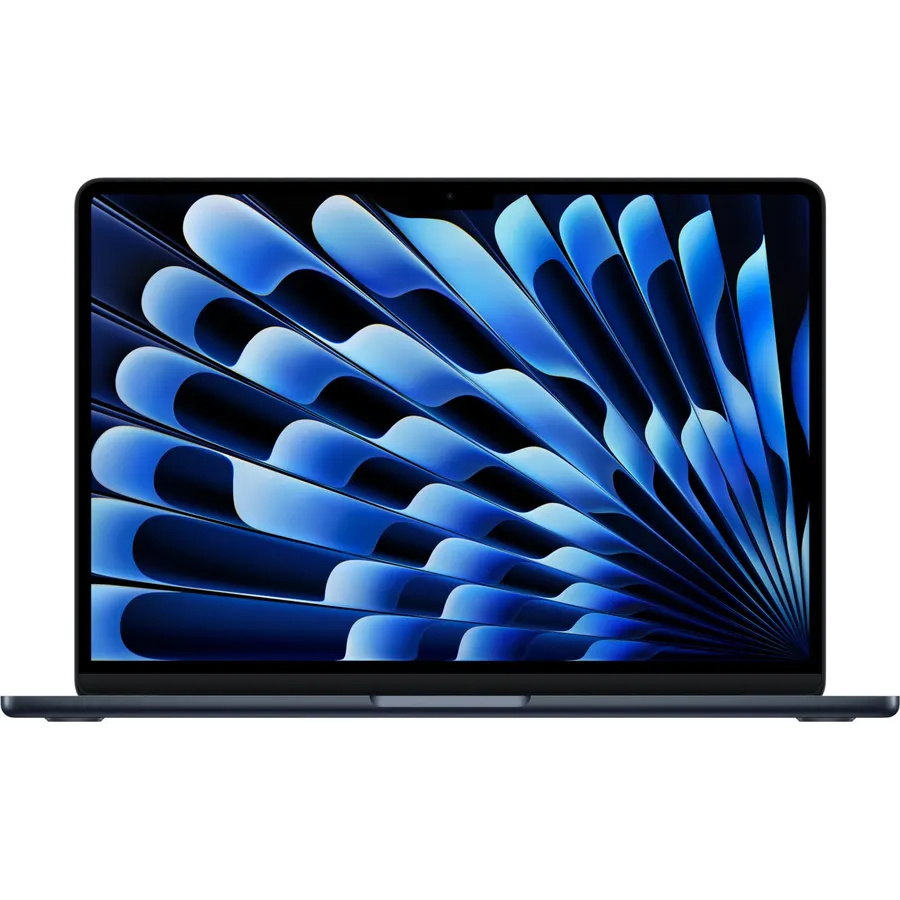
If you switch between a laptop keyboard and a desk keyboard, a normal-height mechanical board can feel like a step ladder. The Air75 V2 fixes that. It is about the height of a MacBook keyboard but with proper mechanical switches, hot-swap sockets, and PBT keycaps. It has become the default recommendation for developers who want mechanical feel without retraining their hands.
- Laptop-like height with real mechanical feel
- Sits flat on a MacBook keyboard with the included feet
- Excellent battery life
- Light enough to travel with daily
- Low-profile switches are not for everyone, try before committing if you can
- Sound is on the louder side for a low-profile board
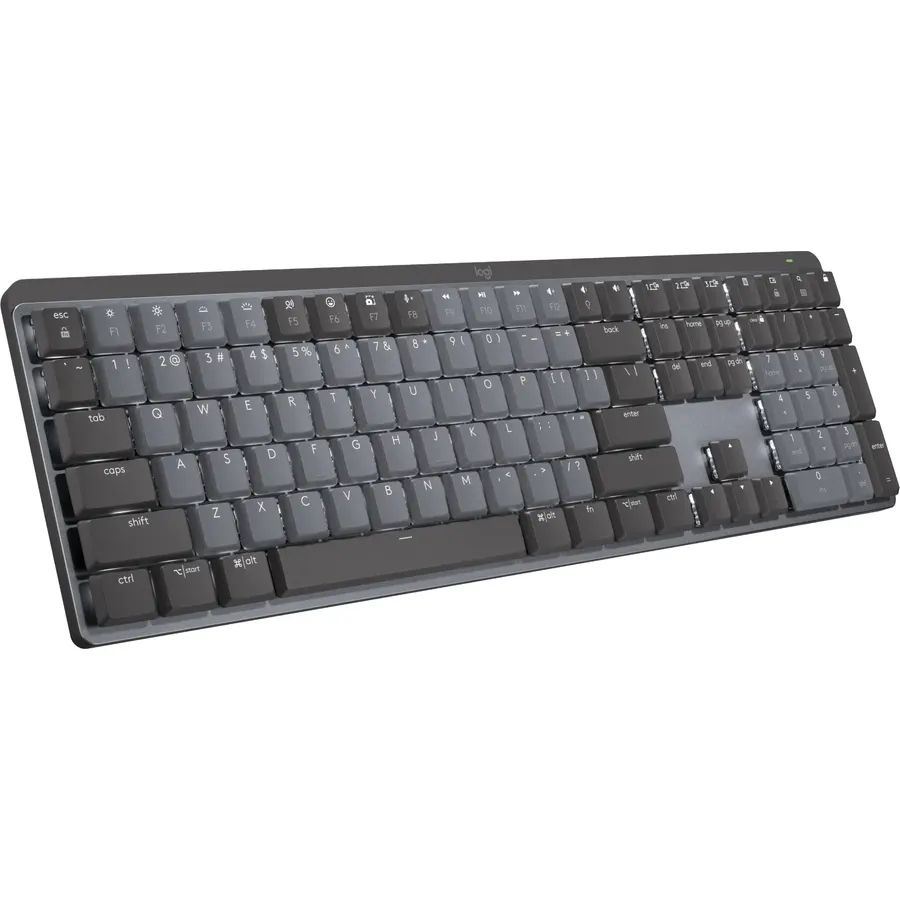
The MX Mechanical is the “just works” pick for people already using a Logitech MX mouse. One Bolt receiver handles both, the multi-device switching is the best in the business, and the low-profile tactile switches are quiet enough for an open office. Enthusiasts will find it a bit boring, and it is not a board you will mod. But if your priority is reliability across a Mac, a Windows PC and an iPad, it is hard to beat.
- Pairs with up to three devices and switches instantly
- Logi Options+ gives per-app key mapping
- Backlight that turns on when your hands approach
- Works with the same Bolt dongle as an MX Master mouse
- Not hot-swappable
- Keycaps are ABS and will shine
- Pricey for what is inside
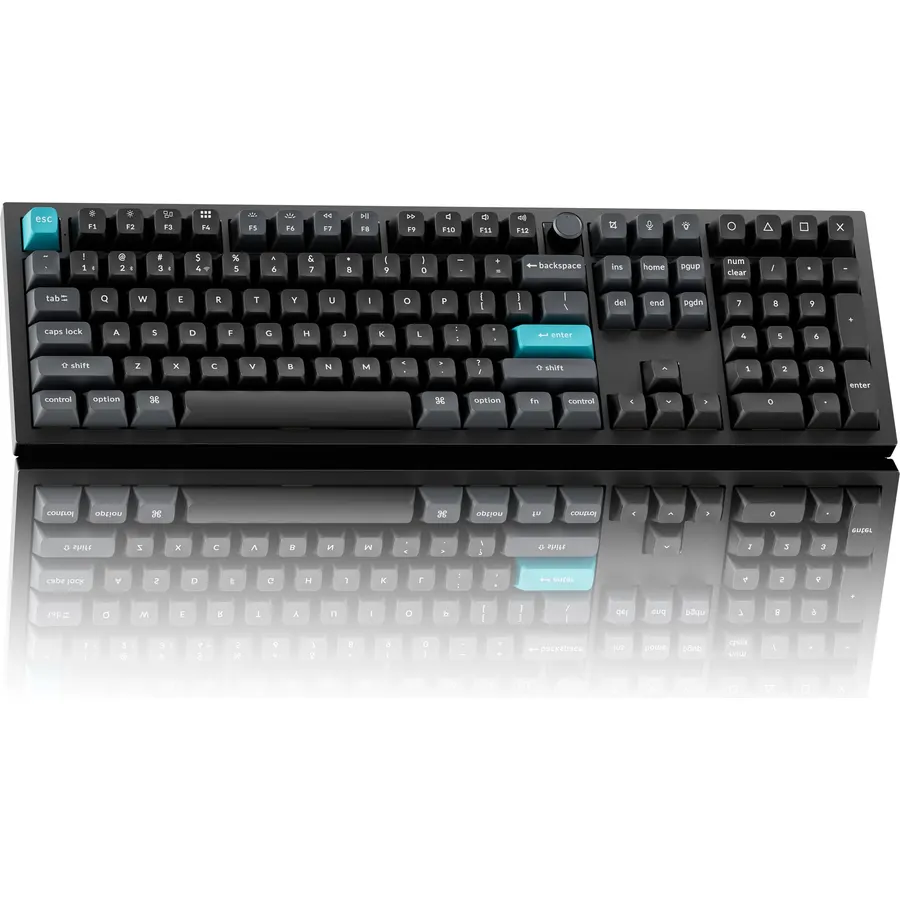
Most developers do not need a numpad. Data engineers, finance-adjacent developers and anyone who lives in spreadsheets absolutely do. The Q6 is a full-size board built like a tank, with a gasket mount that gives it a soft, deep typing feel. It runs QMK firmware, so you can remap every key and build macros without any vendor software.
- Gasket-mounted aluminum body, feels premium
- Numpad for people who work with numbers
- QMK/VIA programmable, every key remappable
- Excellent stock sound
- Very heavy, it lives on one desk
- Wired only unless you buy the Pro version
Comparison at a glance
| Product | Layout | Wireless | Hot-swap | Keycaps | Our score | |
|---|---|---|---|---|---|---|
| Keychron K2 HEKeychron | 75% | BT + 2.4GHz | No (magnetic) | PBT | 9.6 | See price |
| Royal Kludge RK61Royal Kludge | 60% | BT + 2.4GHz | Yes | ABS | 9.3 | See price |
| NuPhy Air75 V2NuPhy | 75% low-profile | BT + 2.4GHz | Yes | PBT | 8.9 | See price |
| Logitech MX MechanicalLogitech | Full / Mini | BT + Bolt | No | ABS | 8.6 | See price |
| Keychron Q6Keychron | Full-size | Wired (Pro: wireless) | Yes | PBT | 8.2 | See price |
Which switch should a programr get?
- Linear (Red): smooth, no bump. Good for fast typists who bottom out anyway. Quietest option.
- Tactile (Brown): a small bump at the actuation point. The safe default for coding because you feel the keypress without noise.
- Clicky (Blue): loud click. Satisfying alone, unpopular on calls and in shared spaces.
- Magnetic (Hall effect): adjustable actuation. Best of all worlds if the board supports it, which is why the K2 HE tops this list.
If you are unsure, buy tactile.
Frequently asked questions
Is a mechanical keyboard actually better for programming?
It is not faster, but it is more comfortable over long sessions, more durable, and lets you choose a switch feel that suits how you type. Most developers who switch do not go back.
Do I need a 75% keyboard or is 60% fine?
For coding we recommend 75% or larger. Dedicated arrow keys and Home/End save hundreds of function-layer presses a day. 60% boards are great for portability but cost you navigation keys.
Wireless or wired for coding?
Modern 2.4GHz wireless has no noticeable lag for typing. Bluetooth is fine too, but a 2.4GHz dongle is more reliable on Windows. Wired is only necessary if you never want to think about charging.
Are Hall effect keyboards worth it for typing, not just gaming?
Yes, if you like tuning. Setting a lighter actuation point can reduce finger fatigue. If you would rather not fiddle, a normal tactile switch is just as good.
The bottom line
For most programrs the Keychron K2 HE is the one to buy: right layout, great wireless, adjustable feel. If money is tight, the RK61 gets you into mechanical keyboards for very little. If you live on a laptop, the NuPhy Air75 V2 will feel like home.
See the Keychron K2 HE on Amazon ↗Do Best Deal is a participant in the Amazon Services LLC Associates Program. As an Amazon Associate we earn from qualifying purchases. If you buy through links on this site we may earn a commission, at no extra cost to you. Learn more.