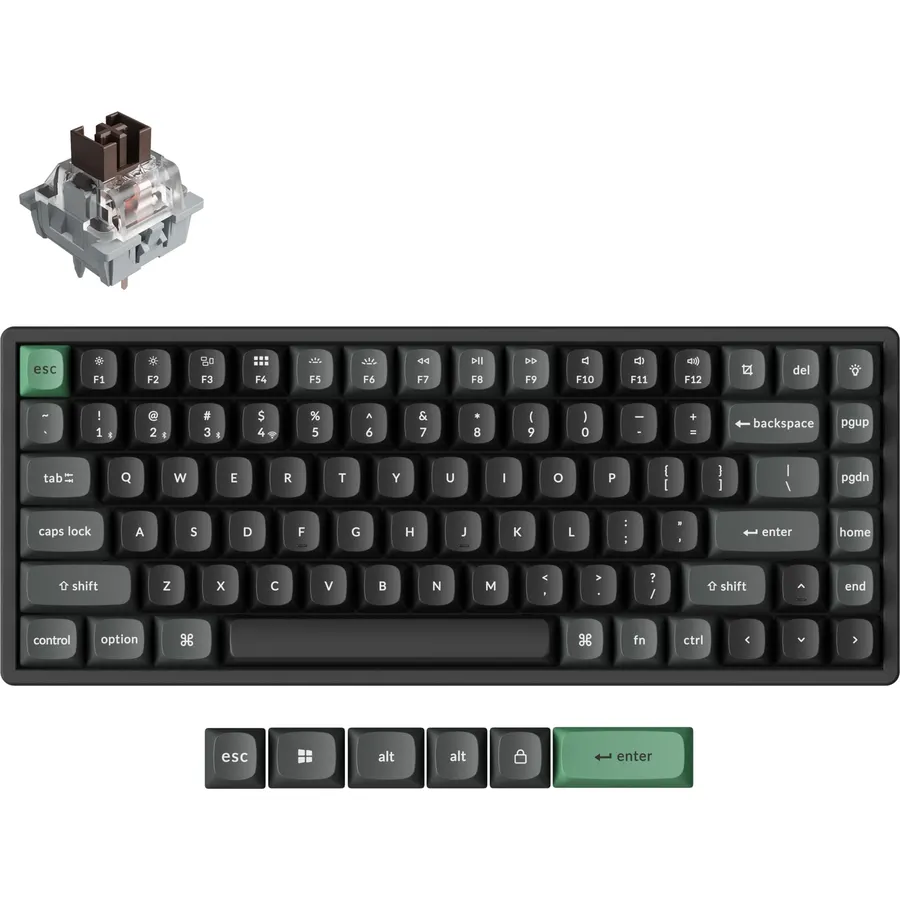
A low-profile keyboard is one you can type on with your wrists flat on the desk: the case is under an inch tall, the keycaps are short, and the keys travel a millimeter or two instead of four. People who spend the day on a laptop find them familiar; people with wrist pain find them easier; anyone in a shared office appreciates how quiet they are. The category runs from scissor-switch boards that feel like a laptop to low-profile mechanical boards that keep the click. We ranked the slim boards in our keyboards catalog by key feel, connection and multi-device support, battery life, build, and what thousands of owners report after months of use.
We have not typed on every one of these ourselves; the verdicts rest on the spec sheets and on the owner review history. Prices are not printed because they change daily; every button opens the live Amazon page. If quiet is your main concern, our quiet keyboards for office guide overlaps with this one, and if you want the mouse included, see wireless keyboard and mouse combos.
How we picked
- A genuinely slim profile: scissor switches, low-profile mechanical switches or low-profile mecha-membrane, never full-height keys.
- Quiet typing that owners confirm, since that is the main reason people buy this shape.
- Multi-device switching on most picks, over Bluetooth, a Logi Bolt receiver or a 2.4GHz dongle.
- Battery life measured in months or years, or USB-C charging on the backlit boards.
- Owner ratings of 4.1 stars or better, with hundreds to thousands of reviews each.
The picks
Logitech MK470 Slim Wireless Combo Compact Keyboard and Mouse - Graphite
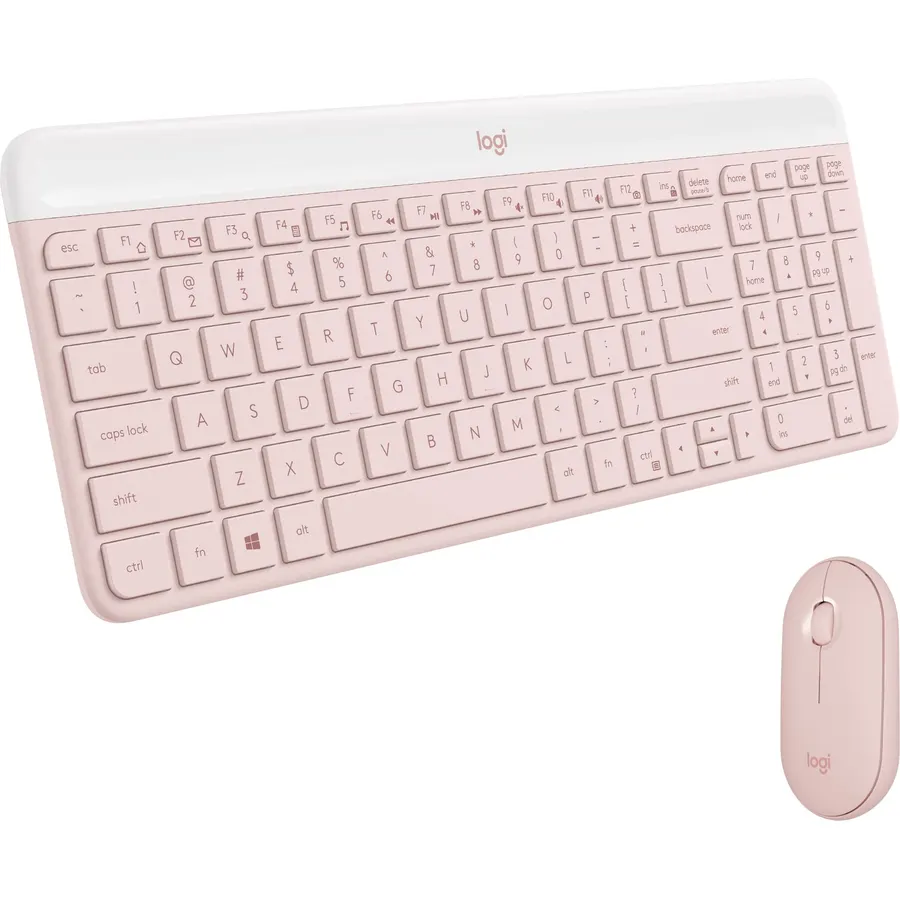
The MK470 is the slim keyboard most people should buy, and nearly 8,000 owners rate it 4.4 stars. It is a compact board with low-profile scissor keys that feel like a good laptop, a full number pad, and a whisper-quiet action that Logitech paired with a noise-reduced three-button mouse. Both run from one USB nano receiver with 33 feet of range, and the batteries last 36 months in the keyboard and 18 in the mouse thanks to auto-sleep. The limits are clear: there is no Bluetooth, so it will not pair with a tablet, there is no backlight, and the mouse is a plain 1000 DPI ambidextrous puck. For a home office desk that needs to be quiet and tidy, it is the best value on the page by a distance.
- Nearly 8,000 owners at 4.4 stars
- Three-year keyboard battery with auto-sleep
- Compact but keeps a full number pad
- Quiet keyboard and quiet mouse for the price of a cheap mouse
- 2.4GHz receiver only, no Bluetooth
- Mouse is basic at 1000 DPI
- No backlight
Logitech MX Mechanical Full-Size Wireless Mechanical Keyboard, Tactile Quiet Switches, Low Profile Backlit Keys, Bluetooth, USB-C, Multi-Device Performance, Windows/macOS Graphite, Bulk Packaging
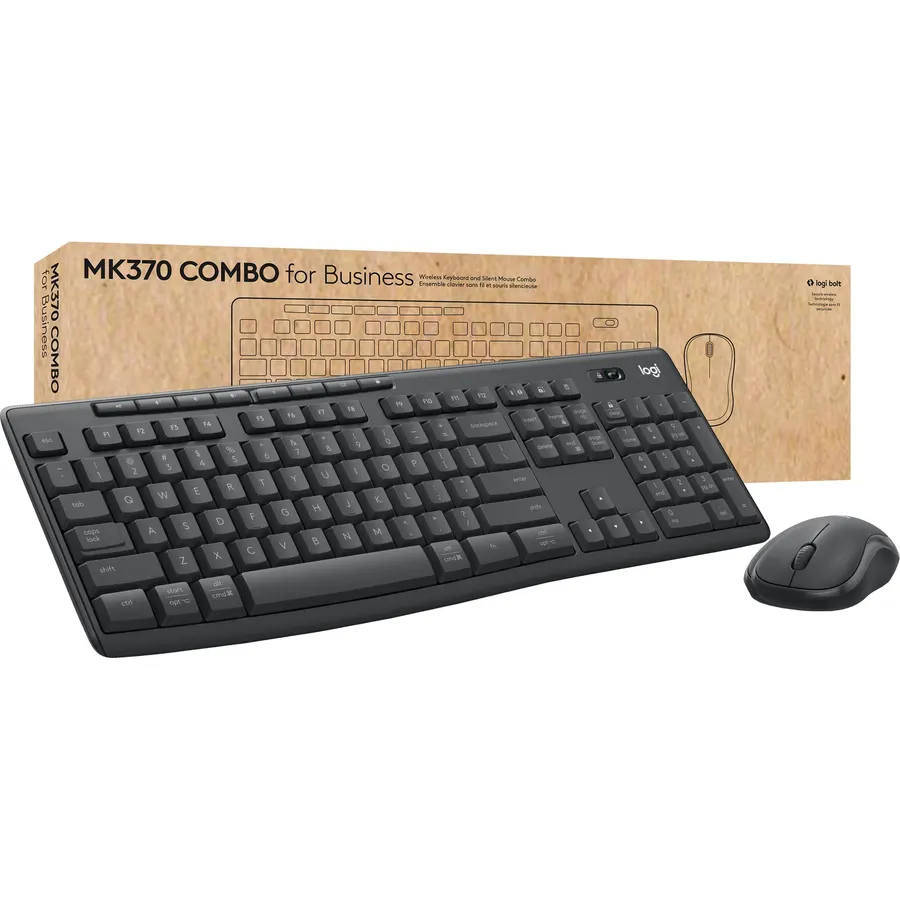
The MX Mechanical is the answer for people who want the feel of a mechanical keyboard without the height. Logitech uses low-profile tactile quiet switches with a bump you can feel and almost no sound, sets them in a metal top plate, and adds a white backlight that wakes when your hands approach and adjusts to the room. It pairs with three devices over Bluetooth or the Logi Bolt receiver and switches between them with a tap, and both Windows and Mac legends are printed on the keys. Battery life is about 15 days with the backlight on and months with it off, charged over USB-C. It costs several times the MK470, the switches are fixed, and gamers will want the 2.4GHz dongle it does not have. Nearly 1,000 owners rate it 4.6 stars.
- Real mechanical switches in a slim case
- Tactile bump you feel but barely hear
- One-tap switching across three computers
- 4.6 stars from nearly 1,000 owners
- Expensive
- Switches are not hot-swappable
- Backlight cuts battery life to about two weeks
Logitech K585 Slim Wireless Keyboard with Built-in Phone Cradle - Rose
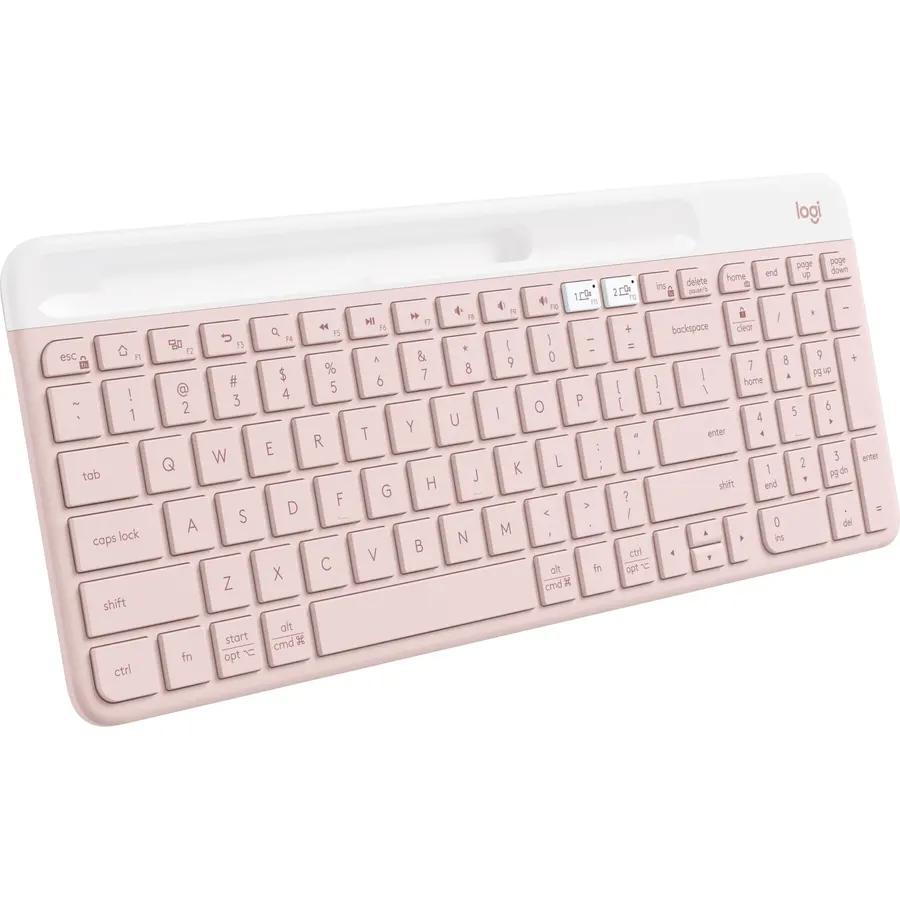
The K585 is the slim board for a small desk that still has to do everything. It is compact and whisper-quiet with scissor keys, but it keeps a number pad and 12 Fn shortcut keys, and it has a slot along the top edge that holds a phone or a small tablet at reading angle. It connects over Bluetooth or the included USB receiver, and Easy-Switch moves it between a computer, a phone and a tablet, across Windows, macOS, iPadOS, Android and Chrome. Battery life is long with auto-sleep. This listing is the Rose colorway, which is either a plus or a deal-breaker, and there is no backlight. Owners rate it 4.5 stars across 1,600 reviews, and the phone slot is the feature they mention most.
- Bluetooth and a USB receiver, so it pairs with anything
- Phone cradle keeps a second screen in view
- Compact footprint but still has a number pad
- 1,600 owners at 4.5 stars
- Rose colorway on this listing
- No backlight
- Fn keys need Logi Options+ to customize
Logitech MK955 Signature Slim Wireless Keyboard Mouse Combo
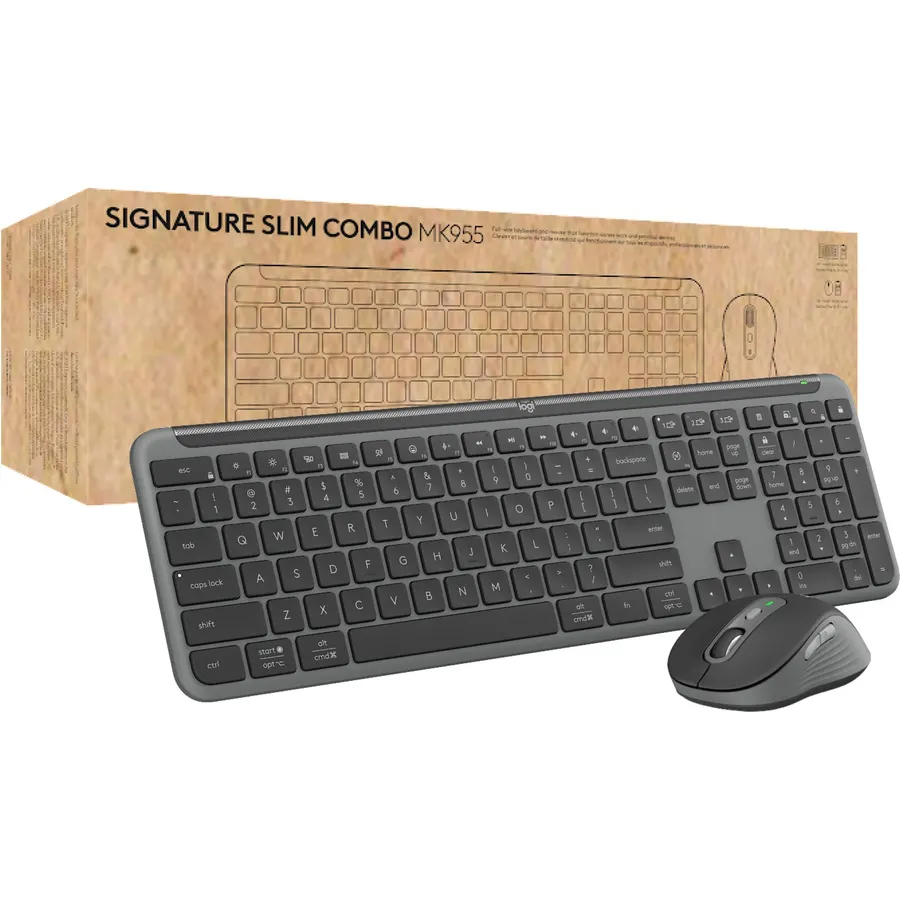
The MK955 pairs the K950 Signature Slim keyboard with the M750 L Signature Plus mouse, and it is the combo for someone who moves between a work laptop and a home desktop. The keyboard is full size with quiet laptop-style keys and a solid build, the mouse is contoured for larger hands with SilentTouch clicks that are 90 percent quieter and a SmartWheel that flips between line-by-line and free scrolling. Both connect over Bluetooth or Logi Bolt to three devices and switch with a tap, and Logi Options+ adds custom keys and shortcuts on Windows and macOS. There is no keyboard backlight, the price is roughly three MK470s, and the mouse is sized for larger hands. Owners rate it 4.5 stars across 870 reviews.
- Full-size slim keyboard plus a silent, contoured mouse
- Switches between home and work computers
- 90 percent quieter mouse clicks
- 870 owners at 4.5 stars
- Costs about three MK470s
- No backlight on the keyboard
- Large mouse may not suit small hands
Logitech Signature Slim K950 Wireless Keyboard with Quiet Typing - Graphite
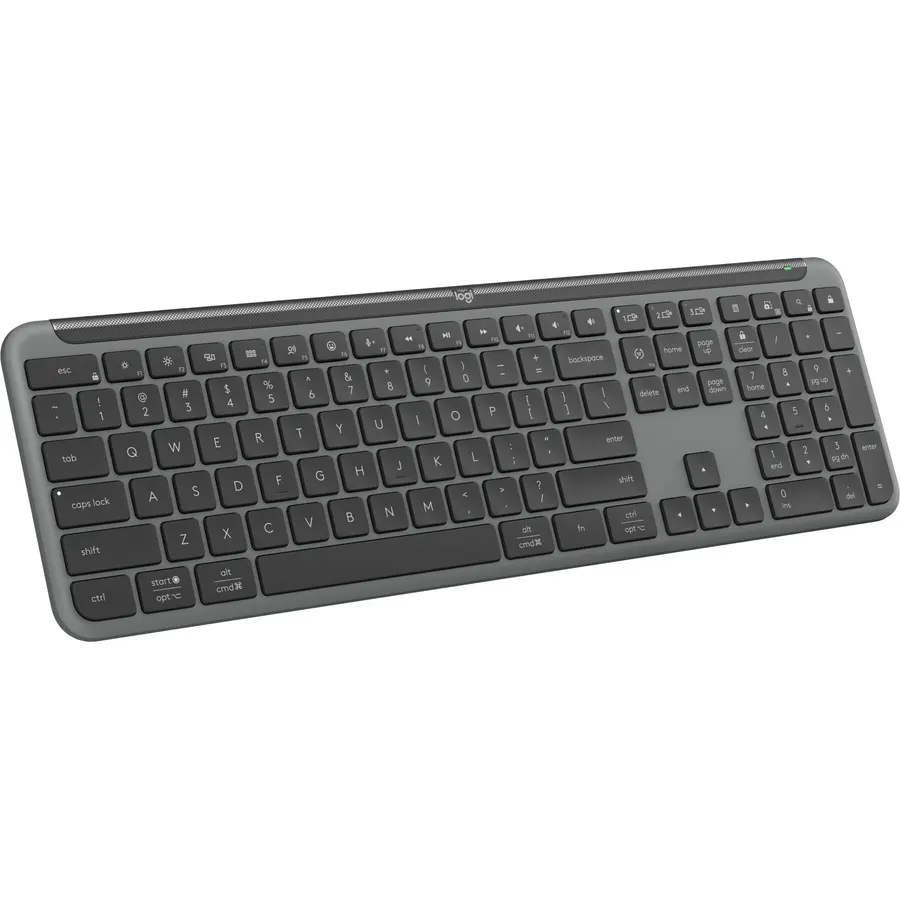
The K950 is the keyboard from the MK955 sold on its own, for people who already have a mouse they like. It is a full-size slim board with quiet laptop-style keys, a solid frame, and Easy-Switch across three Bluetooth devices, with out-of-the-box shortcut keys for mute, media, the snipping tool and volume that make it a good board for video calls. Logi Options+ lets you remap the function row on Windows and macOS. It ships without a receiver on this listing, so the connection is Bluetooth, which is fine for a laptop and less ideal for a desktop PC without a Bluetooth card. There is no backlight. Owners rate it 4.3 stars across 450 reviews, a little below the combo, with the lack of lighting the usual complaint.
- The MK955 keyboard without paying for the mouse
- Three-device switching and quiet typing
- Useful one-tap shortcuts for calls and screenshots
- 450 owners at 4.3 stars
- No backlight
- No USB receiver in the box on this listing; Bluetooth only
- Rating trails the MK470 and MX Mechanical
Razer Ornata V3 TKL Gaming Keyboard, Low-Profile Keys, Cinnamoroll Edition

The Ornata V3 TKL is the low-profile board for gaming. Its mecha-membrane switches put a clicky mechanism on top of a rubber dome, under slim keycaps and shorter switches, so your hands sit flatter than on a standard gaming board while each press still snaps. It is tenkeyless to leave room for the mouse, has Chroma RGB and backlit media keys, and includes a magnetic soft-touch wrist rest. This edition is the officially licensed Cinnamoroll design in pastel blue. It is wired, the switches are not true mechanical and cannot be swapped, and the look is a commitment. Owners rate it 4.6 stars across 590 reviews and praise the comfort during long sessions. For slim gaming keys it is the pick; for a plain color, Razer sells the same board without the license.
- Slim keys with a mechanical-style click for gaming
- Chroma RGB and media keys
- Wrist rest included
- 590 owners at 4.6 stars
- Wired only
- Mecha-membrane rather than true mechanical
- Pastel licensed look is specific
Logitech MX Mechanical Mini Mac Wireless Keyboard Low-Profile - Space Grey
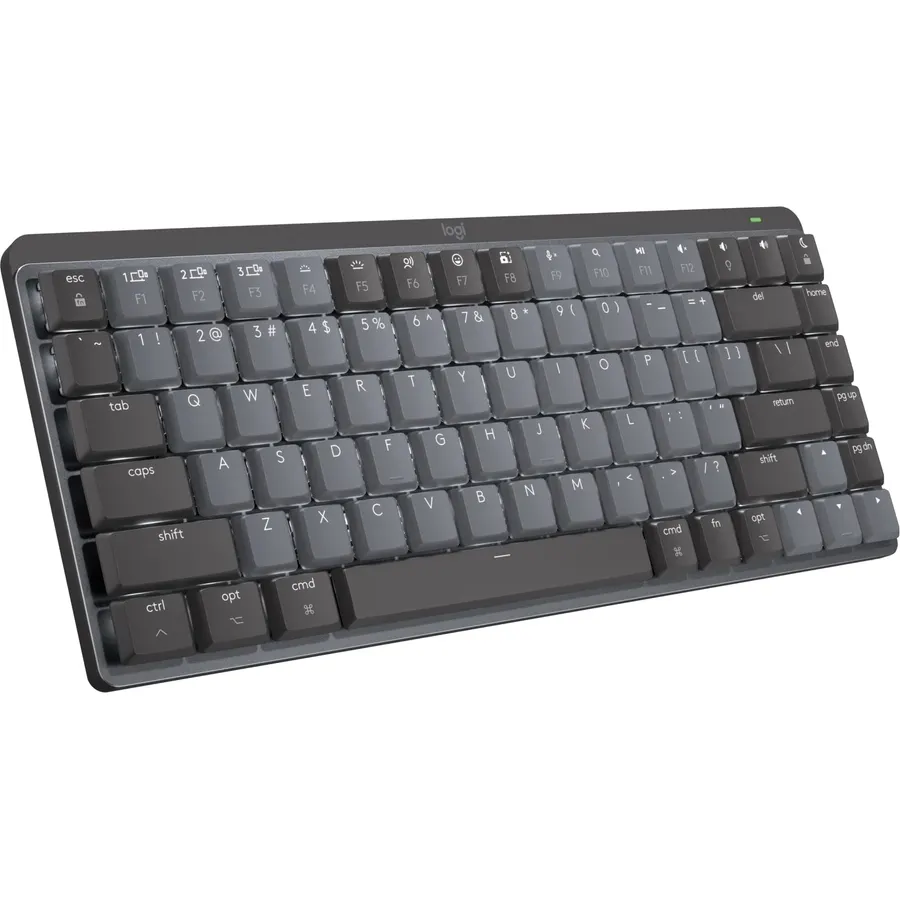
The MX Mechanical Mini for Mac is the compact version of our mechanical pick, tuned for Apple desks: a Mac key layout with Command and Option in the right places, dual-colored keycaps in Space Grey, and the same low-profile tactile quiet switches with a smart backlight. It pairs over Bluetooth with up to three Macs or iPads and switches between them with a key. The missing number pad keeps it narrow so a mouse stays close. It is Bluetooth only, with no Bolt receiver included, and a handful of owners report a short lag when the board wakes from sleep, which is the main reason it sits at 4.2 stars across 530 reviews rather than higher. It is also expensive for its size. For a MacBook or iMac desk that wants mechanical feel in a slim board, it is the one.
- Mac-specific layout and Space Grey finish
- Same quiet tactile low-profile switches as the full-size MX Mechanical
- Compact footprint keeps the mouse close
- 530 owners at 4.2 stars
- No Logi Bolt receiver in the box; Bluetooth only
- Expensive for a compact board
- Owners report occasional Bluetooth wake-up lag
Wireless Keyboard and Mouse Ultra Slim Combo with Dual System - Blue Black
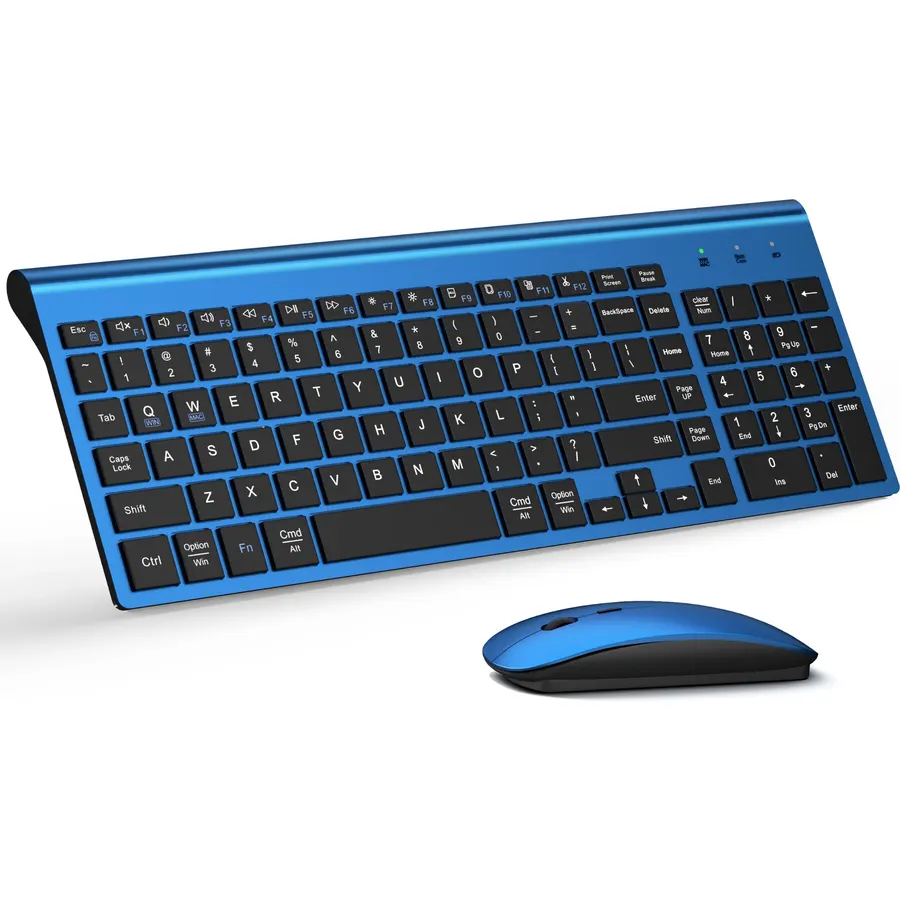
This TopMate-style ultra slim combo is the budget alternative to the MK470, and 7,600 owners have rated it, though at 4.1 stars rather than 4.4. It is a full-size scissor-key board with a number pad, 12 function keys and one-key switching between Windows and Mac layouts, paired with a silent mouse with five DPI levels, both on one 2.4GHz nano receiver with a USB-C adapter for newer laptops. A dust cover and the AA and AAA batteries are in the box, good for three to five months. The lower rating comes from owners who found the keys wobbly or had the receiver lose pairing, so it is not as dependable as the Logitech. There is no Bluetooth. As a cheap slim set for a spare desk it does the job.
- 7,600 owners, second only to the MK470 here
- Full size with number pad for very little money
- USB-C adapter for newer laptops
- Quiet scissor keys and silent mouse
- 4.1 stars: owners mention key wobble and receiver pairing issues
- Disposable batteries, 3 to 5 months
- No Bluetooth
Compare the picks
| Product | Keys | Connection | Backlight | Battery | Owner rating | Our score | |
|---|---|---|---|---|---|---|---|
| Logitech MK470 Slim ComboLogitech | Scissor, compact + numpad | 2.4GHz receiver | No | 36 months | 4.4 (7,900+) | 8.8 | See price |
| Logitech MX MechanicalLogitech | Low-profile mechanical, full size | Bluetooth, Bolt | Smart white | 15 days lit | 4.6 (990+) | 9.2 | See price |
| Logitech K585Logitech | Scissor, compact + numpad | Bluetooth, receiver | No | Long, auto-sleep | 4.5 (1,600+) | 9.0 | See price |
| Logitech MK955 ComboLogitech | Scissor, full size | Bluetooth, Bolt | No | Long | 4.5 (870+) | 9.0 | See price |
| Logitech K950Logitech | Scissor, full size | Bluetooth | No | Long | 4.3 (450+) | 8.6 | See price |
| Razer Ornata V3 TKLRazer | Mecha-membrane, TKL | Wired | Chroma RGB | n/a | 4.6 (590+) | 9.2 | See price |
| MX Mechanical Mini MacLogitech | Low-profile mechanical, compact | Bluetooth | Smart white | 15 days lit | 4.2 (530+) | 8.4 | See price |
| Ultra Slim ComboTopMate | Scissor, full size | 2.4GHz receiver | No | 3 to 5 months | 4.1 (7,600+) | 8.2 | See price |
Scissor, low-profile mechanical or mecha-membrane
Scissor switches, as on the MK470, K585, K950 and the budget combo, are the laptop mechanism: a rubber dome under a plastic scissor that keeps the key level, with about 1.5mm of travel and very little noise. They are the quietest and cheapest option and the one most people mean by low profile. Low-profile mechanical switches, as on the two MX Mechanicals, keep a spring and a metal contact in a shorter housing, so you get a tactile bump and a longer life, at a higher price. Mecha-membrane, on the Razer, adds a click to a rubber dome and is the gaming compromise. If you type all day and want silence, scissor; if you want feedback, low-profile mechanical.
Why slim keys help wrists
The usual advice for typing comfort is to keep the wrist straight and the hand level with the forearm. A tall keyboard forces the wrist to bend upward unless you add a wrist rest; a keyboard under an inch tall lets the hand lie nearly flat. That is the whole ergonomic argument for low-profile boards, and it is why laptop users find them natural. It is not the same as a split or curved ergonomic layout, which addresses the sideways bend; if that is your problem, our ergonomic mouse for wrist pain guide tackles the other hand and an ergonomic keyboard is the next step.
Bluetooth, Bolt or a dongle
The two combos and the budget set use a 2.4GHz nano receiver, which is plug-and-play on any desktop and the most reliable link, but it cannot pair with a tablet or phone. The K585, MX Mechanical and MK955 add Bluetooth with three slots, so one keyboard can serve a desktop, a laptop and an iPad. Logi Bolt is Logitech’s encrypted receiver for the MX and Signature lines and is the better choice in a busy office where Bluetooth is crowded. The K950 and MX Mechanical Mini Mac are Bluetooth only on these listings, which is fine for a laptop and worth checking on a desktop without a Bluetooth adapter.
What counts as a low-profile keyboard?
A board with short keycaps and shallow key travel, usually under an inch tall at the back. Scissor-switch boards, low-profile mechanical boards and slim mecha-membrane boards all qualify.
Are low-profile keyboards better for wrist pain?
They help with the upward wrist bend a tall board causes, because the hands sit flatter. They do not fix the sideways bend; a split or wave-shaped ergonomic keyboard addresses that.
Is a low-profile mechanical keyboard quiet?
The Logitech MX Mechanical with tactile quiet switches is close to a scissor board in noise. Low-profile clicky switches, which are sold on other boards, are not quiet.
Which slim keyboard works with an iPad?
Any Bluetooth pick: the K585, MX Mechanical, MK955 and K950 pair with an iPad. The MK470 and the budget combo use a USB receiver and will not.
Do slim keyboards have a backlight?
Only the MX Mechanical and MX Mechanical Mini Mac here have one, plus the Razer Ornata V3 with RGB. The scissor-key Logitech boards and the budget combo do not.
Prices and stock change daily. The buttons above open Amazon so you always see the current price. We may earn a commission if you buy through them, at no extra cost to you.
Do Best Deal is a participant in the Amazon Services LLC Associates Program. As an Amazon Associate we earn from qualifying purchases. If you buy through links on this site we may earn a commission, at no extra cost to you. Learn more.