A regular mouse holds your forearm twisted palm-down all day. For many people that is fine. For the rest of us it ends in a sore wrist or a burning forearm by Friday. An ergonomic mouse changes the position of the hand, either by tilting it toward a handshake angle or by keeping the arm still and rolling a ball with the thumb or fingers.
We went through the mice in our catalog at the time of writing and kept five with strong long-term owner reviews, covering both approaches. We have not used every one ourselves, so we lean on owner ratings where we say so. Prices are not printed because they change daily; every button opens the live Amazon page.
How we picked
- A real change in hand position. Every pick is either a vertical mouse, a trackball or a sculpted thumb-rest shape. Ordinary mice with an “ergonomic” sticker did not make the cut.
- Owner ratings of 4.3 stars or higher with at least a few hundred reviews, and complaints checked for tracking or click failures.
- Long battery life. A mouse you pick up and put down all day should not need a cable every week.
- Both hands covered. Most ergonomic mice are right-handed; we included one true ambidextrous option.
- No gaming mice. Fast sensors do not help a sore wrist. For gaming shapes see our gaming mouse guide.
The picks
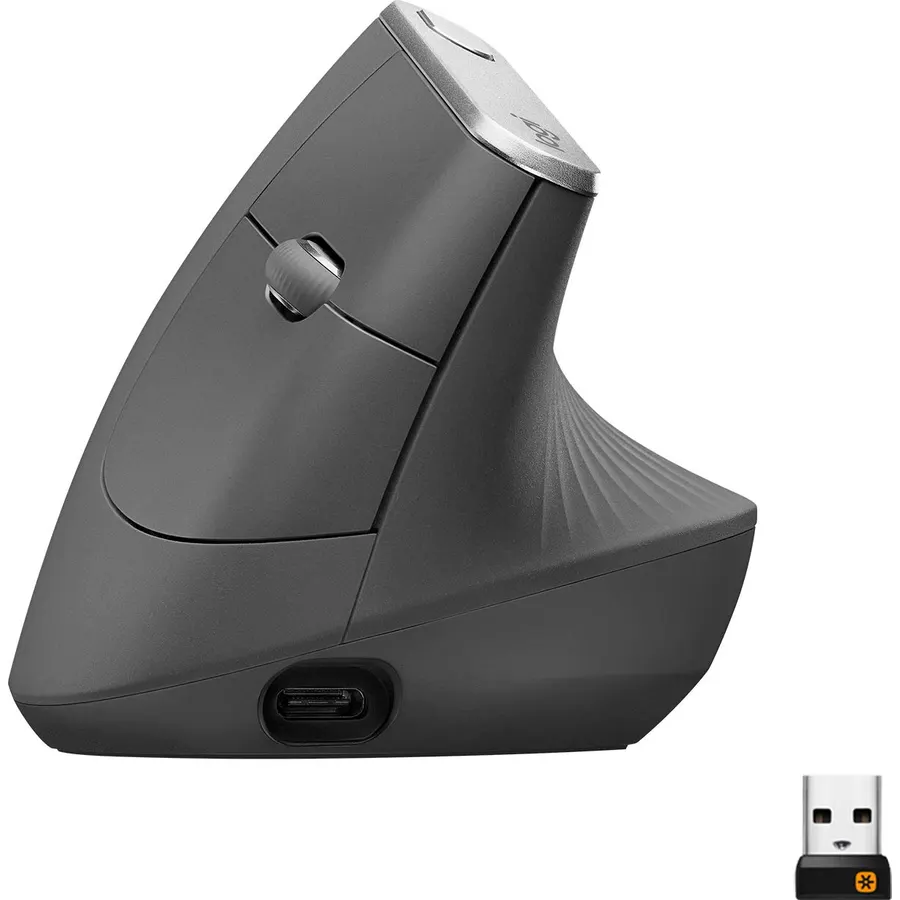
The MX Vertical is the mouse most people mean when they say “vertical mouse.” Its 57-degree angle puts your hand close to a handshake, so the forearm bones sit parallel instead of crossed, which is where a lot of wrist pain starts. The 4,000 DPI sensor and the speed switch under your index finger mean the cursor crosses a big screen with a small flick. One charge lasts about four months and it pairs with three computers. Owners agree the first few days feel strange and the second week feels normal. If your hand is small, try the Ergo M575S instead.
- Handshake grip cuts forearm muscle activity by about 10 percent in Logitech's testing
- Ergonomist-tested 57-degree angle takes pressure off the wrist
- 4,000 DPI sensor means less hand movement across a big monitor
- 15,000+ ratings at 4.4 stars, the most reviewed vertical mouse we track
- Takes a week to stop over-shooting the cursor
- Large: small hands find the top buttons a reach
- Right-handed only
Logitech Ergo M575S Wireless Bluetooth Trackball Mouse
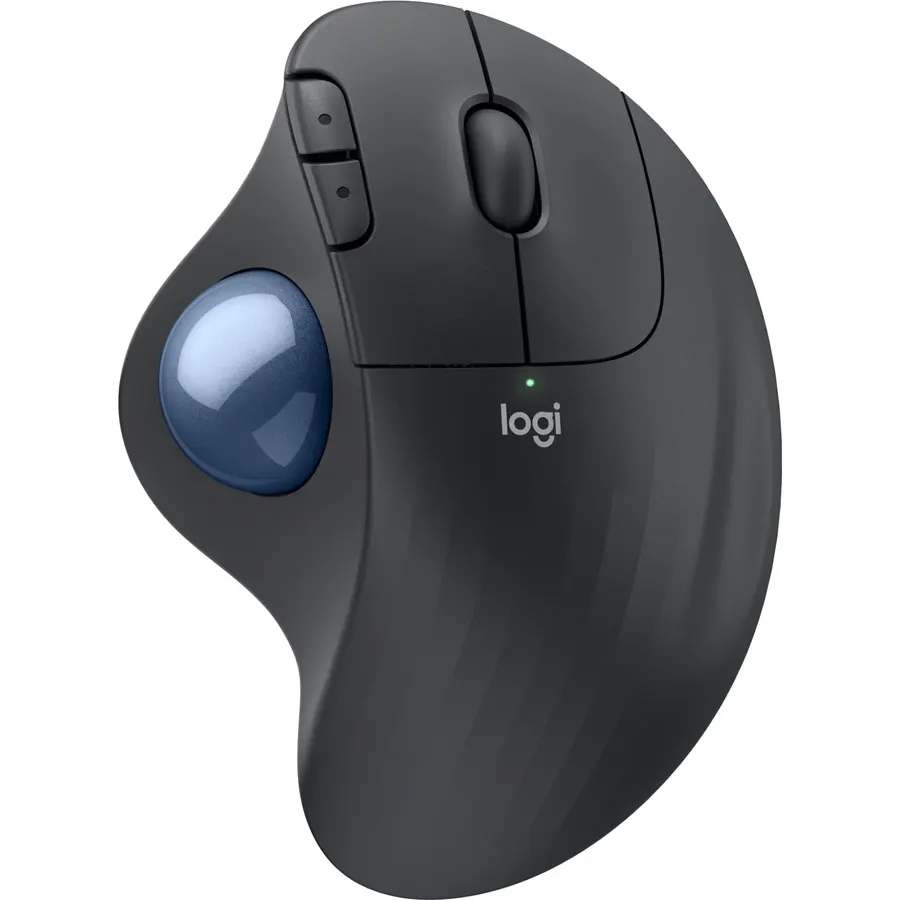
A trackball solves a different problem: instead of tilting the hand, it stops the arm from moving at all. The M575S sits still while your thumb rolls the ball, which is a relief when the pain comes from dragging a mouse across a desk all day. Logitech’s Ergo Lab measured 25 percent less forearm strain than a normal mouse. One AA battery lasts up to 18 months, it connects by Bluetooth or the receiver, and it needs almost no desk space. If you have thumb pain rather than wrist pain, look at the Trackman Marble instead.
- Your arm never moves, so the wrist and shoulder rest
- Logi Ergo Lab measured 25 percent less forearm strain than a standard mouse
- Works on a lap, a sofa arm or a crowded desk
- 2,000+ ratings at 4.4 stars
- Thumb does all the work, which some thumb-pain sufferers dislike
- Ball needs a wipe every couple of weeks
- Right-handed only
Logitech MX Ergo S Advanced Wireless Trackball Mouse USB C
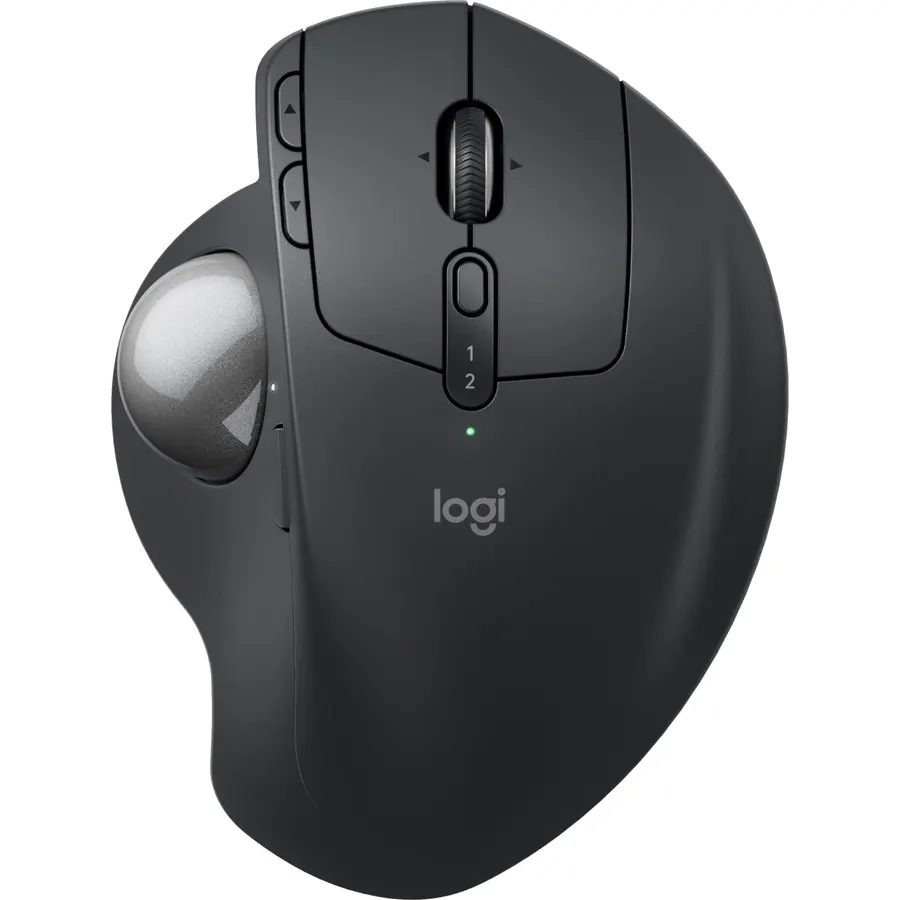
The MX Ergo S is the M575S grown up. A metal plate underneath hinges the mouse to a 20-degree tilt, so you get some of the handshake benefit of a vertical mouse on top of the stay-still benefit of a trackball. There are eight buttons, a tilt wheel for sideways scrolling, and a precision button that slows the cursor for photo editing. This version adds USB-C charging and much quieter clicks. It is the one to buy for a permanent desk if the budget allows; the M575S does most of the same job for less.
- 20-degree tilt hinge reduces forearm strain by 27 percent in Logitech's testing
- Clicks are about 80 percent quieter than the previous MX Ergo
- Precision mode button drops cursor speed for detailed work
- USB-C charging and 4.5 stars from 800+ owners
- Costs about twice as much as the M575S
- Heavy metal base, not a travel mouse
- Right-handed only
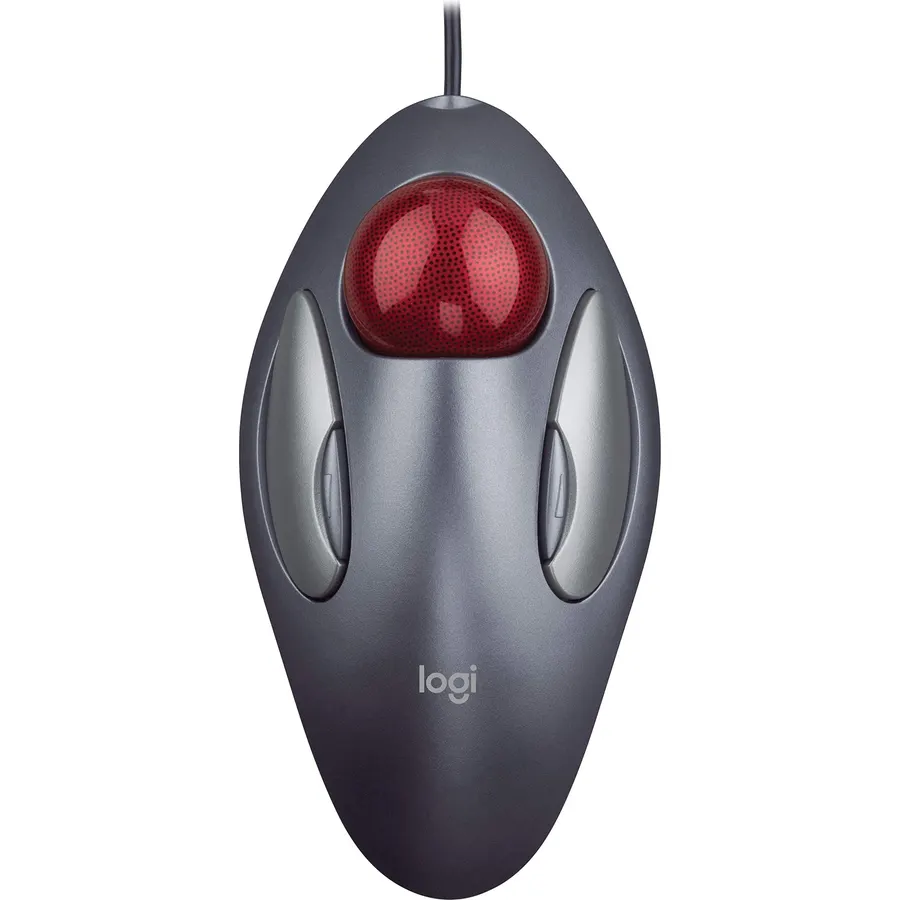
The Trackman Marble has been sold almost unchanged for two decades because it works. The large ball sits under your index and middle fingers, the shape is symmetrical, and the four buttons mirror each other, so a left-hander gets exactly the same mouse as a right-hander. Because your fingers move the ball, the thumb does nothing, which makes it the pick when the pain is at the base of the thumb. The one quirk is scrolling: there is no wheel, so you hold a side button and roll the ball. At 4.6 stars from 12,000 reviews, most owners get used to it.
- Truly ambidextrous: the same shape for left and right hands
- Fingers roll the ball, so the thumb rests
- Wired, so nothing to charge and no lag
- 12,000+ ratings at 4.6 stars, the highest on this page
- No scroll wheel: scrolling is a button-plus-ball combo
- Wired only
- Design is old and looks it
Microsoft Bluetooth Ergonomic Mouse with comfortable thumb rest
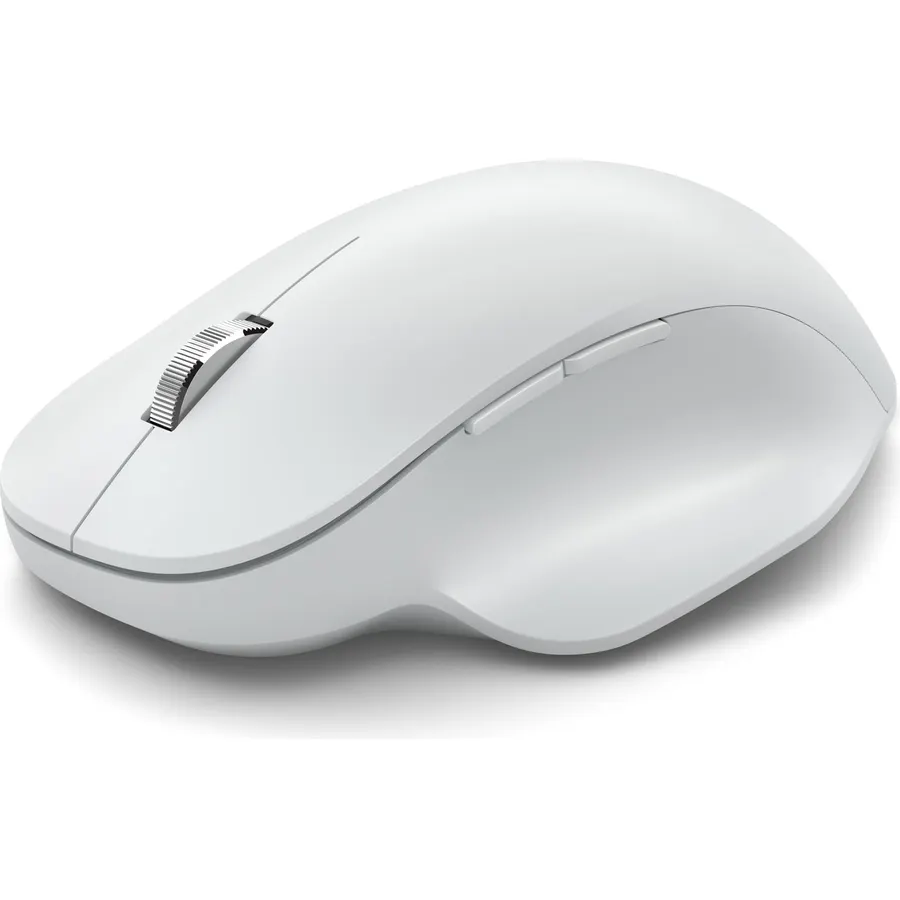
Not everyone is ready for a vertical mouse or a trackball. The Microsoft Bluetooth Ergonomic Mouse is the halfway house: it works like a regular five-button mouse, but the sculpted body and soft thumb rest roll your hand outward a little and stop you from pinching it. There is no learning curve. It pairs over Bluetooth with no receiver, has an aluminum scroll wheel and runs up to 15 months on two AA batteries. Owners rate it 4.3 stars across 2,500 reviews; the main gripe is dropped connections on laptops with weak Bluetooth. For mild discomfort rather than real pain, start here.
- Feels like a normal mouse with the hand rolled slightly outward
- Soft thumb rest keeps the hand in a natural position
- Teflon feet and a precise sensor work on most desks
- Up to 15 months on two AA batteries
- Bluetooth only, no USB receiver in the box
- Milder ergonomic effect than a vertical mouse or trackball
- Right-handed only
Compare the picks
| Product | Type | Battery | Connection | Owner rating | Our score | |
|---|---|---|---|---|---|---|
| Logitech MX VerticalLogitech | Vertical 57° | Rechargeable, ~4 months | BT + receiver | 4.4 / 15k+ | 8.8 | See price |
| Logitech Ergo M575SLogitech | Thumb trackball | 1 x AA, 18 months | BT + receiver | 4.4 / 2k+ | 8.8 | See price |
| Logitech MX Ergo SLogitech | Thumb trackball, 20° tilt | Rechargeable, USB-C | BT + receiver | 4.5 / 800+ | 9.0 | See price |
| Logitech Trackman MarbleLogitech | Finger trackball, ambidextrous | None (wired) | USB cable | 4.6 / 12k+ | 9.2 | See price |
| Microsoft Bluetooth ErgonomicMicrosoft | Sculpted thumb rest | 2 x AA, 15 months | Bluetooth | 4.3 / 2.5k+ | 8.6 | See price |
Vertical mouse or trackball?
Ask where it hurts. Pain on the inside of the wrist or in the forearm usually comes from the twisted palm-down position, and a vertical mouse fixes that directly. Pain in the shoulder or the outside of the wrist, or a tiny desk, points to the movement itself, and a trackball that keeps your arm still helps more. Thumb pain points to a finger trackball like the Trackman Marble rather than a thumb trackball.
Whichever you pick, expect three to seven days of clumsy cursor control. Almost every owner review says it feels wrong on Monday and normal a week later. Keep the old mouse in a drawer for that week, not on the desk.
Fix the reach too
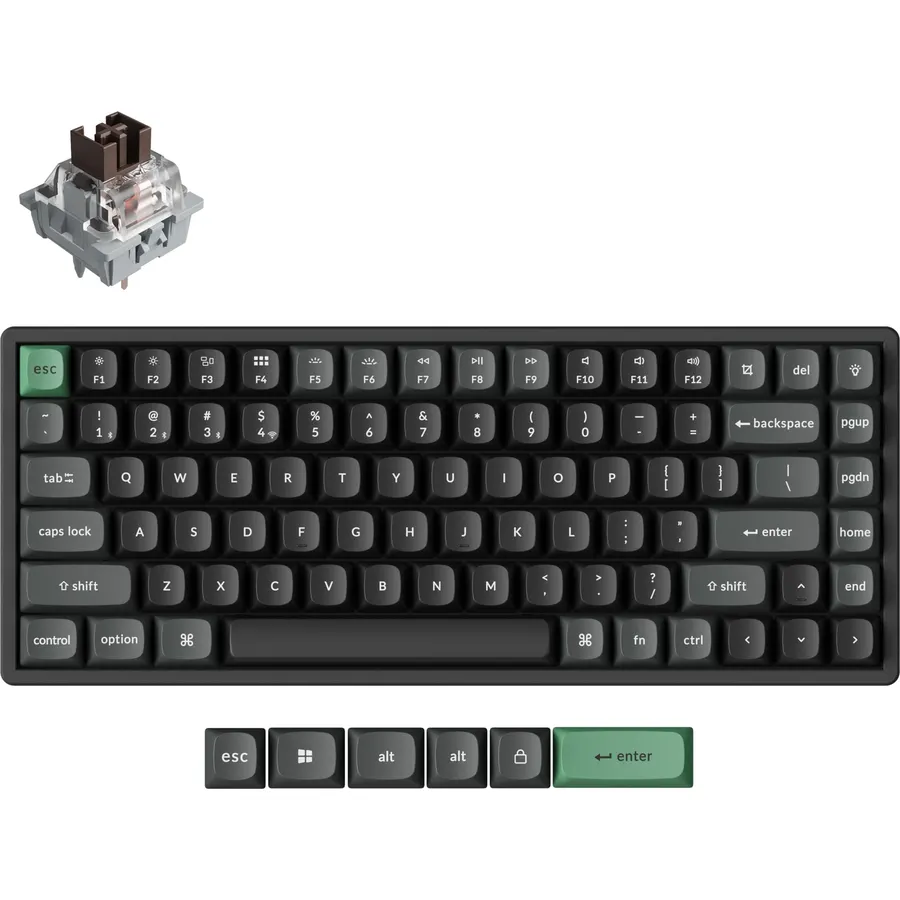
Bring the mouse close to the keyboard so your elbow stays by your side. A keyboard without a number pad, like the compact ones in our programmer keyboard guide, shortens that reach a lot.
Which mouse is best for carpal tunnel?
None of these is a treatment; see a doctor if you have numbness. That said, the MX Vertical's handshake angle takes pressure off the underside of the wrist, where the carpal tunnel sits, and owners with a diagnosis mention it most often. The Ergo M575S removes wrist movement entirely, which helps some people more.
Is there a left-handed option?
The Logitech Trackman Marble is fully symmetrical and works identically in either hand. The other four are right-handed shapes. Logitech also sells a left-handed version of its Lift vertical mouse, which we covered in our productivity mouse guide.
Do these work with a Mac?
All five work with macOS. The four Logitech mice use the Logi Options+ app for button customization on Mac and Windows. The Microsoft mouse pairs with a Mac over Bluetooth, but its Mouse and Keyboard Center software is Windows only, so its side buttons stay fixed to back and forward on a Mac.
Can I return it if it does not help?
Items sold by Amazon.com usually have a 30-day return window, enough to get past the learning curve. Check the return line under the price, because third-party sellers can set their own terms.
Prices and stock change daily. The buttons above open Amazon so you always see the current price. We may earn a commission if you buy through them, at no extra cost to you.
Do Best Deal is a participant in the Amazon Services LLC Associates Program. As an Amazon Associate we earn from qualifying purchases. If you buy through links on this site we may earn a commission, at no extra cost to you. Learn more.