A gaming mouse used to mean a hundred-dollar sensor and a cable. Today the same 1000Hz polling, 12,000-plus DPI optical sensors and 2.4GHz wireless have reached the budget shelf, and the difference between a thirty-dollar mouse and a hundred-dollar one is mostly weight, software polish and switch feel. We ranked the budget gaming mice in our mice catalog that were at or under the thirty-dollar mark at the time of writing, by sensor and polling rate, weight and shape, how they connect (wired, 2.4GHz, Bluetooth), battery life, programmable buttons and software, and what owners report after months of play.
We have not clicked every one of these ourselves; the verdicts rest on the spec sheets and on the owner review history. Prices are not printed because they change daily, and a budget mouse can drift over the cap on any given week; every button opens the live Amazon page. If the cap is fifty rather than thirty, our gaming mouse under 50 guide has the next tier up, and the pad to put it on is in our desk mats and mouse pads guide.
How we picked
- At or under the cap at the time of writing, using the price in our catalog; several picks sit well under it.
- A real gaming sensor: 1000Hz polling on every pick, and a named PixArt sensor (PAW3311) or a brand-tuned sensor where the maker says which one.
- Owner ratings of 4.2 stars or better, with most picks above a thousand reviews and the top pick above five thousand.
- Connection honesty. We note which mice do Bluetooth as well as 2.4GHz and which are wired only, and which ones drop polling rate on Bluetooth.
- Weight and shape called out for every pick, since a 43-gram honeycomb and an 85-gram ergonomic mouse suit different hands.
The picks
Razer Orochi V2 Wireless Gaming Mouse, 950 Hr Battery, Black
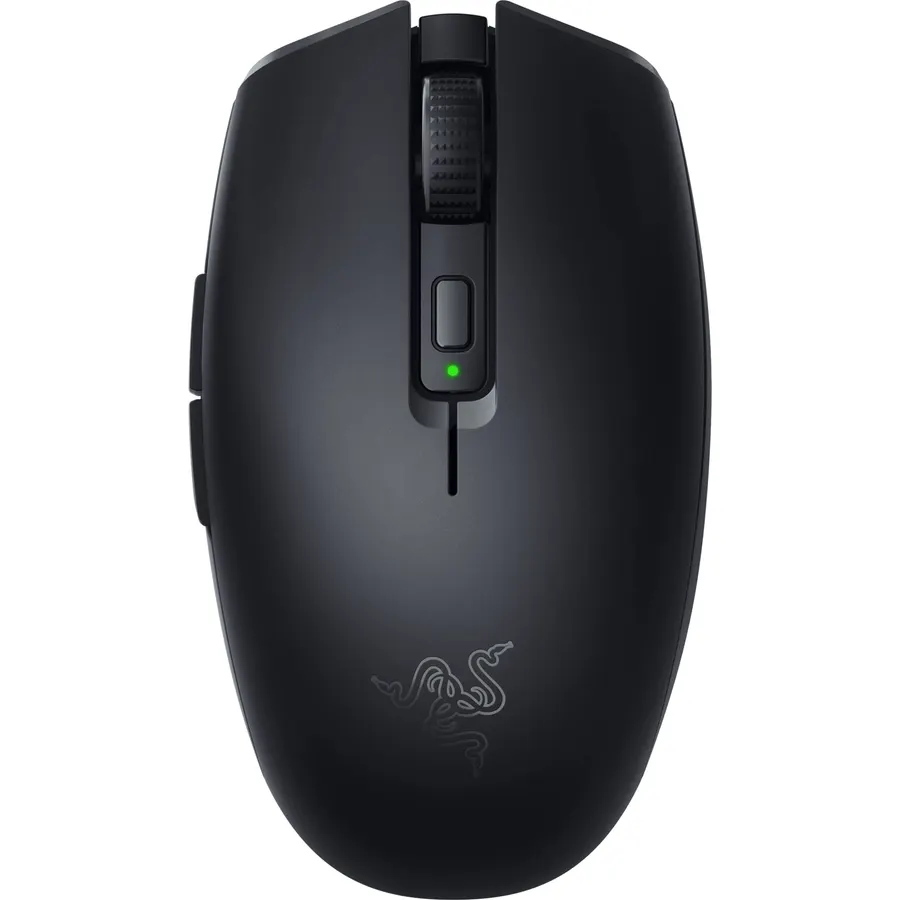
The Orochi V2 is a real Razer mouse that lives at the budget end on purpose: a compact ambidextrous shell under 60 grams, Razer’s 18K optical sensor, second-generation mechanical switches rated for 60 million clicks, and both HyperSpeed 2.4GHz and Bluetooth. Instead of a built-in cell it takes a single AA or AAA, which gives it up to 950 hours on Bluetooth and 425 on HyperSpeed, so you change a battery twice a year and never plug anything in. The compromises are the size, which suits claw and fingertip grips and small to medium hands but not a big palm, and the disposable battery itself if you would rather recharge. There is no cable mode and no lighting. For a laptop gamer or anyone with smaller hands, 5,600 owners at 4.4 stars make it the easy pick.
- 5,600 owners at 4.4 stars, the most-reviewed mouse here
- Dual wireless with no charging cable; one battery lasts months
- Razer sensor and switches at a budget price
- Light and small enough to travel with a laptop
- Small shape cramps large hands and palm grips
- Uses a disposable AA or AAA, not a built-in rechargeable
- No RGB and no wired mode
SOLAKAKA SM600 Wireless Wireless Gaming Mouse with Honeycomb Shell,Gray
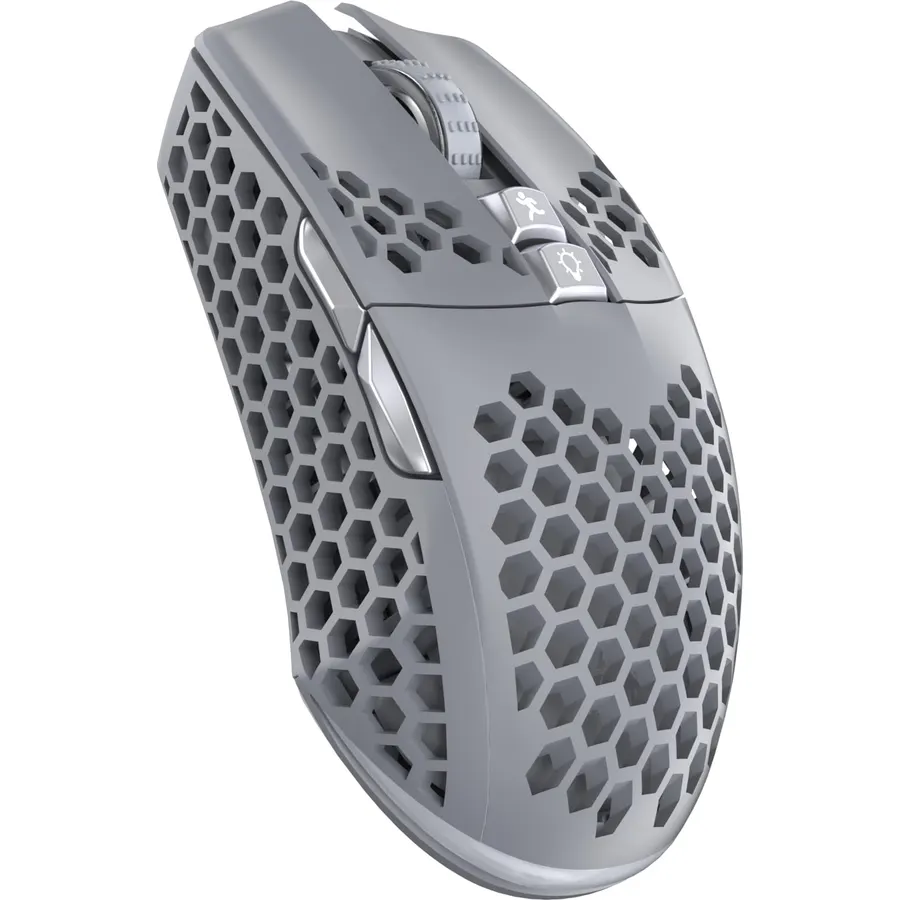
The SM600 is the budget mouse for someone who moves between a desktop, a laptop and a tablet: it pairs to two Bluetooth devices, one 2.4GHz dongle and a USB-C cable, remembers all four, and switches with a bottom button. The sensor steps from 800 to 13,200 DPI at up to 1000Hz, seven buttons are programmable with macros in the included software, and the honeycomb shell keeps the weight low and the palm ventilated. Fourteen RGB modes cycle from a top button or turn off. The honeycomb is also its weakness, because the holes fill with desk dust, and the software is a plain Windows tool with no cloud profiles. The shape is right-handed. For a multi-device setup on a tight budget, 2,200 owners rate it 4.4 stars.
- Four device slots across 2.4GHz, Bluetooth and wired
- 2,200 owners at 4.4 stars
- Seven programmable buttons and macros in free software
- Honeycomb shell keeps the palm cool and the weight down
- Honeycomb holes collect dust and crumbs
- Software is Windows only and basic
- Right-handed shape only
TECKNET Wireless Gaming Mouse,Tri-Mode 24000 DPI Ergonomic Gaming Mouse
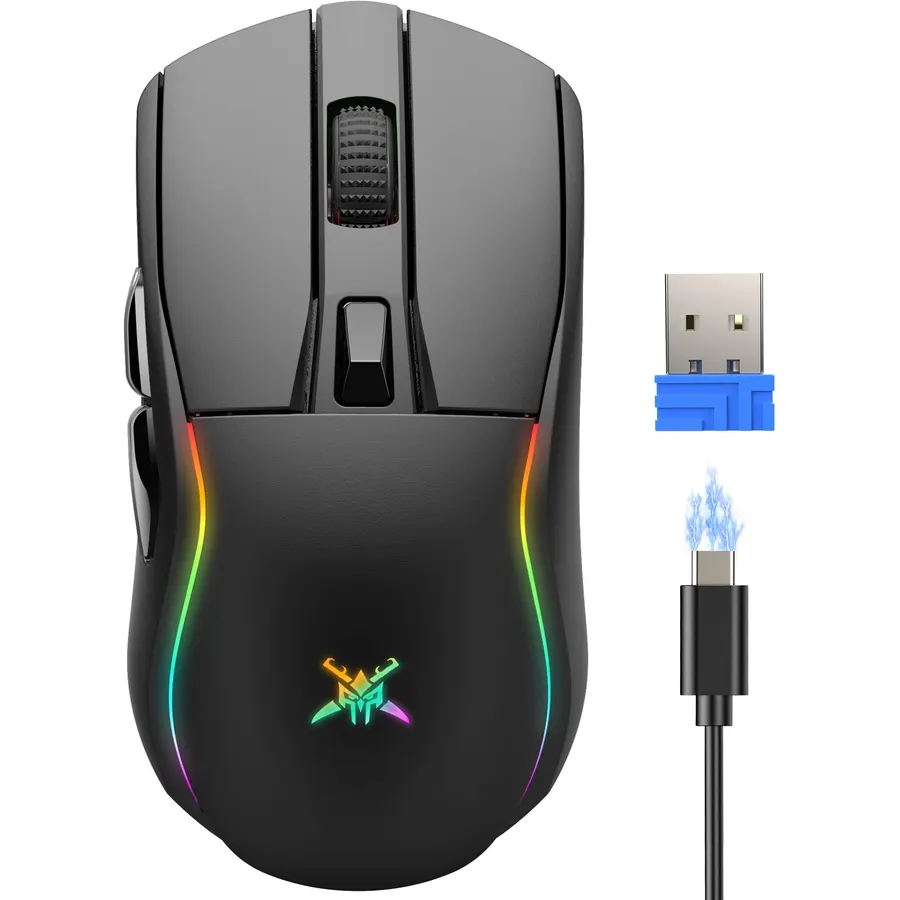
If the honeycomb look is not for you, the TECKNET Tri-Mode is a solid full-size ergonomic mouse with the same three ways to connect: 2.4GHz, Bluetooth 5.0 and a USB-C cable that also charges it. The sensor runs up to 24,000 DPI at 1000Hz polling, six buttons remap in Windows software, and the 85-gram body fills a palm grip the way the lighter mice here do not. Battery is around 100 hours with the lighting off, 40 with it on, so turn off the RGB if you hate charging. It is the heaviest mouse on this page, which rules it out for fast flick-heavy shooters, and nobody needs 24,000 DPI. For a work-and-game mouse that costs less than most pads, 1,100 owners at 4.5 stars and a 36-month warranty make it the value pick.
- Lowest price here with all three connection modes
- 1,100 owners at 4.5 stars
- Full-size ergonomic shape for palm grips
- 36-month warranty is unusual at this price
- 85g is the heaviest mouse on this page
- RGB on cuts battery to about 40 hours
- DPI numbers above 10,000 are marketing more than useful
Redragon M725 Honeycomb Shell Gaming Mouse Wireless Lightweight 49g -White
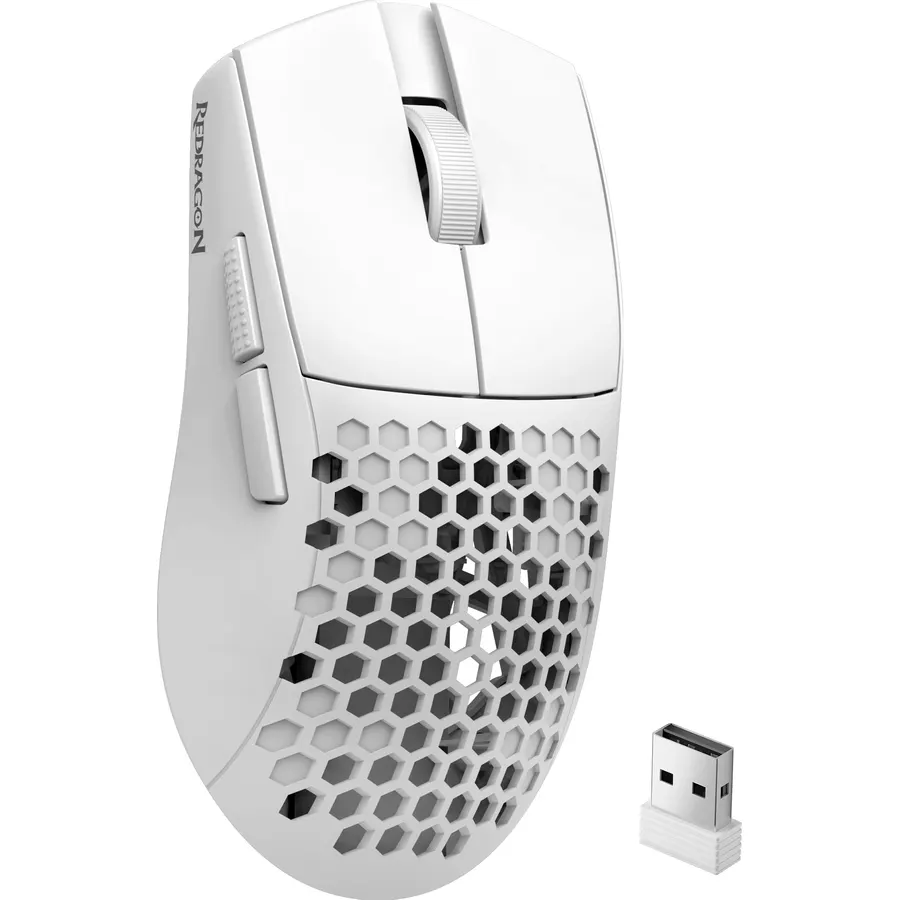
Redragon has been the budget gaming brand for a decade, and the M725 is its ultralight entry: a 49-gram symmetrical honeycomb shell with 2.4GHz, Bluetooth and USB-C wired modes, five programmable buttons, and five onboard profiles you switch with a click. The sensor tops out at 8,000 DPI, lower than the rivals on paper and irrelevant in practice, since almost nobody plays above 3,200. Redragon’s software handles macros, DPI steps and lighting and is better supported than the generic tools that ship with the no-name mice. The holes let the shell flex a little under a hard grip, and Redragon does not publish a clear battery figure, which owners note. For a light, fast shooter mouse on a budget, 1,100 owners rate it 4.4 stars.
- 49 grams, the second-lightest mouse here
- Tri-mode with 10 m range
- Redragon software is more mature than the no-name brands
- 1,100 owners at 4.4 stars
- 8,000 DPI ceiling is lower than the rest, though plenty in practice
- Honeycomb shell flexes slightly under hard grips
- Battery life is not clearly stated
SOLAKAKA SM900 Wired Gaming Mouse with Honeycomb Shell,12800 DPI,7 Programmable Buttons,Lightweight Gaming Mice
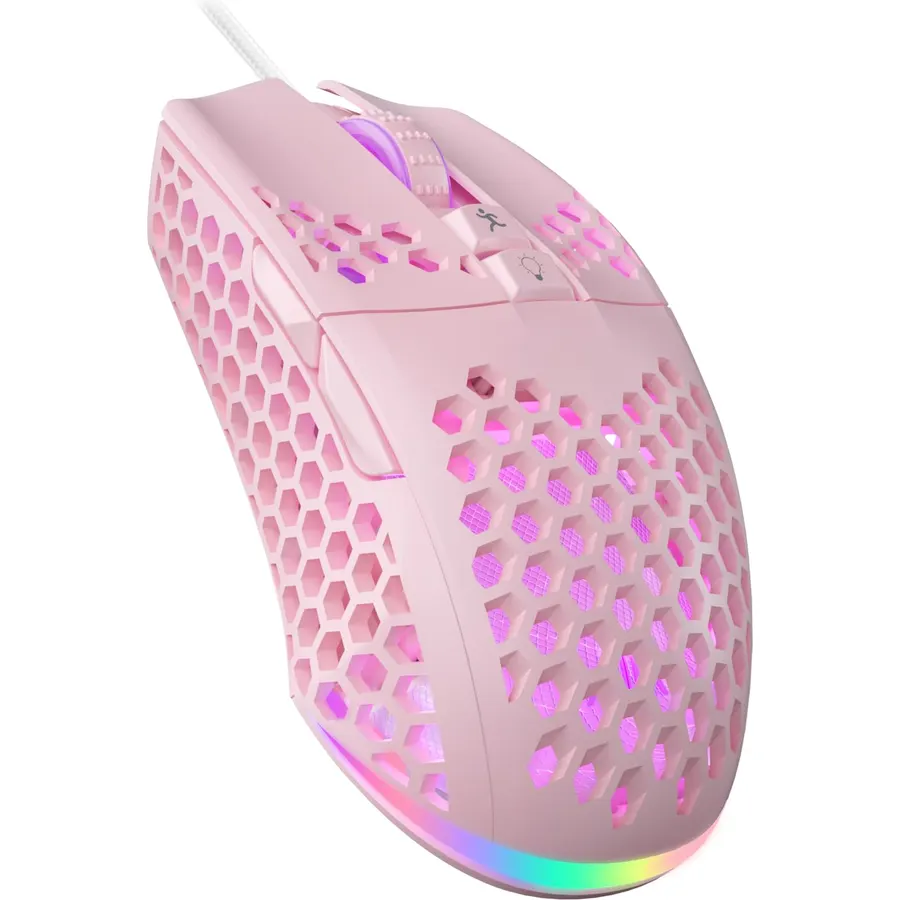
Wired is still the cheapest way to get a reliable 1000Hz connection with no battery to think about, and the SM900 is the wired honeycomb to buy: a 12,800 DPI optical sensor, seven programmable buttons, one office mode plus three gaming modes stored on the mouse, and 14 RGB effects, in a shell perforated on three sides to keep the weight and the heat down. Owners rate it 4.5 stars from 1,100 reviews, the highest rating among the budget honeycomb mice here. The cable is an ordinary rubber type rather than a soft paracord, so a mouse bungee or a pad with the cable routed well helps, the macro software is Windows only, and this particular listing is pink. For a desktop that never moves, it is the fuss-free pick.
- Nothing to charge or pair; plug in and play
- 1,100 owners at 4.5 stars
- Seven buttons with macros and four stored modes
- Honeycomb shell on three sides keeps it light and cool
- Cable is not a paracord type and can drag
- This listing is the pink colorway
- Software is Windows only
TECKNET Wireless Gaming Mouse,2.4GHz/USB-C, 1000Hz,7 Custom Buttons 13 RGB
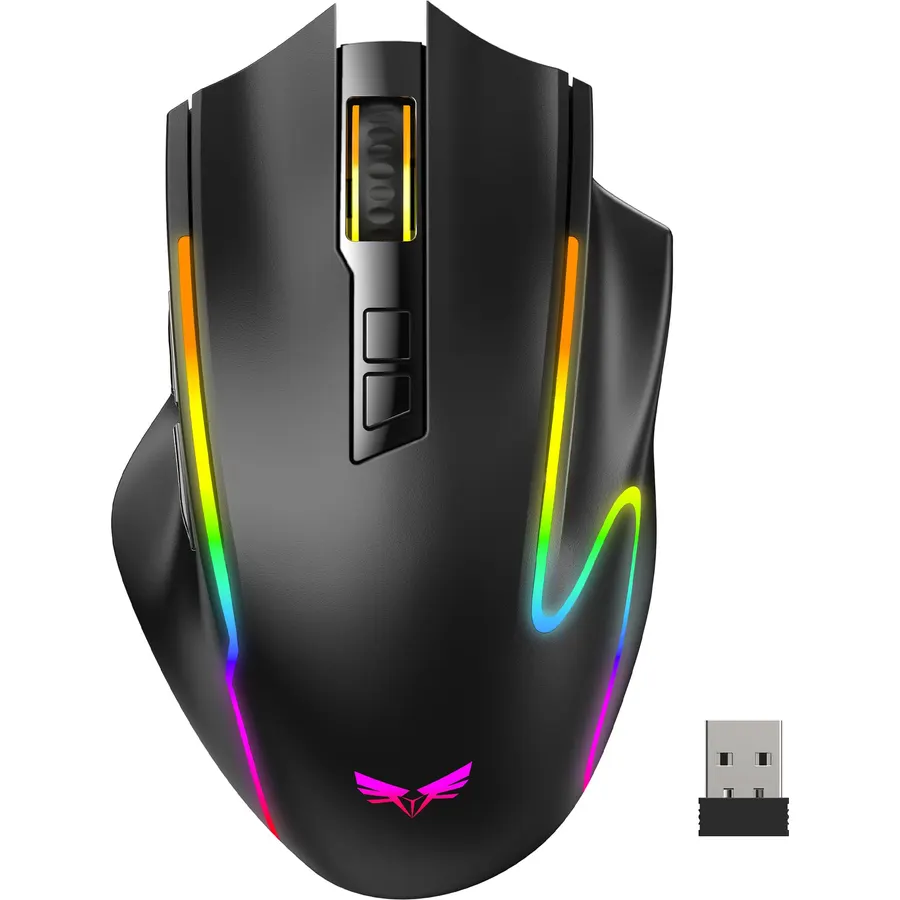
This second TECKNET trades Bluetooth for buttons: seven programmable keys, a one-click triple-burst button that fires three clicks per press, selectable 125 to 1000Hz polling, and a 700mAh battery good for about 75 hours with the lighting off. It connects over 2.4GHz or the USB-C charging cable and remembers two devices. At 4.6 stars it has the best owner rating on this page, though from a smaller group of about 520 reviews, and the 36-month warranty matches its sibling. The missing Bluetooth means it is a desktop or dedicated gaming-laptop mouse rather than a tablet companion, and the burst button is the kind of feature anti-cheat systems frown on in ranked play, so use it in single-player. For MMO and RPG players who want more buttons than a shooter mouse offers, it is the pick.
- Seven programmable buttons and a triple-click burst button
- 4.6 stars from owners, the best rating here
- 75-hour battery and USB-C charging
- Selectable polling rate to save battery
- No Bluetooth, only 2.4GHz and cable
- Fewer reviews than the others (about 520)
- Burst button is banned in some competitive games
HXMJ-Wireless Gaming Mice with Transparent Crystal Shell,Tri-Modes (USB Wired+2.4G Wireless+Bluetooth),Silent Click,RGB Backlit-White
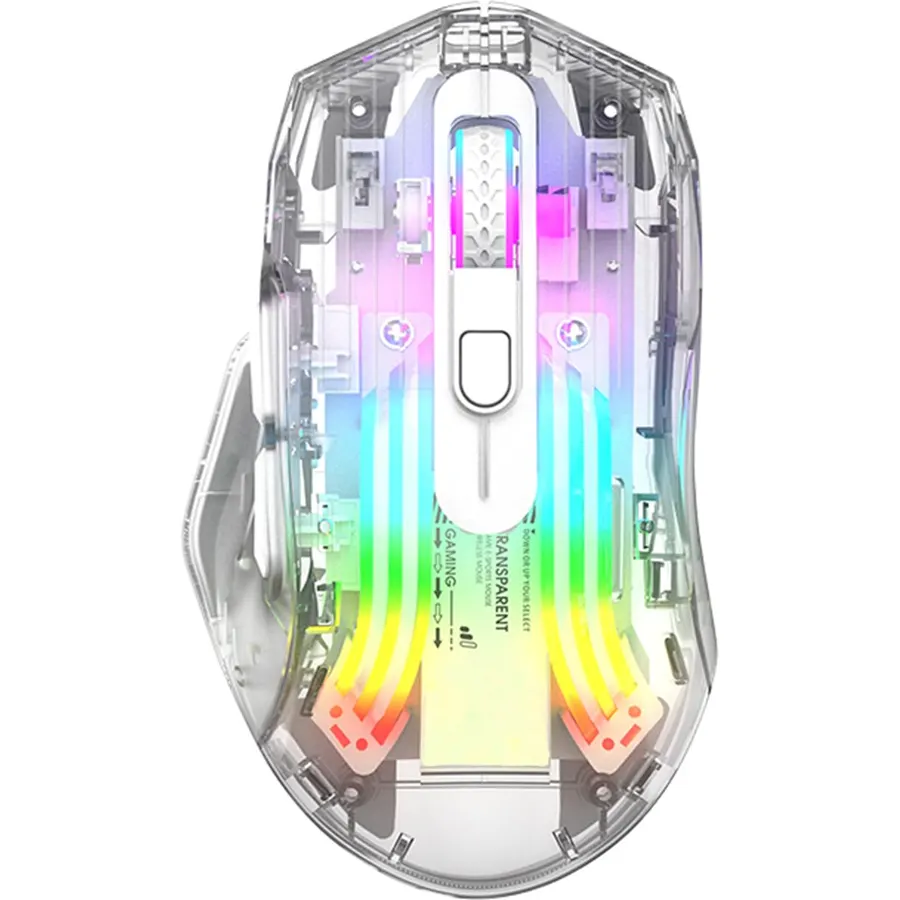
The HXMJ is here for people who want the desk to look a certain way: the whole body is clear polycarbonate over a crystal-textured inner shell, with 11 light guides carrying 13 RGB modes through it. Underneath it is a competent budget mouse with wired, 2.4GHz and Bluetooth modes, a 1000Hz polling option and silent switches rated for 20 million clicks, which makes it the one mouse here you can use beside a sleeping partner. The sensor is the weak point: 3,600 DPI and 60 inches per second tracking are fine for most games but will spin out under very fast flicks, and silent switches never feel as crisp as mechanical ones. The clear shell also records every fingerprint. Owners rate it 4.4 stars from 800 reviews, mostly about the looks and the quiet.
- Transparent shell with RGB through 11 light guides looks like nothing else at this price
- Silent clicks for shared rooms and late nights
- Tri-mode including Bluetooth
- 800 owners at 4.4 stars
- 3,600 DPI ceiling and 60 IPS tracking are the lowest here
- Silent switches feel mushier than mechanical ones
- The clear shell shows fingerprints and scratches
RK ROYAL KLUDGE RK M30 Wireless Gaming Mouse, 43g Ultra-Lightweight Computer Mouse with 2.4GHz/Bluetooth/USB-C, 24000 DPI
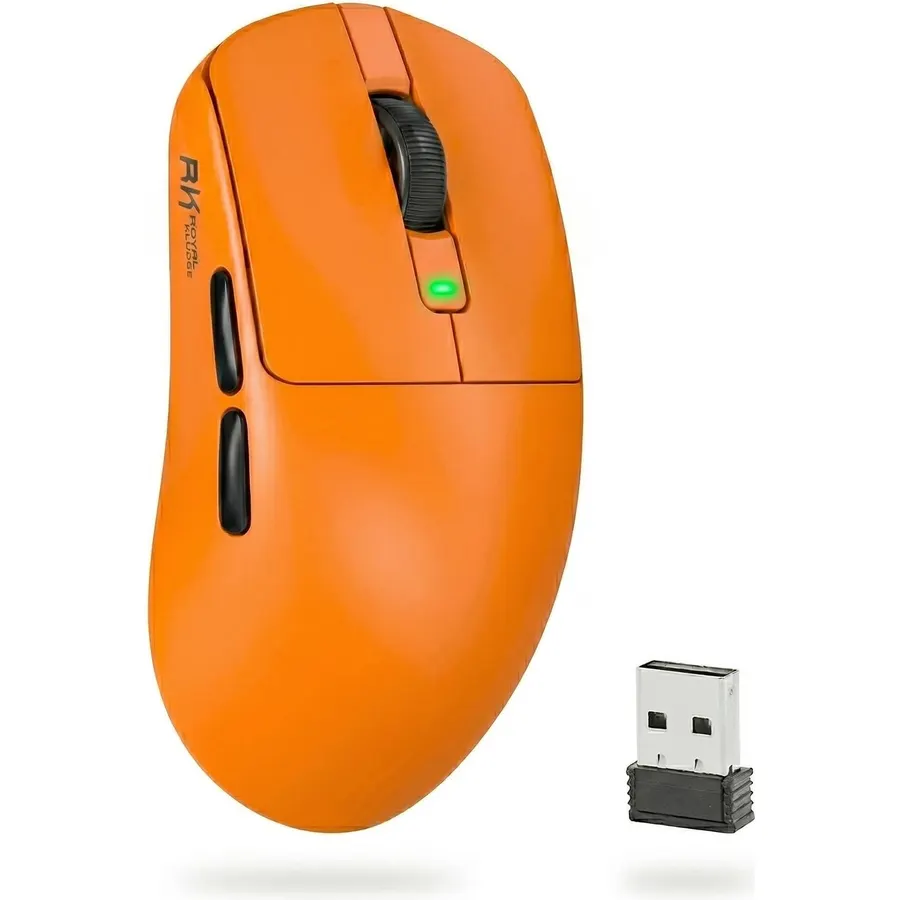
The RK M30 is the spec-sheet winner of the group: 43 grams in a solid shell with no holes, a PixArt PAW3311 sensor at 1000Hz with 300 IPS tracking and 35G acceleration, tri-mode connection and a 650mAh battery rated for 80 hours. Those are numbers that belonged to premium mice a few years ago. Five buttons remap in RK’s browser-based driver, so there is nothing to install. The reasons it sits last are the owner rating, 4.2 stars from a smaller group of about 380 reviews with a few complaints about side-button feel and dongle range, and a very small shell that only fingertip and claw grippers will enjoy. This listing is also the orange one. For a competitive shooter player on a budget who wants the lightest option, it is still worth a look.
- 43 grams with a named PAW3311 sensor, specs that used to cost three times as much
- Solid shell, no honeycomb holes
- Tri-mode and 80-hour battery
- Web-based driver, nothing to install
- 4.2 stars from about 380 owners, the lowest rating here
- Small shell suits fingertip and claw grips only
- This listing is the orange colorway
Compare the picks
| Product | Connection | Weight | Sensor / DPI | Buttons | Owner rating | Our score | |
|---|---|---|---|---|---|---|---|
| Razer Orochi V2Razer | 2.4GHz + Bluetooth | Under 60g | Razer 18K | 6 | 4.4 (5,600+) | 8.8 | See price |
| SOLAKAKA SM600SOLAKAKA | 2.4GHz + 2x BT + USB-C | Honeycomb, light | 13,200 DPI | 7 | 4.4 (2,200+) | 8.8 | See price |
| TECKNET Tri-ModeTECKNET | 2.4GHz + BT + USB-C | 85g | 24,000 DPI | 6 | 4.5 (1,100+) | 9.0 | See price |
| Redragon M725Redragon | 2.4GHz + BT + USB-C | 49g | 8,000 DPI | 5 | 4.4 (1,100+) | 8.8 | See price |
| SOLAKAKA SM900SOLAKAKA | Wired | Honeycomb, light | 12,800 DPI | 7 | 4.5 (1,100+) | 9.0 | See price |
| TECKNET 7-buttonTECKNET | 2.4GHz + USB-C | Standard | 8,000 (12,800) DPI | 7 + burst | 4.6 (520+) | 9.1 | See price |
| HXMJ crystal shellHXMJ | Wired + 2.4GHz + BT | Standard | 3,600 DPI | 6, silent | 4.4 (800+) | 8.8 | See price |
| RK M30RK ROYAL KLUDGE | 2.4GHz + BT + USB-C | 43g | PAW3311, 24,000 | 5 | 4.2 (380+) | 8.4 | See price |
Wired, 2.4GHz or Bluetooth?
For gaming, wired and 2.4GHz are equivalent: both run at 1000Hz with about one millisecond of latency, and the dongle just removes the cable. Bluetooth is for laptops and tablets; it saves battery (the Orochi V2 goes from 425 hours to 950) but polls at 125Hz or so on most mice, which is noticeable in a shooter. Every pick except the wired SM900 and the 2.4GHz-only TECKNET 7-button does all three. The practical rule: game on the dongle, browse on Bluetooth, and keep the USB-C cable for charging and emergencies.
Weight and shape
Weight is the one spec you feel instantly. The 43-gram RK M30, 49-gram Redragon M725 and sub-60-gram Orochi V2 flick fast and tire the wrist least, but all three are small shells that suit fingertip and claw grips and small to medium hands. The 85-gram TECKNET Tri-Mode and the full-size SM600 and SM900 fill a palm grip and feel planted for slower, precise games. Honeycomb shells save weight at the cost of dust in the holes; the RK M30 proves a solid shell can be just as light. If you are not sure of your grip, a medium symmetrical mouse like the SM600 is the safest start.
What you give up under $30
Three things, mostly. Switches: only the Orochi V2 has brand-name mechanical switches with a published 60-million-click rating, and the silent HXMJ feels mushy by comparison. Software: Razer and Redragon have mature tools; the others ship basic Windows utilities with no cloud profiles and no Mac support. Build consistency: a 4.4-star budget mouse has more reports of a flaky side button or a short dongle range than a 4.6-star premium one, which is why we lean on review volume. None of these matter much at 60 frames per second on a weeknight. If they start to, our Razer gaming mice guide shows what the next hundred dollars buys.
Is a gaming mouse under $30 good enough for competitive shooters?
Yes for most players. The Orochi V2, RK M30 and Redragon M725 all run 1000Hz polling with sensors that do not spin out at normal swipe speeds. What you lose versus a premium mouse is a few grams, better switches and software polish, not aim.
Do honeycomb mice break or let in dust?
They let in dust, crumbs and sweat, which you clean with a soft brush or compressed air every few weeks. Breakage is rare; the shells flex slightly under a hard grip but owner reviews for the SM600, SM900 and M725 do not show a cracking pattern.
Does Bluetooth add lag for gaming?
A little. Most budget mice poll at 125Hz over Bluetooth versus 1000Hz over 2.4GHz or cable, so the cursor updates eight times less often. It is fine for strategy games and desktop work; use the dongle or the cable for shooters.
Is a replaceable AA battery better than a rechargeable one?
It depends on habit. The Orochi V2 runs months on one AA and never needs a cable, but you buy batteries. Rechargeable mice like the TECKNET and RK M30 last 40 to 100 hours and charge over USB-C while you keep playing in wired mode.
Which of these work with a Mac?
All of them move the cursor and click on macOS over Bluetooth or the dongle. Button remapping and lighting software is Windows only for every pick except the RK M30 browser driver and Razer Synapse, which has a Mac version for the Orochi V2.
Prices and stock change daily. The buttons above open Amazon so you always see the current price. We may earn a commission if you buy through them, at no extra cost to you.
Do Best Deal is a participant in the Amazon Services LLC Associates Program. As an Amazon Associate we earn from qualifying purchases. If you buy through links on this site we may earn a commission, at no extra cost to you. Learn more.