Razer sells more gaming mice on Amazon than any other brand, and the line-up is confusing on purpose: Viper, Basilisk, DeathAdder, Naga, Orochi, each in three or four versions. The five below are the Razer mice owners buy most and rate best, chosen so that each one answers a different question: lightest, best wireless value, best ergonomic wired, most buttons, and the one that fits a laptop bag.
We ranked them by sensor, weight, switch type and owner reviews from our catalog. We have not clocked every one on a test bench; the verdicts lean on Razer’s spec sheets and what thousands of owners report after months of use. Prices are not printed because they change daily; every button opens the live Amazon page.
How we picked
- One mouse per job. Lightweight shooter mouse, all-round wireless, ergonomic wired, MMO, and portable, so the list is a decision tree rather than five near-identical mice.
- Current sensors. Every pick uses an optical sensor of 8,500 DPI or more with no acceleration; the old 3,500 DPI models were skipped.
- Switch life. Razer’s optical or Gen-2 mechanical switches rated 50-70 million clicks.
- Owner ratings of 4.3 stars or better from the mice catalog, favoring models with thousands of reviews.
- Razer only, by request; our gaming mouse under $50 and ergonomic mouse guides compare brands.
The picks
Razer Viper Mini Ultralight Gaming Mouse: Fastest Gaming Switches - 8500 DPI Optical Sensor - Chroma RGB Underglow Lighting - 6 Programmable Buttons - Drag-Free Cord - Classic Black
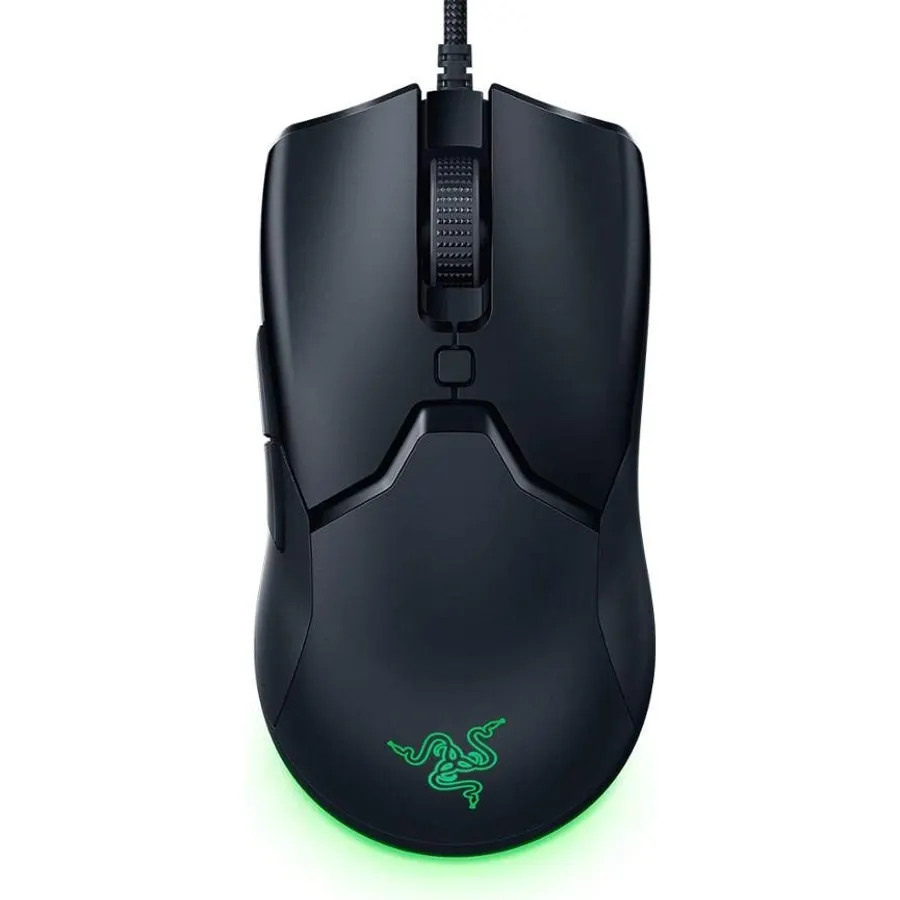
The Viper Mini is the mouse that made ultralight mainstream, and it is still the best-rated Razer mouse on Amazon: 4.7 stars from more than 21,000 owners. It weighs 61 grams with a solid shell, uses Razer’s optical switches so the left click cannot develop the double-click fault that plagued older mechanical mice, and its Speedflex cable drags so little that most owners never wanted a wireless version. The one real limit is size: it suits small-to-medium hands and claw or fingertip grips. Large-palm players should look at the Basilisk.
- 61 grams without holes in the shell
- Optical switches cannot double-click from wear
- Over 21,000 owners at 4.7 stars, the best-rated Razer mouse we track
- Cheapest way into Razer Synapse and Chroma
- Small: made for fingertip and claw grips, not large palms
- 8,500 DPI is plenty but lower than the rest
- Wired only
Razer Basilisk V3 X HyperSpeed Customizable Wireless Gaming Mouse: Mechanical Switches Gen-2-5G Advanced 18K Optical Sensor - Chroma RGB - 9 Programmable Controls - White
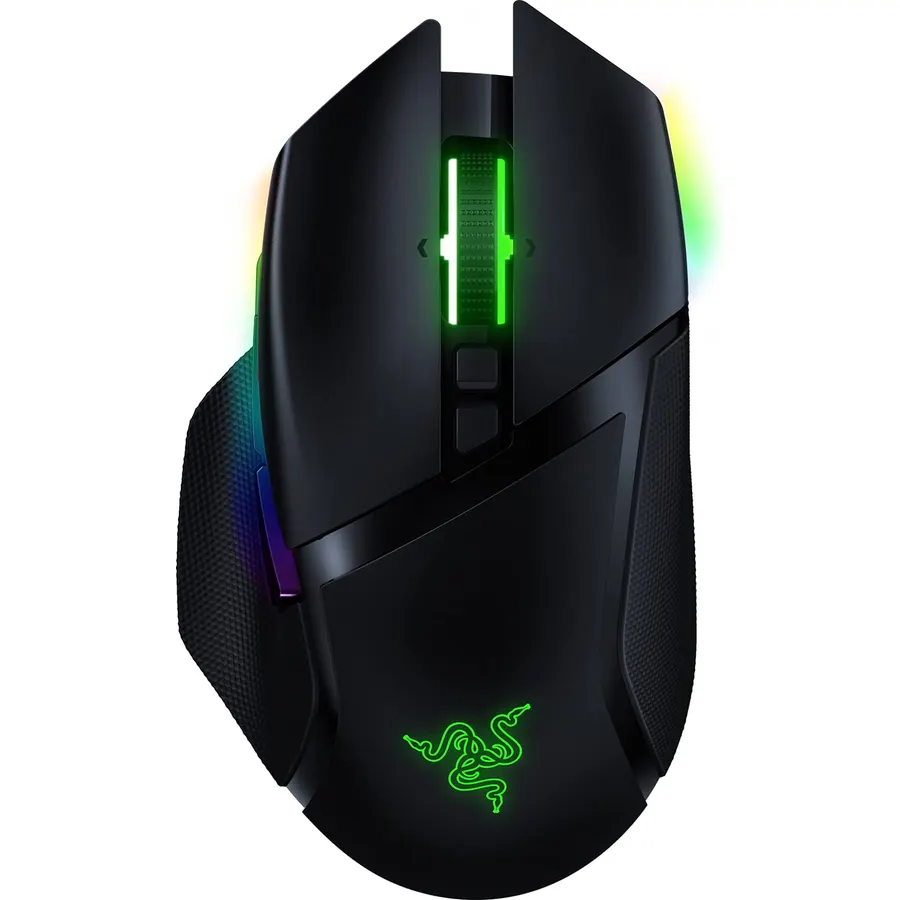
The Basilisk V3 X HyperSpeed is the sensible wireless Razer: an ergonomic shape with a thumb rest, nine programmable controls, an 18K sensor and both HyperSpeed 2.4 GHz and Bluetooth, running up to 285 hours on a single AA. It keeps the price down by skipping the rechargeable cell and the fancy scroll wheel of the V3 Pro, which almost nobody misses. Owners rate it 4.3 stars across 12,000 reviews; the complaints are weight (110 g with the battery) and the right-hand-only shape, both inherent to the design.
- Dual wireless: lag-free HyperSpeed for games, Bluetooth for a laptop
- Up to 285 hours on one AA battery
- Ergonomic right-hand shape with a thumb rest
- Half the price of the full Basilisk V3 Pro
- Heavier than the wired Viper and Orochi
- AA battery rather than rechargeable
- Right-handed only
Razer Basilisk V3 Customizable Ergonomic Gaming Mouse + Gaming Mouse Bungee V3 Chroma Bundle
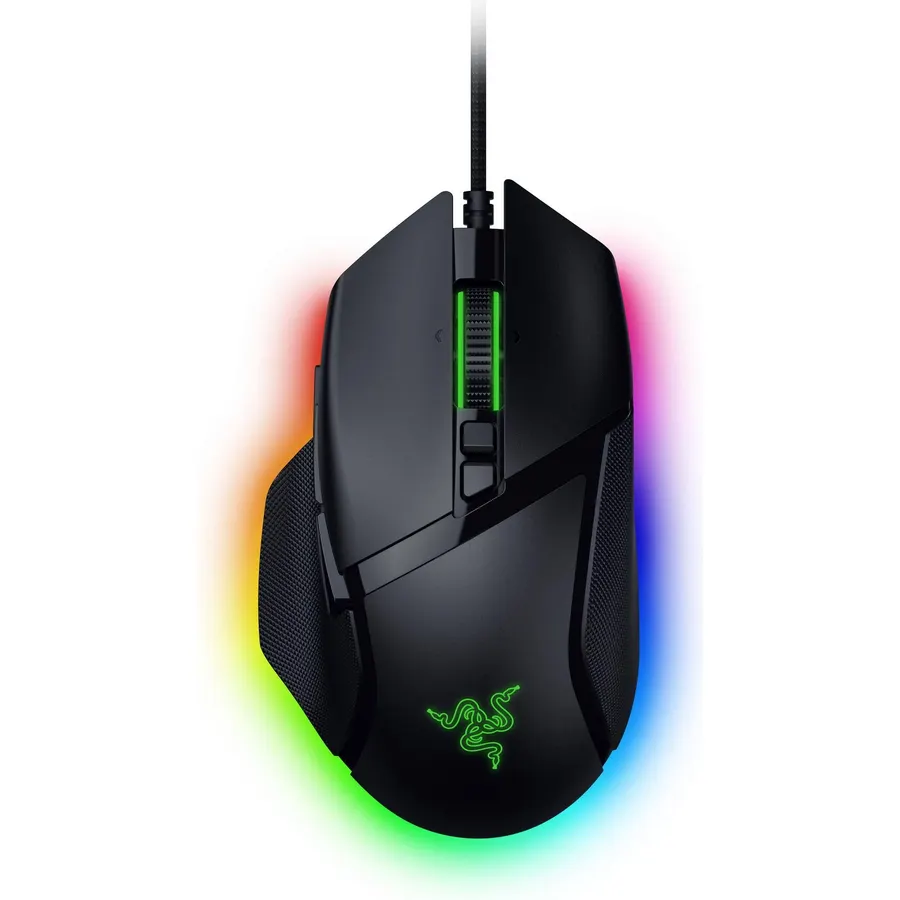
The Basilisk V3 is Razer’s ergonomic workhorse, and this bundle pairs it with the Bungee V3 Chroma, the cable holder that makes a wired mouse feel wireless. You get a 26K Focus+ sensor, Gen-2 optical switches, a tilt scroll wheel that switches between notched and free-spin, and 11 programmable controls including the clutch paddle under the thumb. At 101 grams it is not an ultralight, but palm-grip players with large hands rate it 4.6 stars, and the bungee stops the only complaint a wired mouse normally gets.
- Free-spin HyperScroll wheel and 11 controls
- Optical switches with no double-click wear
- Bundle includes the Bungee V3 Chroma, which fixes cable drag
- 4.6 stars from almost 10,000 owners
- 101 g is mid-weight
- Right-handed only
- Thumb paddle is easy to press by accident at first
Razer Naga Trinity Gaming Mouse: 16,000 DPI Optical Sensor - Chroma RGB Lighting - Interchangeable Side Plate w/ 2, 7, 12 Button Configurations - Mechanical Switches
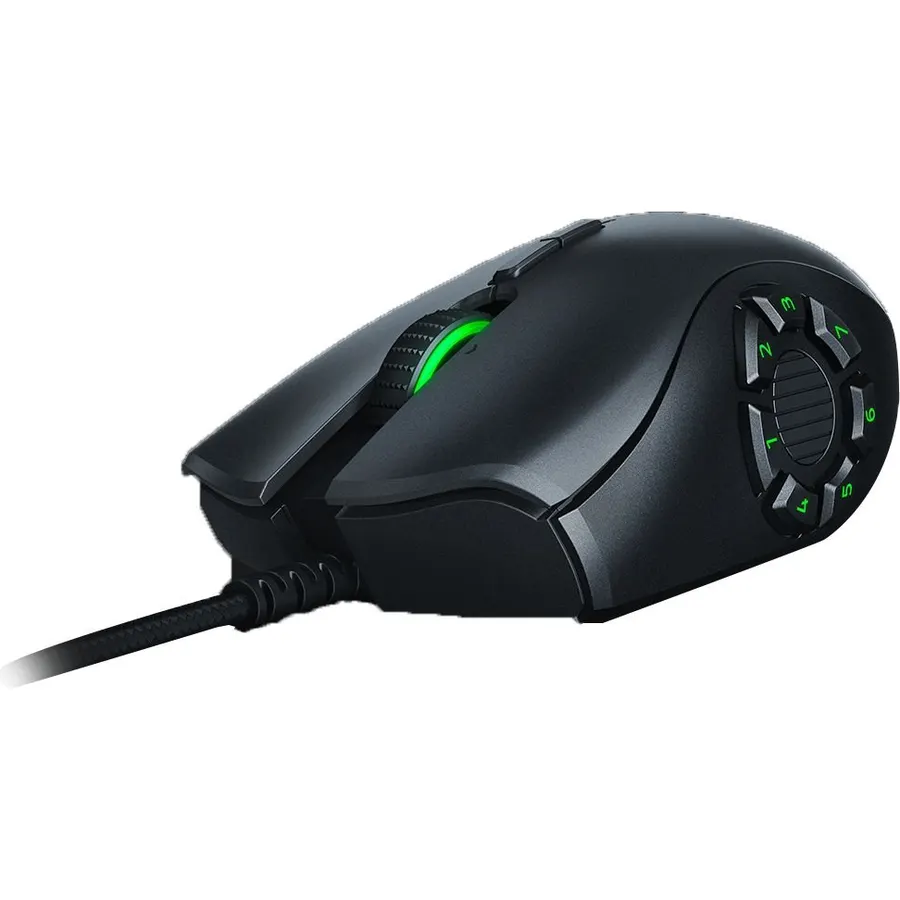
The Naga Trinity is the mouse for anyone whose game, or job, needs more buttons than a hand has fingers. Three magnetic side plates give you 2, 7 or 12 thumb buttons; the 12-button grid is the one MMO players buy it for, and video editors and spreadsheet users map it to macros. The 16K sensor is more than enough, and 15,000 owners rate it 4.5 stars. It is heavy and uses Razer’s older mechanical switches, so it is not a shooter mouse; it is a tool.
- Three swappable side plates: 2, 7 or 12 thumb buttons
- The 12-button grid maps a whole MMO hotbar or a spreadsheet macro set
- 15,000 owners at 4.5 stars
- Side plates click on magnetically in seconds
- 120 g, the heaviest here
- Older mechanical switches, not optical
- The 12-button plate takes a week to learn
Razer Orochi V2 Wireless Gaming Mouse Ultra Lightweight & Portable, Bluetooth & 2.4Ghz Wireless Connectivity, 18K DPI, Up to 950hrs Battery Life, Compatible with PC & Mac White
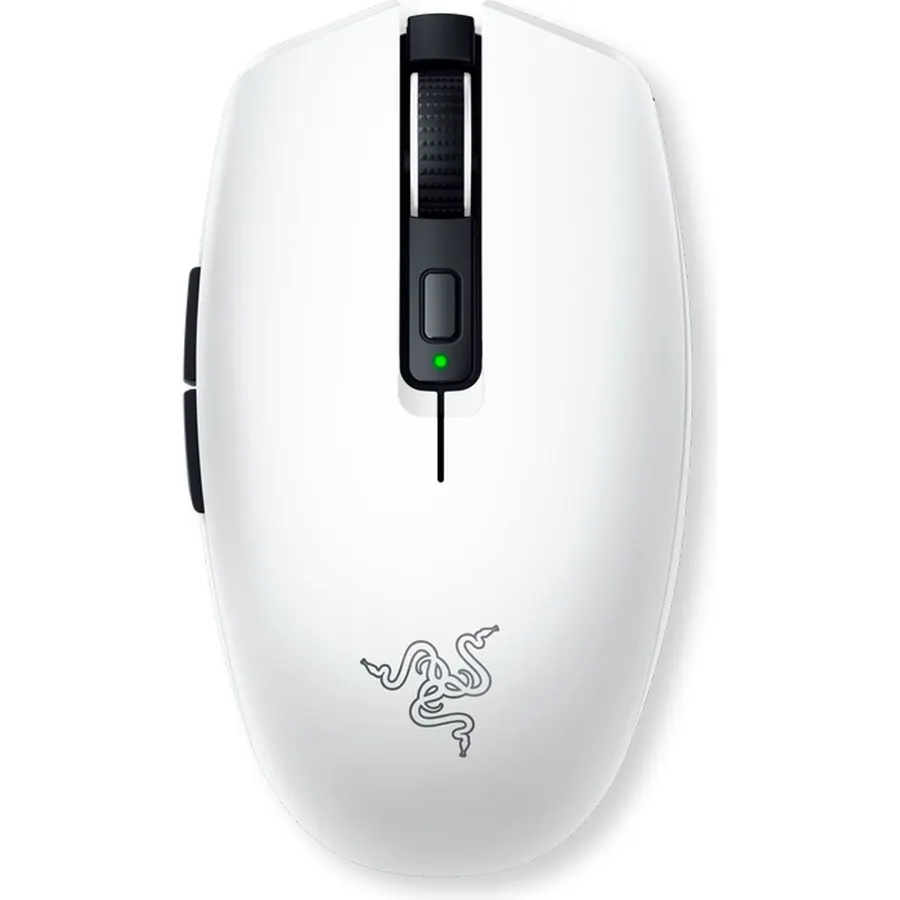
The Orochi V2 is the Razer mouse that lives in a laptop bag. Sixty grams without the battery, an 18K sensor, Bluetooth plus a HyperSpeed dongle that stores in the shell, and a battery life measured in hundreds of hours rather than days. It is a proper gaming mouse at a hotel desk and a proper office mouse on a plane. The compact shape suits small and medium hands; 5,600 owners rate it 4.4 stars, with the only recurring complaint being that large hands cramp on it.
- 60 grams and the size of a bar of soap: fits any laptop sleeve
- Up to 950 hours on one AA, or 425 on HyperSpeed
- Bluetooth and 2.4 GHz dongle, which stores inside the mouse
- Works as a travel office mouse too
- Small for large hands
- AA or AAA battery, not rechargeable
- No RGB, if that matters to you
Compare the picks
| Product | Weight | Sensor | Connection | Owner rating | Our score | |
|---|---|---|---|---|---|---|
| Viper MiniRazer | 61 g | 8,500 DPI optical | Wired | 4.7 (21,000+) | 9.4 | See price |
| Basilisk V3 X HyperSpeedRazer | 110 g (with AA) | 18,000 DPI optical | 2.4 GHz + Bluetooth | 4.3 (12,000+) | 9.8 | See price |
| Basilisk V3 + BungeeRazer | 101 g | 26,000 DPI optical | Wired + bungee | 4.6 (9,800+) | 9.8 | See price |
| Naga TrinityRazer | 120 g | 16,000 DPI optical | Wired | 4.5 (15,000+) | 9.0 | See price |
| Orochi V2Razer | 60 g (no battery) | 18,000 DPI optical | 2.4 GHz + Bluetooth | 4.4 (5,500+) | 8.8 | See price |
Viper, Basilisk, DeathAdder, Naga: what the names mean
Razer’s families map to hand shape and use. Viper is the symmetrical, lightweight line for claw and fingertip grips and fast shooters. Basilisk is the ergonomic right-handed line with a thumb rest and extra controls, for palm grips and all-round play. DeathAdder is the classic large ergonomic shape without the Basilisk’s extras; it is not in this list only because the current V3 models had fewer reviews in our catalog than the Basilisks. Naga is the many-button MMO line. Orochi is the compact travel line. Within each family, “X” or “HyperSpeed” means the cheaper wireless model, “Pro” the flagship with a rechargeable battery and the fastest polling.
Wired or wireless, and does weight matter?
For competitive shooters, a light wired mouse with optical switches (the Viper Mini) is still the safest buy: no battery, no latency question, no charging. Razer’s HyperSpeed wireless is as fast as a cable in practice, so the Basilisk V3 X and Orochi V2 give up nothing except weight, and both run for months on a AA. Weight matters most for fast flick aiming at low sensitivity; for MMOs, strategy and office work, a heavier mouse with more buttons wins. Whichever you pick, a proper surface helps: see our desk mats and mouse pads guide, and pair the mouse with a keyboard built for gaming or a quiet keyboard for a shared office.
Which Razer mouse is best for small hands?
The Viper Mini (wired) or the Orochi V2 (wireless). Both are compact, symmetrical shapes around 60 grams. The Basilisk and Naga are full-size ergonomic mice that small hands find long.
Do Razer mice need Synapse software?
No. Every pick works at its default DPI steps with no software. Synapse is only needed to remap buttons, change RGB, or save profiles to the onboard memory, and once a profile is saved you can uninstall it.
Is the Basilisk V3 X HyperSpeed worth it over the Basilisk V3 Pro?
For most people, yes. The X keeps the shape, sensor class and HyperSpeed wireless, and swaps the rechargeable battery and free-spin wheel for a AA that lasts 285 hours. The Pro adds a faster 30K sensor and the HyperScroll wheel at roughly twice the price.
Are Razer mice good for work, not just games?
The Basilisk V3 (wired) and the Naga Trinity are excellent office mice because of their programmable buttons and, on the Basilisk, the free-spin wheel for long documents. The Orochi V2 is a top travel mouse. The Viper Mini is small and light, which some people prefer and others find tiring for eight-hour days.
Prices and stock change daily. The buttons above open Amazon so you always see the current price. We may earn a commission if you buy through them, at no extra cost to you.
Do Best Deal is a participant in the Amazon Services LLC Associates Program. As an Amazon Associate we earn from qualifying purchases. If you buy through links on this site we may earn a commission, at no extra cost to you. Learn more.