You do not need a flagship mouse to play well. Sensors in mid-range gaming mice stopped being the weak link years ago; the money now goes to weight, wireless and switch life. We kept five gaming mice that sat under $50 at the time of writing, each with thousands of owner reviews behind it.
For an office mouse see our productivity picks or the compact travel list; this page is only about mice built for games. Prices are not printed because they change daily; every button opens the live Amazon page.
How we picked
- A proper gaming sensor. Every pick tracks at least 10,000 DPI with no acceleration; three use current 18K to 30K sensors.
- Owner ratings of 4.2 stars or higher over at least 1,700 reviews, with click and scroll wheel reliability holding up in long-term reviews.
- Real gaming shapes. Ergonomic right-handed and ambidextrous options, with weights from 59 g to about 110 g.
- Wired and wireless. Two picks are wireless with 2.4 GHz and Bluetooth; three are wired, still the cheapest way to get a good sensor.
The picks
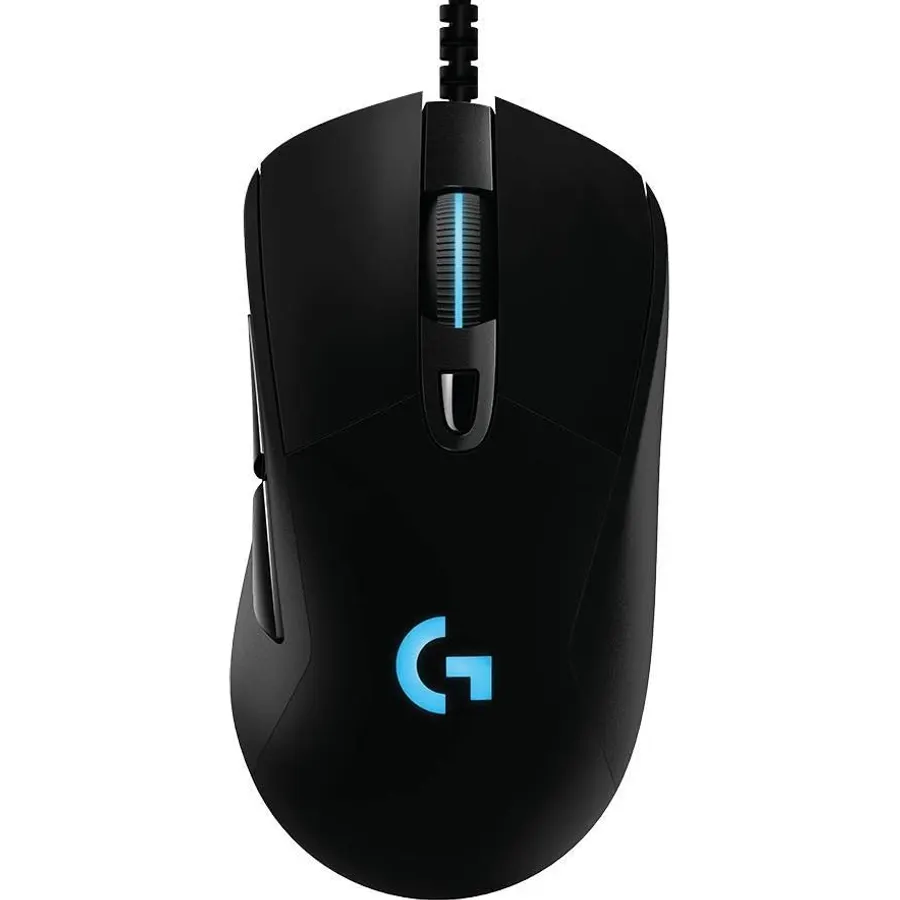
The G403 Hero is the mouse we would hand to someone who wants a good gaming mouse and no further research. The Hero sensor is the same family Logitech uses in its far more expensive wireless mice, the shape is a gentle right-handed hump that suits palm and claw grips, and at 87 g it is light without a honeycomb shell. Owners rate it 4.5 stars over more than 3,800 reviews; the main complaint is the plain rubber cable, which a mouse bungee fixes. We have not tested this exact unit.
- Hero sensor tracks 1:1 with no smoothing
- Comfortable right-handed shape with rubber side grips
- Removable 10 g weight to tune the feel
- 3,800+ ratings at 4.5 stars, the highest here
- Right-handed only
- Wired, and the cable is rubber rather than paracord
- G HUB software can be clunky
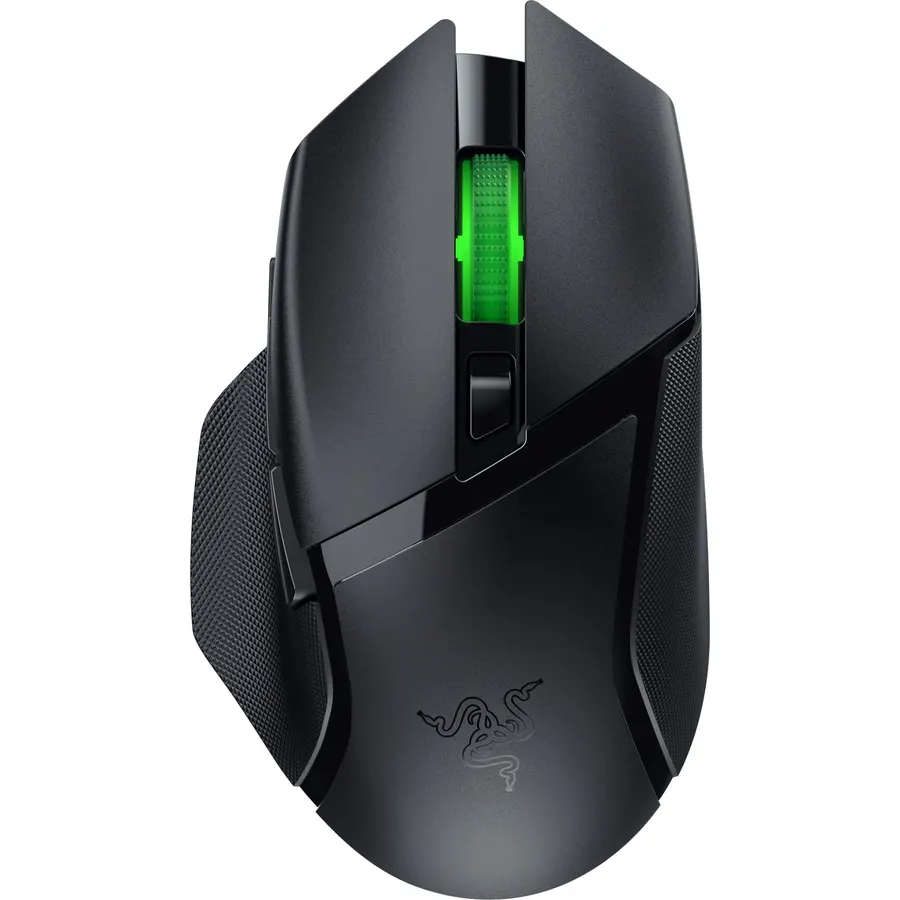
The Basilisk V3 X HyperSpeed is the cheapest way into Razer’s low-latency wireless. It pairs over the HyperSpeed dongle for games and switches to Bluetooth for a laptop, and one AA lasts up to 285 hours in HyperSpeed mode or 535 hours on Bluetooth. The shape is the right-handed Basilisk body with a thumb rest, and there are nine controls to map in Synapse. The trade-off is weight: with the AA fitted it is about 110 g, fine for most games but not for people chasing flick shots. Owners rate it 4.4 stars.
- Both 2.4 GHz and Bluetooth, so it doubles as a laptop mouse
- Months of use on a single AA battery
- Nine controls including a thumb rest paddle
- 2,400+ ratings at 4.4 stars
- Around 110 g with the battery, the heaviest pick
- AA battery instead of rechargeable
- Razer Synapse needed to program the buttons
Razer Orochi V2 Wireless Gaming Mouse, 950 Hr Battery, Black
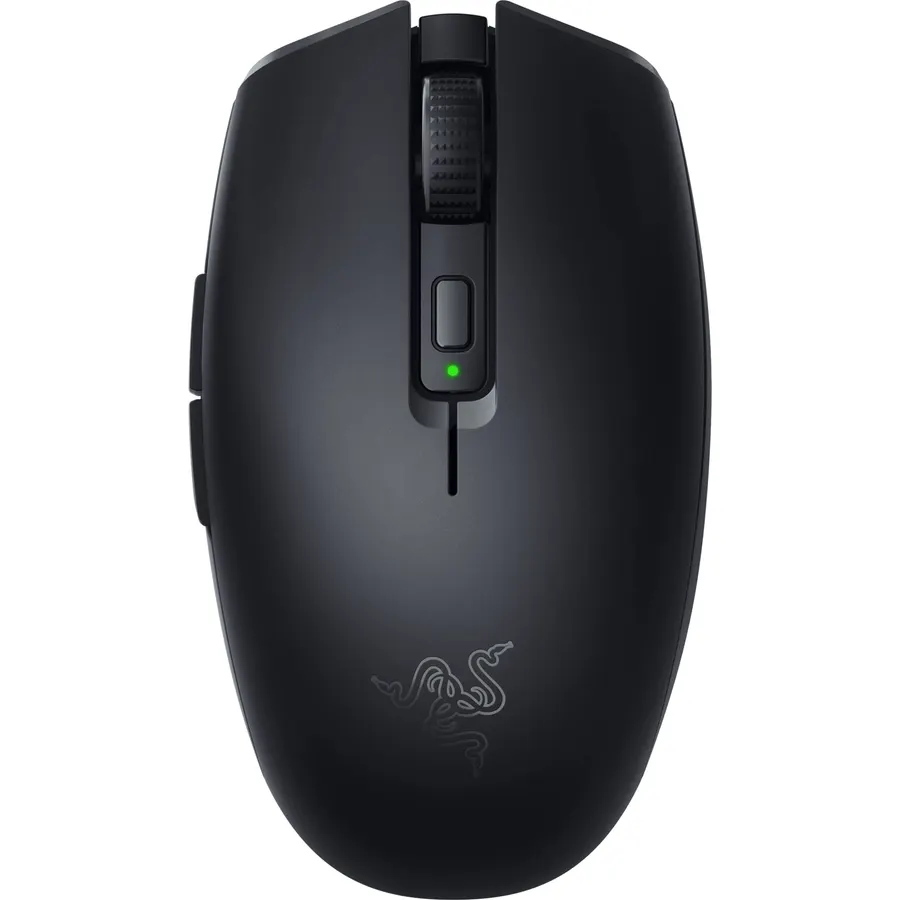
The Orochi V2 is a gaming mouse that fits where a travel mouse fits. It weighs under 60 g before the battery, pairs over HyperSpeed or Bluetooth and runs for months either way. The 18K sensor is the same one in the Basilisk V3 X, so tracking is not a compromise. It is small, which is the point, but owners with large hands call it a fingertip-grip mouse. With more than 5,500 reviews at 4.4 stars it is the most-owned mouse here. If your gaming rig is also a laptop, this is the pick.
- Tiny and under 60 g, lives in a laptop sleeve
- Runs up to 950 hours on Bluetooth
- Takes an AA or an AAA, whichever you have
- 5,500+ ratings at 4.4 stars, the most-reviewed pick
- Small for large hands over a long session
- Mechanical, not optical, switches
- Plain looks with no lighting
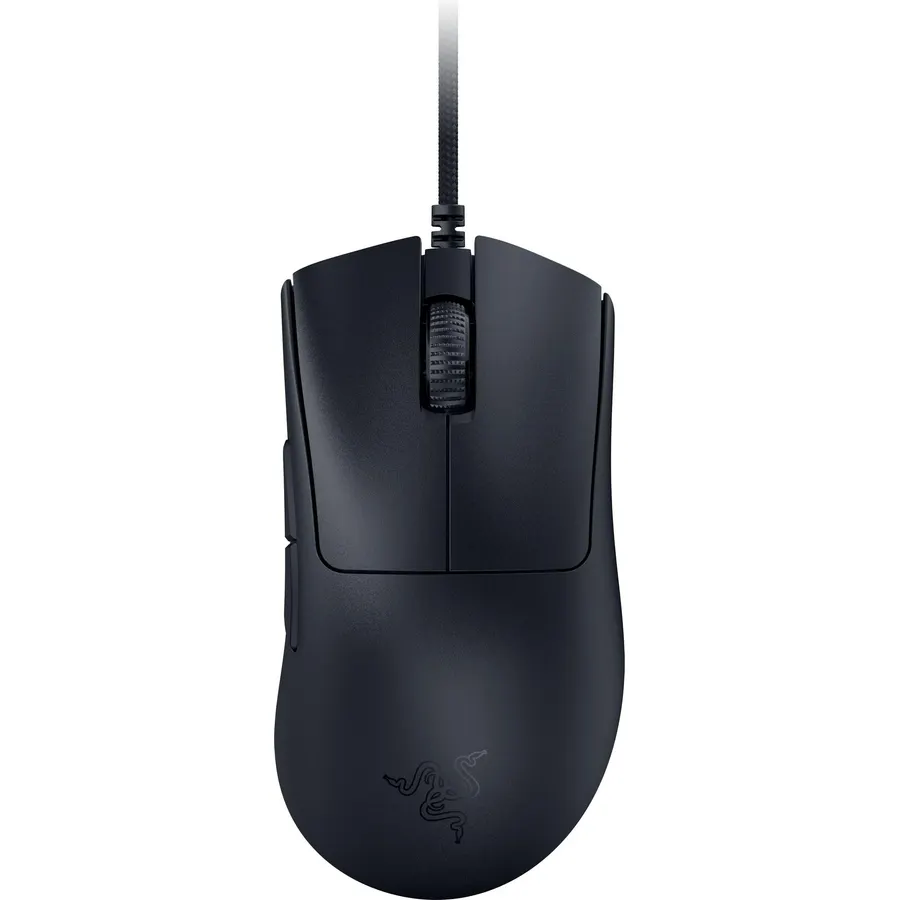
The DeathAdder V3 wired is the specs winner: the same Focus Pro 30K sensor and gen-3 optical switches as Razer’s expensive wireless DeathAdder, at 59 g, with 8,000 Hz polling. If you play shooters and want the DeathAdder shape without the weight, nothing else in this bracket comes close. We rank it fourth because owners are less united: 4.2 stars over about 1,750 reviews, split on the flat matte finish and plain looks. There is no RGB, just a very fast, very light mouse. We have not used this exact unit.
- 59 g in a full-size ergonomic shape with no holes
- Optical switches cannot develop double-click
- 8K polling for the lowest input lag on this page
- Flagship-class Focus Pro 30K sensor
- 4.2-star rating is the lowest here
- No lighting and a plain matte finish
- 8K polling needs a fast PC and a 2.4 GHz-free environment to matter
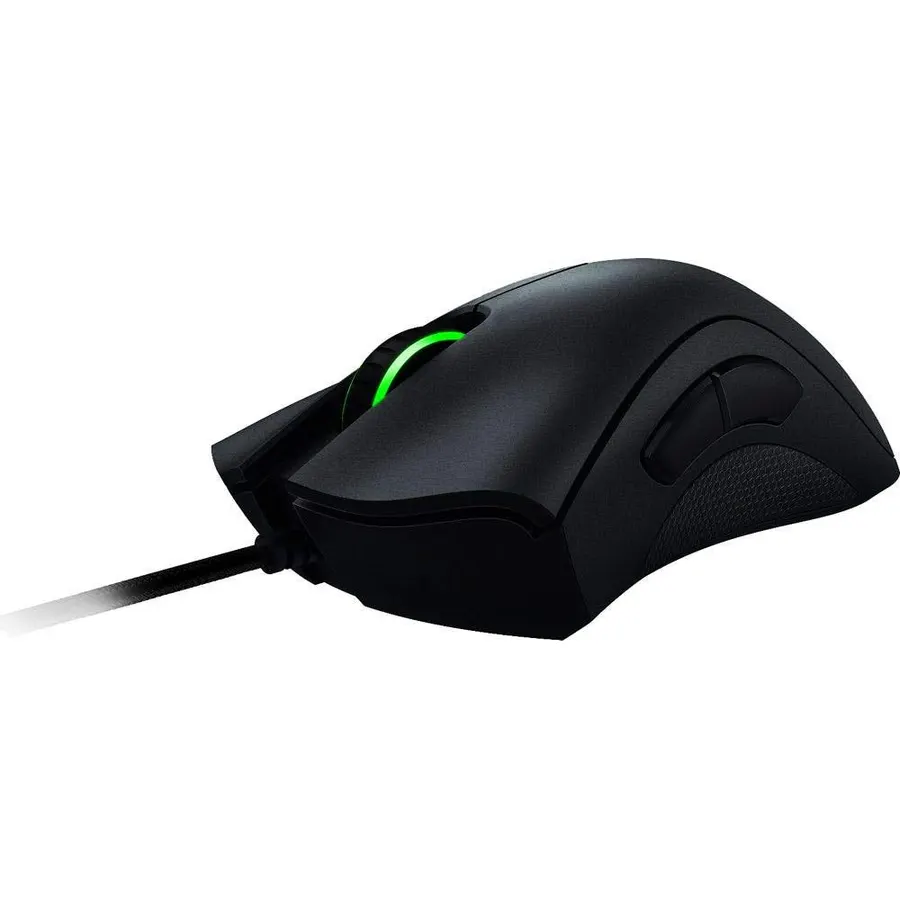
The DeathAdder Chroma is the mouse that made the DeathAdder shape famous, and it is still on sale because people keep asking for it. The 10,000 DPI sensor is old by 2026 standards but accurate at the settings most people use, and the palm-filling body with rubber side grips is why it has more than 4,200 reviews at 4.4 stars. It is heavier than the V3 and uses mechanical switches, so buy it for the shape, not the spec sheet. Check who is selling it, since older Razer models often come from third-party sellers.
- The original DeathAdder shape that most ergonomic mice copy
- Textured rubber side grips
- On-the-fly DPI adjustment
- 4,200+ ratings at 4.4 stars
- Older 10K sensor and mechanical switches
- Heavier than the modern picks
- Often sold by third-party sellers, so check the listing
Compare the picks
| Product | Sensor | Connection | Weight | Owner rating | Our score | |
|---|---|---|---|---|---|---|
| Logitech G403 HeroLogitech | Hero 25K | USB wired | 87 g (+10 g) | 4.5 / 3.8k+ | 9.0 | See price |
| Razer Basilisk V3 X HyperSpeedRazer | 18K optical | 2.4 GHz + Bluetooth | ~110 g with AA | 4.4 / 2.4k+ | 8.8 | See price |
| Razer Orochi V2Razer | 18K optical | 2.4 GHz + Bluetooth | <60 g + battery | 4.4 / 5.5k+ | 8.8 | See price |
| Razer DeathAdder V3 WiredRazer | Focus Pro 30K | USB wired, 8K polling | 59 g | 4.2 / 1.7k+ | 8.4 | See price |
| Razer DeathAdder ChromaRazer | 10K optical | USB wired | ~105 g | 4.4 / 4.2k+ | 8.8 | See price |
Wired or wireless under $50?
At this price wired still buys the better mouse: the G403 Hero and DeathAdder V3 have stronger sensors and lighter bodies than the two wireless picks. Wireless makes sense if the mouse also travels with a laptop, which is why the Orochi V2 and Basilisk V3 X both include Bluetooth as well as the 2.4 GHz dongle. Neither is rechargeable; both run on an AA you replace a couple of times a year.
Weight and shape matter more than DPI
Nobody plays at 18,000 DPI. What you feel every day is shape and weight. Right-handed bodies (G403, Basilisk, both DeathAdders) fill the palm and suit larger hands; the Orochi V2 is a small ambidextrous shape for claw and fingertip grips. Under 70 g is what competitive players want; around 90 g is comfortable for everyone else.
Do these mice work with a Mac?
All five work on macOS as plug-and-play mice. Logitech G HUB and Razer Synapse have Mac versions for button and DPI settings, though Synapse features on Mac lag behind Windows.
Which one is best for large hands?
The Razer DeathAdder Chroma and DeathAdder V3 have the roomiest palm shape, followed by the Basilisk V3 X. The Orochi V2 is the smallest and suits fingertip grip.
Are any of these left-handed?
Only the Orochi V2 is ambidextrous in shape, though its side buttons sit on the left for a right-hand thumb. The other four are right-handed ergonomic bodies.
What about shipping and returns?
All five ship from Amazon.com with Prime eligibility when Amazon is the seller; the older DeathAdder Chroma is sometimes listed by third parties, so check the seller line. Standard Amazon return windows apply if the shape does not suit your hand.
Prices and stock change daily. The buttons above open Amazon so you always see the current price. We may earn a commission if you buy through them, at no extra cost to you.
Do Best Deal is a participant in the Amazon Services LLC Associates Program. As an Amazon Associate we earn from qualifying purchases. If you buy through links on this site we may earn a commission, at no extra cost to you. Learn more.