A laptop trackpad is fine until you spend a day in a spreadsheet, a code editor or a game. Then you want a mouse that fits in the laptop sleeve, pairs without a dongle hunt, and does not die in the middle of a trip. We went through the mice in our catalog and kept five that owners still rate above 4.5 stars after years of use.
Our desk mouse is the full-size MX Master 3S, covered in a separate guide. This list is about the compact ones. Prices are not printed because they change daily; every button opens the live Amazon page.
How we picked
- Fits in a bag. Every pick is a compact shape; we note which ones large hands will find cramped.
- Battery measured in months. Rechargeable picks last 70 days or more; AA picks last a year to three years.
- Pairs the way you need. Bluetooth for dongle-free laptops, a USB receiver where latency matters, ideally both.
- Owner ratings of 4.5 stars or higher, with tracking and click reliability holding up in long-term reviews.
The picks
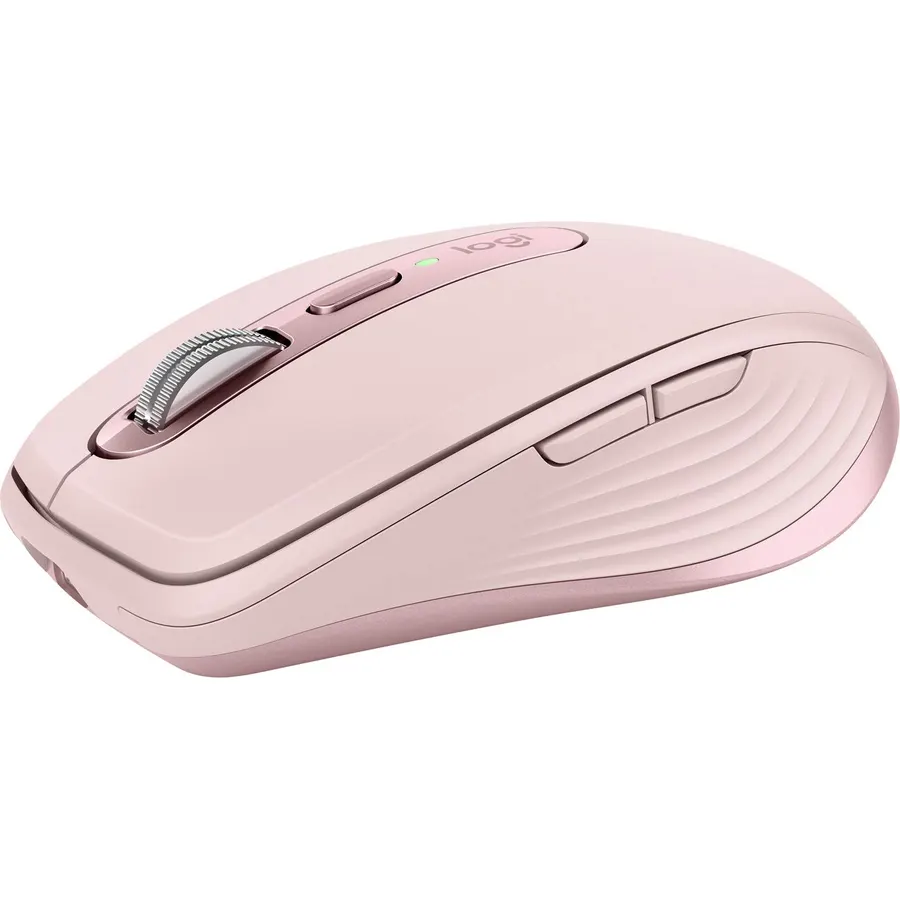
The MX Anywhere 3 packs the best parts of Logitech’s flagship into a body that disappears in a bag. The MagSpeed wheel free-spins through a long document and clicks back into ratchet mode for precision, the sensor works on glass, and one charge lasts about ten weeks. Pair it to a work laptop, a personal laptop and a tablet and hop between them with the button underneath. Owners rate it 4.8 stars, the highest on this page. The only real complaint is size: if your hand is large, look at the MX Master instead.
- MagSpeed wheel scrolls 1,000 lines silently, stops on a pixel
- Tracks on glass tables and hotel desks
- 70-day battery, 1-minute charge gives 3 hours
- Switches between three computers at a button press
- Low profile is small for large hands
- USB-A receiver, no USB-C receiver in the box
- Silicone side grips collect dust
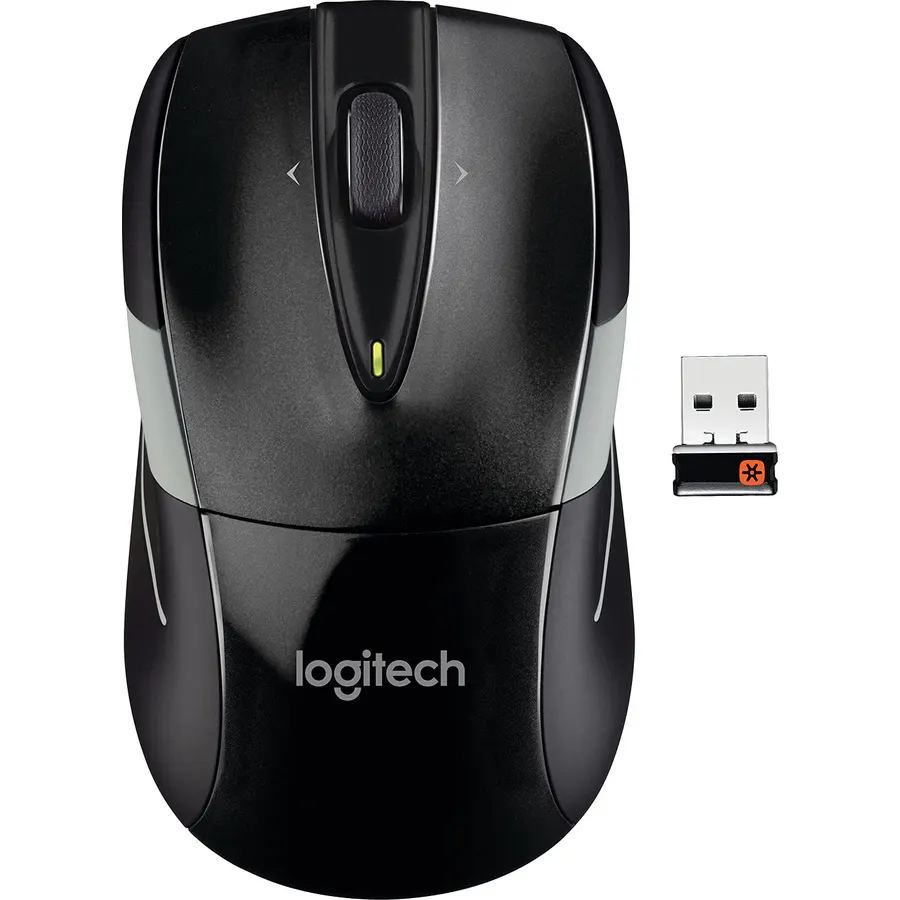
The M525 is the mouse people buy again a decade later. Its claim to fame is battery life: two AA cells last up to three years, so it never needs a cable. The Unifying receiver can pair up to six Logitech devices, which is handy if you also carry a Logitech keyboard. It is comfortable, quiet and unremarkable in the best way. If you never want to think about a mouse again, this is it.
- Up to three years on a pair of AA batteries
- Back/forward thumb buttons and a tilt wheel
- Rubber grips and a contoured shape that suits most hands
- 17,000+ ratings at 4.7 stars
- USB receiver only, no Bluetooth
- Ambidextrous shape but the side buttons favor right-handers
- Plain looks
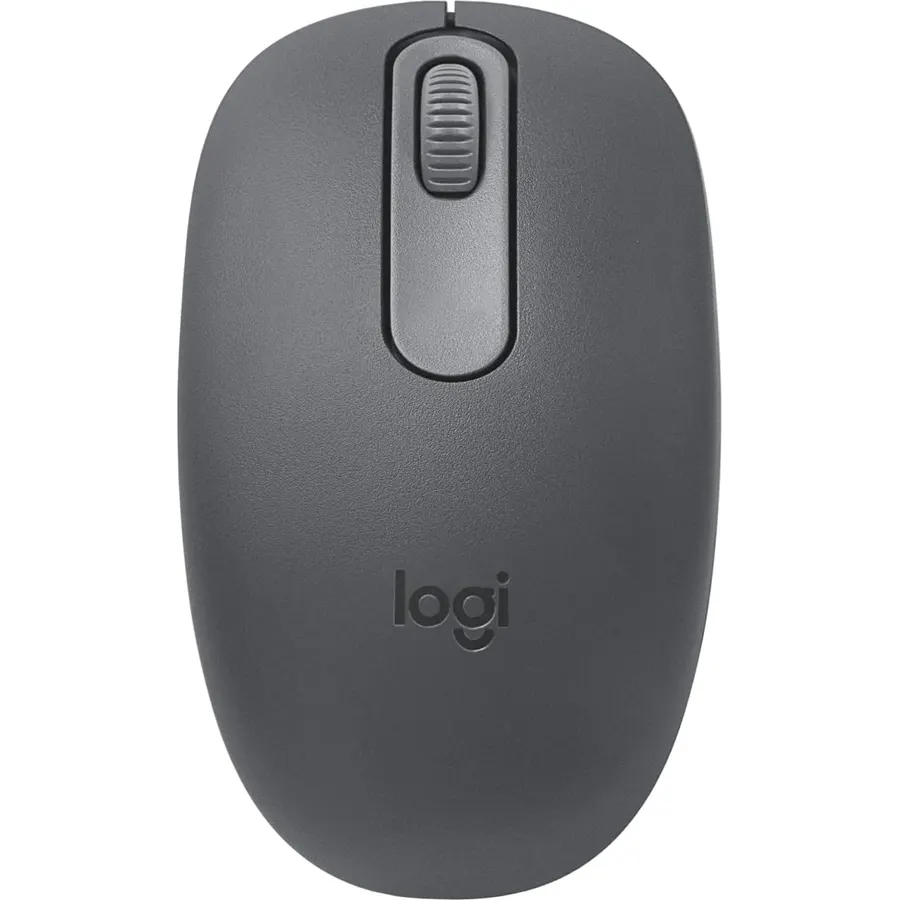
Modern laptops with only USB-C ports make the M196 a favorite: it connects over Bluetooth in seconds and needs no receiver. It weighs 75 g, runs a year on one AA battery and comes in colors that are easy to find in a bag. It is a basic two-button mouse, so no thumb buttons, but for a travel companion or a tablet mouse it is exactly enough.
- Bluetooth pairing, nothing to plug in
- A year on one AA battery with auto sleep
- Truly ambidextrous and very light
- 6,000+ ratings at 4.5 stars
- Only two buttons plus wheel
- Small for large hands
- No USB receiver option
Razer Viper Ultimate Lightweight Wireless Gaming Mouse
If the laptop is also your gaming machine, the Viper Ultimate gives you a 20K DPI sensor, optical switches with no double-click wear and Razer’s HyperSpeed wireless that owners say they cannot distinguish from a cable. At 74 g it is one of the lightest wireless mice without a honeycomb shell, and the charging dock means it lives topped up on the desk and goes in the bag for LAN weekends. It is a gaming mouse first: expect three days of heavy use per charge, not months.
- Esports-grade sensor and low-latency wireless
- Only 74 g without holes in the shell
- Charging dock in the box
- 12,000+ ratings at 4.6 stars
- 70-hour battery is short next to the office mice here
- Ambidextrous shape has side buttons on both sides that some people press by accident
- Dongle only, no Bluetooth

The 3S is the newer version of our top pick with quieter clicks and the Logi Bolt receiver. We rank it below the Anywhere 3 only because the older model is often cheaper for the same core experience. If you have small hands or share a busy office where 2.4 GHz interference is a problem, the 3S is the better buy.
- Same MagSpeed wheel and glass tracking as the Anywhere 3
- Quieter clicks than the previous generation
- Logi Bolt receiver is more robust in busy offices
- Fits small hands better than almost any productivity mouse
- Cramped for large hands over a full day
- No thumb wheel
- Costs more than the Anywhere 3 while it is still on sale
Compare the picks
| Product | Battery | Connection | Weight | Owner rating | Our score | |
|---|---|---|---|---|---|---|
| Logitech MX Anywhere 3Logitech | 70 days, USB-C | BT + receiver | 99 g | 4.8 | 9.6 | See price |
| Logitech M525Logitech | 3 years, 2 x AA | Receiver | ~100 g | 4.7 / 17k+ | 9.4 | See price |
| Logitech M196Logitech | 12 months, 1 x AA | Bluetooth | 75 g | 4.5 / 6k+ | 9.8 | See price |
| Razer Viper Ultimate | 70 h, dock | HyperSpeed 2.4 GHz | 74 g | 4.6 / 12k+ | — | See price ↗ |
| Logitech MX Anywhere 3SLogitech | 70 days, USB-C | BT + Logi Bolt | ~99 g | 4.5 | 8.6 | See price |
Bluetooth or a USB receiver?
Bluetooth keeps your ports free and is fine for office work. A receiver (Logitech Unifying/Bolt, Razer HyperSpeed) wakes faster and never stutters when the room is full of phones, which is why gaming mice use it. The MX Anywhere pair give you both.
Which mouse works on a glass table?
The Logitech MX Anywhere 3 and 3S track on glass at least 4 mm thick. The others need a mouse pad or a matte desk.
Do these work with a Mac?
All five work with macOS and Windows. Logitech Options+ adds gesture and app-specific buttons on the MX models; the M525 and M196 work with no software.
Which is best for large hands?
None of these compact mice are ideal for large hands all day. The Razer Viper Ultimate is the roomiest here; for a full-size productivity mouse see our MX Master 3S review.
How do I pair a second computer?
On the MX Anywhere 3 and 3S press the button on the underside to pick channel 1, 2 or 3, then pair from that computer. The M196 pairs with one device at a time.
Prices and stock change daily. The buttons above open Amazon so you always see the current price. We may earn a commission if you buy through them, at no extra cost to you.
Do Best Deal is a participant in the Amazon Services LLC Associates Program. As an Amazon Associate we earn from qualifying purchases. If you buy through links on this site we may earn a commission, at no extra cost to you. Learn more.