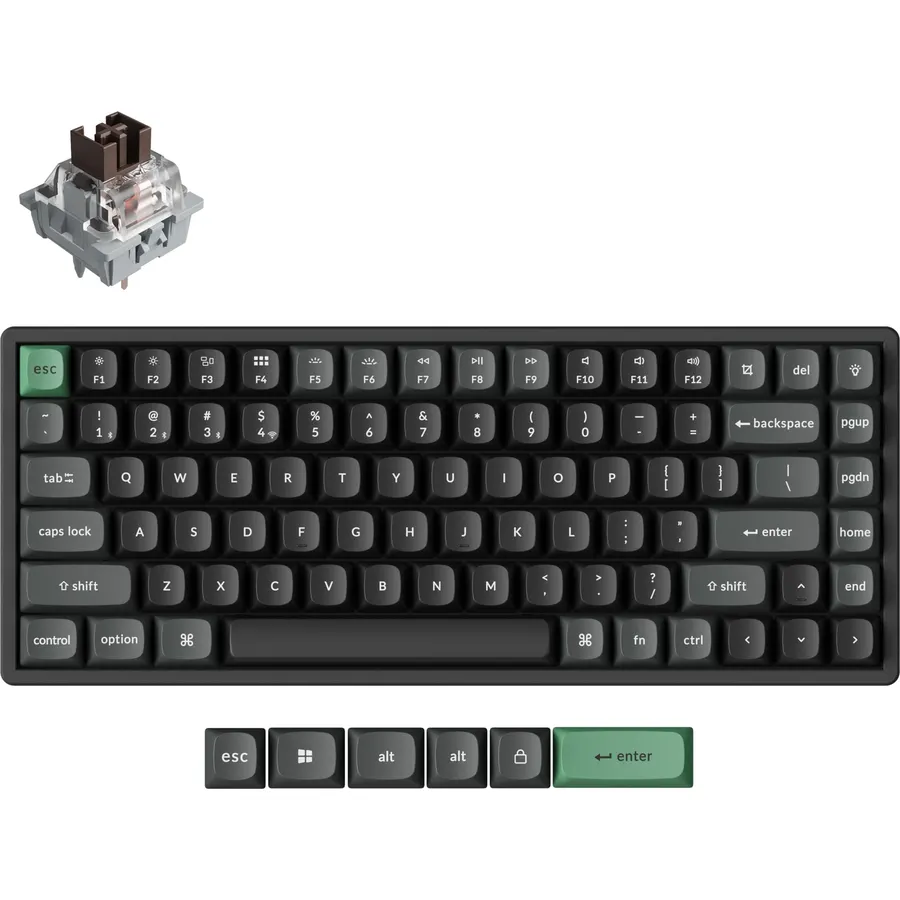
A combo is the sensible way to set up a desk: one receiver, one box, and a keyboard and mouse guaranteed to pair with each other. It is what most people put on a home-office desk, a kid’s PC or a second computer, and it is why the Logitech MK270 has more than 110,000 reviews.
We sorted every combo in our catalog by owner rating and review count at the time of writing, then kept five that cover a cheap desk, a quiet desk, a small desk, a premium desk and a laptop-plus-tablet desk. We have not typed on all of them ourselves, so we lean on owner reviews where we say so. Prices are not printed because they change daily; every button opens the live Amazon page.
How we picked
- Wireless only. Every set uses a 2.4 GHz receiver, Bluetooth or both. Wired combos exist, but cable clutter is what people are trying to avoid.
- Owner ratings of 4.4 stars or higher, checked for pairing and battery complaints.
- Battery measured in months or years, not days. Most of these run one to three years on AA or AAA cells.
- A full-size keyboard or a good reason not to be. The number pad matters for spreadsheets; we note the set that drops it.
- Windows and Mac both work, with two picks built for switching between devices.
The picks
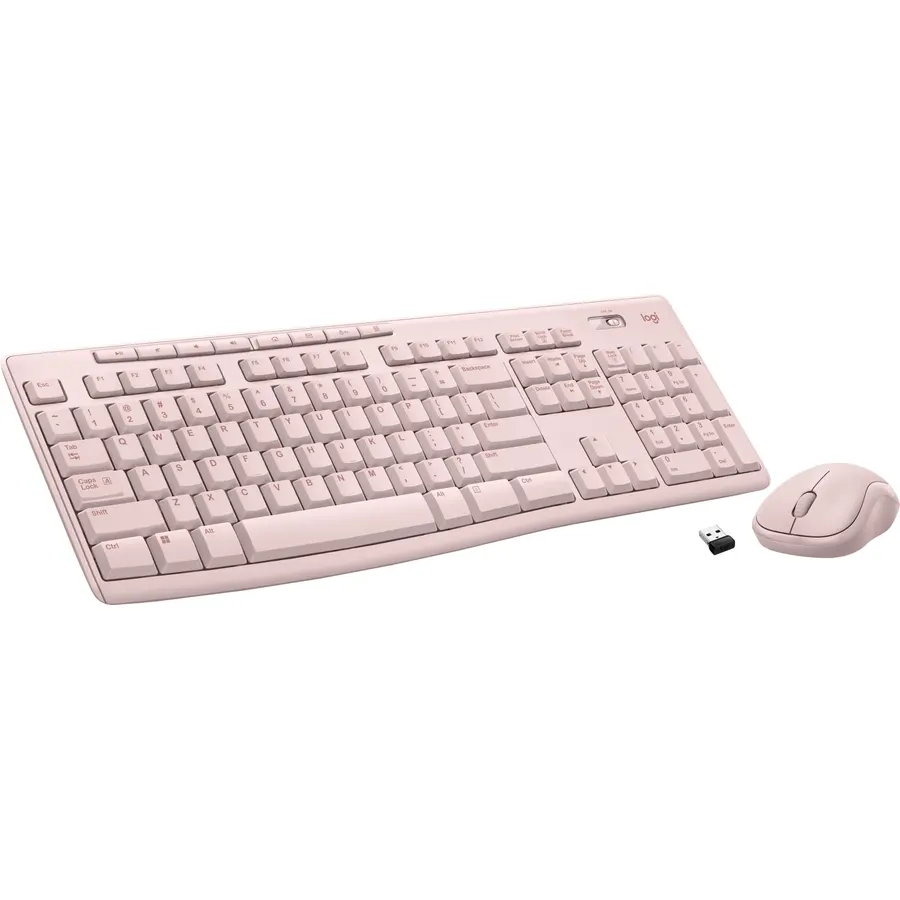
The MK270 is the default answer to “I need a keyboard and mouse.” The keyboard is full size with a number pad, eight shortcut keys, tilt legs and a spill-resistant design that has survived a lot of coffee according to owners. The mouse is a compact three-button model. Both share one tiny receiver with a 33-foot range, and battery life is three years for the keyboard and one for the mouse. There is nothing clever about it, which is why more than 110,000 people have rated it and most gave it five stars. Buy it for a spare PC, a family computer or an office that needs thirty of them.
- 110,000+ ratings at 4.5 stars, the most-reviewed combo on Amazon
- Three-year keyboard battery and a one-year mouse battery
- Spill-resistant keyboard with a standard layout you already know
- Plug the receiver in and both devices work, no software
- Mouse is small and basic for large hands
- Keys are quiet but feel plasticky
- No Bluetooth, receiver only
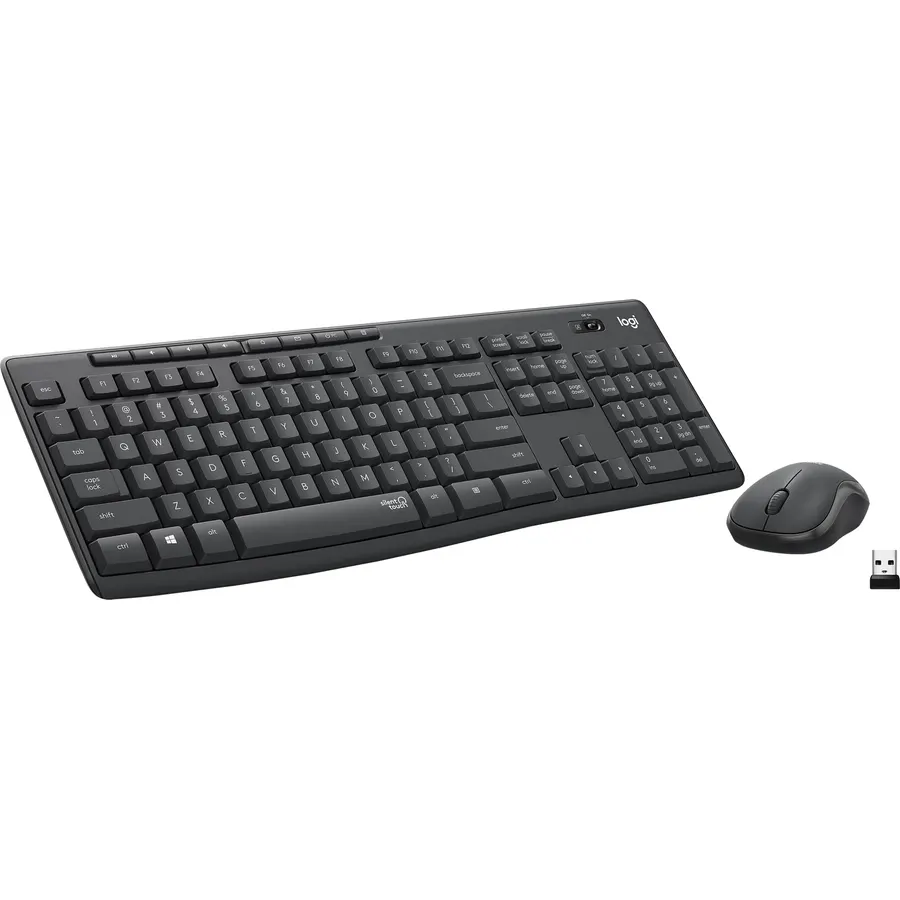
The MK295 is the MK270 for shared rooms. Logitech’s SilentTouch keys and mouse switches keep the same travel and click feel but remove about 90 percent of the sound, and owners on video calls confirm nobody hears them typing. The keyboard is full size with a number pad and eight shortcut keys; the mouse is a contoured three-button design that clicks without the snap. Pairing is a receiver in a USB port. It is worth the small step up from the MK270 if anyone works within earshot of you.
- SilentTouch keys and clicks cut noise by about 90 percent
- Same full-size layout and number pad as the MK270
- Connects in about three seconds from the receiver
- 13,000+ ratings at 4.4 stars
- Keys feel slightly softer than the MK270, which some typists dislike
- Receiver only, no Bluetooth
- Mouse is still on the small side
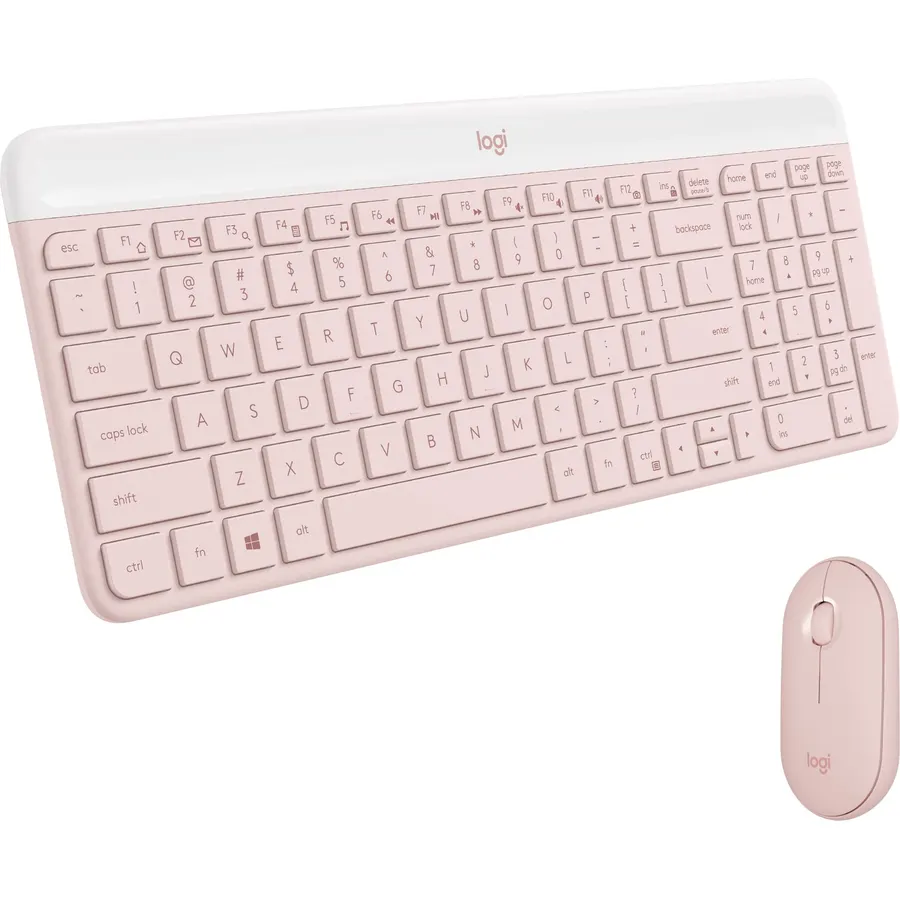
The MK470 is for the desk where a full-size keyboard leaves no room for the mouse. The keyboard uses low-profile scissor keys like a laptop, packed tightly but with the number pad still there, so it takes noticeably less space than the MK270. Both the keyboard and the ambidextrous mouse are tuned to be quiet, and they run on pre-installed batteries through one nano receiver. Owners like it for narrow desks, kitchen counters and standing-desk converters. If you type hard you may prefer the stiffer deck on the MK955 below.
- Laptop-style scissor keys, quiet and low profile
- Keeps the number pad while cutting the footprint
- Ambidextrous slim mouse, also noise-reduced
- 8,000+ ratings at 4.4 stars
- Thin keyboard flexes a little if you press hard
- No tilt legs
- Receiver only
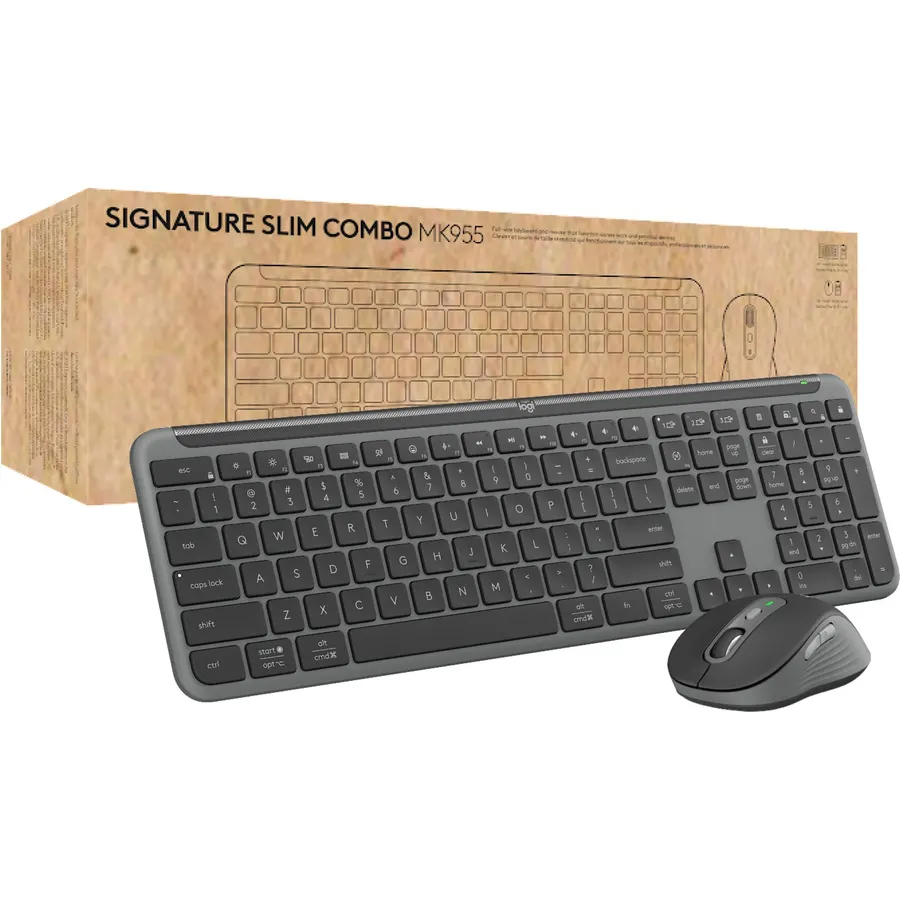
The MK955 pairs the Signature Slim K950 keyboard with the Signature Plus M750 L mouse, and both are a clear step up from the budget sets. The keyboard is heavier and stiffer with quiet laptop-style keys; the mouse is sized for larger hands with a SilentTouch click and a SmartWheel that flips between line-by-line and free-spin scrolling. The big feature is Easy-Switch: pair the set to a work laptop, a home desktop and a tablet and hop between them with one key. Bluetooth or the Logi Bolt receiver both work. If you spend all day at the desk and the MK270 feels cheap, this is the one.
- Switch keyboard and mouse across three computers with Easy-Switch
- Quiet typing and a quiet click mouse sized for large hands
- Solid, low-flex keyboard build with a full number pad
- Works over Bluetooth or the included Bolt receiver, 4.5 stars
- Costs several times the MK270
- Mouse is right-handed
- Keys are laptop-shallow, not for people who want deep travel
Logitech Pebble 2 Silent Compact Wireless Keyboard and Mouse Combo
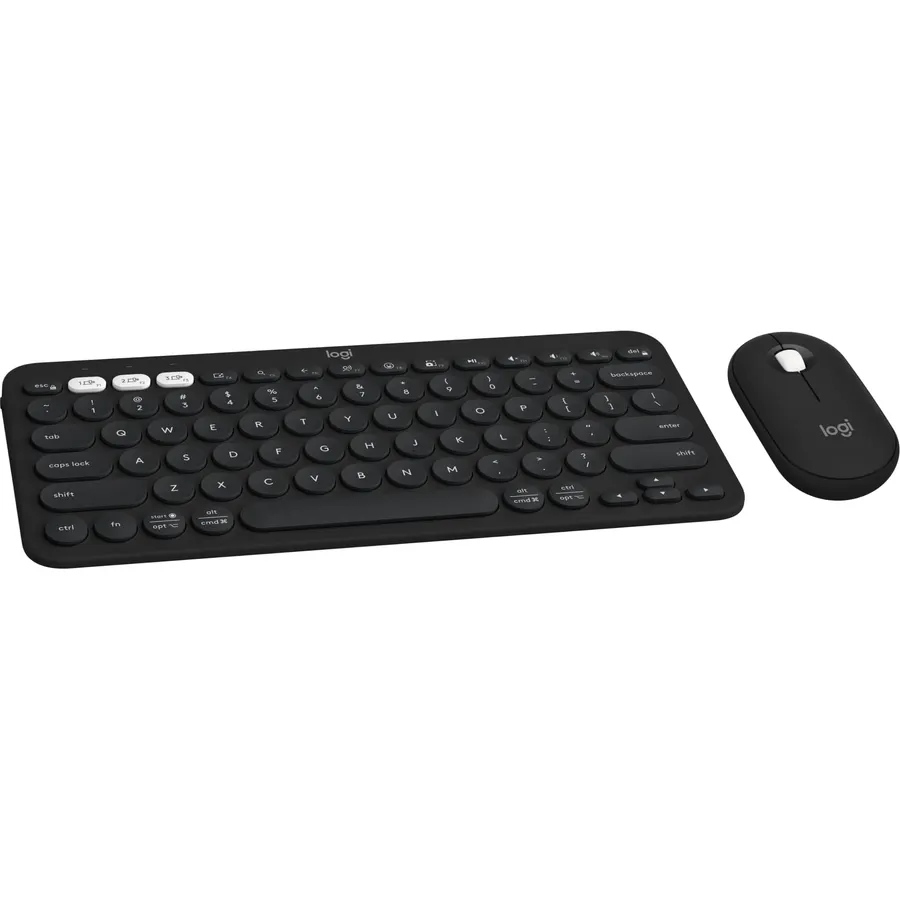
The Pebble 2 set is the one to buy if the “desk” is a laptop, a tablet and a phone. Both the compact keyboard and the flat mouse pair over Bluetooth with up to three devices and switch with a key press, so you can type an email on the laptop and answer a text on the phone without touching either screen. It is small enough for a bag, the mouse click is silent, and the set is made partly from recycled plastic. You give up the number pad and the receiver, so it is not the pick for a desktop PC in a spreadsheet job. For a hybrid worker it is close to ideal.
- Pairs with three devices across Windows, Mac, iPad and Android
- Slim and light enough to carry in a laptop sleeve
- Silent mouse clicks and quiet round keys
- Made with recycled plastic, 4.5 stars from 1,600+ owners
- No number pad
- Bluetooth only, no receiver for older PCs
- Round keycaps take a day to get used to
Compare the picks
| Product | Keyboard | Connection | Quiet? | Owner rating | Our score | |
|---|---|---|---|---|---|---|
| Logitech MK270Logitech | Full-size, numpad | 2.4 GHz receiver | Quiet keys | 4.5 / 110k+ | 9.0 | See price |
| Logitech MK295 SilentLogitech | Full-size, numpad | 2.4 GHz receiver | Yes, SilentTouch | 4.4 / 13k+ | 8.8 | See price |
| Logitech MK470 SlimLogitech | Compact, numpad | 2.4 GHz receiver | Yes, both | 4.4 / 8k+ | 8.8 | See price |
| Logitech MK955 Signature SlimLogitech | Full-size, numpad | Bluetooth + Bolt, 3 devices | Yes, both | 4.5 / 870+ | 9.0 | See price |
| Logitech Pebble 2Logitech | Compact, no numpad | Bluetooth, 3 devices | Silent mouse, quiet keys | 4.5 / 1.6k+ | 9.0 | See price |
Receiver or Bluetooth?
A 2.4 GHz receiver is plug-and-play, works in the BIOS and on PCs without Bluetooth, and does not care how many phones are in the room. Bluetooth frees a USB port and lets the set pair with tablets and phones. The MK270, MK295 and MK470 are receiver only, which is fine for a desktop. The MK955 does both. The Pebble 2 is Bluetooth only, so check that the computer has it.
Do you need the number pad?
If you enter numbers, yes, and four of the five picks have one. If you never touch it, dropping it moves the mouse six inches closer, which is better for the shoulder. The Pebble 2 is the compact choice, or pair a keyboard from our quiet office keyboard guide with a mouse from our productivity mouse guide.
Do these combos work with a Mac?
The MK955 and the Pebble 2 are built for Windows, macOS, ChromeOS and iPadOS, with Mac legends on the keys. The MK270, MK295 and MK470 are Windows layouts; they type fine on a Mac but the Windows key acts as Command and there is no Option label. Logitech also sells an MX Keys S Combo for Mac if you want a Mac layout with a flagship mouse.
Can I replace just the mouse later?
Yes. Other Logitech Unifying or Bolt devices can be added to the MK270, MK295, MK470 and MK955 receivers with Logitech software. The Bluetooth sets pair each device separately, so any Bluetooth mouse works alongside the keyboard.
What if the receiver gets lost?
Keep it in the mouse: the MK270, MK295 and MK470 mice have a slot for it. A lost Unifying or Bolt receiver can be replaced and re-paired with Logitech software. The Pebble 2 has no receiver to lose.
How long is the Amazon return window?
Items sold by Amazon.com normally allow returns within 30 days of delivery. Marketplace sellers can set different terms, so check the return line on the product page and keep the receiver in the box in case you send it back.
Prices and stock change daily. The buttons above open Amazon so you always see the current price. We may earn a commission if you buy through them, at no extra cost to you.
Do Best Deal is a participant in the Amazon Services LLC Associates Program. As an Amazon Associate we earn from qualifying purchases. If you buy through links on this site we may earn a commission, at no extra cost to you. Learn more.