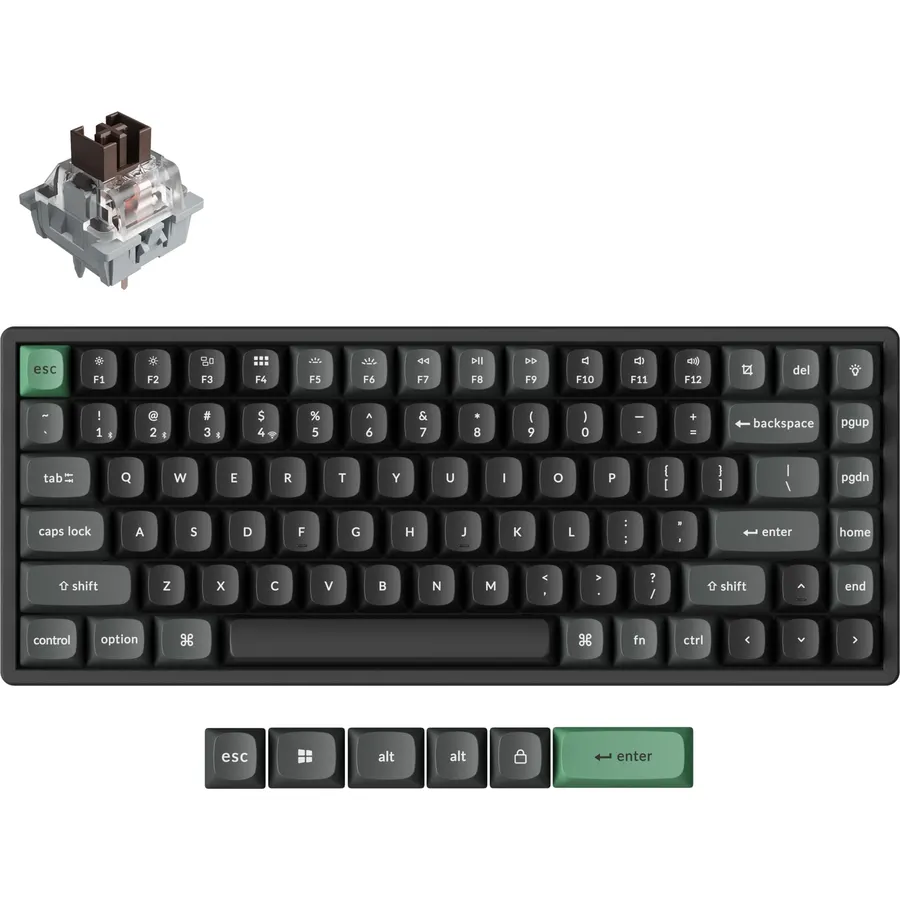
A wireless mechanical keyboard used to mean a compromise: a laggy Bluetooth link, a battery that died mid-week, or a price that doubled for losing the cable. That is no longer true. The boards in our keyboards catalog now ship with three connection modes (USB-C, a 2.4GHz dongle and Bluetooth), batteries of 4,000 to 10,000mAh, hot-swap sockets and gasket mounts, and several cost less than a wired board did five years ago. We ranked them by how they connect, how long they run, what the switches and case are like, and what thousands of owners say after months of use.
We have not typed on every one of these ourselves; the verdicts rest on the spec sheets and on the owner review history. Prices are not printed because they change daily; every button opens the live Amazon page. If you mostly game, our gaming keyboards guide ranks wired and wireless boards together, and if you want a quiet office board the mechanical keyboards for programmers guide covers the typing side.
How we picked
- Three ways to connect. Every pick has Bluetooth plus a USB cable, and all but one add a low-latency 2.4GHz dongle for gaming.
- A battery that lasts. We favored boards with 4,000mAh or more, or with multi-year battery life on AA cells.
- Real mechanical switches. No membrane or mecha-membrane boards; six of the eight are hot-swappable.
- Owner ratings of 4.3 stars or better, with hundreds to thousands of reviews each.
- A spread of layouts, from a 60% travel board to a 96% board with a number pad and a full-size office board.
The picks
Redragon Wireless Mechanical Gaming Keyboard, Tri Mode BT/2.4G/USB-C Hot Swappable Custom Keyboard, RGB Backlit Computer Gaming Keyboards, PBT Keycaps, Programmable for PC/Tablet,K671WBR-KS
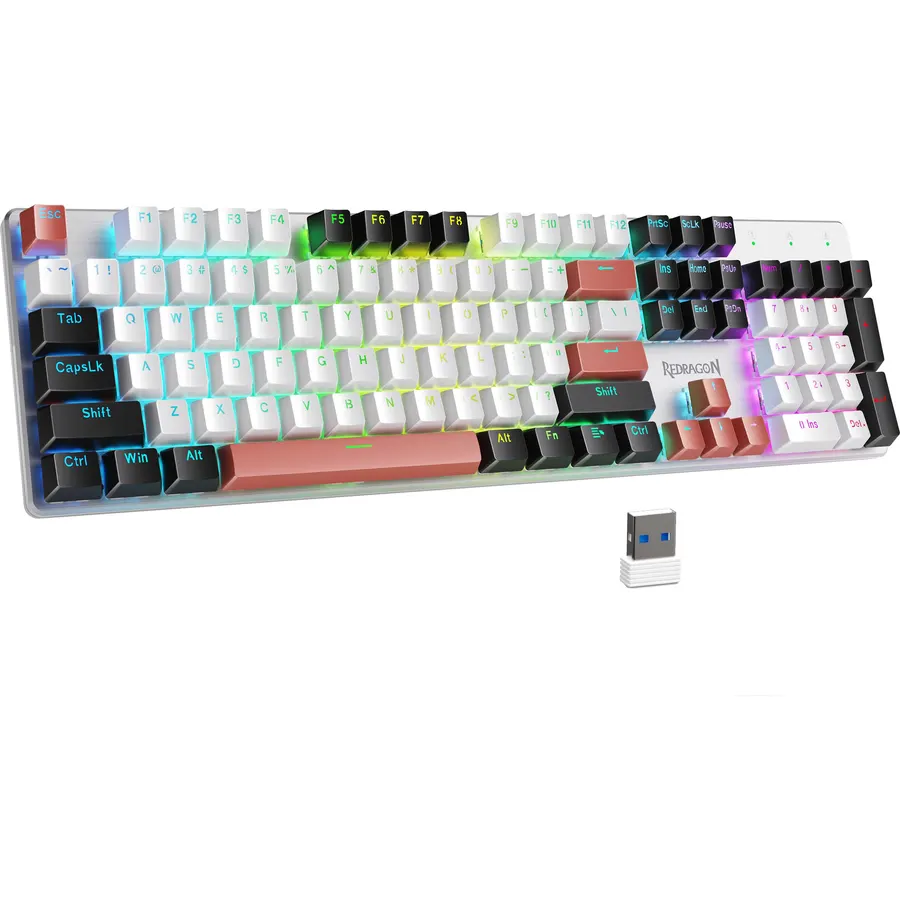
The Redragon K671 is the wireless mechanical keyboard most people end up with, and nearly 7,000 owners have rated it. It does the things that used to cost twice as much: a USB-C cable, a 2.4GHz dongle and Bluetooth that pairs with up to five devices, hot-swap sockets with eight spare switches in the box, double-shot PBT keycaps that do not go shiny, and a metal top plate. Macro editing and remapping come through Redragon software, and 16 lighting presets run from the keyboard itself. The trade-offs are honest ones: it has no foam, so it sounds brighter and hollower than the gasket boards below, and its 4.3-star average reflects a minority of owners who had Bluetooth drop or a dongle pair poorly. As a full-size, do-everything wireless board it is the value pick.
- 6,800 owner reviews at 4.3 stars, the most-reviewed board here
- Hot-swap sockets and PBT keycaps at a budget price
- Tri-mode with a physical mode switch on the back
- Metal top panel and 500,000-press key rating
- Rating is the lowest on the page at 4.3; owners report occasional Bluetooth drops
- Red switches only out of the box
- No gasket mount or sound dampening foam
EPOMAKER X Aula F75 MAX Wireless Mechanical Keyboard with TFT Screen and Knob, Gasket Keyboard in 75% Layout, Hot Swappable Gaming Keyboard for PC/Mac/Linux (Matte Black)
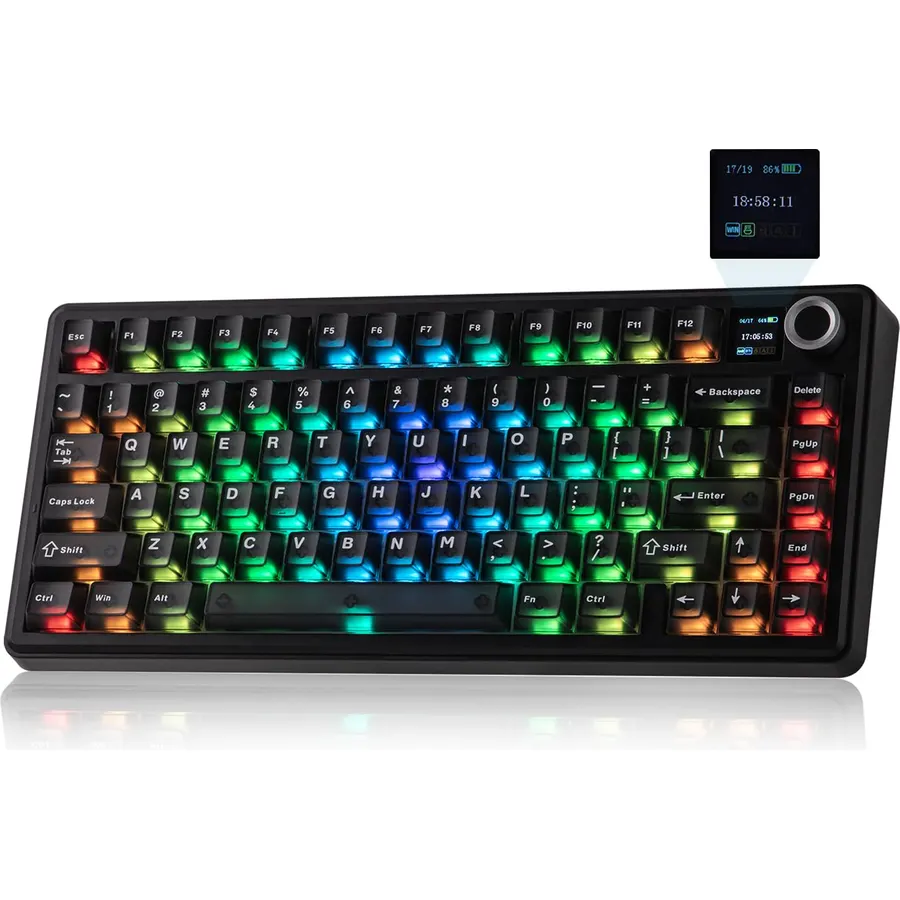
The F75 MAX is the board that made the Epomaker x Aula collaboration famous, and 2,000 owners rate it 4.6 stars. It is a 75% layout, so you keep the function row and arrow keys and lose only the number pad, and it packs a gasket mount with layers of foam under factory-lubed linear switches, which is why reviewers keep using the word creamy. A small TFT screen shows the connection mode and battery and can play a GIF, and the knob handles volume. It runs at 1000Hz over USB and the 2.4GHz dongle and pairs over Bluetooth with a Mac or tablet. The screen is a gimmick you may never look at, and the software is functional rather than pretty, but for the money nothing else here sounds this good out of the box.
- Gasket mount and lubed switches give a creamy, quiet sound
- TFT screen shows battery, connection and custom GIFs
- Hot-swap, south-facing RGB, PBT caps at a mid-range price
- 2,000 owners at 4.6 stars
- 80 keys means no number pad
- Screen and knob add bulk to the top right
- Software is less polished than Logitech or Razer
GravaStar Mercury K1 75% Wireless Mechanical Gaming Keyboard RGB Backlit
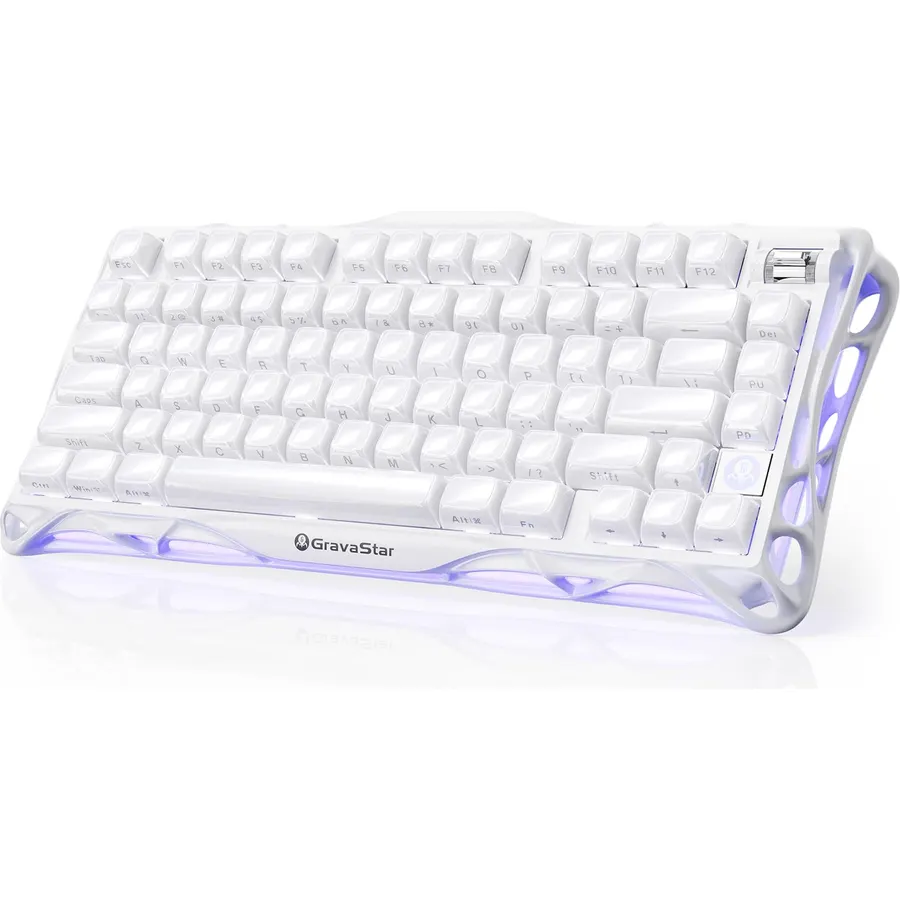
The Mercury K1 is the showpiece of this list: an aluminum exoskeleton in a 75% layout, five layers of sound dampening on a gasket, GravaStar’s own Kailh linear switches with a light 40g actuation, and an 8,000mAh battery that owners say runs for weeks with the lights on. It is also the highest-rated board here, 4.7 stars from 1,800 owners, unusual for a design this unconventional. GravaCore software handles per-key lighting, macros and eight profile layers, and it connects three ways. You pay for it, and the hollow frame is as much art object as tool: it gathers dust, and there is no tactile switch option at checkout. If you want the wireless board that people ask about, this is it.
- Highest rating on the page: 4.7 stars from 1,800 owners
- Aluminum frame and 5-layer dampening feel and sound premium
- Huge 8000mAh battery runs weeks with RGB on
- Dual RGB zones with 13 effects and per-key programming
- Costs two to three times the Redragon
- Linear switches only; no tactile option at purchase
- Open skeletal design collects dust
RK ROYAL KLUDGE RK61 Wireless 60% Mechanical Keyboard, Mini Portable Size
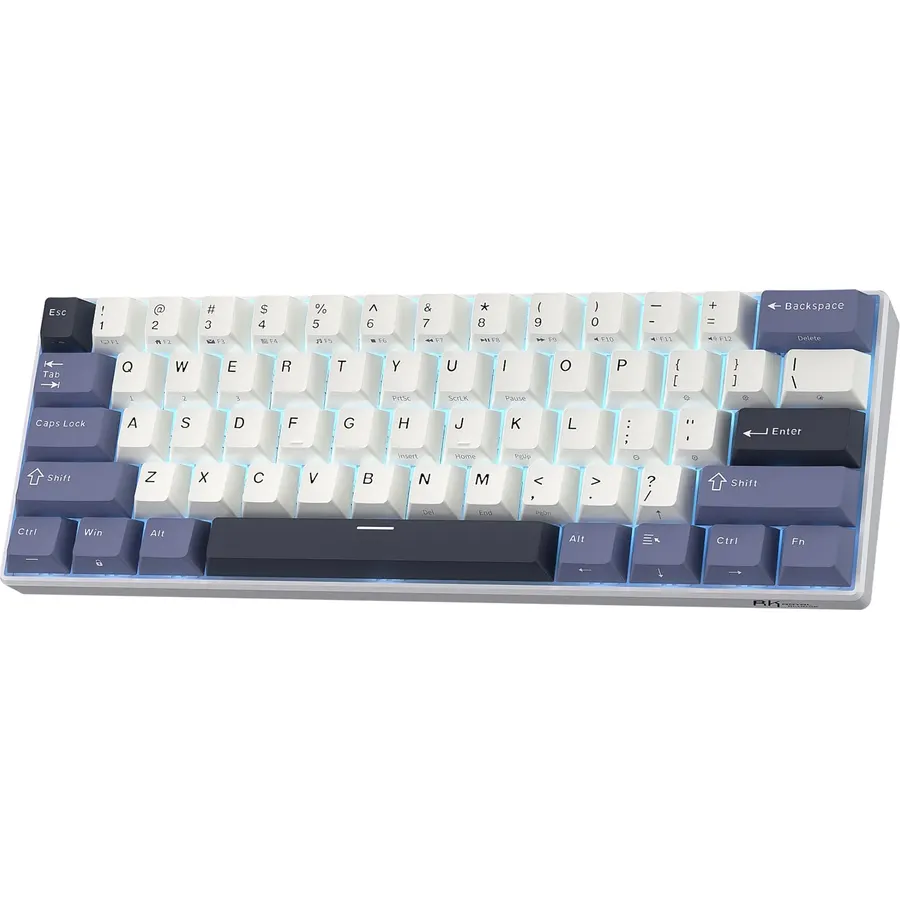
The RK61 has been the default cheap 60% board for years, and this refreshed version fixes the things people complained about: dual-layer silencing foam, lubed stabilizers, a hot-swap PCB for three- and five-pin switches, and double-shot PBT keycaps. It still connects three ways, pairs with three Bluetooth devices, and fits in a laptop sleeve. Owners rate it 4.4 stars across 2,800 reviews. The 60% layout is the point and the catch: there are no dedicated arrow or function keys, which takes a week to get used to and some people never do, and the 1,450mAh battery is small next to the 8,000mAh boards here. The backlight is blue only. For a travel board or a tight desk it is hard to beat.
- Fits in a bag and leaves room for a mouse
- Hot-swap and PBT keycaps at the lowest price here
- Two-layer foam makes it quieter than old RK61 versions
- 2,800 owners at 4.4 stars
- No arrow keys or function row without the Fn layer
- Small 1450mAh battery
- Blue-only backlight on this version
Kisnt KN85 Wireless Mechanical Keyboard, 75% Layout, Bluetooth/2.4GHz/USB-C, Custom RGB Backlit, Hot-Swappable Linear Switch, Creamy Sound for Gaming/Typing (Retro Beige)
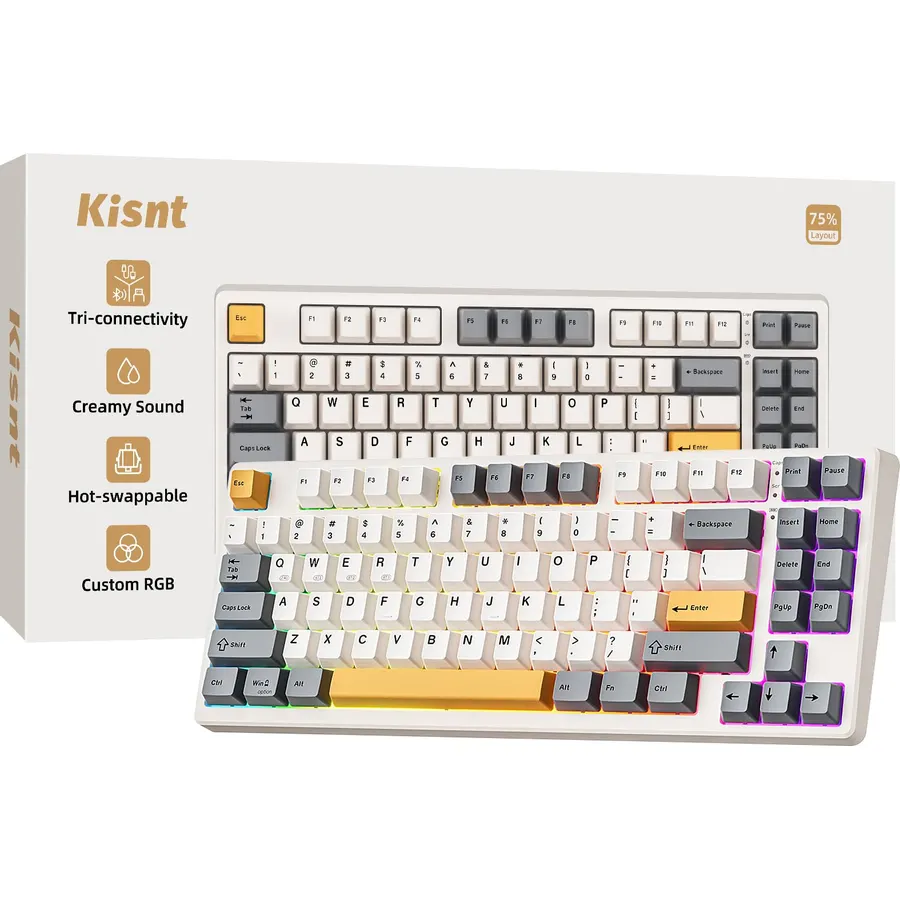
The Kisnt KN85 is what you buy when the F75 MAX is a stretch: a gasket-mounted 75% board with pre-lubed linear switches, a hot-swap PCB, PBT keycaps and three connection modes, for about the price of the Redragon. Kisnt quotes the latency honestly (2ms wired, 5ms on the dongle, 11ms on Bluetooth) and the board switches between Windows and Mac layouts with a key combination. The sound is the soft, cushioned thock that gasket boards are bought for, and 1,300 owners rate it 4.6 stars. It uses an ambient RGB glow rather than per-key lighting, the brand is young and the software is basic, and the beige colorway is a taste. As a first custom-style board it is excellent value.
- 4.6 stars from 1,300 owners at a budget price
- Gasket mount and lubed switches for a soft, marbly sound
- Keeps F1-F12 and arrows while freeing 25 percent of desk
- Windows and Mac switching with three Bluetooth slots
- Ambient under-glow rather than per-key RGB
- Lesser-known brand with thinner software support
- Retro beige look will not suit every desk
RK ROYAL KLUDGE S98 Wireless Mechanical Keyboard with TFT Screen & Knob
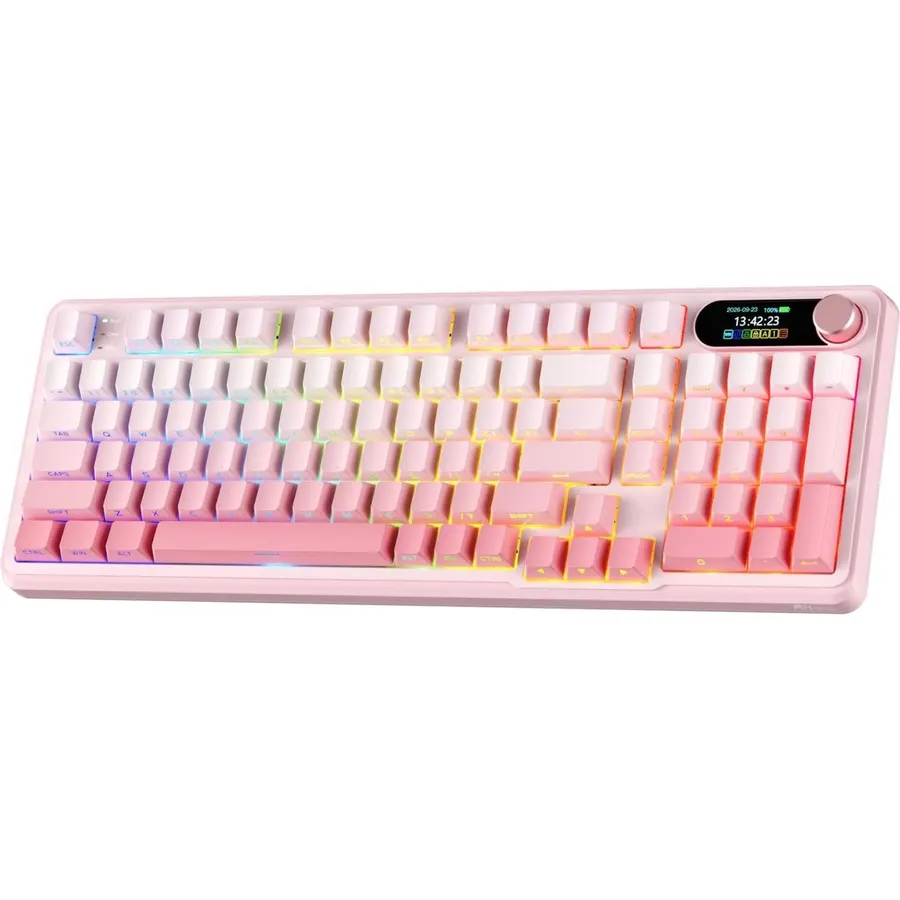
The RK S98 is for the person who wants wireless and mechanical but refuses to give up the number pad. The 96% layout squeezes 98 keys into a case barely wider than a tenkeyless, and RK adds a TFT screen for battery and connection info, a multifunction knob, and a built-in USB-A port that is useful for parking a mouse dongle. It is hot-swappable, tri-mode, and packed with five layers of dampening, though it is a top-mount board, so the feel is firmer than the gasket boards above. The side-printed keycaps look clean with the RGB on and are harder to read in daylight. This listing is the pink version. Owners rate it 4.4 stars across 1,700 reviews.
- Keeps a full number pad in a 96% footprint
- Built-in USB-A port for a mouse dongle
- TFT screen and knob like the pricier boards
- 1,700 owners at 4.4 stars
- Top mount is stiffer than a gasket board
- Pink colorway on this listing
- Side-printed legends are harder to read in daylight
Logitech MX Mechanical Full-Size Wireless Mechanical Keyboard, Tactile Quiet Switches, Low Profile Backlit Keys, Bluetooth, USB-C, Multi-Device Performance, Windows/macOS Graphite, Bulk Packaging
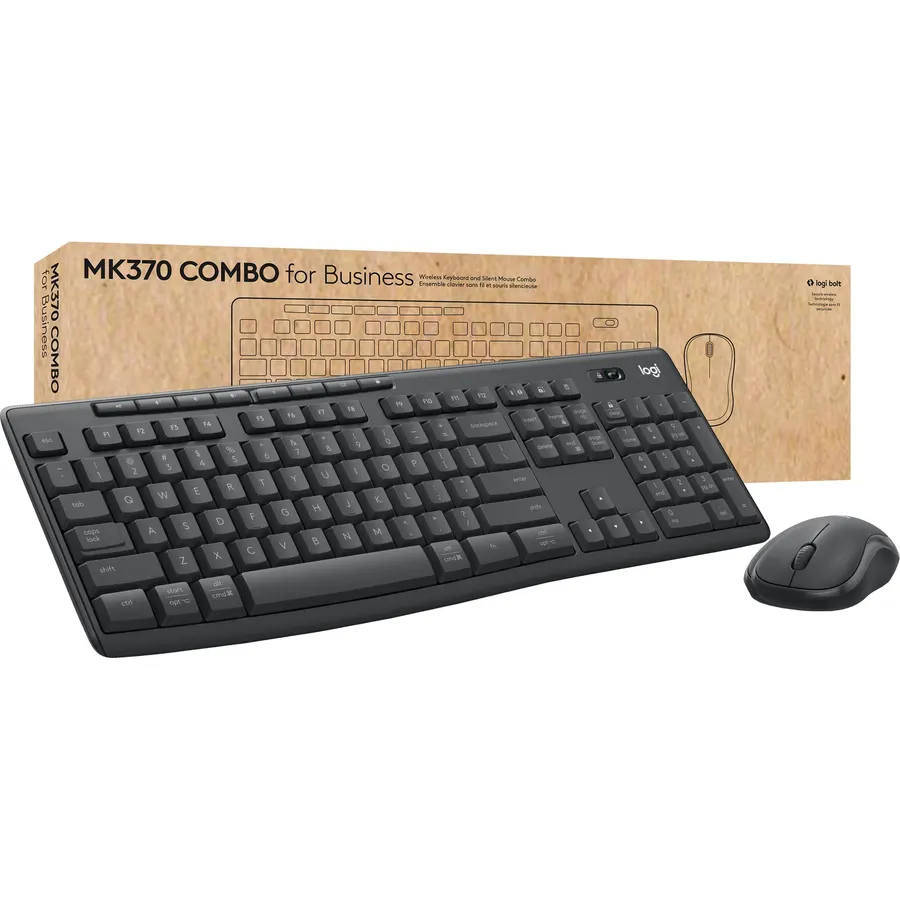
The MX Mechanical is the wireless mechanical keyboard for people who do not want it to look or sound like a gaming keyboard. Logitech uses low-profile tactile quiet switches that give a bump you feel but barely hear, a metal top plate, and a white backlight that switches on when your hands approach and adjusts to the room. It pairs with three devices over Bluetooth or the Logi Bolt receiver and swaps between them with a key tap, the feature office owners praise most. Battery life is about 15 days with the backlight on and months with it off. There is no hot-swap, no RGB and no 2.4GHz gaming mode, and it costs as much as the GravaStar. For a shared desk it is the right answer, and 1,000 owners give it 4.6 stars.
- Quietest board here; built for shared offices
- Logi Bolt and Bluetooth across three devices with one tap
- Low-profile keys suit people coming from a laptop
- 4.6 stars from nearly 1,000 owners
- Not hot-swappable and no RGB effects
- No 2.4GHz gaming dongle; Bolt is for productivity
- Expensive for what is a work keyboard
Logitech POP Keys Wireless Mechanical Keyboard with Emoji Keys - Cosmos
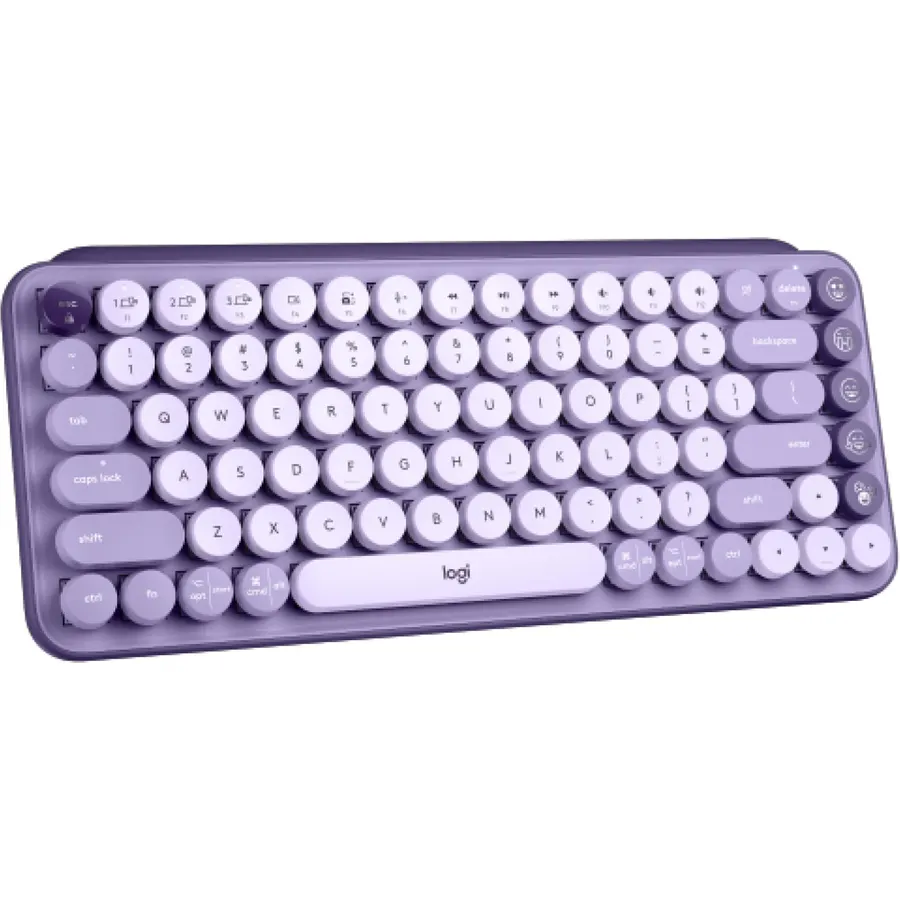
The POP Keys is the keyboard people buy because it looks like nothing else on the desk: round typewriter keycaps, a purple Cosmos colorway, and a row of swappable emoji keys. Underneath it is a proper mechanical board with clicky switches and the same three-device Easy-Switch system as Logitech’s MX line, over Bluetooth or a Bolt receiver. It runs on AAA batteries rated for three years, so there is nothing to charge. The compromises: the clicky switches are loud, there is no backlight or number pad, and the emoji keys are a novelty most owners remap. But 1,200 owners rate it 4.6 stars, and for a bedroom or a creative desk it is the cheerful pick.
- Three-year battery life with no charging
- Multi-device Easy-Switch keys across three devices
- Round typewriter keys and bright colorway stand out
- 1,200 owners at 4.6 stars
- Loud clicky switches are not for a shared room
- No number pad, no backlight
- Emoji keys are a gimmick for most adults
Compare the picks
| Product | Layout | Connection | Hot-swap | Battery | Owner rating | Our score | |
|---|---|---|---|---|---|---|---|
| Redragon K671Redragon | Full size | USB-C, 2.4G, BT | Yes | Rechargeable | 4.3 (6,800+) | 8.6 | See price |
| Epomaker x Aula F75 MAXEPOMAKER | 75% | USB-C, 2.4G, BT | Yes | Rechargeable | 4.6 (2,000+) | 9.2 | See price |
| GravaStar Mercury K1GravaStar | 75% | USB-C, 2.4G, BT | Yes | 8000mAh | 4.7 (1,800+) | 9.4 | See price |
| RK61RK ROYAL KLUDGE | 60% | USB-C, 2.4G, BT | Yes | 1450mAh | 4.4 (2,800+) | 8.8 | See price |
| Kisnt KN85Kisnt | 75% | USB-C, 2.4G, BT | Yes | Rechargeable | 4.6 (1,300+) | 9.2 | See price |
| RK S98RK ROYAL KLUDGE | 96% | USB-C, 2.4G, BT | Yes | Rechargeable | 4.4 (1,700+) | 8.8 | See price |
| Logitech MX MechanicalLogitech | Full size, low profile | Bolt, BT | No | 15 days lit | 4.6 (990+) | 9.2 | See price |
| Logitech POP KeysLogitech | Compact | Bolt, BT | No | AAA, 3 years | 4.6 (1,200+) | 9.2 | See price |
Bluetooth, 2.4GHz or both?
Bluetooth is convenient and works with tablets and phones, but it adds roughly 10ms of latency and is the mode owners most often complain about when a board disconnects. The 2.4GHz dongle behaves like a cable and is what you want for a gaming PC. Six of the eight boards here have both; the two Logitech boards use the Logi Bolt receiver instead, which is secure and reliable for office work but not pitched at competitive play. If the board will hop between a laptop, a tablet and a desktop, Bluetooth with three slots, as on the RK61, KN85 and the Logitech pair, is the feature to look for.
Battery life and what drains it
RGB lighting is what empties a keyboard battery. The GravaStar K1 with 8,000mAh runs for weeks with lighting on; the RK61 with 1,450mAh lasts days lit and about 200 hours unlit. The Logitech MX Mechanical quotes 15 days lit and months unlit, and the POP Keys sidesteps the issue with AAA cells rated for three years. If you hate charging, buy the biggest battery you can or turn the backlight off; every board here has a key combination to do it.
Hot-swap, gasket mount and why they matter
Hot-swap sockets let you pull the switches out with a tool and push in different ones, so a linear board can become tactile without soldering. Six of the eight picks support it; the two Logitech boards do not. A gasket mount suspends the plate on rubber strips so keystrokes feel cushioned and sound deeper; the F75 MAX, K1, KN85 and the boards in our budget mechanical keyboards under 150 guide are examples, while the Redragon K671 and RK S98 use stiffer mounts. Neither matters if you simply want a keyboard that works; both matter if you expect to tinker.
Is a wireless mechanical keyboard good enough for gaming?
Yes, on the 2.4GHz dongle. Boards like the Epomaker F75 MAX run at 1000Hz over the dongle, the same as wired. Bluetooth adds latency and is best kept for a laptop or tablet.
Do these keyboards work with a Mac?
All of them pair with a Mac over Bluetooth. The Kisnt KN85, Epomaker, RK and Logitech boards have a Mac layout toggle; the MX Mechanical and POP Keys print both Windows and Mac legends on the keycaps.
What does hot-swappable mean?
The switches plug into sockets instead of being soldered, so you can swap them with a puller. Six picks here are hot-swappable; the Logitech MX Mechanical and POP Keys are not.
How long does the battery last?
It depends on lighting. With RGB off, most rechargeable boards here run two to eight weeks; the GravaStar K1 with 8000mAh runs longest. The POP Keys uses AAA cells rated for three years.
Which layout should I choose?
Full size if you use the number pad daily, 96% to keep it in less space, 75% for the function row and arrows without the pad, and 60% only if you want the smallest board and will learn the Fn layer.
Prices and stock change daily. The buttons above open Amazon so you always see the current price. We may earn a commission if you buy through them, at no extra cost to you.
Do Best Deal is a participant in the Amazon Services LLC Associates Program. As an Amazon Associate we earn from qualifying purchases. If you buy through links on this site we may earn a commission, at no extra cost to you. Learn more.