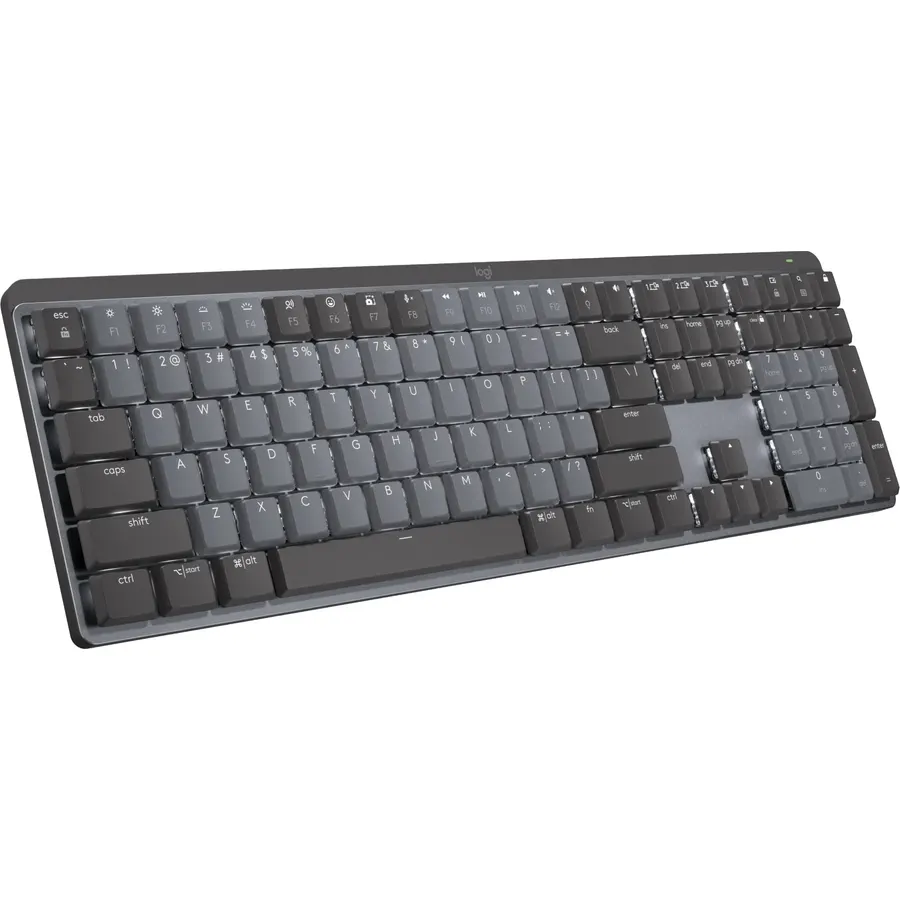
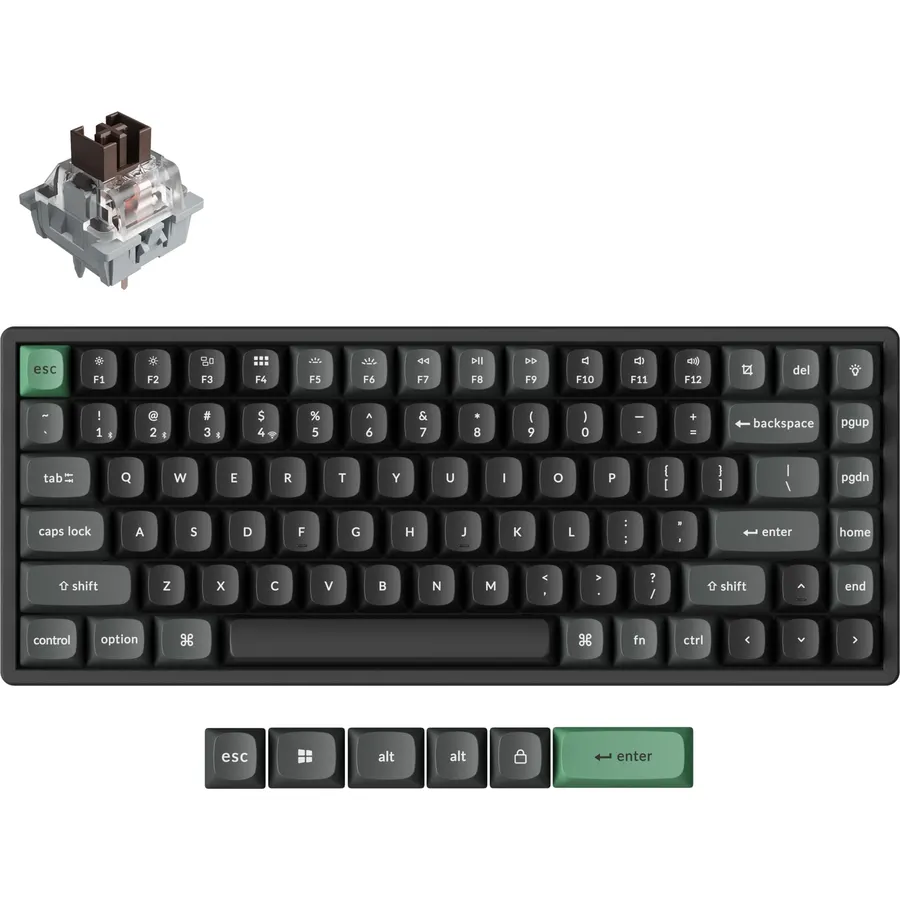
Logitech makes more keyboards than anyone, from a cheap wireless board with a number pad to a low-profile mechanical that switches between three computers. The hard part is finding the right one for how you work. We ranked the Logitech keyboards in our keyboards catalog by layout, how they connect (Unifying receiver, Logi Bolt or Bluetooth), how many devices they pair with, battery life, typing feel and what tens of thousands of owners report after months of use.
We have not typed on every one of these ourselves; the verdicts rest on the spec sheets and on the owner review history. Prices are not printed because they change daily; every button opens the live Amazon page. For a mouse in the same box, see our wireless keyboard and mouse combos guide, which covers the Logitech MK sets.
How we picked
- A keyboard for every desk. Compact, full-size, multi-device, mechanical and a couch keyboard with a touchpad.
- Connection flexibility. Boards with Bluetooth plus a Logi Bolt or Unifying receiver ranked above single-connection boards.
- Battery life measured in years, unless the board is rechargeable and backlit.
- Owner ratings of 4.3 stars or better; six of the eight picks have more than 3,000 reviews.
- Honest about age. Older models that still sell strongly are included, with their limits stated.
The picks
Logitech K480 Wireless Multi-Device Keyboard for Windows, macOS, iPadOS, Android or Chrome OS, Bluetooth, Compact, Compatible with PC, Mac, Laptop, Smartphone, Tablet - Black
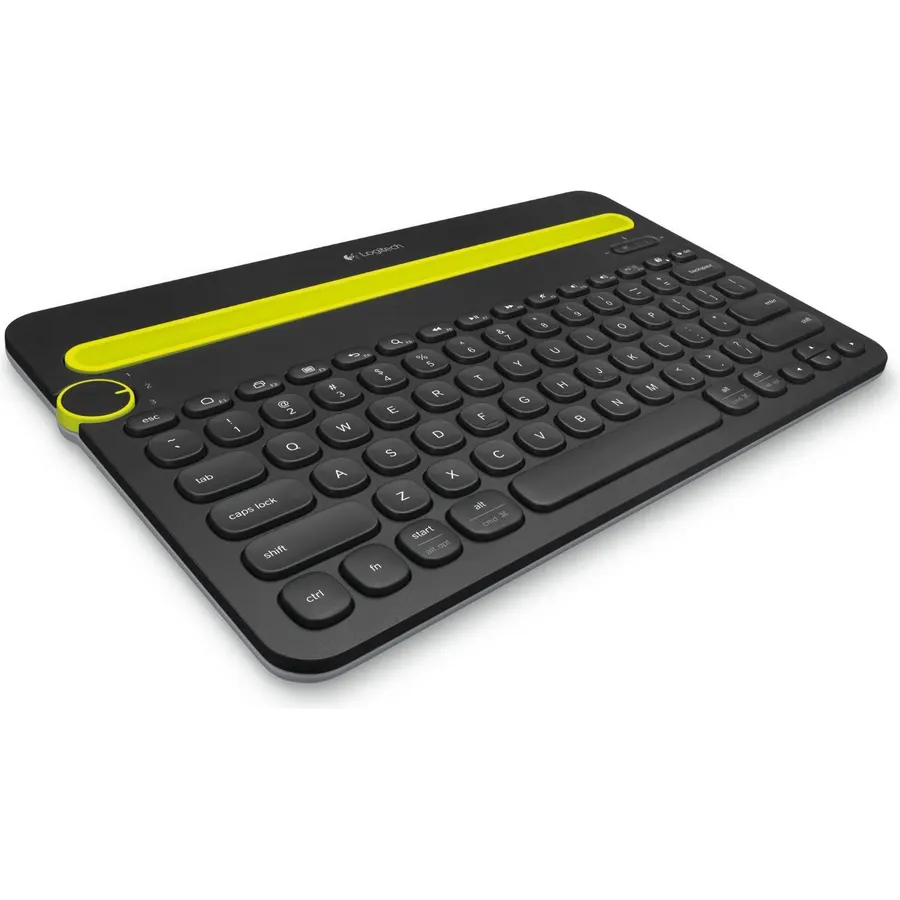
The K480 solved a problem nobody else had: typing on a phone or tablet with a real keyboard while your laptop is still connected. Turn the dial on the left and it switches between three paired Bluetooth devices, and the slot along the top holds a phone or a tablet up to 10 inches wide at a comfortable reading angle. It has shortcut keys for Windows, Mac, Chrome, Android and iOS, two AAA batteries last up to two years, and the shell is spill-resistant. The compromises are a thick chassis and round, shallow keys that fast typists find slow. As a desk hub for a laptop plus a tablet, though, it is the most-reviewed Logitech keyboard on Amazon at 4.4 stars from about 23,500 owners.
- About 23,500 owner reviews at 4.4 stars
- Switch between three devices by turning a dial
- Built-in cradle props a phone or tablet at reading angle
- Two-year battery life on AAAs
- Round keys and a thick body are not for fast typists
- Bluetooth only; no USB receiver option
- Heavy for a keyboard sold on portability
Logitech K270 Full Size Wireless Keyboard for Windows - Rose
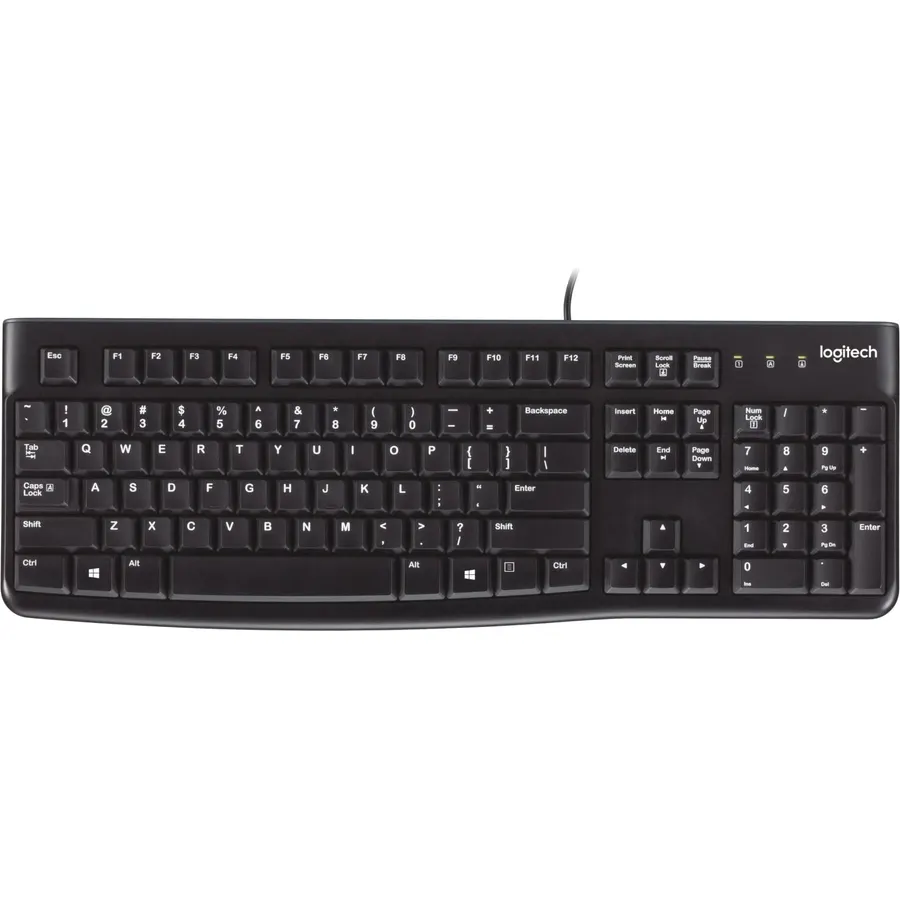
The K270 is the keyboard to buy when you just need a full-size wireless board for a Windows desktop. It has a complete layout with a number pad, eight shortcuts for mail, media and the browser, deep-profile keys with a springy bounce, and a Unifying receiver that also pairs with a compatible Logitech mouse so one USB port covers both. The batteries last up to two years, the shell is spill-proof and Logitech backs it with a three-year warranty. There is no backlight, no Bluetooth and no Mac support, and the plastic is thin. For an office or a kitchen PC none of that matters, which is why about 10,000 owners rate it 4.3 stars.
- The cheapest full-size wireless Logitech keyboard, 4.3 stars from about 10,000 owners
- Number pad and eight media and web shortcuts
- Two-year battery life and a three-year warranty
- Unifying receiver shares a port with a Logitech mouse
- Windows only; Mac keys are not mapped
- No backlight and no Bluetooth
- Basic plastic build
Logitech K780 Multi-Device Wireless Keyboard with Built-in Cradle, Speckles
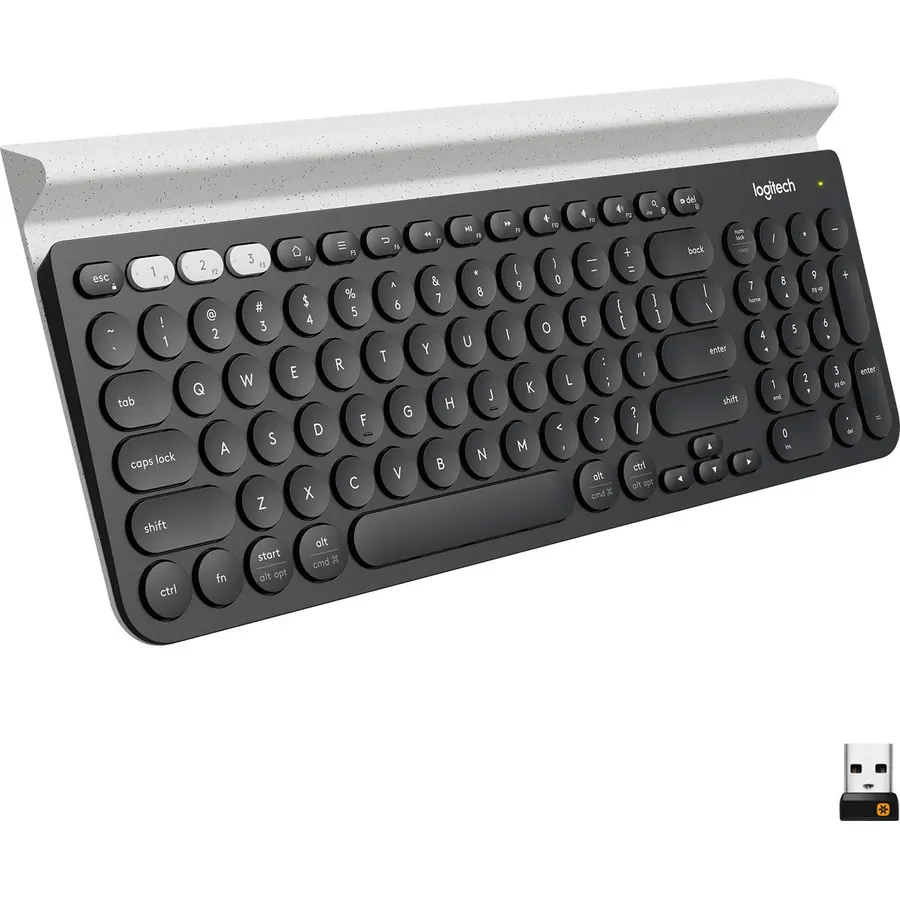
The K780 is the grown-up K480: a full-size keyboard with a number pad and the same phone-and-tablet cradle, but it connects by Bluetooth or the included Unifying receiver and switches between three devices with dedicated keys. The keys are large, round and quiet, with legends for both Windows and Mac, and it works with Chrome OS, iOS and Android. Owners rate it 4.6 stars from about 3,400 reviews, the highest score among the non-mechanical boards here. The round keycaps divide people and there is no backlight, but if you work across a desktop and a laptop and want a number pad, this is the Logitech multi-device board to buy.
- Both a USB receiver and Bluetooth, unlike the K480
- Full-size layout with a number pad and a device cradle
- Quiet keys; 4.6 stars from about 3,400 owners
- Works with every major OS and labels the keys for each
- Round key shape takes adjustment
- Not backlit
- Larger than the K480 and heavier to move
Logitech MX Mechanical Full-Size Wireless Mechanical Keyboard, Tactile Quiet Switches, Low Profile Backlit Keys, Bluetooth, USB-C, Multi-Device Performance, Windows/macOS Graphite
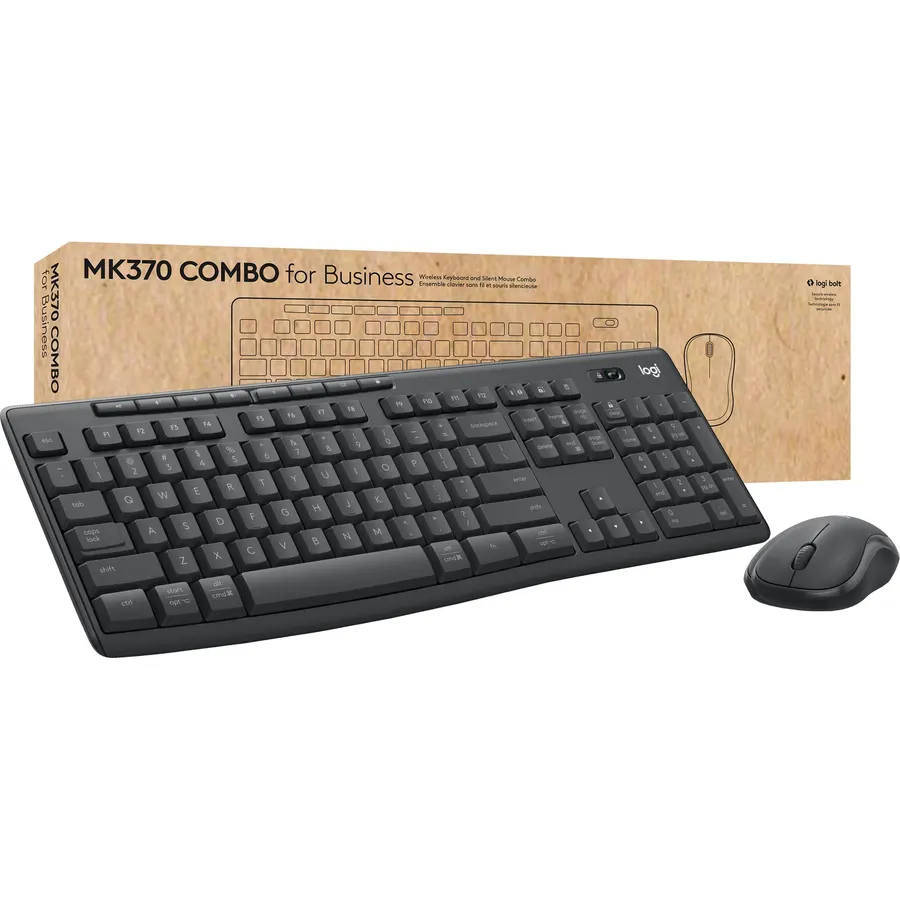
The MX Mechanical is what Logitech builds when it stops thinking about price: a full-size, low-profile mechanical keyboard with tactile quiet switches, a metal top plate and a backlight that lights up when your hands approach and dims in a bright room. It pairs with three devices over Bluetooth LE or the included Logi Bolt receiver, carries both Windows and macOS legends, and recharges over USB-C for up to 15 days with the backlight on or months with it off. Owners rate it 4.6 stars from about 990 reviews. This listing is bulk packaging, meaning a brown box rather than retail, which is the main caveat alongside the price. Our mechanical keyboards for programmers guide compares it with other low-profile boards.
- Quiet tactile mechanical switches in a low-profile body
- Backlight turns on as your hands approach and dims in daylight
- Three-device switching with Bolt or Bluetooth
- 4.6 stars from about 990 owners
- This listing is bulk packaging, so expect a plain box
- Fifteen days of battery with the backlight on is short next to the AA boards
- Priced like three K270s
Logitech K360 Wireless USB Desktop Keyboard, Compact Full Keyboard, 3-Year Battery Life (Glossy Black)
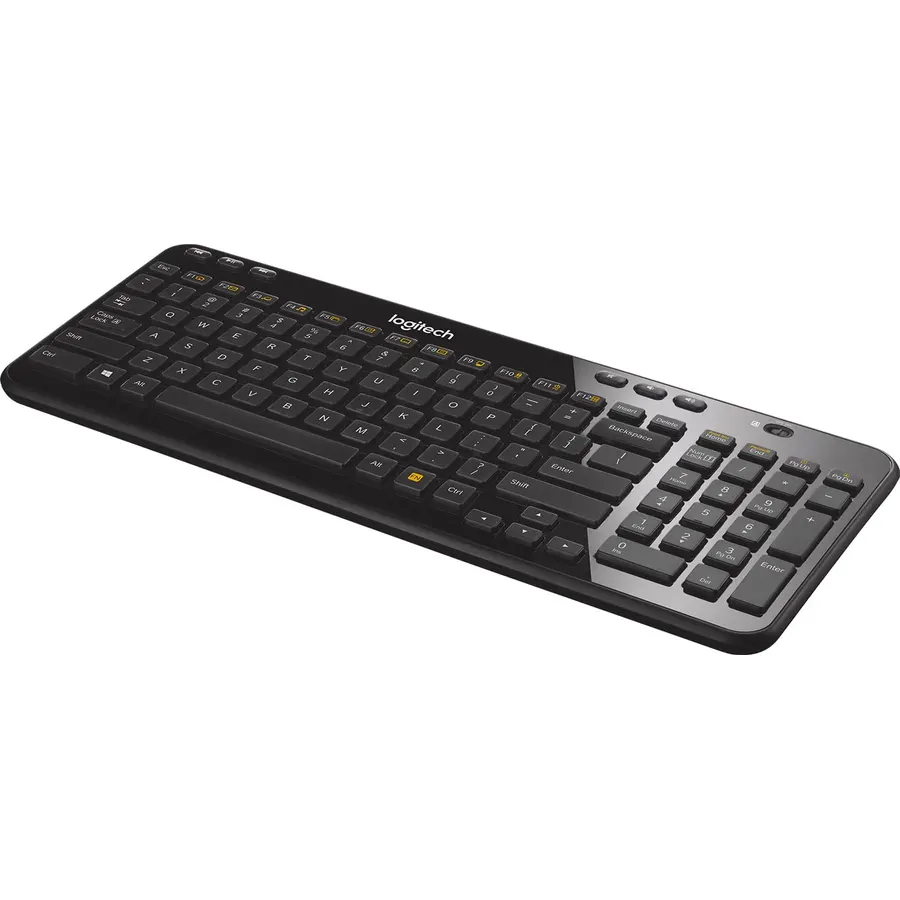
The K360 squeezes every key of a full-size keyboard, number pad included, into a frame about 20 percent smaller by trimming the gaps and bezels, which makes it the board for a small desk where you still enter numbers. It connects through a Unifying receiver with 128-bit AES encryption, has programmable hotkeys for the apps you open most, and runs up to three years on two AA batteries, the longest claim of any pick here. About 8,700 owners rate it 4.4 stars. The glossy finish collects fingerprints, there is no Bluetooth, and because it is an older model the Amazon price on this listing jumps around, so check the live page before deciding between it and the K270.
- Full layout including a number pad in a body 20 percent smaller
- Three-year battery life on two AAs
- Programmable hotkeys for favorite apps
- 4.4 stars from about 8,700 owners
- Glossy finish shows fingerprints
- Older design with no Bluetooth
- Amazon pricing on this listing is inconsistent
Logitech Signature K650 Comfort Full-Size Wireless Keyboard - Graphite
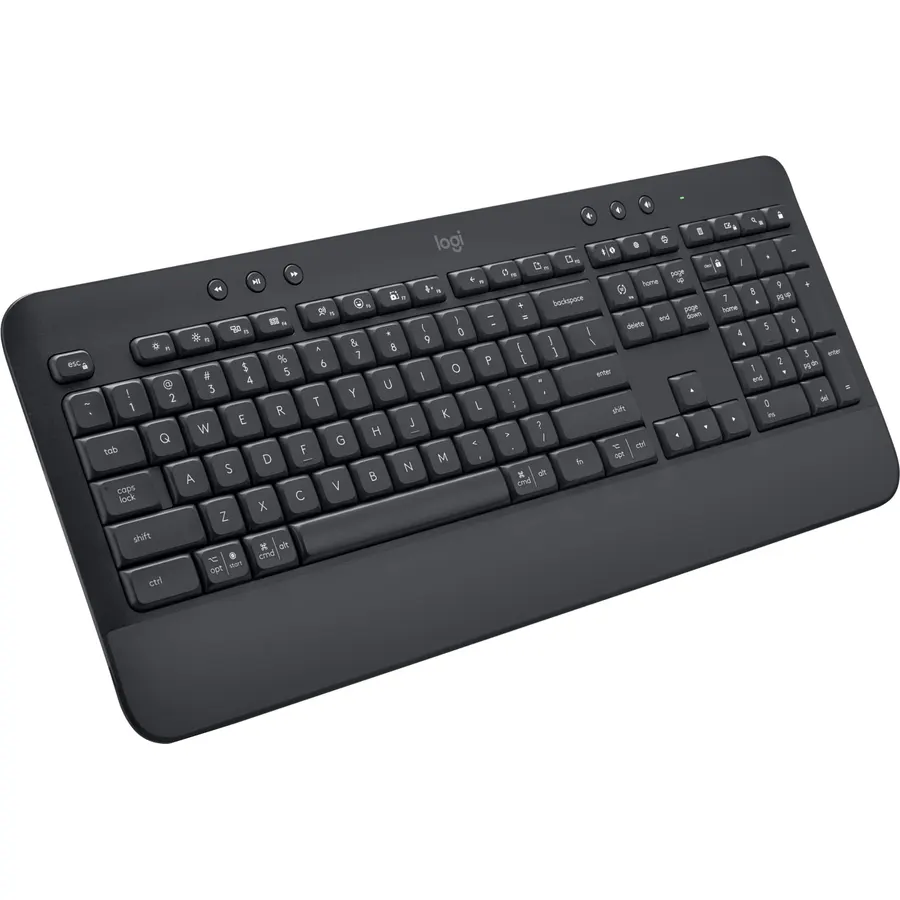
The Signature K650 is Logitech’s comfort keyboard: a full-size layout with a soft-touch palm rest moulded into the front edge, deep-cushioned keys and two tilt angles. It connects by Bluetooth Low Energy or the included Logi Bolt receiver, works with every current operating system, runs up to 36 months on its batteries and adds the shortcut keys remote workers use, including microphone mute and screenshot. Owners give it 4.3 stars from about 1,500 reviews; the common complaint is that the cushioned keys feel soft rather than crisp, and there is no backlight. Pair it with the M650 mouse from our wireless mouse for productivity guide for a matched desk.
- Built-in palm rest and cushioned keys for long typing days
- Bluetooth and Bolt, so it works with almost anything
- Three-year battery life
- Mic mute and screenshot keys for remote work
- 4.3 stars; some owners find the keys mushy
- No backlight
- Palm rest makes it the longest footprint here
Logitech POP Keys Wireless Mechanical Keyboard with Emoji Keys - Cosmos
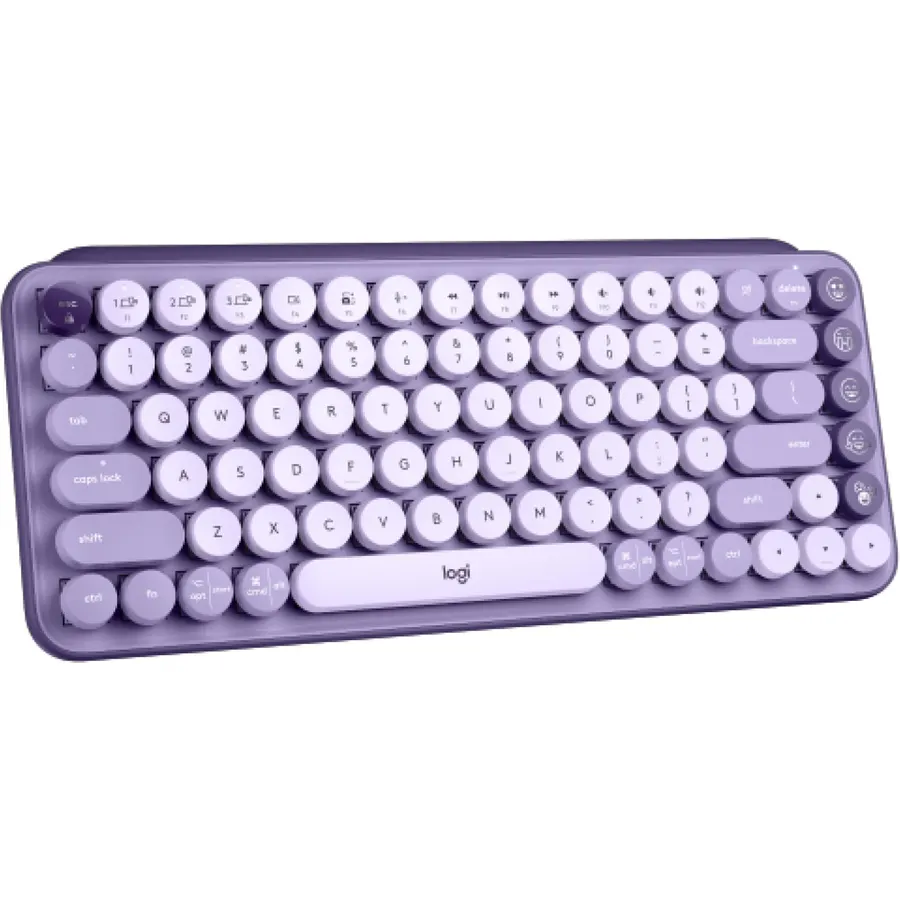
POP Keys is a mechanical keyboard that does not look like one: round typewriter-style keycaps, a purple Cosmos color scheme and eight swappable emoji keys down the right edge. Under the caps are mechanical switches rated for 50 million strokes with a clicky, bouncy feel that owners call addictive, and the board pairs with three devices over Bluetooth or the Logi Bolt receiver, running three years on its batteries. It is compact enough to carry. The round caps take practice, the click is loud for an open office, and the emoji keys only reprogram on Windows and macOS. About 1,200 owners rate it 4.6 stars, most of them buying it for the look as much as the switches.
- Real mechanical switches in a small, colorful board
- Three-device Easy-Switch with Bluetooth or Bolt
- Three-year battery life, no charging
- 4.6 stars from about 1,200 owners
- Round keycaps and a loud click are not for everyone
- No number pad, no backlight
- Emoji keys customize on Windows and macOS only
Logitech Wireless Touch Keyboard K400 with Built-in Multi-Touch Touchpad
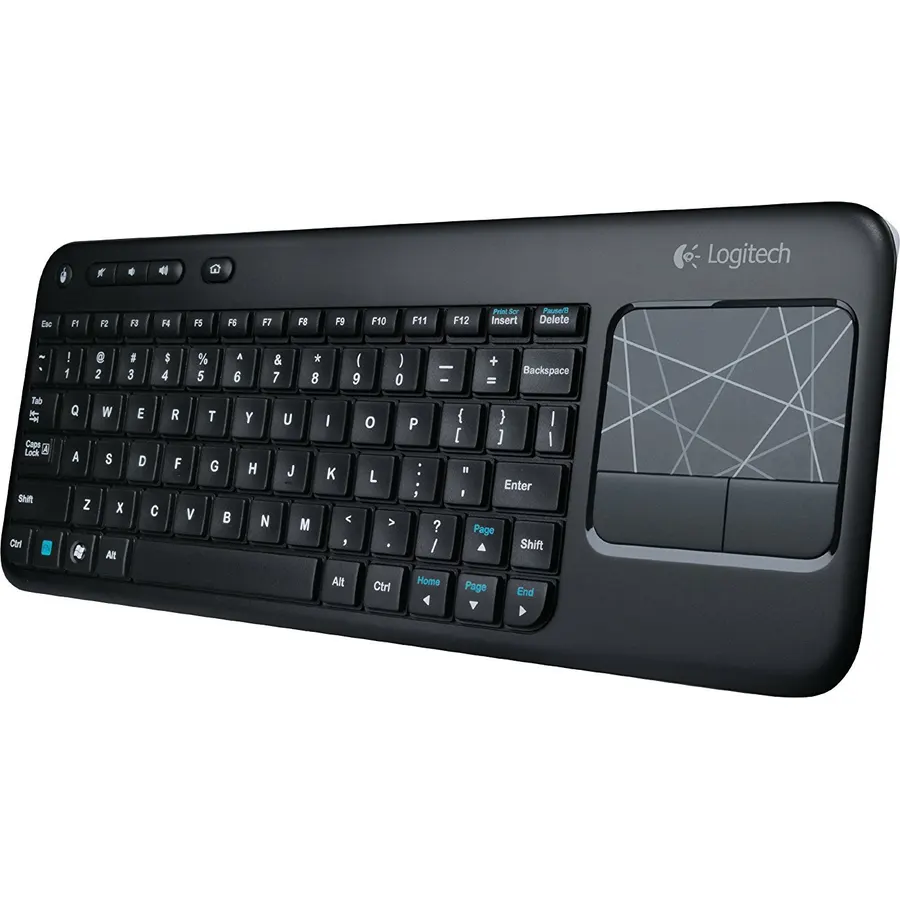
The K400 exists for one job, controlling a PC plugged into a television from the couch, and it does it with a 3.5-inch multi-touch touchpad on the right side and a 33-foot wireless range. The keys are low profile and quiet with large legends you can read in a dim room, and the Unifying receiver is plug-and-play. This listing is the original K400 rather than the newer K400 Plus, and its page still lists Windows 7 and Vista, though owners use it with current Windows PCs and media boxes. It is not a keyboard for writing a report, but for a home theatre PC or a workshop computer it is the standard answer, and about 11,600 owners rate it 4.3 stars.
- Keyboard and touchpad in one, so no mouse on the sofa
- 33 ft range reaches across a living room
- About 11,600 owner reviews at 4.3 stars
- Plug-and-play Unifying receiver
- This is the original K400; the K400 Plus is newer
- Listing specifies older Windows versions
- Small keys and touchpad are for browsing, not writing
Compare the picks
| Product | Layout | Connection | Devices | Battery | Owner rating | Our score | |
|---|---|---|---|---|---|---|---|
| K480Logitech | Compact, cradle | Bluetooth | 3 | 2 AAA, 24 months | 4.4 (23,500+) | 8.8 | See price |
| K270Logitech | Full-size | Unifying receiver | 1 | 24 months | 4.3 (10,000+) | 8.6 | See price |
| K780Logitech | Full-size, cradle | Unifying or Bluetooth | 3 | AA (not stated on listing) | 4.6 (3,400+) | 9.2 | See price |
| MX Mechanical Full-SizeLogitech | Full-size, low-profile mechanical | Bolt or Bluetooth LE | 3 | USB-C, 15 days backlit | 4.6 (990+) | 9.2 | See price |
| K360Logitech | Compact full layout | Unifying receiver | 1 | 2 AA, 3 years | 4.4 (8,700+) | 8.8 | See price |
| Signature K650Logitech | Full-size, palm rest | Bolt or Bluetooth LE | 1 | 36 months | 4.3 (1,500+) | 8.6 | See price |
| POP KeysLogitech | Compact mechanical | Bolt or Bluetooth | 3 | 3 years | 4.6 (1,200+) | 9.2 | See price |
| K400Logitech | Compact with touchpad | Unifying receiver | 1 | AA | 4.3 (11,600+) | 8.6 | See price |
Unifying, Logi Bolt or Bluetooth?
Unifying is the older 2.4 GHz receiver (K270, K360, K400, K780) that pairs up to six Logitech devices to one USB port. Logi Bolt is the newer receiver (MX Mechanical, K650, POP Keys) with stronger encryption and a steadier link in crowded offices; Bolt and Unifying devices do not share a receiver. Bluetooth needs no receiver and is the only option on the K480. If you own a Logitech mouse already, match the receiver type to free a USB port; if you move between a tablet and a laptop, insist on Bluetooth with Easy-Switch.
Full-size, compact or multi-device?
A full-size board with a number pad (K270, K780, K650, MX Mechanical) suits anyone who enters numbers or wants a familiar layout. The K360 keeps the pad in a smaller frame; the K480 and POP Keys drop it to keep the mouse close to the body. Multi-device boards (K480, K780, MX Mechanical, POP Keys) pair with up to three computers, tablets or phones and switch with a key or a dial. If you only ever use one Windows PC, the K270 does everything you need.
Membrane or mechanical?
Most Logitech keyboards use membrane keys that are quiet, low and long on battery life; the K270, K360, K480, K780, K650 and K400 all do. The MX Mechanical and POP Keys use real mechanical switches with a more definite press and a longer rated life, at the cost of noise (POP Keys) or battery life (the backlit MX Mechanical). Typists who write all day usually prefer mechanical; shared offices usually prefer membrane. Our quiet keyboards for office guide ranks boards on noise specifically.
Which Logitech keyboard is best for a Mac?
The K780, MX Mechanical and POP Keys print both Windows and macOS legends. The K480 also works with macOS and iPadOS. The K270 and K400 are Windows keyboards and their special keys are not mapped for Mac.
Can one Logitech receiver run a keyboard and a mouse?
Yes, if they use the same system. A Unifying receiver pairs up to six Unifying devices such as the K270 and an M510 mouse; a Logi Bolt receiver pairs Bolt devices such as the K650 and M650. Bolt and Unifying do not mix.
How long do Logitech keyboard batteries last?
The membrane boards run one to three years on AA or AAA cells: 24 months for the K270 and K480, 36 months for the K650 and POP Keys, up to 3 years for the K360. The rechargeable MX Mechanical lasts about 15 days backlit or months with the backlight off.
Is the Logitech K480 good for typing?
It is fine for email and excellent for a tablet or phone, but the round keys and thick body slow fast typists. The K780 has the same cradle with a full-size layout and quieter keys and is the better typing keyboard.
Which Logitech keyboard is best for a TV computer?
The K400 with its built-in touchpad and 33 ft range replaces both a keyboard and a mouse on the sofa. This listing is the original K400; the K400 Plus is the newer version.
Prices and stock change daily. The buttons above open Amazon so you always see the current price. We may earn a commission if you buy through them, at no extra cost to you.
Do Best Deal is a participant in the Amazon Services LLC Associates Program. As an Amazon Associate we earn from qualifying purchases. If you buy through links on this site we may earn a commission, at no extra cost to you. Learn more.