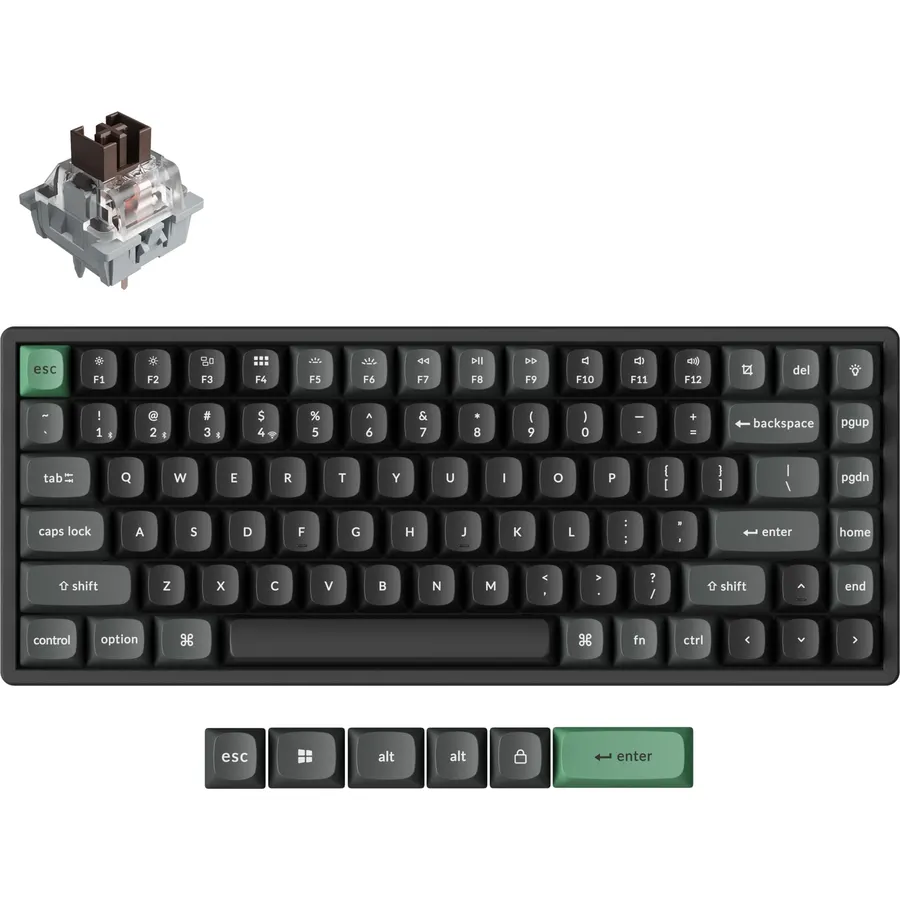
A tablet becomes a laptop the moment you add a keyboard, and the keyboard you add decides whether that is a pleasure or a compromise. Some are desk boards with a slot that props the tablet up; some are cases that wrap the tablet and add a trackpad; some fold into a pocket for the train. All of them pair over Bluetooth, and the better ones pair with three devices at once so the same board serves the tablet, the phone and the laptop. We ranked the tablet keyboards in our keyboards catalog by how they hold or attach to the tablet, pairing and switching, battery life, typing comfort, and what thousands of owners report.
We have not typed on every one of these ourselves; the verdicts rest on the spec sheets and on the owner review history. Prices are not printed because they change daily; every button opens the live Amazon page. For an iPad or MacBook desk specifically, our keyboards for Mac guide goes deeper on Apple layouts, and for a laptop on the road the wireless mouse for laptops and travel guide covers the other half.
How we picked
- Bluetooth on every pick, and multi-device switching on seven of the eight.
- A way to hold the tablet: a built-in slot, a folio case or a stand, so you are not propping it on a mug.
- Battery life of months or years on cells, or USB-C charging with weeks of use.
- Owner ratings of 4.2 stars or better, with hundreds to tens of thousands of reviews.
- No gaming or mechanical boards, which belong in other guides; these are quiet, slim boards built for tablets.
The picks
Logitech K480 Wireless Multi-Device Keyboard for Windows, macOS, iPadOS, Android or Chrome OS, Bluetooth, Compact, Compatible with PC, Mac, Laptop, Smartphone, Tablet - Black
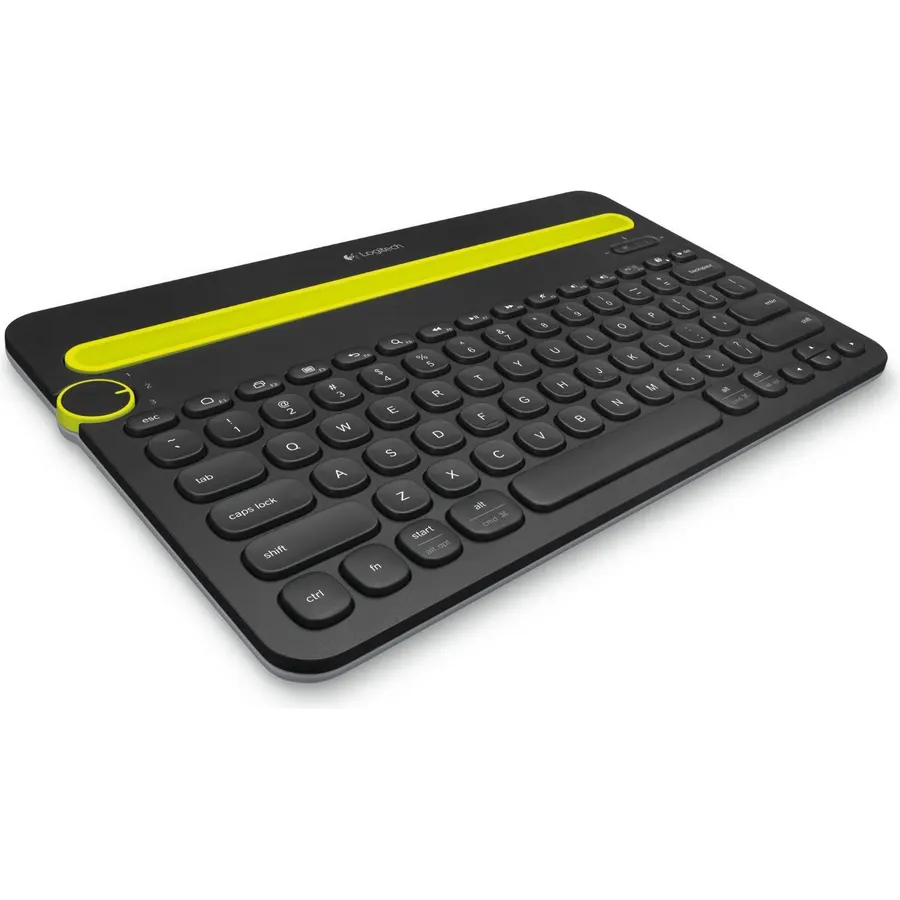
The K480 is the tablet keyboard most people buy and keep, with 23,500 reviews averaging 4.4 stars. The idea is simple: a slot along the top holds a tablet up to 10 inches wide, or a phone, at a comfortable reading angle, and a dial on the left flips between three paired Bluetooth devices, so you can answer a text on the phone and go back to the iPad without touching either. The keys carry shortcut legends for iPadOS, Android, Windows and macOS, two AAA cells last about two years, and the board shrugs off spills. It is thick and heavy, so it lives on a desk rather than in a bag, the round keys are ordinary to type on, and there is no backlight. For a tablet that sits on a desk and does real work, it is the default.
- 23,500 owners at 4.4 stars
- Cradle holds the tablet at a reading angle while you type
- Dial switches between tablet, phone and computer
- Two-year battery and spill resistance
- Thick and heavy; not a travel board
- Round keys feel average
- No backlight or number pad
Logitech K780 Multi-Device Wireless Keyboard with Built-in Cradle, Speckles
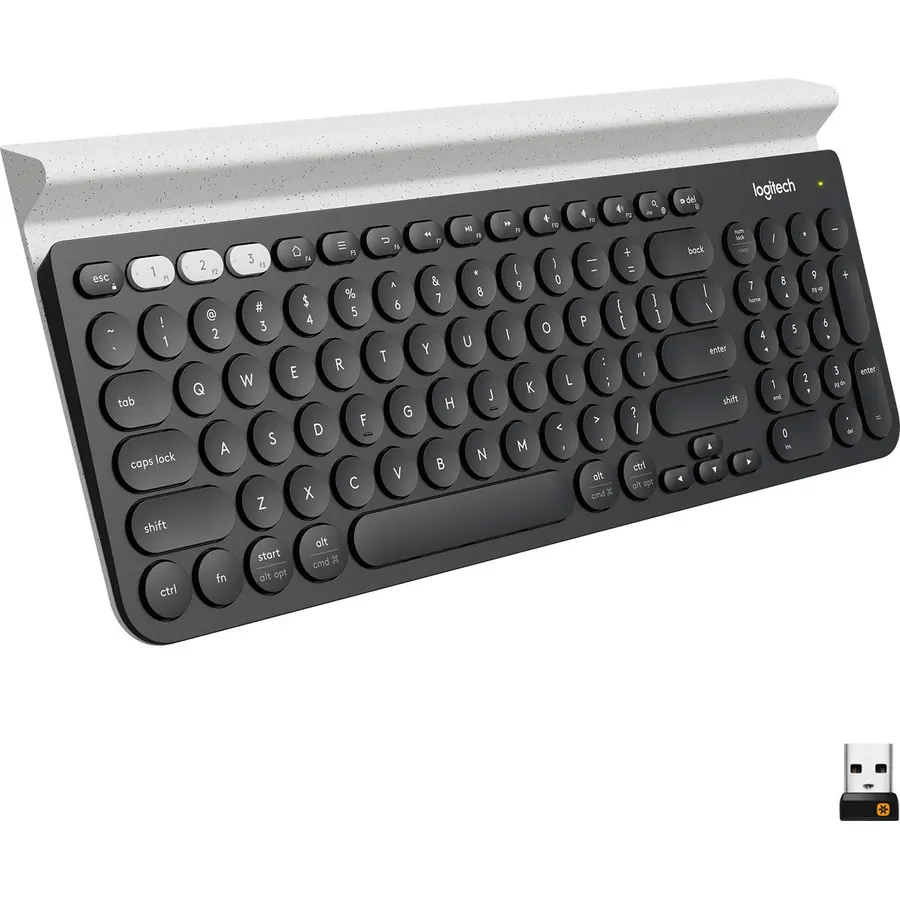
The K780 is the K480 for a desk where the tablet is one of several screens: a full-size board with a number pad, quiet laptop-style keys, and a longer cradle that props a phone and a tablet side by side. It pairs with three devices over Bluetooth or a Logitech Unifying USB receiver, which means a desktop PC without Bluetooth can be one of the three, and dedicated keys switch between them. The keycaps print iOS, Android, Windows and Mac legends. Owners rate it 4.6 stars across 3,400 reviews, the best score of the Logitech boards here. It is too big to carry, there is no backlight, and the speckled finish on this listing is not for everyone. For a home office where the iPad is the second screen, it is the comfortable choice.
- 4.6 stars from 3,400 owners
- Full size with a number pad and quiet keys
- Holds a phone and a tablet side by side
- Bluetooth plus a USB receiver for a desktop PC
- Too large to carry
- No backlight
- Speckled finish is a taste
Logitech iPad 7th 8th 9th Gen Keyboard Case Slim Folio - Graphite
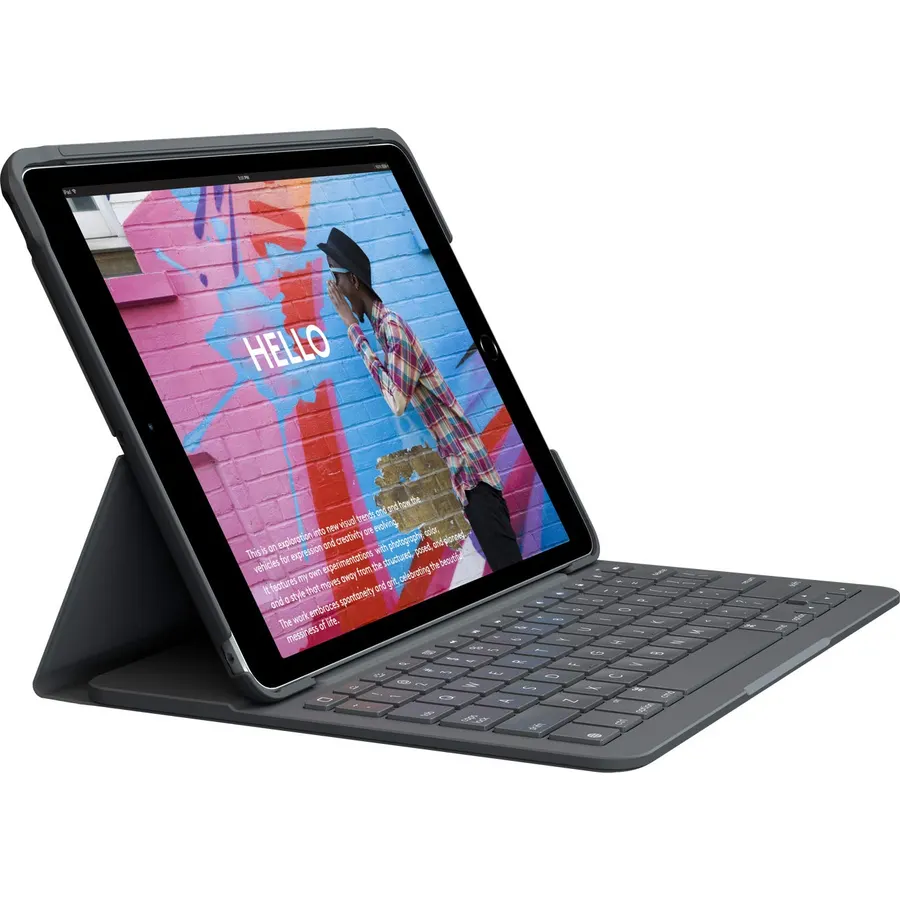
The Slim Folio turns a 10.2-inch iPad into a small laptop and 4,200 owners rate it 4.4 stars. The iPad snaps into a protective shell and the keyboard half folds out and locks the screen at an angle that holds steady on a desk or a lap; the keys stretch edge to edge with a full row of iOS shortcut keys for brightness, media and the home screen. Two coin cells power it for up to four years, so there is nothing to charge, and there is a loop for an Apple Pencil or Logitech Crayon. The limits are specific: it fits only the 7th, 8th and 9th generation iPad, it adds weight, and there is no trackpad or backlight. For a student or a traveler with one of those iPads, it is the case to buy.
- 4,200 owners at 4.4 stars
- Four-year battery with no charging
- Protects the iPad and locks it at a typing angle on a lap
- Edge-to-edge keys with iOS shortcuts
- Fits only the 10.2-inch iPad 7th to 9th generation
- Adds weight and thickness
- No trackpad or backlight
seenda CTU-301 Bluetooth Keyboard and Mouse Combo for iPad,Green&Purple
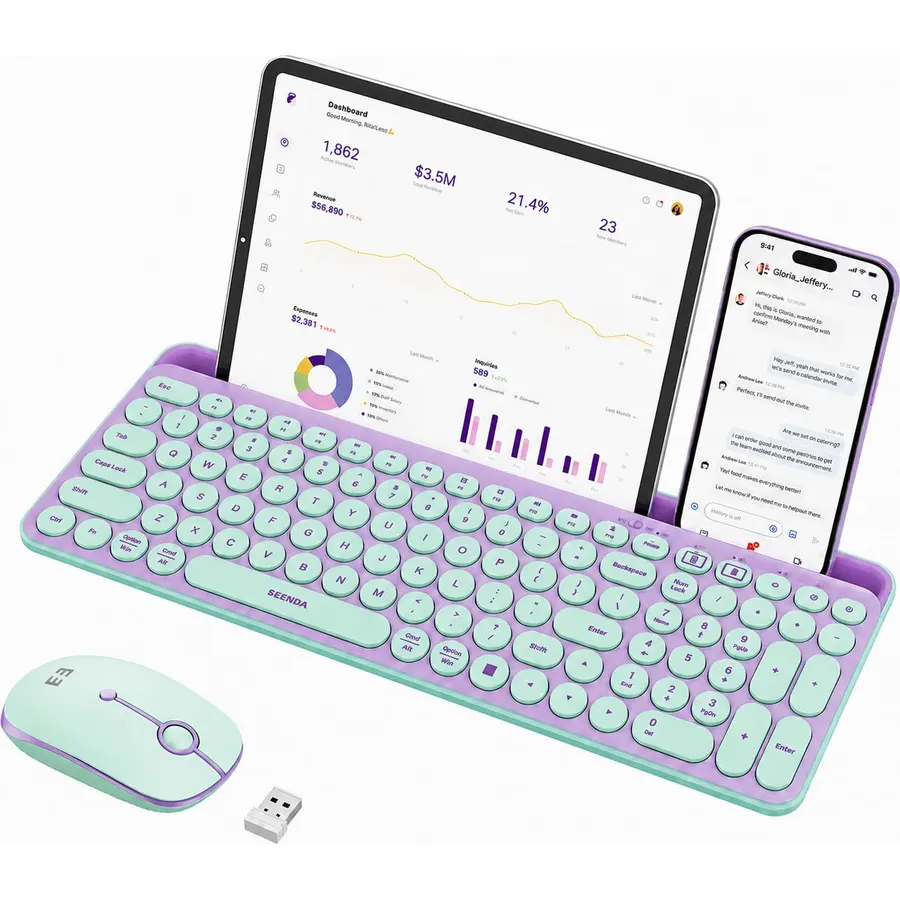
The seenda CTU-301 bundles what most tablet owners end up buying separately: a full-size Bluetooth keyboard with a number pad and 15 hotkeys, a matching Bluetooth mouse, and a 14.4-inch slot along the top that holds a phone and a tablet up to 12.9 inches in landscape. The round typewriter-style keys are responsive, and the feet set a slope that keeps the wrists comfortable. It pairs with iPads, iPhones, Macs, Android and Windows devices. Owners rate it 4.5 stars across 1,200 reviews, and they like the stand most. The green and purple colorway is a statement, a thick protective case may need removing to fit the slot, and there is no software for remapping. For a desk setup around a large iPad, it is good value.
- Keyboard, mouse and a tablet slot in one box
- Slot holds even a 12.9-inch iPad
- Number pad and 15 hotkeys
- 1,200 owners at 4.5 stars
- Colorful design is specific
- Thick cases may not fit the slot
- Lesser-known brand, no software
Foldable Keyboard and Mouse, Samsers Folding Bluetooth Keyboard Combo, 2.4G + BT5.0 x 2, Full-Size Portable Travel Keyboard & Rechargeable Wireless Mouse for Windows Android iOS Mac OS, Midnight
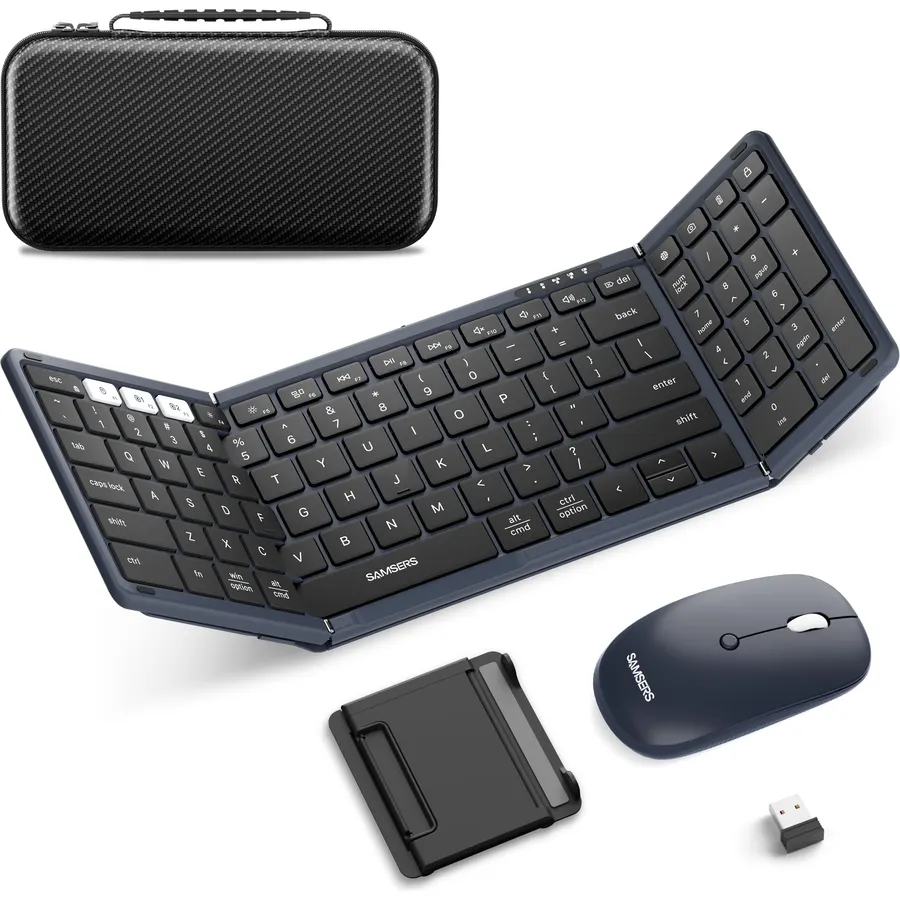
The Samsers folding keyboard is for the tablet that travels. It unfolds to full-size key spacing, which is the thing most folding boards get wrong, and its aluminum hinges are tested past 10,000 folds so it does not wobble or collapse mid-sentence. It pairs with two Bluetooth devices and a laptop over a 2.4GHz dongle, the scissor keys are quiet enough for a lounge or a library, and a pocket mouse and hard case come in the box. The PU leather exterior wipes clean. There is no stand for the tablet, so you need a case that props it up, the fold leaves a gap in the key rows that takes a day to stop noticing, and the little mouse is built for short sessions. Owners rate it 4.4 stars across 1,500 reviews.
- Folds small enough for a jacket pocket but keeps full-size key spacing
- Two Bluetooth slots plus a 2.4GHz dongle for a laptop
- Mouse and hard case included
- 1,500 owners at 4.4 stars
- No stand for the tablet; bring one
- Hinges create a split in the key rows
- Mouse is small for long sessions
Qularlans Keyboard Case for iPad Air 13 M4 M3 M2 & Pro 12.9 6/5/4/3 Gen
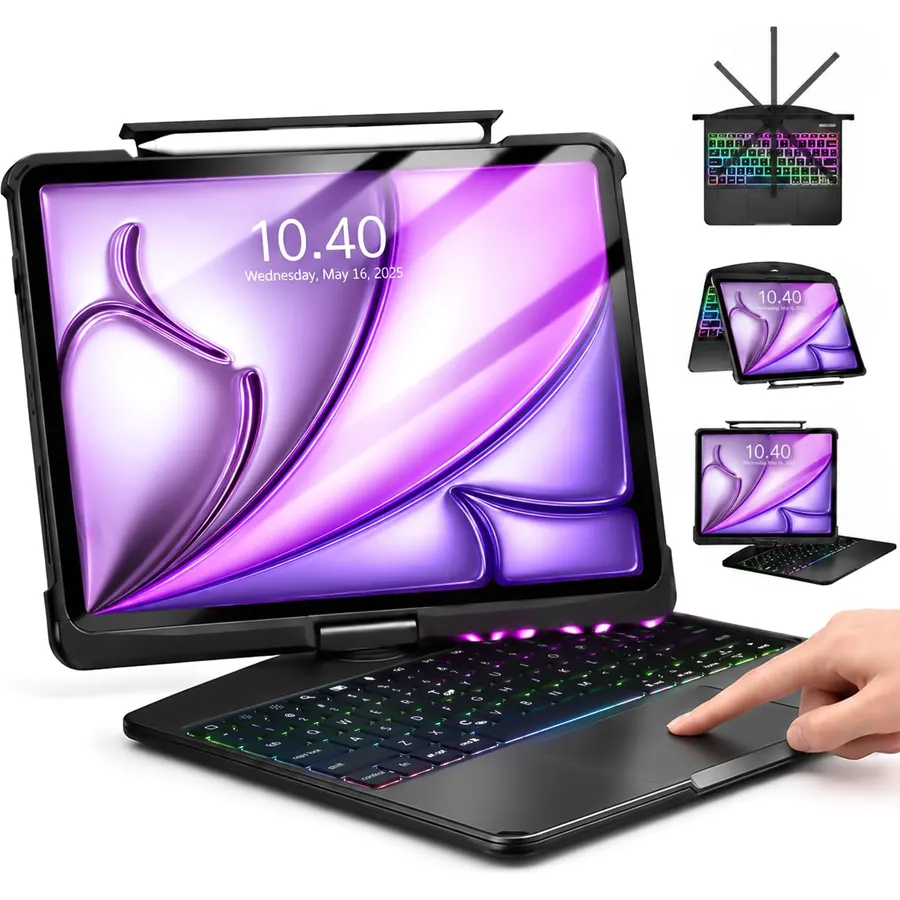
The Qularlans case is the budget route to a laptop-style large iPad: a hardshell case with a transparent back, a detachable backlit keyboard with seven colors, and a multi-touch trackpad that supports the full set of iPadOS gestures, so you can swipe between apps and scroll documents without reaching for the screen. A 360-degree kickstand turns the tablet to portrait for a video call or a social feed. It fits the 13-inch iPad Air in M2, M3 and M4 form and the 12.9-inch iPad Pro from the 3rd to 6th generation; the listing prints every model number, and you should check yours before ordering. It is heavy once assembled, and the brand is not one you will recognize. Owners rate it 4.6 stars across 1,000 reviews, the best score on this page.
- Trackpad with full iPadOS gestures
- Backlit keys in seven colors
- Rotating stand for portrait video calls
- 1,000 owners at 4.6 stars
- Fits only the 13-inch Air and 12.9-inch Pro; check the model number
- Heavy once attached
- Third-party brand rather than Logitech or Apple
Logitech Keys-to-Go Bluetooth Keyboard for iPhone, iPad, Mac - Graphite
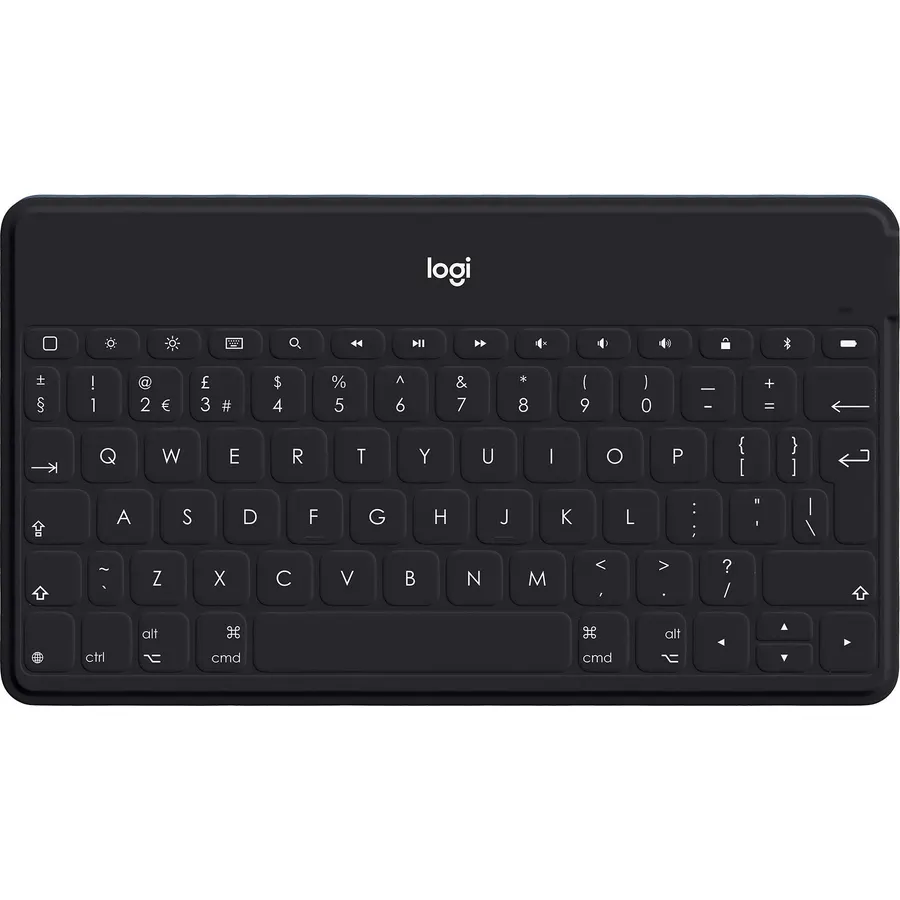
Keys-to-Go 2 is Logitech’s thinnest keyboard and the one to buy if the goal is to carry as little as possible. It is a stand-alone slab with a built-in cover that folds over the keys so it survives a bag, a full row of Apple shortcut keys for brightness, media and volume, and three-device switching across an iPhone, an iPad and a Mac; it also works with Android and ChromeOS. The scissor keys are spaced well for its size. It has no stand, so the tablet needs a case that props it up, the keys are smaller than a desk board, and there is no backlight. Owners rate it 4.2 stars across 230 reviews, and the consistent theme is that it does the travel job it was built for and nothing more.
- Thinner and lighter than any case here
- Built-in cover protects the keys
- Three-device switching
- 230 owners at 4.2 stars
- No stand; the tablet needs its own case
- Small keys
- No backlight
Logitech K250 Compact Wireless Bluetooth Keyboard with Number Pad, Graphite
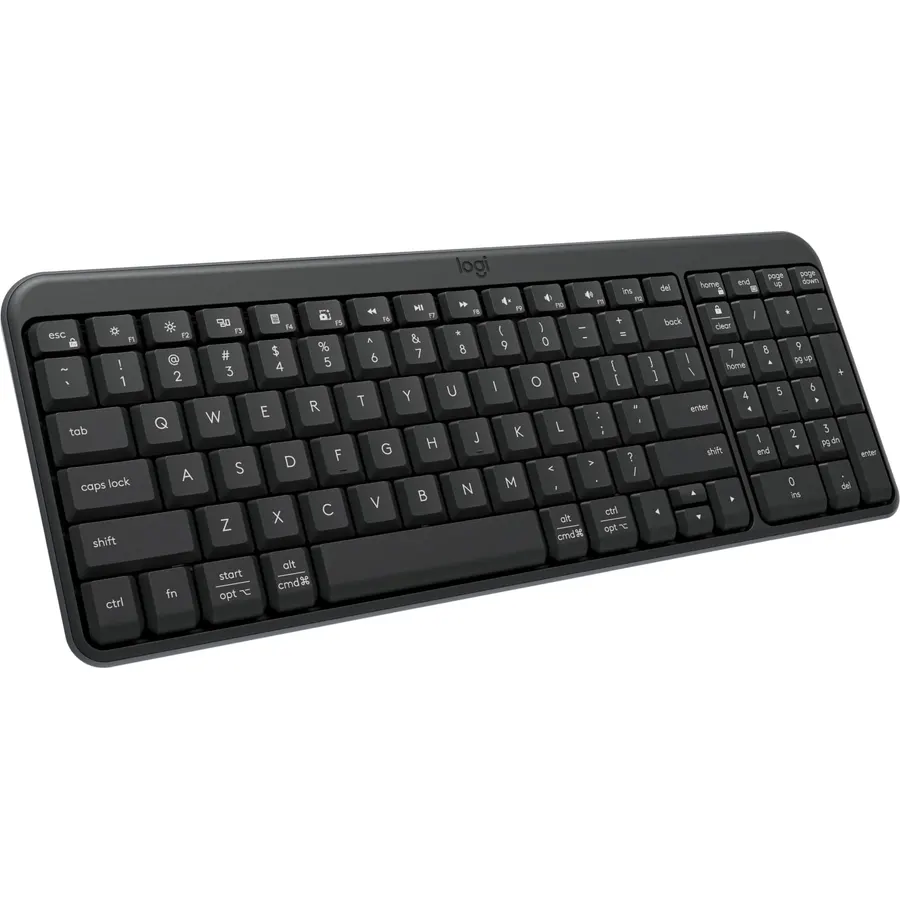
The K250 is the plain, cheap Bluetooth keyboard for a tablet that already has a stand. It pairs over Bluetooth in seconds with no dongle, keeps a number pad and arrow keys in a compact layout, and uses deep-profile keys with tilt legs that typists coming from a desktop will prefer to a slim board. It is spill-resistant, made with 64 percent recycled plastic, and runs a year on its batteries. What it lacks is the multi-device switching every other Logitech pick has, so it stays with one tablet, and there is no cradle. Owners rate it 4.2 stars across 740 reviews. For a kitchen tablet, a classroom or a child’s iPad it is the sensible low-cost choice, and the money saved buys a decent stand.
- Cheapest board here from a known brand
- Keeps a number pad in a compact footprint
- Spill-resistant with a year of battery
- 740 owners at 4.2 stars
- No stand or slot for the tablet
- Single device; no multi-device switching
- Deep keys are taller than a laptop-style board
Compare the picks
| Product | Holds the tablet | Devices | Battery | Portability | Owner rating | Our score | |
|---|---|---|---|---|---|---|---|
| Logitech K480Logitech | Built-in slot | 3 | AAA, 24 months | Desk | 4.4 (23,500+) | 8.8 | See price |
| Logitech K780Logitech | Built-in slot | 3 | AAA, long | Desk | 4.6 (3,400+) | 9.2 | See price |
| Logitech Slim FolioLogitech | Folio case, iPad 10.2 | 1 | Coin cells, 4 years | Case | 4.4 (4,200+) | 8.8 | See price |
| seenda CTU-301 comboseenda | 14.4 in slot | Multi | Rechargeable | Desk | 4.5 (1,200+) | 9.0 | See price |
| Samsers folding comboSamsers | No | 2 BT + dongle | Rechargeable | 4.4 (1,500+) | 8.8 | See price | |
| Qularlans trackpad caseQularlans | Case with stand, iPad 13 / 12.9 | 1 | Rechargeable | Case | 4.6 (1,000+) | 9.2 | See price |
| Logitech Keys-to-Go 2Logitech | No | 3 | Long | Bag | 4.2 (230+) | 8.4 | See price |
| Logitech K250Logitech | No | 1 | 12 months | Desk | 4.2 (740+) | 8.4 | See price |
Desk keyboard, case or folding board
A desk keyboard with a slot, such as the K480, K780 and seenda, is the most comfortable to type on and the easiest to share between a tablet and a computer, but it stays on the desk. A case, such as the Slim Folio and the Qularlans, turns the tablet into something you can type on in a lap or a cafe and protects it, at the cost of weight and a lock to one tablet model. A folding or slim board, such as the Samsers and Keys-to-Go 2, is for the bag, and needs the tablet to have its own stand. Buy for where you actually type, not where you imagine typing.
Pairing, switching and operating systems
All eight boards pair with iPadOS and Android, and most with Windows, macOS and ChromeOS too. Multi-device switching is the feature that separates a good tablet keyboard from a merely working one: the Logitech K480, K780 and Keys-to-Go 2 hold three devices, the Samsers two plus a dongle, and the seenda several. The Slim Folio, Qularlans and K250 pair with one device. If the tablet is your only device, that is fine; if a phone and a laptop share the desk, three slots will change how you work. Shortcut rows matter too: the Logitech boards print iOS and Android media and brightness keys that work without setup.
Batteries and backlights
Coin cells and AAA batteries last years and never need charging; the K480, K780, Slim Folio and K250 all use them. The rechargeable picks, the seenda, Samsers and Qularlans, need a USB-C top-up every few weeks, more often with the Qularlans backlight on. Only the Qularlans here has a backlight, which is the usual trade on tablet keyboards: light costs battery. If you type in bed or on a night flight, that one is the pick; if you want to forget about power entirely, the Logitech boards with cells are the answer. A good tablet stand from our charging stations for multiple devices guide can hold and charge the tablet at the same time.
Will these keyboards work with an Android tablet?
Yes. Every pick pairs with Android over Bluetooth. The Logitech K480 and K780 print Android shortcut legends; the two iPad cases attach physically only to the iPad models listed.
Which keyboard is best for an iPad 10th generation or newer?
The K480, K780, seenda and Keys-to-Go 2 work with any iPad. The Slim Folio here fits only the 7th to 9th generation, and the Qularlans fits the 13-inch Air and 12.9-inch Pro.
Do I need a keyboard with a trackpad?
Only if you want a laptop-like cursor. iPadOS supports trackpads fully; the Qularlans case includes one. A separate Bluetooth mouse, as in the seenda and Samsers sets, does the same job.
Can one keyboard switch between my tablet and my phone?
Yes, with a multi-device board. The K480 switches with a dial and the K780 and Keys-to-Go 2 with keys, each holding three paired devices.
How long do the batteries last?
The Slim Folio runs up to four years on coin cells, the K480 two years on AAA, the K250 one year. Rechargeable boards need charging every few weeks, less often with the backlight off.
Prices and stock change daily. The buttons above open Amazon so you always see the current price. We may earn a commission if you buy through them, at no extra cost to you.
Do Best Deal is a participant in the Amazon Services LLC Associates Program. As an Amazon Associate we earn from qualifying purchases. If you buy through links on this site we may earn a commission, at no extra cost to you. Learn more.