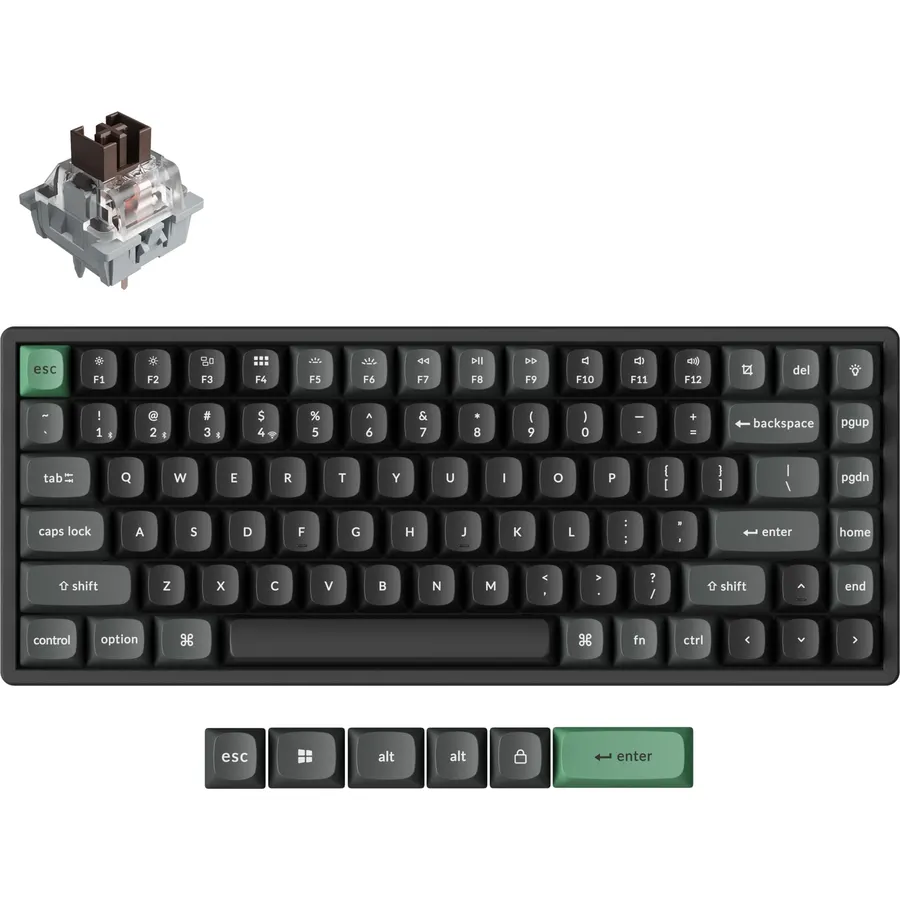
Most keyboards work with a Mac; far fewer are made for one. The difference shows up in the bottom row, where Command and Option need to sit where your thumbs expect them, in the function row, where brightness and Mission Control keys should work without a driver, and in Bluetooth pairing that wakes the board the moment you touch it. We ranked the keyboards in our keyboards catalog that are either built for macOS or print Mac legends and pair cleanly with Apple devices, by layout, connection, battery, build, and what thousands of owners say after months on a MacBook, iMac or iPad.
We have not typed on every one of these ourselves; the verdicts rest on the spec sheets and on the owner review history. Prices are not printed because they change daily; every button opens the live Amazon page. For the other half of the desk, our wireless mouse for productivity guide and the Logitech MX Master 3S review cover the mice that pair with these, and the USB-C docks and hubs guide handles the MacBook ports.
How we picked
- A Mac layout or Mac legends. Every pick prints Command and Option or includes a Mac mode, and all pair with macOS and iPadOS over Bluetooth.
- Multi-device switching on seven of the eight, since most Mac owners also have an iPhone or iPad on the desk.
- Battery life of months or years on cells, or USB-C charging on the backlit picks.
- Owner ratings of 4.2 stars or better, with hundreds to tens of thousands of reviews.
- A spread of sizes and prices, from a travel board to a full-size backlit combo.
The picks
Logitech K480 Wireless Multi-Device Keyboard for Windows, macOS, iPadOS, Android or Chrome OS, Bluetooth, Compact, Compatible with PC, Mac, Laptop, Smartphone, Tablet - Black
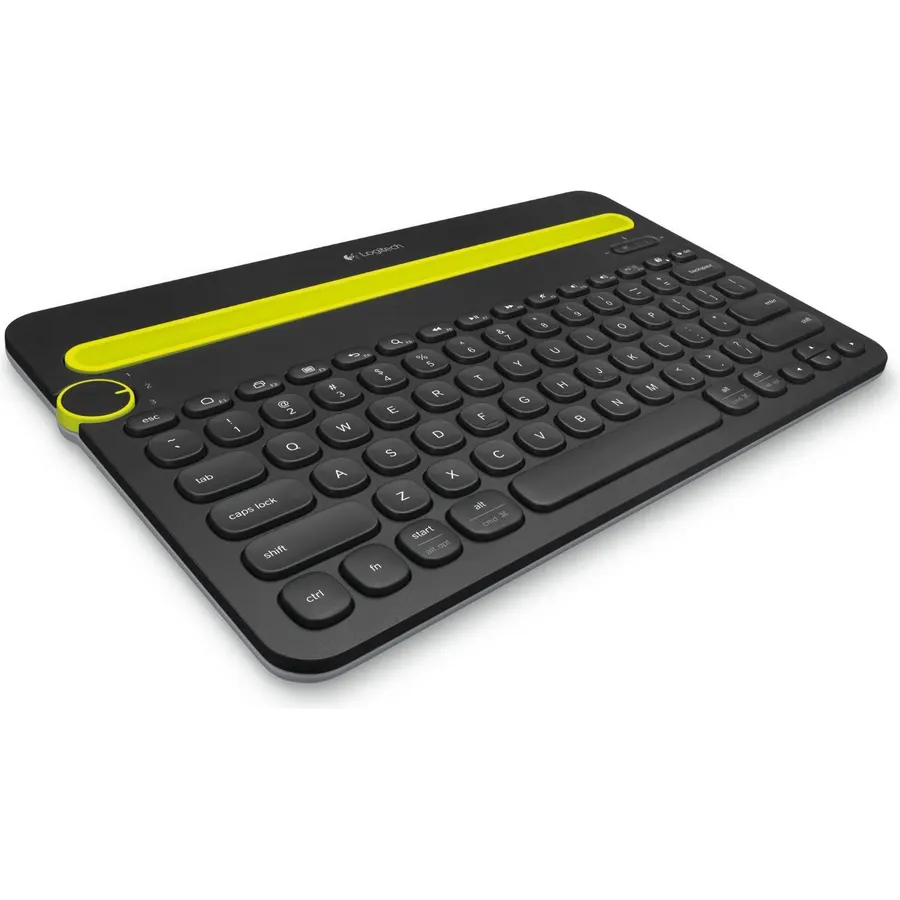
The K480 is the keyboard people buy when they realize a Mac, an iPad and an iPhone all want a keyboard at the same time. A dial on the top left flips between three paired Bluetooth devices, a slot behind it holds a phone or a tablet up to 10 inches wide at a readable angle, and the keys carry both Mac and Windows legends so Command, Option and the Mac function row all work. Two AAA batteries last about two years and the board is spill-resistant. It is not a great typing board: the round keys and thick case feel ordinary, there is no backlight or number pad, and it is heavier than it looks. But 23,500 owners rate it 4.4 stars, more than any other keyboard we track, because it solves the three-device problem cheaply.
- 23,500 owners at 4.4 stars, the most-reviewed keyboard on the site
- Dial switches between a Mac, an iPad and an iPhone in a second
- Cradle holds the phone or tablet at reading angle
- Two-year battery life and spill resistance
- Keys are round and the board is thick; typing feel is average
- No backlight and no number pad
- Heavy for a portable board
Logitech K780 Multi-Device Wireless Keyboard with Built-in Cradle, Speckles
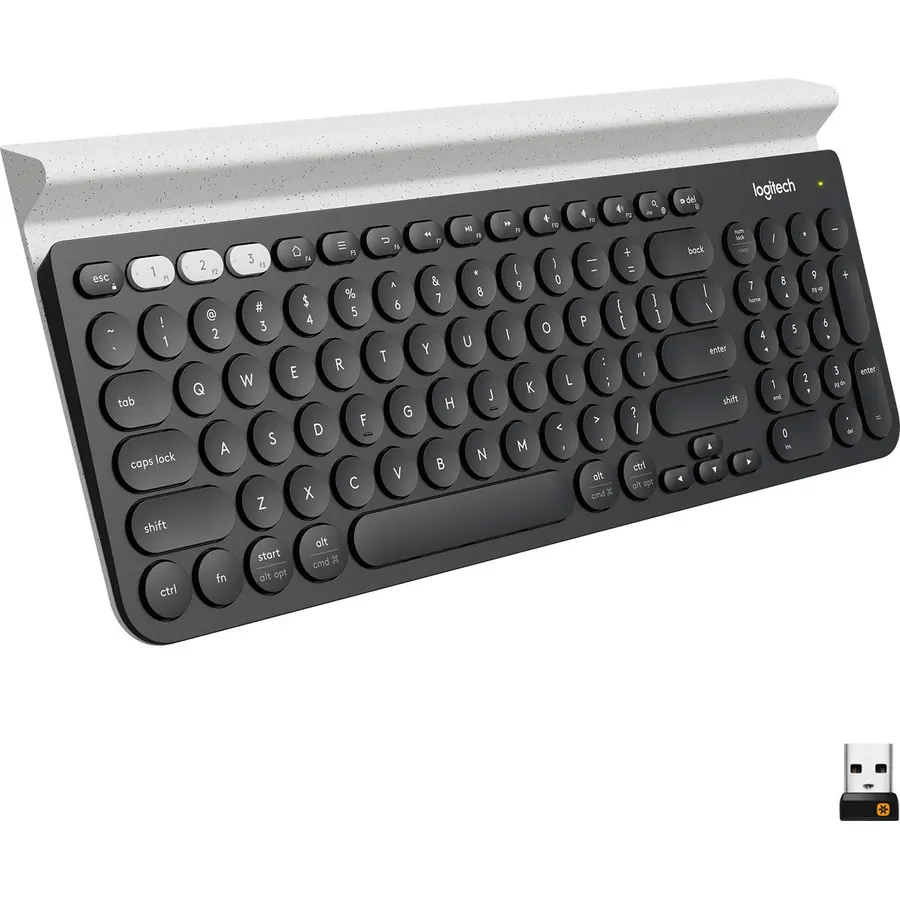
The K780 is the K480 grown up: a full-size board with a number pad, larger and quieter laptop-style keys, and the same cradle along the top that props up a phone and a tablet together. It pairs with three devices over Bluetooth or a Logitech Unifying receiver, which is handy for an older iMac or a Mac mini with flaky Bluetooth, and switches with three dedicated keys. The keycaps print Mac and Windows legends, so Command and Option are labelled. Owners rate it 4.6 stars across 3,400 reviews, the best score of the big-volume picks here. There is no backlight, the speckled finish on this listing is a taste, and the receiver is USB-A, so a new MacBook needs an adapter to use it. As a desk keyboard for a Mac plus an iPad, it is the comfortable choice.
- 4.6 stars from 3,400 owners
- Full-size layout with number pad and quiet keys
- Bluetooth and a Unifying receiver, so it works on an old iMac too
- Cradle for phone and tablet like the K480
- Speckled finish is not for everyone
- No backlight
- Unifying receiver needs a USB-A port or an adapter on a new Mac
Logitech Pebble 2 Compact Wireless Keyboard & Mouse for Mac, iPad, Graphite
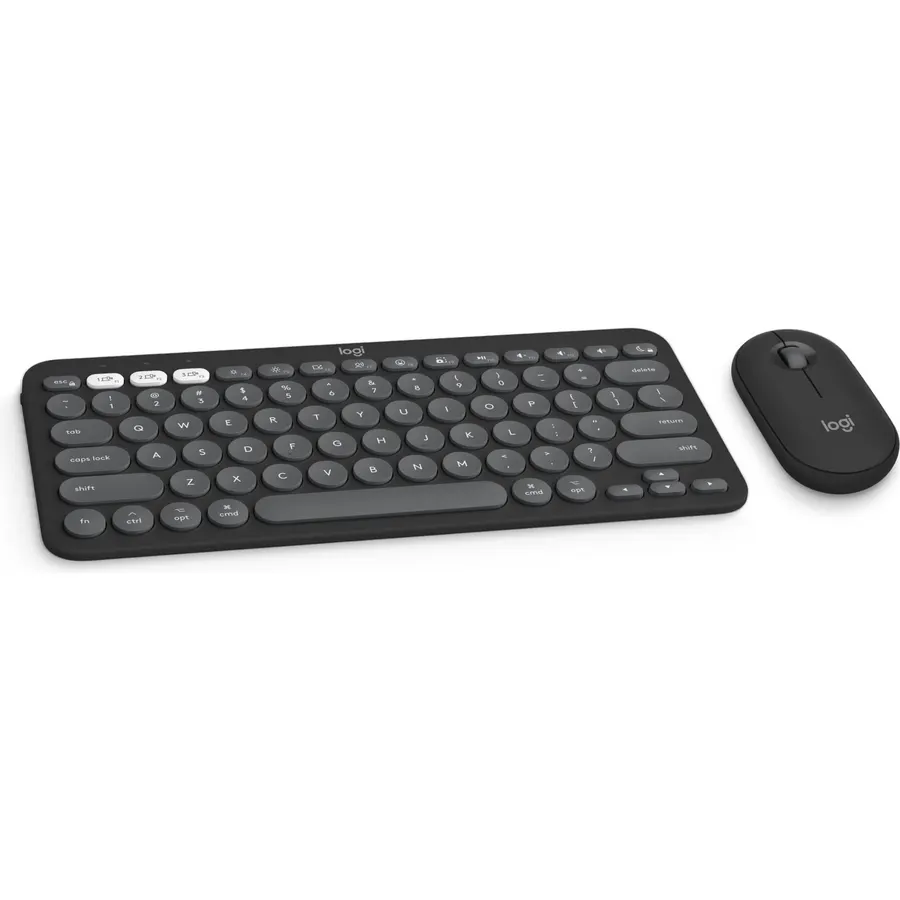
The Pebble 2 combo is the cheapest way to put a matching, quiet, Mac-layout keyboard and mouse on a desk. The keyboard is slim with quiet laptop-style keys, a Mac layout, and 10 function keys you can remap in Logi Options+; the Pebble Mouse 2 has SilentTouch clicks and a customizable middle button. Both pair over Bluetooth with up to three Apple devices and hop between them with a press, and the batteries last three years in the keyboard and two in the mouse with no charging. Both are light enough to carry with a MacBook. The compact layout has no number pad, the mouse is small and flat, and there is no backlight. Owners rate the set 4.4 stars across 910 reviews.
- Keyboard and silent mouse for the price of a keyboard
- Slim and light enough to travel with a MacBook
- Three-year battery with no charging
- 910 owners at 4.4 stars
- Compact layout has no number pad
- Mouse is small and flat for large hands
- No backlight
Logitech MX Keys S Combo Mac Wireless Keyboard and Mouse - Space Grey
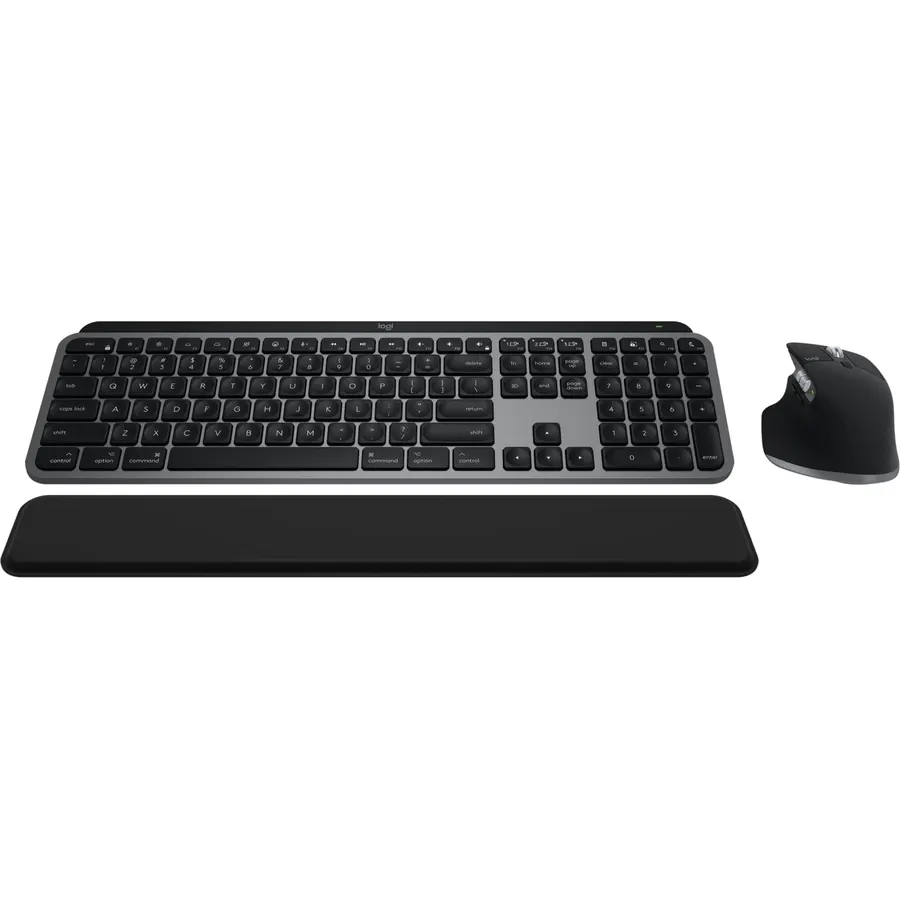
The MX Keys S Combo for Mac is the premium Apple-desk set: the MX Keys S keyboard in a Mac layout and Space Gray, with spherically dished keys shaped for fingertips and a backlight that lights as your hands approach, paired with the MX Master 3S, the mouse that can scroll a thousand lines a second and track on glass with an 8K sensor. Both charge over USB-C, pair with multiple devices over Bluetooth, and are programmed in Logi Options+ for macOS. The keyboard is stable and low with a comfortable typing angle, and the mouse is sculpted for the hand. It costs what a premium set costs, the full-size board takes space, and the backlight pulls battery life down to about 10 days. Owners rate it 4.6 stars across 270 reviews.
- The best Logitech keyboard and the best Logitech mouse in one box
- Backlight wakes as hands approach and adjusts to the room
- Mac layout and Space Gray match an Apple desk
- 270 owners at 4.6 stars
- Expensive
- Full-size keyboard takes desk space
- Backlight shortens battery life to about 10 days
Logitech MX Mechanical Mini Mac Wireless Keyboard Low-Profile - Space Grey
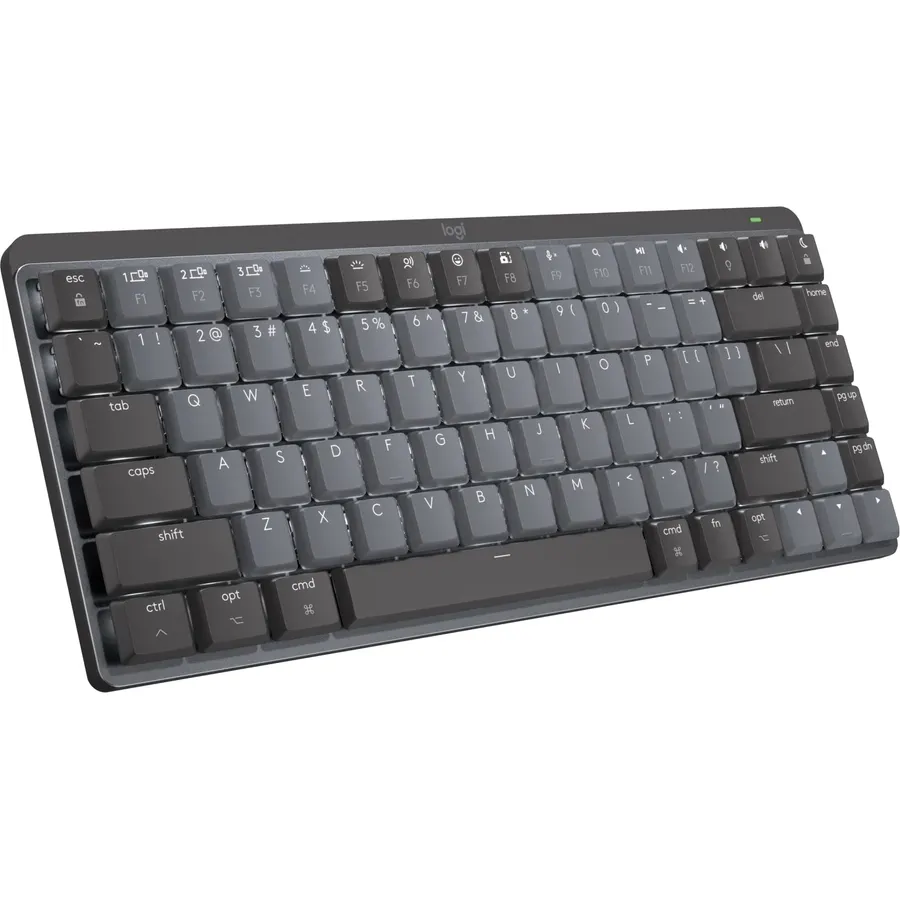
The MX Mechanical Mini for Mac is the pick for Mac owners who miss the feel of real switches. It uses low-profile tactile quiet mechanical switches, so there is a bump under each key and very little sound, in a compact Mac-layout case with dual-colored keycaps in Space Gray and a backlight that senses your hands. It pairs over Bluetooth with three Macs or iPads and swaps between them with a key, and charges over USB-C. The compromises are the ones Apple users will weigh: it is Bluetooth only with no receiver, it is expensive for a board without a number pad, and some owners report a short lag when it wakes, which keeps its rating at 4.2 stars across 530 reviews. For a mechanical board that looks right next to a MacBook, it is the one.
- Tactile mechanical feel in a slim Mac-layout board
- Quiet enough for an office
- Pairs with three Macs or iPads and switches with a key
- 530 owners at 4.2 stars
- Bluetooth only; no Bolt receiver in the box
- Expensive for a compact board
- Some owners report wake-from-sleep lag
Logitech Keys-to-Go Bluetooth Keyboard for iPhone, iPad, Mac - Graphite
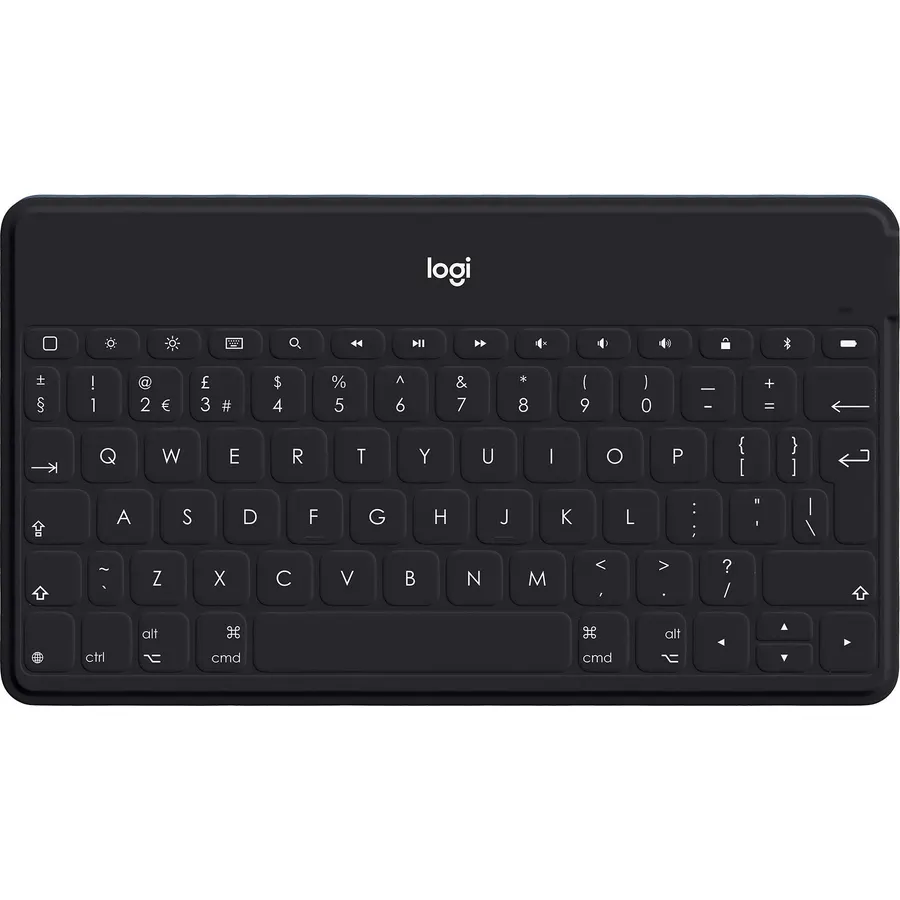
Keys-to-Go 2 is the keyboard for the Mac owner who is mostly away from the desk. It is Logitech’s thinnest and lightest Bluetooth board, with a built-in cover that folds over the keys so it can ride in a bag with an iPad without damage, and a full row of Apple shortcut keys for brightness, media and volume. It pairs with three devices and switches with a tap, and the scissor keys are spaced for real typing despite the size. It is not a desk keyboard: the keys are small, there is no backlight, and a full day of writing on it is a compromise. Owners rate it 4.2 stars across 230 reviews, and the common theme is that it does exactly the travel job it is sold for.
- Thin and light enough for a bag or a jacket pocket
- Built-in cover protects the keys in transit
- Three-device switching across iPhone, iPad and Mac
- 230 owners at 4.2 stars
- Small keys take getting used to
- No backlight
- Not a desk keyboard for all-day typing
Logitech POP Keys Wireless Mechanical Keyboard with Emoji Keys - Cosmos
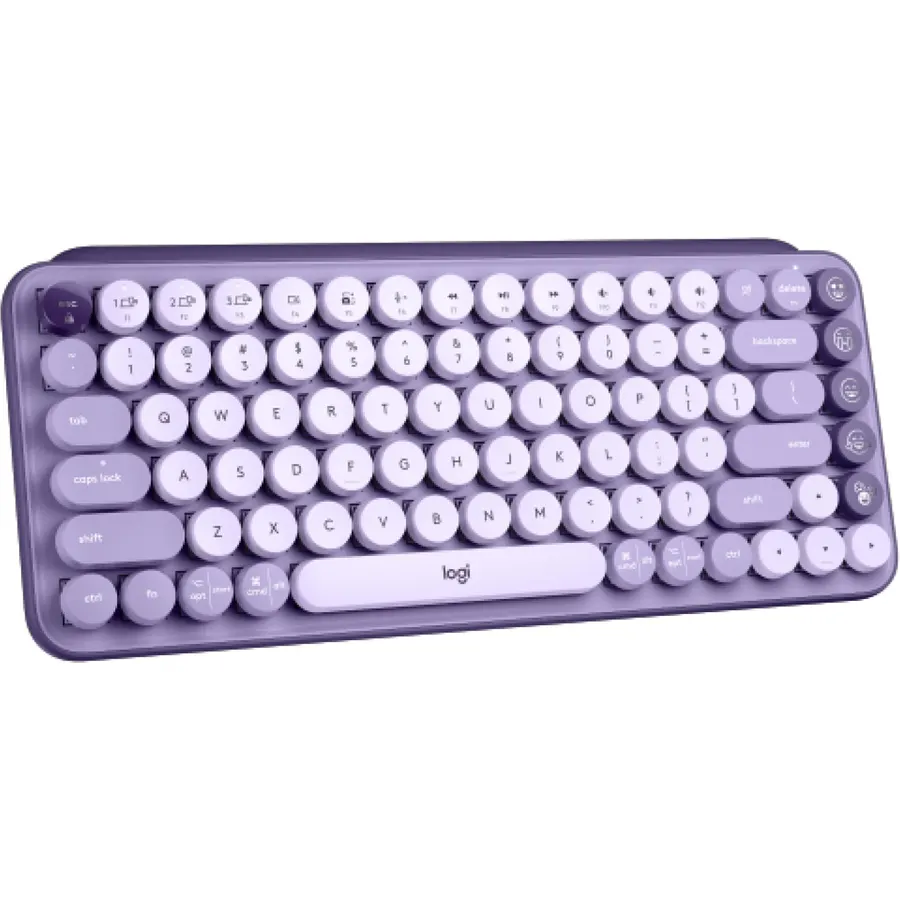
POP Keys is the Mac keyboard for a desk that wants color. The Cosmos version is purple and lavender with round typewriter keycaps and a row of swappable emoji keys that Logi Options+ customizes on macOS, and it is a real mechanical board with clicky switches underneath. It pairs over Bluetooth or the included Bolt receiver with three devices, runs for three years on AAA cells, and prints Mac legends on the keys. The clicky switches are loud, which rules it out for a shared office, there is no backlight or number pad, and the round keycaps change the feel in a way some typists never love. Owners rate it 4.6 stars across 1,200 reviews. If the MX line is too serious, this is the alternative.
- Three-year battery and three-device switching
- Mechanical clicky switches in a compact board
- Emoji keys customizable in Logi Options+ on macOS
- 1,200 owners at 4.6 stars
- Loud
- No backlight or number pad
- Round keys are a style choice some typists dislike
seenda SKM64-2 Bluetooth Keyboard and Mouse Combo for Mac, MacBook and iPad
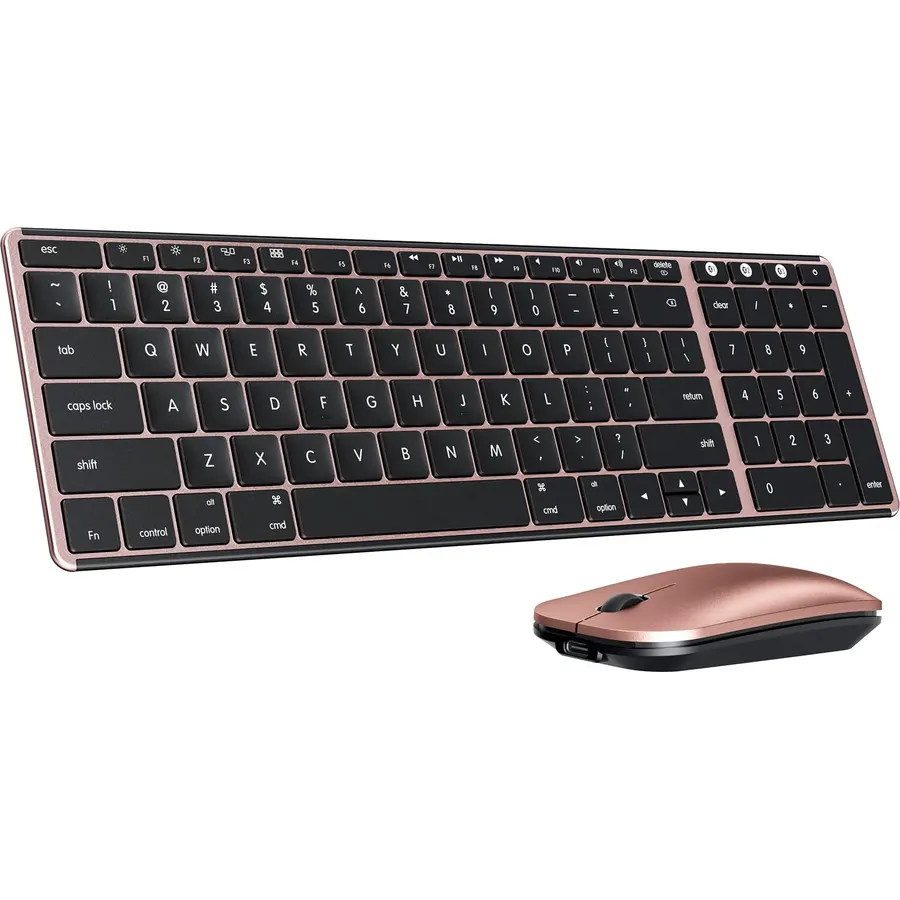
The seenda SKM64-2 is the budget set for an Apple desk: a stainless-steel-topped keyboard just 0.12 inches thick with a standard Apple layout, and a slim mouse, both rechargeable over USB-C with about 200 hours of standby. It connects over three Bluetooth channels to a Mac, a MacBook and an iPad and switches between them, and it is quiet. The brand is honest that it is Bluetooth only with no receiver and not fully compatible with Windows. The 4.2-star rating from 2,250 owners reflects some pairing complaints and keys that feel less solid than the Logitech boards, and there is no software for remapping. For a cheap, thin, Apple-shaped keyboard and mouse to leave in a bag or on a second desk, it is a reasonable buy.
- Apple layout at the lowest price here
- Rechargeable over USB-C
- Very thin metal-topped keyboard for travel
- 2,250 owners
- 4.2 stars: owners report pairing and key-stability complaints
- Bluetooth only and not fully Windows compatible
- Lesser-known brand with no software
Compare the picks
| Product | Layout | Connection | Devices | Battery | Owner rating | Our score | |
|---|---|---|---|---|---|---|---|
| Logitech K480Logitech | Compact, cradle | Bluetooth | 3 | AAA, 24 months | 4.4 (23,500+) | 8.8 | See price |
| Logitech K780Logitech | Full size, cradle | Bluetooth, Unifying | 3 | AAA, long | 4.6 (3,400+) | 9.2 | See price |
| Logitech Pebble 2 ComboLogitech | Compact + mouse | Bluetooth | 3 | 3 years | 4.4 (910+) | 8.8 | See price |
| MX Keys S Combo MacLogitech | Full size + MX Master 3S | Bluetooth | Multi | USB-C, 10 days lit | 4.6 (270+) | 9.1 | See price |
| MX Mechanical Mini MacLogitech | Compact mechanical | Bluetooth | 3 | USB-C, 15 days lit | 4.2 (530+) | 8.4 | See price |
| Keys-to-Go 2Logitech | Travel, with cover | Bluetooth | 3 | Long | 4.2 (230+) | 8.4 | See price |
| POP KeysLogitech | Compact mechanical | Bluetooth, Bolt | 3 | AAA, 3 years | 4.6 (1,200+) | 9.2 | See price |
| seenda SKM64-2seenda | Compact + mouse | Bluetooth | 3 | USB-C | 4.2 (2,250+) | 8.4 | See price |
Mac layout versus a Mac mode
A keyboard made for Mac, such as the MX Keys S for Mac, MX Mechanical Mini for Mac, Pebble 2 for Mac and the seenda, puts Command next to the space bar, Option beside it, and prints only Apple legends. A universal board such as the K480, K780 and POP Keys prints both sets of legends and detects the OS or lets you toggle it, which is better if a Windows PC shares the desk. Either works on macOS; the dedicated layout is simply cleaner to look at and quicker to learn. Whichever you choose, make sure the function row does brightness, Mission Control and media without a driver, as every pick here does.
Bluetooth, Bolt and older Macs
Every pick pairs over Bluetooth, which is all a current MacBook, iMac or iPad needs. The K780 and POP Keys also include a USB receiver, which matters on an older Mac mini or iMac whose Bluetooth drops, and on a Mac that is often asleep, since a receiver wakes it more reliably. New MacBooks have only USB-C ports, so a USB-A receiver needs a small adapter. Multi-device switching is the feature to value most: seven of the eight boards here pair with three devices, and that is how one keyboard serves a Mac, an iPad and an iPhone from the same spot.
Backlight, number pad and travel
The MX Keys S and both MX Mechanical boards have a backlight that wakes when your hands approach, at the cost of roughly two weeks of battery between charges; the rest run for years on cells with no light. Only the K780 and the MX Keys S are full size with a number pad. For travel, the Keys-to-Go 2 with its built-in cover and the Pebble 2 keyboard are the lightest; the K480 is the heaviest despite its size. If you carry a MacBook daily, pair any of these with a bag from our travel backpacks for carry-on guide and leave the full-size board at home.
Do I need a keyboard made for Mac?
No. Any Bluetooth or USB keyboard works, but a Mac layout puts Command and Option where you expect and gives working brightness and media keys. The K480, K780 and POP Keys handle both Mac and Windows.
Which keyboard works with a Mac and an iPad at once?
All of these pair with multiple Apple devices; the K480 and K780 also hold the iPad in a cradle. The Logitech boards switch with a dial or dedicated keys.
Is there a mechanical keyboard with a Mac layout?
Yes: the Logitech MX Mechanical Mini for Mac with low-profile tactile quiet switches, and the POP Keys with clicky switches and Mac legends.
Do these keyboards have Touch ID?
No. Touch ID is only on Apple Magic Keyboards paired with an Apple silicon Mac. Third-party boards use the password or an Apple Watch to unlock.
Which pick has the longest battery life?
The POP Keys and Pebble 2 keyboard, rated for three years on AAA cells, then the K480 at two years. The backlit MX boards need charging every two weeks or so.
Prices and stock change daily. The buttons above open Amazon so you always see the current price. We may earn a commission if you buy through them, at no extra cost to you.
Do Best Deal is a participant in the Amazon Services LLC Associates Program. As an Amazon Associate we earn from qualifying purchases. If you buy through links on this site we may earn a commission, at no extra cost to you. Learn more.