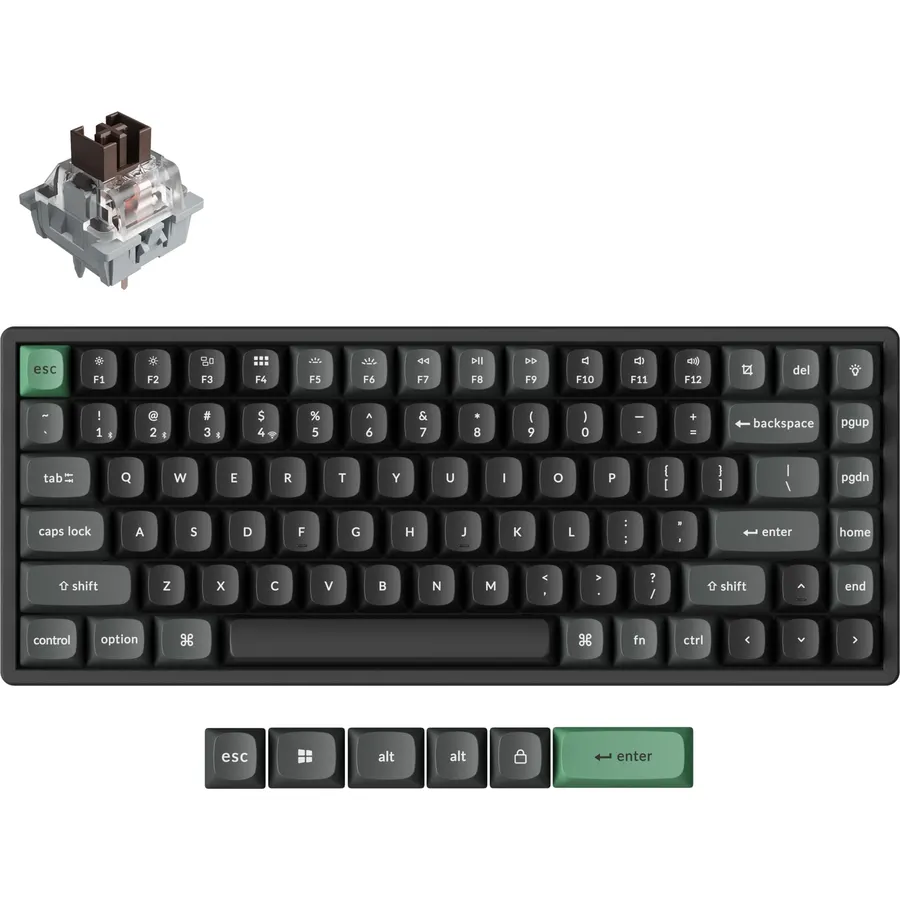
Fifty dollars now buys a gaming keyboard with per-key RGB, a volume knob, PBT keycaps and, on three of the boards below, hot-swappable mechanical switches with a gasket mount and tri-mode wireless. Five years ago that list described a board costing three times as much. The catch is that the same budget also buys a lot of membrane boards dressed up in rainbow lighting, and the listings do not always make the difference obvious. We ranked the budget RGB gaming keyboards in our keyboards catalog that were at or under the cap at the time of writing by switch type, lighting, connection, build, and what thousands of owners report after months of play.
We have not typed on every one of these ourselves; the verdicts rest on the spec sheets and on the owner review history. Prices are not printed because they change daily; every button opens the live Amazon page, and a board that sat under the cap when we wrote this may move above it. For the other hand, our gaming mouse under 50 guide pairs with any of these, and the gaming keyboards guide covers boards with bigger budgets.
How we picked
- At or under the budget on the day we wrote this, with a live price, not a listing with no stock.
- Real RGB, meaning per-key or multi-zone color lighting with effects, not a single blue backlight.
- Honest switch labels. We say which boards are mechanical and which are membrane with a mechanical feel.
- Owner ratings of 4.2 stars or better, and most picks have well over a thousand reviews.
- Gaming essentials on every pick: anti-ghosting, media keys or a knob, and a Windows lock.
The picks
Redragon K521-E Gaming Keyboard with Knob, RGB 104 Keys Wired Keyboard
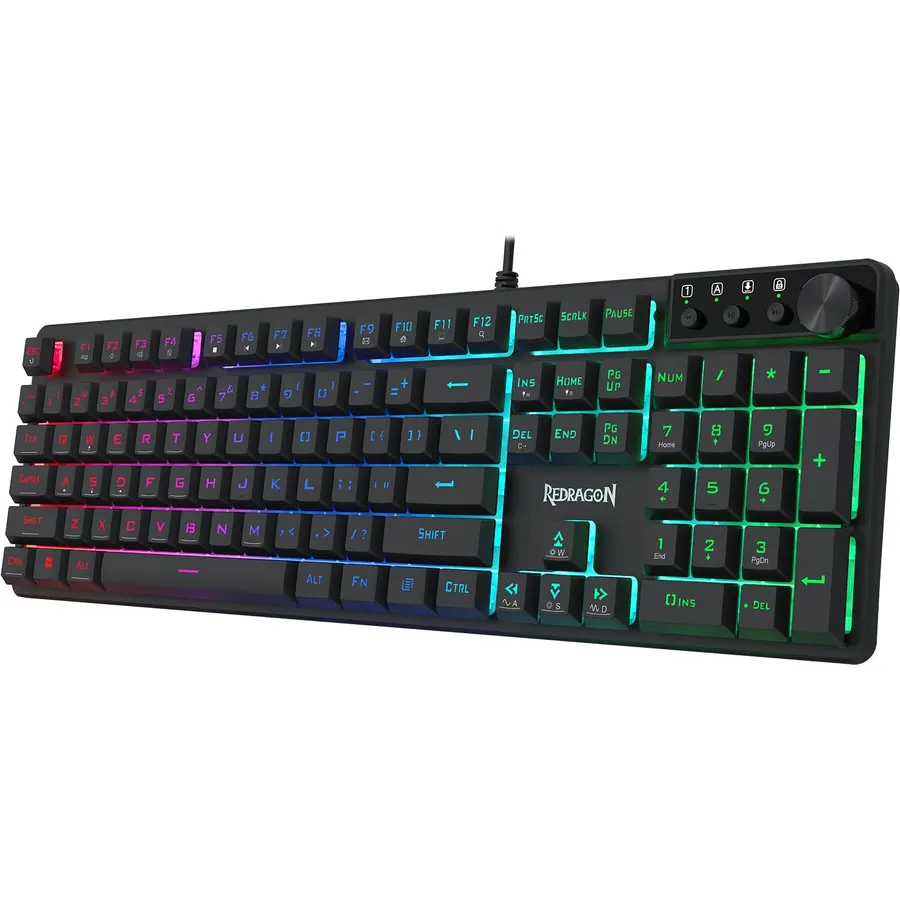
The K521-E is the keyboard that proves a budget board can be good: 11,000 owners rate it 4.4 stars, and it costs about half the cap. It is a full-size, 104-key board with a dedicated volume knob that also mutes with a press and switches lighting modes when held, RGB backlighting with eight color modes plus single-color options and five brightness levels, 26-key anti-ghosting and 12 media shortcuts. Redragon’s driver adds key remapping and macro recording. The keys are membrane tuned for a mechanical feel, which is the honest description; they are quieter and softer than a true switch, and the ABS keycaps will polish over a year. It is wired only. For a first gaming PC or a console desk it is the obvious choice, and the money left over buys a better mouse.
- 11,000 owners at 4.4 stars, the most-reviewed board here
- Full size with a volume knob at a very low price
- Real RGB modes, not a rainbow strip
- Software macros and key remapping
- Membrane, not mechanical
- Wired only
- ABS keycaps will shine with use
Redragon Wireless Mechanical Gaming Keyboard, Tri Mode BT/2.4G/USB-C Hot Swappable Custom Keyboard, RGB Backlit Computer Gaming Keyboards, PBT Keycaps, Programmable for PC/Tablet,K671WBR-KS
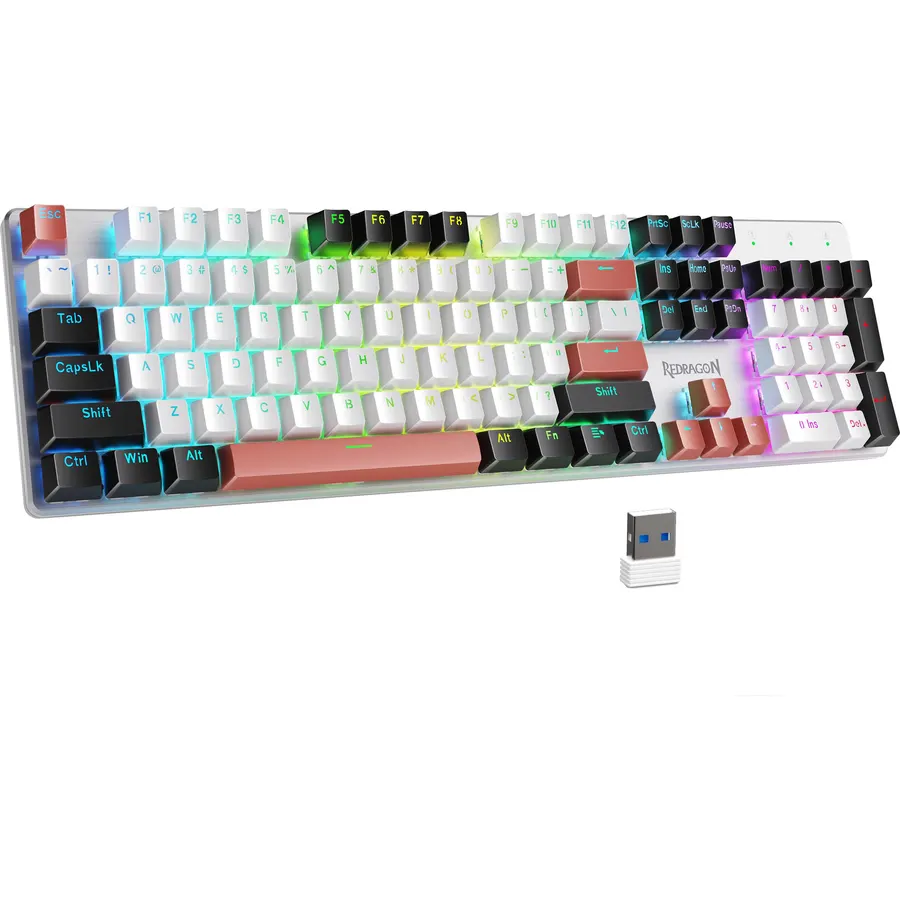
The K671 is the most keyboard this budget buys if wireless matters: a full-size mechanical board with a USB-C cable, a 2.4GHz dongle and Bluetooth for up to five devices, hot-swap sockets with eight spare switches in the box, double-shot PBT keycaps and a metal panel. The 16 RGB presets run from the keyboard and the driver handles macros and remapping. Nearly 7,000 owners rate it 4.3 stars. It sits right at the cap, so check the live price, and it is a tray-mount board with no foam, so it sounds brighter and hollower than the Ajazz or Kisnt. A minority of owners report Bluetooth dropping, which is why the dongle is the mode to use for gaming. If you want cable-free and mechanical for this money, nothing else matches it.
- Tri-mode wireless and hot-swap sockets right at the cap
- PBT keycaps and a metal top plate
- Nearly 7,000 owners at 4.3 stars
- Spare switches and keycaps in the box
- Sits exactly at the cap and can drift above it
- No foam, so it sounds hollow next to the gasket boards
- Some owners report Bluetooth drops
Ajazz AK820 75% Mechanical Gaming Keyboard, Wired Gasket Mount Hot-Swappable Keyboard with Volume Knob, 5-Layer Sound Dampening, PBT Keycaps, 82 Keys, Black
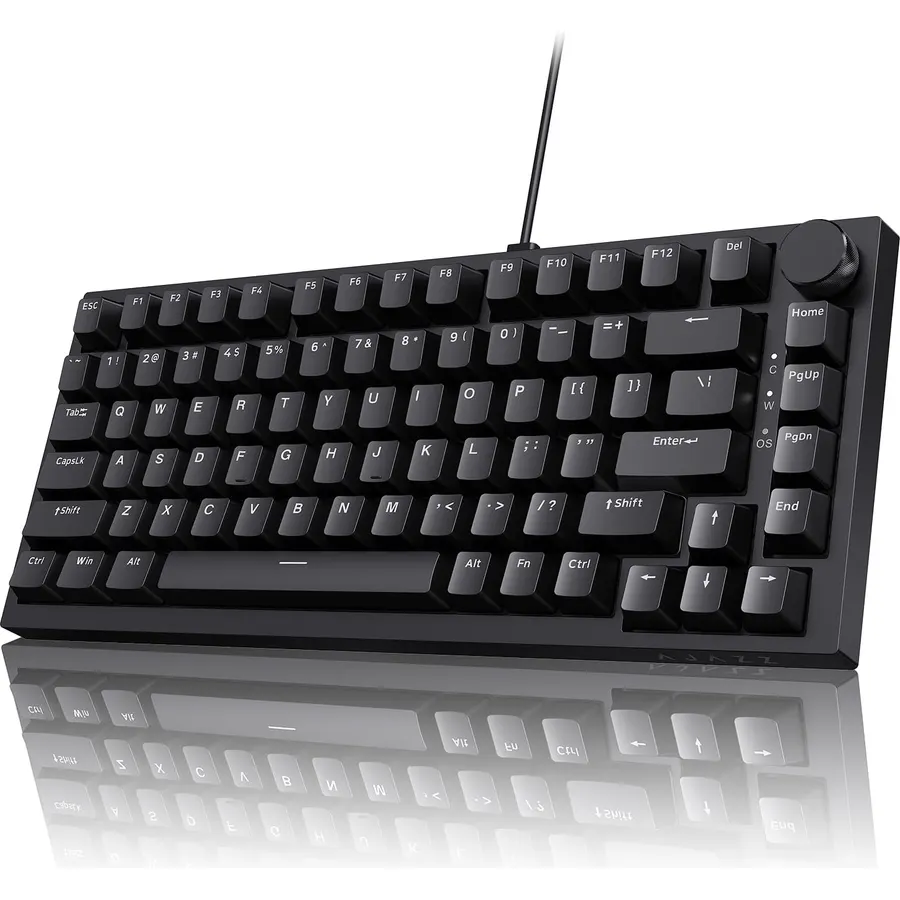
The AK820 is the board enthusiasts recommend when someone asks for a cheap mechanical keyboard that does not feel cheap, and 580 owners rate it 4.7 stars, the best on this page. For well under the cap it has a gasket mount over five layers of sound dampening, pre-lubed linear switches in hot-swap sockets, PBT keycaps, an aluminum volume knob and south-facing RGB that shines through the legends instead of around them. It sounds deeper and quieter than boards at twice the price. It is a 75% layout, so there is no number pad, and it is wired with a detachable USB-C cable. If you can live without a numpad and a wireless link, it is the best-feeling keyboard this budget can buy, and the switches can be swapped later as tastes change.
- Highest rating here: 4.7 stars from 580 owners
- Gasket mount, foam and lubed switches, which usually cost double
- South-facing RGB lights the legends properly
- Hot-swappable for upgrades later
- Wired only
- No number pad
- Fewer reviews than the Redragons
Kisnt KN85 Wireless Mechanical Keyboard, 75% Layout, Bluetooth/2.4GHz/USB-C, Custom RGB Backlit, Hot-Swappable Linear Switch, Creamy Sound for Gaming/Typing (Retro Beige)
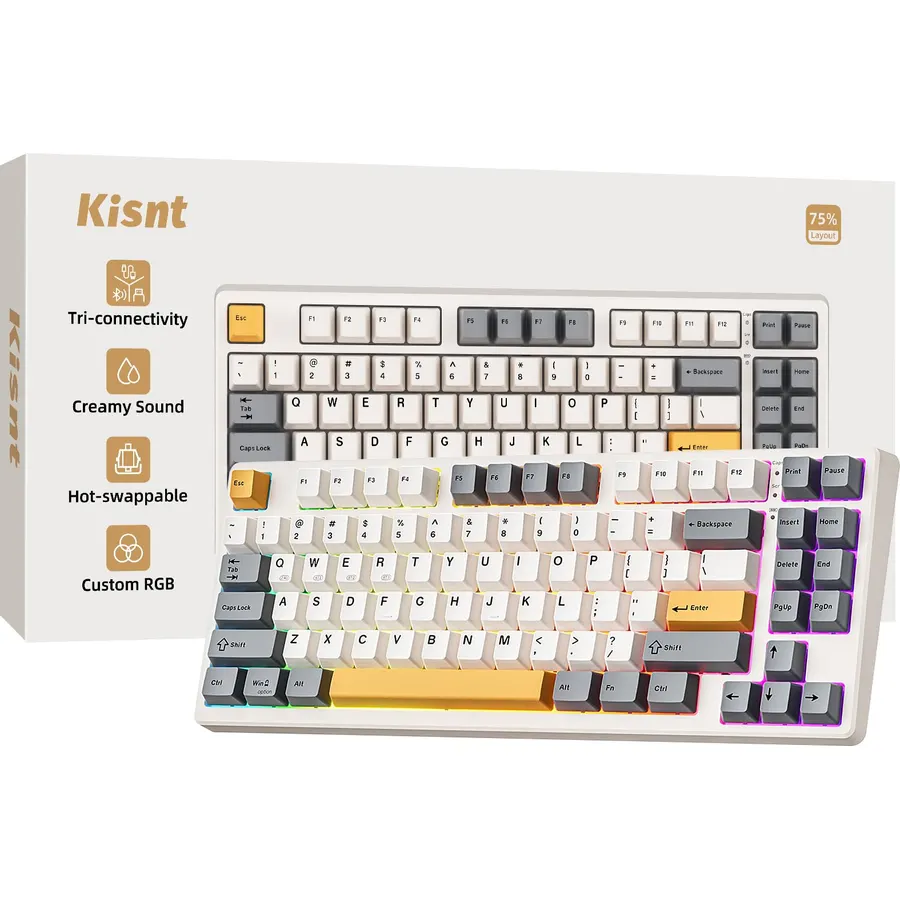
The KN85 is the wireless answer to the AK820: a gasket-mounted 75% board with pre-lubed linear switches on a hot-swap PCB, PBT keycaps and three connection modes, with Kisnt quoting 5ms on the 2.4GHz dongle for gaming and three Bluetooth slots for a laptop or tablet. It keeps 85 keys, including the function row and arrows, and toggles between Windows and Mac. The lighting is an RGB glow around the keycaps rather than through them, which looks good on a dark desk but is not per-key. The retro beige finish is either the appeal or the problem. It sits right at the cap, so watch the live price. Owners rate it 4.6 stars across 1,300 reviews, and for a wireless custom-style board at this money it is excellent.
- Gasket, hot-swap and tri-mode at the cap
- 1,300 owners at 4.6 stars
- Low latency on the dongle for gaming
- Keeps the function row and arrows
- Ambient glow rather than per-key RGB
- Retro beige is a specific look
- Sits at the cap
AULA Keyboard Gaming Wireless Creamy Computer Keyboards with Number Pad
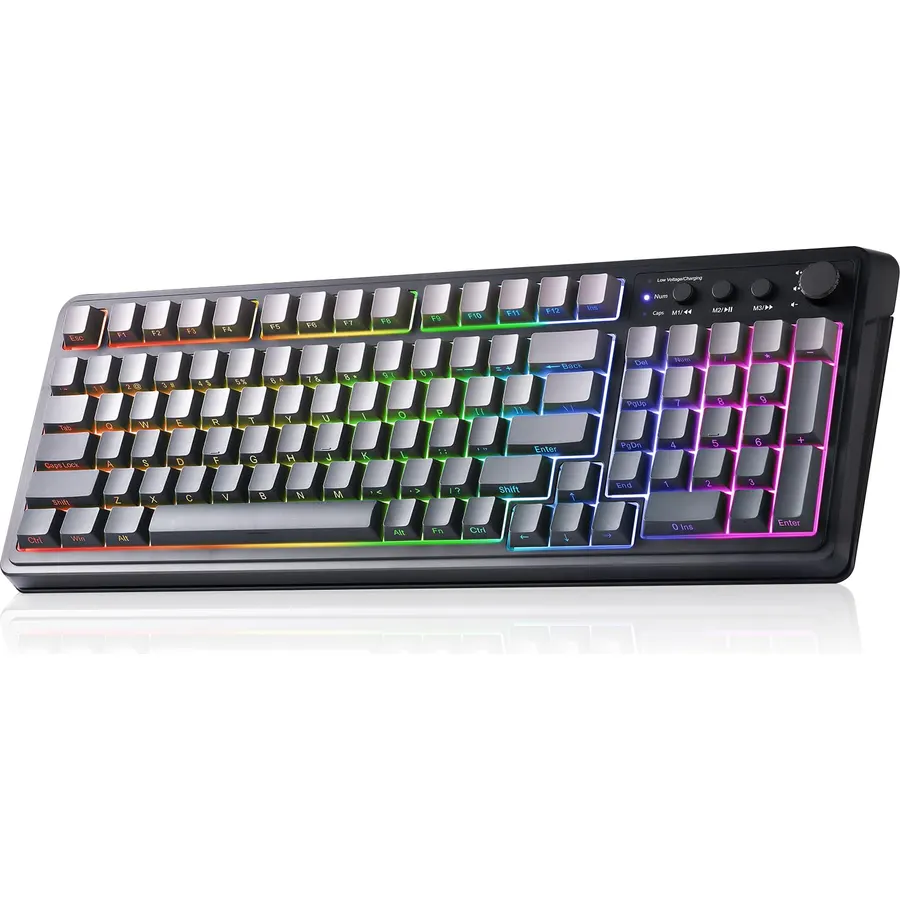
The AULA 96% is for the gamer who wants wireless, a number pad and RGB, and does not mind membrane keys to get all three under the cap. It connects over Bluetooth, a 2.4GHz dongle or USB-C, lights up in 16.8 million colors with 16 presets, and has a multifunction knob that switches between brightness and media control. Three M keys and full macro support in the software let you bind combos, and it works with Windows, Mac and phones. The switches are membrane with a creamy feel, which is softer and quieter than mechanical and does not have the same precision; that and the plastic build are why it sits at 4.2 stars across 2,400 reviews. For a wireless full-featured board at this price, that is a fair trade.
- Tri-mode wireless with a number pad for well under the cap
- Full RGB with a knob that adjusts brightness and media
- Macro keys and software remapping
- 2,400 owners
- Membrane, despite the mechanical styling
- 4.2 stars: owners note the keys feel light and the build is plastic
- Gradient grey colorway only on this listing
TECKNET Wired Gaming Keyboard, Metal‑Panel RGB Keyboard with Volume Knob
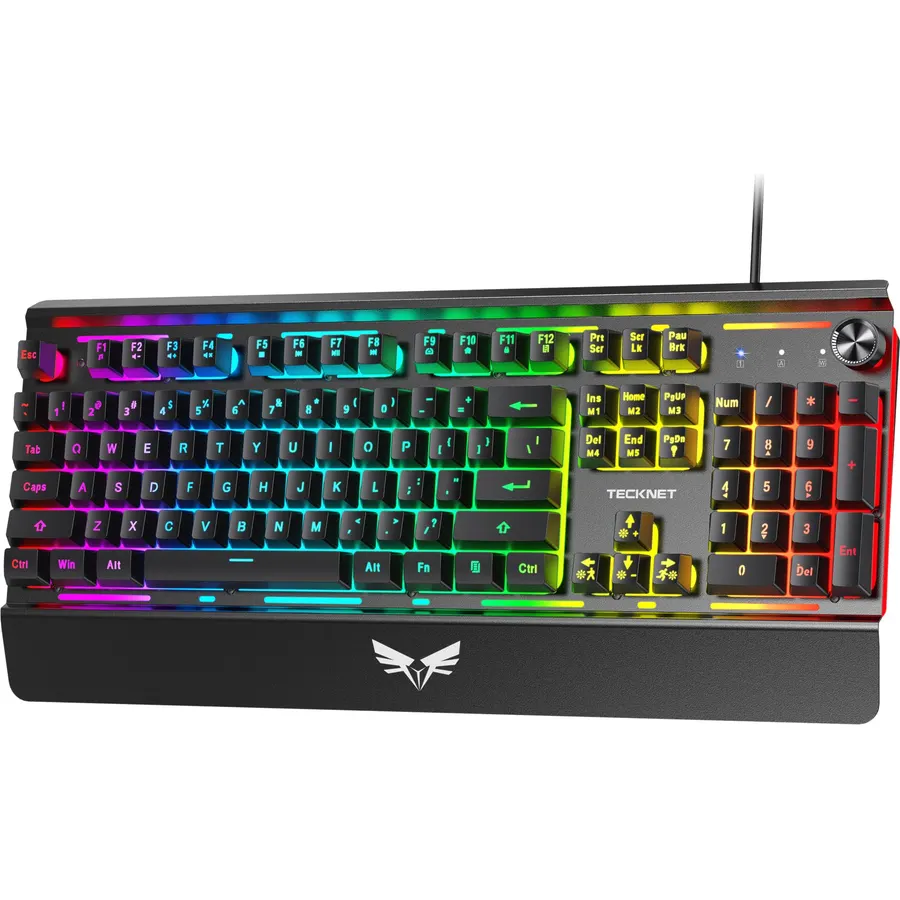
The TECKNET is the budget board with the best build for the money: a matte metal top panel, double-shot keycaps that will not fade, an integrated wrist rest and a two-stage kickstand for 3 or 7 degrees of tilt. A volume knob with a one-press mute sits in the corner, 12 media keys and 25-key anti-ghosting cover gaming, and the lighting runs across 15 zones with 11 modes and seven color options. The switches are membrane and the lighting is zone-based rather than per-key, which is the difference between this and the mechanical picks above. It is wired. Owners rate it 4.3 stars across 1,900 reviews and mention the wrist rest and the metal panel most. For a desk where comfort matters more than switch feel, it is a solid choice.
- Metal panel and double-shot keycaps at a low price
- Built-in wrist rest and two-stage kickstand
- Volume knob with one-press mute
- 1,900 owners at 4.3 stars
- Zone lighting, not per-key
- Membrane switches
- Wired only
Redragon Wireless Gaming Keyboard, 98-Key Tri-Mode (BT/2.4G/Wired) RGB Computer Keyboard with Knob & Display, Fade-Resistant PBT Keycaps & 4000mAh Battery, Compatible with Windows/Mac - White Gray
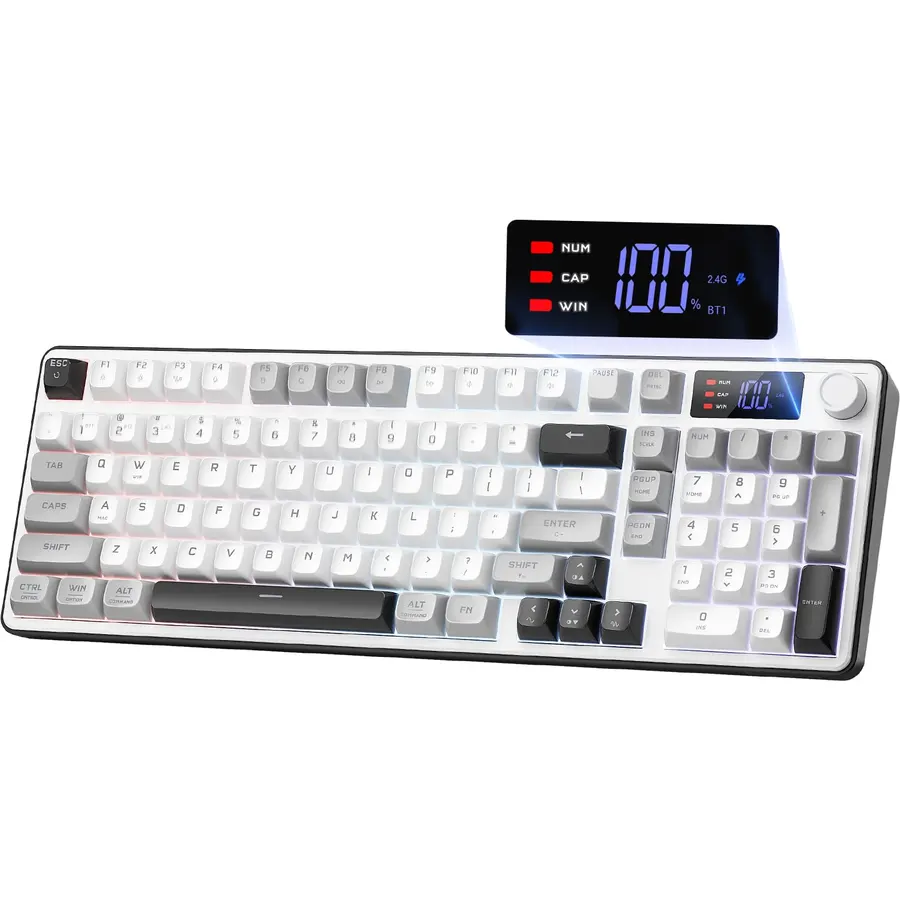
This Redragon 98-key board packs the features of a mid-range wireless keyboard under the cap: Bluetooth, a 2.4GHz dongle and USB-C, a 4,000mAh battery that is double what most budget boards carry, triple-shot PBT keycaps that will not fade or go oily, a dual-mode knob for volume and lighting, and a small display showing battery and connection. The 96% layout keeps the number pad while saving about 20 percent of desk width, and the software handles macros. The listing does not call the switches mechanical, so expect a membrane-style feel. Owners rate it 4.5 stars across 430 reviews, a smaller sample than the K521-E but a better score. For a wireless board with proper keycaps and a big battery at this money, it is a strong buy.
- 4000mAh battery and triple-shot PBT keycaps for well under the cap
- Tri-mode with a display and a knob
- 4.5 stars from 430 owners
- Windows and Mac compatible
- Listing does not specify mechanical switches; treat as membrane
- Fewer reviews than the other Redragons
- White and gray only on this listing
Wireless Gaming Keyboard,RGB Macro Rechargeable Keyboard for PC Mac Gamer
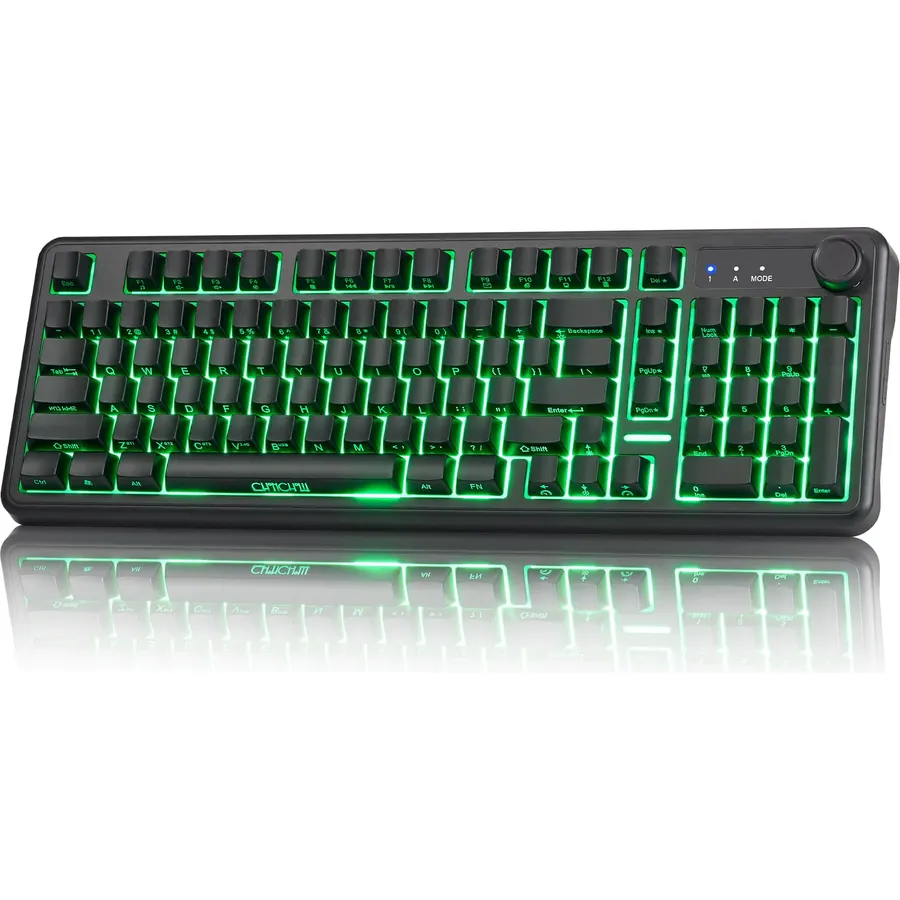
This unbranded 98-key board is the pick for MMO players and streamers who want macro keys without the price of a Corsair. Fourteen dedicated macro keys sit along the number row and navigation cluster, set up in the software over a cable, and the board then runs over a 2.4GHz dongle, Bluetooth with three slots or USB-C. The keycaps are side-printed PBT, so the RGB becomes a floating glow between the keys rather than lit legends, which looks clean but is not the per-key show some buyers expect. The 2,000mAh battery runs about 30 hours with lighting and 200 without. The switches are quiet membrane with 19-key rollover. Owners rate it 4.4 stars across 820 reviews, and the macro keys are what they praise.
- 14 dedicated macro keys
- Tri-mode wireless and PBT keycaps for a low price
- Quiet enough for a shared room
- 820 owners at 4.4 stars
- Side-printed legends make the RGB mostly a glow
- Membrane switches
- Macros must be set over cable
Compare the picks
| Product | Layout | Switches | Connection | Lighting | Owner rating | Our score | |
|---|---|---|---|---|---|---|---|
| Redragon K521-ERedragon | Full size + knob | Membrane, mech feel | Wired | RGB, 8 modes | 4.4 (11,000+) | 8.8 | See price |
| Redragon K671Redragon | Full size | Mechanical, hot-swap | USB-C, 2.4G, BT | RGB, 16 presets | 4.3 (6,800+) | 8.6 | See price |
| Ajazz AK820DAIDAI | 75% + knob | Mechanical, gasket, hot-swap | Wired USB-C | Per-key south-facing RGB | 4.7 (580+) | 9.3 | See price |
| Kisnt KN85Kisnt | 75% | Mechanical, gasket, hot-swap | USB-C, 2.4G, BT | Ambient RGB | 4.6 (1,300+) | 9.2 | See price |
| AULA 96%AULA | 96% + knob | Membrane | USB-C, 2.4G, BT | RGB, 16 presets | 4.2 (2,400+) | 8.4 | See price |
| TECKNET wiredTECKNET | Full size + wrist rest | Membrane | Wired | 15-zone RGB | 4.3 (1,900+) | 8.6 | See price |
| Redragon 98-keyRedragon | 96% + display | Membrane-style | USB-C, 2.4G, BT | RGB, 16 presets | 4.5 (430+) | 9.0 | See price |
| 98-key macro boardCHONCHOW | 98 keys | Membrane | USB-C, 2.4G, BT | Side-glow RGB | 4.4 (820+) | 8.8 | See price |
Mechanical or membrane at this price
Three picks are true mechanical boards: the Ajazz AK820 and Kisnt KN85 with gasket mounts and hot-swap sockets, and the Redragon K671 with hot-swap in a simpler case. The rest are membrane, sometimes described as mechanical feel, which means a rubber dome under a stiffer keycap. Membrane boards are quieter, cheaper and fine for casual gaming; mechanical boards register more consistently, last longer and can be modified. If your budget is firm and you play shooters or type a lot, the AK820 is the one to stretch for. If you mostly want lights, a knob and a number pad for a console or a family PC, the K521-E is the smarter spend.
What RGB actually means on a cheap board
Per-key RGB, as on the AK820, means every switch has its own LED and the software can light any key any color. Zone RGB, as on the TECKNET, lights groups of keys together, which is enough for breathing and wave effects but cannot highlight WASD alone. Ambient or side-glow lighting, as on the Kisnt and the macro board, lights around the keys rather than through the legends, so the board glows but the letters do not. And some listings call a rainbow backlight RGB when it is a fixed gradient. Every pick here has real color control; the compare table says which kind.
Wired or wireless under the cap
Five of the eight boards are tri-mode, which at this price is remarkable. The 2.4GHz dongle is the mode to game on; Bluetooth is for a laptop or tablet and is where budget boards most often misbehave. The three wired picks, the K521-E, AK820 and TECKNET, spend their budget on the board instead of the radio, which is why the AK820 can afford a gasket mount. If the keyboard will never leave one desk, wired buys you more. Finish the setup with a mat from our desk mats and mouse pads guide, which also soften the sound of a budget board.
Can I get a real mechanical RGB keyboard under 50 dollars?
Yes. The Ajazz AK820 and Kisnt KN85 are gasket-mounted, hot-swappable mechanical boards, and the Redragon K671 is a hot-swappable tri-mode mechanical board, all at or under the cap when we wrote this.
What is the difference between mechanical feel and mechanical?
Mechanical feel means a membrane board with stiffer domes and taller keycaps. A mechanical board has a spring-and-contact switch under each key, lasts longer and feels more consistent.
Do budget keyboards have software for lighting and macros?
Most here do: the Redragons, AULA, Kisnt and the macro board have Windows drivers for remapping, macros and lighting. The Ajazz and TECKNET control lighting from the keyboard.
Which budget board is best for a PS5 or Xbox?
A wired board is simplest: the Redragon K521-E or TECKNET plug in and work. Macro and lighting software will not run on a console.
Will the price stay under 50?
Not always. The K671 and KN85 sit right at the cap and move with sales. The buttons open the live Amazon page so you can check before buying.
Prices and stock change daily. The buttons above open Amazon so you always see the current price. We may earn a commission if you buy through them, at no extra cost to you.
Do Best Deal is a participant in the Amazon Services LLC Associates Program. As an Amazon Associate we earn from qualifying purchases. If you buy through links on this site we may earn a commission, at no extra cost to you. Learn more.