240 Hz used to mean a 1080p TN panel bought for one shooter. In 2026 it means 27-inch 1440p IPS screens that cost less than a midrange graphics card, QD-OLED panels with 0.03 ms response, and 32-inch curved VA screens for people who want the size too. The jump from 144 to 240 Hz is smaller than the jump from 60 to 144, but in a competitive game the extra frames make tracking smoother and cut the delay between your mouse and the screen. We went through the high-refresh 1440p monitors in our catalog and kept five that run 240 Hz, each for a different buyer, using price data at the time of writing.
We have not had every one of these on our own desk, so we lean on spec sheets and the owner reviews behind each pick, and we quote the rating and review count. Prices are not printed because they change daily; every button opens the live Amazon page. If 165 to 180 Hz is enough for you, our 144 Hz monitor guide covers the ASUS XG27ACS and the LG 27GX704A OLED, which we did not repeat here.
How we picked
- 240 Hz native. Every pick refreshes at 240 Hz over DisplayPort; one overclocks to 260 Hz. We did not include 180 Hz screens this time.
- 1440p or wider. 2560 x 1440 on 27 or 32 inches. A 1080p 240 Hz screen is cheaper but soft at 27 inches, and the Samsung Odyssey G4 already covers that in our 144 Hz guide.
- Response time matched to the panel. IPS picks quote 1 ms GtG, the OLEDs 0.03 ms, and we flag the VA pick where dark-scene smearing is a known trade-off.
- Adaptive sync on every pick, G-Sync Compatible or FreeSync, so frame-rate dips do not tear.
- Owner ratings of 4.3 stars or higher. Two OLED picks have a few hundred reviews each; we say so, and rank them accordingly.
The picks
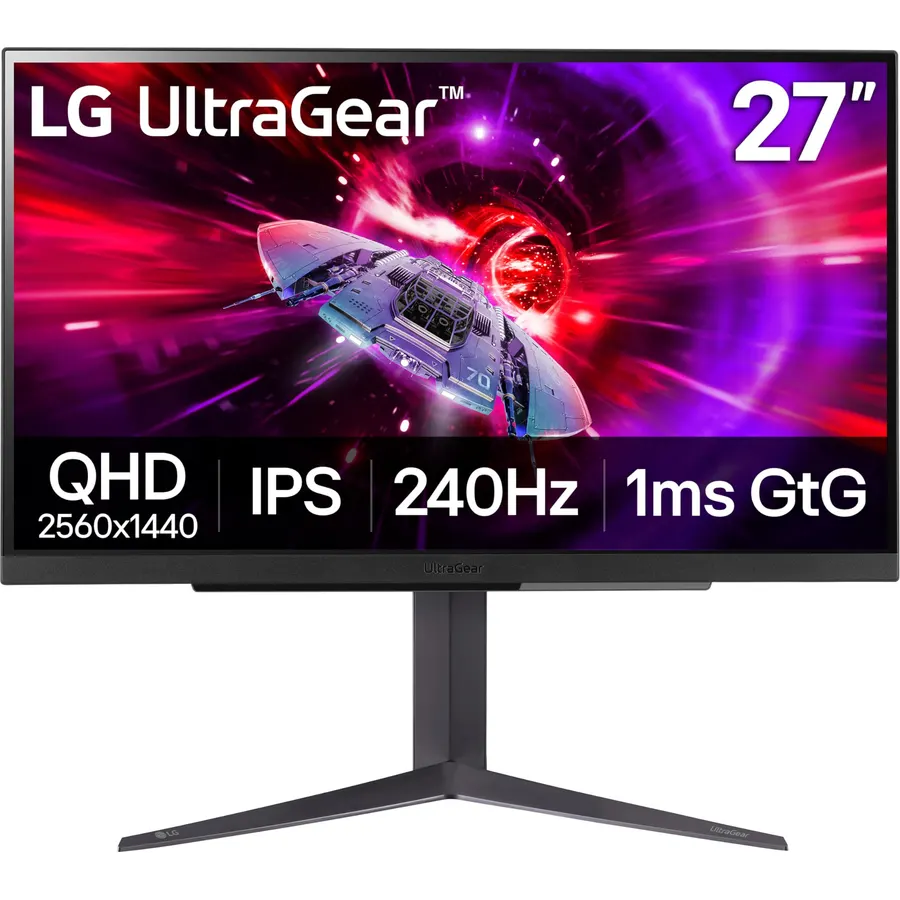
The 27GR83Q-B is the pick for most people because it does the whole job without an asterisk. The IPS panel runs 240 Hz at 1440p with a 1 ms gray-to-gray response, NVIDIA has validated it as G-Sync Compatible, and it carries FreeSync Premium for AMD cards. LG puts 240 Hz on the HDMI 2.1 port as well as DisplayPort, which is rare at this price and means a PS5 or Series X gets 1440p at 120 Hz on the same screen. Color reaches 95% of DCI-P3 and brightness is 400 nits. The stand adjusts for height and pivots to portrait. Owners rate it 4.4 stars across roughly 790 reviews, with most complaints about the plastic build rather than the panel.
- Full 240 Hz over HDMI 2.1 as well as DisplayPort
- Officially validated G-Sync Compatible plus FreeSync Premium
- 95% DCI-P3 color and 400 nits, bright for an IPS gaming panel
- Height-adjustable stand with pivot
- IPS contrast of about 1000:1 looks gray in a dark room
- No USB hub or USB-C video input
- HDR 400 is a label more than an experience
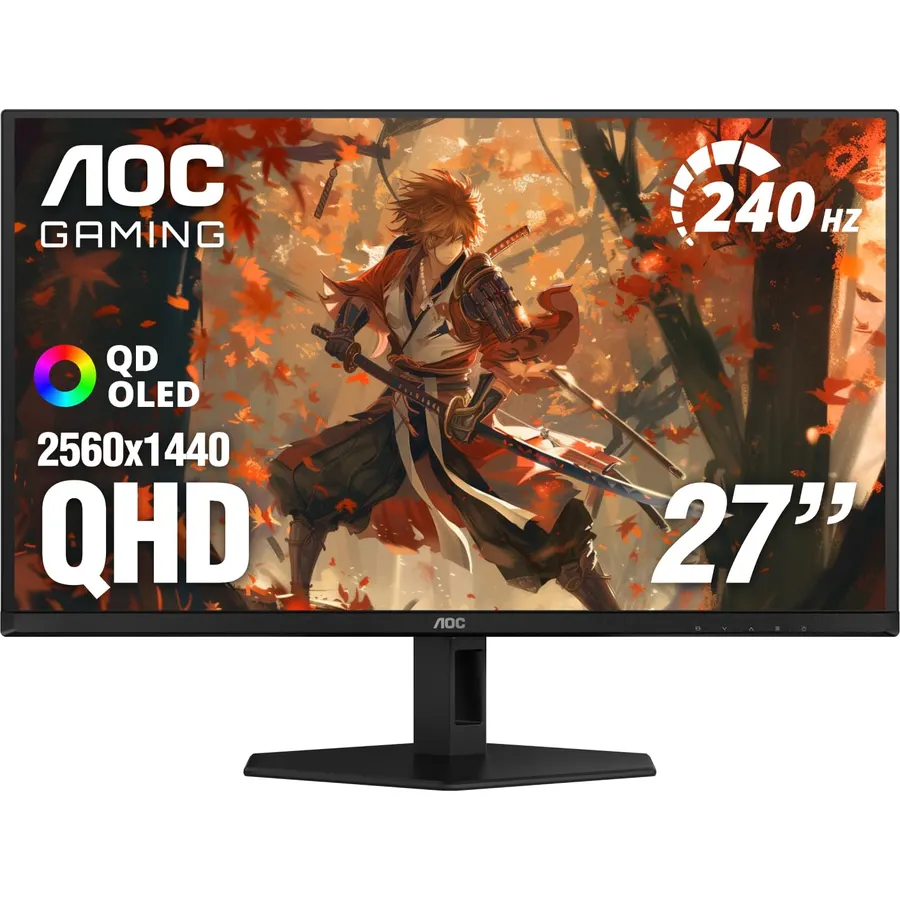
The Q27GAZD is what 240 Hz feels like without ghosting. Quantum-dot OLED pixels switch in 0.03 ms, so every frame of a 240 Hz stream arrives clean, and blacks are simply off. AOC quotes 147.6% sRGB and 110.2% DCI-P3 color coverage, more than the WOLED panels from LG, and the screen is G-Sync Compatible with Adaptive-Sync for AMD. The usual OLED rules apply: hide the taskbar, let pixel refresh run, and expect the panel to look a little gray under a sunny window because QD-OLED has no polarizer. It has only about 220 owner reviews at 4.5 stars, so it ranks below the LG on track record, not on picture.
- QD-OLED: per-pixel lighting, infinite contrast, no motion smearing
- 0.03 ms response, the fastest pixel switching you can buy
- Wider color than the LG OLED panels, 110% DCI-P3
- One of the cheapest 27-inch 1440p 240 Hz OLEDs at the time of writing
- Only about 220 owner reviews so far
- QD-OLED panels raise blacks slightly in a bright room
- Burn-in care needed for static desktop elements
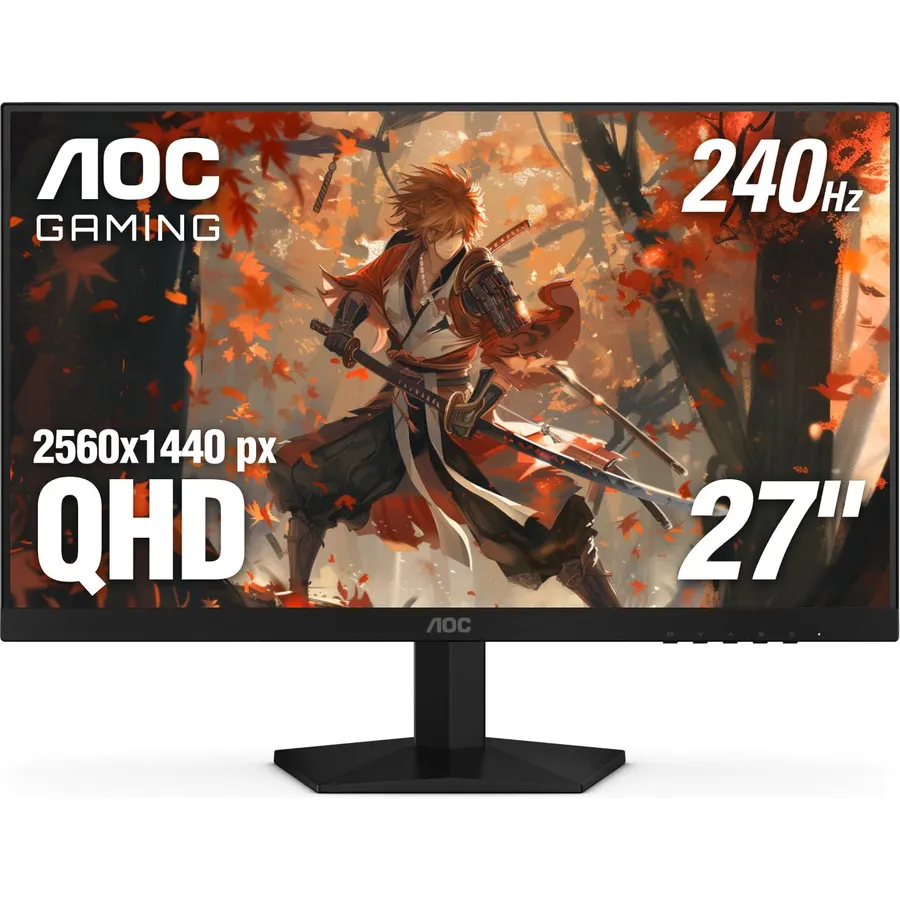
The Q27G41ZE is the cheapest way to a 1440p 240 Hz desk that we would actually recommend. AOC uses a 27-inch IPS panel that runs 240 Hz over DisplayPort and overclocks to 260 Hz, with Adaptive-Sync covering both GPU brands. The cost cutting is honest: the stand only tilts, brightness is 300 nits, and the headline 0.3 ms response is a backlight-strobing figure, so treat it as a normal fast IPS panel. Owners do not seem to mind. It holds 4.6 stars from more than 540 reviews, the best rating on this list. If you want a bigger review base at a similar price, KTC’s H27T22C-3 (220 Hz, 2,300+ reviews at 4.5 stars) is the other budget option in our catalog.
- 240 Hz native and 260 Hz overclocked for the least money on this page
- 4.6 stars from 540+ owners, the highest rating here
- Frameless three-side design suits a dual-monitor desk
- Works with both NVIDIA and AMD adaptive sync
- Tilt-only stand; budget for an arm
- 300 nits is dim next to the LG and Pixio
- The 0.3 ms figure is a strobing MPRT number, not native GtG
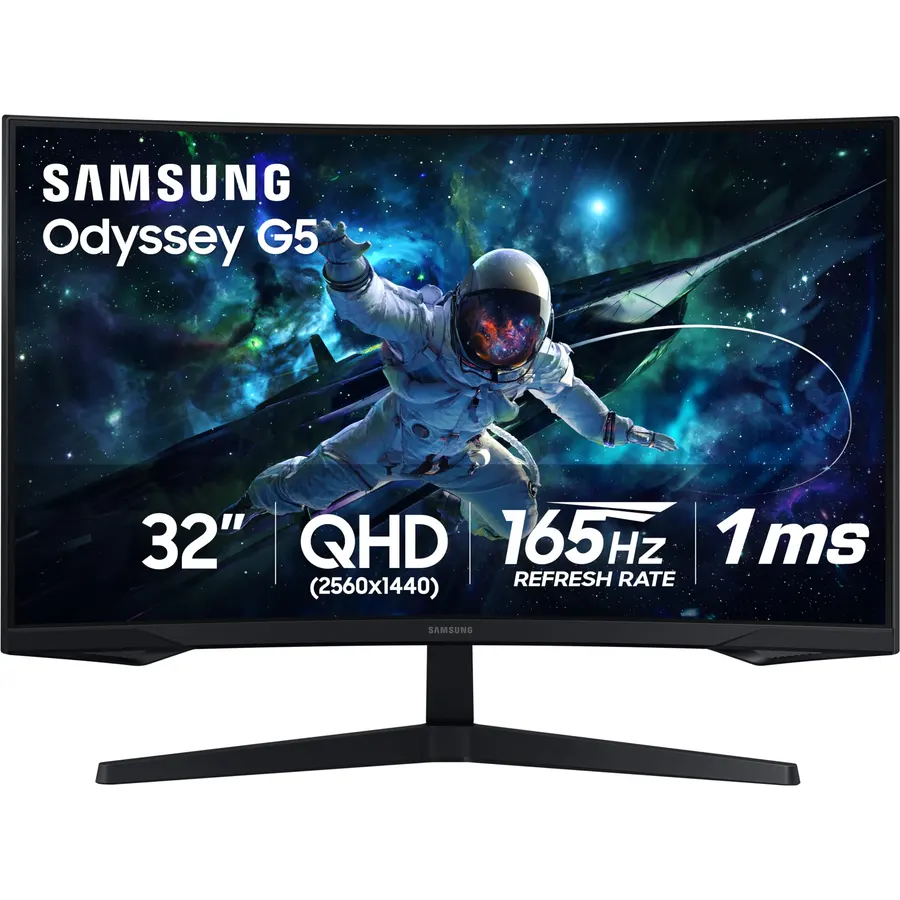
The G65B is for the player who wants the screen to fill the room. Samsung wraps a 32-inch VA panel into a 1000R curve, runs it at 240 Hz with FreeSync Premium Pro, and backs it with DisplayHDR 600 and 2500:1 native contrast, so dark games look richer than on any IPS pick here. The built-in Gaming Hub is a Smart TV feature: Xbox Cloud Gaming and GeForce Now run on the monitor itself over Wi-Fi with a Bluetooth controller. The trade-offs are the VA ones. Fast dark-to-gray transitions can leave a trail, and 1440p stretched over 32 inches is softer for desktop text. More than 2,000 owners rate it 4.4 stars, and the reviews are mostly about immersion, not motion clarity.
- 32 inches at 240 Hz with a 1000R curve that wraps your view
- 2500:1 VA contrast and DisplayHDR 600, the best HDR on this page
- Gaming Hub streams Xbox and GeForce Now games with no PC or console
- 2,000+ owner reviews at 4.4 stars
- VA panels smear in dark transitions despite the 1 ms rating
- The tight 1000R curve is not for everyone, and not for photo work
- 1440p on 32 inches is 93 pixels per inch, softer for text than 27 inches
27-inch WOLED White Gaming Monitor, QHD 1440p, 240Hz, 0.03ms, DisplayHDR True Black 400, Adaptive Sync, KVM switch, Fully Adjustable Stand, HDMI 2.1, DisplayPort, USB-C, PX277 OLED Max V2 White
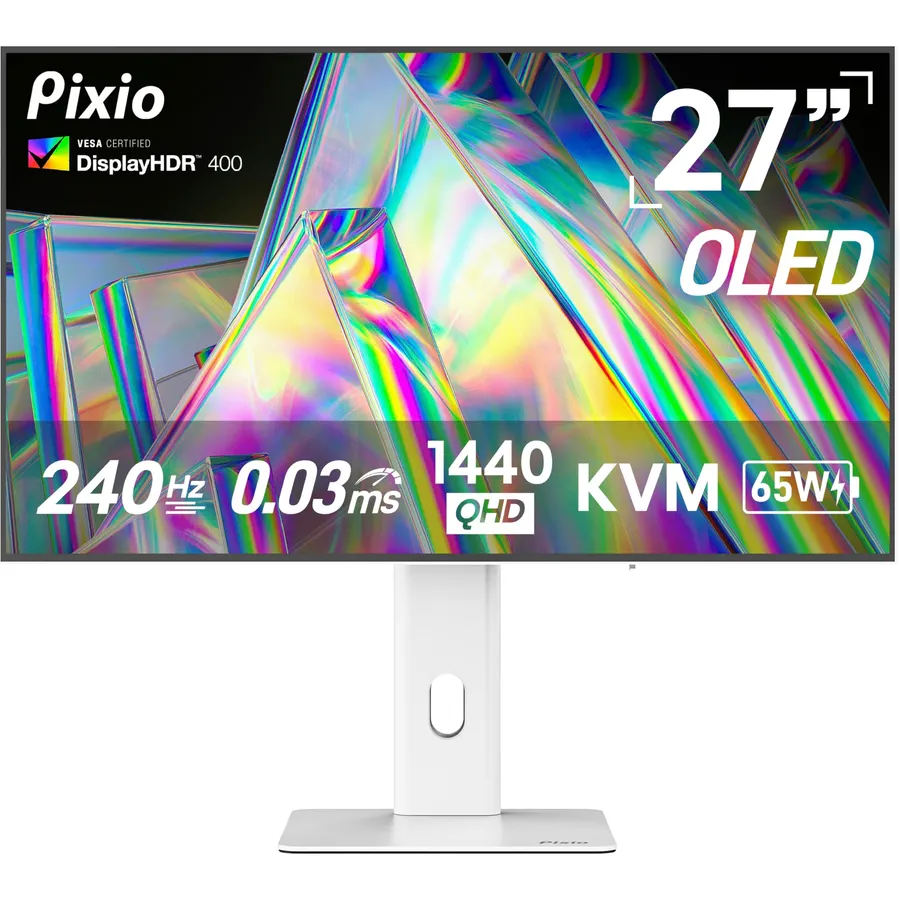
Pixio’s PX277 OLED Max V2 is the one screen on this page built for a desk with a console and a PC on it. It has HDMI 2.1 and DisplayPort, a USB-C input that also charges a laptop at 65 W, and a KVM switch so one keyboard and mouse follow whichever machine is on screen. The panel is a 27-inch WOLED at 1440p and 240 Hz with a 0.03 ms response and DisplayHDR True Black 400, and the stand does height, tilt, swivel and pivot. It arrives in white, which is either the reason to buy it or the reason not to. Owners rate it 4.3 stars across about 610 reviews, a step below the others; the complaints we read center on firmware quirks and support response, not the picture.
- HDMI 2.1 for a PS5 or Xbox at 1440p 120 Hz, DisplayPort for the PC
- KVM switch shares one keyboard and mouse between two machines
- USB-C with 65 W charging drives a laptop on one cable
- White finish and a fully adjustable stand
- 4.3 stars from about 610 owners, the lowest rating here
- WOLED text fringing shows in code editors and spreadsheets
- Pixio support and warranty terms trail LG and Samsung
Compare the picks
| Product | Size and panel | Refresh and response | Console port | Owner rating | Our score | |
|---|---|---|---|---|---|---|
| LG 27GR83Q-BLG | 27-inch IPS | 240 Hz, 1 ms GtG | HDMI 2.1 | 4.4 / 790 | 8.8 | See price |
| AOC Q27GAZDAOC | 27-inch QD-OLED | 240 Hz, 0.03 ms | HDMI | 4.5 / 220 | 9.0 | See price |
| AOC Q27G41ZEAOC | 27-inch IPS | 240 Hz (260 OC), 1 ms class | HDMI | 4.6 / 540+ | 9.2 | See price |
| Samsung Odyssey G65BSamsung | 32-inch curved VA | 240 Hz, 1 ms GtG | HDMI | 4.4 / 2k+ | 8.2 | See price |
| Pixio PX277 OLED Max V2Pixio | 27-inch WOLED | 240 Hz, 0.03 ms | HDMI 2.1 + KVM | 4.3 / 610 | 8.6 | See price |
IPS, VA or OLED at 240 Hz
At 240 Hz the panel type decides whether you actually see 240 distinct frames. IPS (the LG and the budget AOC) switches in about 1 ms GtG, which is fast enough that motion stays crisp, and it has no burn-in risk and normal brightness; its weakness is 1000:1 contrast. VA (the Samsung) doubles or triples the contrast and suits HDR, but dark pixels change state slowly, so fast dark scenes trail. OLED (the two AOC and Pixio picks) switches in 0.03 ms and has infinite contrast; the costs are lower full-screen brightness, some text fringing, and the need to manage static content. For pure competitive play, OLED first, then IPS. For single-player games and movies on a big screen, VA is fine.
The cable matters: DisplayPort 1.4 vs HDMI 2.1
1440p at 240 Hz needs more bandwidth than HDMI 2.0 can carry; HDMI 2.0 tops out at 1440p 144 Hz. DisplayPort 1.4 handles 1440p 240 Hz on every pick here, usually with Display Stream Compression, and it is the port to use from a PC. HDMI 2.1 also reaches 1440p 240 Hz on the LG and Pixio, and it is what a PS5 or Xbox Series X needs for 1440p at 120 Hz; both consoles top out at 120 Hz regardless of the monitor. Then open Windows Display settings, Advanced display, and set 240 Hz, because Windows defaults to 60.
What GPU drives 240 fps
The monitor only shows frames the graphics card produces. In esports titles such as Valorant, Counter-Strike 2, Rocket League and Overwatch 2, a midrange card from the last two generations (RTX 4060 Ti, RTX 5060 Ti, RX 7700 XT or better) holds 240 fps at 1440p on competitive settings. New AAA games are different: even an RTX 5080 or RX 9070 XT will not hit 240 fps at 1440p without DLSS or FSR upscaling and frame generation, and that is where adaptive sync earns its keep by keeping 120 to 180 fps tear-free. If your card is older than that, a 180 Hz screen from our 144 Hz guide leaves less refresh rate unused, and the 27-inch 1440p guide has the mixed-use picks. For more sizes, browse the monitor catalog.
Is 240 Hz worth it over 144 or 180 Hz?
For competitive shooters and racing games, yes, if your GPU already pushes well past 144 fps. The gain in motion clarity and input lag is real but smaller than the 60-to-144 step. For single-player games and desktop work, a 180 Hz screen is the better value.
Do I get a DisplayPort cable in the box?
Most gaming monitors ship with a DisplayPort cable; check the listing under What is in the box. Use it rather than HDMI from a PC. A DisplayPort 1.4 cable rated for 32.4 Gbps (HBR3) is required for 1440p 240 Hz; a $10 certified cable is enough.
Will a PS5 or Xbox Series X run at 240 Hz?
No. Both consoles top out at 120 Hz. On the LG 27GR83Q-B and Pixio PX277 OLED Max V2, HDMI 2.1 gives 1440p at 120 Hz with variable refresh rate. The other three picks list HDMI without a version, so plan on 1440p at 120 Hz only if the listing confirms HDMI 2.1, otherwise 60 Hz at 1440p or 120 Hz at 1080p.
What if the panel has dead pixels or burn-in?
Amazon accepts returns within 30 days in the US, so check for dead pixels and uniformity on day one. After that the manufacturer warranty applies: LG and Samsung typically cover monitors for one year in the US, and some OLED makers now include burn-in coverage for two or three years. Check the warranty line on the listing before you buy an OLED.
Prices and stock change daily. The buttons above open Amazon so you always see the current price. We may earn a commission if you buy through them, at no extra cost to you.
Do Best Deal is a participant in the Amazon Services LLC Associates Program. As an Amazon Associate we earn from qualifying purchases. If you buy through links on this site we may earn a commission, at no extra cost to you. Learn more.
