Once you have used a 144 Hz screen it is hard to go back to 60. Mouse movement feels attached to your hand, fast pans stay readable, and the difference shows up in desktop scrolling as much as in games. Almost every gaming monitor now clears 144 Hz, so the real questions are resolution, panel type and response time. We went through the flat high-refresh monitors in our catalog and kept five, from a budget 180 Hz 1080p panel to a 4K 165 Hz screen and a 240 Hz OLED.
We have not tested every one of these ourselves; where we rely on owner reviews we quote the rating and review count. Prices are not printed because they change daily; every button opens the live Amazon page. For a screen that is used for work as well as play, our monitor guide for coding covers text sharpness and stand ergonomics in more depth.
How we picked
- 144 Hz minimum. Every pick is 165 Hz or faster and lists a 1 ms or better response time.
- Flat panels only. Curved screens have their own guide.
- Owner ratings of 4.4 stars or higher, with several hundred to several thousand reviews each.
- Adaptive sync on every pick, FreeSync or G-Sync Compatible, so frame drops do not tear.
- Ports and stand adjustability listed for each, including DisplayPort and HDMI versions and the VESA pattern.
The picks
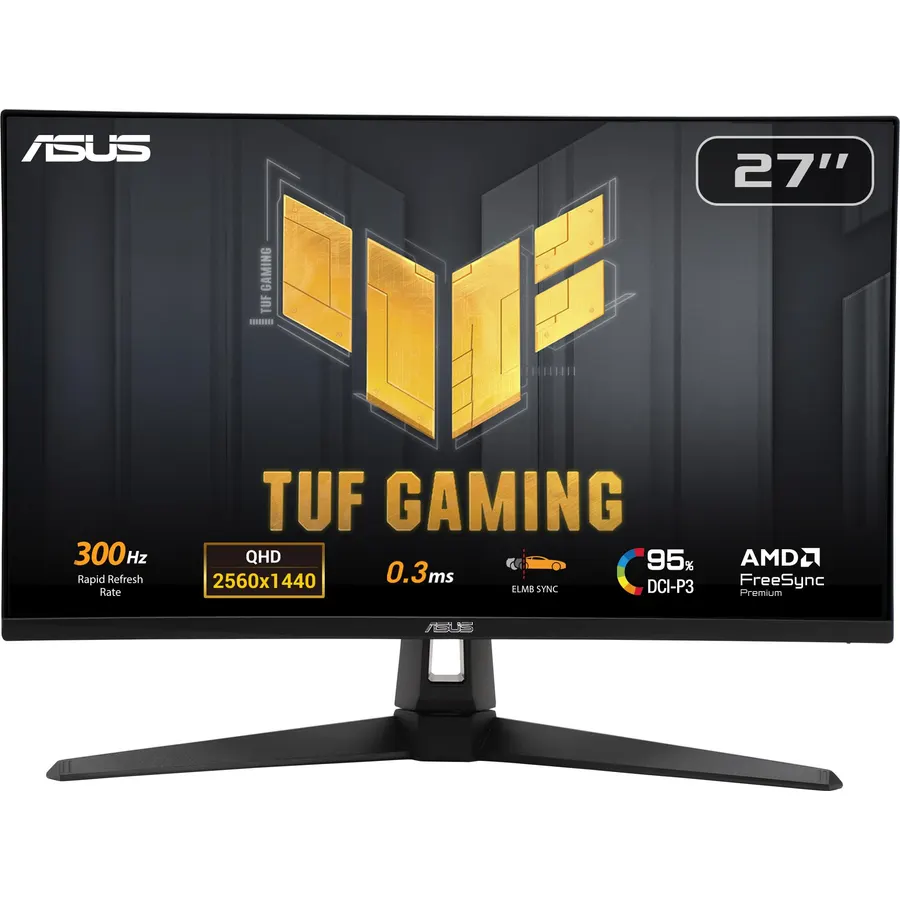
The XG27ACS is the monitor most PC gamers should buy. 1440p on 27 inches is sharp enough for the desktop, 180 Hz is quick enough for shooters, and the Fast IPS panel hits 1 ms gray-to-gray with ASUS’s ELMB Sync blur reduction running alongside adaptive sync. It is also the only pick here with a USB-C video input, which makes it a good dual-use screen for a work laptop, and the stand adjusts for height, tilt, swivel and pivot out of the box. Owners give it 4.4 stars from more than a thousand reviews; complaints center on the weak USB-C charging rather than the picture.
- 1440p 180 Hz on a Fast IPS panel with 133% sRGB color
- USB-C video input for a laptop with one cable
- Fully adjustable stand including portrait pivot
- 400 nits and DisplayHDR 400, brighter than most IPS rivals
- USB-C only delivers 7.5 W, not enough to charge a laptop
- Single HDMI 2.0 port limits console use to 1440p 120 Hz
- IPS contrast of about 1000:1 looks gray in a dark room
SAMSUNG 25-inch Odyssey G4 Series FHD Gaming Monitor, IPS, 240Hz, 1ms, G-Sync Compatible, AMD FreeSync Premium
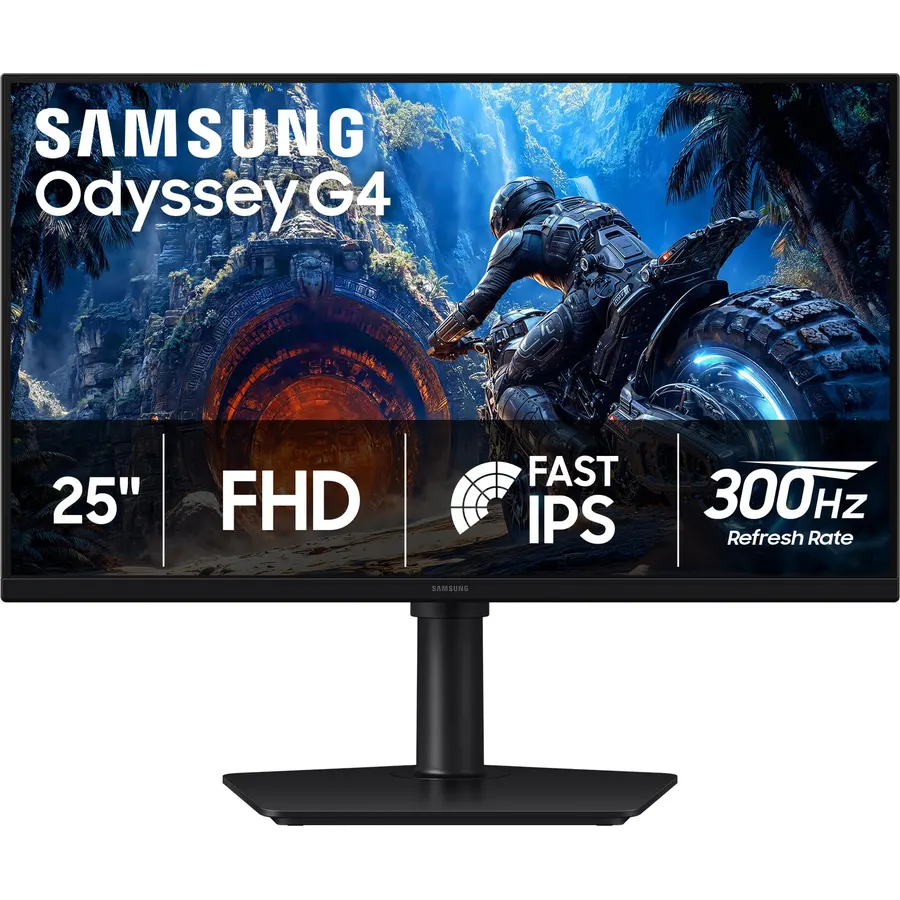
Esports players buy 24.5-inch 1080p screens because the whole picture fits in their central vision and any midrange GPU can push 240 frames per second. The Odyssey G4 does that on an IPS panel rather than the TN panels this class used to rely on, so colors and viewing angles are normal. Samsung’s stand is a highlight: height, tilt, swivel and a 90-degree pivot. The Ultrawide Game View mode letterboxes to 21:9 for games that support it. Owners rate it 4.6 stars and consistently praise motion clarity for the money.
- 240 Hz IPS with 1 ms GTG at a size competitive players prefer
- Fully adjustable stand with pivot
- Both G-Sync Compatible and FreeSync Premium certified
- 4.6 stars from 990+ owners
- 1080p only, so no good for desktop work on a large scale
- HDR10 support is nominal at 400 nits with no local dimming
- Two HDMI ports are limited to 144 Hz; 240 Hz needs DisplayPort
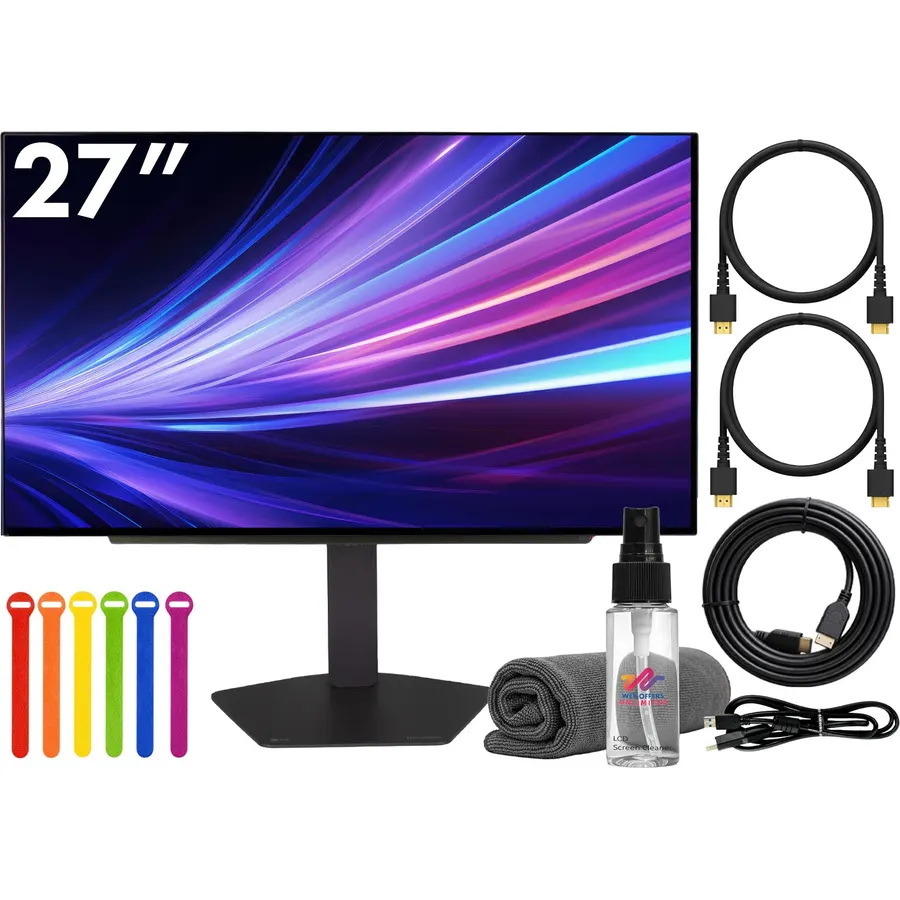
The 27GX704A-B is what you buy when motion clarity matters more than anything. An OLED pixel switches in 0.03 ms, so 240 Hz frames arrive with no ghosting, and blacks are truly off. HDMI 2.1 on both ports means a console gets full 120 Hz while the PC runs on DisplayPort, and the stand is fully adjustable. The compromises are OLED’s usual: modest full-screen brightness, some text fringing in editors, and the need to run pixel refresh and hide the taskbar. LG covers the panel for two years. Owners rate it 4.6 stars.
- OLED: per-pixel lighting, infinite contrast, zero motion smearing
- 240 Hz with 0.03 ms response, the fastest panel on this page
- Two HDMI 2.1 ports for PS5 and Xbox at 120 Hz
- 4.6 stars from 470+ owners
- Full-screen brightness around 275 nits; dim in a sunny room
- Text fringing on the OLED subpixel layout bothers some users
- Burn-in care needed for static desktop elements
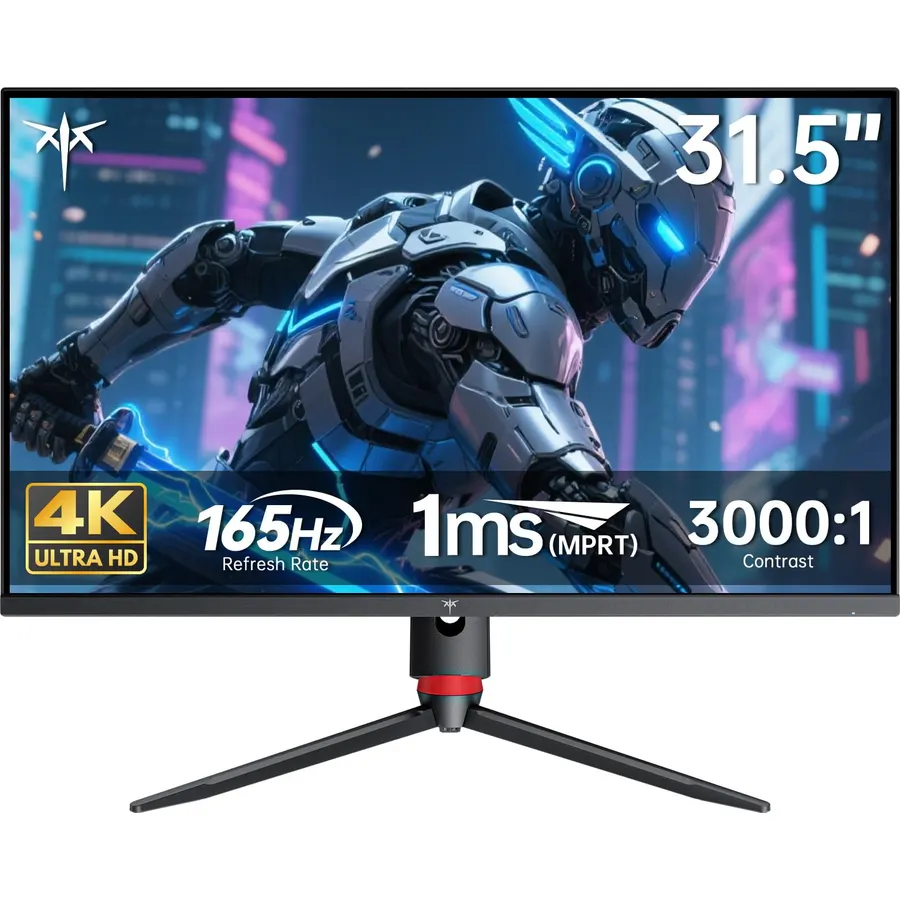
KTC is a Chinese panel maker selling direct, and the H32P22P is why it has 2,300 reviews: a 32-inch 4K Fast IPS panel at 165 Hz with 3000:1 contrast, for a price the established brands do not match. Text and games look razor sharp at 4K on 32 inches, and the stand adjusts for height and tilt. The catch is that 4K at 165 frames per second demands a top-end graphics card; with a midrange GPU you will be running 4K at 60 to 90 fps or dropping to 1440p. Use DisplayPort 1.4 for the full refresh rate. Owners rate it 4.5 stars and are mostly surprised by the quality for the money.
- 4K at 165 Hz for far less than the big-brand equivalents
- 3000:1 contrast is triple what most IPS panels manage
- 121% sRGB color and 10-bit dithered output
- 4.5 stars from 2,380+ owners, the most on this page
- Needs an RTX 4080-class GPU to use 4K at high frame rates
- No USB hub or USB-C
- KTC support and firmware polish trail the major brands
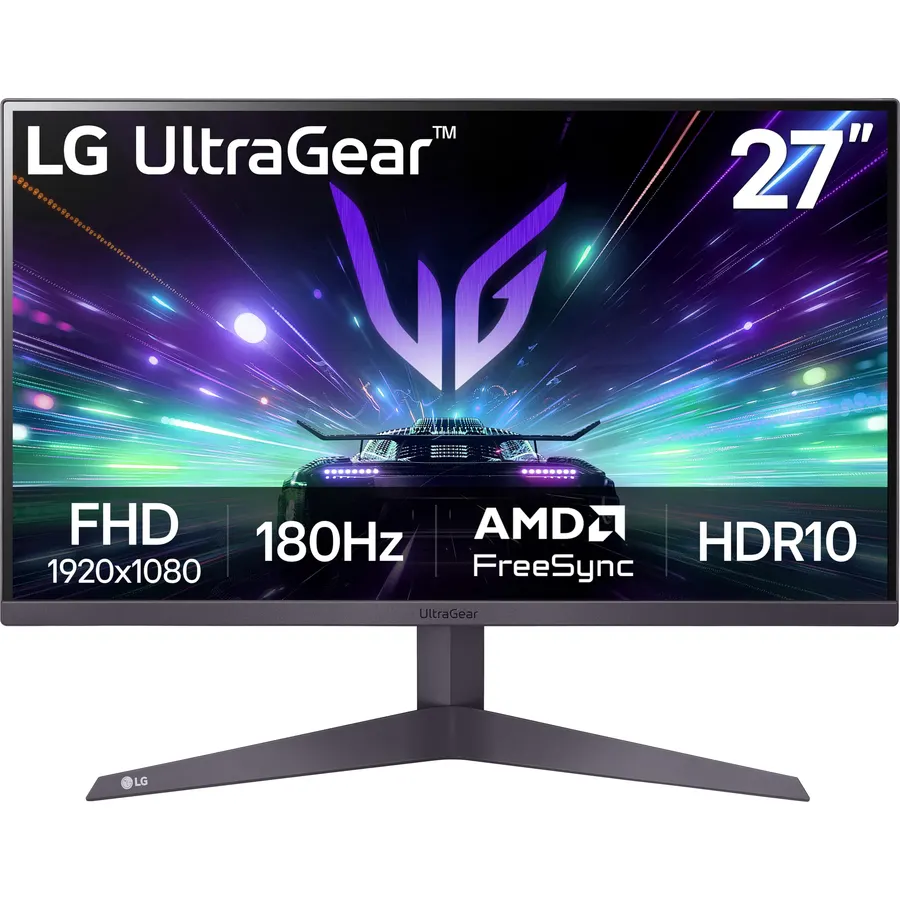
The 27GS50F-B is the cheapest way onto this list without giving up refresh rate. LG’s Ultragear budget line uses a 27-inch VA panel with 3000:1 contrast, which makes dark games look better than on cheap IPS screens, and it runs at 180 Hz over DisplayPort. The 1 ms figure is motion blur reduction, not native pixel response, so expect some smearing in fast dark transitions. The stand only tilts, but the VESA 100 pattern takes any arm. For a first gaming PC or a second monitor, it is the sensible buy at 4.6 stars.
- 180 Hz for close to entry-level 60 Hz money
- VA panel with 3000:1 contrast, good for dark games
- Three-side borderless design fits a dual-screen desk
- 4.6 stars from 400+ owners
- 1080p on 27 inches is soft for text
- Tilt-only stand
- 1 ms is MBR mode only; native VA response is slower with some smearing
Compare the picks
| Product | Size and resolution | Refresh and response | Panel | Owner rating | Our score | |
|---|---|---|---|---|---|---|
| ASUS ROG XG27ACSASUS | 27-inch 1440p | 180 Hz, 1 ms GTG | Fast IPS | 4.4 / 1k+ | 8.8 | See price |
| Samsung Odyssey G4 25Samsung | 24.5-inch 1080p | 240 Hz, 1 ms GTG | IPS | 4.6 / 990+ | 9.2 | See price |
| LG 27GX704A-BLG | 26.5-inch 1440p | 240 Hz, 0.03 ms | OLED | 4.6 / 470+ | 8.5 | See price |
| KTC H32P22PKTC | 31.5-inch 4K | 165 Hz, 1 ms MPRT | Fast IPS | 4.5 / 2.3k+ | 9.0 | See price |
| LG 27GS50F-BLG | 27-inch 1080p | 180 Hz, 1 ms MBR | VA | 4.6 / 400+ | 9.2 | See price |
Match the resolution to your graphics card
A high refresh rate is only useful if your GPU can feed it. As a rule of thumb: 1080p at 180 to 240 Hz suits an RTX 4060, RX 7600 or older cards; 1440p at 165 to 180 Hz wants an RTX 4070 or RX 7800 XT; 4K at 120 Hz and up needs an RTX 4080 or better. Adaptive sync covers the gap when frame rates dip, but buying a 4K 165 Hz panel for a midrange card leaves most of the refresh rate unused.
1 ms is not one number
Manufacturers quote response time three ways. GTG (gray to gray) is the real pixel switching time; the ASUS, Samsung and OLED picks quote it honestly. MPRT and MBR figures come from strobing the backlight, which cuts blur but dims the image and usually disables adaptive sync. The KTC and the LG 27GS50F-B quote MPRT and MBR, so their native response is slower. For more options at every tier browse the monitor catalog.
Do I need DisplayPort for 144 Hz or higher?
Usually, yes. HDMI 2.0 tops out at 1440p 144 Hz and 1080p 240 Hz; HDMI 2.1 on the LG OLED handles the full rate. Every pick includes a DisplayPort input, and most ship with a DisplayPort cable. Then set the refresh rate in Windows Display settings, Advanced display, because it defaults to 60 Hz.
Will these work with a PS5 or Xbox Series X?
All five have HDMI. Consoles run at up to 120 Hz, so the LG OLED with HDMI 2.1 gets 1440p 120 Hz, and the KTC can do 4K 120 Hz over HDMI. The ASUS, Samsung and LG 27GS50F-B use HDMI 2.0, which supports 1080p and 1440p at 120 Hz on both consoles.
Which stand adjustments do I actually need?
Height adjustment matters most: the top of the screen should sit at eye level. The ASUS, Samsung, LG OLED and KTC have it; the LG 27GS50F-B is tilt-only. All five use a 100 x 100 mm VESA pattern, so a desk arm fixes any of them.
What about returns if I get a bad panel?
Amazon accepts returns within 30 days in the US for dead pixels or backlight bleed. Beyond that, ASUS covers its monitors for three years in the US and the LG OLED carries a two-year panel warranty; Samsung, LG and KTC terms vary by model, so check the warranty line on the listing before you buy.
Prices and stock change daily. The buttons above open Amazon so you always see the current price. We may earn a commission if you buy through them, at no extra cost to you.
Do Best Deal is a participant in the Amazon Services LLC Associates Program. As an Amazon Associate we earn from qualifying purchases. If you buy through links on this site we may earn a commission, at no extra cost to you. Learn more.