An ergonomic keyboard changes the angle of your hands rather than the feel of the keys. A split or splayed layout lets each wrist point straight ahead instead of bending outward; a domed or tented shape rolls the hands inward so the forearms stop twisting; a wave-shaped key bed and a padded palm rest keep the wrists from bending upward. Which of those matters depends on where you hurt. We ranked the ergonomic keyboards in our keyboards catalog by the shape they use, the wrist support they include, connection and battery, and what thousands of owners say after switching from a flat board.
We have not typed on every one of these ourselves; the verdicts rest on the spec sheets and on the owner review history. Prices are not printed because they change daily; every button opens the live Amazon page. The other half of a sore wrist is the mouse, and our ergonomic mouse for wrist pain guide covers vertical and trackball options; for a flatter, lower-effort board rather than a shaped one, see low-profile keyboards.
How we picked
- A real ergonomic shape: split, domed, tented or wave key beds, not a flat board with a pad glued on.
- Wrist support built in on every pick, from memory foam to faux leather.
- A mouse included on six of the eight, because a sore hand usually needs both fixed at once.
- Owner ratings of 4.0 stars or better, with hundreds to thousands of reviews.
- A range of commitment, from a gentle wave that takes an hour to learn to a true split that takes a week.
The picks
Microsoft Sculpt Ergonomic Wireless Desktop Keyboard and Wireless Mouse L5V-00001
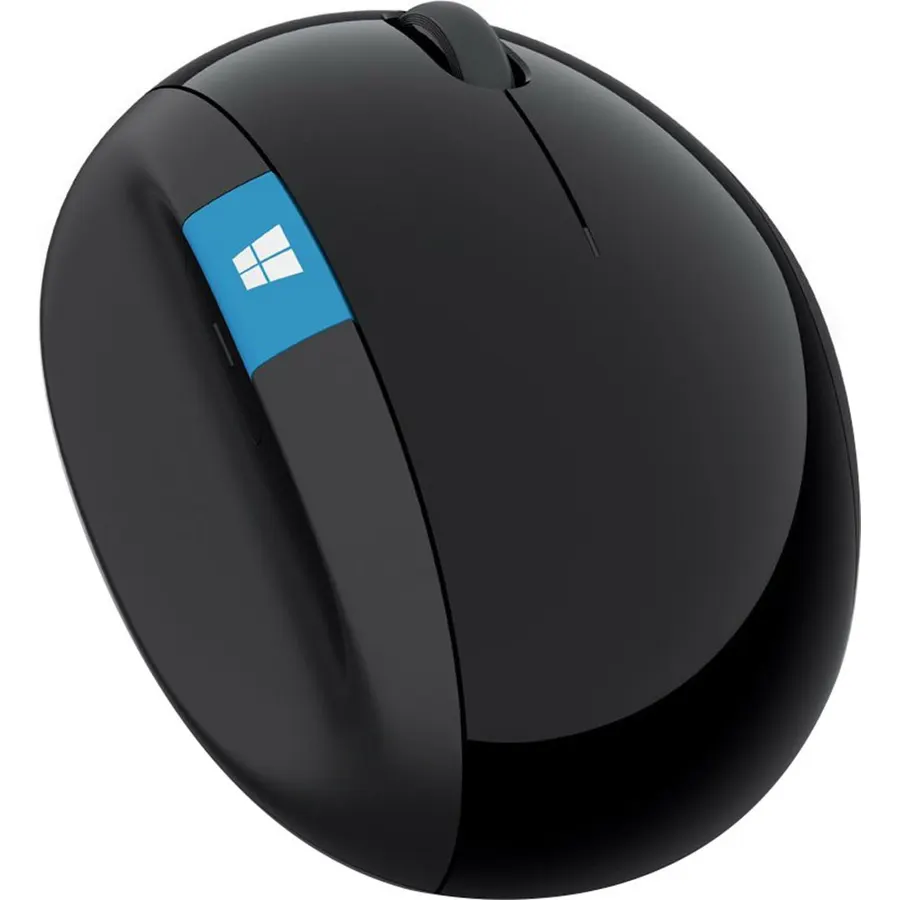
The Sculpt Ergonomic Desktop is the board physical therapists tend to point at, and 3,900 owners rate it 4.4 stars. The keyset is split down the middle and domed, so each hand points straight ahead and rolls slightly inward, which addresses the two bends that cause most keyboard pain. The cushioned palm rest holds the wrists level, the number pad is a separate block you can put anywhere, and a matching ergonomic mouse is in the box. Keystrokes are encrypted over the 2.4GHz receiver. The catches are serious: Microsoft has discontinued it, so prices on this listing swing far above what it sold for new, it uses AAA cells and a USB-A receiver, and the split layout takes a week to relearn. If the shape is what your hands need, it remains the reference.
- The split, domed shape fixes both wrist bend and forearm twist
- 3,900 owners at 4.4 stars, the most-reviewed board here
- Detached number pad lets the mouse sit closer
- Includes the matching ergonomic mouse
- Discontinued by Microsoft, so stock and price swing wildly
- Takes a week or more to relearn
- Non-rechargeable AAA batteries and a USB-A receiver
Logitech Wave Keys for Business Ergonomic Keyboard - Graphite
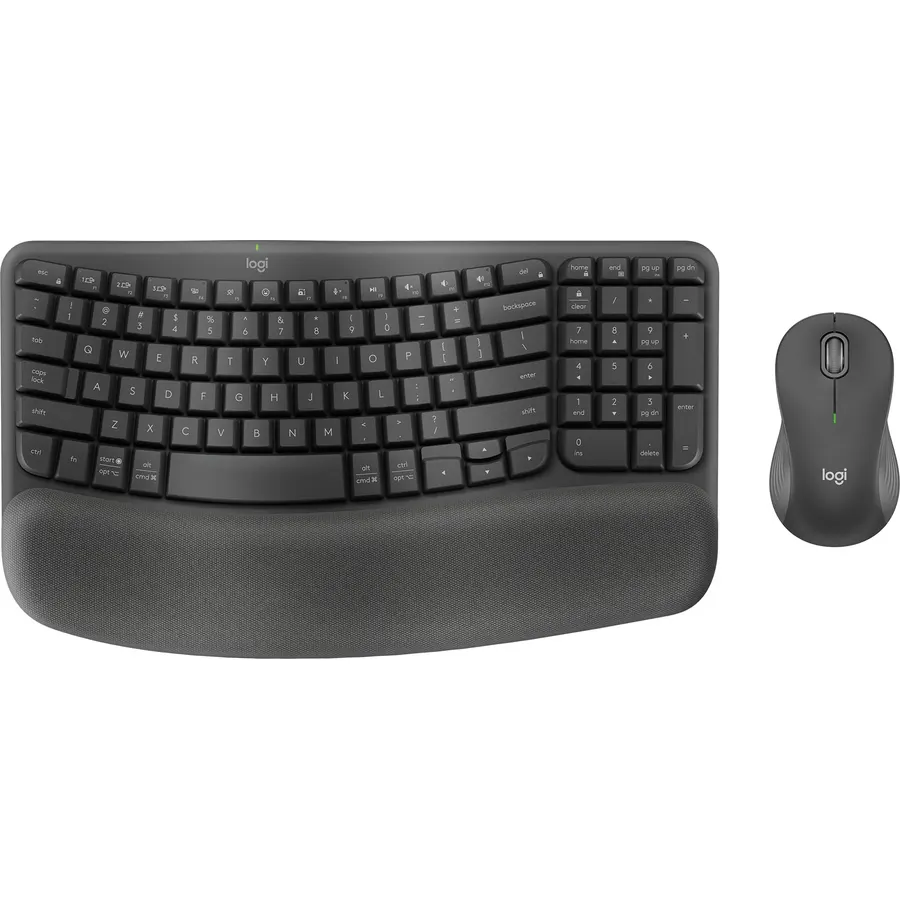
Wave Keys is the ergonomic board for people who want relief without a learning curve. The key bed rises and falls in a gentle wave that matches finger length, and a cushioned palm rest with a memory-foam layer runs the full width, which Logitech says gives 57 percent more wrist support than a flat board. The layout is otherwise standard, with a number pad, so there is nothing to relearn. It connects over the encrypted Logi Bolt receiver or Bluetooth, works across Windows, macOS and ChromeOS, and is certified by United States Ergonomics. It is not split, so it will not fix a forearm that twists, and there is no backlight. This is the Business edition, which is the same board with IT management; owners rate it 4.2 stars across 1,100 reviews.
- Familiar layout; no relearning
- Memory-foam palm rest built in
- Logi Bolt encrypted wireless for office networks
- 1,100 owners at 4.2 stars
- Not a split board, so it does not fix forearm twist
- No backlight
- Business packaging; the consumer version is identical
Logitech MK550 Wireless Wave K350 Keyboard and MK510 Laser Mouse Combo, Long Battery Life, Ergonomic Wave Design and Wireless Mouse
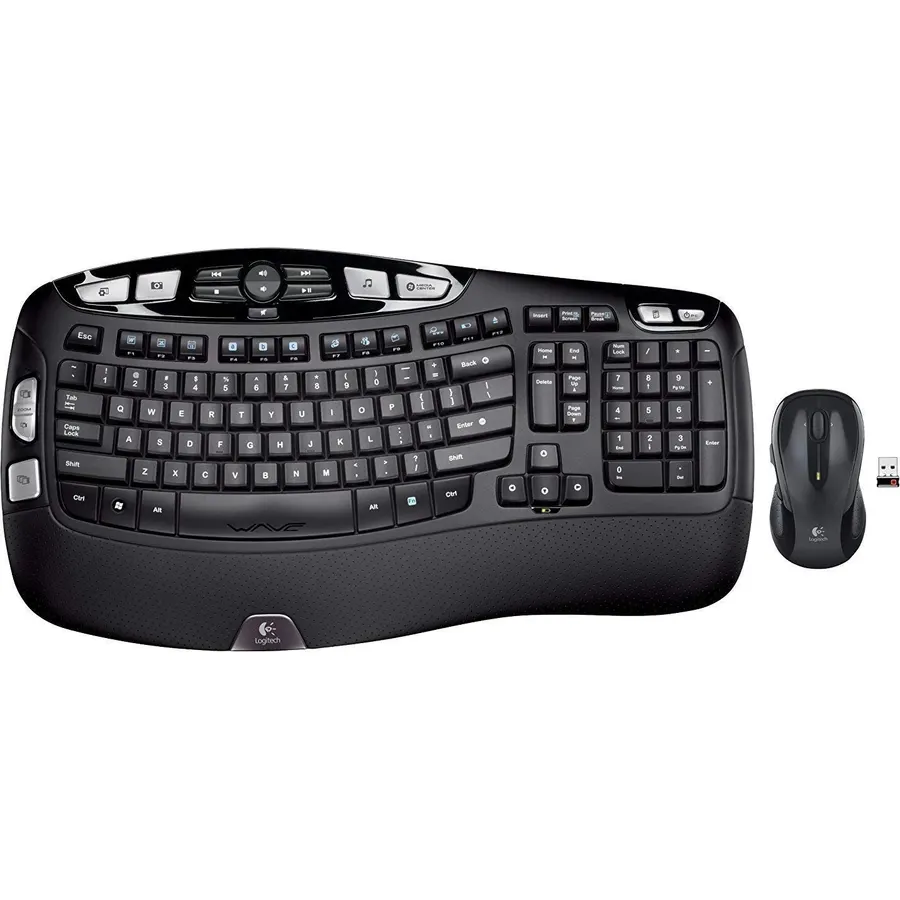
The MK550 has been the default ergonomic combo for a decade, and its 4.5 stars from 1,200 owners show it has aged well. The K350 keyboard uses Logitech’s Constant Curve wave, which bends the key rows to follow finger length without changing where any key sits, so you type normally on the first day. A palm rest is built in, three leg heights set the tilt, and 18 keys are programmable. The MK510 laser mouse shares the Unifying receiver, and the batteries last three years in the keyboard and two in the mouse. It is an old design: USB-A receiver, no Bluetooth, no backlight, and a large footprint. The price on this listing is also well above what it sold for, so check the live page. If it is sensible on the day, it is the proven choice.
- 4.5 stars from 1,200 owners
- Three-year keyboard battery
- Familiar full-size layout with a wave
- Mouse included; plug-and-play Unifying receiver
- Old design with a USB-A receiver and no Bluetooth
- Price on this listing is far above its original
- Large footprint
MEETION Ergonomic Keyboard Mouse Combo, Split Design Vertical Mouse, Purple
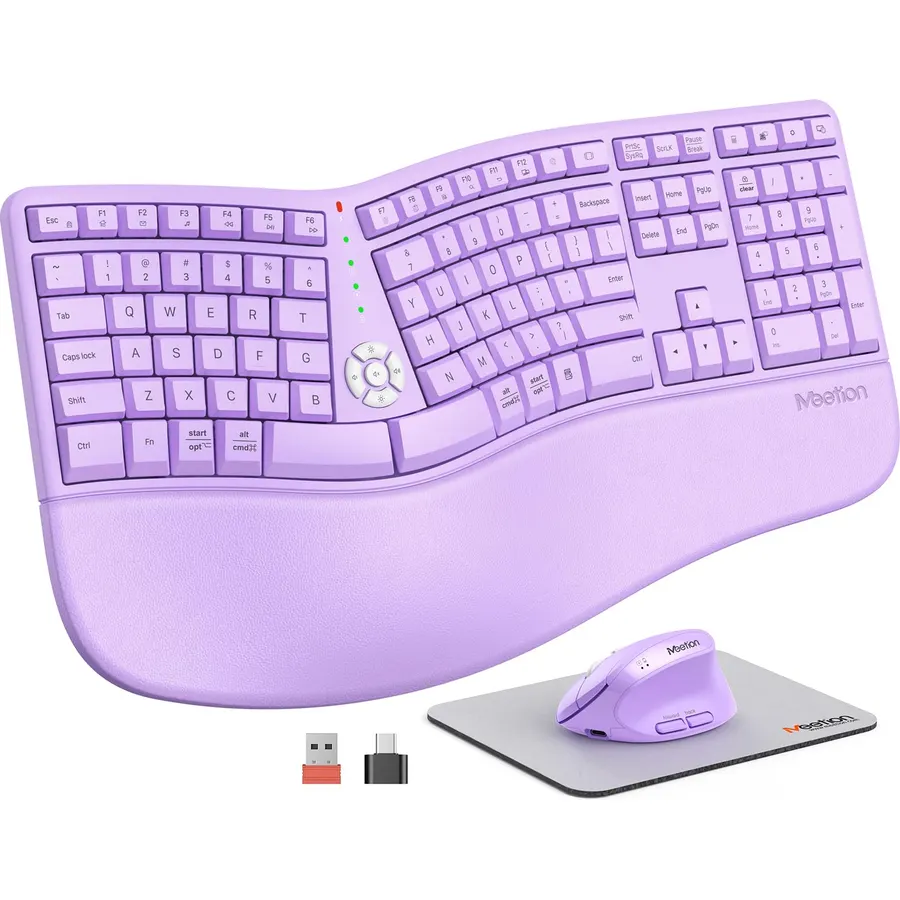
The MEETION set is the affordable way to try the full ergonomic prescription at once: a split keyboard with concave, tilted key wells and a pillow-shaped PU palm rest, plus a vertical mouse that turns the hand into a handshake position with four DPI levels. Both have 500mAh batteries that recharge over USB and run about a month, and both share a 2.4GHz receiver; the USB-C piece in the box is an adapter for that receiver, not a stand-alone dongle. At 4.0 stars from 1,600 owners it has the lowest rating here, and the reviews explain why: the split takes time, the plastic feels like the price, and the purple is bold. But for someone who wants to find out whether a split layout helps before spending Sculpt money, it is the sensible experiment.
- Split board and vertical mouse together at a modest price
- Rechargeable; no battery swaps
- Concave key wells and a large firm palm rest
- 1,600 owners
- 4.0 stars: owners mention a learning curve and build that feels plastic
- Purple colorway on this listing
- USB-C piece is an adapter, not a second receiver
Wireless Keyboard and Mouse Combo, Full-Sized Ergonomic Wave Keys Keyboard with Memory Foam Wrist Rest & Phone Holder, 2.4G Quiet Keyboard Mouse Work Setup for PC Laptop, Office or Home (Black)
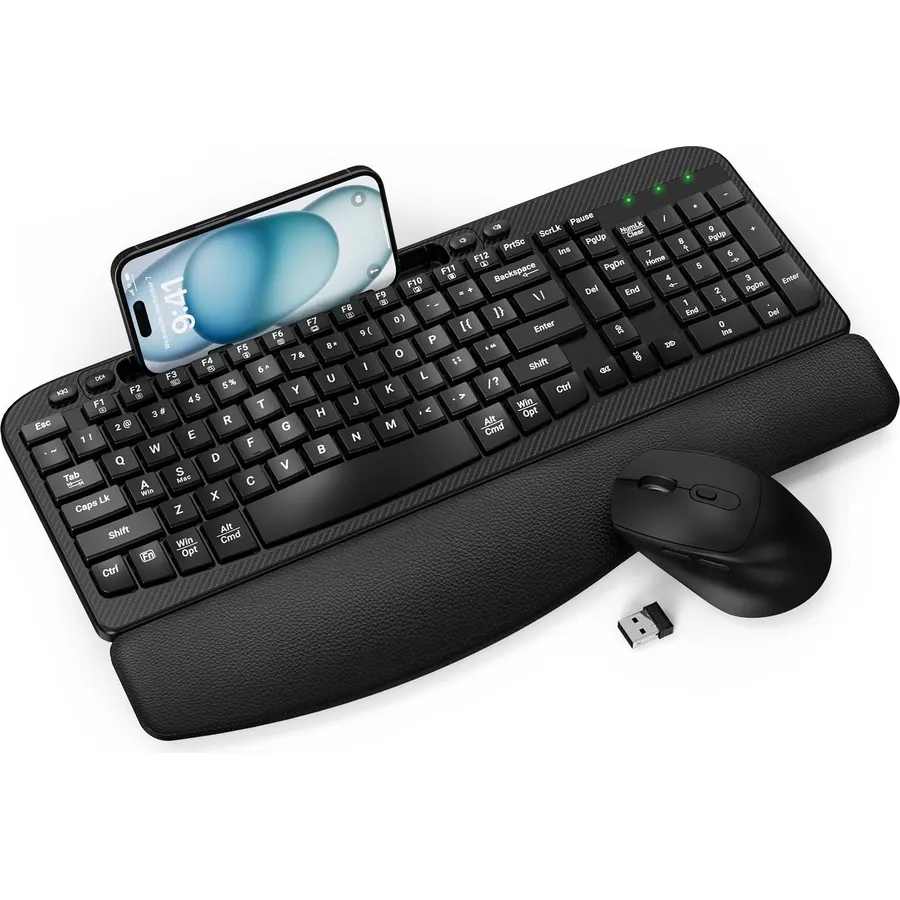
This unbranded wave combo copies the Wave Keys idea at a fraction of the price, and 1,300 owners rate it 4.2 stars, the same score as the Logitech. The key frame arches to follow the fingers, a three-layer memory-foam wrist rest with a leather cover is built in, and a 7.28-inch slot along the top holds a phone or a small tablet for video calls. The keys are quiet, the mouse is silent with three DPI levels, and both share a 2.4GHz receiver with a USB-C converter for newer laptops; the set sleeps after 10 idle minutes to save its batteries. There is no software, the batteries are disposable, and the wrist rest is permanent. For a home office on a budget it offers most of what the Wave Keys does.
- Memory-foam wrist rest and wave keys at a budget price
- Phone slot keeps a second screen in view
- Quiet keys and silent mouse
- 1,300 owners at 4.2 stars
- Generic brand with no software
- Disposable batteries
- Wrist rest cannot be removed
SABLUTE Ergonomic Wireless Keyboard and Mouse Combo, Rechargeable 4000mAh Backlit Keyboard with Soft Faux Lambskin Palm Rest, Wave Keys for Natural Typing, Compatible with Windows/Mac/Chrome OS
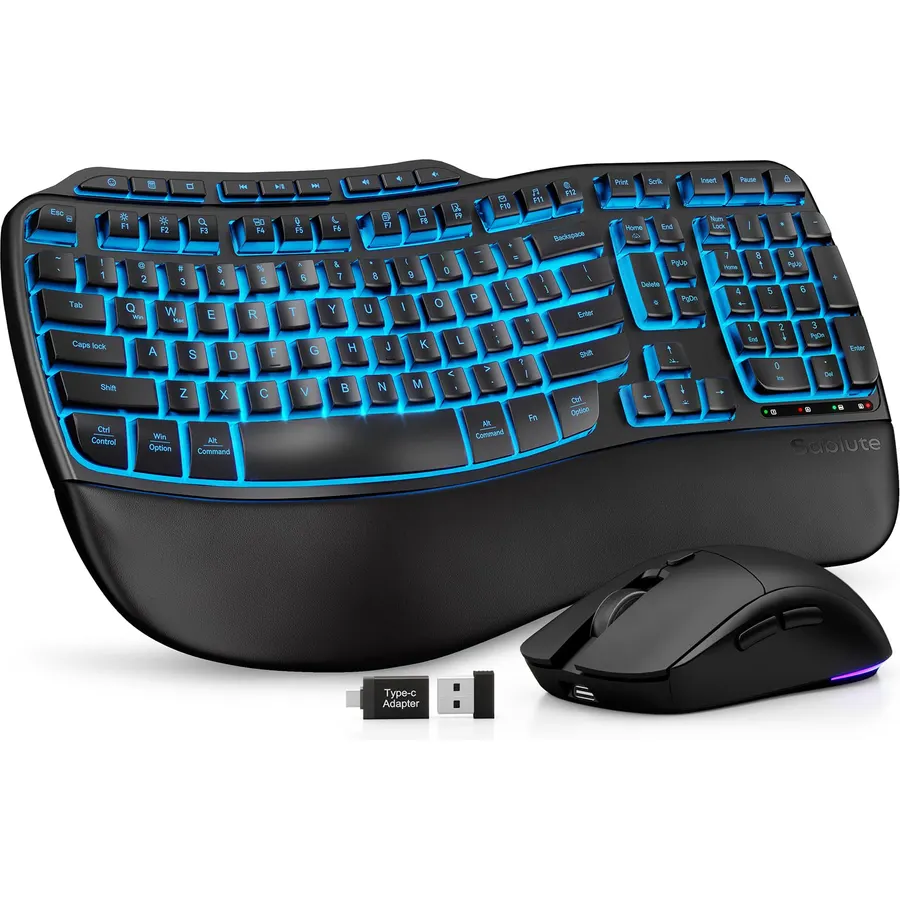
The SABLUTE is the ergonomic combo for a dim room or a standing desk. It is a wave-key full-size board with a soft faux-lambskin palm rest, and it is the only pick here with a backlight: seven colors on the keyboard, plus an RGB mouse with six buttons and three DPI levels. The 4,000mAh battery is twice what most backlit boards carry and lasts weeks, and both front and back stands adjust so the board can tilt either way for sitting or standing. Keys are rated for 10 million strokes. The faux leather will show wear with daily use, lighting shortens the runtime, and the wave shape helps wrists but not forearms. Owners rate it 4.3 stars across 470 reviews.
- Only backlit ergonomic keyboard here
- 4000mAh battery lasts weeks
- Adjustable stands for a standing desk
- 470 owners at 4.3 stars
- Faux leather palm rest shows wear over time
- Backlight drains the battery faster
- Wave shape only; not split
Microsoft Sculpt Comfort Desktop - Black - Wireless, Comfortable, Ergonomic Keyboard and Mouse Combo with Cushioned Palm Rest and USB Wireless Receiver
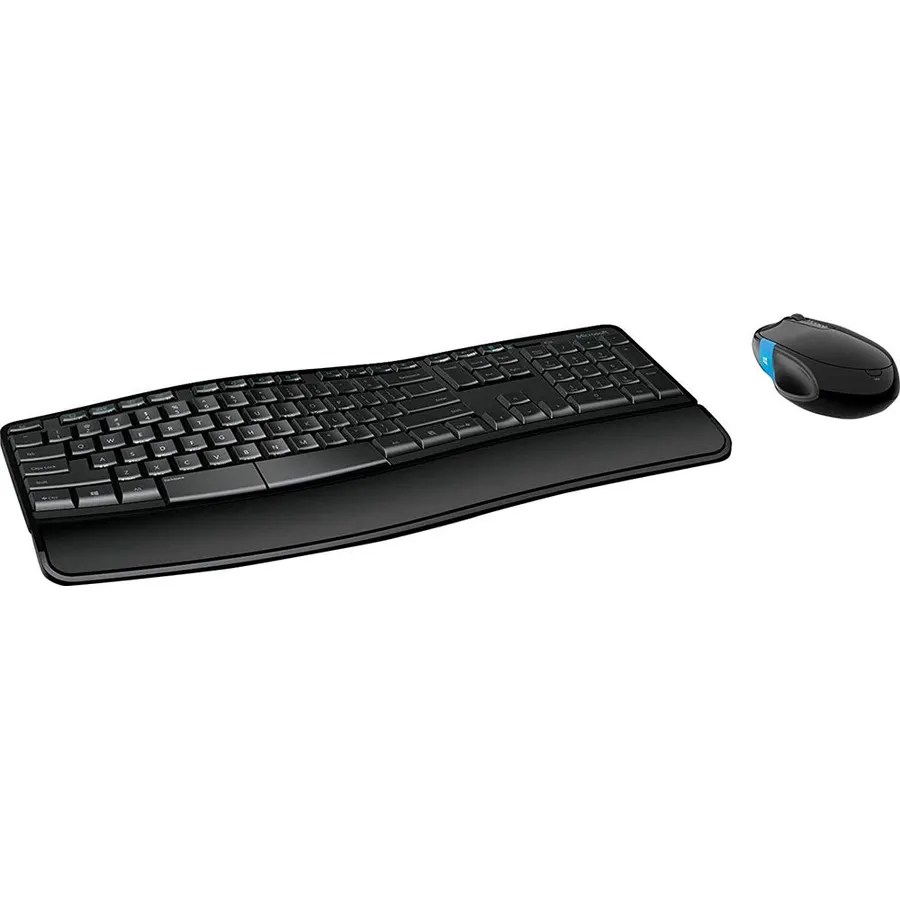
The Sculpt Comfort Desktop is the halfway house between a flat board and the Sculpt Ergonomic. Its keyset is contoured rather than split, with a palm lift that raises the heel of the hand into a neutral position, a cushioned palm rest you can remove, and a split spacebar whose left half can act as backspace. The Sculpt Comfort mouse has a Windows touch tab for the Start screen, and the receiver encrypts keystrokes. Like the Sculpt Ergonomic it is discontinued, so the price on this listing is far above the original and worth checking before you click. Owners rate it 4.1 stars across 450 reviews. It suits someone who found the full split too strange but still wants more shape than a wave board.
- Contoured shape without the full split learning curve
- Detachable palm rest and palm lift
- Split spacebar doubles as a backspace
- 450 owners at 4.1 stars
- Discontinued; prices on this listing are inflated
- Windows-focused mouse
- Fewer reviews than the Sculpt Ergonomic
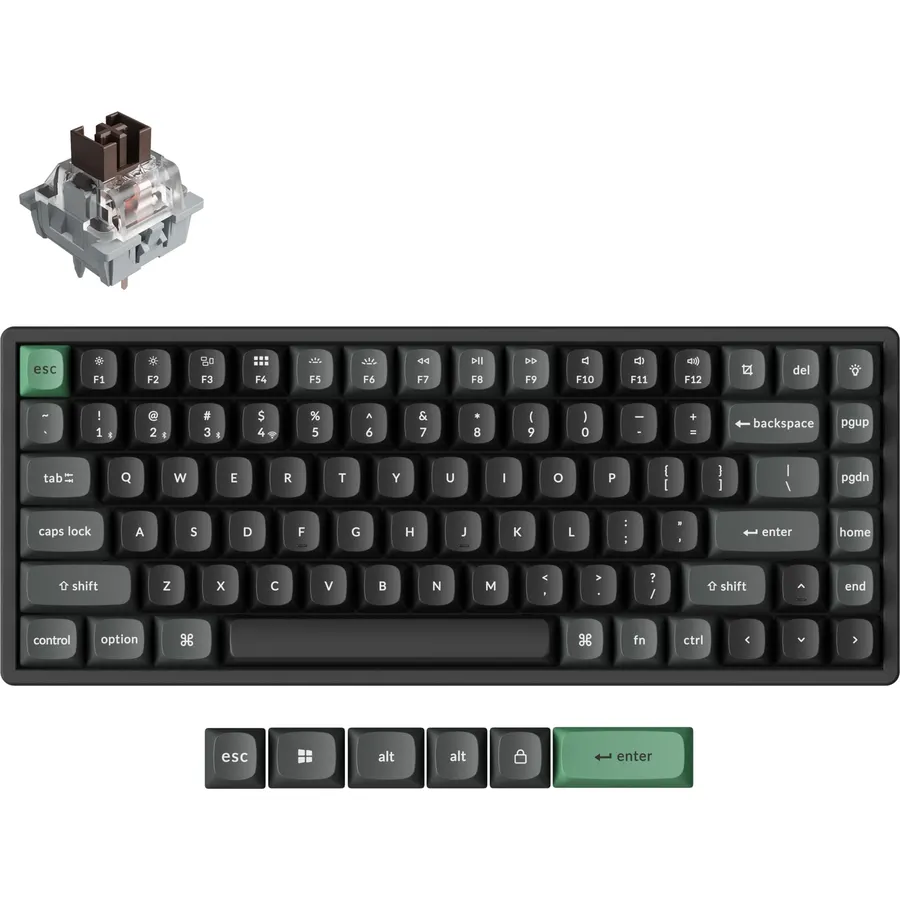
RK ROYAL KLUDGE S70 Ergonomic Split Keyboard, Tactile Brown Switch Black
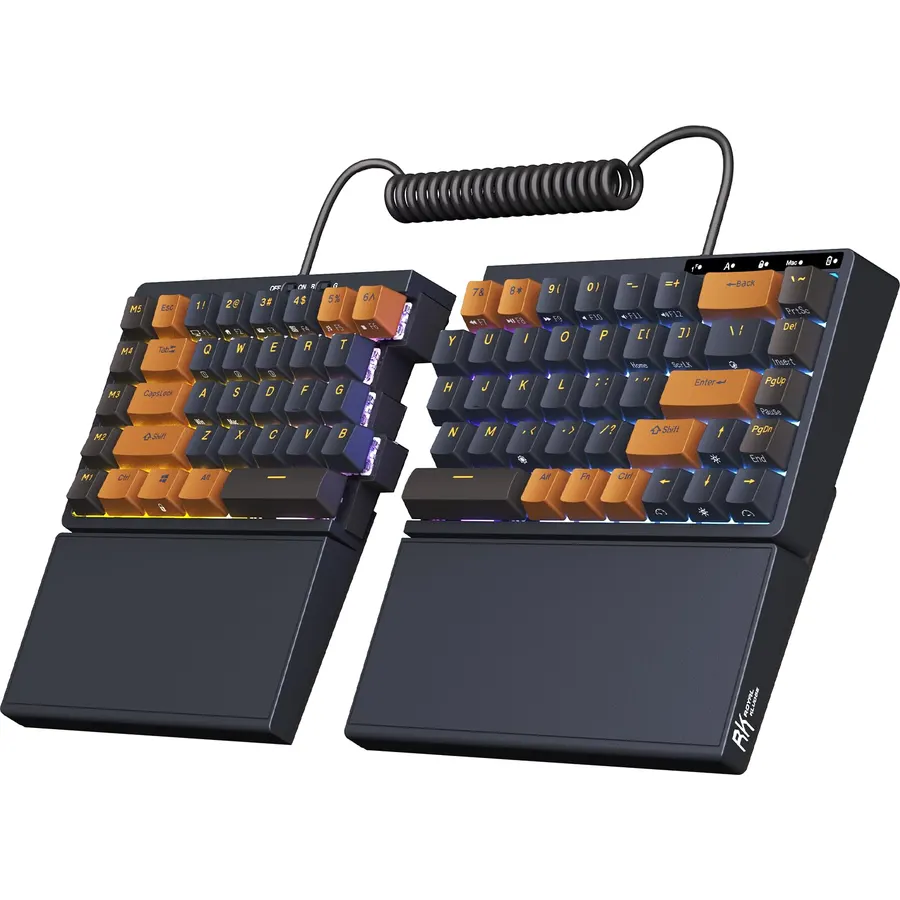
The RK S70 is for the person who wants the split and the switches. It is a 75% mechanical keyboard in two halves joined by a coiled cable, with eight adjustable feet so you can tent each side, tactile brown switches in hot-swap sockets, and a fixed wrist rest on each half. It connects three ways, the 3,150mAh battery runs about two weeks without the backlight, and the left half has its own battery and five macro keys, so it works alone as a gaming pad. RK’s software is Windows only. With 180 reviews at 4.1 stars it has the smallest sample on the page, and the fixed rests are a minor annoyance. For a split board that types like a proper mechanical keyboard it is the affordable option.
- A true split with tenting, and mechanical switches
- Hot-swap sockets and tri-mode wireless
- Left half works on its own as a gaming pad
- 180 owners at 4.1 stars
- Small review count so far
- Fixed wrist rest cannot be removed
- Software is Windows only
Compare the picks
| Product | Shape | Wrist support | Mouse | Connection | Owner rating | Our score | |
|---|---|---|---|---|---|---|---|
| Microsoft Sculpt ErgonomicMicrosoft | Split, domed | Cushioned | Yes | 2.4GHz | 4.4 (3,900+) | 8.8 | See price |
| Logitech Wave KeysLogitech | Wave | Memory foam | No | Bolt, Bluetooth | 4.2 (1,100+) | 8.4 | See price |
| Logitech MK550Logitech | Wave | Integrated | Yes | Unifying | 4.5 (1,200+) | 9.0 | See price |
| MEETION split comboMEETION | Split, concave | Firm PU | Vertical | 2.4GHz | 4.0 (1,600+) | 8.0 | See price |
| Wave combo with phone slotEAYBLLY | Wave | Memory foam | Yes | 2.4GHz | 4.2 (1,300+) | 8.4 | See price |
| SABLUTE backlit comboSABLUTE | Wave | Faux lambskin | Yes | 2.4GHz | 4.3 (470+) | 8.6 | See price |
| Microsoft Sculpt ComfortMicrosoft | Contoured | Detachable | Yes | 2.4GHz | 4.1 (450+) | 8.2 | See price |
| RK S70 split mechanicalRK ROYAL KLUDGE | Two-piece split | Fixed | No | USB-C, 2.4G, BT | 4.1 (180+) | 8.3 | See price |
Wave, contoured or split: match the shape to the pain
Pain on the top of the wrist, from bending the hand upward to reach a tall keyboard, is helped by a palm rest and a lower front edge; every wave board here has one. Pain on the outside of the wrist or in the forearm, from splaying the hands outward and twisting the forearms flat, needs a split or tented layout, which is what the Sculpt Ergonomic, MEETION and RK S70 provide. A contoured board like the Sculpt Comfort sits between the two. If you are not sure, start with a wave board, since it costs little and nothing has to be relearned; move to a split board if the pain persists.
The learning curve, honestly
Wave boards such as the Wave Keys, MK550 and the budget combos keep every key in its normal place, so most people type at full speed within an hour. Split boards move the hands apart and often change which hand presses the keys in the middle, such as B, Y and 6, and owners consistently report a week or two of slower typing and some frustration before it clicks. The Sculpt Ergonomic reviews are full of people who nearly returned it in the first days and then refused to give it up. Budget that time before buying a split.
Mice, number pads and wireless
Six of the eight picks include a mouse, and the MEETION includes a vertical one, which is the mouse shape most often recommended for the same wrist problems. The Sculpt Ergonomic moves its number pad to a separate block so the mouse can sit closer to the body, which matters more than it sounds. Most sets use a 2.4GHz receiver; the Wave Keys and RK S70 add Bluetooth for laptops and tablets. If you already own a mouse you like, the Wave Keys and RK S70 are the two keyboard-only picks, and our wireless keyboard and mouse combos guide covers flat sets if you decide a shaped board is not for you.
Do ergonomic keyboards actually help wrist pain?
They change hand position, which reduces the bends that cause strain. Owners of split boards like the Sculpt Ergonomic report real relief after the adjustment period; a wave board helps mainly with the upward bend.
How long does it take to get used to a split keyboard?
Most owners report one to two weeks of slower typing. Wave boards with a standard layout take about an hour.
Which ergonomic keyboard is best for a Mac?
The Logitech Wave Keys has a multi-OS layout and Bluetooth, and the RK S70 pairs over Bluetooth. The Microsoft and generic combos work on a Mac but use Windows legends.
Is a mechanical ergonomic keyboard available?
Yes, the RK ROYAL KLUDGE S70 is a split mechanical board with hot-swappable tactile switches and tri-mode wireless.
Why are the Microsoft Sculpt boards so expensive?
Both are discontinued, so the listings are resold stock and prices swing. Check the live page; the Logitech Wave Keys or MK550 is the sensible alternative when the Sculpt is inflated.
Prices and stock change daily. The buttons above open Amazon so you always see the current price. We may earn a commission if you buy through them, at no extra cost to you.
Do Best Deal is a participant in the Amazon Services LLC Associates Program. As an Amazon Associate we earn from qualifying purchases. If you buy through links on this site we may earn a commission, at no extra cost to you. Learn more.