A memory upgrade is the cheapest way to make an old laptop feel new. A machine that came with 4GB or 8GB spends its day swapping browser tabs to the SSD; drop in 16GB or 32GB and the swapping stops, the fans calm down and a five-year-old notebook handles a dozen tabs, a video call and a spreadsheet at once. The catch is that laptop memory comes in three incompatible generations and one specific shape, so the wrong kit simply will not fit. We ranked the SODIMM laptop memory in our PC parts catalog by generation (DDR3L, DDR4 or DDR5), rated speed and latency, kit capacity, voltage and compatibility notes, the maker’s warranty, and what owners report after installing it in real laptops.
We have not benchmarked every kit ourselves; the verdicts rest on the published specs and the owner review history. Prices are not printed because they change daily, and memory prices in particular have swung hard this year; every button opens the live Amazon page. If you are building or upgrading a desktop instead, our RAM kits for gaming PCs guide covers full-size DIMMs, and several of the kits below also fit the machines in our mini PCs guide.
How we picked
- One shape only. Every pick is a SODIMM, the short module laptops, mini PCs and all-in-ones use. Full-size desktop DIMMs were left out, as were ECC and registered modules.
- All three live generations. DDR5 (262-pin) for recent laptops, DDR4 (260-pin) for roughly 2016 to 2022 machines, and DDR3L (204-pin) for older ones.
- Rated speed stated. We list the rated speed, latency and voltage from the maker, and note where a kit downclocks to match the laptop.
- Honest compatibility. We call out which kits need XMP or EXPO to hit their headline speed and which run at JEDEC speed without it.
- Owner feedback that is consistently positive, and most picks are well-reviewed across many owners.
The picks
Crucial 32GB DDR5 RAM Kit (2x16GB), 5600MHz (or 5200MHz or 4800MHz) Laptop Memory 262-Pin SODIMM, Compatible with Intel Core and AMD Ryzen 7000, Black - CT2K16G56C46S5
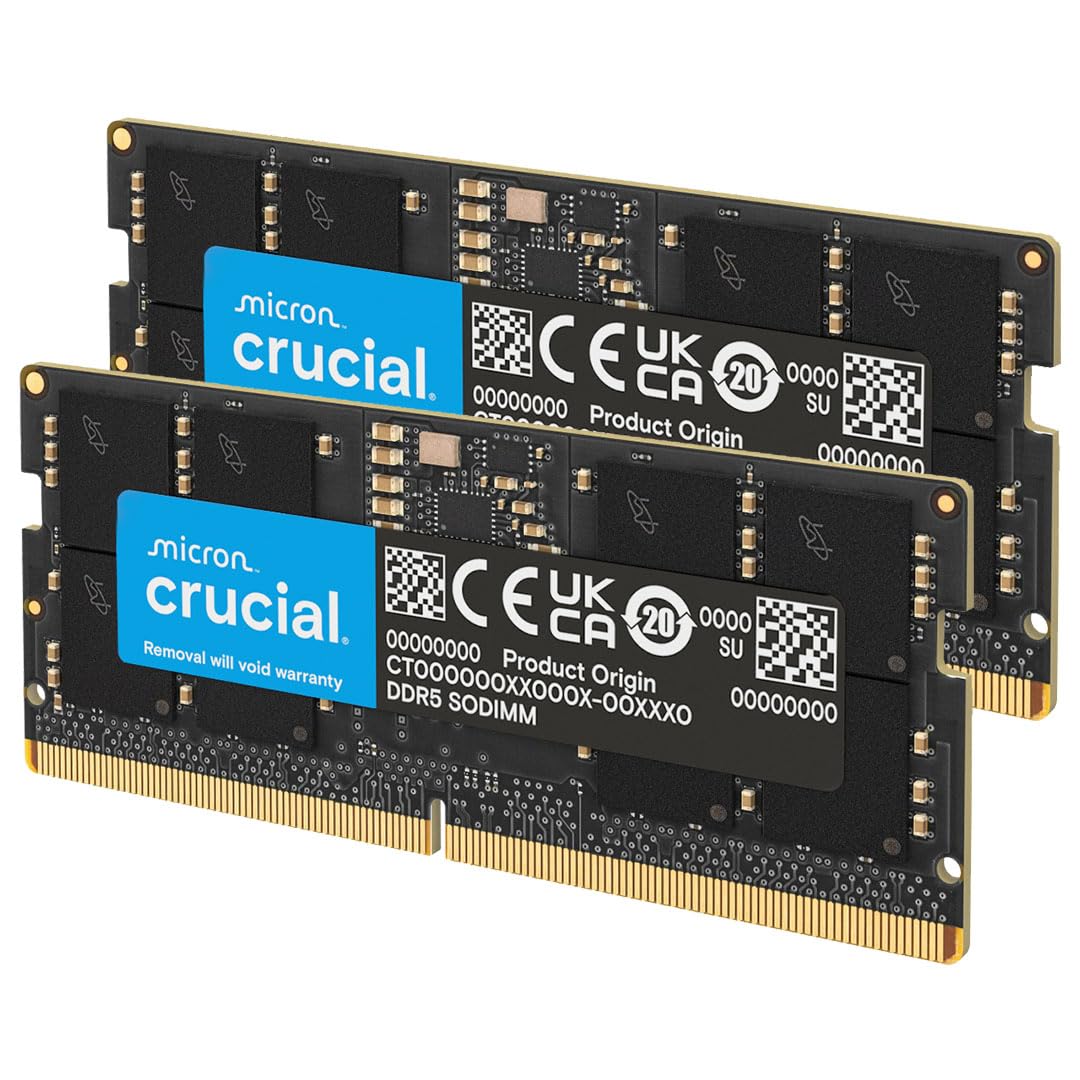
Crucial is the retail arm of Micron, which makes the memory chips themselves, and the 32GB DDR5 5600 kit is the laptop upgrade most people should buy if their machine is new enough to take it. It is rated at 5600MHz but drops to 5200 or 4800 to match whatever the laptop’s memory controller allows, so it works in 12th-gen Intel and Ryzen 7000 machines and in the newer ones, and it carries both XMP 3.0 and EXPO profiles on the same module. It runs at 1.1V, is non-ECC and single-rank, and Crucial’s free System Scanner tells you before you order whether your laptop will accept it. Owners give it an excellent rating and most of the critical reviews are about laptops that turned out to have soldered memory, which no kit can fix. CL46 is ordinary for DDR5 SODIMMs, and the price has moved around with the DDR5 market, but for a 2022-or-later laptop this is the safe choice.
- Best-reviewed DDR5 SODIMM here, with an excellent owner rating
- Runs at whatever of 5600, 5200 or 4800MHz the laptop supports
- XMP 3.0 and EXPO both supported, and Micron-made
- Crucial System Scanner confirms fit before you buy
- CL46 is a loose latency figure, as with most DDR5 SODIMMs
- DDR5 pricing has been volatile this year
- Only fits laptops from roughly 2022 onward
Crucial 64GB DDR4 RAM Kit (2x32GB), 3200MHz (PC4-25600) CL22 Laptop Memory, SODIMM 260-Pin, Downclockable to 2933/2666MHz, Compatible with 13th Gen Intel Core and AMD Ryzen 7000 - CT2K32G4SFD832A

The 64GB DDR4 kit is for the laptop that does real work: video editing, virtual machines, large photo libraries or a Docker stack. Two 32GB dual-rank modules at 3200MHz give you four times what most DDR4 laptops shipped with, and because the kit downclocks to 2933 or 2666MHz it also suits earlier 8th- and 9th-gen Intel machines that cannot run 3200. It is JEDEC standard at 1.2V, so there is no XMP to enable; it just works at the speed the laptop supports. The owner rating is excellent and matches the DDR5 kit above. The warning is in the fine print: a lot of laptops, especially thin ones, top out at 32GB total, so check the maximum with Crucial’s Upgrade Selector before buying 64GB. CL22 is a relaxed latency, and the PNY XLR8 kit below is quicker for gaming if 32GB is enough.
- 64GB in two slots, the most capacity on this page
- Downclocks to 2933 or 2666 for older DDR4 laptops
- Excellent owner rating and Micron quality
- Crucial Upgrade Selector confirms compatibility
- Many thin laptops cap at 32GB total and will not see all of it
- CL22 is slower than the PNY XLR8 below
- Overkill for browsing and office work
Timetec 16GB KIT(2x8GB) DDR3L/DDR3 1600MHz(DDR3L-1600) PC3L-12800 Non-ECC Unbuffered 1.35V/1.5V CL11 2Rx8 Dual Rank 204 Pin SODIMM Laptop Notebook RAM
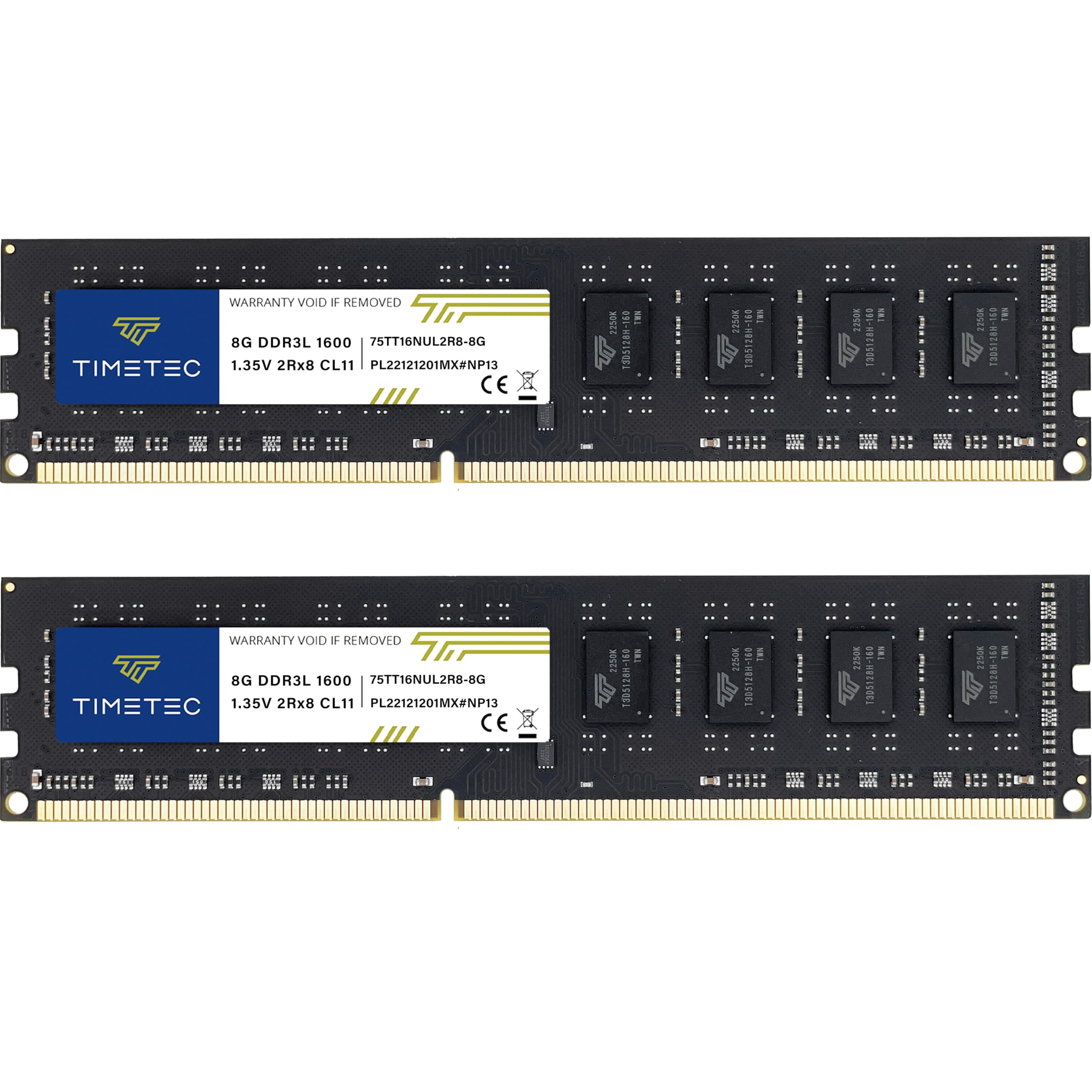
Millions of perfectly good laptops from the Windows 7 and early Windows 10 years are still in use with 4GB of RAM, and the Timetec 16GB DDR3L kit is the standard fix. It is the most-reviewed kit on this page by a wide margin and holds an excellent owner rating, which is remarkable for a part that sells for the price of a takeaway. Two 8GB dual-rank modules run at 1600MHz with CL11 timings, and because the module is dual-voltage it runs at the 1.35V that DDR3L laptops require or the 1.5V that older DDR3 machines use, so you do not need to work out which one you have. Sixteen gigabytes is the maximum for most DDR3-era laptops, so this is the whole upgrade in one box. It is of no use in a DDR4 or DDR5 laptop, the 204-pin edge will not even go into the slot, but for a ThinkPad, an old MacBook Pro or a Dell from that era it is the obvious buy.
- The most-reviewed kit on this page, with an excellent owner rating
- Dual-voltage module works in both DDR3L and DDR3 laptops
- 16GB is the ceiling for most DDR3 laptops, and this hits it cheaply
- Dual-rank modules suit older memory controllers
- DDR3 only; useless in anything from the last eight years
- 1600MHz is the generation ceiling, not fast by modern standards
- Green PCB, if you care what is under the panel
PNY DDR4 32GB (2x16GB) 3200MHz CL20 Overclocked Notebook Memory Kit

PNY sells two 32GB DDR4 3200 laptop kits, and this is the faster of them. The XLR8 Gaming kit runs CL20 timings at 3200MHz, which is as tight as DDR4 SODIMMs get, and it ships with an XMP 2.0 profile so a gaming laptop with an unlocked BIOS enables the full speed with one setting. That matters for integrated graphics and for frame-time consistency in games that lean on memory bandwidth. It runs at the standard 1.2V, so there is no heat penalty, and owners rate it strongly. The honest caveat is the one PNY prints itself: if your laptop does not support XMP 2.0, the kit runs at a slower JEDEC speed and you have paid for headroom you cannot use. Thin-and-light laptops from Dell, HP and Lenovo generally lock the BIOS, so for those the PNY Performance kit below does the same job for less.
- CL20 at 3200MHz, the tightest DDR4 timings on this page
- XMP 2.0 profile for one-click setup on gaming laptops
- Well-reviewed with a strong owner rating
- PNY XLR8 Gaming line with a lifetime warranty
- Needs XMP 2.0 to reach 3200MHz, otherwise it falls back to JEDEC speed
- Only useful in laptops with a BIOS that exposes XMP
- Same 32GB as the cheaper PNY Performance kit below
PNY DDR4 32GB (2x16GB) Performance 3200MHz CL22 Notebook Memory Kit
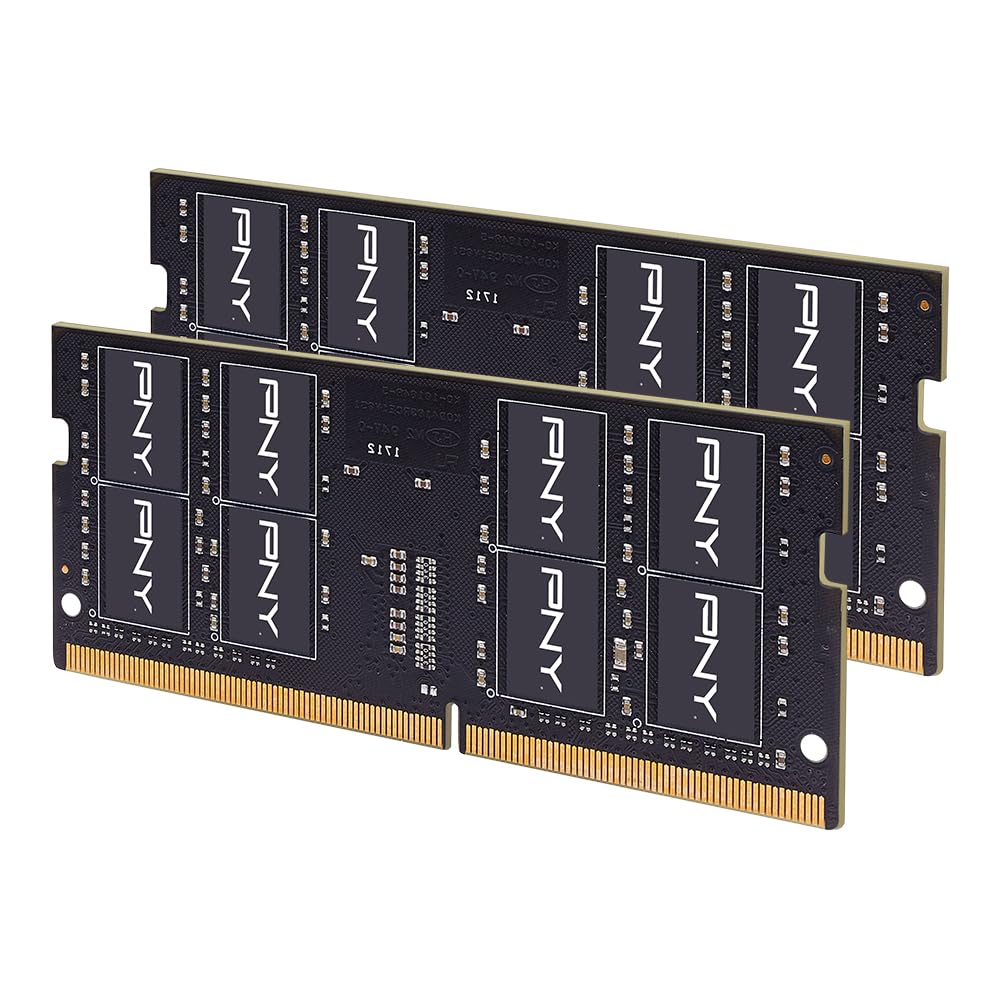
If you have a DDR4 laptop and no interest in BIOS menus, this is the kit. The PNY Performance 32GB runs at 3200MHz with standard CL22 timings on a plain JEDEC profile, so it reaches full speed in any laptop whose controller supports 3200 and steps down automatically to 2933, 2666, 2400 or 2133MHz in older ones. There is nothing to enable and nothing to get wrong. It is 1.2V and non-ECC like every other DDR4 SODIMM here, and owners rate it strongly, with the typical review describing a five-minute swap that cured a laptop’s stutter. Against the Crucial 64GB kit it gives up capacity you may not be able to use anyway; against the PNY XLR8 kit it gives up two clocks of latency that only a gaming laptop with XMP can exploit. For a work or school laptop it is the best value DDR4 upgrade on the page.
- Runs at JEDEC speed with no XMP needed
- Backward compatible with every DDR4 laptop speed down to 2133
- Strong owner rating
- 32GB is the sweet spot for a modern laptop
- CL22 is looser than the XLR8 kit
- No heat spreader, though SODIMMs rarely need one
- Fewer reviews than the Crucial kits
CORSAIR Vengeance DDR5 SODIMM 32GB (2x16GB) Up to 5600MHz C48 (Compatible with Nearly Any Intel and AMD System, Easy Installation, Faster Load Times, XMP 3.0 Compatibility) Black

Corsair makes the memory in a great many gaming desktops, and the Vengeance DDR5 SODIMM brings that line to laptops and small PCs. The 32GB kit runs up to 5600MHz at CL48 and supports XMP 3.0, and on compatible systems it sets itself to the fastest supported speed without a trip to the BIOS. It is pitched at Intel and AMD gaming laptops but it also fits NUC-style mini PCs and other small-form-factor machines that use SODIMMs, which makes it a tidy upgrade for a compact desktop too. Owners rate it strongly. Corsair’s own disclaimer is worth reading: the headline speed depends on the laptop’s CPU and board and may need a BIOS adjustment to reach. Against the Crucial DDR5 kit it is a near-equal with slightly looser timings and a smaller review base, so the choice usually comes down to which one is in stock at a sane price the week you buy.
- Corsair Vengeance name and warranty on a laptop module
- Automatically runs at the top supported speed, no BIOS work
- Also fits Intel NUC and small-form-factor PCs
- Strong owner rating
- Corsair notes that maximum speed depends on the laptop and may need BIOS changes
- CL48, a touch looser than the Crucial DDR5 kit
- Fewer reviews than Crucial
TEAMGROUP Elite SODIMM DDR5 32GB (2x16GB) 5600Mhz (PC5-44800) CL46 Non-ECC Unbuffered 1.1V 262 Pin Laptop Memory Module Ram - TED532G5600C46ADC-S01

TEAMGROUP’s Elite line is the plain-wrapper DDR5 option: 32GB at 5600MHz with CL46 timings, 1.1V, non-ECC and unbuffered, in other words the same headline figures as the Crucial kit at a usually lower price. The modules use DDR5’s on-die ECC, which corrects single-bit errors inside the chip and is part of why DDR5 laptops are so stable, and TEAMGROUP backs them with a lifetime warranty. It is a JEDEC-profile kit, so it runs at whichever of the standard DDR5 speeds the laptop supports with nothing to configure. Owners rate it strongly, and the reviews read like the Crucial ones: the kit either worked at full speed on first boot or the laptop turned out to have soldered RAM. It has a smaller review base than the Crucial or Corsair kits and less brand recognition in laptops, which is the only reason it sits below them.
- Same 5600MHz CL46 rating as the Crucial kit
- On-die ECC for stability, standard on DDR5 but stated here
- Lifetime warranty
- Strong owner rating
- Smaller brand presence than Crucial or Corsair in laptops
- No XMP or EXPO profile mentioned; runs JEDEC speeds
- Fewer reviews than the two kits above
A-Tech DDR4 RAM 32GB Kit (2x16GB) 2666MHz PC4-21300 SODIMM Laptop Memory

Not every DDR4 laptop can use 3200MHz memory; many 2017 to 2019 machines with 8th-gen Intel chips are rated for 2666, and a faster kit would simply downclock. The A-Tech 32GB kit is built for those laptops: two 16GB modules at a native 2666MHz, 1.2V, non-ECC and unbuffered, on a plain JEDEC profile. It is also a good fit for mini PCs and all-in-one desktops of the same vintage. Owners rate it strongly and A-Tech is a long-standing memory assembler with a clear compatibility list, which it tells you to check against your system’s maximum before buying. If your laptop supports 3200 the PNY kits are the better buy because they cost about the same and run faster; if it is rated for 2666, this kit gives you the full 32GB at the speed the machine was designed for and saves the premium.
- Native 2666MHz for 8th-gen Intel and similar laptops
- JEDEC standard, nothing to configure
- Also fits mini PCs and all-in-one desktops
- Strong owner rating
- Slower than the 3200 kits if your laptop can run 3200
- A-Tech is a memory assembler, not a chip maker
- Not compatible with DDR3, DDR5 or any ECC type
Compare the picks
| Product | Generation | Capacity | Speed | Profile | Our score | Our score | |
|---|---|---|---|---|---|---|---|
| Crucial DDR5 32GBCrucial | DDR5 | 2x16GB | 5600 / 5200 / 4800, CL46 | XMP 3.0 + EXPO | 9.6/10 | 9.6 | See price |
| Crucial DDR4 64GBCrucial | DDR4 | 2x32GB | 3200 / 2933 / 2666, CL22 | JEDEC | 9.6/10 | 9.6 | See price |
| Timetec DDR3L 16GBTimetec | DDR3L / DDR3 | 2x8GB | 1600, CL11 | JEDEC, dual voltage | 9.4/10 | 9.4 | See price |
| PNY XLR8 DDR4 32GBPNY | DDR4 | 2x16GB | 3200, CL20 | XMP 2.0 | 9.1/10 | 9.1 | See price |
| PNY Performance DDR4 32GBPNY | DDR4 | 2x16GB | 3200 down to 2133, CL22 | JEDEC | 9.3/10 | 9.3 | See price |
| Corsair Vengeance DDR5 32GBCorsair | DDR5 | 2x16GB | Up to 5600, CL48 | XMP 3.0 | 9.2/10 | 9.2 | See price |
| TEAMGROUP Elite DDR5 32GBTEAMGROUP | DDR5 | 2x16GB | 5600, CL46 | JEDEC | 9.1/10 | 9.1 | See price |
| A-Tech DDR4 32GBA-Tech | DDR4 | 2x16GB | 2666 | JEDEC | 9.1/10 | 9.1 | See price |
Which generation does your laptop take?
This is the only question that matters, because the three generations are physically keyed and will not fit each other’s slots. As a rule of thumb, laptops from about 2011 to 2016 use DDR3 or DDR3L (204-pin), laptops from 2016 to 2022 use DDR4 (260-pin), and laptops from 2022 onward with 12th-gen Intel, Ryzen 6000 or newer use DDR5 (262-pin). The reliable way to check is the maker’s spec page for your exact model, Crucial’s System Scanner, or a free tool like CPU-Z, which reports the memory type and the number of slots. Also check whether the memory is soldered: many thin laptops and almost all MacBooks since 2016 have no slots at all, and no kit on this page can help them. If your laptop has one slot filled and one empty, buying a single matching module is cheaper than a kit, but a matched pair from one kit is the surest way to get dual-channel operation.
Speed, latency and XMP
Within a generation, buy the speed your laptop is rated for or faster; a faster kit downclocks safely, a slower one holds the machine back. The Crucial and PNY Performance kits run on JEDEC profiles, which means they hit their rated speed automatically on any laptop that supports it. The PNY XLR8 and Corsair kits advertise XMP profiles, which only matter if your laptop’s BIOS lets you enable them; most gaming laptops do, most business and consumer laptops do not, and on those machines an XMP kit runs at the standard speed anyway. Latency (CL) is the second number: lower is quicker, but the difference between CL20 and CL22 on DDR4, or CL46 and CL48 on DDR5, is a few percent in memory-heavy games and invisible in everything else. Capacity matters far more than either: 16GB is the floor for a modern laptop, 32GB is comfortable for years, and 64GB is for editing and virtual machines.
Installing laptop memory
Most laptops with upgradeable memory put the slots under a bottom panel held by a handful of small screws; some hide them under the keyboard. Unplug the charger, hold the power button for ten seconds to drain residual charge, and touch something grounded before handling the modules. A SODIMM goes in at an angle, notch matched to the key in the slot, and then presses down flat until the side clips click. If the laptop will not boot after the swap, reseat the modules; if it boots but shows the old amount, one module is not fully seated. Crucial and A-Tech both publish step-by-step guides, and Do Best Deal readers tell us the whole job takes less time than reading this guide. Keep the old modules in the antistatic bag the new ones came in, in case you ever need to send the laptop in for service with its original configuration.
How do I know if my laptop needs DDR4 or DDR5 SODIMM?
Check the maker spec page for your exact model, run Crucial System Scanner, or open CPU-Z and read the Memory tab. Laptops with 12th-gen Intel or Ryzen 6000 and newer are usually DDR5; 2016 to 2022 machines are DDR4; older ones are DDR3L. The slots are keyed differently so the wrong type will not fit.
Can I mix a new kit with the memory already in my laptop?
You can add one matching module to an empty slot, but mixing speeds or sizes forces everything to run at the slowest speed and can break dual-channel mode. Replacing both modules with a matched kit, as every pick here is, avoids that.
Will faster RAM make my laptop faster?
Going from 4GB or 8GB to 16GB or 32GB makes a huge difference because the laptop stops swapping to the SSD. Going from 2666MHz to 3200MHz at the same capacity is a small gain, mostly in games running on integrated graphics.
Does laptop RAM need XMP?
No. The Crucial, PNY Performance, TEAMGROUP, A-Tech and Timetec kits run at their rated speed on standard JEDEC profiles. XMP only matters on gaming laptops with a BIOS that exposes it, which is where the PNY XLR8 and Corsair kits earn their premium.
What is the maximum RAM my laptop can take?
It depends on the CPU and the board, not just the slots. Many DDR4 laptops cap at 32GB total, and most DDR3 laptops at 16GB. Check the maker page or Crucial Upgrade Selector before buying the 64GB kit.
Prices and stock change daily. The buttons above open Amazon so you always see the current price. We may earn a commission if you buy through them, at no extra cost to you.
Do Best Deal is a participant in the Amazon Services LLC Associates Program. As an Amazon Associate we earn from qualifying purchases. If you buy through links on this site we may earn a commission, at no extra cost to you. Learn more.
