DDR5 is now the only memory a new desktop takes, and the market has settled on a clear sweet spot: a 32GB kit of two 16GB sticks at 6000MHz with the lowest latency you can afford. On AMD’s AM5 platform, 6000MHz with an EXPO profile is the speed the memory controller likes best; on Intel, 6400MHz and up with XMP 3.0 pays off a little more. Beyond that the differences are latency, heat spreaders, lighting and whether you need 64GB or 128GB for creative work. We ranked the DDR5 desktop kits in our PC parts catalog by speed and CAS latency, which overclocking profiles they carry, capacity, heat spreader height for cooler clearance, and what hundreds of owners report after running them on real boards.
We have not run these kits through a memory benchmark ourselves; the verdicts rest on the published spec sheets and on the owner review history. Prices are not printed because they change daily and memory prices move more than most components; every button opens the live Amazon page. For the boards these kits plug into, see our AM5 motherboards and motherboards for gaming guides, and for the older standard, see DDR4 RAM kits.
How we picked
- Desktop UDIMM kits only. Two matched sticks; no single modules and no laptop SODIMMs.
- 6000MHz or faster with a documented CAS latency, because that is where current CPUs stop leaving performance on the table.
- A one-click profile. Every kit carries AMD EXPO, Intel XMP 3.0 or both, and we say which.
- Heat spreader height noted where the maker states it, for builds with large air coolers.
- Owner ratings of 4.5 stars or better; review counts run from about 170 on the newest high-capacity kit to 800.
The picks
TEAMGROUP T-Create Expert CL30 Overclocking 10L DDR5 32GB Kit (2 x 16GB) 6000MHz (PC5-48000) Intel XMP 3.0 & AMD EXPO Compatible Desktop Memory Module Ram Black - CTCED532G6000HC30DC01
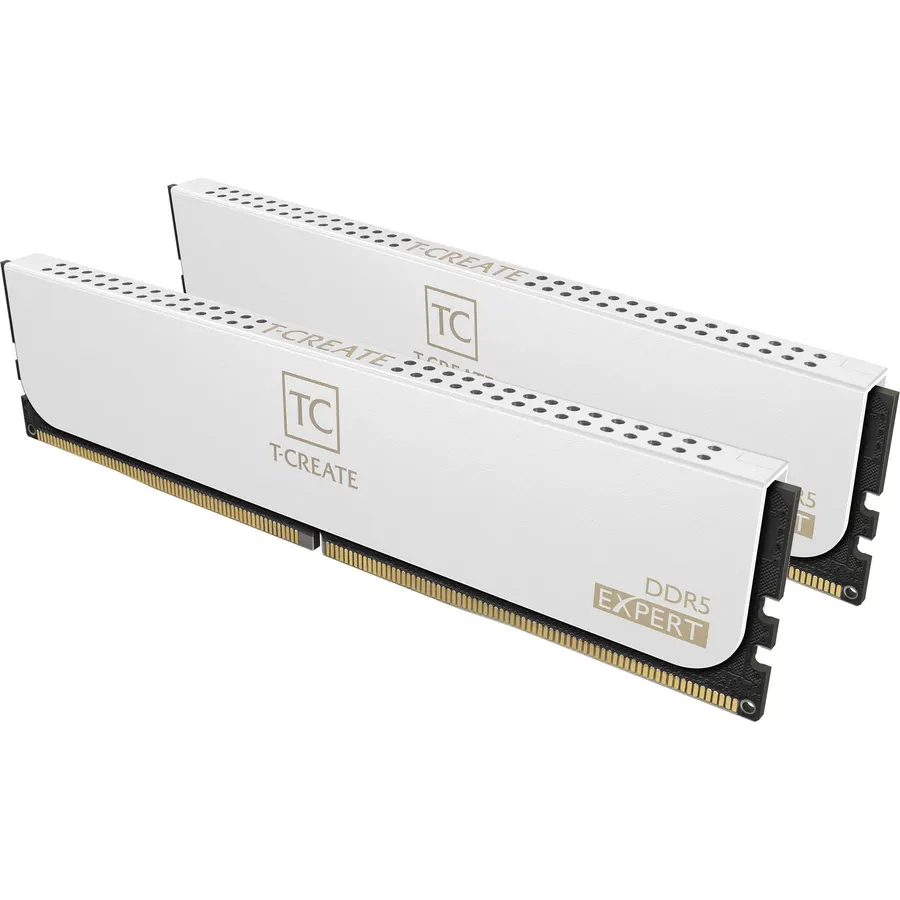
The T-Create Expert is the DDR5 kit to buy for a Ryzen build because it hits the exact numbers AMD recommends: 6000MHz at CL30, with an EXPO profile for one-click setup on AM5 and an XMP 3.0 profile if the kit ever moves to an Intel board. TeamGroup builds it on a 10-layer PCB for stable signalling at that speed and uses a plain black low-profile spreader, so it fits under any tower cooler without checking clearances. There is no lighting, which creators and quiet-build owners count as a feature. The listing itself is thin, but the review record is not: 800 owners rate it 4.6 stars, and the common theme is that EXPO loads and runs at 6000 on the first boot. It costs more than the CL38 kits below, and that extra is buying latency rather than bandwidth.
- 6000MHz CL30, the Ryzen sweet spot, with both EXPO and XMP
- Low-profile spreader clears big air coolers
- 10-layer PCB for signal stability
- 800 owners at 4.6 stars
- No RGB, which some builders want
- Listing is sparse on detail
- Costs more than the CL38 kits
TEAMGROUP T-Force Vulcan DDR5 32GB (2x16GB) 6000MHz (PC5-48000) CL38 Desktop Memory Module Ram (Black) for Chipset 600 700 Series XMP 3.0 Ready - FLBD532G6000HC38ADC01
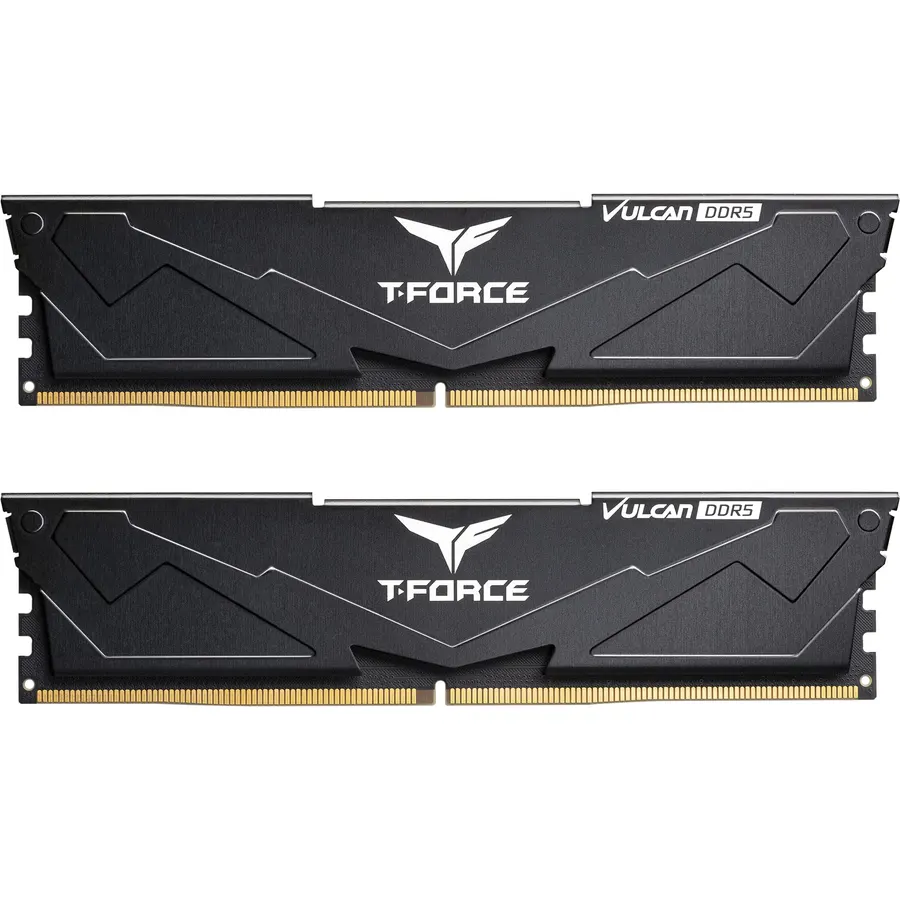
The T-Force Vulcan is the kit for builders who want 6000MHz without paying for low latency: the same 32GB capacity and speed as the T-Create Expert, at CL38 instead of CL30, for a meaningful saving. In games the gap between CL30 and CL38 at the same speed is a few percent at most, and in everyday use it is invisible. TeamGroup lists it as XMP 3.0 ready for Intel 600 and 700 series chipsets; it will run on AM5 at its default profile, and most boards apply the XMP timings without complaint, but AMD builders who want guaranteed one-click EXPO should buy the Expert or the Delta Alpha below. The spreader is a reinforced black design with the power management chip cooled underneath. Owners rate it 4.6 stars from 770 reviews.
- 6000MHz for the least money on this page
- Reinforced spreader and on-module PMIC
- Lifetime warranty from TeamGroup
- 770 owners at 4.6 stars
- CL38 is noticeably looser than CL30
- XMP 3.0 profile only; AMD boards may need manual timings
- No RGB
Crucial Pro DDR5 RAM 32GB Kit (2x16GB), 6400MHz CL32, Overclocking Desktop Gaming Memory, Intel XMP 3.0 & AMD Expo Compatible, Black - CP2K16G64C32U5B
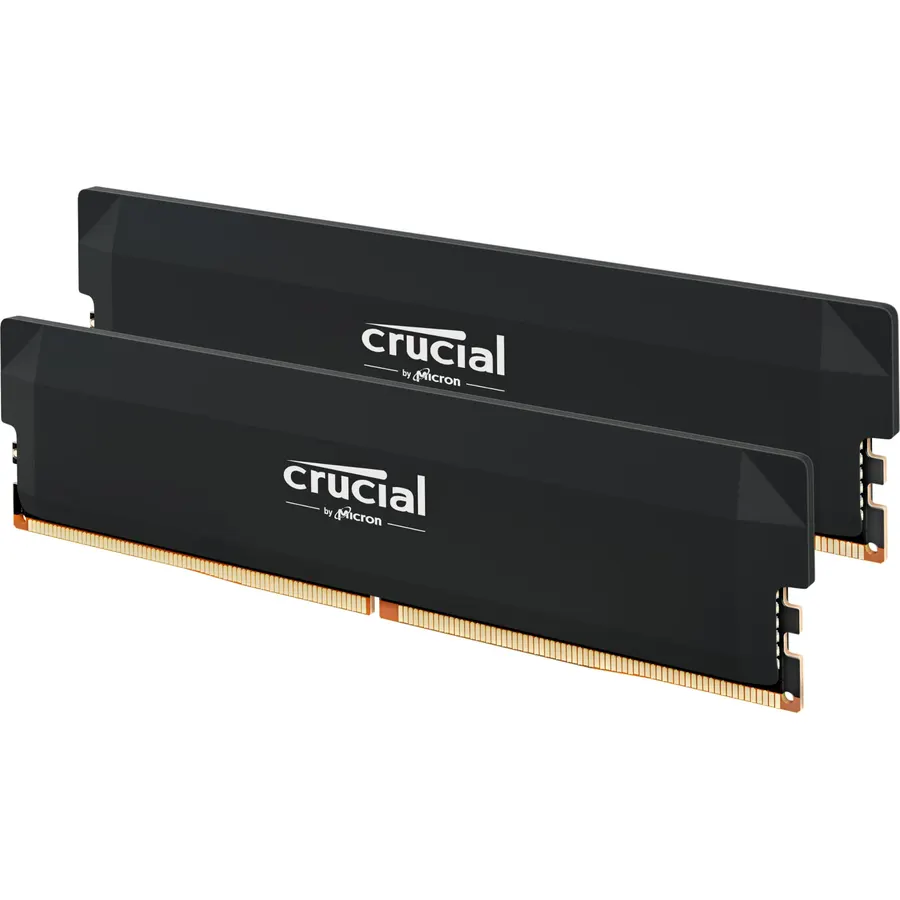
Crucial is Micron’s consumer brand, so the Pro DDR5-6400 kit is memory sold by the company that fabricates the chips, which is one reason its owners trust it. The spec is the fastest on this page: 6400MHz at CL32 with extended timings of 32-40-40-103, carrying both an XMP 3.0 profile for Intel Core Ultra and 14th-gen chips and an EXPO profile for Ryzen 9000. On Intel it is simply faster than the 6000 kits; on AMD, 6400 pushes many boards past their comfortable memory controller ratio, and some owners run it at 6000 instead, which still beats a CL38 kit on latency. The black camo heat spreader is taller than the T-Create’s, so check cooler clearance. It is a newer kit with 550 reviews at 4.6 stars.
- 6400MHz CL32, the fastest kit here
- Micron chips from the company that makes them
- Both XMP 3.0 and EXPO profiles
- 550 owners at 4.6 stars
- 6400 is above the easy range for many AM5 boards; 6000 may be the stable fallback
- Taller camo-style spreader than the T-Create
- Newer kit with fewer reviews than the TeamGroups
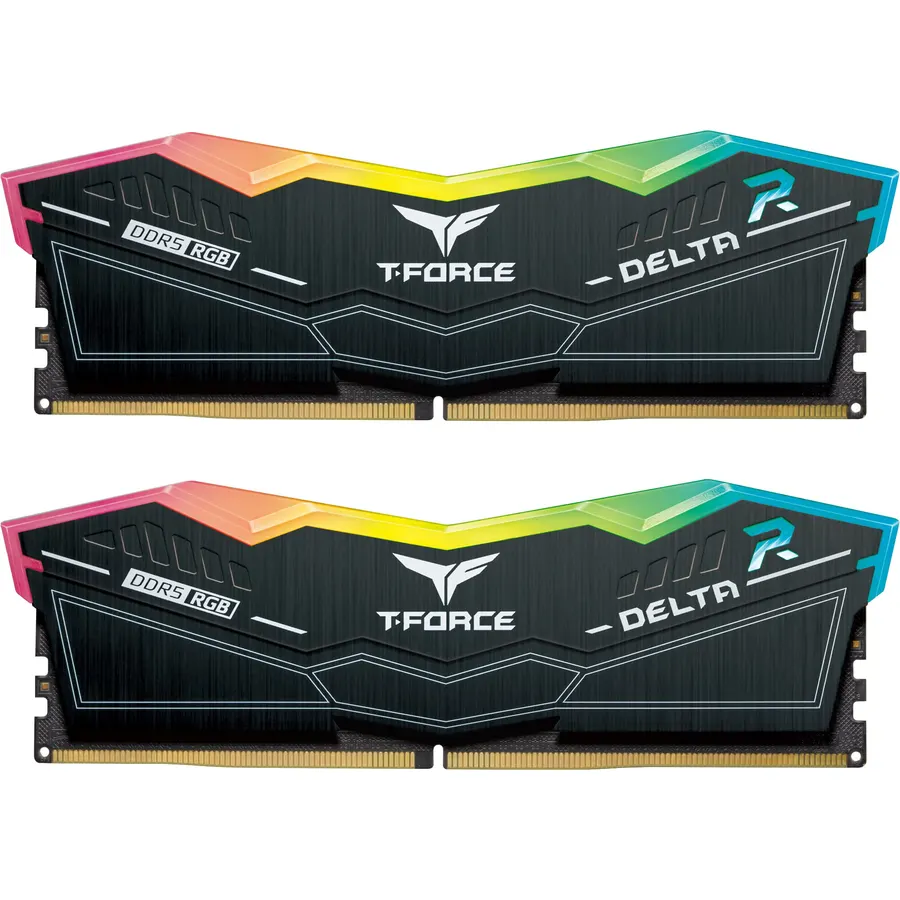
The Delta Alpha is TeamGroup’s Ryzen-first RGB kit, built around an EXPO profile that sets 6000MHz on AM5 with one click, with XMP 3.0 included for Intel. The spec is the same as the Vulcan, 6000 at CL38, but you get the EXPO profile the Vulcan lacks and a 120-degree light bar driven by a smart controller that syncs with ASUS, Gigabyte, MSI and ASRock software. Owners rate it 4.8 stars from 490 reviews, the highest score on the page, and most of them are AM5 builders reporting that the EXPO profile ran stable immediately. The trade-offs are the same as any RGB kit: a taller module that may touch a large air cooler, and a premium over the Vulcan that buys light rather than latency. TeamGroup backs it with a lifetime warranty.
- 4.8 stars from 490 owners, the best score here
- EXPO for one-click 6000 on Ryzen, plus XMP 3.0
- Wide 120-degree light bar works with every board RGB app
- Lifetime warranty
- CL38, not CL30
- Tall RGB spreader can clash with large air coolers
- Lighting is the main thing you pay extra for
G.SKILL Trident Z5 Royal Neo Series DDR5 RAM (AMD EXPO) 32GB (2x16GB) Up to 6000MT/s* CL28-36-36-96 1.40V Desktop Computer Memory U-DIMM - Silver (F5-6000J2836G16GX2-TR5NS)
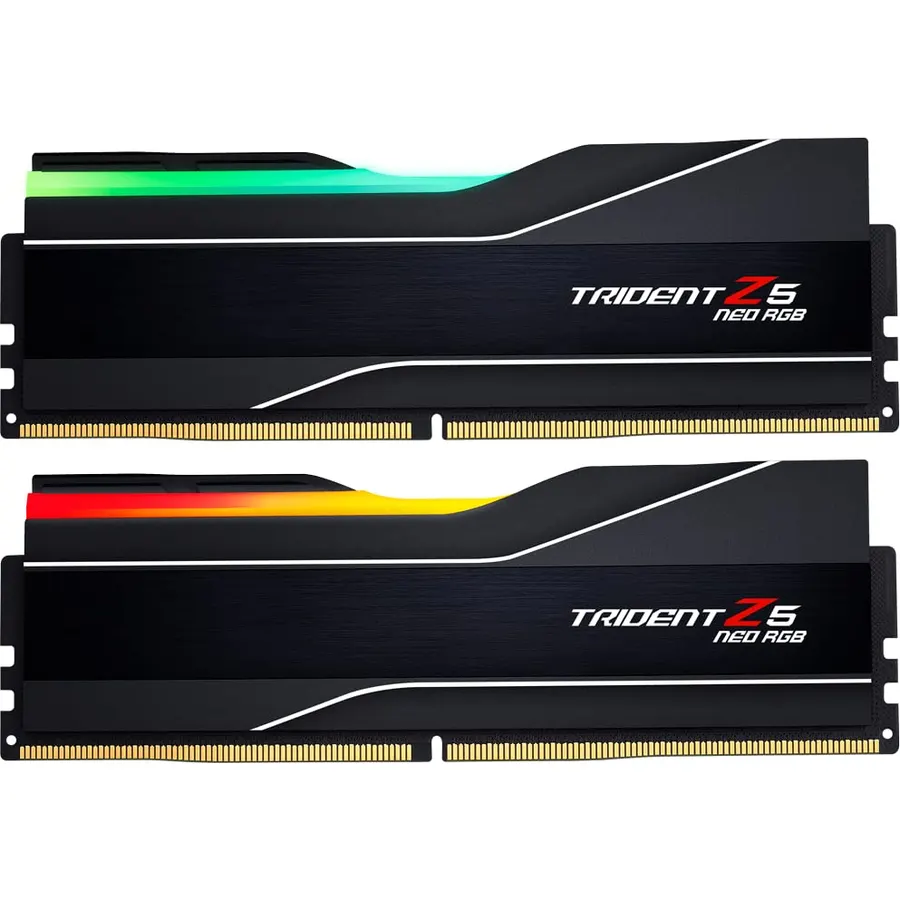
The Trident Z5 Royal Neo is the enthusiast pick: 6000MHz at CL28-36-36-96, the tightest timings on this page, achieved at 1.40V and validated by G.Skill specifically for AMD X870, X670, B850, B840 and B650 boards. That latency is what Ryzen X3D chips respond to, and it is the kit people buy for a 9800X3D they want to squeeze. The Royal Neo styling is a polished silver spreader with a crystalline light bar, which is either gorgeous or too much depending on the build. G.Skill lists an EXPO profile and the JEDEC default but no XMP profile, so this is an AMD kit. It is also the most expensive 32GB kit here, and 1.40V runs slightly warmer than the 1.35V kits. Owners rate it 4.7 stars from 390 reviews, and the complaints are about price, not stability.
- CL28 at 6000, the tightest timings on this page
- Built and validated specifically for AM5
- 4.7 stars from 390 owners
- Mirror-finish spreader with crystal lighting
- Priced like a premium kit
- 1.40V is higher than the 1.35V kits
- AMD EXPO only; no XMP profile listed
Crucial Pro 128GB Kit (2x64GB) DDR5 RAM, 5600MHz (or 5200MHz or 4800MHz) Desktop Gaming Memory UDIMM, Compatible with Latest Intel & AMD CPU CP2K64G56C46U5
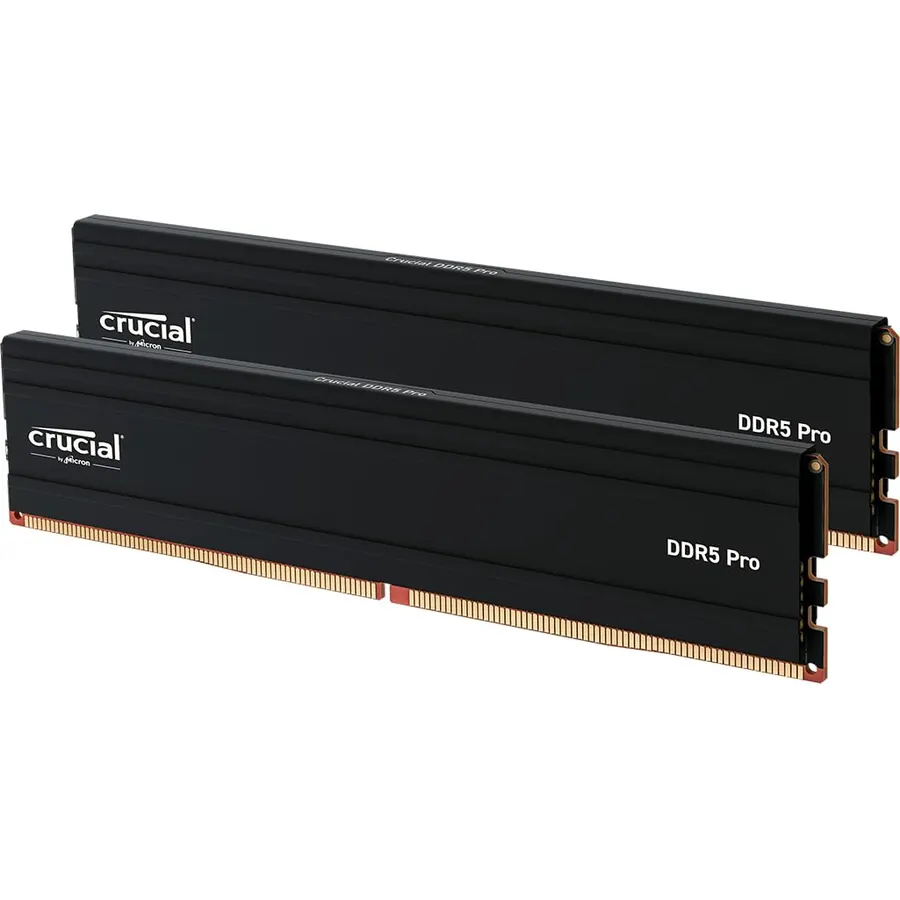
The Crucial Pro 128GB is for the workstation side of the catalog: video editors, 3D artists, people running local AI models or several virtual machines, anyone who runs out of 64GB. It puts 128GB on just two 64GB sticks, which leaves the other two slots free and avoids the speed penalty of four populated slots, and the low-profile matte spreader fits under any cooler. The speed is 5600MHz at CL46, with downclocking to 5200 or 4800 on platforms that need it, and both XMP 3.0 and EXPO are on the module; Crucial lists Intel Core Ultra Series 2, 14th gen and Ryzen 9000 compatibility, and 64GB modules do need a recent BIOS. It is not a gaming kit and would lose to the 6000 kits in frame rates. Owners rate it 4.5 stars from 170 reviews, the newest and smallest sample here.
- 128GB in two sticks, leaving two slots free
- Low-profile spreader fits small cases and under any cooler
- Both XMP 3.0 and EXPO
- 4.5 stars from 170 owners
- 5600MHz CL46 is slow by gaming-kit standards
- Two 64GB sticks need a recent board BIOS
- Far more memory than any game uses
Compare the picks
| Product | Capacity | Speed / latency | Profiles | Lighting | Owner rating | Our score | |
|---|---|---|---|---|---|---|---|
| TeamGroup T-Create ExpertTEAMGROUP | 32GB (2 x 16GB) | 6000 / CL30 | EXPO + XMP 3.0 | None, low profile | 4.6 (800+) | 9.2 | See price |
| TeamGroup T-Force VulcanTEAMGROUP | 32GB (2 x 16GB) | 6000 / CL38 | XMP 3.0 | None | 4.6 (770+) | 9.2 | See price |
| Crucial Pro DDR5-6400Crucial | 32GB (2 x 16GB) | 6400 / CL32 | EXPO + XMP 3.0 | None | 4.6 (550+) | 9.2 | See price |
| TeamGroup T-Force Delta Alpha RGBTEAMGROUP | 32GB (2 x 16GB) | 6000 / CL38 | EXPO + XMP 3.0 | RGB bar | 4.8 (490+) | 9.5 | See price |
| G.Skill Trident Z5 Royal NeoG.SKILL | 32GB (2 x 16GB) | 6000 / CL28 | EXPO | Crystal RGB | 4.7 (390+) | 9.3 | See price |
| Crucial Pro 128GBCrucial | 128GB (2 x 64GB) | 5600 / CL46 | EXPO + XMP 3.0 | None, low profile | 4.5 (170+) | 8.9 | See price |
Speed, latency and the AM5 sweet spot
Two numbers describe a kit: the transfer rate in MHz and the CAS latency in clock cycles. Higher speed moves more data; lower CL responds faster. Because latency is counted in cycles, a 6000 CL30 kit and a 6400 CL32 kit have almost identical real latency in nanoseconds, while a 6000 CL38 kit is about a quarter slower to respond. On Ryzen 7000 and 9000, the memory controller runs in step with the memory up to about 6000 to 6400MHz; past that it drops to a half-speed ratio and faster memory can get slower, which is why 6000 CL30 is the recommended target and why the Crucial 6400 kit is a better fit for Intel. On Intel Core Ultra and 14th gen, faster is simply faster, within what the board supports.
EXPO, XMP and what happens on first boot
Out of the box every DDR5 kit runs at a slow JEDEC default, usually 4800 or 5600MHz. The rated speed on the label only appears when you enable the overclocking profile in the BIOS: EXPO on AMD boards, XMP 3.0 on Intel. Kits that carry both profiles, the T-Create Expert, Crucial Pro 6400, Delta Alpha and Crucial 128GB, work with one click on either platform. The Vulcan carries XMP only, and most AM5 boards will apply it anyway, but there is a small chance of manual tuning; the Royal Neo carries EXPO only and is an AMD kit. Enabling the profile voids nothing and is what the kit is sold to do.
32GB, 64GB or 128GB
Thirty-two gigabytes in two sticks is the right amount for gaming and general use in 2026 and leaves two slots free for later; it is why five of six picks are 32GB kits. Sixty-four is for heavy multitasking, video editing and large game modding, and is best bought as two 32GB sticks rather than four 16GB sticks, because four populated DDR5 slots usually cannot hold 6000MHz. The 128GB Crucial Pro is for workstation loads, and its two 64GB sticks follow the same two-stick rule. Whatever the capacity, buy a matched kit and never mix kits, even identical-looking ones from the same maker; G.Skill and TeamGroup both say so plainly in their listings.
What is the best DDR5 speed for Ryzen 7000 and 9000?
DDR5-6000 with the lowest CL you can afford, ideally CL30, with an AMD EXPO profile. Above about 6400MHz the Ryzen memory controller drops to a slower ratio and the gains disappear. The TeamGroup T-Create Expert and G.Skill Royal Neo are the two 6000 kits here with tight timings.
Will an XMP-only kit work on an AMD motherboard?
Usually. Most AM5 boards read the XMP 3.0 profile and apply it, and the kit will always run at its JEDEC default speed regardless. For guaranteed one-click setup on AMD, choose a kit with an EXPO profile, which four of the six picks here have.
Is 32GB of DDR5 enough for gaming?
Yes. No current game needs more than 32GB, and a two-stick 32GB kit runs faster than four sticks. Go to 64GB only for video editing, large modded games, streaming with many applications open, or virtual machines.
Do I need low-profile RAM for my CPU cooler?
Large dual-tower air coolers can overhang the first memory slots. The T-Create Expert and both Crucial kits use low-profile spreaders that fit under anything; the RGB kits from TeamGroup and G.Skill are taller, so check your cooler specification for memory clearance.
Can I add a second identical kit later to go from 32GB to 64GB?
It is risky. Kits are binned and tested as a set, and mixing two kits, even the same model, can prevent the rated speed from running. If you expect to need 64GB, buy a 64GB kit of two 32GB sticks now.
Prices and stock change daily. The buttons above open Amazon so you always see the current price. We may earn a commission if you buy through them, at no extra cost to you.
Do Best Deal is a participant in the Amazon Services LLC Associates Program. As an Amazon Associate we earn from qualifying purchases. If you buy through links on this site we may earn a commission, at no extra cost to you. Learn more.