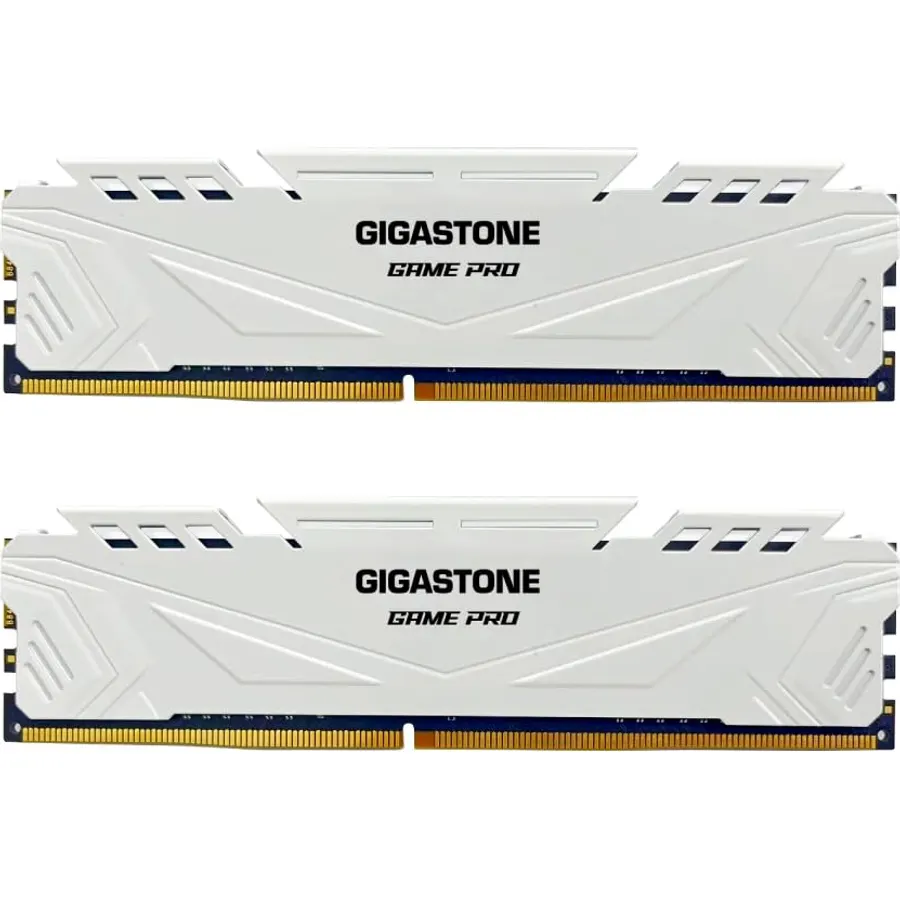
AMD’s AM5 socket is the safest motherboard bet in PC building right now: one board accepts every Ryzen 7000, 8000 and 9000 desktop chip, from a six-core budget part to the 9950X3D, and AMD has committed to keep it going for years. That makes the motherboard the part you buy once, which is exactly why it pays to get the power delivery, the M.2 slots and the networking right the first time. We ranked the AM5 boards in our PC parts catalog by the VRM power stage count, whether the main slot and the first M.2 are PCIe 5.0, how many M.2 slots there are, Wi-Fi generation and Ethernet speed, USB4 where present, and what hundreds to more than a thousand owners report after building on them.
We have not built on every one of these ourselves; the verdicts rest on the published spec sheets and on the owner review history. Prices are not printed because they change daily; every button opens the live Amazon page. If you have not settled on a platform, our motherboards for gaming guide covers Intel too; for the memory these boards need, see RAM kits for gaming PCs, and for drives to fill the PCIe 5.0 slot, see NVMe SSDs for gaming and creators.
How we picked
- Power delivery that matches the CPU range. Every pick has at least 12 CPU power stages, enough for a Ryzen 9 at stock; the X870 boards have 16 for sustained all-core loads.
- PCIe 5.0 somewhere useful. All picks have a PCIe 5.0 M.2 slot; the B850 and X870 picks and the Strix B650-A also run the graphics slot at PCIe 5.0.
- Three or more M.2 slots and at least 2.5G Ethernet on every pick but one budget board, which we flag.
- Modern wireless. Wi-Fi 6 at minimum, Wi-Fi 6E or Wi-Fi 7 on most.
- Owner ratings of 4.4 stars or better, with review counts from 300 to 1,240.
The picks
ASUS TUF Gaming B650-PLUS WiFi Motherboard Socket AMD AM5 (Ryzen 7000, ATX, PCIe 5.0, DDR5 Memory, 14 Power Stage, USB 3.1 Gen 2 x 2 Type-C, WiFi6, Aura Sync)
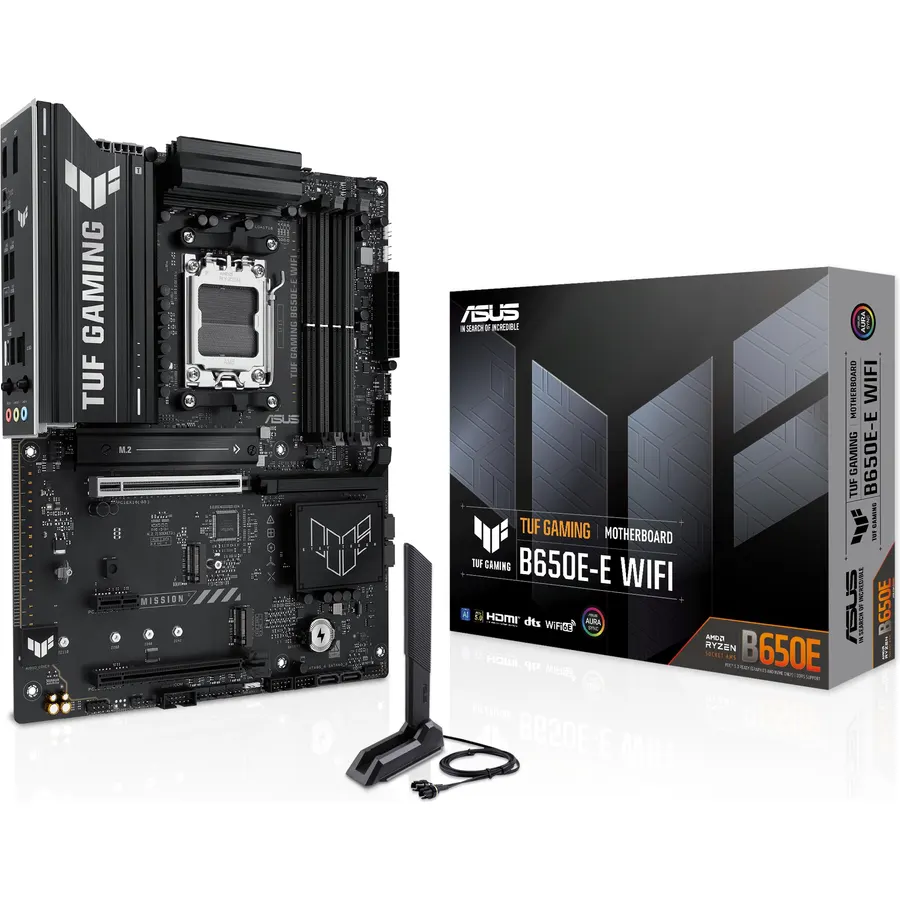
The TUF Gaming B650-PLUS WiFi is the board most AM5 builders end up with because it has nothing missing that matters: 14 power stages that run a Ryzen 7 or Ryzen 9 without throttling, a PCIe 5.0 M.2 slot for the fastest SSDs, four DDR5 slots to 128GB, 2.5G Ethernet, Wi-Fi 6 with Bluetooth 5.2, a 20Gbps Type-C port and 7.1 audio. The graphics slot is PCIe 4.0, which costs nothing with any current card, and the wireless is Wi-Fi 6 rather than 6E, which only matters if your router has a 6GHz band. ASUS lists Ryzen 7000 compatibility on the box; a BIOS update, which the board supports without a CPU installed, is needed for 8000 and 9000 chips on older stock. It is 1,200 reviews deep at 4.5 stars, and that record is why it is first.
- 14 power stages at a mid-range price
- 2.5G Ethernet and Wi-Fi 6 built in
- USB 3.2 Gen 2x2 Type-C on the rear
- 1,200 owners at 4.5 stars
- Wi-Fi 6, not 6E or 7
- Graphics slot is PCIe 4.0 on this board
- BIOS update may be needed for Ryzen 8000 and 9000 out of the box
ASUS ROG Strix B650-A Gaming WiFi AMD B650 AM5 Ryzen™ Desktop 9000 8000 & 7000 ATX motherboard, 12 + 2 power stages, DDR5, 3x M.2 slot, PCIe® 4.0, 2.5G LAN, WiFi 6E, USB 3.2 Gen 2x2 Type-C®, Aura Sync
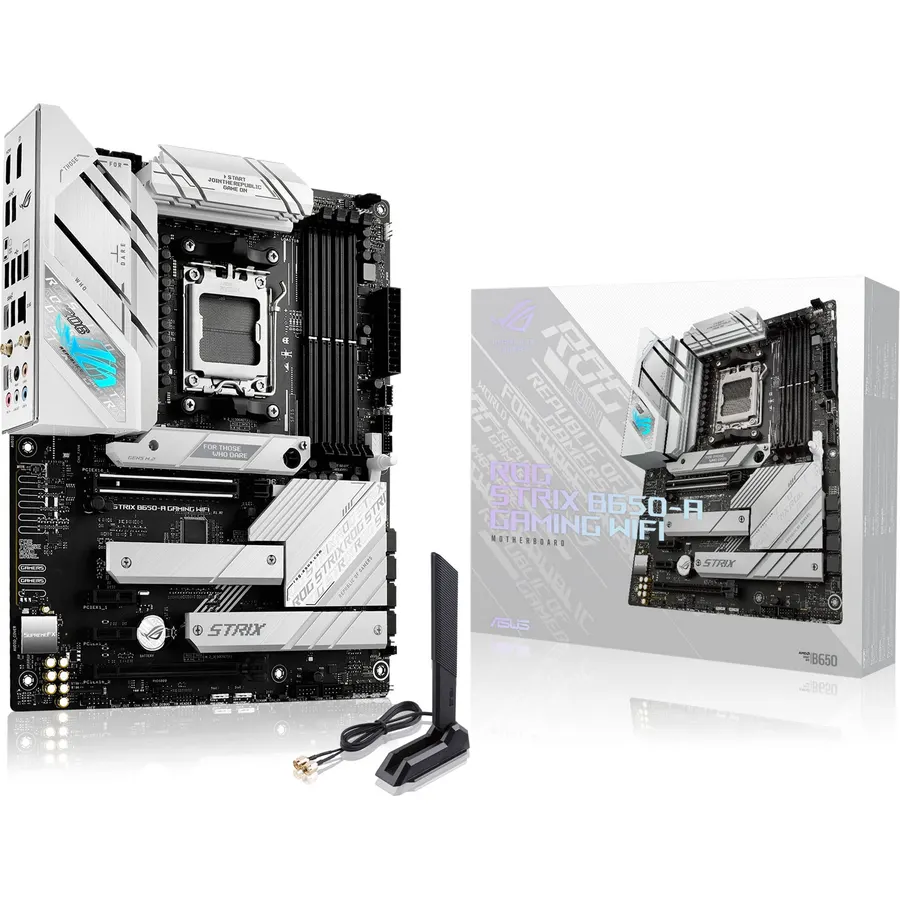
The ROG Strix B650-A is the white ROG board, and with 1,240 reviews it is the most-reviewed AM5 motherboard on the page. It pairs 12 + 2 power stages fed by 8-pin plus 4-pin ProCool connectors with large VRM heatsinks, three M.2 slots that all have heatsinks and one of which is PCIe 5.0, Wi-Fi 6E, 2.5G Ethernet and a 20Gbps Type-C port. Owners choose it over the TUF for the white and silver finish and the extra M.2 slot. Like the TUF, its x16 slot is PCIe 4.0, and ASUS notes a BIOS update may be needed for Ryzen 8000 and 9000 on older stock. The 4.5-star average is steady across a very large sample, and the criticisms are about price relative to the Gigabyte Eagle rather than about faults.
- Three heatsinked M.2 slots including PCIe 5.0
- Wi-Fi 6E and 2.5G LAN
- White board for light-themed builds
- 1,240 owners at 4.5 stars
- 12 + 2 stages is slightly less than the TUF
- Graphics slot is PCIe 4.0
- Costs more than the Gigabyte Eagle with similar features
GIGABYTE B650 Eagle AX AM5 LGA 1718 ATX Motherboard, DDR5, Triple M.2 Slots (1x PCIe 5.0, 2X PCIe 4.0), USB 3.2 Gen2x2 Type-C, WiFi 6E, Realtek GbE LAN
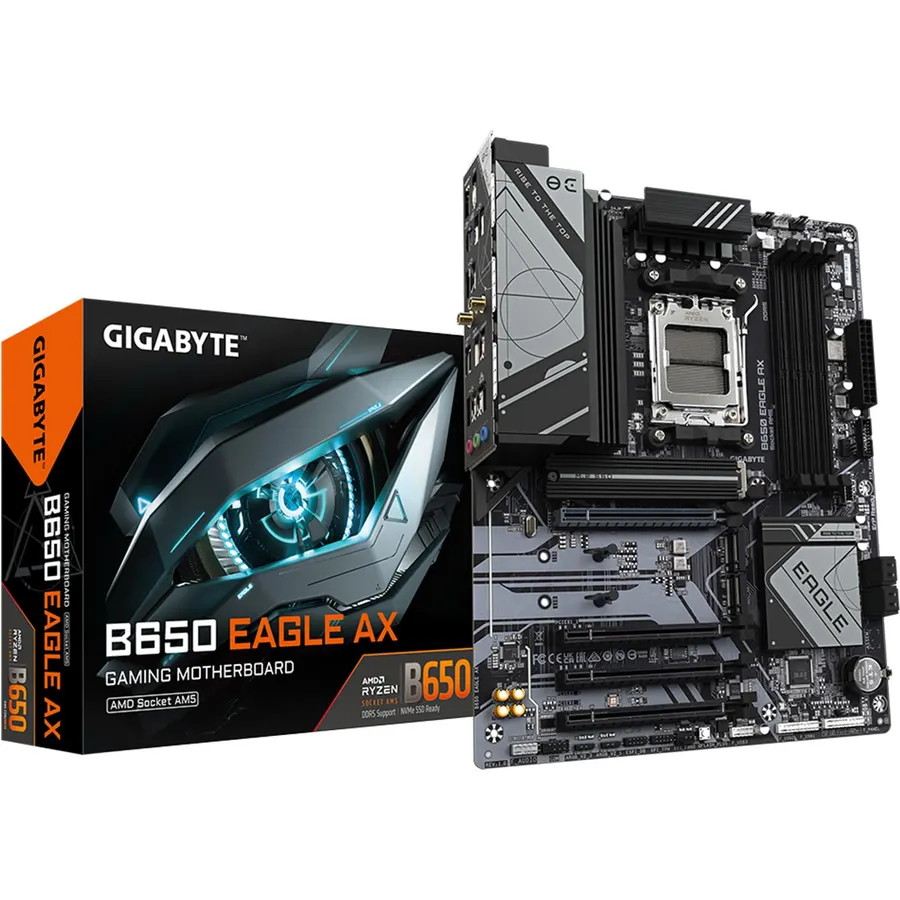
The B650 Eagle AX is the budget board that gives up almost nothing: a 12 + 2 + 2 phase digital VRM, three M.2 slots with one at PCIe 5.0 and Gigabyte’s Thermal Guard heatsinks, four DDR5 slots with EXPO and XMP profiles, Wi-Fi 6E and a 20Gbps Type-C port, usually for less than either ASUS board above. The one spec that gives away the price is Ethernet, which is Gigabit rather than 2.5G; if your home network runs at Gigabit anyway, which most do, it is irrelevant. Owners rate it 4.6 stars from 960 reviews, the best score of any B650 here, with the common theme being that it does everything the pricier boards do for a Ryzen 7 build. Looks are plain and the rear USB count is average, but as a foundation it is hard to argue with.
- 12 + 2 + 2 phases and three M.2 slots at the lowest price here
- Wi-Fi 6E included
- 4.6 stars from 960 owners, the best score of the B650 boards
- Supports Ryzen 9000, 8000 and 7000
- Gigabit Ethernet rather than 2.5G
- Plain looks, no RGB to speak of
- Rear USB count is modest
MSI B650 Gaming Plus WiFi Gaming Motherboard (AMD Ryzen 9000/8000/7000 Series Processors, AM5, DDR5, PCIe 4.0, M.2, SATA 6Gb/s, USB 3.2 Gen 2, HDMI/DP, Wi-Fi 6E, Bluetooth 5.3, 2.5Gbps LAN, ATX)
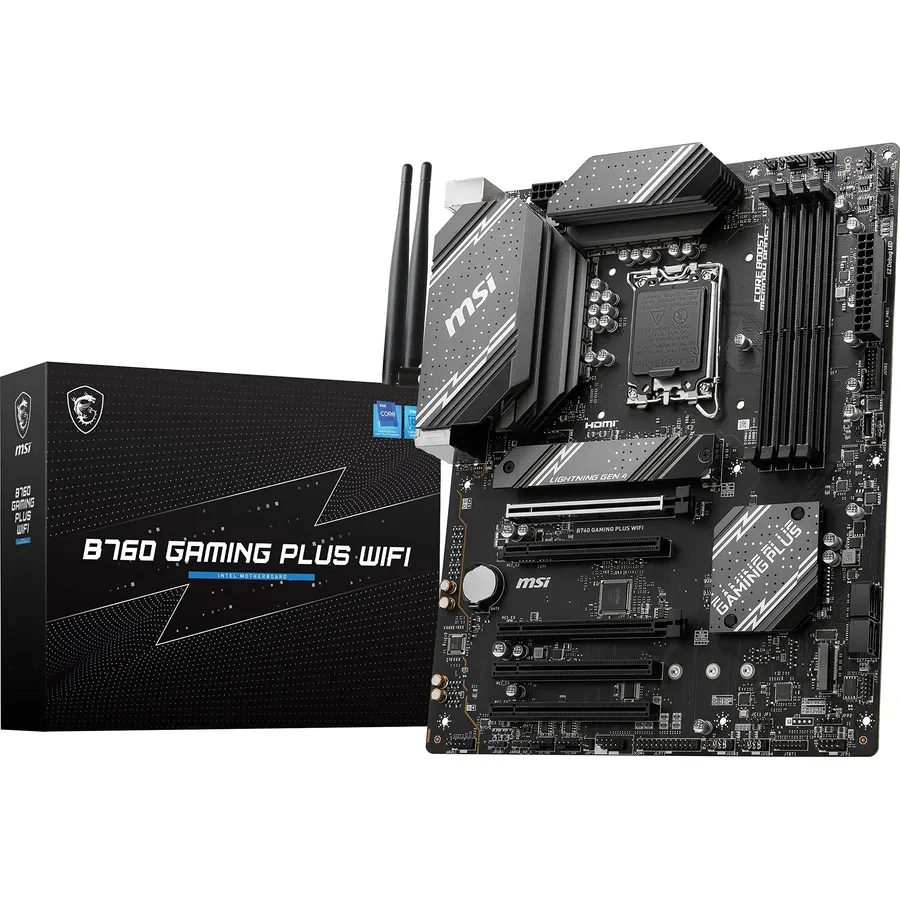
MSI’s B650 Gaming Plus WiFi earns its slot on power and memory: dual 8-pin CPU connectors feed a 12 + 2 + 1 Duet Rail design with extended heatsinks and high-conductivity MOSFET pads, and MSI rates the board for DDR5 at 7200 MHz and beyond with the right kit, higher than the official rating of the boards above it. It has 2.5G Ethernet, Wi-Fi 6E and Bluetooth 5.3, a 20Gbps Type-C port, HDMI and DisplayPort for integrated graphics, and an M.2 Shield Frozr heatsink on the main drive slot. What it lacks is PCIe 5.0 anywhere: both the graphics slot and the M.2 slots are Gen 4, which is fine for every current graphics card and for all but the newest SSDs. Owners rate it 4.5 stars from 640 reviews. Buy it if you plan to run fast memory on a Ryzen 7000 or 9000 chip.
- Dual 8-pin CPU power and 12 + 2 + 1 stages
- Rated for DDR5 7200+ with EXPO kits
- 2.5G LAN, Wi-Fi 6E and Bluetooth 5.3
- 640 owners at 4.5 stars
- PCIe 4.0 for both the x16 slot and the M.2 slots
- Fewer M.2 slots than the Gigabyte Eagle
- MSI BIOS defaults need a look for memory settings
ASUS ROG Strix X870-A Gaming WiFi AMD AM5 X870 ATX Motherboard 16+2+2 Power Stages, Dynamic OC Switcher, Core Flex, DDR5 AEMP, WiFi 7, 4X M.2, PCIe® 5.0, Q-Release Slim, USB4®, AI OCing & Networking
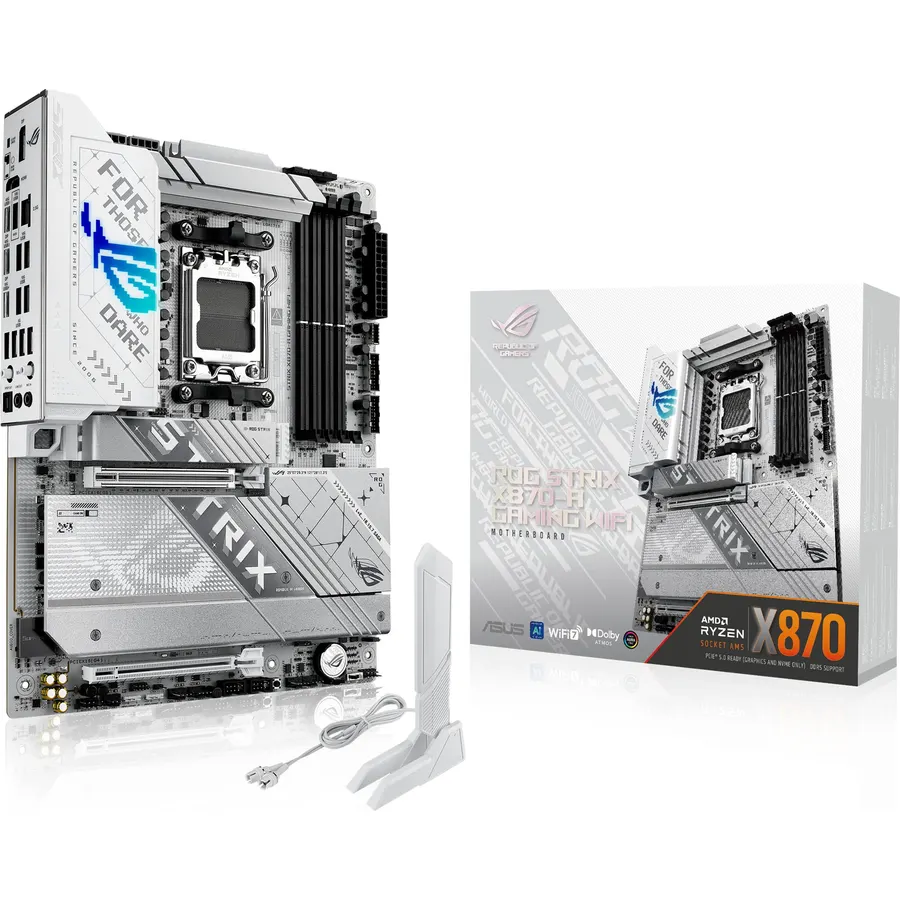
The ROG Strix X870-A is the board to pair with a Ryzen 9 9950X or 9950X3D that will run flat out for hours: 16 + 2 + 2 power stages rated at 90A each, fed by two ProCool II connectors, with ROG’s Dynamic OC Switcher and Core Flex for anyone who tunes. It is also the most complete feature set here, with four M.2 slots, PCIe 5.0 for the graphics card and storage, USB4 ports, Wi-Fi 7 and a Q-Release Slim latch so the graphics card comes out without a fight. The PCB is white to match the Strix B650-A. The price is roughly double the TUF B650-PLUS, and much of the extra goes to overclocking tools that a stock Ryzen 7 build will never touch; buy it for the VRM, the USB4 and the M.2 count. Owners rate it 4.5 stars from 715 reviews.
- 16 + 2 + 2 stages at 90A each for a Ryzen 9 under sustained load
- Four M.2 slots, PCIe 5.0 graphics and storage, USB4
- Wi-Fi 7 and a white PCB
- 715 owners at 4.5 stars
- Costs about twice the TUF B650
- Features like AI Overclocking are of limited use to most builders
- Large board; check case compatibility for the heatsinks
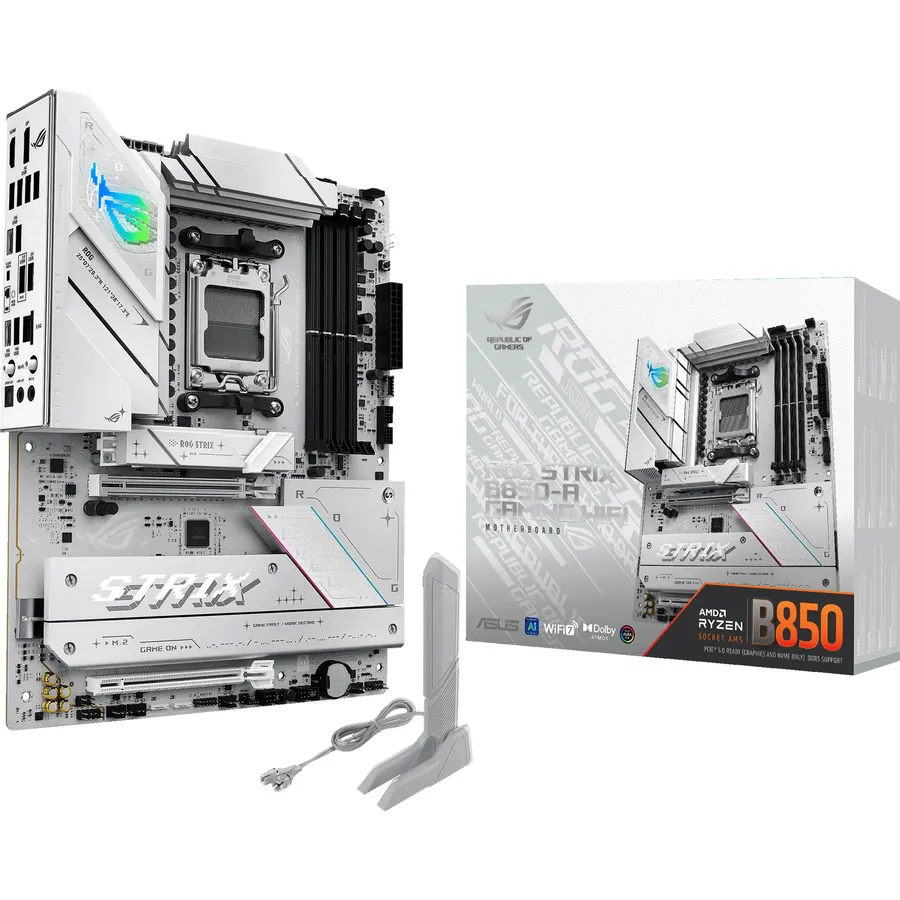
B850 is the 2025 refresh of B650, and the Strix B850-A R2 shows what the refresh buys: a PCIe 5.0 x16 graphics slot, four M.2 slots, Wi-Fi 7 and 14 + 2 + 1 power stages, up from 12 + 2 on the B650 Strix, with 2.5G Realtek Ethernet and a 20Gbps Type-C port. What it does not include is USB4, which stays an X870 feature, so if you want 40Gbps ports for an external drive or a dock, step up to the X870 Eagle or Strix X870-A. For everyone else it is the modern mid-range board: enough VRM for any Ryzen 9, enough storage slots for years, and wireless that will not need replacing. It is newer than the B650 boards and has 440 reviews at 4.5 stars, consistent with the rest of the Strix line.
- PCIe 5.0 graphics slot and four M.2 slots on a B-series board
- Wi-Fi 7 and 2.5G Ethernet
- 14 + 2 + 1 stages, more than the B650 Strix
- 440 owners at 4.5 stars
- No USB4, unlike the X870 boards
- Newer board with a smaller review sample
- White styling is not for every build
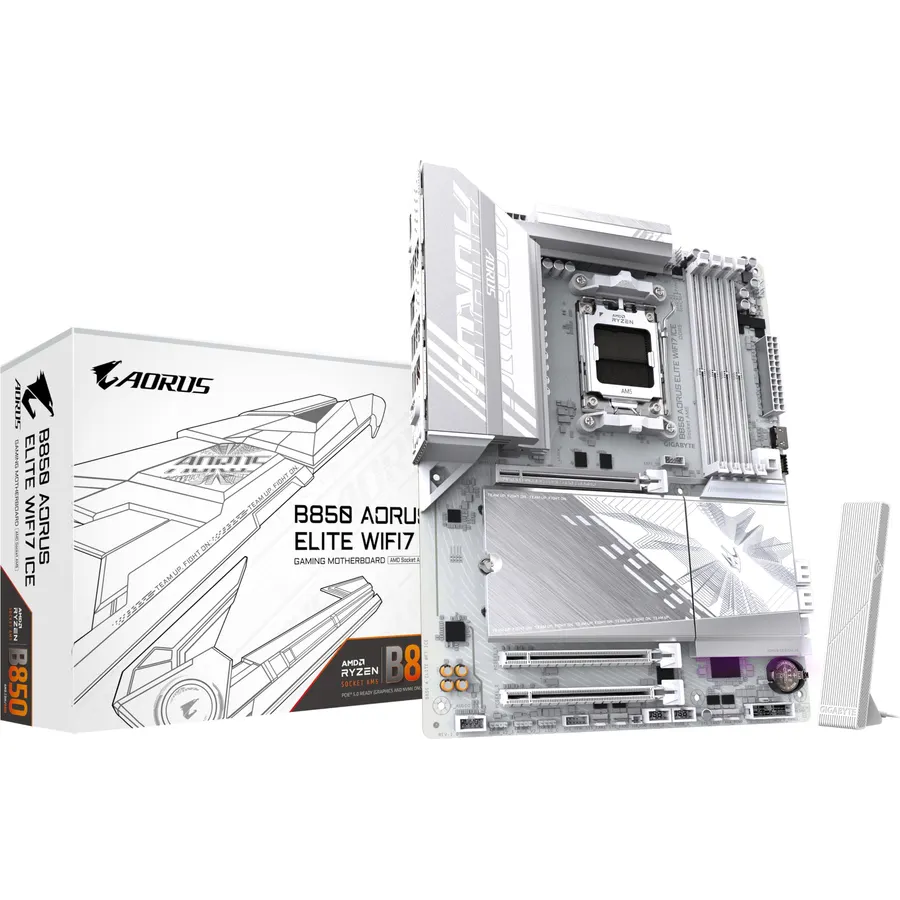
The B850 AORUS Elite WiFi7 Ice is the white Gigabyte answer to the Strix B850-A, and it is the more convenient board to build in: EZ-Latch Plus releases the graphics card and the M.2 drive without tools, the Wi-Fi 7 antenna plugs in with a single EZ-Plug connector, and Q-Flash Plus updates the BIOS from a USB stick with no CPU installed, which matters on a platform that spans three CPU generations. It has a PCIe 5.0 x16 slot, one PCIe 5.0 and two PCIe 4.0 M.2 slots, 2.5G Ethernet and fully covered MOSFET heatsinks. Gigabyte describes the VRM as 12 + 2 + 1 in the title and 14 + 2 + 2 in the feature list; either is plenty for a Ryzen 9. It has three M.2 slots rather than four and 390 reviews at 4.5 stars.
- White board with Wi-Fi 7 and PCIe 5.0 graphics and M.2
- EZ-Latch Plus on the x16 slot and M.2, no screwdriver
- Q-Flash Plus for BIOS updates without a CPU
- 390 owners at 4.5 stars
- Gigabyte lists the VRM two different ways in the listing
- Three M.2 slots rather than four
- Memory rating in the title is conservative
GIGABYTE X870 Eagle WIFI7 AMD AM5 LGA 1718 Motherboard, ATX, DDR5, 4X M.2, PCIe 5.0, USB4, WIFI7, 2.5GbE LAN, EZ-Latch, 5-Year Warranty
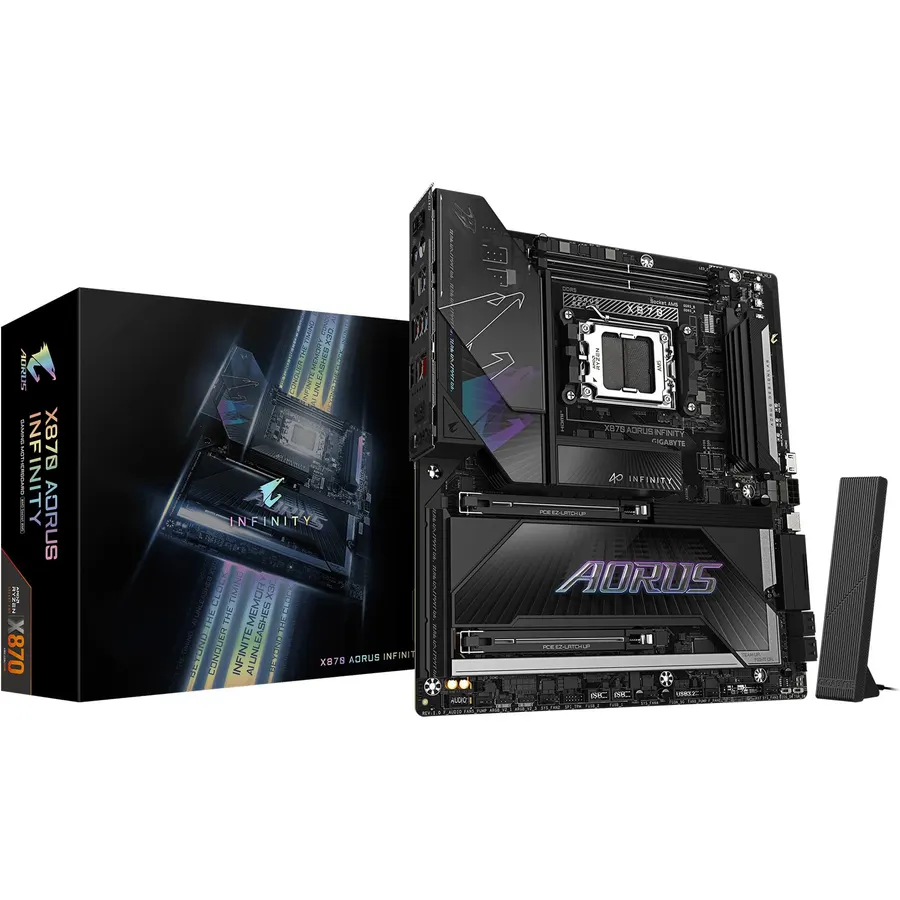
X870 is defined by USB4, and the X870 Eagle WiFi7 is the cheapest way to get two 40Gbps ports on an AM5 board. It otherwise reads like a well-equipped B850: 14 + 2 + 2 power phases, a PCIe 5.0 graphics slot, M.2 slots with Thermal Guard heatsinks, Wi-Fi 7 and 2.5G Ethernet, EZ-Latch on the graphics slot, and USB-C on both the front header and the rear panel. Gigabyte backs the Eagle with a five-year warranty, the longest here. One inconsistency to flag: the title says four M.2 slots and the feature list says three, so check the manual if the fourth slot is the reason you are buying. Styling is plain and the review sample is the smallest on the page at 300, but the 4.5-star average matches the rest of the board makers.
- Dual USB4 ports on the least expensive X870 board here
- Wi-Fi 7, 2.5GbE and PCIe 5.0
- Five-year warranty
- 300 owners at 4.5 stars
- Gigabyte lists four M.2 slots in the title and three in the features
- Eagle styling is basic
- Fewest reviews on this page
Compare the picks
| Product | Chipset | CPU power stages | M.2 slots | Wi-Fi / LAN | Owner rating | Our score | |
|---|---|---|---|---|---|---|---|
| ASUS TUF Gaming B650-PLUS WiFiASUS | B650 | 14 | PCIe 5.0 M.2 | Wi-Fi 6 / 2.5G | 4.5 (1,200+) | 9.0 | See price |
| ASUS ROG Strix B650-AASUS | B650 | 12 + 2 | 3 (1x Gen 5) | Wi-Fi 6E / 2.5G | 4.5 (1,240+) | 9.0 | See price |
| Gigabyte B650 Eagle AXGIGABYTE | B650 | 12 + 2 + 2 | 3 (1x Gen 5) | Wi-Fi 6E / 1G | 4.6 (960+) | 9.2 | See price |
| MSI B650 Gaming Plus WiFimsi | B650 | 12 + 2 + 1 | Gen 4 | Wi-Fi 6E / 2.5G | 4.5 (640+) | 9.0 | See price |
| ASUS ROG Strix X870-AASUS | X870, USB4 | 16 + 2 + 2 | 4, Gen 5 | Wi-Fi 7 / 2.5G | 4.5 (715+) | 9.0 | See price |
| ASUS ROG Strix B850-A R2ASUS | B850 | 14 + 2 + 1 | 4 | Wi-Fi 7 / 2.5G | 4.5 (440+) | 9.0 | See price |
| Gigabyte B850 AORUS Elite IceGIGABYTE | B850 | 14 + 2 + 2 | 3 (1x Gen 5) | Wi-Fi 7 / 2.5G | 4.5 (390+) | 9.0 | See price |
| Gigabyte X870 Eagle WiFi7GIGABYTE | X870, USB4 | 14 + 2 + 2 | 3 to 4 (Gen 5) | Wi-Fi 7 / 2.5G | 4.5 (300+) | 8.9 | See price |
B650, B850 or X870?
B650 is the 2022 chipset and still the value pick: PCIe 5.0 on at least one M.2 slot, PCIe 4.0 for the graphics card, and prices that have fallen for three years. B850 is the 2025 refresh that adds a PCIe 5.0 graphics slot and Wi-Fi 7 as standard; it costs a little more and matters mainly if you want the newest wireless or expect to own a PCIe 5.0 graphics card. X870 adds USB4 ports, which B850 cannot have, plus more lanes and usually bigger VRMs; buy it for USB4 or for a Ryzen 9 you intend to run hard. The CPU does not care: every board here runs a 7600X or a 9950X3D at full speed once the BIOS is current.
Power stages and which CPU you plan to run
The CPU power stage count decides whether a board sustains a Ryzen 9 under an all-core render or quietly drops clocks as the VRM heats up. Twelve stages, as on the Gigabyte Eagle and Strix B650-A, run any Ryzen 5 or 7 and a Ryzen 9 at stock; fourteen, as on the TUF and the B850 boards, add margin for PBO; the sixteen 90A stages on the Strix X870-A are for a 9950X left at full load for hours. Gaming is a far lighter load, so a 9800X3D is happy on any board here. Our power supplies for gaming PCs guide covers the other half of the power question.
BIOS updates, memory speed and EXPO
Three CPU generations on one socket means an older board in stock may ship with a BIOS that predates your chip; every pick can flash from a USB stick without a CPU installed, under names like BIOS FlashBack and Q-Flash Plus, and you should assume you will need to. For memory, AM5 is happiest with a two-stick DDR5-6000 kit with an AMD EXPO profile, which every board here supports; the gains above 6000 on Ryzen are small. Our DDR5 RAM kits guide covers matching kits.
Will a B650 motherboard work with a Ryzen 9000 CPU?
Yes. Every AM5 chipset supports Ryzen 7000, 8000 and 9000 processors, but a board manufactured before the 9000 launch may need a BIOS update first. All eight picks support updating from a USB stick without a CPU installed.
Do I need PCIe 5.0 for my graphics card?
Not yet. Current graphics cards lose almost nothing on a PCIe 4.0 x16 slot. PCIe 5.0 matters more for M.2 SSDs, which is why every pick here has at least one PCIe 5.0 M.2 slot even when the graphics slot is Gen 4.
What is the difference between X870 and X870E?
X870E uses two chipset dies and offers more PCIe lanes, USB ports and SATA ports than single-chipset X870. Both include USB4. For most builds with one graphics card and two or three SSDs, X870 or even B850 is enough.
Is Wi-Fi 7 worth paying for on a motherboard?
Only if you have or plan to buy a Wi-Fi 7 router and your PC is not wired. Wi-Fi 6E on the B650 boards already uses the uncongested 6GHz band. If the PC sits next to the router, 2.5G Ethernet on seven of the eight picks is faster and more reliable than any Wi-Fi.
How many power stages do I need for a Ryzen 9?
Twelve or more real CPU stages handle a Ryzen 9 at stock settings. Fourteen to sixteen give headroom for Precision Boost Overdrive and long all-core workloads. Gaming is a lighter load than rendering, so the stage count matters less for a 9800X3D than for a 9950X used for video work.
Prices and stock change daily. The buttons above open Amazon so you always see the current price. We may earn a commission if you buy through them, at no extra cost to you.
Do Best Deal is a participant in the Amazon Services LLC Associates Program. As an Amazon Associate we earn from qualifying purchases. If you buy through links on this site we may earn a commission, at no extra cost to you. Learn more.