A small HDMI monitor does the jobs a full-size screen is too big for. It sits beside a Raspberry Pi or a mini PC, shows system temperatures inside a PC case window, watches one camera feed at a shop counter, works as a teleprompter or a 3D printer status screen, or gives a retro console a display in a cupboard-sized corner. These screens are 7 to about 10 inches across, run from a small power adapter, and nearly all of them take HDMI and VGA, with BNC and AV inputs on the security-oriented models. What separates them is resolution, panel type, which inputs they carry, and how they stand or mount. We ranked the small monitors in our monitors catalog on those points and on what owners report.
We have not measured these panels ourselves; the verdicts rest on the spec sheets and the owner review history. Prices are not printed because they change daily; every button opens the live Amazon page. Larger screens for camera systems are in our CCTV security monitors guide, and slim USB-C travel screens in our portable monitors for laptops guide. This is a niche with modest review counts: most picks have around a hundred owner reviews or a little more, and one has limited owner feedback so far, which we flag.
How we picked
- Small screens only. Seven to 10.5 inches with an HDMI input; laptop-style portable monitors and large CCTV displays have their own guides.
- Stated resolution and brightness. We list each figure as given and point out where a title and its bullets disagree.
- Inputs. A digital HD input and VGA on every pick; BNC, AV and USB noted where present.
- Stand and mounting. A desk bracket in the box and VESA 75 mm holes for wall or arm mounting counted in a monitor’s favor.
- Owner feedback, best-reviewed first. Ratings in this category are solid more often than excellent, and we say so.
The picks
Eyoyo Mini Monitor 7 Inch Small HDMI Monitor 1024x600 IPS Screen Display
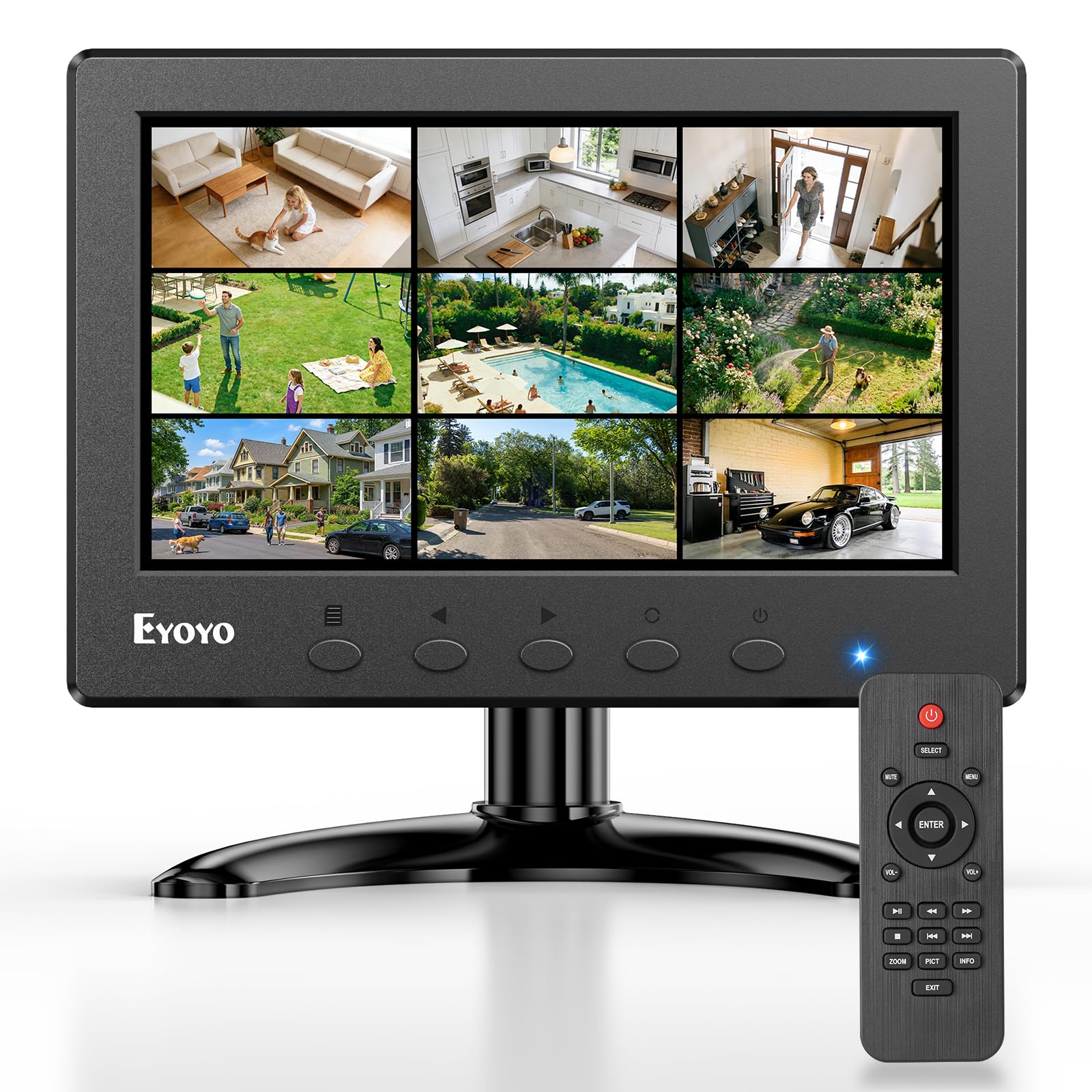
The Eyoyo 7 inch is the reference small monitor and the best-reviewed pick here, with hundreds of owner reviews and a strong owner rating. Its screen is 1024 by 600 with a stated 400 cd/m2 brightness, 500:1 contrast and 160 degree viewing angles, which is plenty for a camera feed, a status page or a retro game, though small text from a desktop operating system will look coarse. The input list is the draw: HDMI, VGA, BNC, AV and USB, so it accepts a Raspberry Pi, a PC, an analog camera or a DVR. An image flip function mirrors the picture vertically and horizontally, which is what a teleprompter or a rear-facing installation needs. It stands on the included desktop stand or mounts on a 75 mm VESA bracket, sold separately, and has a remote control and dual built-in speakers. The title says IPS; the bullets we have say only LCD.
- Hundreds of owner reviews with a strong owner rating
- Five input types in a 7 inch body
- Image flips vertically and horizontally
- Remote control and built-in speakers
- 1024 x 600 is coarse for desktop text
- 160 degree viewing angle is narrower than the 10 inch picks
- VESA mount is not included
Eyoyo 10.1 Inch Security Monitor 1366x768 Resolution for PC CCTV Camera NVR
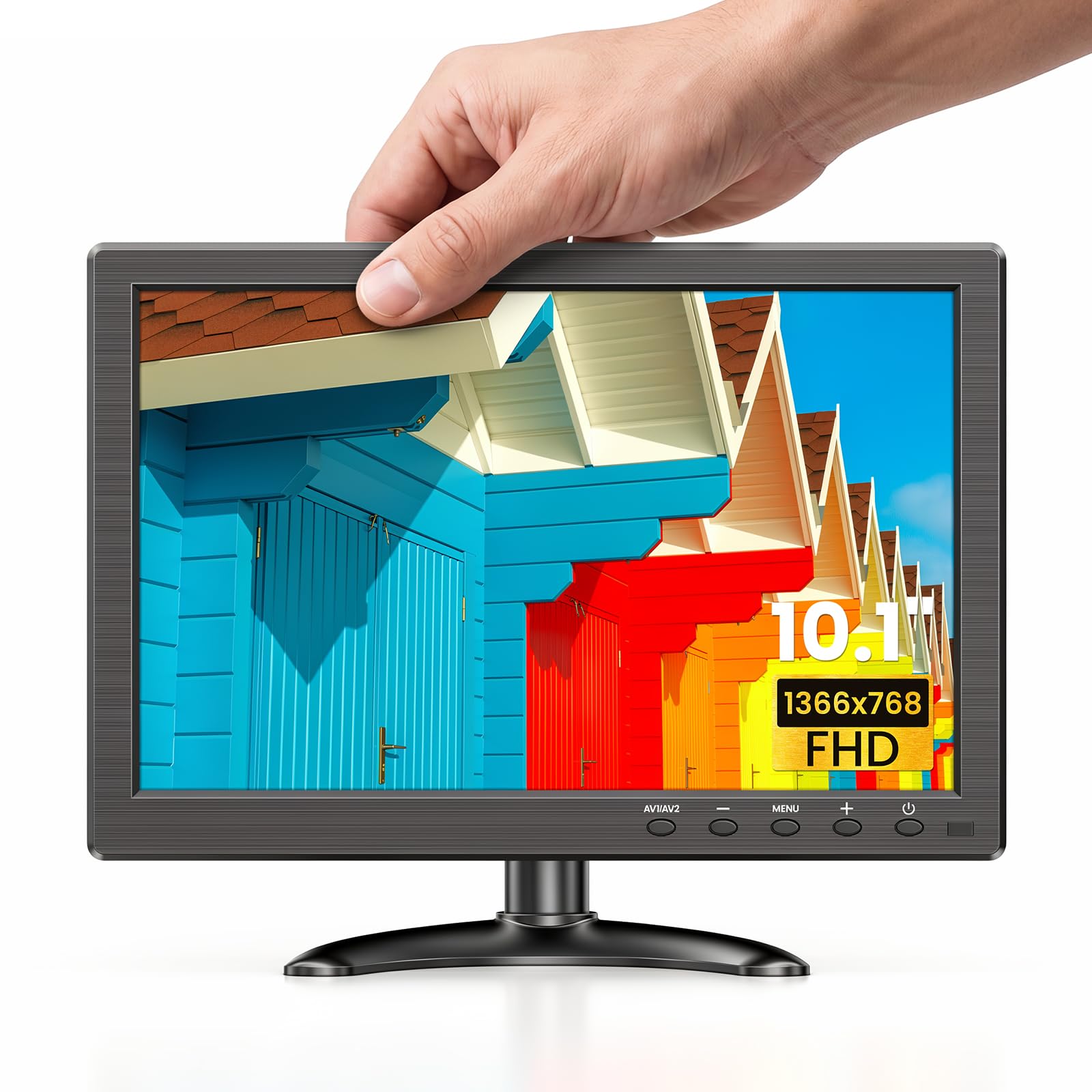
Step up to 10.1 inches and the picture becomes usable for more than a glance. This Eyoyo has a 1366 by 768 panel with a stated 178 degree viewing angle and 500:1 contrast, and the same five inputs as its smaller sibling: HDMI, VGA, BNC, AV and USB. It also keeps the mirror flip function. Where it stands out is the box contents: VGA, HDMI, AV and BNC cables, a mounting bracket, a remote control, a non-slip pad and a power adapter are all included, so there is nothing to order separately. It sits on its base bracket or mounts on 75 mm VESA holes. Eyoyo adds a useful clarification about the USB port: it reads USB 2.0 flash drives and card readers for MP3, AVI, JPG and TXT files, and is not a video input. Dozens of owners give it a strong owner rating. Brightness is not stated in the bullets.
- Every cable you need is in the box
- Higher resolution than the 7 inch models
- Mirror flip function
- Strong owner rating from dozens of owners
- USB port only plays media files from a flash drive
- Brightness is not stated in the bullets
- Fewer reviews than the 7 inch Eyoyo
Security Monitor 8 Inch FHD 1024x768 with Remote Control, PC Monitor with VGA HDMI BNC AV USB Input, Built-in Speaker 178 Wide Angle for Raspberry Pi Game Computer

Most small monitors are widescreen; this one is 4:3, the shape of analog camera feeds, older PCs and retro consoles, which fill the panel instead of sitting between black bars. The bullets describe an 8 inch IPS display with a 1024 by 768 resolution, and inputs for VGA, HDMI, BNC, AV and USB. It comes with a desk bracket and also has 75 by 75 mm VESA holes for a wall or arm. Touch keys and a remote control drive a multilingual menu, a speaker is built in, and the seller offers 12 months of after-sales service. One correction to the listing: the title calls it FHD, but 1024 by 768 is not full HD, and we go by the resolution in the bullets. More than a hundred owners give it a solid owner rating, a step below the Eyoyo pair. For a Raspberry Pi emulation build or an old camera system, the shape is the reason to buy.
- 4:3 shape suits analog cameras and retro games
- IPS panel with a wide stated viewing angle
- Bracket included plus VESA holes
- More than a hundred owner reviews with a solid owner rating
- Title says FHD but the panel is 1024 x 768
- Widescreen sources show black bars
- Brightness is not stated
10.1 Inch Security Monitor, 1280 x 800 HD Display, 16:10 IPS Metal Portable Mini CCTV Monitor, HDMI VGA BNC AV USB Ports, Built-in Speakers & Remote Control, for DVR, PC, Raspberry Pi

The JINSWY is the tougher 10 inch option. Its housing is metal, which the maker says stands up better to drops, shocks and harsh environments, so it suits a garage, a workshop bench or a vehicle display. The panel is a 10.1 inch IPS screen at 1280 by 800 in a 16:10 shape, a little taller than 16:9 and better for text and terminal windows, with a stated 450 cd/m2 brightness, the highest figure here, a 1000:1 contrast ratio and a 180 degree viewing angle. Inputs are HDMI, VGA, BNC, AV, USB and audio, and it is described as compatible with Raspberry Pi, DSLR cameras, PCs and consoles. Built-in speakers, button controls, a remote and a multi-language menu are included. Dozens of owners give it a solid owner rating, which places it below the Eyoyo. The bullets we have do not describe the stand or any VESA holes.
- Brightest stated panel in this guide
- Metal housing for workshops and vehicles
- 16:10 shape gives extra height for text
- Dozens of owner reviews with a solid owner rating
- Owner rating trails the Eyoyo 10.1 inch
- Stand and VESA details are not stated in the bullets
- Heavier than plastic-bodied screens
10.5 inch Security Monitor Metal Case for Camera Mini PC
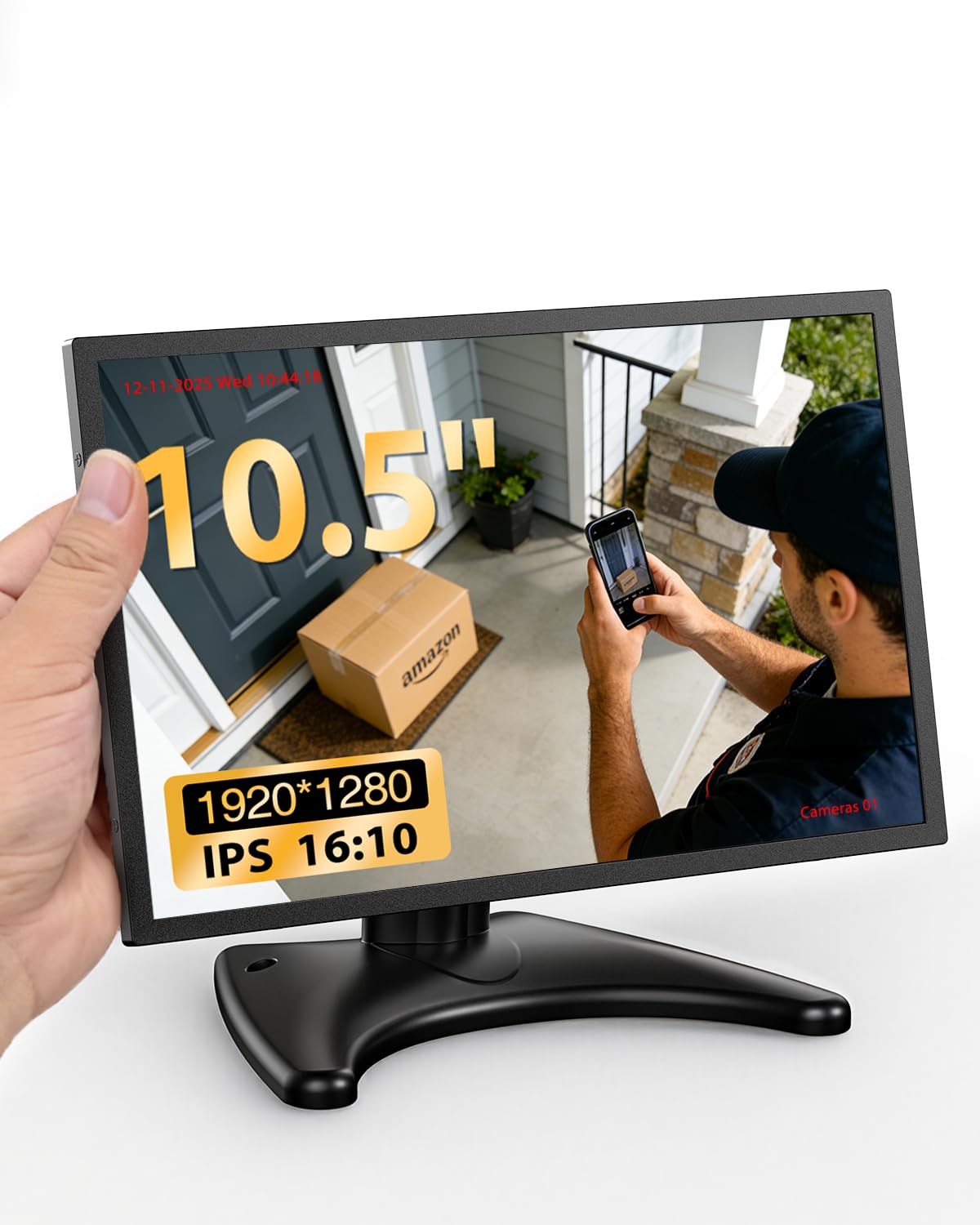
This is the pick for a secondary screen that has to show real detail: system stats beside a gaming PC, a mini ITX build, or a dashboard. The listing describes a high-brightness IPS panel in a metal housing with a vented back panel for heat, an included moon-shaped stand, a VESA mounting option with the mount sold separately, and dual built-in speakers. Inputs are HDMI and VGA only, so it is for computers and digital recorders, not analog cameras. The resolution needs a caution. The bullet prints it as 19201280 with a 16:10 label and calls it FHD; that reads as 1920 by 1280, which is not a 16:10 shape, so treat it as a full HD class panel and confirm the exact figure on the product page. It has a small number of owner reviews so far, with a strong owner rating, so it is not yet a proven choice.
- Full HD class resolution on a small panel
- Metal body with a vented back for long sessions
- Stand included and VESA mountable
- Strong owner rating
- Limited owner feedback so far
- Resolution is garbled in the listing
- No BNC or AV inputs for analog cameras
7 inch Security Monitor & Displays, HD/AV/VGA Input, 1024 * 600 Resolution, Built-in Speakers Portable LCD Monitor, Suitable for Game DSLR CCTV PC DVD TV Box

The cheapest route to a small HDMI screen is this 7 inch monitor from a factory that says it has made security displays for more than 20 years. It matches the Eyoyo on resolution, 1024 by 600 in 16:9, but the rest of the panel is a grade lower: 300 cd/m2 brightness, an 800:1 dynamic contrast ratio and a 130 degree viewing angle, which means the picture fades when viewed from the side, so plan to face it squarely. Inputs are HD, VGA and AV. The listing labels the digital port HD and does not use the word HDMI, so confirm the connector on the product page. There is no BNC, so analog cameras need a recorder in between. It stands on the desk directly or on the supplied bracket, which rotates through 110 degrees, and it can be wall mounted. Speakers are built in. Dozens of owners give it a solid owner rating. For a 3D printer or a Pi project on a tight budget, it does the job.
- Lowest-cost pick in this guide
- Bracket included and can be wall mounted
- Built-in speakers
- Dozens of owner reviews with a solid owner rating
- Narrow 130 degree viewing angle
- Dimmer than the Eyoyo 7 inch
- No BNC input
Compare the picks
| Product | Screen | Resolution | Inputs | Mounting | Our score | Our score | |
|---|---|---|---|---|---|---|---|
| Eyoyo 7 inch Mini MonitorEyoyo | 7 inch | 1024 x 600 | HDMI, VGA, BNC, AV, USB | Stand, VESA 75 | 8.8/10 | 8.8 | See price |
| Eyoyo 10.1 inchEyoyo | 10.1 inch | 1366 x 768 | HDMI, VGA, BNC, AV, USB | Base bracket, VESA 75 | 8.6/10 | 8.6 | See price |
| 8 inch 4:3 monitorWHOLEV | 8 inch IPS, 4:3 | 1024 x 768 | VGA, HDMI, BNC, AV, USB | Bracket, VESA 75 | 8.1/10 | 8.1 | See price |
| JINSWY 10.1 inchJINSWY | 10.1 inch IPS, 16:10 | 1280 x 800 | HDMI, VGA, BNC, AV, USB | Not stated | 8.3/10 | 8.3 | See price |
| 10.5 inch metal monitorMiktver | 10.5 inch IPS | Full HD class; see text | HDMI, VGA | Stand, VESA | 8.7/10 | 8.7 | See price |
| 7 inch budget monitorQcvoruno | 7 inch, 16:9 | 1024 x 600 | HD, VGA, AV | Rotating bracket, wall mount | 8.4/10 | 8.4 | See price |
Which size and resolution for which job?
Seven inches at 1024 by 600 is a status display: camera feeds, printer progress, a media player, a retro console. It is too coarse to work at, because a desktop needs more pixels than that to show a whole window. Ten inches at 1280 by 800 or 1366 by 768 is comfortable for a Raspberry Pi desktop, a terminal or a single document. A full HD class panel on 10.5 inches is very sharp, but text becomes tiny unless you raise the scaling in the operating system. Shape matters too: 4:3 for analog cameras and old games, 16:10 for text, 16:9 for video.
Inputs: HDMI, VGA, BNC and AV
HDMI is what a Raspberry Pi, mini PC, console or streaming stick uses; note that many Pi boards have a micro HDMI port and need an adapter cable. VGA covers older PCs and some recorders. BNC and AV are analog video inputs for CCTV cameras, DVRs and older camcorders, and they are the reason security-style monitors exist; the two 7 and 10 inch Eyoyo screens, the 8 inch and the JINSWY have BNC, while the 10.5 inch and the budget 7 inch do not. The USB port on these monitors is generally a media player for a flash drive, as Eyoyo explains, not a video input or a touch connection.
Mounting, power and running all day
Check how the monitor will sit before you order. A desk bracket is fine on a bench; VESA 75 mm holes let you use a small arm, a wall plate or a custom mount inside a case or cabinet. Mirror flip, on both Eyoyo models, corrects the image if the screen has to be installed upside down or viewed in a mirror. These monitors run from a low-voltage adapter, and the Eyoyo 10.1 inch lists one in the box; use the adapter supplied, since voltage and polarity vary between models. For a screen left on all day, keep the back vents clear and lower the brightness a little, which reduces heat.
Related monitor guides
- 15-inch portable monitors: 15.6 and 16-inch USB-C screens.
What is the best small monitor for a Raspberry Pi?
For a compact project display, the Eyoyo 7 inch at 1024 x 600 is the best-reviewed pick. For using the Pi desktop, choose a 10 inch screen such as the Eyoyo 10.1 inch or the JINSWY 1280 x 800. Many Pi boards need a micro HDMI to HDMI cable.
Can I use a small HDMI monitor as a second screen for my PC?
Yes. Any of these connects to a spare HDMI or VGA output and appears as an extra display. For system stats or chat windows, the 10.5 inch metal monitor has the highest resolution here, though it has limited owner feedback so far.
Do small monitors have speakers?
All six picks list built-in speakers. They are small and suit alerts, camera audio and casual video. For anything more, use headphones or external speakers connected to the source device.
Can these monitors connect to CCTV cameras?
The models with BNC inputs can take an analog camera or DVR output directly: both Eyoyo screens, the 8 inch 4:3 monitor and the JINSWY. The 10.5 inch and the budget 7 inch have no BNC, so they need an HDMI or VGA output from a recorder.
Are small HDMI monitors touchscreens?
None of these six is described as a touchscreen. Touch keys on the 8 inch model refer to its menu buttons. If you need touch input, look for a monitor that states touch support and a USB touch connection.
Prices and stock change daily. The buttons above open Amazon so you always see the current price. Do Best Deal may earn a commission if you buy through them, at no extra cost to you.
Do Best Deal is a participant in the Amazon Services LLC Associates Program. As an Amazon Associate we earn from qualifying purchases. If you buy through links on this site we may earn a commission, at no extra cost to you. Learn more.