A programming laptop has different priorities from a gaming laptop or a general one. You need enough RAM to run an IDE, a browser with forty tabs, Docker and a database at once. You need a keyboard you can type on for hours. You need a screen sharp enough for small text. And you need a battery that survives a day of meetings without the charger.
You do not need a discrete GPU unless you do machine learning or game development, and you do not need the thinnest laptop on the market. We picked five with those priorities in mind.
What to look for
- RAM: 16GB minimum, 24GB or 32GB recommended. Modern development stacks eat memory. Most laptops now solder RAM, so buy what you will need in three years.
- Storage: 512GB minimum. Node modules, Docker images, and SDKs fill 256GB fast. 1TB if you work with large datasets or virtual machines.
- CPU: any current-generation chip is enough. The difference between chips shows up in compile times and battery life, not in whether you can code.
- Screen: at least 1920×1200 on a 14-inch, and prefer 16:10 over 16:9. The extra vertical space is more lines of code. Matte or anti-reflective is better than glossy.
- Keyboard. Key travel and layout matter for eight hours a day. ThinkPads and MacBooks are the benchmarks; test a laptop keyboard in a store if you can.
- Ports. Two USB-C ports minimum. HDMI and USB-A are nice to have; a dock covers the rest.
- Battery: real-world 8 hours or more. Apple silicon and recent Intel Lunar Lake and AMD chips get there. Older Intel chips often do not.
The picks
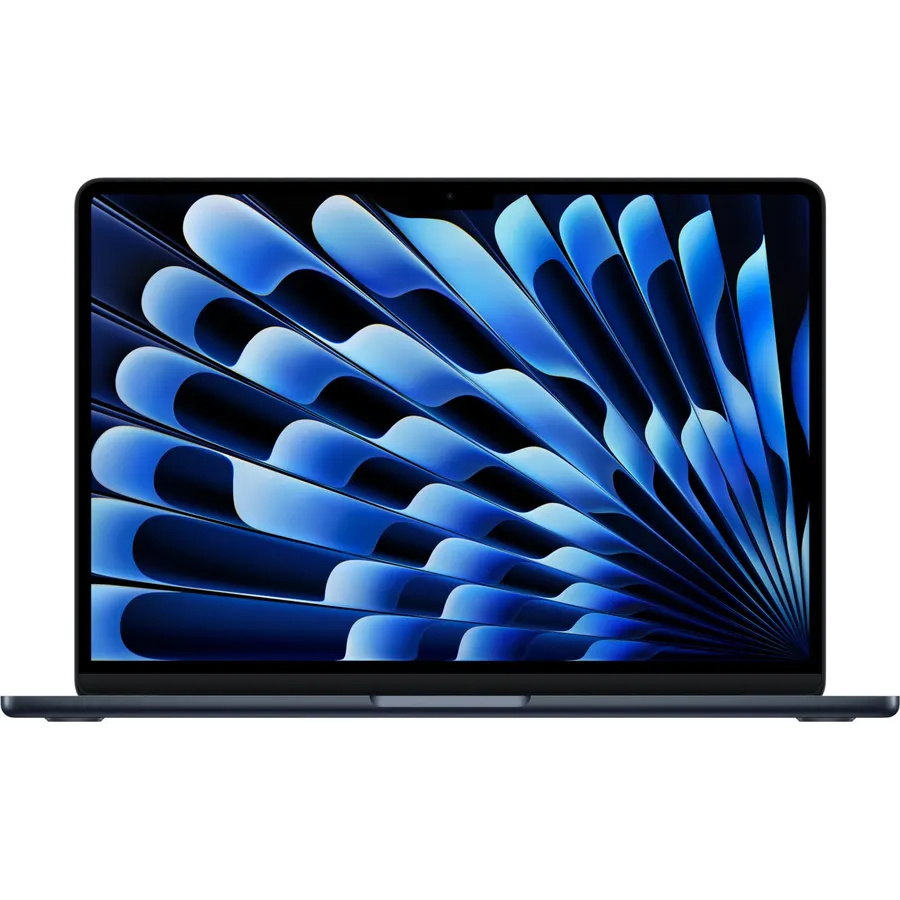
The MacBook Air is the default developer laptop in 2026 for a reason. The M4 chip compiles fast, the fanless design means it is silent in a quiet room, and the battery outlasts the workday with margin. macOS gives you a real terminal and native tooling for web, mobile and most backend work. Buy the 24GB configuration: 16GB works today and will feel cramped in two years, and you cannot upgrade later. The 15-inch version is the same laptop with a bigger screen if you want it.
- Fast, silent (no fan), and cool under normal loads
- Battery lasts a genuine full day and more
- Excellent keyboard and trackpad
- macOS is Unix underneath, which most dev tooling assumes
- Holds its value for resale
- Base 16GB is tight; the upgrade is expensive
- Only two Thunderbolt ports plus MagSafe
- No Windows, so some .NET and enterprise tooling needs a VM
- Base model drives just two external displays
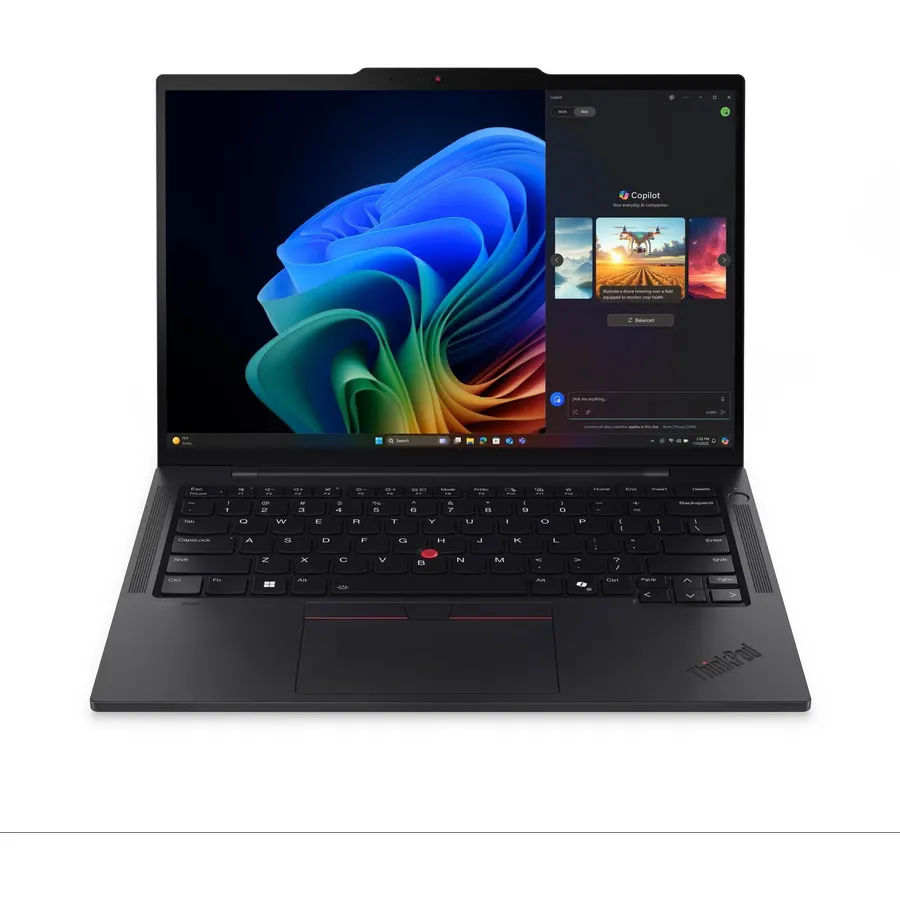
If you need Windows, or you want to run Linux natively without fighting drivers, the T14s is the answer. The keyboard is the reason people buy ThinkPads and it has not changed: deep travel, perfect layout, and the TrackPoint if you use it. It is light, the screen is matte, and it has the ports a MacBook makes you carry a dongle for. Pick the configuration with at least 32GB, since like most modern thin laptops the RAM is soldered.
- The best laptop keyboard made
- Full Linux support, well documented
- Ports: 2x USB-C, 2x USB-A, HDMI
- Matte 16:10 screen
- Business-grade build and repairability
- Boring to look at
- Configurations are confusing; check RAM before ordering
- Speakers are just OK
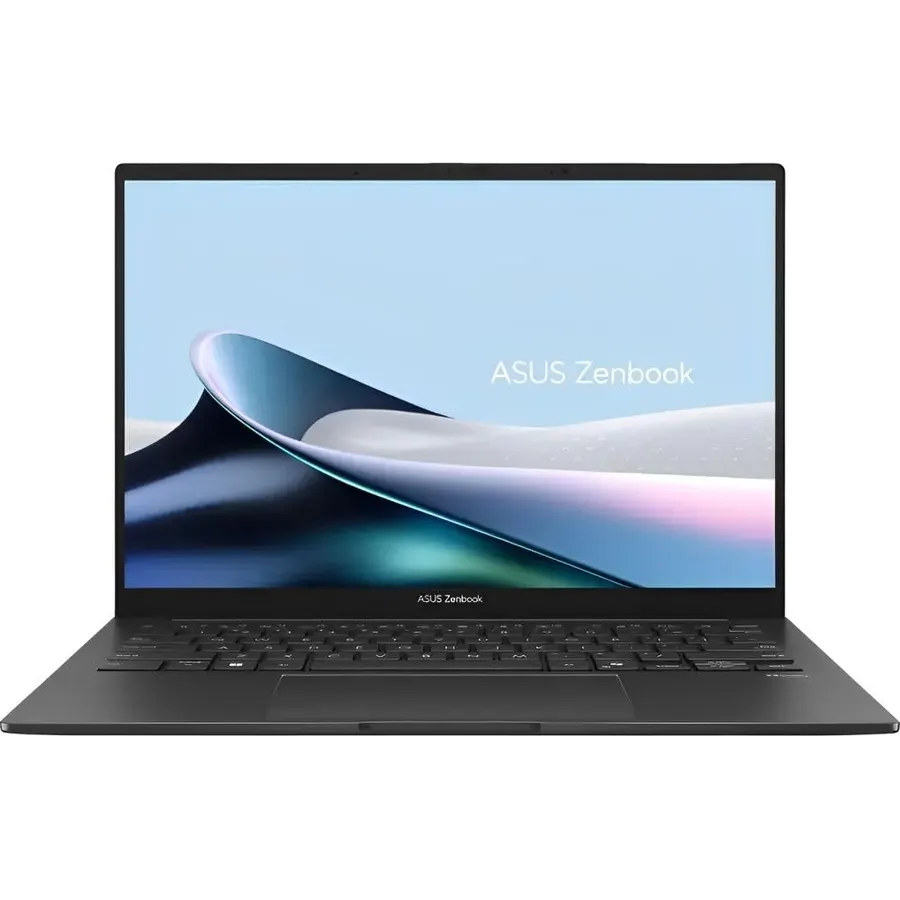
The Zenbook 14 OLED gets you most of what the ThinkPad and MacBook offer for noticeably less. The OLED display is beautiful, the battery is genuinely all-day, and the build is metal and solid. The compromises are a glossy screen and a few pre-installed utilities you will remove on day one. For a student or a developer on a budget who still wants a premium-feeling laptop, this is the pick.
- OLED screen is stunning for the price
- Long battery life with Core Ultra
- Good keyboard, large trackpad
- Full port selection including HDMI and USB-A
- OLED text can show slight color fringing at 100% scaling
- Glossy screen reflects in bright rooms
- ASUS software bloat, uninstall it
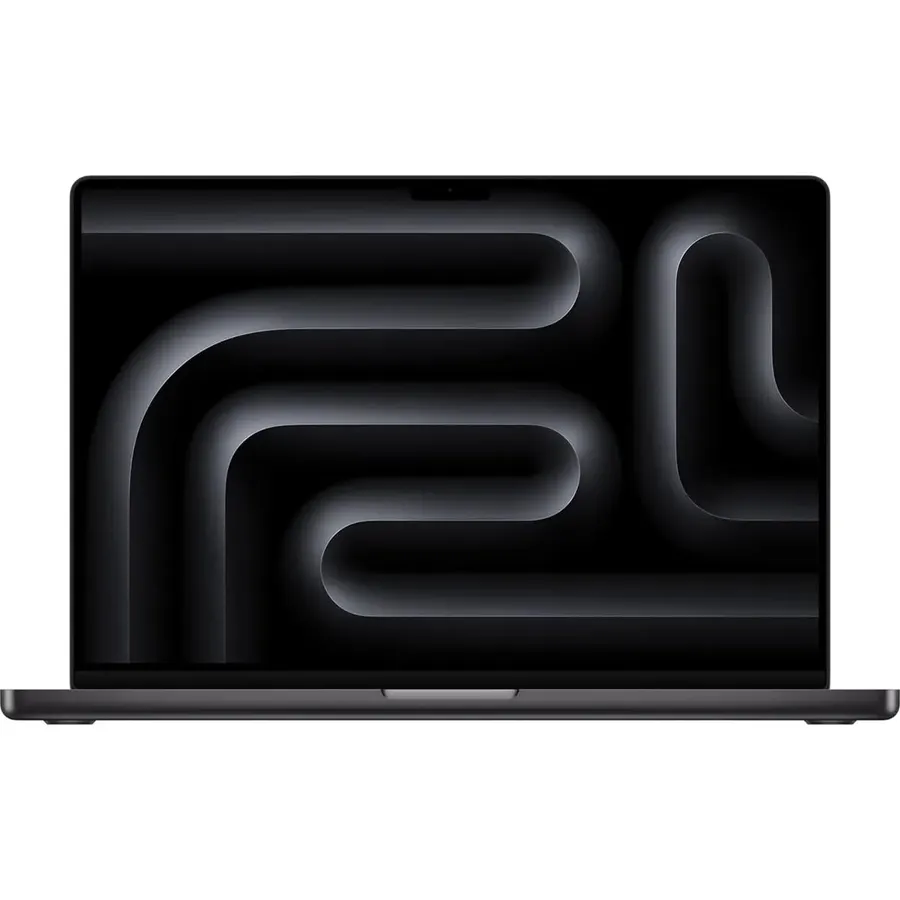
If you compile big native codebases, run several containers and a VM at once, train small models locally, or do mobile development with simulators open all day, the Pro is worth the step up from the Air. The extra CPU cores turn ten-minute builds into four-minute builds, and the mini-LED display is the best you can get on a laptop for reading code. For a typical web or backend developer it is more than you need.
- M4 Pro compiles large projects dramatically faster than the Air
- Best laptop display for text work: sharp, bright, 120Hz
- HDMI, SD card and three Thunderbolt ports
- Drives multiple external monitors
- Fans exist but rarely spin up
- Expensive
- Heavier than the Air
- Overkill for web development
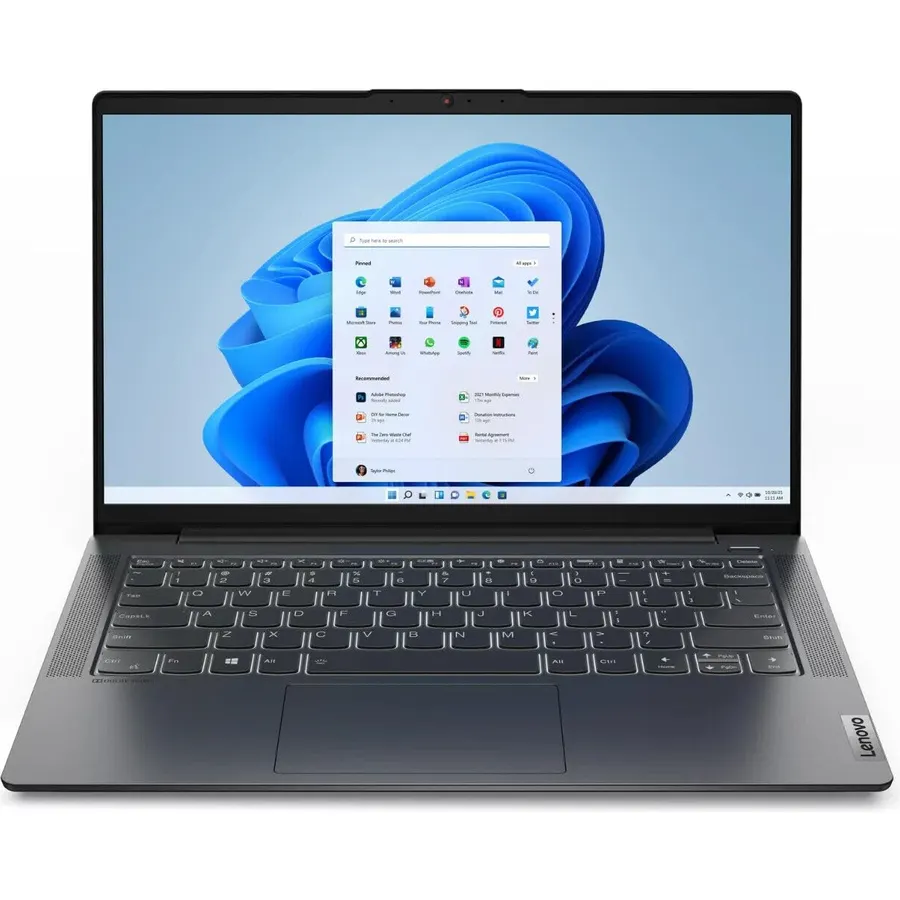
Cheap laptops usually skimp on exactly the things a developer needs: RAM, screen and keyboard. The IdeaPad Slim 5 is the budget laptop that gets those right. 16GB of RAM, a 16:10 screen and a keyboard that is fine for long sessions, at a price that leaves room for a monitor. It is not thin or pretty. It will get you through a bootcamp or a CS degree without complaint.
- Low price for a 16GB, 16:10 laptop
- Decent keyboard by budget standards
- Ryzen 7 handles real development work
- Full ports including HDMI and USB-A
- Plastic build
- Screen brightness is modest
- Battery is good, not great
Comparison at a glance
| Product | OS | Max RAM | Screen | Best for | Our score | |
|---|---|---|---|---|---|---|
| MacBook Air 13 M4Apple | macOS | 32GB | 13.6" 16:10 | Most developers | 9.6 | See price |
| ThinkPad T14s Gen 6Horse Fare Products, Inc | Windows / Linux | 64GB | 14" 16:10 matte | Windows and Linux devs | 9.6 | See price |
| ASUS Zenbook 14 OLEDASUS | Windows | 32GB | 14" OLED 16:10 | Value | 8.9 | See price |
| MacBook Pro 14 M4 ProApple | macOS | 48GB | 14.2" mini-LED | Heavy compile, ML | 8.6 | See price |
| IdeaPad Slim 5 14Horse Fare Products, Inc | Windows | 16GB+ | 14" 16:10 | Budget | 9.6 | See price |
Mac, Windows or Linux for development?
- macOS is the path of least resistance for web, mobile (required for iOS) and most backend work. Homebrew and a Unix shell mean almost every tool works as documented.
- Windows is required for .NET Framework, some enterprise tooling and game development with certain engines. WSL2 gives you a real Linux environment inside Windows and has made Windows a much better developer platform than it was.
- Linux is the target for most servers, so developing on it removes surprises. Hardware support is excellent on ThinkPads and Dell XPS models, patchy on others.
None of these is wrong. Pick the one your team and your target platform use.
Frequently asked questions
Is 16GB of RAM enough for programming in 2026?
For learning and light web work, yes. For a professional running an IDE, Docker, a browser and a database at once, 24GB or 32GB avoids swapping. Because most laptops now solder RAM, buy more than you need today.
Do I need a dedicated GPU?
Only for machine learning training, 3D or game development. Integrated graphics handle IDEs, browsers, and multiple monitors without issue.
Is a MacBook Air fast enough for real development?
Yes. The M4 Air outperforms most Windows ultrabooks in compile benchmarks, and it does so silently. The Pro is only needed for very large projects or sustained heavy loads where the Air would throttle.
13-inch or 14-inch or bigger?
13 to 14 inches is the sweet spot for portability. At a desk you will use an external monitor anyway. Go 15 or 16 only if the laptop is your only screen most of the time.
The bottom line
Buy the MacBook Air M4 with 24GB unless you have a reason not to. Windows or Linux: ThinkPad T14s. Tight budget: IdeaPad Slim 5. Heavy builds: MacBook Pro 14 M4 Pro.
See the MacBook Air M4 on Amazon ↗Do Best Deal is a participant in the Amazon Services LLC Associates Program. As an Amazon Associate we earn from qualifying purchases. If you buy through links on this site we may earn a commission, at no extra cost to you. Learn more.