Fourteen inches is the laptop size that fits a backpack, a tray table and a kitchen counter without compromise: big enough for a full keyboard and a readable screen, small enough to weigh around three pounds and run all day on a battery. It is also the size where budget laptops are most competitive, because the volume is enormous. We ranked the 14-inch laptops in our laptops catalog by processor and memory, storage type and size, screen resolution and brightness, ports and Wi-Fi generation, weight and claimed battery life, which operating system they ship with, and what owners report after months of daily use.
We have not typed on every one of these ourselves; the verdicts rest on the spec sheets and on the owner review history. Prices are not printed because they change daily; every button opens the live Amazon page. Every pick here is a budget machine, which is where the owner reviews are, so if you want a premium 14-inch ultrabook for coding or photo work our laptops for programming guide is the better list, and our laptops under $500 guide overlaps with this one at the cheap end.
How we picked
- A real 14-inch screen. Every pick has a 14-inch diagonal panel; 13-inch and 15-inch machines, and tablets with keyboards, were left out.
- Specs stated, not inferred. Processor, memory, storage type, screen resolution and ports are taken from the listing, and we flag the third-party upgrades.
- Both operating systems. Four Windows 11 laptops and two Chromebooks, since for many buyers the right 14-inch laptop is a Chromebook.
- Light and long-lasting. Every pick is under four pounds and claims a full working day of battery.
- Owner feedback that is consistently positive, and most picks are well-reviewed across many owners.
The picks
HP 14 Laptop, 2026-2027 Edition, Intel N150 CPU, 4GB DDR5 RAM, 128GB SSD, 1TB Cloud Storage, Windows 11 with Microsoft 365

HP’s current 14 is the laptop most people should buy at this size and price. The Intel N150 is a four-core, low-power chip from the current generation that handles Office, a dozen browser tabs, streaming and video calls without the stutter of the older Celerons, and it is paired with DDR5 memory and a proper 128GB SSD rather than eMMC flash, which is why the machine boots and opens apps quickly. HP includes a year of Microsoft 365 and a terabyte of cloud storage, a slim 0.71-inch chassis at 3.24 pounds, dual speakers and an HD webcam. Owners give it the best rating on this page. The compromises are the ones every budget 14-inch laptop makes: 4GB of memory, which Windows 11 tolerates but does not enjoy, and a 1366 x 768 panel at 250 nits that is fine indoors and dim outdoors. For school, email and the web it is the easy pick.
- Best owner rating on this page
- Current Intel N150 chip and DDR5 memory
- Real SSD rather than eMMC, plus a year of Microsoft 365
- Thin and 3.24 lb with a full-size keyboard
- 4GB of memory is the floor for Windows 11
- 1366 x 768 screen at 250 nits
- Fewer reviews than the older HP 14 models
HP 14 HD SVA Anti-Glare Micro-Edge WLED-backlit Laptop for Students, AMD Athlon 3050U 2.3GHz up to 3.2GHz, 4GB DDR4, 128GB SSD, Wi-Fi 5, Bluetooth 4.2, HDMI, Webcam, Windows 10 S, Accessory Bundle

This HP 14 is the older design and it is still on the page because owners rate it strongly and it has one thing the newer N150 machines lack: an RJ-45 Ethernet port, alongside HDMI, USB-C and two USB-A. The AMD Athlon 3050U is a two-core chip from 2020 that boosts to 3.2GHz, and its Radeon graphics are a step up from the Intel UHD 600 in the Celeron machines for video playback and light games. Storage is a 128GB SSD and memory is 4GB of DDR4. The listing ships it with Windows 10 in S mode, which you can switch out of for free and then upgrade to Windows 11 if the processor is supported, so expect an afternoon of updates. Wi-Fi 5 and Bluetooth 4.2 are older standards but fine for home use. It is the pick when you want a wired network port and a track record over the newest chip.
- Strong owner rating and the most reviews of the Windows picks
- Radeon graphics handle casual games and video better than Intel UHD 600
- Ethernet port, rare on thin 14-inch laptops
- SSD storage and an accessory bundle
- Ships with Windows 10 in S mode, so budget time for the upgrade
- Wi-Fi 5 and Bluetooth 4.2 are a generation behind
- Athlon 3050U is a 2020-era chip
HP 14 inch Laptop, 4GB DDR5 RAM, 128GB SSD, Intel N150 Processor
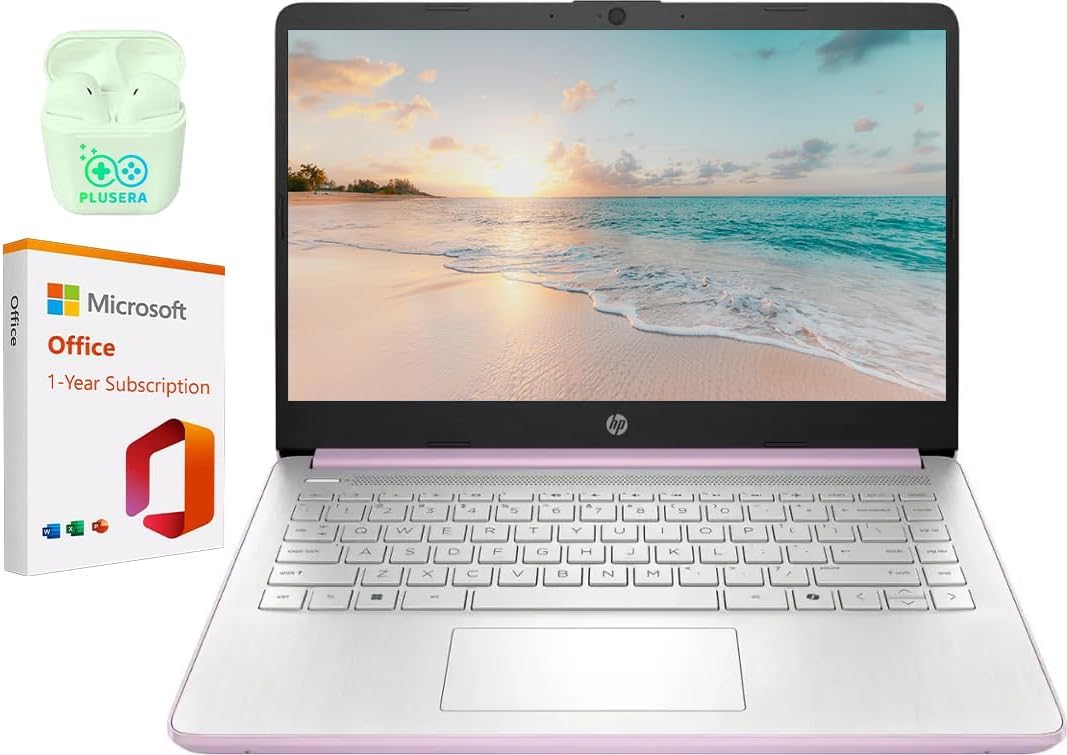
This is essentially the same laptop as our top pick sold under a plainer listing: an Intel N150, 4GB of DDR5, a 128GB SSD, a 14-inch anti-glare display at 250 nits, dual speakers, an HP True Vision HD webcam and a 3.24-pound chassis, with a year of Microsoft 365 in the box. The ports are USB 3.0 Type-C, USB 3.0 Type-A, HDMI and a headphone jack, which covers a monitor, a mouse and a headset without a hub. Owners give it a solid rating, a little below the 2026-2027 Edition listing, and the listing itself is sparse, with a single image, so it is worth confirming the configuration on the Amazon page before ordering. If it is cheaper than our top pick on the day, it is the same machine and the same recommendation; if it is not, buy the better-reviewed one.
- Same N150, DDR5 and SSD platform as our top pick
- USB-C, USB-A and HDMI in a 0.71-inch body
- One year of Microsoft 365 included
- Light at 3.24 lb with an HD webcam
- Solid rather than strong owner rating
- Only one product image on the listing, so check the exact configuration
- Same 4GB memory and 768p screen limits
HP 14 Ultra-Light Laptop for Student & Home (1-Year Office 365, Intel Celeron N4500, 4GB RAM, 64GB eMMC + 64GB SD Card), 12-Hr Long Battery Life, Webcam, Fast Charge, Wi-Fi 6, Win 11 Home in S, White

The white HP 14 is the one to pick when battery life matters more than speed. HP claims up to 12 hours and includes fast charging, and the Celeron N4500 is a frugal two-core chip that sips power while handling the web, Office and streaming. It has the best wireless on the page, Wi-Fi 6E with Bluetooth, and a generous port set with USB-C 3.2 Gen 1, two USB-A, HDMI 1.4b, a headphone jack and an SD reader, and HP says it can drive two external monitors. The weak spot is storage: 64GB of eMMC flash is slow and fills quickly, and the extra 64GB comes as an SD card installed by the reseller, with its own separate warranty, which the listing discloses. It ships in Windows 11 S mode, which is easy to leave. Owners give it a solid rating. For a long day of classes away from an outlet it is the right trade.
- Claimed 12-hour battery with HP fast charge
- Wi-Fi 6E, the newest wireless on this page
- Drives two external monitors over HDMI and USB-C
- White finish and a year of Microsoft 365
- 64GB eMMC is slow and small; the SD card is a reseller add-on
- Celeron N4500 is a two-core chip
- Windows 11 in S mode out of the box
HP 14 HD Chromebook Laptop for Students, Intel Quad-Core N4120, 4GB RAM, 64GB eMMC, WiFi, Webcam, HDMI, USB-A and C, 14 Hours Battery life, ZOOM, Chrome OS, CUE Accessories

For a lot of buyers the best 14-inch laptop is a Chromebook, and this HP is the one to get. The four-core Celeron N4120 is quick enough for ChromeOS, which is far lighter than Windows, so the machine boots in seconds, updates itself in the background and never needs antivirus. HP claims up to 14 hours of battery, the longest on this page, and the ports are two USB-A, one USB-C and HDMI, so a monitor and a mouse are no trouble. Owners rate it strongly, matching the Athlon HP as the best-rated pick here. The 4GB of memory and 64GB of eMMC are the same as the cheap Windows machines but matter less under ChromeOS, and Android apps from Google Play plus web versions of Microsoft 365 cover most school and home needs. If you need a specific Windows program, look at the picks above; if you need a browser, Docs and Zoom, this is faster, lighter and simpler.
- Strong owner rating, joint best with the Athlon HP
- Four-core Celeron N4120 and 14-hour battery claim
- ChromeOS boots in seconds and needs no antivirus
- USB-C, two USB-A and HDMI
- ChromeOS only; no Windows software
- 64GB eMMC and 4GB memory
- 768p screen
acer Gateway Chromebook 314 CBO314-1H-C476 Laptop | Intel Celeron N4500 | 14 Full HD (1920 x 1080) Display | 4GB LPDDR4X | 64GB eMMC | Wi-Fi 5 802.11ac | Chrome OS | Star Black
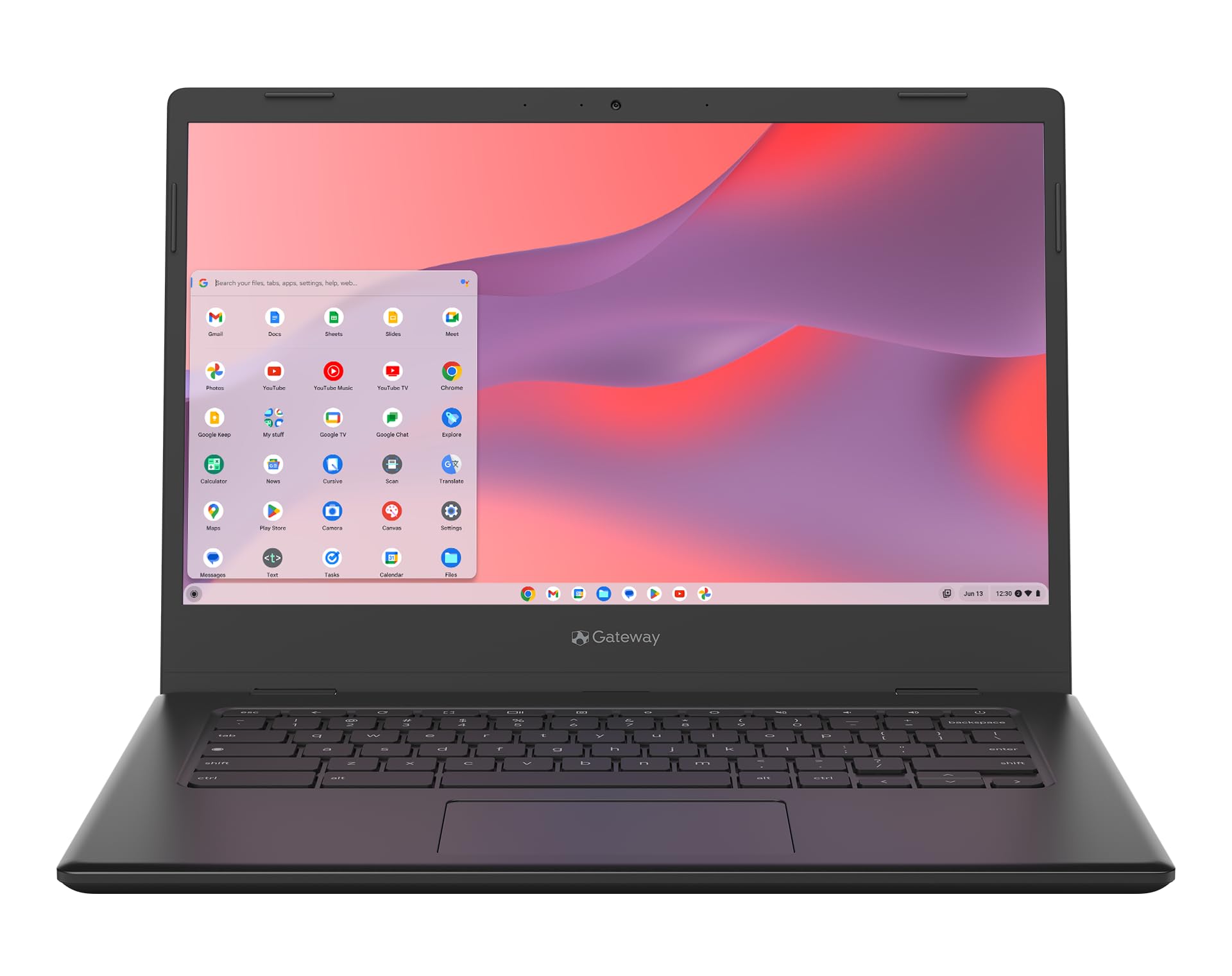
Every other laptop on this page has a 1366 x 768 screen, which is the biggest compromise budget 14-inch machines make. The Acer Gateway Chromebook 314 is the exception: a full HD 1920 x 1080 anti-glare panel that shows twice the pixels, sharper text and more of a document or spreadsheet at once. It runs ChromeOS with Gemini built in, has Google’s Titan C2 security chip, weighs 3.31 pounds, and includes three months of Google AI Pro with 5TB of storage. The Celeron N4500 is a two-core chip, so it is a step slower than the four-core N4120 in the HP Chromebook under heavy multitasking, and Wi-Fi 5 is older. Owners give it a solid rating, a little below the HP. If you read and write all day, the screen is worth the trade; if you keep twenty tabs open, the HP Chromebook has the better processor.
- The only 1920 x 1080 screen on this page
- ChromeOS with Gemini built in and a Titan C2 security chip
- Three months of Google AI Pro with 5TB of storage included
- Light at 3.31 lb
- Solid rather than strong owner rating
- Two-core N4500 is slower than the HP Chromebook N4120
- Wi-Fi 5 only
Compare the picks
| Product | Processor | Memory / storage | Screen | OS | Our score | Our score | |
|---|---|---|---|---|---|---|---|
| HP 14 N150 2026-2027 EditionHP | Intel N150, 4 cores | 4GB DDR5 / 128GB SSD | 14-inch 768p, 250 nits | Windows 11 + Microsoft 365 | 9.1/10 | 9.1 | See price |
| HP 14 Athlon 3050UHP | AMD Athlon 3050U, Radeon | 4GB DDR4 / 128GB SSD | 14-inch 768p | Windows 10 S | 8.8/10 | 8.8 | See price |
| HP 14 N150HP | Intel N150, 4 cores | 4GB DDR5 / 128GB SSD | 14-inch 768p, 250 nits | Windows 11 + Microsoft 365 | 8.1/10 | 8.1 | See price |
| HP 14 Celeron N4500 Whiteist computers | Intel Celeron N4500, 2 cores | 4GB DDR4 / 64GB eMMC + 64GB SD | 14-inch 768p | Windows 11 S + Microsoft 365 | 8.1/10 | 8.1 | See price |
| HP Chromebook 14 N4120HP | Intel Celeron N4120, 4 cores | 4GB / 64GB eMMC | 14-inch 768p | ChromeOS | 8.8/10 | 8.8 | See price |
| Acer Gateway Chromebook 314Acer | Intel Celeron N4500, 2 cores | 4GB / 64GB eMMC | 14-inch 1080p | ChromeOS | 8.1/10 | 8.1 | See price |
Windows or Chromebook?
The four Windows picks run any Windows program, which matters if your school or job uses specific software, a particular VPN client or a printer with a Windows-only driver. The price of that flexibility on a 4GB laptop is a slower boot, background updates and an operating system that is always a little busier than the hardware would like. The two Chromebooks run ChromeOS, which boots in seconds on the same class of chip, updates silently, and needs no antivirus; they run Android apps and the web versions of Microsoft 365, Zoom and everything in a browser, but not desktop Windows software. Owners of both HP Chromebooks on this page rate them as highly as the best Windows HP, which tells you the simpler system suits the hardware. If in doubt, list the three programs you cannot live without; if they all have a web version, buy the Chromebook.
The 4GB and eMMC question
Every pick here has 4GB of memory and most have small storage, because that is what sells in volume at 14 inches. On Windows, 4GB means keeping the browser to a handful of tabs and closing Teams when you are not using it; the Intel N150 machines with DDR5 and a 128GB SSD cope noticeably better than the Celeron with 64GB of eMMC, which is both slower and nearly half full after Windows and Office are installed. The resellers’ SD-card and docking-station storage add-ons are real but slow, and good for photos rather than programs. On ChromeOS, 4GB and 64GB are comfortable because the system and its apps are small. If you can stretch the budget, an 8GB Windows laptop in our laptops for college students guide will age better; if not, the N150 HP is the one that makes the least of its limits.
Screens, ports and weight
All six picks weigh between 3.2 and 3.4 pounds and are around 0.7 inch thick, so there is no wrong choice for a backpack. Five of them have 1366 x 768 screens at around 250 nits with an anti-glare finish; that is readable indoors and on a shaded patio, soft for text, and dim in direct sun. The Acer Gateway Chromebook 314 is the one full HD screen and the difference in a document is obvious. On ports, every pick has USB-C, USB-A and HDMI; the Athlon HP adds wired Ethernet, and the white HP adds an SD reader and Wi-Fi 6E. Do Best Deal readers who work from a desk should budget for an external monitor, which every machine here drives over HDMI, and our USB-C docks and hubs guide covers the one-cable option.
Is a 14-inch laptop big enough for school and office work?
Yes. It fits a full-size keyboard and a screen you can read a document on, and at just over three pounds it is the size most people carry daily. Add an external monitor at a desk for spreadsheets.
Which 14-inch laptop has the best screen here?
The Acer Gateway Chromebook 314 is the only pick with a 1920 x 1080 panel. The five HP machines use 1366 x 768 screens, which are fine for web and video but softer for text.
Can these laptops run Windows 11 properly with 4GB of RAM?
They run it, with care. The Intel N150 models with DDR5 and an SSD feel the best; keep tabs modest and avoid running Teams, Chrome and Office all at once. The Chromebooks are more comfortable on 4GB.
What does Windows in S mode mean?
S mode only allows apps from the Microsoft Store. You can switch to full Windows for free once in Settings under Activation; it cannot be switched back. Two of the HP picks ship this way.
Can I upgrade the memory or storage later?
Generally not. Budget 14-inch laptops and Chromebooks solder the memory and often the storage to the board. Treat the configuration you buy as the one you will keep, and use cloud or SD storage for files.
Prices and stock change daily. The buttons above open Amazon so you always see the current price. We may earn a commission if you buy through them, at no extra cost to you.
Do Best Deal is a participant in the Amazon Services LLC Associates Program. As an Amazon Associate we earn from qualifying purchases. If you buy through links on this site we may earn a commission, at no extra cost to you. Learn more.