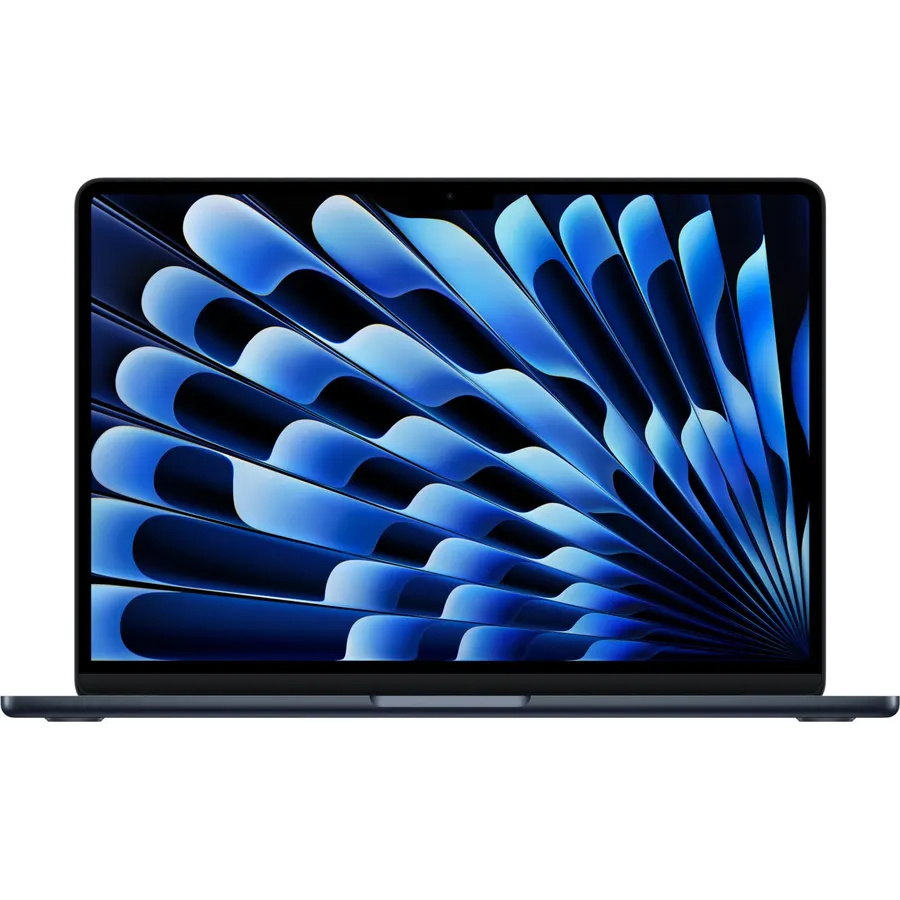
Video editing is the one mainstream job that still punishes a cheap laptop. Timeline scrubbing wants a fast multi-core processor, effects and exports want a dedicated NVIDIA GPU with hardware encoders, 4K footage wants 32GB of memory, and color work wants a screen that covers most of the DCI-P3 or sRGB gamut. We ranked the laptops in our laptops catalog that meet most of that list by GPU and CPU class, memory, storage, display resolution and color coverage, and by the owner review history behind each one.
We have not rendered a timeline on any of these ourselves; the verdicts rest on the spec sheets and on what owners report. Prices are not printed because they move weekly, and every button opens the live Amazon page. Most of the picks are sold as gaming laptops, because that is where the GPUs are; if gaming is actually the goal, see our gaming laptops under $1,200 guide, and for a second screen on the road see portable monitors for laptops.
How we picked
- A dedicated NVIDIA GPU on six of eight picks for hardware encoding and GPU effects; the two exceptions have a 64GB unified-memory APU or a color-accurate OLED.
- A high-core-count CPU: Intel HX, H or Core Ultra, or AMD Ryzen AI, with 8 to 24 cores.
- 32GB of memory on five picks, 16GB on the rest with a note on upgrading.
- A display worth grading on: 100 percent DCI-P3 or sRGB where the maker states it, and 1600p or OLED where possible.
- Owner ratings of 4.0 stars or better, with 170 to 590 reviews each. Nothing rated under 4.0 was considered.
The picks
ASUS ROG Strix G16 (2025) Gaming Laptop, 16 FHD+ 16:10 165Hz/3ms, NVIDIA GeForce RTX 5060, Intel Core i7 Processor 14650HX, 16GB DDR5, 1TB Gen 4 SSD, Wi-Fi 7, Windows 11 Home, G615JMR-AS74
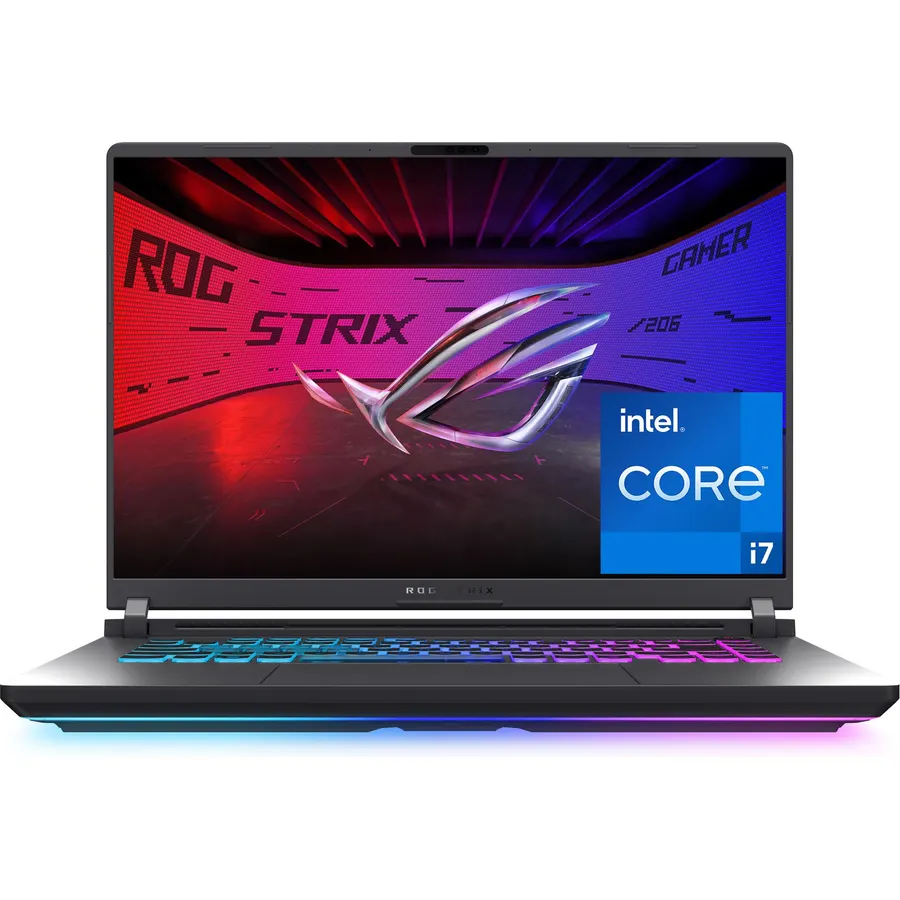
The ROG Strix G16 is the editing laptop we would hand to most people. Its 16-core Intel Core i7-14650HX chews through timeline scrubbing and H.264 exports, and the RTX 5060 brings NVIDIA’s latest Blackwell encoders to Premiere Pro and DaVinci Resolve, so GPU effects and hardware exports fly. ASUS fits a full vapor chamber and three fans, which matters more for a 40-minute render than for a game, and a 1TB Gen 4 SSD holds a few projects. The 16-inch 1920 x 1200 165Hz screen has an anti-glare film but is not as sharp as the 1600p panels below, and 16GB of DDR5 is the minimum for 4K; budget for a second stick. Nearly 600 owners rate it 4.4 stars, the deepest review history of any laptop here, and build quality and thermals are the usual praise.
- RTX 5060 with the latest NVIDIA encoders
- 16-core HX processor for fast timeline work and exports
- Vapor-chamber cooling keeps long renders from throttling
- Nearly 600 owners at 4.4 stars, the most reviewed here
- 16GB of RAM; plan to add a stick for 4K work
- 1920 x 1200 screen is lower resolution than the Gigabyte and Katana
- RGB light bar and gaming looks
GIGABYTE 2025 A16 Gaming Laptop NVIDIA GeForce RTX 5070 GDDR7 8 GB, 8-Core 5.0Ghz AMD Ryzen AI 7 350, 16 2560 x 1600 165Hz, 32 GB DDR5, 1 TB, Win11 Pro, Wi-Fi 6E
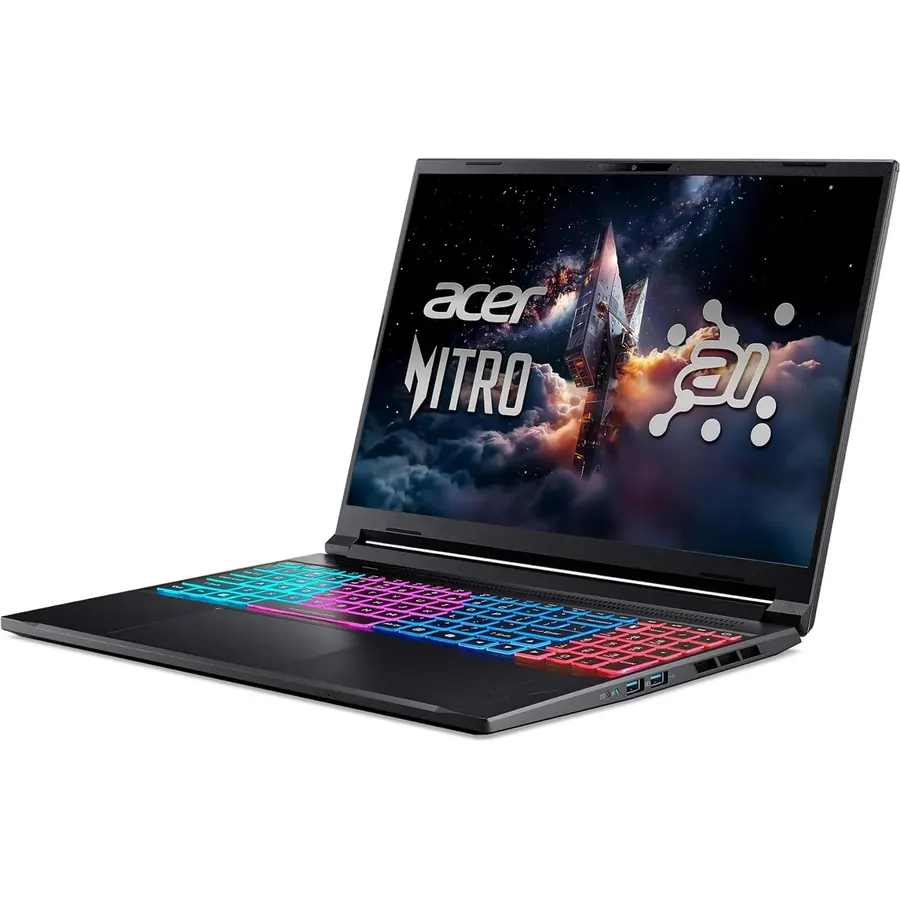
The Gigabyte A16 is the no-upgrades-needed pick: an RTX 5070 with 8GB of GDDR7, 32GB of DDR5 and a 1TB SSD, which is exactly the configuration most editing software vendors recommend for 4K. Its 16-inch 2560 x 1600 IPS screen covers 100 percent of sRGB at 400 nits, bright and accurate enough for web and YouTube delivery without an external monitor. The Ryzen AI 7 350 has eight cores and sixteen threads; it is efficient and quick but will trail the 16 and 24-core Intel HX chips in CPU-bound exports. At 0.65 inches thick and 4.19 pounds it is thin for the power, with a 76Wh battery, Windows 11 Pro and Wi-Fi 6E. The design is plain and the keyboard lighting is single-zone. It has 339 reviews at 4.4 stars, with owners praising the screen and the quiet fans.
- RTX 5070 and 32GB out of the box
- 2560 x 1600 panel at 400 nits with 100 percent sRGB
- Windows 11 Pro and Wi-Fi 6E
- Thin at 0.65 inches; 339 owners at 4.4 stars
- Eight-core CPU is slower than the Intel HX chips for CPU-only renders
- Single-zone keyboard lighting and plain design
- Catalog listing is a reseller configuration
msi Katana 15 HX Gaming Laptop 15.6 QHD IPS 165Hz (100% DCI-P3) Intel 16-core i7-14650HX 32GB DDR5 1TB SSD GeForce RTX 5070 DLSS4 RGB Backlit Type-C Win11Pro
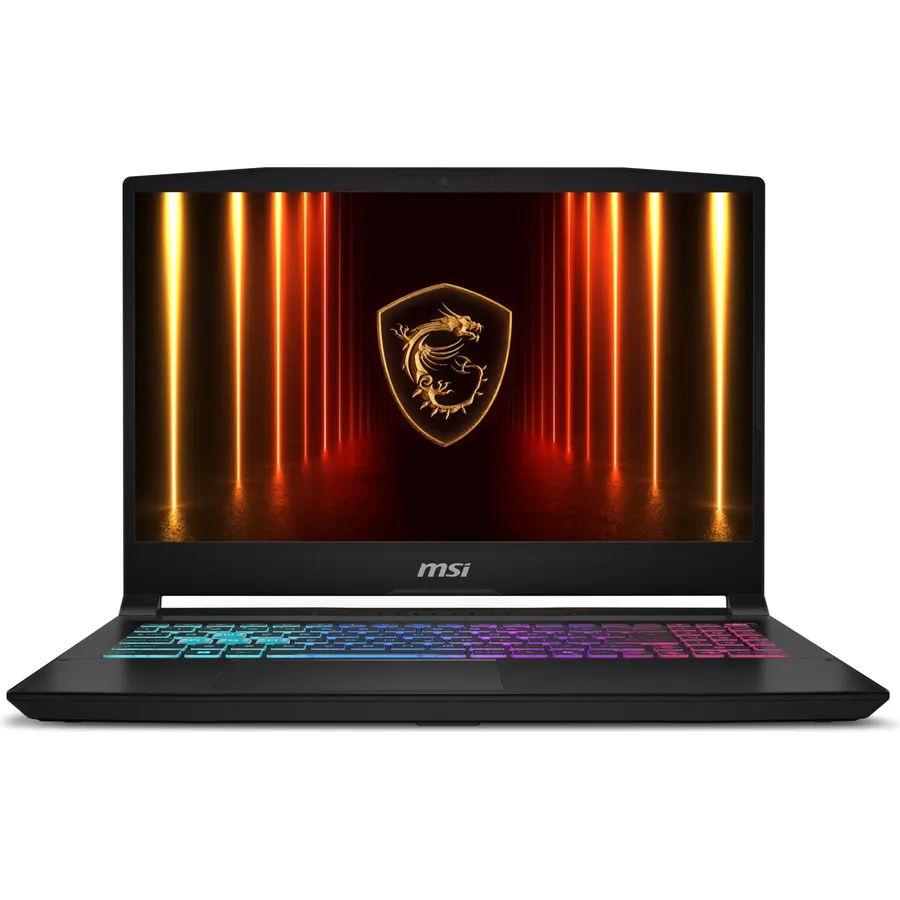
This Katana 15 HX is the pick for editors who grade for cinema or HDR, because its 15.6-inch QHD panel covers 100 percent of DCI-P3, the gamut Netflix and theatrical deliverables use, and few laptops at this price can say that. Under it sit the same 16-core i7-14650HX as the Strix, an RTX 5070 and 32GB of DDR5 with a 1TB SSD, so it is faster than the Strix in exports and matches the Gigabyte. HDMI 2.1 can drive a 4K monitor at 120Hz, and the RJ45 jack suits a studio network. The compromises are the rating and the build: 347 owners give it 4.0 stars, with heat and fan noise under load the recurring issues, and the Katana chassis is plastic. It is a reseller-upgraded unit, so check the warranty terms on the live listing.
- 100 percent DCI-P3 QHD screen for HDR and cinema color
- RTX 5070, 16-core HX chip and 32GB
- HDMI 2.1 drives a 4K 120Hz reference monitor
- Windows 11 Pro
- 4.0 stars; fan noise and heat are the common complaints
- Reseller-upgraded configuration
- Katana chassis is plasticky for the price
Lenovo Yoga 7i 2-in-1 Laptop, 14 2K OLED Touch Display, Core Ultra 5 322, Intel Graphics, 16GB LPDDR5x 1TB SSD, Wi-Fi7, Backlit KB, FP Reader, TB 4, Webcam, Win11, Luna Grey
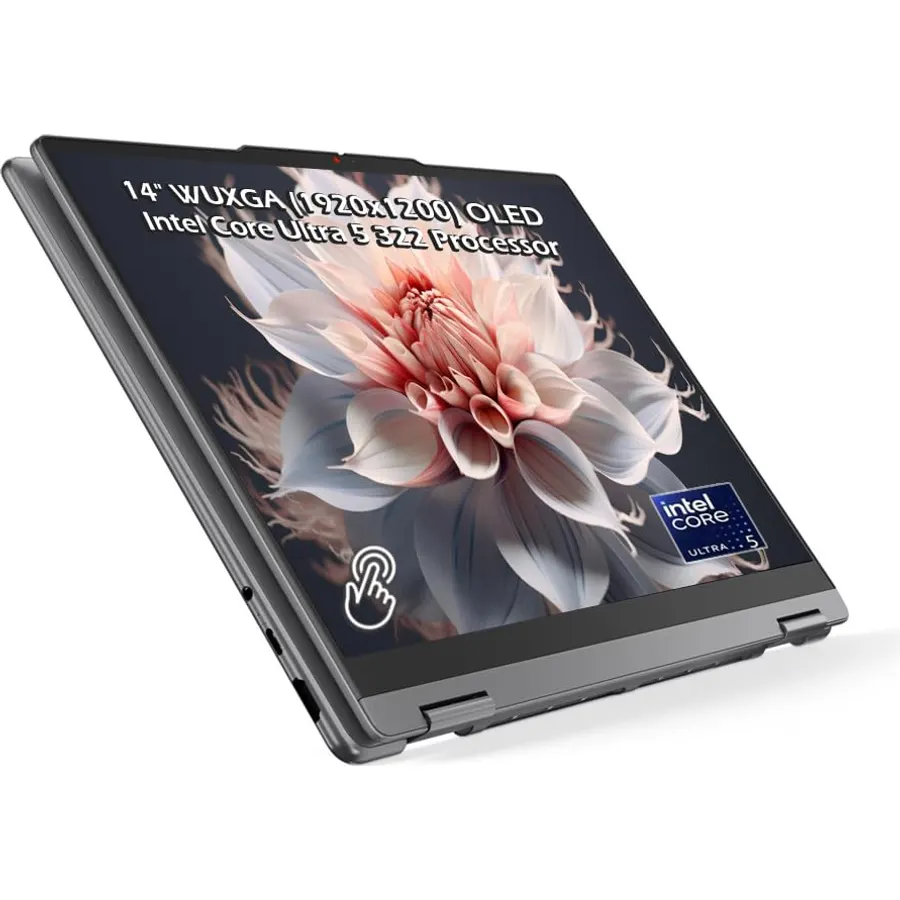
The Yoga 7i is not a render machine; it is the laptop you take to a client to show them the grade. Its 14-inch OLED panel covers 100 percent of DCI-P3 and sRGB at 400 nits with Dolby Vision and perfect blacks, which no IPS screen on this page can match. The Core Ultra 5 322 is a six-core efficiency chip with Intel Quick Sync, so H.264 and HEVC proxies and exports are quick, but there is no NVIDIA GPU for heavy effects or noise reduction. Two Thunderbolt 4 ports let you add a fast external SSD or an eGPU at a desk, and the 1TB SSD, Wi-Fi 7, fingerprint reader and 360-degree hinge round out a premium package. The 16GB of LPDDR5X is soldered. It is a reseller-upgraded unit with 243 reviews, and owners rate it 4.6 stars, the highest on this page.
- OLED with 100 percent DCI-P3, true blacks and Dolby Vision
- Two Thunderbolt 4 ports for an external GPU or fast storage
- Highest rating here: 4.6 stars from 243 owners
- 2-in-1 hinge and pen support for review sessions
- No dedicated GPU; renders rely on Intel Quick Sync
- 16GB is soldered and cannot be upgraded
- Reseller-upgraded configuration
msi Thin 15.6 FHD 144Hz Gaming Laptop, Intel Core i7-13620H, NVIDIA GeForce RTX 4050, 32GB DDR4, 3TB Storage (2TB SSD+1TB Docking Station), Backlit Keyboard, Wi-Fi 6E, HD Camera, Win 11 Pro, Gray
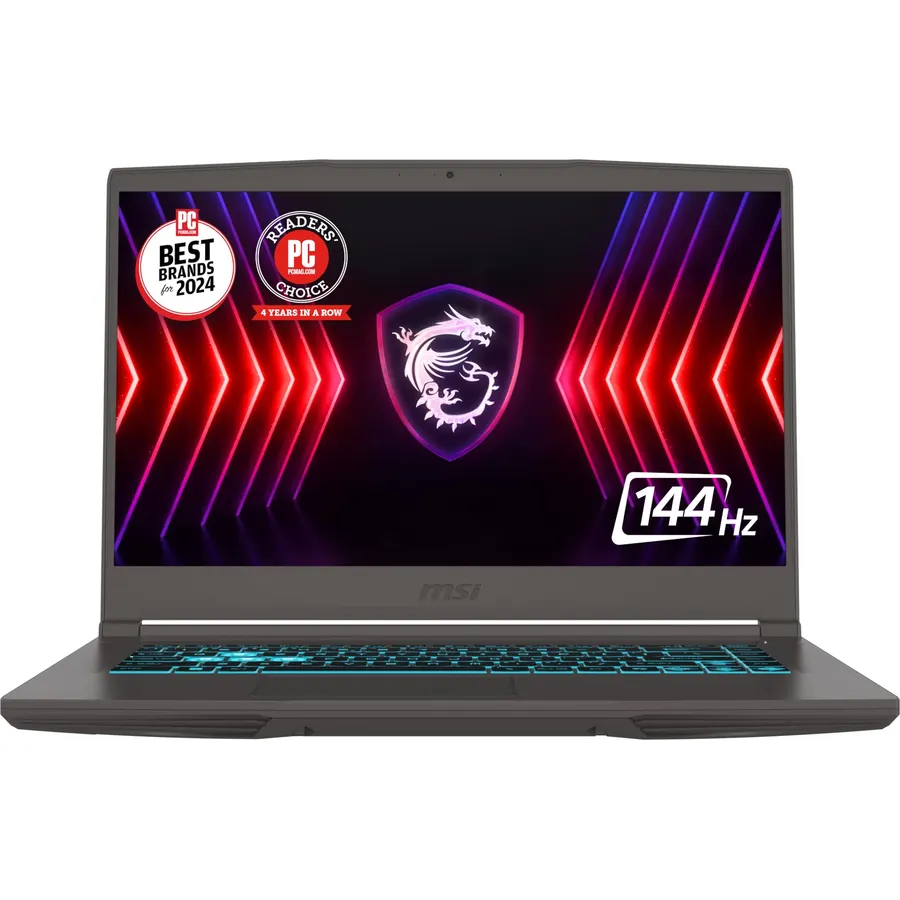
The MSI Thin 15 is the budget editing laptop: a reseller has fitted 32GB of DDR4 and a 2TB SSD, then thrown in a seven-port dock with another 1TB SSD, so you get the memory and storage of a 4K workstation for the price of a stock 16GB gaming laptop. The RTX 4050 has NVIDIA’s NVENC encoder for fast H.264 and HEVC exports and enough power for GPU effects, though its 6GB of video memory limits heavy 4K color work, and the 10-core i7-13620H is a capable editing CPU. The 15.6-inch 1080p 144Hz screen is the weakness: MSI does not state its color coverage, so plan to grade on an external monitor. The RAM and SSD upgrades carry a separate one-year warranty from the reseller. It has 180 reviews at 4.4 stars.
- 32GB of RAM and 3TB of total storage at the lowest price here
- RTX 4050 with NVENC for hardware exports
- 10-core i7 and Windows 11 Pro
- Includes a 7-in-1 dock; 180 owners at 4.4 stars
- 1080p screen with no stated color coverage
- RTX 4050 has only 6GB of video memory
- Reseller-upgraded with a split warranty
msi Katana 15 HX 15.6 165Hz QHD+ Gaming Laptop: Intel Core i9-14900HX, NVIDIA Geforce RTX 5070, 32GB DDR5, 1TB NVMe SSD, RGB Keyboard, Win 11 Home: Black B14WGK-016US
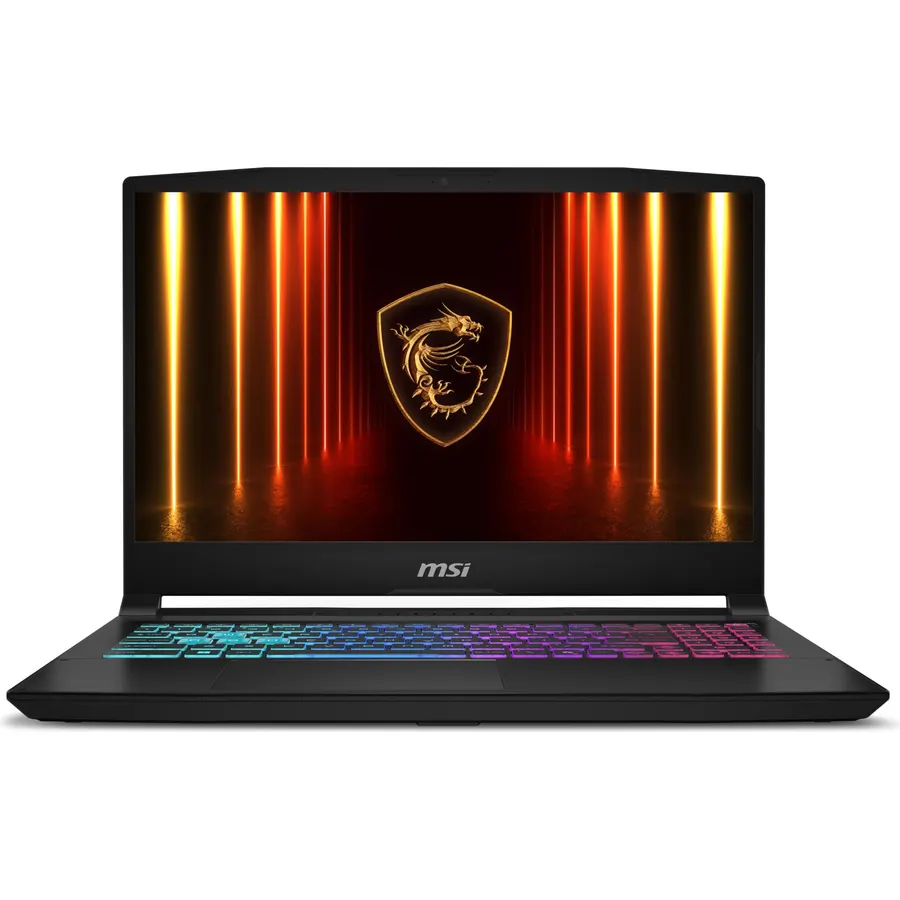
If your exports are CPU-bound, this factory-configured Katana 15 HX has the fastest processor here: the 24-core Intel Core i9-14900HX, paired with an RTX 5070, 32GB of DDR5 and a 1TB SSD. The 15.6-inch QHD 165Hz panel covers 100 percent of DCI-P3, MSI’s Cooler Boost 5 uses two fans and five heat pipes to keep that chip from throttling through a long render, and HDMI output runs up to 8K. Because it is MSI’s own configuration rather than a reseller upgrade, the warranty is simpler than the i7 Katana above. The drawbacks are the same as that machine: 347 owners rate it 4.0 stars, heat and fan noise under load are the common complaints, and the plastic chassis does not feel like a laptop at this price. It is also the most expensive pick on the page.
- 24-core i9-14900HX, the fastest CPU on this page
- RTX 5070, 32GB and a 100 percent DCI-P3 QHD screen
- Factory MSI configuration with standard warranty
- Cooler Boost 5 thermals for sustained renders
- 4.0 stars with heat and noise the recurring complaints
- The most expensive laptop here
- Katana build quality lags its price
ASUS ROG Flow Z13 Gaming Laptop, AMD Ryzen Max+ 395, 64GB LPDDR5X 8000MT/s
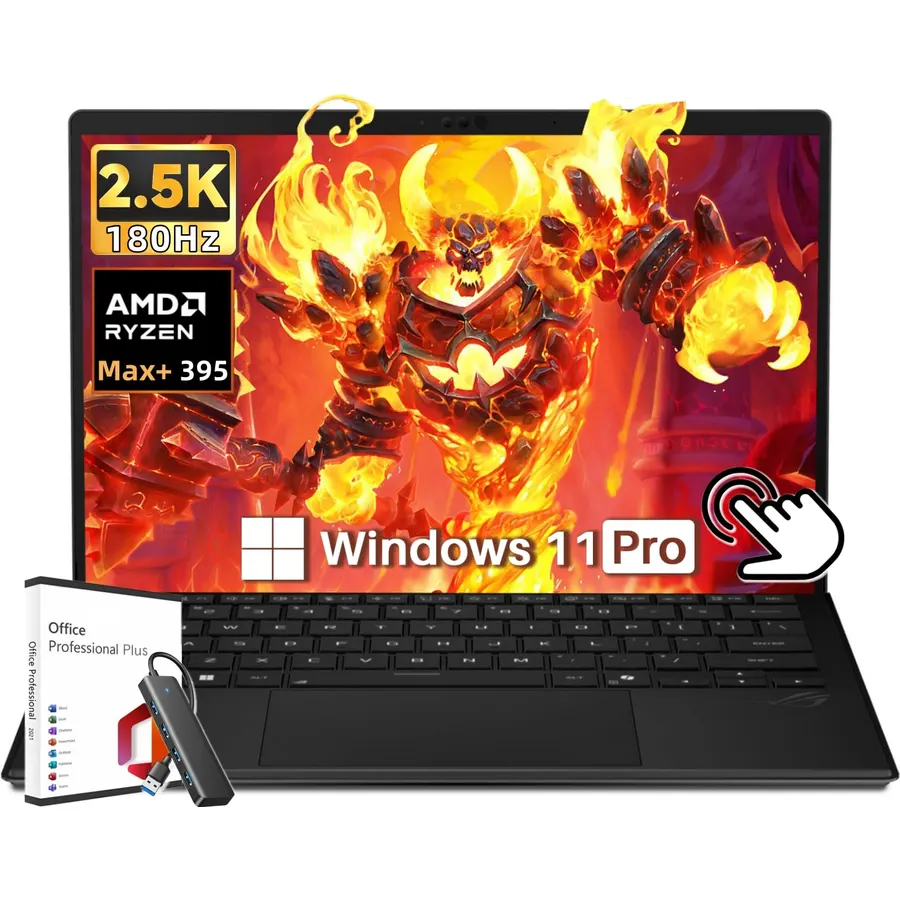
The ROG Flow Z13 is a different idea of an editing laptop: a 13.4-inch tablet with a detachable keyboard, a 16-core Ryzen AI Max+ 395 and 64GB of fast unified memory shared between the CPU and a large integrated Radeon GPU. That memory pool is why it is here. Effects-heavy 4K and 6K timelines that choke 16GB machines simply fit, and the Pantone-validated 2560 x 1600 touchscreen covers 100 percent of DCI-P3 at 180Hz. The vapor chamber and liquid-metal cooling keep it quiet, Wi-Fi 7 and a 70Wh battery with 200W charging make it a true portable, and the pen works for trimming and annotation. The trade-offs are real: no NVIDIA encoder, so software that leans on NVENC or CUDA will be slower; a small screen; and a high price. It has 302 reviews at 4.4 stars.
- 64GB of memory, more than any other pick
- 16-core Zen 5 CPU and a Pantone-validated 100 percent DCI-P3 screen
- Tablet form with pen support for review and trimming
- 302 owners at 4.4 stars
- Integrated Radeon graphics, not an NVIDIA GPU, so no NVENC
- 13.4-inch screen is small for a full timeline
- Costs more than the Katana i9
Microsoft Surface Laptop Studio - 14.4 Touchscreen - Intel Core i7 - 32GB Memory - 1TB SSD - Platinum
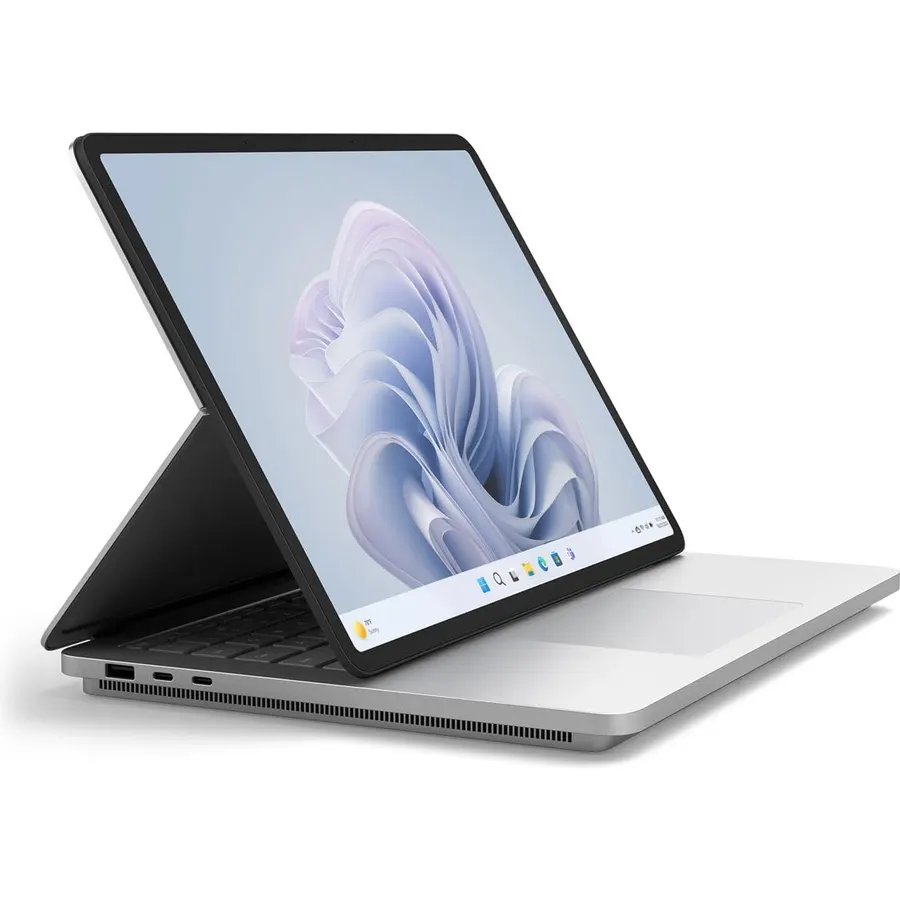
The Surface Laptop Studio is the pick for editors who also draw, animate or storyboard. Its 14.4-inch 120Hz PixelSense display pulls forward into a stage mode and folds flat into a canvas, the Surface Slim Pen 2 charges magnetically under the keyboard, and Microsoft fits 32GB of memory, a 1TB SSD and an NVIDIA RTX 3050 Ti in a beautifully built aluminum body. The hardware is older than the rest of this list: the 11th-generation Core i7 has four cores and the 3050 Ti is two GPU generations behind the RTX 5060, so exports will be slower than the Strix and Katanas despite the higher price. Buy it for the form factor and the pen, not for speed. It has 171 reviews at 4.3 stars, with the screen and build quality the consistent praise.
- 32GB and a 1TB SSD with an RTX GPU in a premium aluminum body
- Folding display becomes a drawing and review canvas
- Slim Pen 2 stores and charges under the keyboard
- 171 owners at 4.3 stars
- Older 11th-generation four-core CPU and RTX 3050 Ti
- Very expensive for the hardware
- Fewest reviews on this page
Compare the picks
| Product | GPU | CPU | Memory / storage | Display | Owner rating | Our score | |
|---|---|---|---|---|---|---|---|
| ASUS ROG Strix G16ASUS | RTX 5060 | i7-14650HX, 16 cores | 16GB / 1TB | 16 in 1920 x 1200 165Hz | 4.4 (590+) | 8.8 | See price |
| Gigabyte A16GIGABYTE | RTX 5070 | Ryzen AI 7 350, 8 cores | 32GB / 1TB | 16 in 2560 x 1600, 100% sRGB | 4.4 (330+) | 8.8 | See price |
| MSI Katana 15 HX (i7)msi | RTX 5070 | i7-14650HX, 16 cores | 32GB / 1TB | 15.6 in QHD, 100% DCI-P3 | 4.0 (340+) | 8.1 | See price |
| Lenovo Yoga 7i OLEDLenovo | Intel integrated | Core Ultra 5 322, 6 cores | 16GB / 1TB | 14 in OLED, 100% DCI-P3 | 4.6 (240+) | 9.1 | See price |
| MSI Thin 15msi | RTX 4050 | i7-13620H, 10 cores | 32GB / 2TB + 1TB dock | 15.6 in 1080p 144Hz | 4.4 (180+) | 8.8 | See price |
| MSI Katana 15 HX (i9)msi | RTX 5070 | i9-14900HX, 24 cores | 32GB / 1TB | 15.6 in QHD, 100% DCI-P3 | 4.0 (340+) | 8.1 | See price |
| ASUS ROG Flow Z13ASUS | Radeon integrated, unified | Ryzen AI Max+ 395, 16 cores | 64GB / SSD | 13.4 in 2560 x 1600, 100% DCI-P3 | 4.4 (300+) | 8.8 | See price |
| Surface Laptop StudioMicrosoft | RTX 3050 Ti | 11th-gen Core i7, 4 cores | 32GB / 1TB | 14.4 in touch, 120Hz | 4.3 (170+) | 8.6 | See price |
GPU, CPU or memory: which matters most?
For most editors the order is memory, then GPU, then CPU. Premiere Pro and Resolve with 4K footage want 32GB; with 16GB you will see cache warnings and stutter, which is why the Strix G16 and Yoga 7i are flagged for upgrades or proxies. An NVIDIA GPU matters because NVENC hardware encoding cuts export times dramatically and effects like noise reduction run on CUDA. The RTX 4050 in the MSI Thin already delivers most of that; the RTX 5060 and 5070 add speed and video memory for heavier grades. CPU core count decides how fast the timeline scrubs and how quickly CPU-only codecs export, which is where the 16 and 24-core Intel HX chips lead.
Screens: what the color numbers mean
A display that covers 100 percent of sRGB (Gigabyte A16) is accurate for YouTube and most client work. DCI-P3 coverage (both Katanas, the Yoga 7i, the Flow Z13) is the wider gamut used for cinema and HDR deliverables, and only the Yoga OLED also delivers true blacks. A 1080p gaming panel with no stated gamut, like the MSI Thin, is fine for cutting but not for final color; pair it with a calibrated external monitor from our monitors for photo editing guide.
Reseller configurations and warranties
Four picks here (the Gigabyte A16, the i7 Katana, the Yoga 7i and the MSI Thin) are sold by resellers who open the box to fit more memory or storage. That is how you get 32GB and 2TB at these prices, but the warranty splits: the reseller covers the upgraded parts for a year and the maker covers the rest. The Strix G16, i9 Katana, Flow Z13 and Surface are factory configurations with a single warranty. At a desk, a USB-C dock connects monitor, drives and Ethernet through one cable.
How much RAM do I need for video editing on a laptop?
16GB handles 1080p and light 4K with proxies. 32GB is the comfortable minimum for native 4K in Premiere Pro or DaVinci Resolve, and five picks here ship with it. The ROG Flow Z13 has 64GB of unified memory for very heavy timelines.
Do I need an NVIDIA GPU for video editing?
It helps a great deal. NVENC hardware encoding speeds up exports several times over and CUDA accelerates effects. The Yoga 7i and Flow Z13 edit well without one using Intel Quick Sync or a large integrated Radeon GPU, but NVIDIA laptops export faster in most software.
Is a gaming laptop good for video editing?
Yes; six of the eight picks are sold as gaming laptops because that is where dedicated GPUs and strong cooling live. The compromises are weight, battery life and sometimes a 1080p screen with poor color, so check the gamut before buying.
Which laptop here is best for color grading?
The Lenovo Yoga 7i has the only OLED panel with 100 percent DCI-P3 and true blacks. The two MSI Katana 15 HX models and the ROG Flow Z13 also cover 100 percent DCI-P3 on IPS panels. For final grading, a calibrated external monitor is still the safest reference.
What does a reseller-upgraded laptop mean?
A seller opens the factory box to install more RAM or a bigger SSD, then resells it. You get better specs for the money, but the upgraded parts are covered by the reseller for a year while the maker covers the original components. Four picks here are sold this way.
Prices and stock change daily. The buttons above open Amazon so you always see the current price. We may earn a commission if you buy through them, at no extra cost to you.
Do Best Deal is a participant in the Amazon Services LLC Associates Program. As an Amazon Associate we earn from qualifying purchases. If you buy through links on this site we may earn a commission, at no extra cost to you. Learn more.