The stand that comes in the box with a monitor is usually the worst part of it. It eats a foot of desk, sits too low for most people and rarely swivels. A clamp-on monitor arm fixes all three for less than the price of a mechanical keyboard, and most take fifteen minutes to fit. We went through the monitor arms and mounts in our catalog and kept five that owners rate 4.4 stars or higher.
We have not tested every arm here ourselves, so the ranking leans on the spec sheets and on what hundreds of owners report after months of use. At the time of writing the picks ranged from a budget single arm to a heavy-duty dual that costs several times as much, and we say which is which. Prices are not printed because they change daily; every button opens the live Amazon page.
How we picked
- VESA 75 x 75 and 100 x 100. Every pick fits the two hole patterns used on almost all desktop monitors.
- Weight limits with headroom. We list the maximum each arm holds so you can check it against your monitor’s weight without the stand.
- Gas or mechanical spring. Cheap fixed-pole mounts need an Allen key to move; every arm here adjusts by hand and stays where you leave it.
- Clamp and grommet in the box. All five mount either way, and we note the desk thickness range where the data gives one.
- Owner ratings of 4.4 stars or higher, with at least 120 reviews, so sagging and wobble complaints had time to surface.
The picks
Acer Single Monitor Mount, Fully Adjustable Monitor Arm Fits 17-34 Inch Screens (AMS001)
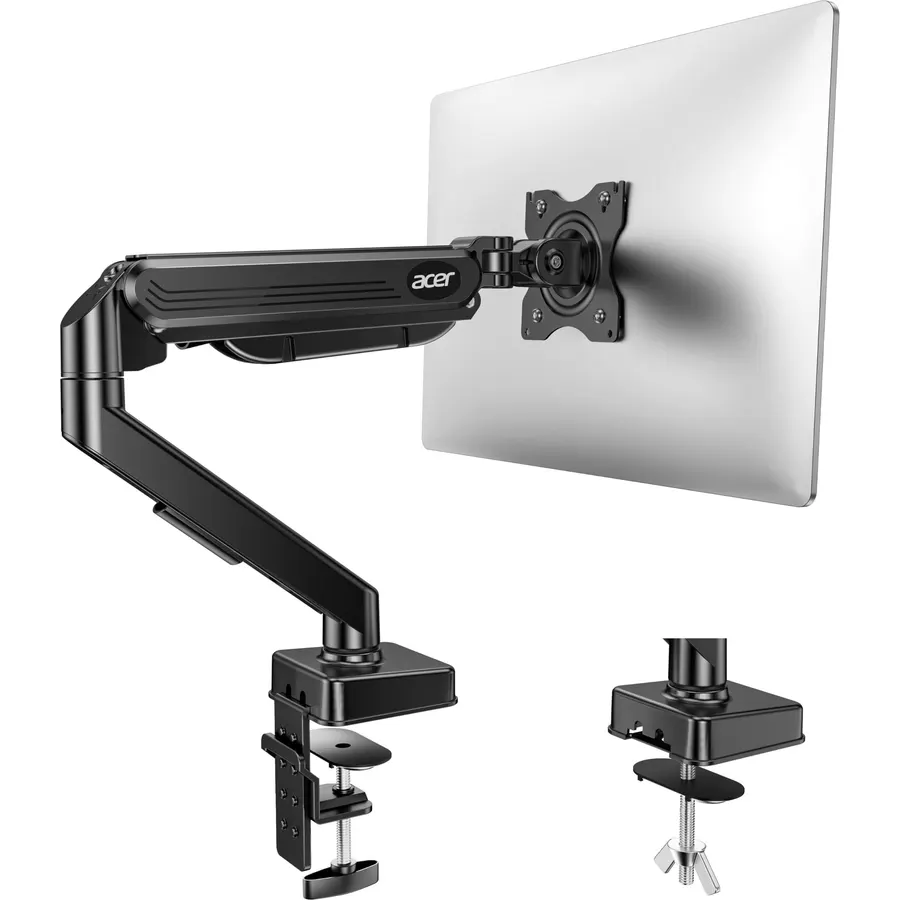
Acer’s single arm is the one most people should buy. It holds anything from a 17-inch office panel to a light 34-inch screen up to 19.8 lbs, moves through a full tilt and swivel range, and rotates to portrait for code or documents. The pneumatic spring is rated for 20,000 movements and the clamp fits desks up to 80 mm thick, which covers almost every desk sold in the US. Owners praise how easy it is to level and how well it holds position. Check your monitor’s weight before ordering: a 34-inch ultrawide usually weighs more than this arm allows.
- Pneumatic spring arm passed a 20,000-cycle motion test
- Full tilt, swivel and portrait rotation on one arm
- Fits desks from 15 to 80 mm thick with clamp or grommet
- 500+ owners at 4.4 stars
- 19.8 lb limit rules out most 34-inch ultrawides
- Aluminum finish is plain black only
- Cable channel is basic
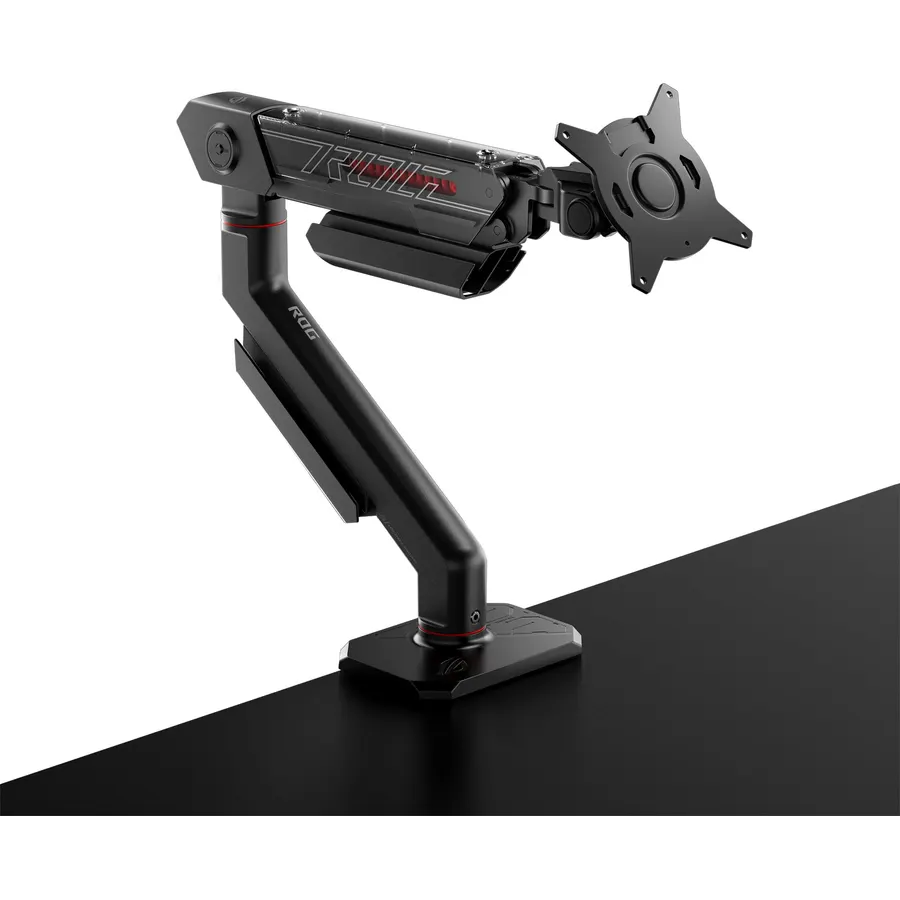
ROG branding aside, the AAS01 is a well-built single arm with a mechanical spring instead of a gas cylinder. It carries flat screens up to 39 inches and 23.35 lbs, which brings most 32-inch gaming monitors into range. ASUS says the design went through 10,000 full-range cycles in testing, and the 4.7-star owner rating suggests it holds up. The one catch is the 100 x 100 mm plate only, so a small 75 x 75 monitor needs an adapter. Cable routing is built into the arm, a nice touch for a desk you can see from behind.
- Highest owner rating on this page at 4.7 stars
- Holds heavier 32-inch gaming monitors up to 23.35 lbs
- Built-in cable management keeps the arm tidy
- Mechanical spring needs no gas cylinder to wear out
- VESA 100 only, no 75 x 75 plate
- Minimum 6.6 lb load means very light panels may float up
- Curved screens are limited to 18.74 lbs
MSI MPG MT201R V2 - Premium RGB Single Monitor Stand Arm, Supports 17-49 Inch Screens and 44 lbs
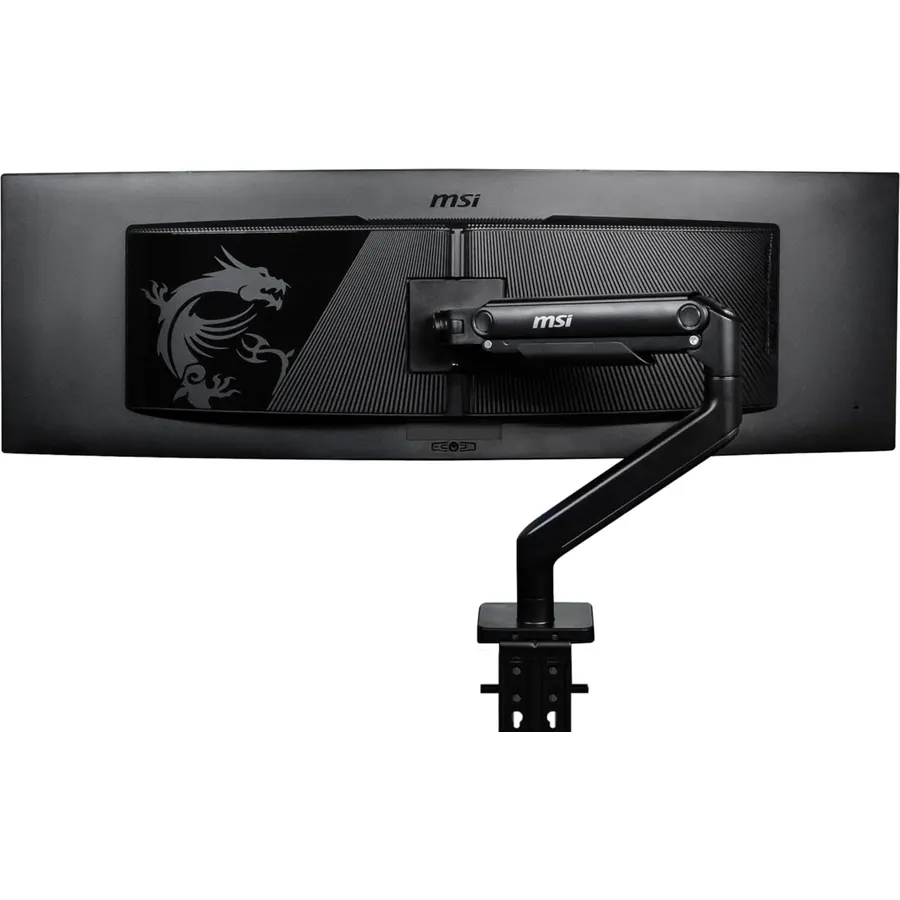
If you own a 34-inch or 49-inch ultrawide, most arms on Amazon are simply too weak. The MT201R V2 is rated for 44 lbs and screens up to 49 inches, with a base and arm heavy enough that owners with Samsung Odyssey and LG ultrawides report no sag. It fits VESA 75 and 100 and clamps or grommets to desks as thin as 10 mm. The RGB ring on the base is the gamer tax; it can be turned off. At 4.6 stars from 120+ owners it is the safest buy on this page for a big, heavy screen.
- 44 lb limit handles 49-inch super-ultrawides
- Heavy 13.3 lb base and thick aluminum arm resist wobble
- Clamp or grommet mount on thin desks from 10 mm
- RGB can be switched off if you do not want it
- Heavier and bulkier than any single arm here
- RGB adds cost some buyers will not use
- Amazon lists a 35-inch maximum in the spec table, 49 in the title
Acer Dual Monitor Arm, Gas Spring VESA Mount Stand for 17-32 Inch Screens (AMS002)
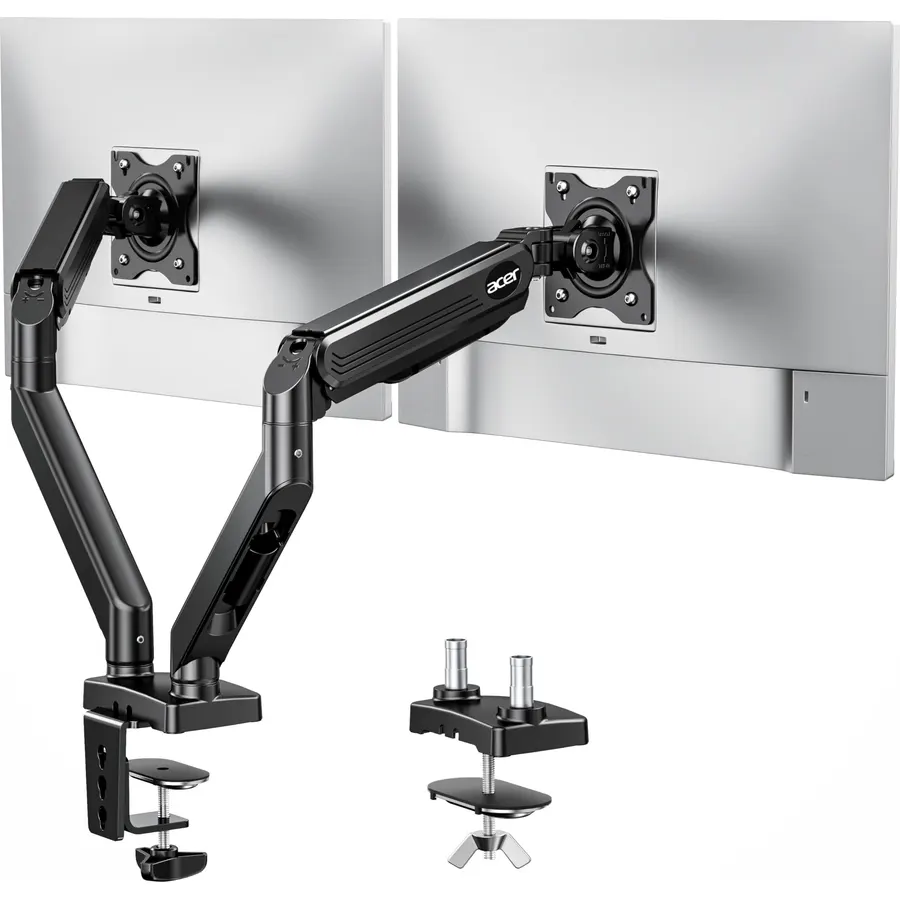
Acer’s dual arm takes the same gas-spring design as our top pick and doubles it. Each arm holds a 17 to 32 inch screen and moves independently, so you can keep one landscape and flip the other to portrait. It mounts with the included C-clamp or through a grommet hole, and the steel core keeps a pair of 27-inch monitors steady. Owners give it 4.5 stars and most reviews mention how much desk space it freed. It is our pick for a two-screen office or coding desk on a normal budget.
- Two independent gas-spring arms for the price of one premium single
- Tilt, swivel and portrait rotation on each screen
- Steel core with an aluminum shell, 3.85 kg
- 300+ owners at 4.5 stars
- 32-inch limit per arm, no ultrawides
- Weight limit is not listed on the product page
- Two 32-inch screens leave little room to swing the arms on a narrow desk
BenQ ErgoArm BDH01 Dual Monitor Arm for 2 Screens Up to 35 Inches and 44 lbs
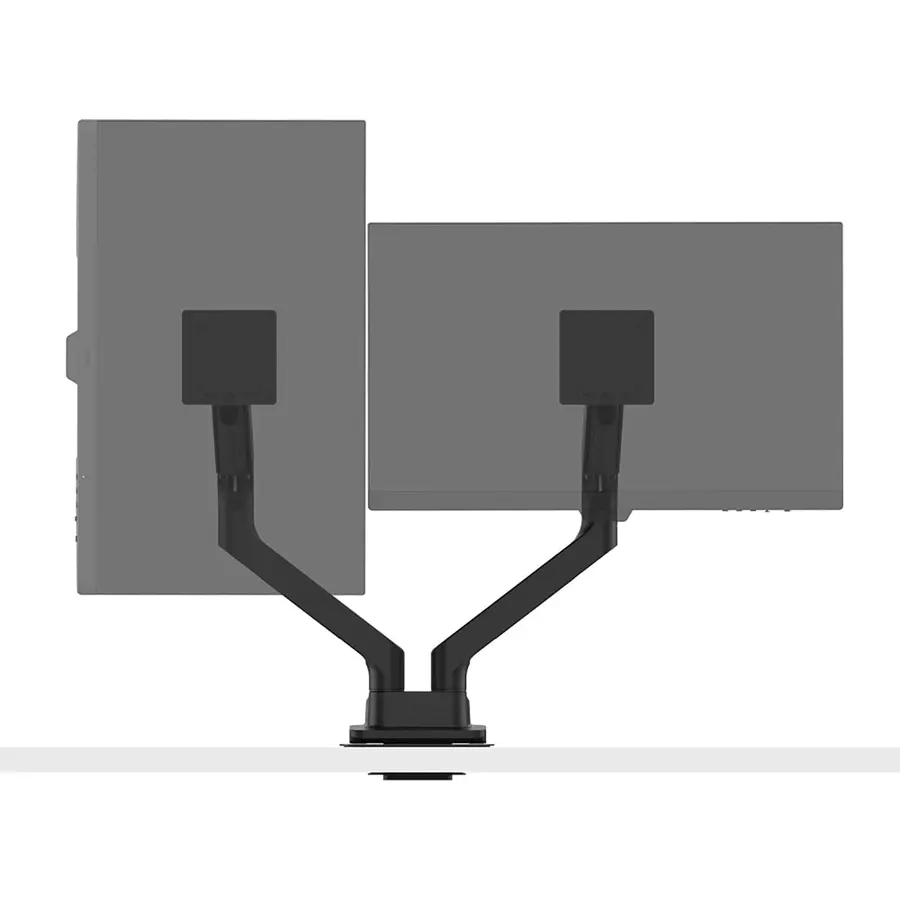
The BDH01 is the arm to buy when the Acer dual cannot carry your screens. Each of its two gas-spring arms is rated for 44 lbs and 35 inches, so a pair of heavy 32-inch 4K monitors or two 34-inch ultrawides is fine. Height, tilt and swivel are adjusted by hand and stay put. It is expensive next to the other picks and the box is heavy, but owners who moved up from a cheaper arm that sagged say it was worth it. Rated 4.5 stars.
- 44 lb limit per arm handles two heavy 32-inch or 34-inch screens
- Smooth gas-spring height adjustment on both arms
- Full rotation for a portrait plus landscape layout
- 4.5 stars from owners
- Costs several times as much as the Acer dual
- Heavy assembly, best done with two people
- Overkill for two light 24-inch office monitors
Compare the picks
| Product | Screens | Max weight | VESA | Owner rating | Our score | |
|---|---|---|---|---|---|---|
| Acer AMS001 singleAcer | 1 x 17-34 in | 19.8 lbs | 75 / 100 | 4.4 / 500+ | 8.8 | See price |
| ASUS ROG Ergo AAS01ASUS | 1 x up to 39 in | 23.35 lbs | 100 only | 4.7 / 160+ | 9.4 | See price |
| MSI MPG MT201R V2msi | 1 x 17-49 in | 44 lbs | 75 / 100 | 4.6 / 120+ | 9.2 | See price |
| Acer AMS002 dualAcer | 2 x 17-32 in | Not listed | 75 / 100 | 4.5 / 300+ | 9.0 | See price |
| BenQ ErgoArm BDH01BenQ | 2 x up to 35 in | 44 lbs each | 100 | 4.5 / 180 | 9.0 | See price |
Check the weight, not just the screen size
Arm makers advertise a screen size, but the spring is rated for weight. Look up your monitor’s weight without the stand on its spec page and pick an arm with a few pounds of headroom. A 27-inch IPS monitor is usually 9 to 13 lbs, a 32-inch 4K panel 13 to 20 lbs, a 34-inch ultrawide 15 to 22 lbs, and a 49-inch super-ultrawide can pass 30 lbs. An arm loaded near its limit slowly drifts down; one loaded below its minimum drifts up, which is why the ASUS lists a 6.6 lb floor.
Clamp or grommet?
A C-clamp grips the back edge of the desk and needs a solid edge and a little clearance behind it. A grommet mount bolts through a cable hole and is the stronger option for heavy dual setups. All five picks include both. Measure the desk first: the Acer single fits 15 to 80 mm, the MSI from 10 mm up. For choosing the screen itself, see our guides to 27-inch 4K monitors and ultrawide monitors.
Will my monitor fit a VESA 75 or 100 arm?
Look at the back of the monitor for four screw holes in a square. Holes 75 mm apart are VESA 75, 100 mm apart are VESA 100. Four of the five picks include both plates; the ASUS ROG Ergo is 100 x 100 only. Some thin monitors and most laptops have no holes and need a separate adapter bracket.
How thick can my desk be?
The Acer single arm clamps to desks from 15 to 80 mm (0.6 to 3.1 in), and the MSI arm from 10 mm up. Standard IKEA and office desks are 25 to 40 mm, so any pick here fits. Very thick butcher-block tops over 80 mm should use the grommet mount instead of the clamp.
Which arms hold a 34-inch or 49-inch ultrawide?
The MSI MPG MT201R V2 (44 lbs, up to 49 inches) is the only single arm here rated for a super-ultrawide. The BenQ ErgoArm BDH01 holds two screens up to 35 inches and 44 lbs each. The Acer single and dual arms top out at 34 and 32 inches and are meant for lighter panels.
Can I return a monitor arm if it sags?
Arms sold by Amazon fall under the standard 30-day return window in the US. Before returning, check the tension screw on the arm joint; most sag complaints are fixed by a few turns with the included key.
Prices and stock change daily. The buttons above open Amazon so you always see the current price. We may earn a commission if you buy through them, at no extra cost to you.
Do Best Deal is a participant in the Amazon Services LLC Associates Program. As an Amazon Associate we earn from qualifying purchases. If you buy through links on this site we may earn a commission, at no extra cost to you. Learn more.