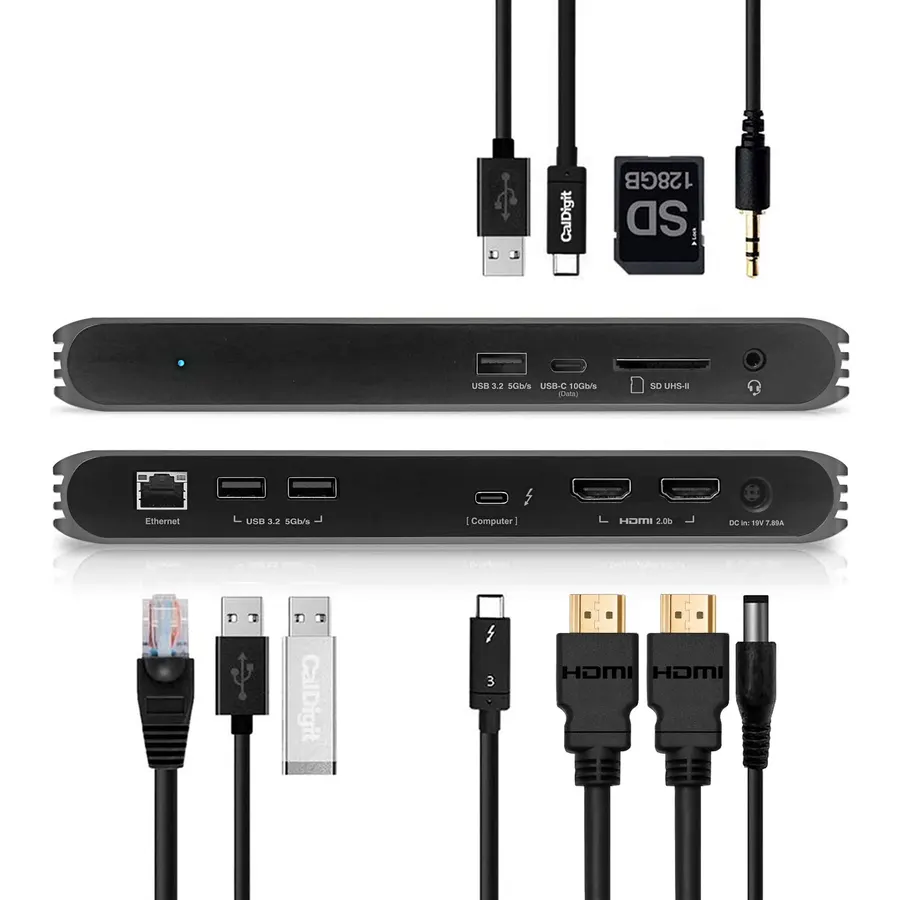
Laptops have fewer ports every year and desks have more things to plug into them, so a USB hub has become the second thing people buy after the laptop. The simplest hub turns one USB-A port into four for a mouse, a keyboard, a flash drive and a printer. A USB-C hub adds HDMI for a monitor, an SD card reader, Ethernet and a power-delivery port, so one cable connects the laptop to the whole desk. We ranked the USB hubs in our accessories catalog by port count and speed, video output and how many monitors it drives, charging pass-through in watts, how it connects, and what tens of thousands of owners report after months on a desk.
We have not benchmarked each hub ourselves; the verdicts rest on the spec sheets and on the owner review history. Prices are not printed because they change daily; every button opens the live Amazon page. If your laptop charges over USB-C and you want a full desk setup, our USB-C docks and hubs for laptops guide goes deeper on docks; for the monitor to plug into one, see USB-C monitors for MacBook.
How we picked
- Ports that are stated, with speeds: USB 3.0 at 5Gbps or 10Gbps, USB 2.0 at 480Mbps, and HDMI or DisplayPort resolution and refresh rate.
- Video that matches a real desk: single 4K 60Hz, dual 4K, or triple display, and we note where macOS mirrors rather than extends.
- Power delivery in watts for the USB-C hubs, so you know whether the laptop charges through the hub.
- One hub per job: a plain USB-A hub, a USB switch for two computers, and USB-C multiport hubs from budget to office-grade.
- Owner ratings of 4.0 stars or better, and most picks have thousands of reviews.
The picks
USB 3.0 Hub, 4 Port USB Hub Splitter,Portable USB Adapter Mini Multiport Expander for Desktop, Laptop, Xbox, Flash Drive, HDD, Console, Printer, PC, Keyboards, HP, Dell
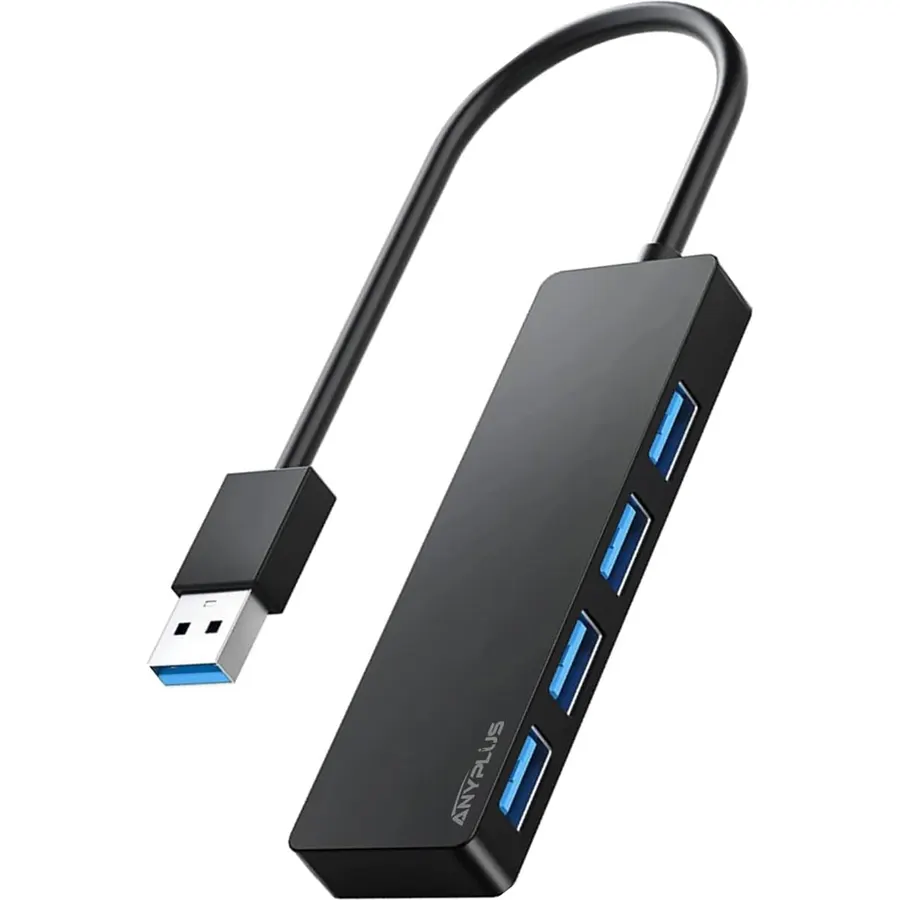
The ANYPLUS 4-port hub is the plain, cheap, correct answer to the oldest USB problem: a PC, a console or a laptop with one spare port and three things to plug in. It takes one USB 3.0 port and gives you four at up to 5Gbps, works without a driver on Windows, macOS, Linux, Chrome OS and consoles, and is small enough to lose in a bag. About 6,400 owners rate it 4.6 stars, with keyboards, mice, flash drives and webcams the usual load. Its limits are the limits of every bus-powered hub: the four ports share 900mA, so it will not usefully charge a phone and some portable hard drives that draw more than that will need their own power; the maker says so plainly on the listing. It also has no USB-C, HDMI or Ethernet. For peripherals on a desktop or an older laptop, it is exactly enough.
- Turns one USB port into four at 5Gbps for very little money
- Plug and play with no driver on any OS or console
- Small enough to live in a laptop bag
- About 6,400 owners at 4.6 stars
- 900mA total: do not expect it to charge a phone or spin up a power-hungry drive
- USB-A only; no USB-C, video or Ethernet
- All four ports share one 5Gbps link
Anker Laptop Docking Station Dual Monitor, 8-in-1 USB C Hub with 4K HDMI
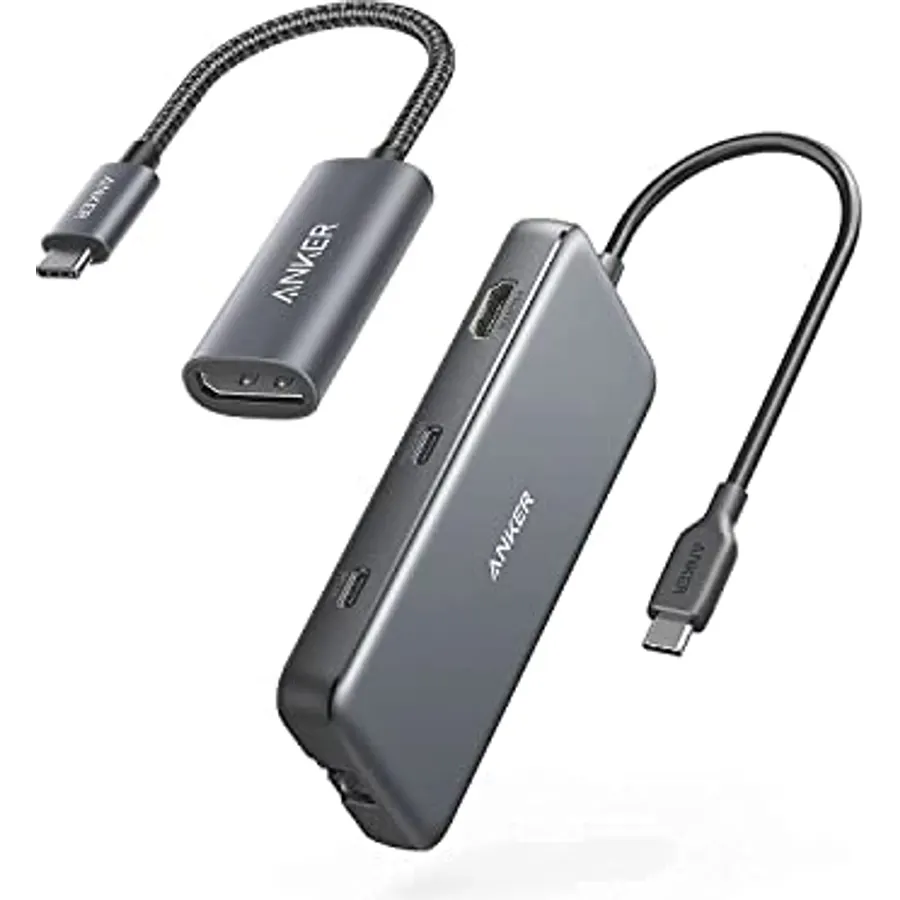
The Anker 8-in-1 is the USB-C hub more people have bought and kept than any other on this page, with about 35,000 reviews at 4.5 stars. One USB-C plug gives a laptop two HDMI ports, two USB-A data ports, gigabit Ethernet, SD and microSD card readers, and a USB-C power-in that passes up to 85 watts through to the laptop from your own 100-watt charger. A single monitor runs at 4K 60Hz; two monitors drop to 4K 30Hz each, and on a Mac they show the same picture, because macOS cannot extend across two displays over a single USB-C hub without special drivers. It works with USB-C, USB4 and Thunderbolt laptops that support DisplayPort Alt Mode on Windows, ChromeOS and macOS, but Anker does not support Linux. Two USB-A ports is tight for a full desk, so pair it with the 4-port hub above if you have a lot of peripherals.
- Dual HDMI, Ethernet and card readers from one USB-C port
- 85W pass-through so the laptop charges through the hub
- More than 35,000 owners at 4.5 stars, the deepest history here
- Anker 18-month warranty and support
- Dual monitors drop to 4K 30Hz, and macOS mirrors them
- Only two USB-A ports
- Charger and C-to-C cable are not included
USB C Docking Station Dual Monitor Laptop Docking Station 2 HDMI 4K DP 8K
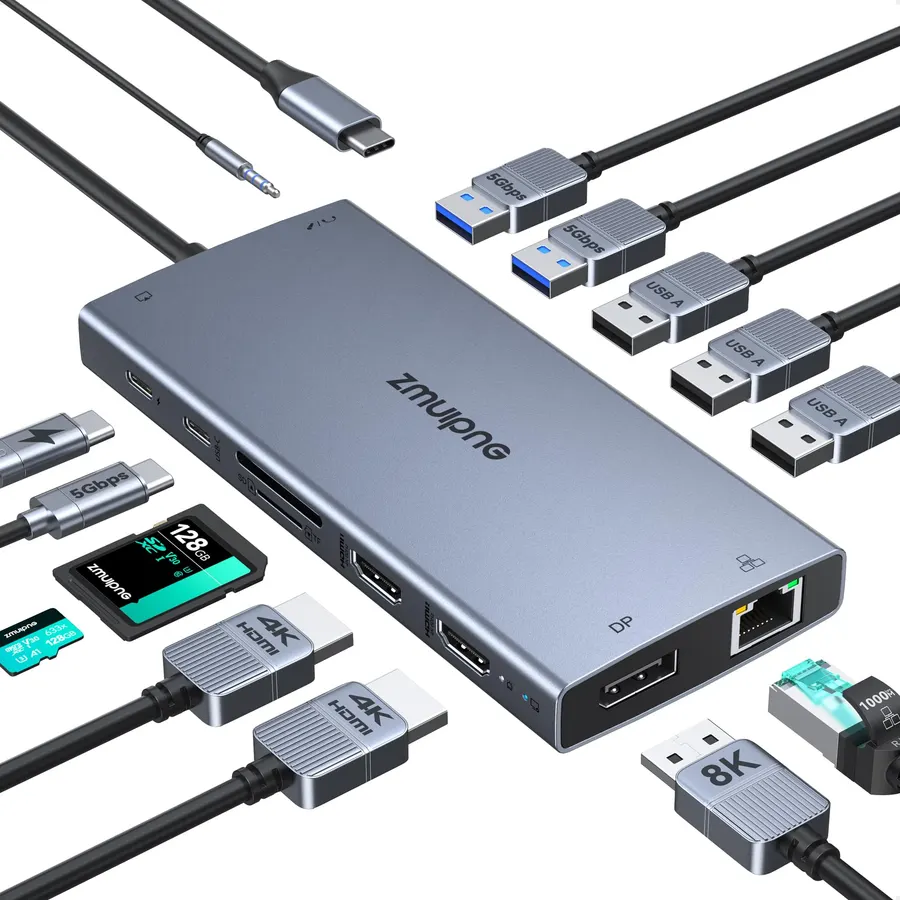
This 15-in-1 dock is the one to buy when the laptop has to drive the whole desk: two HDMI ports and a DisplayPort give a Windows laptop three external monitors, with HDMI up to 4K 60Hz on a single screen and DisplayPort up to 8K 30Hz, and resolution shared out when all three are lit. Around them sit three USB 3.0 ports, two USB 2.0, a USB-C data port, gigabit Ethernet, SD and microSD readers, a 3.5mm headset jack and a 100-watt USB-C power input. A button blanks all the screens for privacy, and two indicator lights confirm the laptop is compatible and the dock is working, which saves a lot of guessing. It needs a Thunderbolt 3 or 4 port or a full-featured USB-C port, and Mac users get one extended display rather than three. About 9,700 owners rate it 4.4 stars; it is the most capable hub here for the money.
- Two HDMI and one DisplayPort for a triple-monitor Windows desk
- Six USB data ports plus Ethernet, card readers and audio
- 100W power delivery
- About 9,700 owners at 4.4 stars
- Triple display is Windows only; macOS shows one extended image
- Resolution drops when three screens are connected
- Needs a 100W charger that is not included
UGREEN USB Switch Selector 2 Computers Sharing 4 USB Devices USB 2.0 Peripheral Switcher Box Hub for Mouse Keyboard Scanner Printer PCs with One-Button Swapping and 2 Pack USB A to A Cable
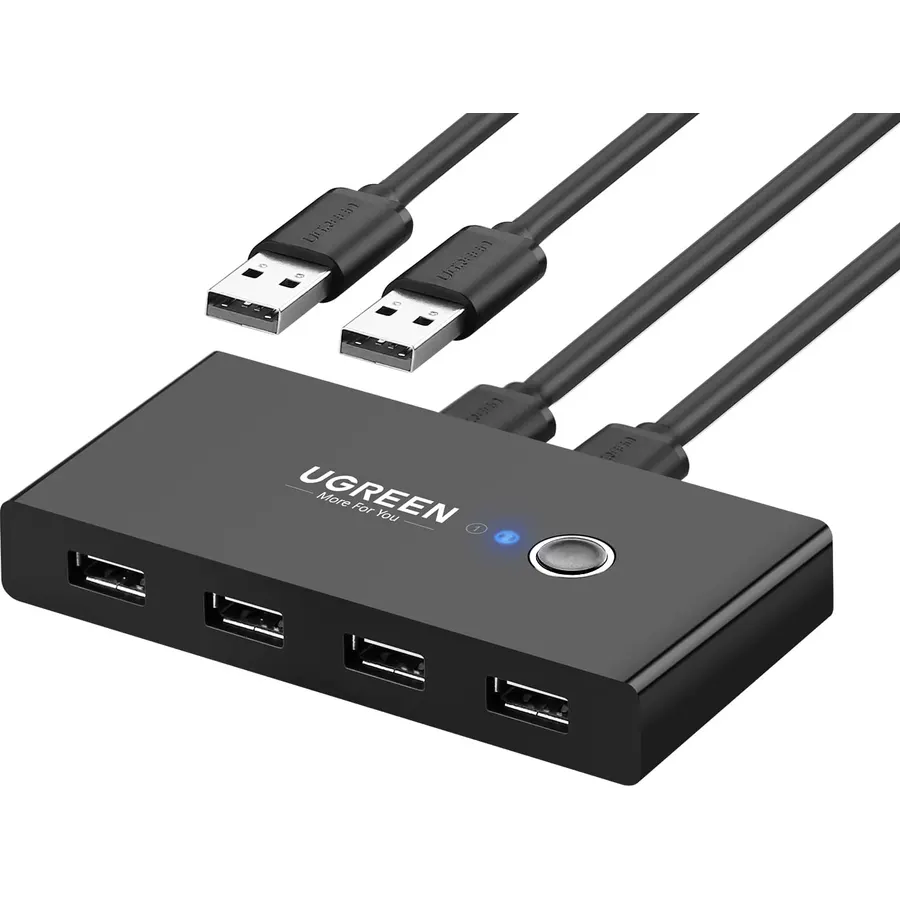
The UGREEN switch solves a different problem from the rest of the page: two computers, one keyboard, one mouse and one printer. Plug the four peripherals into the box, run the two included USB cables to a work laptop and a home desktop, and a single button moves all four devices from one computer to the other, with an LED showing which is live. It is driver-free on Windows, macOS, Linux and Chrome OS and about 10,600 owners rate it 4.4 stars, almost all of them running a work-from-home desk. It is a USB 2.0 device, fine for input devices and printers and slow for drives, it does not switch a monitor (use a monitor with two inputs and swap the source), and powering a webcam or a hard drive through it wants the optional micro USB power adapter. For a shared desk it removes the daily cable shuffle.
- One button moves your keyboard, mouse and printer between a work laptop and a home PC
- Driver-free on every OS, two cables included
- LED shows which computer is active
- About 10,600 owners at 4.4 stars
- USB 2.0 only, slow for external drives
- Does not switch monitors; pair it with a monitor that has two inputs
- Optional power adapter is needed for hard drives and webcams
Acer USB-C Docking Station Dual Monitor, 9-in-1 Laptop Dock with 2 HDMI
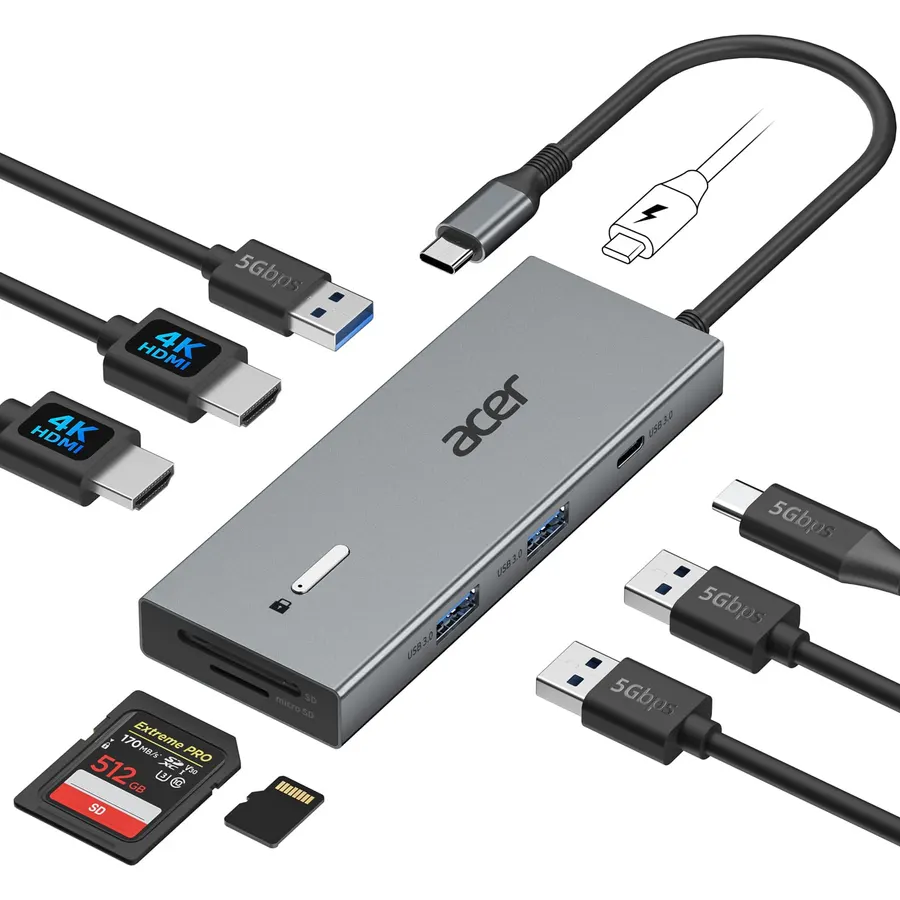
The Acer 9-in-1 is the budget route to two external monitors: both HDMI ports run at 4K 60Hz on a Windows laptop with a full-featured USB-C port, and it adds three USB-A ports and a USB-C data port at 5Gbps, SD and microSD readers and a 100-watt power input that sends up to 90 watts on to the laptop. The aluminium body has a short built-in cable and a lock button that blanks the screens and locks Windows with a tap or a Mac with a three-second hold. The compromise is the same one every single-cable USB-C hub has on a Mac: both monitors show the same picture, because macOS cannot extend across two displays without DisplayLink drivers, which this dock does not use. Its 4.1 stars from about 2,500 owners trail the Anker, mostly from Mac buyers who expected two separate screens. On Windows, it is a lot of dock for the money.
- Two HDMI ports at 4K 60Hz each on Windows
- Three USB-A ports and a USB-C data port, all 5Gbps
- 90W to the laptop from a 100W charger
- Lock button blanks and locks the PC with one press
- macOS shows the same image on both monitors
- Lowest rating of the USB-C hubs here at 4.1 stars
- Charger not included
Dell Pro Laptop Docking Station WD25, USB-C, 100W, DisplayPort, HDMI
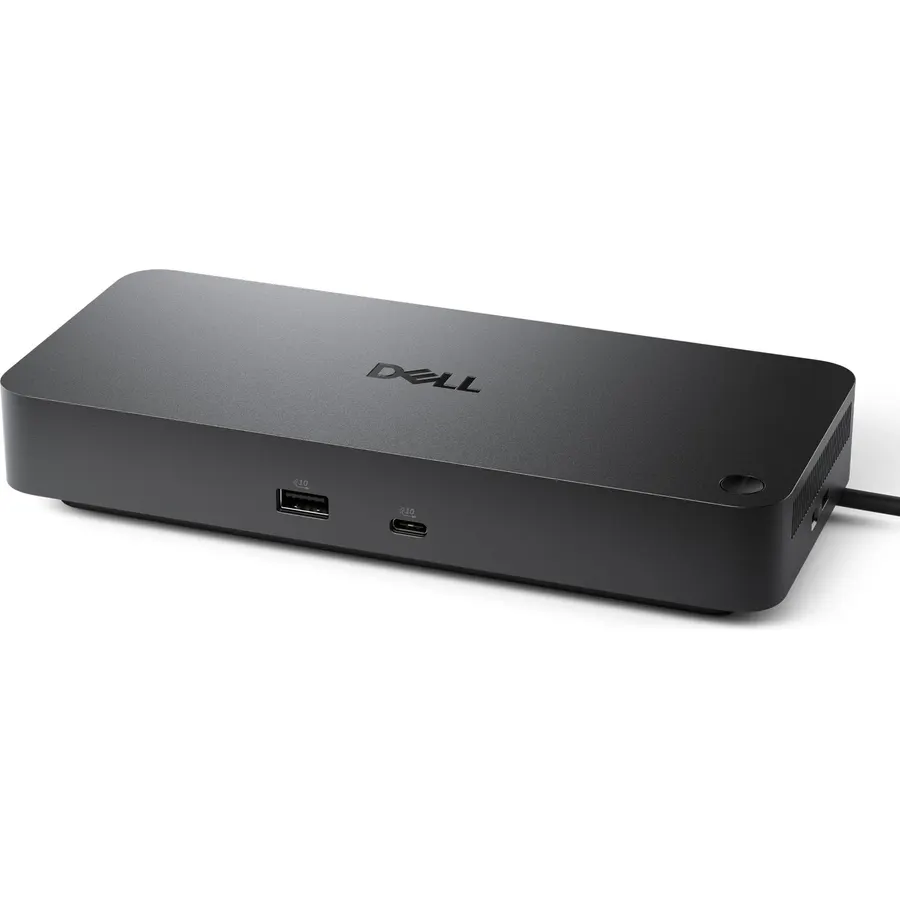
The Dell Pro WD25 is the dock for an office desk or a home office that answers to an IT department. It connects over a reinforced USB-C cable that can be routed to the left or right of the laptop, delivers up to 100 watts to Dell and non-Dell machines, and supports up to four displays over DisplayPort and HDMI on laptops that can drive them. It joins Dell’s device management console, so the same console that manages the laptops can update and monitor the dock, and Dell builds it from at least 65 percent recycled materials with a standby power draw cut by up to 72 percent. About 320 owners rate it 4.5 stars, with reliability and the quality of the connector the themes. It costs more than any consumer hub here and the four-display claim depends on the laptop, but for a shared or managed desk it is the one that will still be supported in five years.
- Corporate-grade dock with 100W charging and up to four displays
- IT can manage it centrally alongside Dell laptops
- Robust USB-C connector and a cable that routes either way
- About 320 owners at 4.5 stars
- Priced well above the consumer hubs
- Full four-display support depends on the laptop
- Fewest reviews on the page
Acer Docking Station 3 Monitors with 3 HDMI, 13-in-1 USB C Hub for Laptop
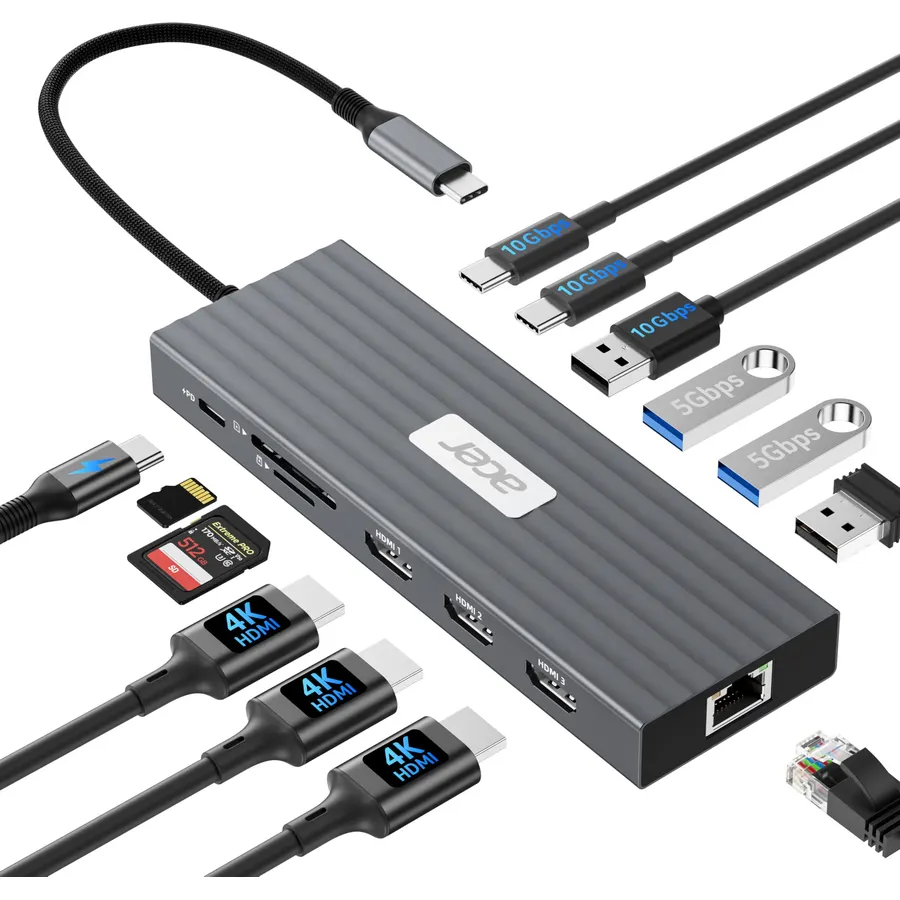
The Acer 13-in-1 is for the desk that already has three HDMI monitors and wants no adapters: three HDMI ports at 4K 60Hz on one or two screens, with resolution shared out when all three run, plus two USB-C and one USB-A port at 10Gbps for fast external SSDs, three more USB-A ports, gigabit Ethernet, SD and microSD readers and a 100-watt power input that sends 85 watts to the laptop. It is the most port-dense hub on the page. The usual single-cable caveats apply with more force here: three displays only work as separate screens on Windows, and resolution drops when all three are connected. It sits at 4.0 stars from about 400 owners, the lowest score among the picks, with Mac buyers and heat under full load the main complaints. For a Windows laptop driving three HDMI screens from one cable, it is the only option here.
- Three HDMI ports: no DisplayPort adapter needed for a third monitor
- Three 10Gbps data ports for fast external SSDs
- Gigabit Ethernet and 85W to the laptop
- Thirteen ports in one aluminium box
- 4.0 stars from about 400 owners, the lowest here
- Triple display reduces resolution; macOS cannot extend to three
- Needs a 100W charger that is not in the box
Compare the picks
| Product | Ports | Video | Power delivery | Connects by | Owner rating | Our score | |
|---|---|---|---|---|---|---|---|
| ANYPLUS 4-port USB 3.0ANYPLUS | 4 x USB-A 5Gbps | None | None (900mA bus power) | USB-A | 4.6 (6,400+) | 9.2 | See price |
| Anker 8-in-1Anker | 2 USB-A, 2 HDMI, Ethernet, SD, microSD, PD-in | Single 4K 60Hz or dual 4K 30Hz | 85W | USB-C | 4.5 (35,000+) | 9.0 | See price |
| 15-in-1 dual HDMI + DPZMUIPNG | 6 USB, 2 HDMI, DP, Ethernet, SD, audio | Triple on Windows; 4K 60Hz single | 100W | USB-C or Thunderbolt | 4.4 (9,700+) | 8.8 | See price |
| UGREEN USB switchUGREEN | 4 USB 2.0 shared by 2 PCs | None | Optional adapter | 2 x USB-B to A | 4.4 (10,600+) | 8.8 | See price |
| Acer 9-in-1Acer | 3 USB-A, 1 USB-C, 2 HDMI, SD, microSD | Dual 4K 60Hz on Windows | 90W | USB-C | 4.1 (2,500+) | 8.2 | See price |
| Dell Pro WD25Dell | DisplayPort, HDMI, USB, managed | Up to 4 displays (laptop dependent) | 100W | USB-C | 4.5 (320+) | 8.9 | See price |
| Acer 13-in-1Acer | 3 HDMI, 2 USB-C 10Gbps, 4 USB-A, Ethernet, SD | Triple HDMI on Windows | 85W | USB-C | 4.0 (400+) | 8.1 | See price |
USB-A hub or USB-C hub?
If you only need more places to plug in a mouse, a keyboard, a drive or a printer, a USB-A hub like the ANYPLUS is cheap, universal and needs no explanation; it works on a desktop, a console and any laptop with a USB-A port. A USB-C hub is a different animal: it uses the DisplayPort Alt Mode and Power Delivery features of a modern laptop’s USB-C port to add monitors, Ethernet and charging as well as USB ports. That only works if the laptop’s USB-C port supports video and charging, which MacBooks, Surfaces, ThinkPads and most business laptops do and many budget laptops do not. Check the port before buying anything from the Anker downward.
Monitors, Windows and macOS
Every USB-C hub here can drive one external monitor at 4K 60Hz. Two or three monitors is where the fine print lives: Windows laptops with a full-featured USB-C or Thunderbolt port can extend across two (Anker, Acer 9-in-1) or three (15-in-1 dock, Acer 13-in-1) screens, with the Anker dropping to 4K 30Hz and the triple-display docks sharing resolution. macOS cannot extend to more than one display over a single USB-C hub without DisplayLink drivers, which none of these use, so a Mac shows the same image on both HDMI ports. The Dell WD25 supports up to four displays on compatible laptops. If you want a true multi-monitor Mac setup, our USB-C docks and hubs for laptops guide covers Thunderbolt docks.
Power delivery and heat
The watt figure on a USB-C hub is how much of your charger’s output reaches the laptop after the hub takes its share: 85 watts on the Anker and Acer 13-in-1, 90 on the Acer 9-in-1, 100 on the 15-in-1 dock and the Dell. None of the consumer hubs include the charger, so you need a 100-watt USB-C brick and a C-to-C cable; see our USB-C laptop chargers guide. A hub running two monitors, Ethernet and 85 watts of charging gets warm, which is normal, but give it air rather than burying it under papers. The plain 4-port hub and the UGREEN switch draw bus power and never get hot, but also never charge anything.
Why does my USB-C hub show nothing on the monitor?
Usually the laptop USB-C port lacks DisplayPort Alt Mode, which is common on budget laptops and tablets. Look for a DisplayPort or Thunderbolt symbol next to the port or check the specifications. The 15-in-1 dock has indicator lights that tell you whether the connected laptop is compatible.
Can a USB-C hub run two different screens on a MacBook?
Not with the single-cable hubs here. macOS mirrors the two HDMI outputs on the Anker and Acer hubs. For two extended displays on a Mac you need a Thunderbolt dock or a DisplayLink dock, which are covered in our USB-C docks guide.
Will a USB hub charge my phone?
A bus-powered USB-A hub like the ANYPLUS supplies about 900mA total, which charges a phone very slowly if at all. The USB-C hubs pass power to the laptop, not out of the USB-A ports at charging rates. Use a wall charger for phones.
Do I need a powered USB hub?
For keyboards, mice, flash drives and webcams, no. For portable hard drives that draw more than 900mA, multiple webcams, or peripherals on the UGREEN switch, a powered hub or the optional power adapter keeps them stable.
What is the difference between a USB hub and a docking station?
A hub adds ports; a docking station adds ports, video outputs, Ethernet and charging so one cable connects the laptop to a whole desk. The Anker, Acer and 15-in-1 picks are hubs sold as docks; the Dell WD25 is a managed office dock. The ANYPLUS and UGREEN are plain hubs and switches.
Prices and stock change daily. The buttons above open Amazon so you always see the current price. We may earn a commission if you buy through them, at no extra cost to you.
Do Best Deal is a participant in the Amazon Services LLC Associates Program. As an Amazon Associate we earn from qualifying purchases. If you buy through links on this site we may earn a commission, at no extra cost to you. Learn more.