
Thirty-two inches is where a curve starts to make sense. On a flat panel this size the corners sit noticeably further from your eyes than the middle; a 1500R or 1000R curve pulls them back in, so a spreadsheet stays legible edge to edge and a racing game fills your peripheral vision. The 32-inch curved monitors in our monitors catalog span basic 100Hz office screens to 240Hz 1440p gaming panels, and most of them are VA, which is the panel type that curves well and gives deep contrast. We ranked them by resolution, refresh rate, contrast and brightness, ports and stand, and what thousands of owners report after months of use.
We have not measured every panel ourselves; the verdicts rest on the spec sheets and on the owner review history. Prices are not printed because they change daily; every button opens the live Amazon page. If you are not set on a curve, our 32-inch monitors guide covers flat panels, and the curved gaming monitors guide ranks curves across every size.
How we picked
- 31.5 to 32 inches with a real curve, 1000R to 1800R, stated by the maker.
- 1080p or 1440p. At 32 inches, 1440p is the resolution we recommend; the 1080p picks are marked as budget choices.
- At least 100Hz, with the gaming picks at 165Hz to 240Hz and a stated 1ms response.
- Contrast and brightness quoted where the maker gives them, since VA panels vary.
- Owner ratings of 4.4 stars or better, and most picks have more than 1,000 reviews.
The picks
KOORUI 32 Inch Curved Gaming Monitor, QHD 2560x1440p 170Hz 1ms 1500R
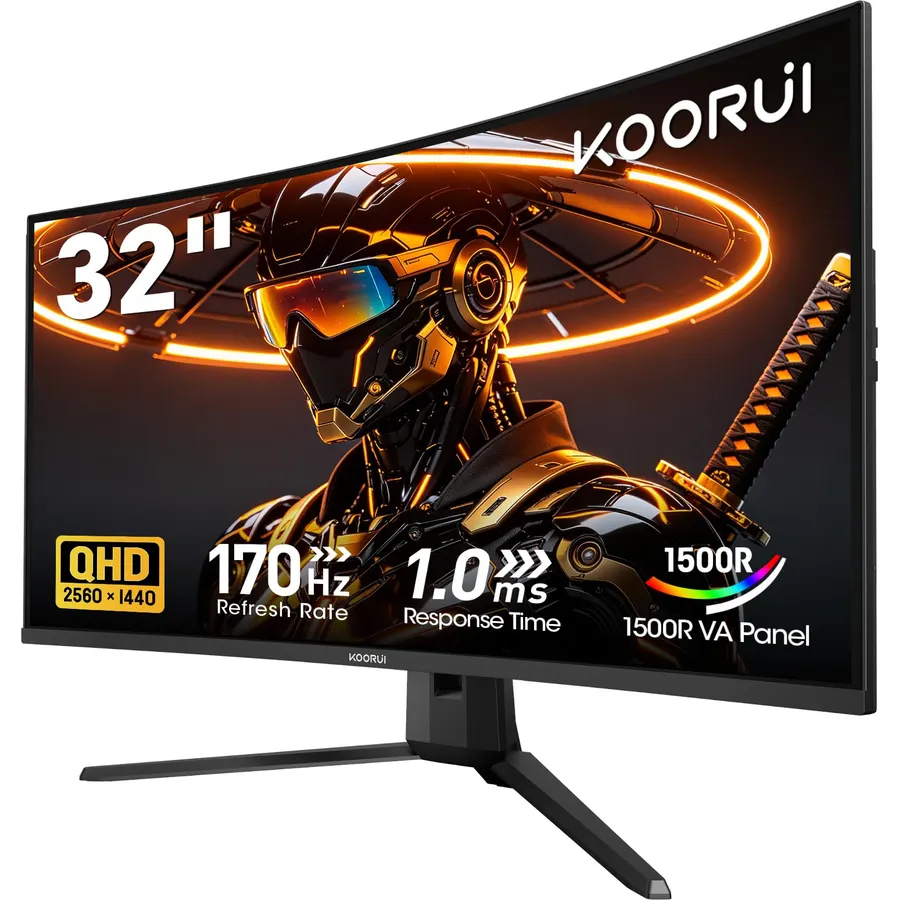
The KOORUI 32-inch QHD is the pick most people should make: 1440p on a 32-inch 1500R VA panel, 170Hz over DisplayPort with a 1ms response and Adaptive Sync, a 3000:1 contrast ratio with HDR10 and 95 percent DCI-P3 coverage, and a price that undercuts most 1080p curved monitors. The HDMI 2.0 port runs 1440p at 144Hz, which is plenty for a console or a second PC, and the DisplayPort 1.2 reaches the full 170Hz. It has flicker-free and low blue light modes, a tilt stand and a VESA mount, but no speakers. More than 6,400 owners rate it 4.5 stars, praising the sharpness and contrast for the money; the tilt-only stand is the common wish. It is the best value on the page by a distance.
- 6,400 owners at 4.5 stars, the most-reviewed 32-inch curve here
- 1440p at 170Hz for the price of a 1080p panel
- 3000:1 contrast and 95% DCI-P3
- DisplayPort cable included
- Tilt-only stand
- HDMI caps at 144Hz at 1440p
- No speakers
ASUS TUF Gaming VG32VQ1B 32 Inch 1440p 165Hz HDR Curved Gaming Monitor
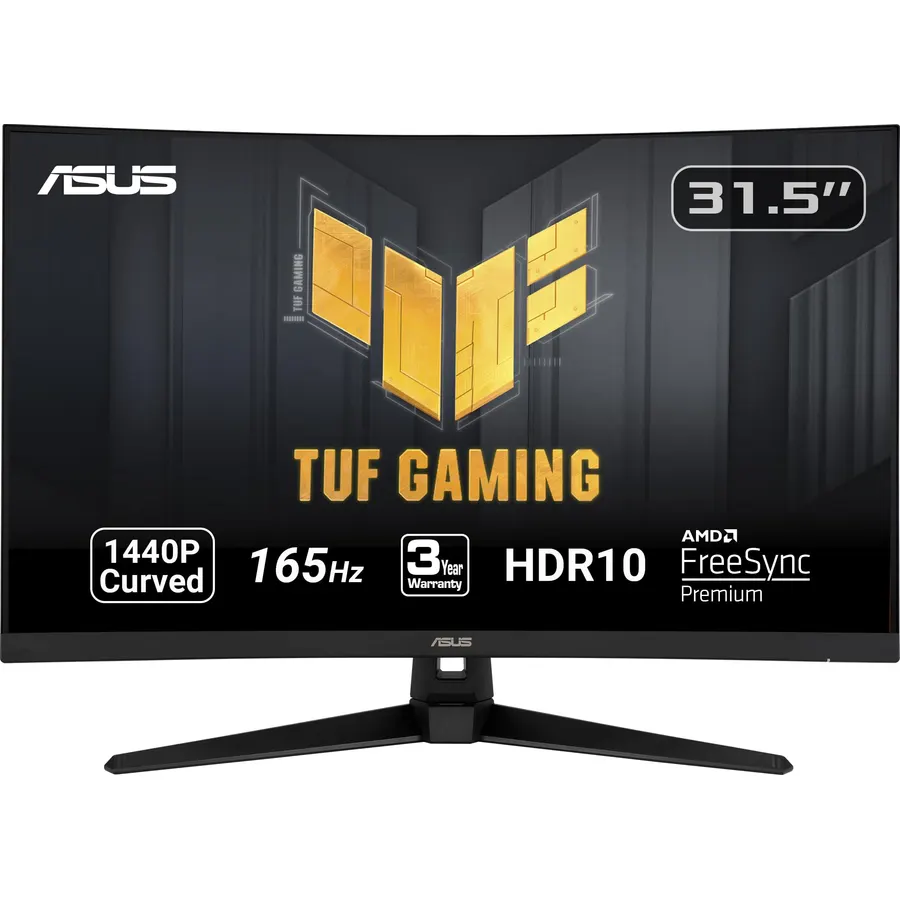
The ASUS TUF VG32VQ1B is the brand-name alternative to the KOORUI: a 31.5-inch 1500R WQHD panel at 165Hz with ASUS’s Extreme Low Motion Blur giving a 1ms MPRT response, FreeSync Premium that works over both DisplayPort and HDMI, and Shadow Boost, which brightens dark corners without blowing out the rest of the scene. It supports HDR-10, has built-in speakers and is VESA mountable. It asks more than the KOORUI for broadly the same panel size and resolution, and the stand only tilts. Its 3,600 owners rate it 4.5 stars, the same as the KOORUI, and cite the smooth motion, the speakers and ASUS’s warranty service as the reasons to pay the difference. If you want a 1440p curve with a familiar badge, this is it.
- 3,600 owners at 4.5 stars
- ELMB blur reduction with Adaptive-Sync
- Shadow Boost lifts dark areas without washing out
- Built-in speakers and ASUS support
- Costs more than the KOORUI for a similar panel
- Tilt-only stand
- HDR-10 support, not a certified HDR tier
KTC 32 inch 240Hz Curved Gaming Monitor, 2K 1440P Computer Monitor,H32S25E
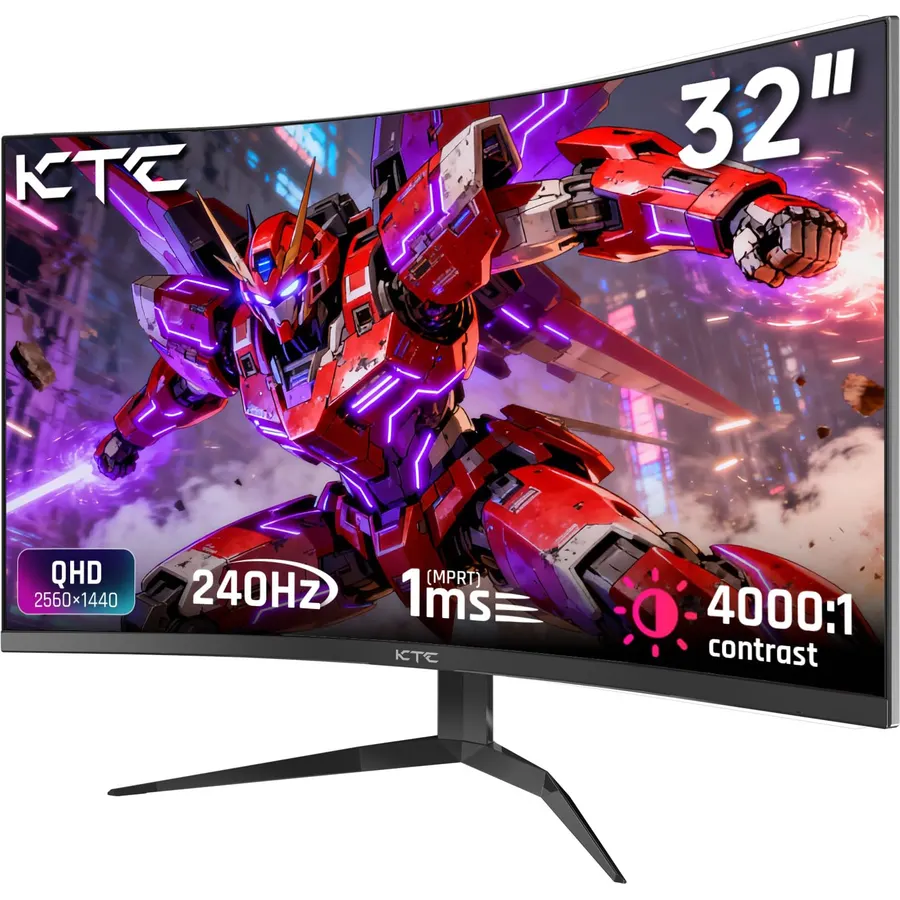
The KTC H32S25E is the 240Hz pick for players who want 1440p sharpness and a curve that actually surrounds them: at 1000R the panel is tighter than the 1500R KOORUI and ASUS, which fills your peripheral vision in racing and flight games. It runs 240Hz over DisplayPort 1.4 with a 1ms MPRT response, supports both FreeSync and G-Sync compatible modes, and quotes a 122 percent sRGB gamut with HDR. The edge-to-edge frameless bezel suits a multi-monitor desk, and there is an anti-blue-light mode. KTC does not quote brightness and there are no speakers. About 2,400 owners rate it 4.5 stars, citing the smoothness at 240Hz for the price; the few complaints concern the aggressive curve for straight-line work.
- 240Hz at 1440p with 2,400 owners at 4.5 stars
- Tighter 1000R curve wraps a 32-inch panel properly
- FreeSync and G-Sync compatible
- Frameless bezel for a dual setup
- 1000R is too much curve for design work
- No speakers
- Brightness is not quoted
KTC 32 inch 240Hz Curved Gaming Monitor, 1080P Curved Monitor 1ms, H32S17F
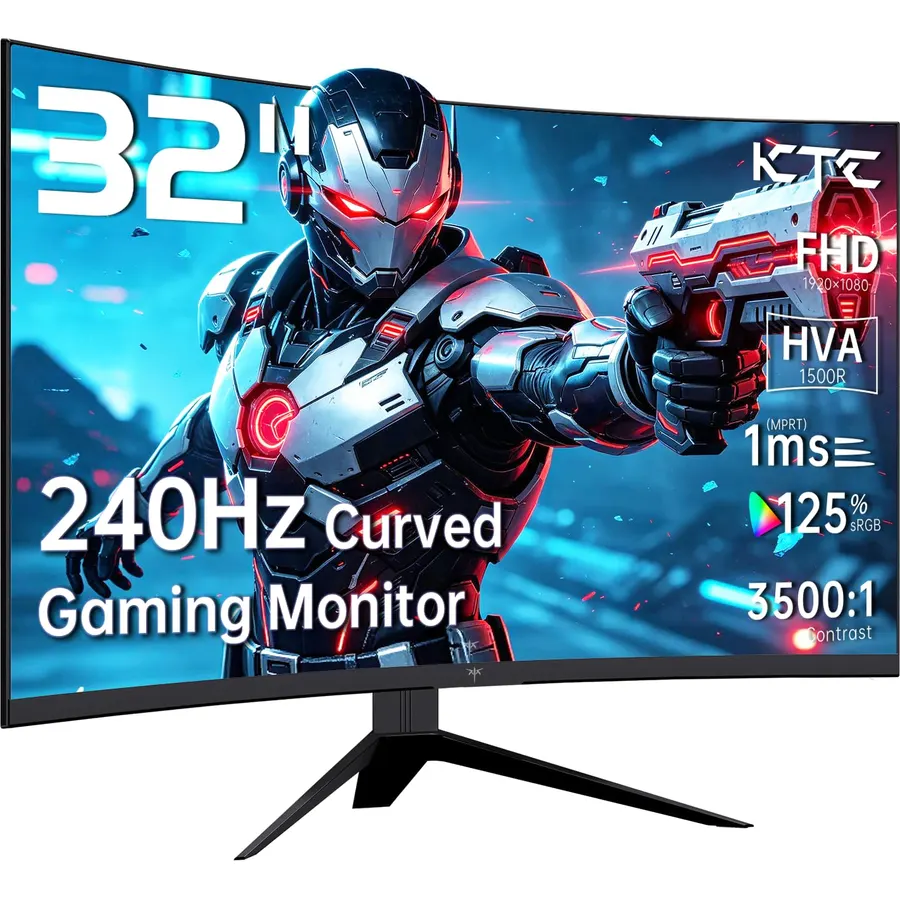
The KTC H32S17F is the 1080p version of the H32S25E and the cheapest 240Hz monitor on this page. The trade is resolution: 1920 x 1080 spread over 32 inches is about 69 pixels per inch, which looks soft for documents and small text at desk distance, but is easy for a budget graphics card to push at 240 frames per second, which is the point. It has a 1ms response, a 125 percent sRGB gamut, two HDMI 2.0 ports and a DisplayPort 1.4, anti-glare and anti-flicker modes and a tilt stand with VESA holes. Its 2,400 owners rate it 4.5 stars, mostly budget gamers who sit a little further back. If the monitor is for games and films rather than spreadsheets, it is a lot of screen for the money.
- 240Hz for the price of a 100Hz office monitor
- 2,400 owners at 4.5 stars
- Two HDMI 2.0 ports plus DisplayPort 1.4
- Easy to drive at 1080p with a budget graphics card
- 1080p on 32 inches is soft for text
- No speakers
- Curve radius is not quoted on the listing
Samsung 32 Inch Odyssey QHD G65B Curved Gaming Monitor, 240Hz, 1ms (GTG), HDR 600, Gaming Hub, 1000R, AMD FreeSync Premium Pro, LS32BG652ENXGO
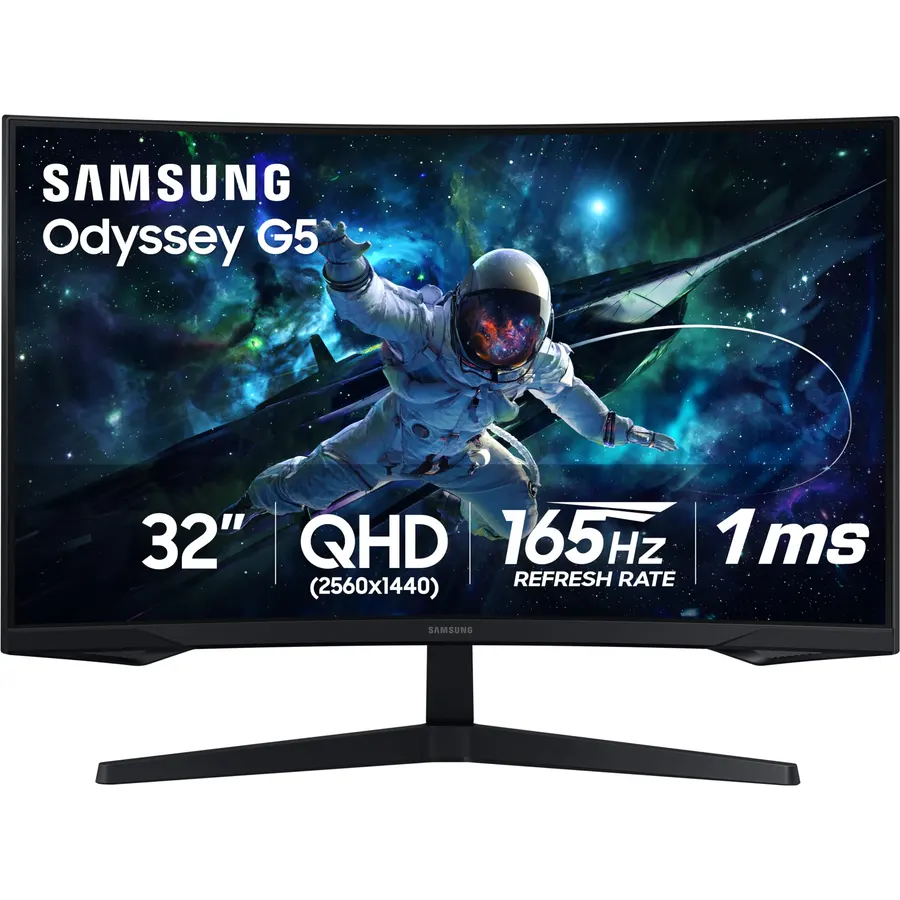
The Samsung Odyssey G65B is the premium version of the 32-inch 1440p 240Hz curve: the same 1000R radius and refresh rate as the KTC H32S25E, but with VESA DisplayHDR 600 certification, a 1ms grey-to-grey response, AMD FreeSync Premium Pro, and Samsung’s Gaming Hub, which streams Xbox Cloud and GeForce Now from the monitor itself with no PC attached. An Ultrawide Game View letterboxes to 21:9. It costs substantially more than the KTC, and its 4.4-star average from 2,100 owners includes grumbles about the smart-TV style menus and firmware updates that a plain monitor never asks for. For HDR that is genuinely brighter and a streaming box built in, it earns the premium; for pure refresh rate per dollar, the KTC wins.
- DisplayHDR 600 is the only certified HDR tier here
- 240Hz at 1440p with 1ms GtG
- Gaming Hub streams Xbox and GeForce Now without a PC
- 2,100 owners at 4.4 stars
- Costs well above the KTC for the same refresh and resolution
- 4.4 stars: owners mention firmware and smart-TV style menus
- 1000R curve divides opinion for work
KTC 32 Inch Curved Gaming Monitor, FHD 1080P 165Hz 1500R Monitor, H32S17C
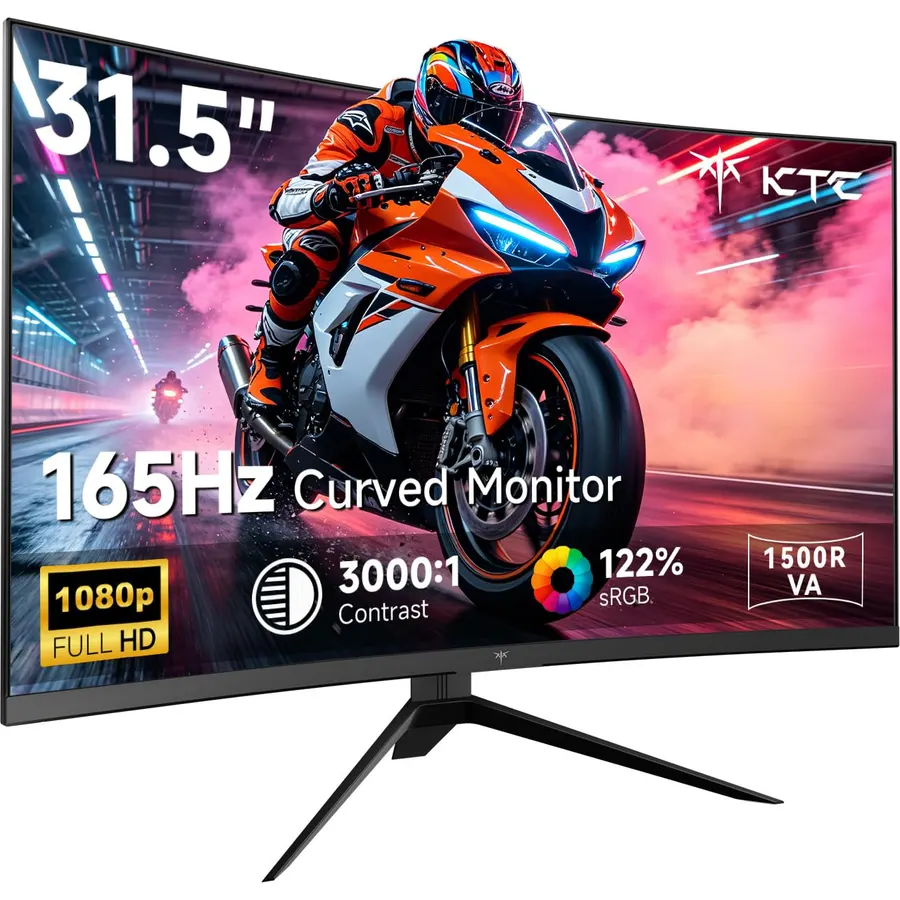
The KTC H32S17C is the 165Hz, 1500R, 1080p member of the KTC family and the brightest budget panel on this page at 350 nits, with a 3000:1 VA contrast ratio and a 122 percent sRGB gamut that make films and dark games look rich. It supports FreeSync and G-Sync, has two HDMI 2.0 ports, a DisplayPort 1.4 and an earphone jack, and tilts on a VESA-ready stand. Like every 1080p 32-inch monitor it is soft for small text, and it has no speakers. Its 1,900 owners rate it 4.4 stars, a touch below the 240Hz H32S17F, which often costs only a little more; buy this one when it is on offer or when 165Hz is all your graphics card can use anyway.
- 350 nits, the brightest budget panel here
- 3000:1 VA contrast and 122% sRGB
- 1,900 owners at 4.4 stars
- Two HDMI 2.0 ports and DisplayPort 1.4
- 1080p on 32 inches
- No speakers
- Slower than its 240Hz sibling for little saving
LG 32MR50C-B Curved Monitor 32-Inch FHD 100Hz AMD FreeSync OnScreen Control Dynamic Action Sync Black Stabilizer Tilt Stand (HDMI) - Black
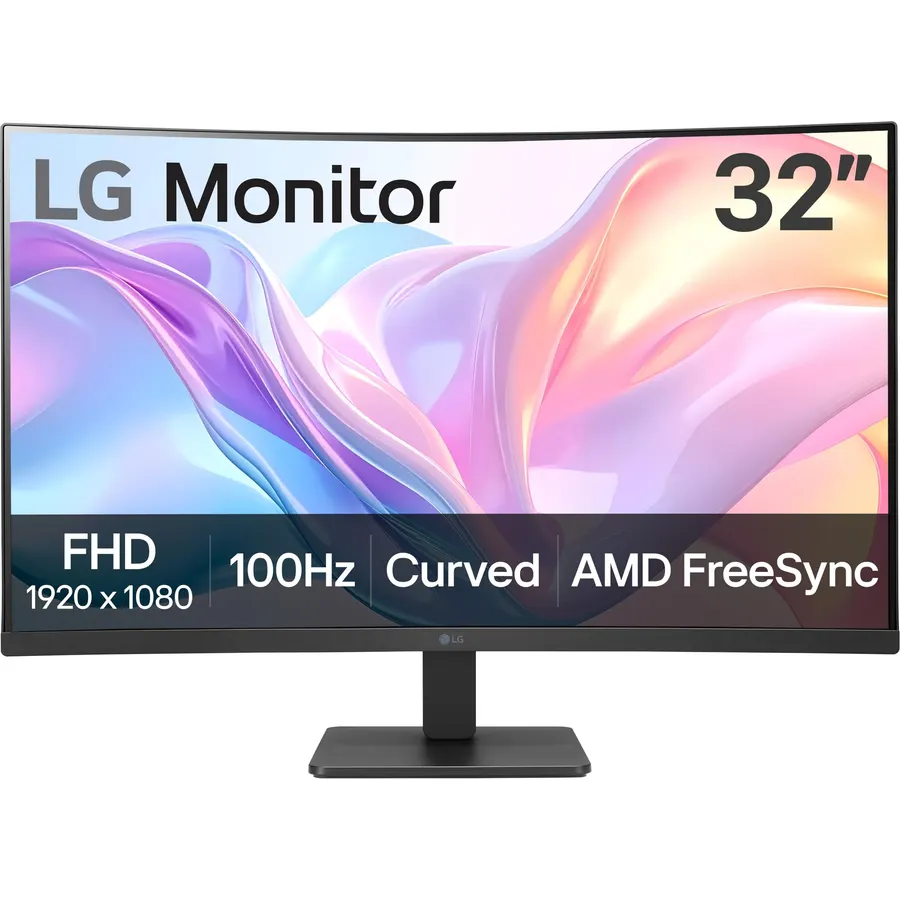
The LG 32MR50C-B is the curved monitor for a home office that also watches a lot of video: a 32-inch 1080p VA panel at 100Hz with AMD FreeSync, LG’s Reader Mode to cut blue light for long documents, OnScreen Control for splitting the display into zones, and Black Stabilizer and Dynamic Action Sync for the odd evening game. The three-side borderless frame and a tilt stand keep the desk tidy. It is HDMI only and 1080p, so it is not for esports or fine text, but for Zoom calls, spreadsheets in large fonts and Netflix it is the most pleasant budget screen here, and its 1,100 owners rate it 4.5 stars, often citing LG’s quality control as the reason they chose it over a cheaper brand.
- LG build and support at a budget price
- 1,100 owners at 4.5 stars
- Reader Mode and OnScreen Control split-screen for work
- 100Hz is enough for streaming and casual games
- 1080p on 32 inches
- HDMI only on this model
- 100Hz is slow for serious gaming
Samsung 32 Inch S3 Series FHD 1800R Curved Monitor, Game Mode, 100Hz, Multiple Connectivity, Eye Saver Mode, Built-in Speakers, Black, with HDMI Cable
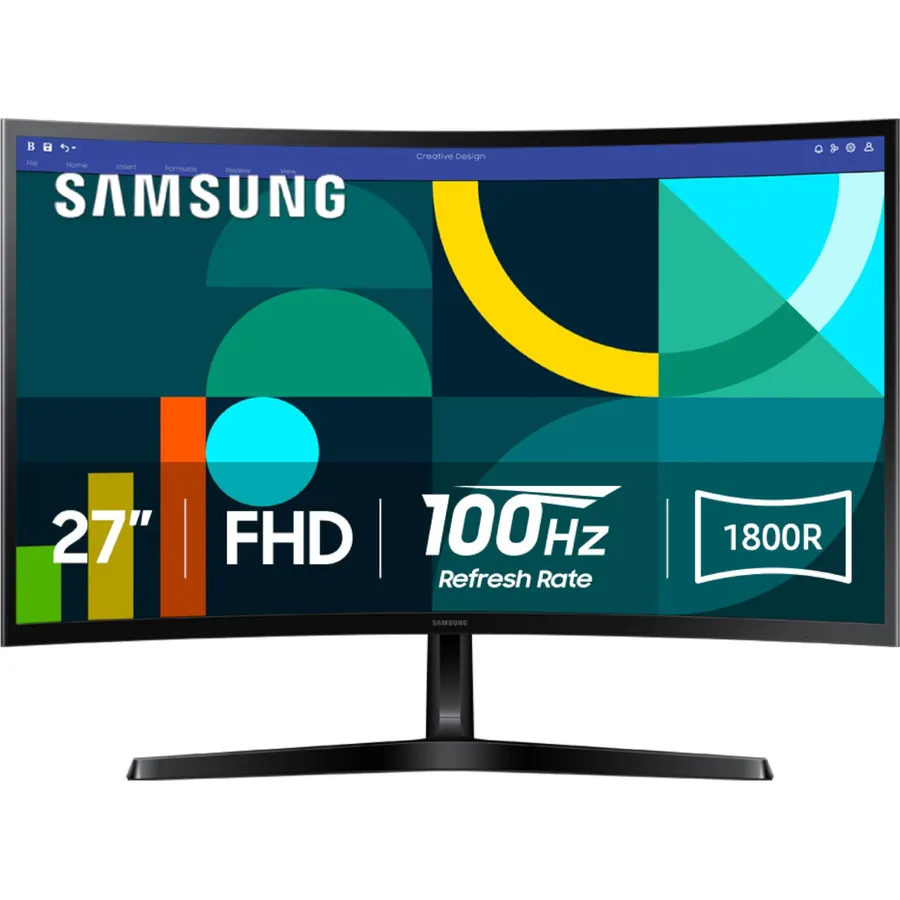
The Samsung S3 is the 32-inch curved monitor to buy if you want speakers in the screen and a gentle curve for work: at 1800R it is the mildest curve on this page, which keeps straight lines looking straight in documents, and the built-in speakers cover calls and video without a soundbar. The 1080p panel runs at 100Hz, there is a Game Mode for the evenings, and Samsung’s TUV-certified eye comfort combines Eye Saver Mode and flicker reduction. An HDMI cable is in the box. It is 1080p and 100Hz, so the same limits as the LG apply for text and fast games. Its 560 owners rate it 4.6 stars, the highest average here, mostly for a clean picture and a brand they trust for a work desk.
- Built-in speakers, the only office pick here with them
- 560 owners at 4.6 stars, the highest rating on the page
- TUV-certified eye comfort
- Gentle 1800R curve suits work
- 1080p on 32 inches
- 100Hz only
- Fewer reviews than the LG and KOORUI
Compare the picks
| Product | Resolution / curve | Refresh rate | Contrast / HDR | Speakers | Owner rating | Our score | |
|---|---|---|---|---|---|---|---|
| KOORUI 32 QHDKOORUI | 1440p, 1500R | 170Hz, 1ms | 3000:1, HDR10 | No | 4.5 (6,400+) | 9.0 | See price |
| ASUS TUF VG32VQ1BASUS | 1440p, 1500R | 165Hz, 1ms MPRT | HDR-10 | Yes | 4.5 (3,600+) | 9.0 | See price |
| KTC H32S25EKTC | 1440p, 1000R | 240Hz, 1ms MPRT | HDR | No | 4.5 (2,400+) | 9.0 | See price |
| KTC H32S17FKTC | 1080p, curved | 240Hz, 1ms | Not stated | No | 4.5 (2,400+) | 9.0 | See price |
| Samsung Odyssey G65BSamsung | 1440p, 1000R | 240Hz, 1ms GtG | DisplayHDR 600 | No | 4.4 (2,100+) | 8.8 | See price |
| KTC H32S17CKTC | 1080p, 1500R | 165Hz | 3000:1, 350 nits | No | 4.4 (1,900+) | 8.8 | See price |
| LG 32MR50C-BLG | 1080p, curved | 100Hz | VA | No | 4.5 (1,100+) | 9.0 | See price |
| Samsung S3Samsung | 1080p, 1800R | 100Hz | Not stated | Yes | 4.6 (560+) | 9.2 | See price |
1080p or 1440p at 32 inches?
At 32 inches, 1080p works out to about 69 pixels per inch, which is TV density, not monitor density: fine from a metre back for games and films, soft at desk distance for text. 1440p brings that to about 92 pixels per inch, the same sharpness as a 24-inch 1080p monitor, which is why the KOORUI, ASUS, KTC H32S25E and Samsung G65B are our recommendations for anyone who will read on the screen. The 1080p picks (KTC H32S17F and H32S17C, LG, Samsung S3) earn their place on price and, for the gaming ones, on how easily a modest graphics card drives them at high frame rates. If you do mixed work and play, spend the extra on 1440p.
How much curve do you want?
The number is the radius in millimetres of the circle the screen follows, so smaller means tighter. 1800R (the Samsung S3) is barely there and suits office work. 1500R (KOORUI, ASUS, KTC H32S17C) is the common gaming curve: noticeable, comfortable, and still fine for documents. 1000R (KTC H32S25E, Samsung G65B) matches the curve of your eye and is the most immersive for racing and flight games, but straight lines in CAD or spreadsheets visibly bow and some people take a week to adjust. Sit about an arm’s length from a 1000R panel; further back, the curve stops helping.
Ports, stands and sound
Every gaming pick reaches its top refresh rate over DisplayPort and most cap lower over HDMI; the KOORUI, for instance, runs 1440p at 144Hz on HDMI and 170Hz on DisplayPort. The KTC models and the KOORUI include two HDMI ports for a console beside a PC, while the LG is HDMI only. Only the ASUS and Samsung S3 have speakers. Every pick here tilts only, except the Samsung G65B, so budget for a monitor arm if you need height adjustment; a 32-inch curved panel is heavy, so check the arm’s weight rating against the listing. For 4K at this size, our 32-inch 4K monitors guide covers flat panels, since curved 32-inch 4K screens are rare and expensive.
Is a curved 32-inch monitor good for office work?
Yes at 1500R or 1800R, where the curve is mild and keeps the edges of a wide spreadsheet in focus. A 1000R curve bows straight lines and is better kept for gaming and video.
Is 1080p acceptable on a 32-inch monitor?
For games and films at arm length or further, yes. For reading text at normal desk distance it looks soft; choose 1440p, which four of the picks offer.
Do curved monitors work with a PS5 or Xbox?
Yes over HDMI. All of the gaming picks run 1080p or 1440p at 120Hz on a console; none of them support 4K or HDMI 2.1 features.
Can I wall mount a curved monitor?
Yes. Every pick has a 100 x 100 VESA pattern, though a curved panel sits a little proud of the wall. A desk arm is the more useful upgrade for the tilt-only stands.
Are VA panels bad for gaming?
Not at these refresh rates. VA gives deeper blacks than IPS; the trade is some dark-scene smearing on slower panels. The 1ms figures on the gaming picks here keep it minor.
Prices and stock change daily. The buttons above open Amazon so you always see the current price. We may earn a commission if you buy through them, at no extra cost to you.
Do Best Deal is a participant in the Amazon Services LLC Associates Program. As an Amazon Associate we earn from qualifying purchases. If you buy through links on this site we may earn a commission, at no extra cost to you. Learn more.
