Quick answer The Microsoft D67-00001 Trackball Optical Mouse scores 8.2/10 with us. Amazon owners rate it 4.1 out of 5 across 118 reviews, below the 4.4 average of the 166 products we track in Mice. It was listed at $325.00 on Amazon when we last checked in September 2026. Key facts: connectivity technology USB, operating system Windows, macOS, Linux.
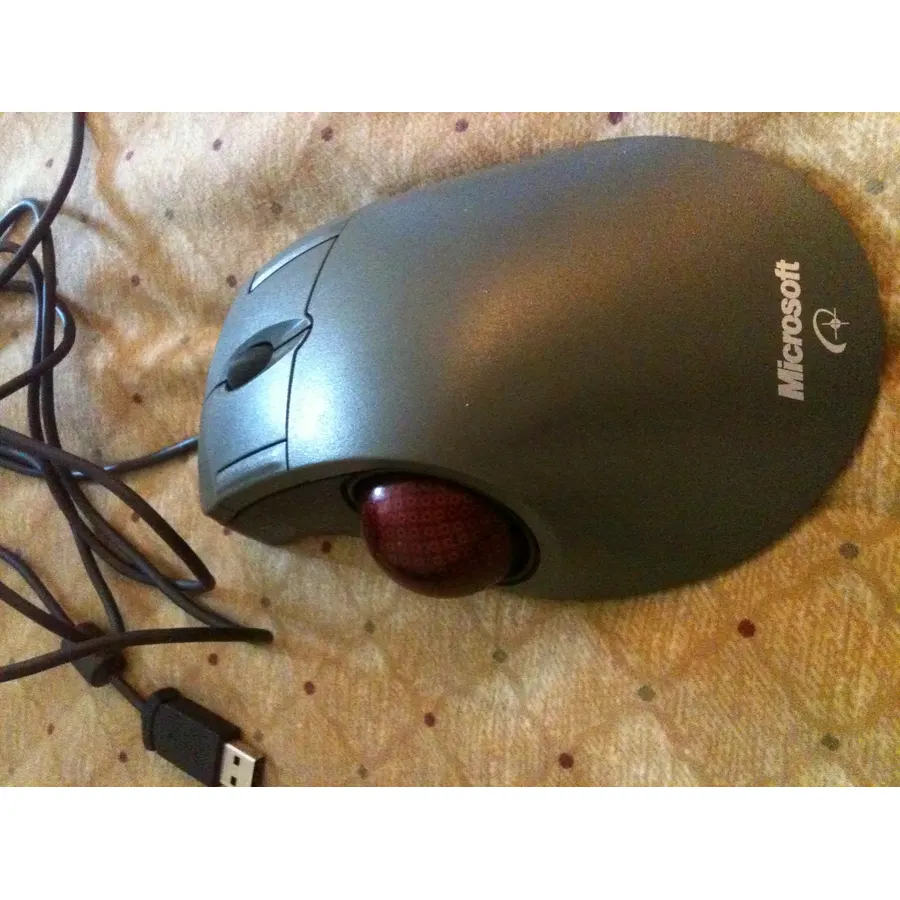
Amazon.com Unlike the mechanical-trackball "mice of yore" that skip, stick, and need to be cleaned, the Microsoft TrackBall Optical introduces an entirely new trackball featuring optical sensor technology. Reading through dirt, dust, and fingerprints, the optical sensor tracks the movement of the ball 1,500 times per second, giving you smooth, precise control. The Trackball Optical comes with two additional buttons located on the side of the device--for a total of five buttons--to quickly move forward and back in your browser, or you can program them.
It also features a wheel for efficient scrolling and zooming and is ergonomically designed to support the natural position of your hand as you use your thumb to control the trackball. From the Manufacturer Get on the ball at an affordable price. This high-performance trackball offers optical precision, customizable buttons, and a convenient
Do Best Deal is a participant in the Amazon Services LLC Associates Program. As an Amazon Associate we earn from qualifying purchases. If you buy through links on this site we may earn a commission, at no extra cost to you. Learn more.
Product information
24 specifications
Additional Features
Ergonomic Design
Antenna Location
Gaming, Office
Brand
Microsoft
Button Quantity
5
Color
Grey
Compatible Devices
Personal Computer
Connectivity Technology
USB
Embellishment Feature
LED
Global Trade Identification Number
00659556304782, 00659556304799, 00659556304812
Hand Orientation
Right
Included Components
Microsoft D67-00001 Trackball Optical Mouse
Item Part Number
D6700005
Item Weight
16 ounces
Mfr Part Number
D67-00005
Minimum Required Operating System Version
Ubuntu 16.04 Xenial Xerus, Windows 7
Model Name
Trackball Optical Mouse
Model Number
D67-00001
Movement Detection
Optical, Trackball
Operating System
Windows, macOS, Linux
Power Source
Battery Powered
Range
10.0 meters
Style Name
Modern
Theme
Modern
Unit Count
1 Count
Pros & cons
What we like
Thumb-controlled precision trackball design
IntelliEye optical technology
5 buttons--including 2 programmable buttons
Wheel for scrolling and zooming
What could be better
Microsoft D67-00001 Trackball Optical Mouse: questions & answers
Is the Microsoft D67-00001 Trackball Optical Mouse worth buying?
Yes, for most buyers it is a safe choice. We score the Microsoft D67-00001 Trackball Optical Mouse 8.2 out of 10. Amazon owners rate it 4.1 out of 5 across 118 reviews, below the 4.4 average of the 166 products we track in Mice.
How much does the Microsoft D67-00001 Trackball Optical Mouse cost?
It was listed at $325.00 on Amazon when we last checked in September 2026. Amazon prices change daily, so use the price button on this page to see the current figure.
What are good alternatives to the Microsoft D67-00001 Trackball Optical Mouse?
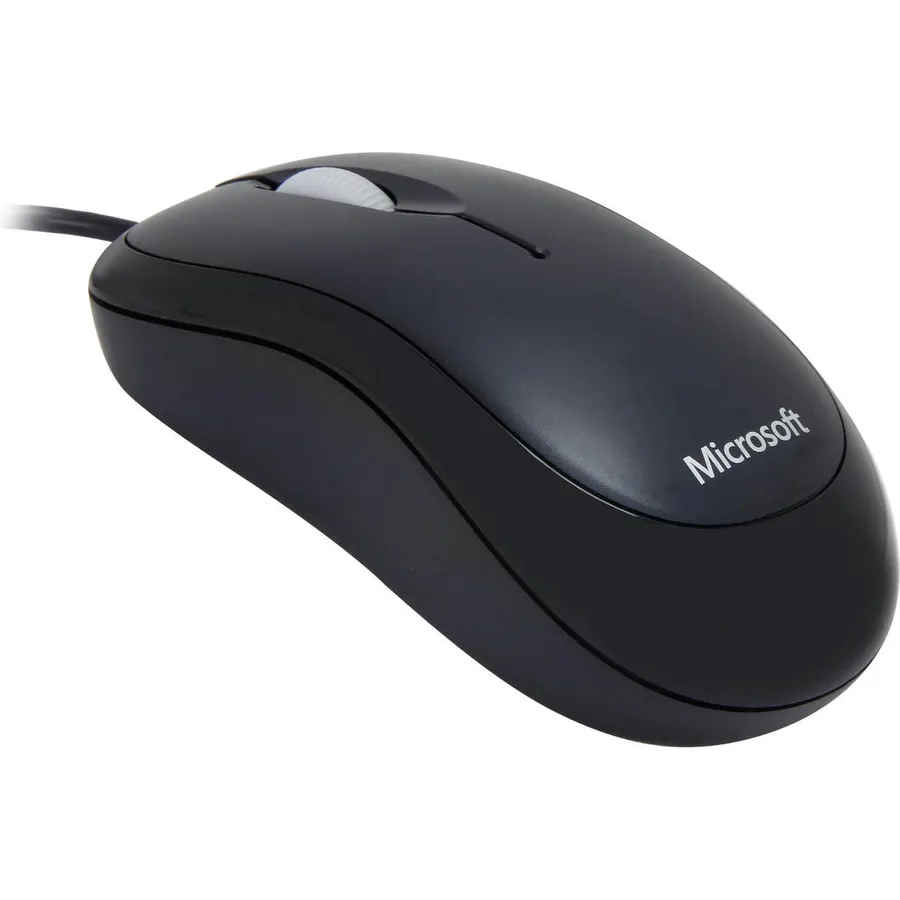
Similar, well-rated products in our catalog: Microsoft Basic Optical Mouse (9.2/10, 4.6 stars from 2,375 owners); Microsoft Basic OPTIBAL Mouse Black USB (9.2/10, 4.6 stars from 2,147 owners); Microsoft Wheel Mouse Optical (8.8/10, 4.4 stars from 460 owners).
Breakdown from the 10 most helpful reviews we imported.
H
hoagamaniac
Verified purchaseJune 21, 2002
I just ordered my third one. (Shining endorsement)
While I don't always think M$ is a computing Godsend when it comes to software, this trackball is the best input peripheral I've used yet.I have what I think is a larger than normal hand, so I find most mice and trackballs are too small for me to use comfortably. This causes my hand to tire out rather quick. This trackball however is of a decent enough size for me to rest my hand on without much fatigue.The USB PS/2 adapter is a nice touch. I love the narrow back/forward (By default) buttons on the outer edges of the primary and secondary buttons. Web and folder browsing is definately faster w
R
Rock Peterson
Verified purchaseMay 8, 2024
fits my hand better than anything else on the market
Sadly Microsoft stopped making/selling these over a decade ago, but they fit my hand and work for gaming (at least for me) better than any other mouse/trackball on the market. So when I find one in good condition, I often pick it up, nice to have spares... hopefully they'll last longer than I do.Not sure if this review covers the seller too, but shipping was fast, well packaged, and everything works perfectly.
W
William L. Carter
Verified purchaseNovember 15, 2006
A Gamers dream
I've got 5 right now (three on computers and 2 brand new referbished on the shelf in reserve(. I will never use anything else. The two most important features for me are that all 4 buttons, 5 including the scroll wheel are programable for each program or game you own. As you move from program to program or game to game the mouse automaticly switches settings.Just drop in your game and play. They do get a little dirty but not nearly as bad as a rollerball mouse. With Trackball Optical you just pop out the roller ball (no tools needed) and you can see just where the dirt has built up. One scratc
J
JG
Verified purchaseDecember 12, 2005
It's nice... but could be better
I've owned this trackball for almost a year now and while I've been generally satisfied with its performance, there are some areas that could use improvement.First, I've noticed that it tends to stick alot more than the trackball I owned previously (The logitech thumb-trackball). I could actually play FPS games with the logitech, this one simply isn't responsive enough, and needs to be cleaned quite frequently. Luckily, it's quite easy to pop the ball out of the assembly, run your finger over the three touch points, and pop the ball back in. I have also noticed that there seems to be a rub poi
C
Charley Babaganoosh
Verified purchaseJune 3, 2009
Awesome Trackball, but some were defective.
I purchased 14 of these for my business. They are generally great. These are by far the best trackball (or any mouse) that I have ever used. But when I purchased my last batch of these a few years back, they had a manufacturing defect that caused the plastic to rub on the ball, rather than the ball gliding nicely on the metal rollers. I took those back and found that the replacement batch was also defective. I've been looking for non-defective ones ever since. Evidently Microsoft decided to discontinue them rather than fix the problem. I'm sure they had a lot of returns. I hope microsoft chang
H
Hubby11
Verified purchaseDecember 2, 2004
Just not smooth.
Count me along with those that don't like this trackball. I made the switch from the conventional mouse when I started to notice my wrist aching. The thumb control seemed like a good idea.I like the ergonomics of this trackball. The buttons are well placed and the scroll wheel works great. But this device fails miserably in the most important area - the trackball itself. Quite simply, it is not smooth. The motion is jerky, making it difficult to get teh cursor on words when editing type. I do a lot of word processing and cut and paste throughout the day. This is a nightmare with this unit.Gunk
K
K. Hill
Verified purchaseNovember 4, 2005
I like it - I love it - I want some more of it
I have had this track ball for over five years now. It's currently hooked up to its second computer. I agree the outside buttons are a little narrow, but I learned to live with it. I only wish it had two more buttons making a total of seven. They are completely programmable, and that is a very nice feature.For those of you that have had problems with it sticking, I used to have the same problem. I would take the ball out, wipe it off in my shirt, wipe out the inside real good and put it back in, and it worked fine. However, I don't know if you are all having the same problem or not. Sometimes
K
Kaylo
Verified purchaseApril 13, 2005
Microsoft no longer supports this. Good if it doesn't go bad
A month and a half ago, I purchased a Trackball Optical through Amazon. When it arrived, the installation and all went quite smoothly (on a Mac), and it operated as advertized. As another review mentioned, the forward/back buttons are a wee bit narrow, but I can get used to that. Out of the box, the product was great.The smoothness of the ball's rolling degraded quickly. At first, giving it a little push would send the ball spinning for a while. Now it travels at most a quarter inch before friction stops it. Since the degraded smoothness is not uniform (it seems to stick in inconsistant patche
Customer reviews are shown as published on Amazon and are not written by Do Best Deal.
More mice we compared
Alternatives to the Microsoft D67-00001 Trackball Optical Mouse