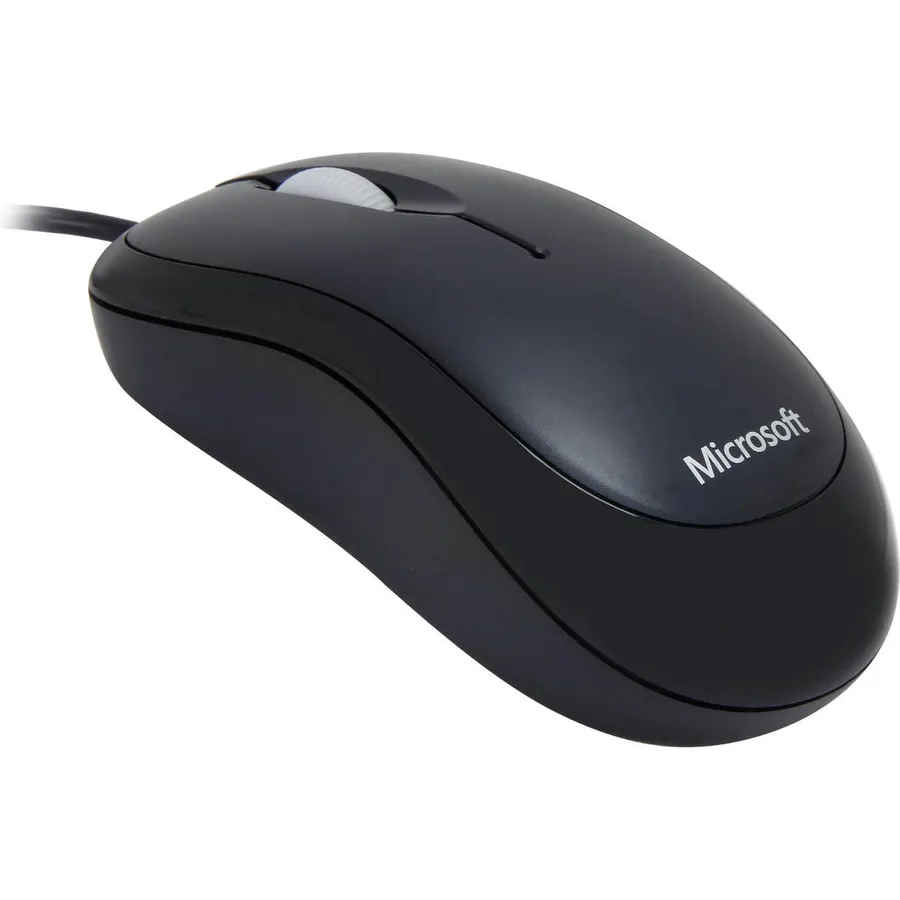
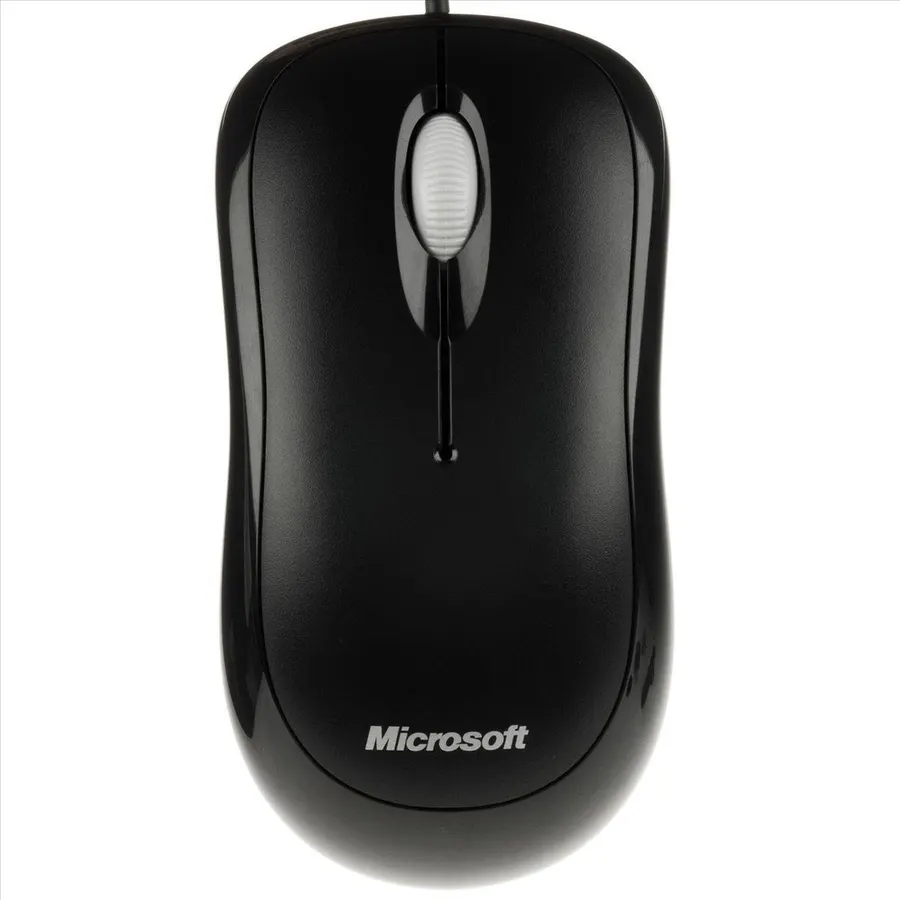
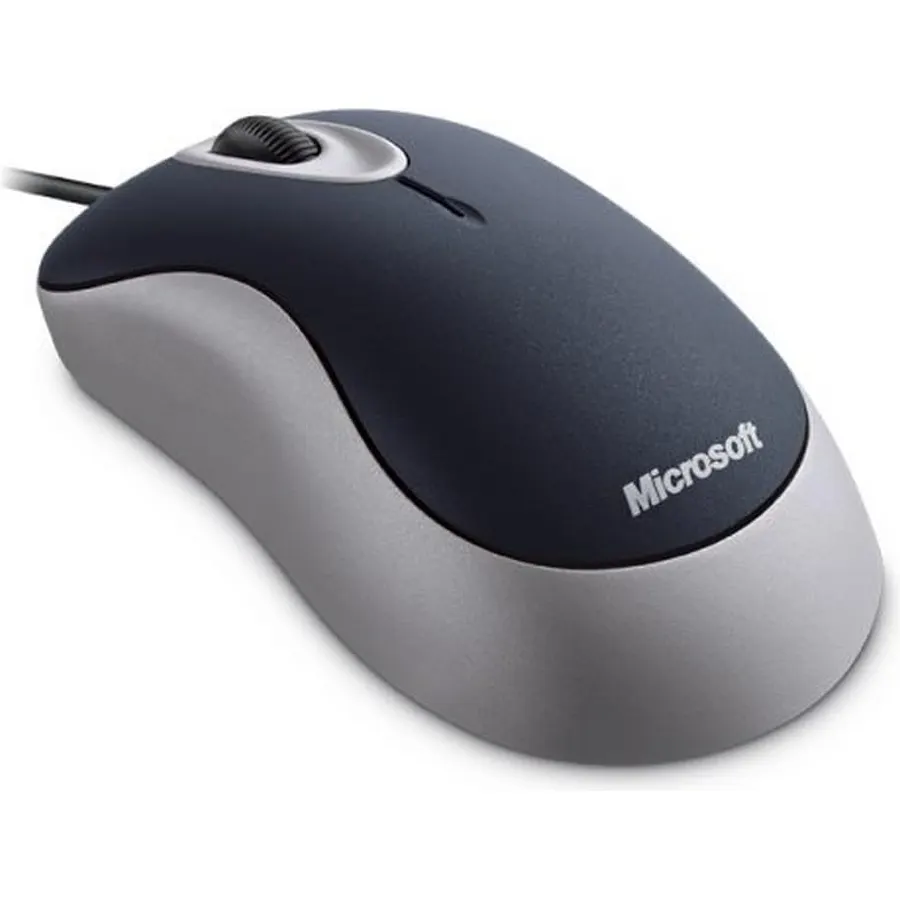
Scroll Wheel - Move through your documents quickly without having to click the on-screen scroll bar.
Ranked #99 in Mice · 4 things we like
Quick answer The Microsoft Basic Optical Mouse scores 9.2/10 with us. Amazon owners rate it 4.6 out of 5 across 2,375 reviews, above the 4.4 average of the 166 products we track in Mice. It was listed at $32.99 on Amazon when we last checked in September 2026.
Value in an optical mouse. Microsoft Optical Technology replaces the traditional mechanical mouse ball for greater accuracy and control. Easy and comfortable to use, Basic Optical Mouse is a good choice for value.
Do Best Deal is a participant in the Amazon Services LLC Associates Program. As an Amazon Associate we earn from qualifying purchases. If you buy through links on this site we may earn a commission, at no extra cost to you. Learn more.
Product information
24 specifications
Additional Features
Ergonomic Design
Antenna Location
Laptop
Brand
Microsoft
Button Quantity
3
Color
Black
Compatible Devices
Personal Computer
Connectivity Technology
USB
Enclosure Material
Plastic
Global Trade Identification Number
00885370433807
Hand Orientation
Ambidextrous
Hardware Platform
Laptop, PC
Item Dimensions L x W
4.47"L x 2.28"W
Item Weight
3.2 ounces
Mfr Part Number
P58-00061
Model Name
P58-00061
Model Number
P58-00061
Movement Detection
Optical
Number of Batteries
1 AA batteries required.
Operating System
Windows 7, Windows 8, Windows 98, Windows Vista
Power Source
Corded Electric
Range
feet
Style Name
Modern
Unit Count
1 Count
Warranty Description
P58-00061
Pros & cons
What we like
Scroll Wheel - Move through your documents quickly without having to click the on-screen scroll bar.
Comfort - Get a grip with a comfortable design created for either hand.
Easy to Set Up and Use - No software to install, no feature setup required.
Microsoft Optical Technology - High Performance Optical Technology - no mouse ball. Optical sensor delivers greater accuracy and control.
What could be better
Microsoft Basic Optical Mouse: questions & answers
Is the Microsoft Basic Optical Mouse worth buying?
Yes, it is one of the stronger picks in its group. We score the Microsoft Basic Optical Mouse 9.2 out of 10. Amazon owners rate it 4.6 out of 5 across 2,375 reviews, above the 4.4 average of the 166 products we track in Mice.
How much does the Microsoft Basic Optical Mouse cost?
It was listed at $32.99 on Amazon when we last checked in September 2026. Amazon prices change daily, so use the price button on this page to see the current figure.
What are good alternatives to the Microsoft Basic Optical Mouse?
Similar, well-rated products in our catalog: Microsoft Ergonomic Mouse Black (9.0/10, 4.5 stars from 652 owners); Microsoft Modern Mouse (8.8/10, 4.4 stars from 418 owners); Microsoft Pro Intellimouse (9.0/10, 4.5 stars from 699 owners).
Breakdown from the 10 most helpful reviews we imported.
C
C. Weaver
Verified purchaseNovember 13, 2013
Good Mouse....
Having used MS mice over the years, I wasn't sure how well this mouse work for me. I had to finally replace a MS Optical Mouse Blue that I had been using on a Win Vista system. (Driver 7.0 MS.) I noted this seemed the way to go. (I had replaced the same MS Optical Mouse Blue on my top Win 7 system with a MS Optical Mouse 3000 and was very happy with it even though the extra button sometimes got in the way.) Anyway, I really didn't know what to expect. I got it in and, after installing it. (This was easy. One word, this is a USB mouse and if you still have an older MB, like me, you will need an
D
DeathSpiral
Verified purchaseDecember 24, 2014
Very good mouse with great bang for the buck and few downsides (click volume discussed in this review)
I switched to this from a stock Dell mouse. I use Logitech at work. I had almost forgot how much I liked the plain two button and scroll wheel mouse from Microsoft.PROs: Comfortable in the hand, solid drivers (recognized easily by Windows and do not need to be reloaded), no batteries to replace like with wireless, easy gripping, and good granular controls for business, home, and light gaming use. Simple, direct, and dependable with a good price. I'm not big on the side and additional buttons with other models, which I accidentally click (frequently).The basic Logitech is not bad, but I rate th
L
Leon
Verified purchaseApril 20, 2016
Comfortable in the hand
The previous mouse I was using on my Windows 7 Pro PC suffer the same fate as all the other cheap mices before it . That after thousands of left click the button has become too worn out to function properly. Those types rely on the flexibility of the plastic to allow enough bending to be depressed, causing a click. After looking at the available models on Amazon, I settled on the particular model under review here, PROs: Comfortable in the hand, solid drivers (recognized easily by Windows and do not need to be reloaded), no batteries to replace like with wireless, easy gripping, and good granu
D
David Beauregard
Verified purchaseAugust 26, 2026
Okay mouse
Nice mouse. A little small for my hand. Worked as a basic wired mouse.
J
John Goggans
Verified purchaseMay 10, 2023
These have become my go-to mouse
Not sure why but I go thru mice in a hurry, maybe the game I play? I've had much more expensive gaming mice that only lasted about 3 months. I've had less expensive mice that didn't last a month. Overall, these seem to be the best mice for my situation. They're a decent price, very basic, reasonably comfy, responsive, and they hold up better than any others I've tried.
M
Mitchel M.
Verified purchaseAugust 6, 2020
Perfect for the price
For the price, this is a perfect mouse. I would compare it to the Logitech M100/B100 in terms of feel, overall size, and weight. These no nonsense, plug and use mice are more reliable and more comfortable than wireless mice. When a mouse requires batteries, it tends to affect the wrists after long usage. Not this mouse. Light, comfortable for any size hand (maybe not really large). Not quite as comfortable as the Logitech M100 but it's right there. It looks better though. The one issue (not really an issue) is the cord thickness. It has a thick non-braided cord that may get in the way or drag
J
J. Haskell
Verified purchaseDecember 31, 2025
wireless mice are nice but...
wireless mice are nice but often interfere with other devices on the same frequency, especially with side by side computers. Too many side button are often activated accidentally. the side buttons on this mouse are well out of the way of accidental thumb activation, and function quite reliably
M
Matty Thompson
Verified purchaseJanuary 25, 2021
Great little cheap mouse
Considering the price these little guys are terrific. I've had several for years with no problems at all. They've been used by all members of my family, been kicked around, and used for work and gaming. I've lost them, but never had one break down.Personally i use a fingertip grip and prefer very light mice, so these cheap mice are a perfect fit. I also have a Razer Viper Mini, and honestly this MS mouse seems more sturdy, has quieter buttons and smoother skates. If I used a palm grip I'd probably find this mouse much too small.
Customer reviews are shown as published on Amazon and are not written by Do Best Deal.