A 4K monitor used to be a luxury; now a 27 or 32-inch 3840 x 2160 panel from Dell, LG or ViewSonic sits under the budget cap, and the question is which compromises each one makes to get there. Some give up the stand, some the speakers, some the refresh rate, and the cheapest give up panel quality in ways owners notice. We went through every 4K monitor in our monitors catalog that was at or under the cap at the time of writing and ranked the ones that cleared our rating bar by panel type and brightness, refresh rate, ports, stand adjustment, and what hundreds of owners report after months at the desk.
We have not measured every panel ourselves; the verdicts rest on the spec sheets and on the owner review history. Prices are not printed because they change daily and these monitors cross the cap in both directions; every button opens the live Amazon page. Only five monitors met the bar, so this is a shorter list than usual and we say so. If the budget can stretch, our 32-inch 4K monitors and 4K gaming monitors guides go further, and the monitors for photo editing guide covers color-accurate 4K.
How we picked
- At or under the cap at the time of writing; prices move, so check the live page.
- True 3840 x 2160 on 27 or 32 inches; no 4K-upscaled panels, no portable screens.
- Owner rating of 4.2 stars or better; one well-known 32-inch budget 4K monitor fell below 4.0 and was left out.
- Ports that matter: HDMI and DisplayPort on every pick, since 4K at 60Hz needs HDMI 2.0 or better.
- Honest trade-offs: we flag tilt-only stands, 60Hz panels and missing speakers rather than hide them.
The picks
Dell 27 Monitor S2725QS, 4K UHD IPS, 120Hz, 5ms, FreeSync Premium
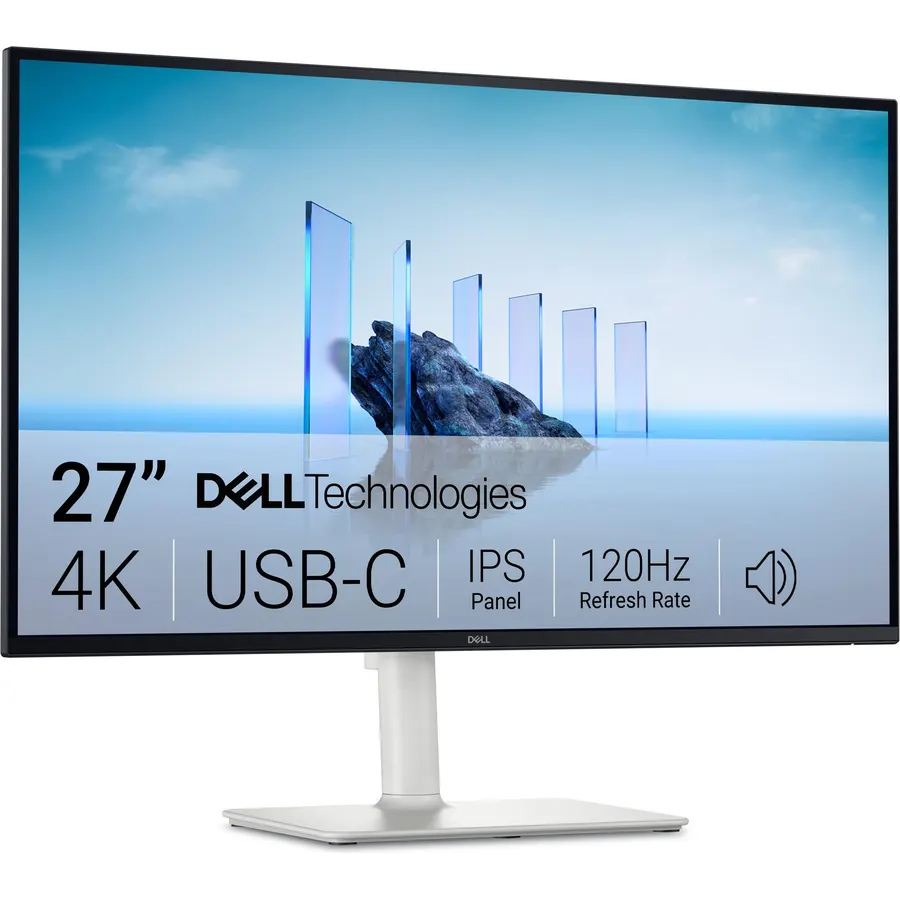
The Dell S2725QS is the budget 4K monitor that gives up the least. Its 27-inch IPS panel runs at 120Hz with AMD FreeSync Premium, which no other pick here manages, so a PS5, an Xbox or a mid-range PC gets smooth 4K gaming as well as sharp text. The panel covers 99 percent of sRGB with a 1500:1 contrast ratio that is high for IPS, it is HDR ready, and Dell’s ComfortView Plus holds blue light at or below 35 percent in hardware so colors stay neutral. The speakers were redesigned for more volume and bass, and the ultra-thin bezel in ash white looks like a dearer monitor. More than 1,000 owners rate it 4.4 stars, praising the sharpness and the 120Hz; the finish and the basic stand are the gripes. It is the one to buy if it fits the budget on the day.
- The only 4K pick here at 120Hz, so it doubles as a gaming monitor
- 1,000 owners at 4.4 stars, the most-reviewed budget 4K here
- ComfortView Plus hardware blue light reduction
- Built-in speakers and 1500:1 IPS contrast
- Ash white finish is a love-or-hate choice
- HDR ready rather than a certified HDR tier
- Stand adjustment is basic for the price
LG 27US500-W Ultrafine Monitor 27-Inch 4K UHD (3840x2160) HDR10 IPS Borderless Design Reader Mode Flicker Safe Switch App HDMI DisplayPort - White
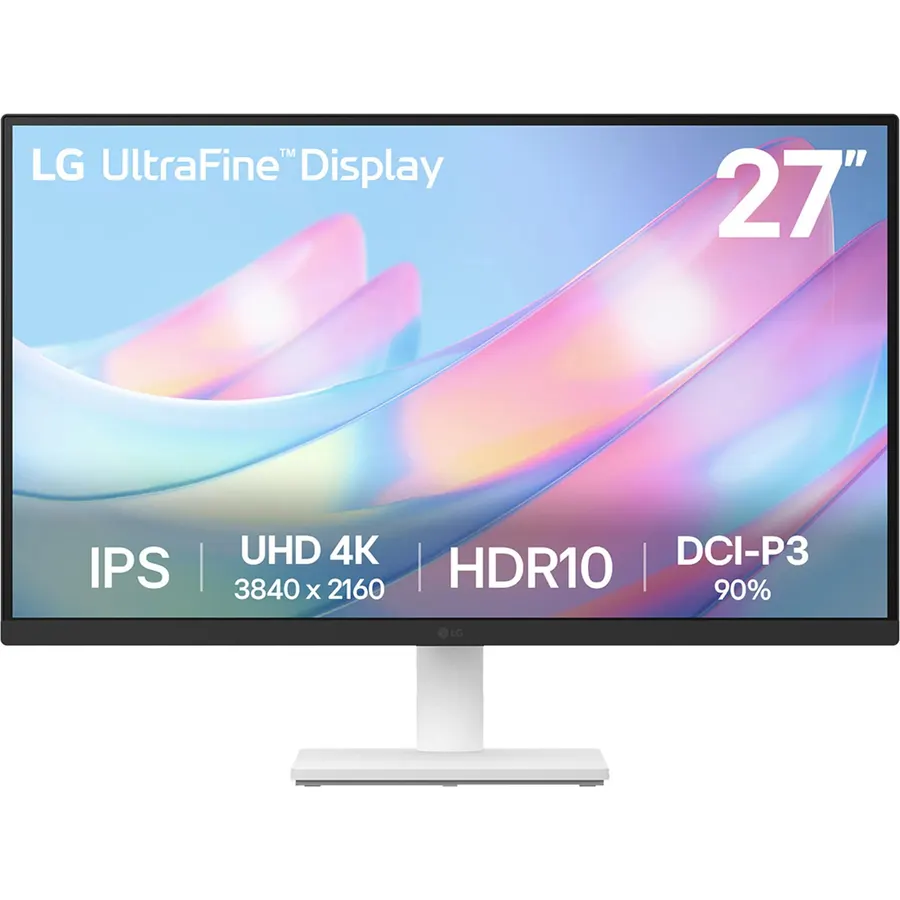
The LG 27US500-W is the sensible 27-inch 4K monitor for a desk that does not game: a 60Hz IPS panel with HDR10 support, up to 90 percent of DCI-P3, a 1000:1 contrast ratio and wide viewing angles, in a white borderless frame with a simple tilt stand. LG’s Reader Mode and Flicker Safe handle long days, the Switch app snaps windows into layouts, and HDMI and DisplayPort are both on the back. It has no speakers and the stand only tilts, which is how it undercuts the Dell. About 460 owners rate it 4.4 stars, mostly people replacing a 1080p office monitor who wanted sharp text for documents and code, and the common note is that 4K at 27 inches needs 150 percent scaling in Windows to be comfortable.
- The cheapest 27-inch 4K from a major brand here
- 90% DCI-P3 and HDR10 on an IPS panel
- 460 owners at 4.4 stars
- Reader Mode, Flicker Safe and the Switch app for window layouts
- 60Hz only
- Tilt-only stand
- No speakers
LG 32UR500K-B Ultrafine 32-inch 4K UHD (3840x2160) Computer Monitor HDR10 Built-in Speaker x2 OnScreen Control Reader Mode Flicker Safe Borderless Design HDMIx2 DisplayPort Black
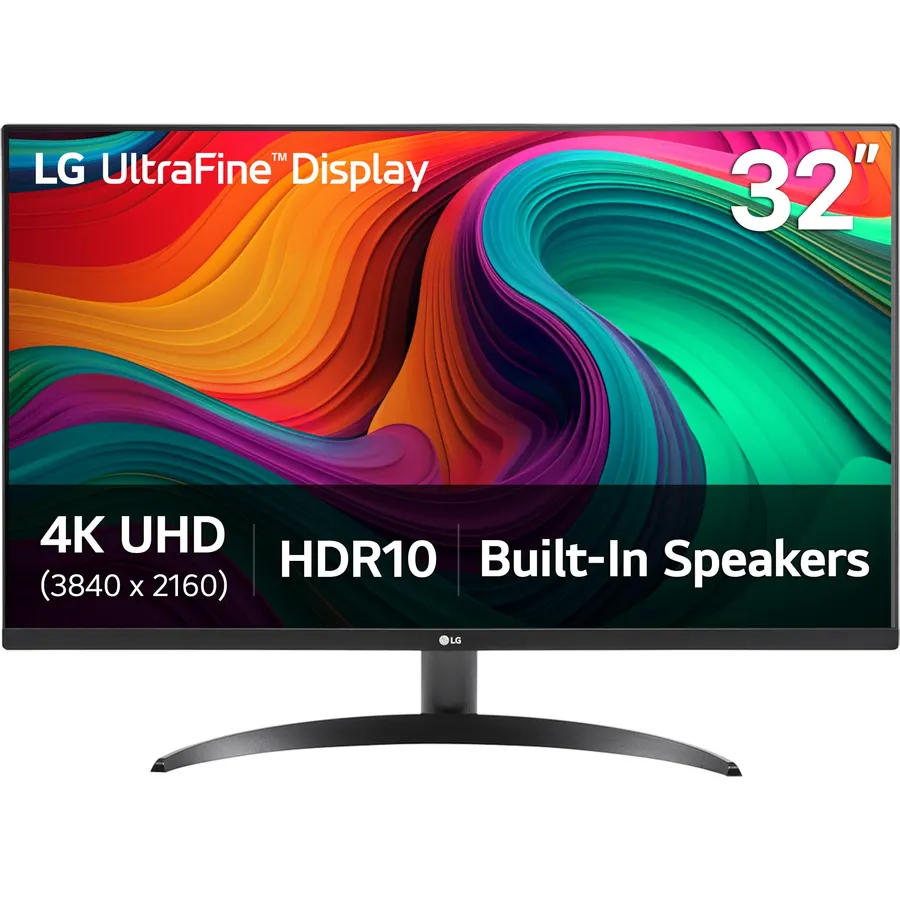
The LG 32UR500K-B is the 32-inch 4K pick for a home office: at this size 4K text is comfortable at 125 percent scaling rather than 150, so you get more usable space than the 27-inch picks, and LG includes two HDMI ports and a DisplayPort, stereo speakers tuned with Waves MaxxAudio, and HDR10 with up to 90 percent of DCI-P3. OnScreen Control, Reader Mode, Flicker Safe and Dynamic Action Sync carry over from LG’s pricier monitors. It runs at 60Hz and the stand only tilts, which on a 32-inch panel means you may want an arm. It sits at the cap on most days. About 510 owners rate it 4.4 stars, with the screen size, the speakers and LG’s reliability the reasons given.
- 32 inches of 4K with speakers and two HDMI ports
- 510 owners at 4.4 stars
- MaxxAudio speakers are better than most built-ins
- Reader Mode and Flicker Safe for long sessions
- 60Hz only
- Tilt-only stand on a heavy 32-inch panel
- Sits right at the cap
ViewSonic VX3276-4K-MHD 32 Inch 4K UHD Monitor, HDR10, HDMI, DisplayPort
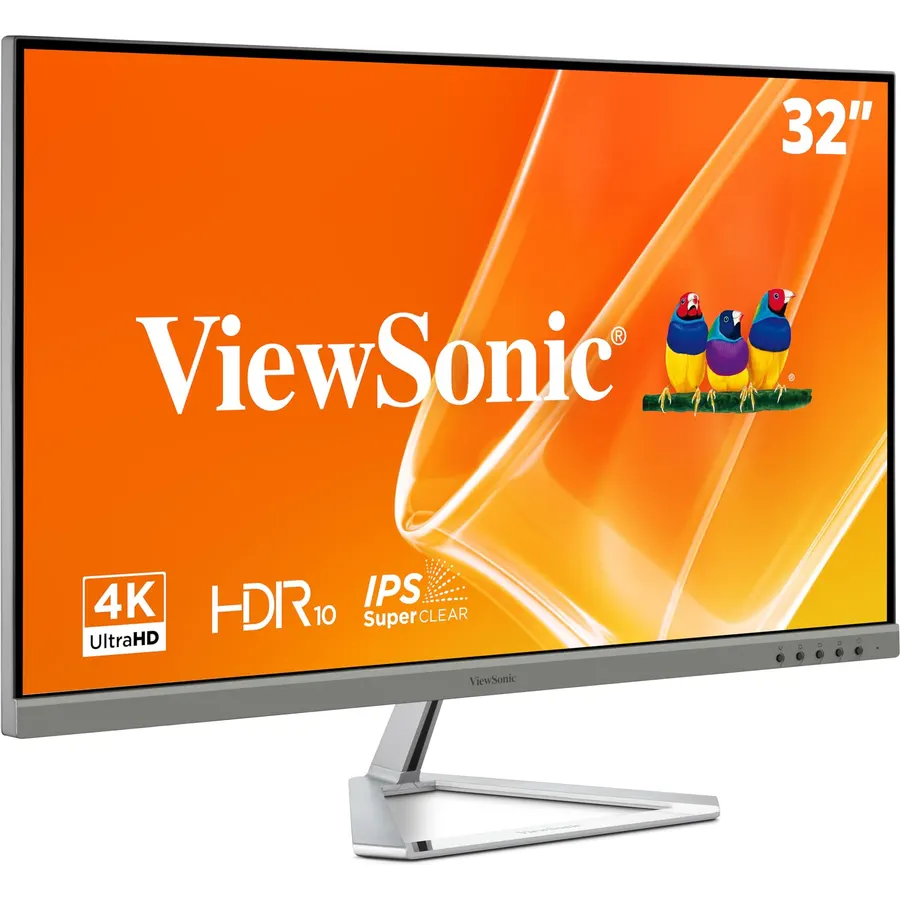
The ViewSonic VX3276-4K-MHD is the 32-inch 4K monitor for a desk that watches more than it types: its MVA panel delivers deeper blacks and higher contrast than the IPS competition, which flatters films and dark games, and HDR10 support, ViewMode presets and a flicker-free, blue-light-filtered backlight round it out. It has HDMI, DisplayPort and a Mini DisplayPort in an ultra-slim frameless chassis. The trade is in the reviews: 830 owners rate it 4.2 stars, the lowest on this page, with a minority reporting dead pixels on arrival or a panel that dimmed after a year, so buy from a seller with easy returns and inspect it early. There are no speakers and the stand tilts only. At its price it is a lot of 4K screen with real contrast.
- MVA panel gives deeper blacks than the IPS picks for films
- 830 owners, the most of any 32-inch pick here
- Three inputs including Mini DisplayPort
- Ultra-slim frameless design
- 4.2 stars: some owners report dead pixels or dimming over time
- No speakers
- Tilt-only stand and no HDMI 2.1
LG 32U700B-B 32-inch Ultrafine 4K UHD 60Hz Tilt/Height Computer Monitor
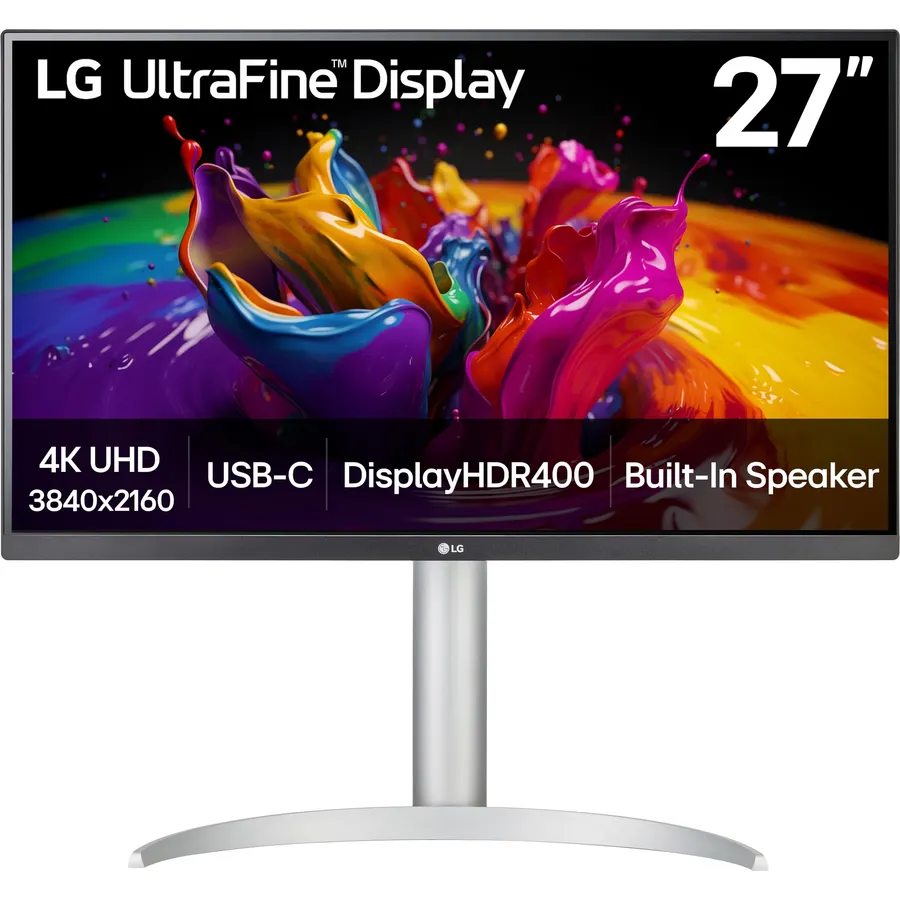
The LG 32U700B-B is the pick for anyone who has been stacking books under a monitor: it is the only budget 4K screen here whose stand adjusts for height as well as tilt. The 32-inch 3840 x 2160 panel quotes up to 99 percent of sRGB with HDR support, has HDMI, DisplayPort 1.4 and a headphone output, and keeps LG’s Reader Mode and Flicker Safe. The three-side virtually borderless frame is designed to sit beside a second one. It runs at 60Hz and has no speakers, and as the newest model on the page it has about 160 reviews, far fewer than the 32UR500K-B; those owners rate it 4.4 stars and single out the stand and text sharpness. If the ergonomics matter more than speakers, choose this over its sibling.
- The only pick with a height-adjustable stand
- Up to 99% sRGB and HDR on 32 inches
- 160 owners at 4.4 stars
- Three-side borderless, built for dual setups
- Newest model with the fewest reviews here
- 60Hz and no speakers
- DCI-P3 coverage is not quoted
Compare the picks
| Product | Size / panel | Refresh rate | Ports | Speakers / stand | Owner rating | Our score | |
|---|---|---|---|---|---|---|---|
| Dell S2725QSDell | 27-inch 4K IPS | 120Hz, FreeSync Premium | HDMI, DisplayPort | Speakers, basic stand | 4.4 (1,000+) | 8.8 | See price |
| LG 27US500-WLG | 27-inch 4K IPS | 60Hz | HDMI, DisplayPort | No speakers, tilt | 4.4 (460+) | 8.8 | See price |
| LG 32UR500K-BLG | 32-inch 4K | 60Hz | 2x HDMI, DisplayPort | Speakers, tilt | 4.4 (510+) | 8.8 | See price |
| ViewSonic VX3276-4K-MHDViewSonic | 32-inch 4K MVA | 60Hz | HDMI, DisplayPort, Mini DP | No speakers, tilt | 4.2 (830+) | 8.4 | See price |
| LG 32U700B-BLG | 32-inch 4K | 60Hz | HDMI, DisplayPort 1.4 | No speakers, height and tilt | 4.4 (160+) | 8.8 | See price |
27 or 32 inches for budget 4K?
At 27 inches, 4K packs about 163 pixels per inch, which is the density Apple uses on its own displays. Text is razor sharp but tiny at native scale, so Windows and macOS both run it at 150 or 200 percent scaling, and what you gain is crispness rather than more room on screen. At 32 inches the density drops to about 138 pixels per inch, which most people run at 125 percent scaling; text is still sharper than a 1440p monitor and you get noticeably more usable workspace, which is why the 32-inch picks suit spreadsheets, timelines and two windows side by side. The 27-inch Dell and LG suit a smaller desk, a Mac, or anyone sitting closer than an arm’s length. If you are unsure, 32 inches at 125 percent is the more practical desk; 27 inches at 150 percent is the prettier one.
60Hz or 120Hz, and what the ports allow
Four of the five picks are 60Hz, which is fine for office work, photo editing and film, but shows its limit in games and in how smoothly the cursor moves. The Dell S2725QS at 120Hz with FreeSync Premium is the exception and the reason it ranks first: a PS5 or Xbox Series X runs 4K at 120Hz on it over HDMI, and a PC with a mid-range card can use the headroom at lower settings. Whichever you choose, 4K at 60Hz needs HDMI 2.0 or DisplayPort 1.2 at minimum; every pick has both, and the LG 32U700B-B has DisplayPort 1.4. Check the cable too: an old HDMI lead rated for 1080p will drop 4K to 30Hz, and the flicker and lag that follow get blamed on the monitor.
What you give up at this price
The cap buys you the panel but not the extras. Only the LG 32U700B-B adjusts for height; the others tilt only, and a 32-inch panel at the wrong height is tiring, so plan for a riser or a monitor arm. Only the Dell and the LG 32UR500K-B have speakers. None of the picks offers USB-C, so a laptop needs an HDMI or DisplayPort cable or a dock; our USB-C monitors guide has single-cable options if that matters more than price. HDR on all of them is HDR10 signal support rather than a bright certified tier, so treat it as a bonus. And one 32-inch 4K monitor with a large review count was left off because its owners rate it below 4.0 stars; cheap 4K is only a bargain if the panel lasts.
Is a 4K monitor under 300 dollars worth it?
Yes for text, photos and film, where the sharpness is obvious. The compromises are 60Hz on four of the five picks, tilt-only stands and few speakers; the Dell S2725QS avoids the first and the last.
Can my laptop run a 4K monitor?
Most laptops from 2017 onward output 4K at 60Hz over HDMI 2.0 or a USB-C to DisplayPort cable. Very old laptops may be limited to 30Hz, which looks laggy; check the port specification first.
Do I need a powerful graphics card for 4K?
Not for desktop work; any modern integrated graphics drives 4K at 60Hz. For games at 4K you need a high-end card or a console, which is where the 120Hz Dell is useful.
Which of these is best for a Mac?
The 27-inch picks match Apple pixel density and look native at 200 percent scaling; the Dell S2725QS adds 120Hz. A Mac connects over HDMI or a USB-C to DisplayPort cable, since none of these has USB-C.
Why is the ViewSonic rated lower than the LGs?
A minority of its 830 owners report dead pixels or dimming over time, which pulls the average to 4.2. It has more reviews than either 32-inch LG and better contrast, so it stays on the list with that warning.
Prices and stock change daily. The buttons above open Amazon so you always see the current price. We may earn a commission if you buy through them, at no extra cost to you.
Do Best Deal is a participant in the Amazon Services LLC Associates Program. As an Amazon Associate we earn from qualifying purchases. If you buy through links on this site we may earn a commission, at no extra cost to you. Learn more.
